1
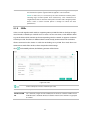
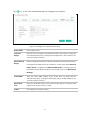
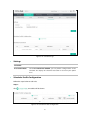
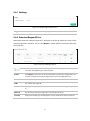
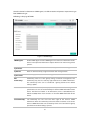
Click
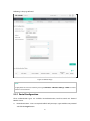
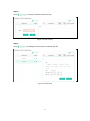
to add a new authentication policy and configure its parameters.
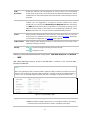
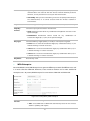
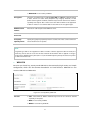
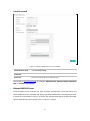
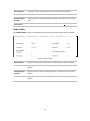
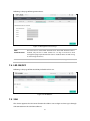
Figure 5-16 Configure Free Authentication Policy
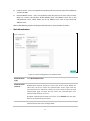
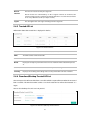
Policy Name:
Enter a policy name.
Source IP
Range:
Enter the source IP address and subnet mask of the clients who can enjoy the
free authentication policy. Leaving the field empty means all IP addresses can
access the specific resources.
Destination IP
Range:
Enter the destination IP address and subnet mask for free authentication policy.
Leaving the field empty means all IP addresses can be visited. When External
Radius Server is configured and External Web Portal is selected, please set
the IP address and subnet mask of your external web server as the Destination
IP Range.
Source MAC:
Enter the source MAC address of the clients who can enjoy the free
authentication policy. Leaving the field empty means all MAC addresses can
access the specific resources.
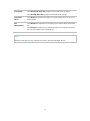
Destination
Port:
Enter the destination port for free authentication policy. Leaving the field
empty means all ports can be accessed.
Status:
Check the box to enable the policy.
26