1
Pbasics.book Page 68 Wednesday, November 29, 2000 5:46 AM
I
P
ICM (Image Color Matching) setting, 19
Icons, 2
Incorrect characters, 57
Incorrect colors, 55
Ink cartridge
replacing, 40 to 43
safety instructions, 63 to 64
Ink level, 12, 40
Ink setting, 10, 16
Inverted images, 57
Page Setup dialog box, 15
Paper
eject rollers, cleaning, 45
EPSON, 22 to 26
feeding problems, 56
loading, 7 to 8, 13 to 14, 22 to 24, 35 to 36
loading roll, 28 to 29
size, 11, 12, 15, 17
source, 11, 15
thickness lever, 24, 53, 54
type, setting, see Media Type setting
Photo Paper, 22 to 23
Photo Quality Media Pack, 22
PhotoEnhance, 18
Premium Luster Photo Paper, 23
Premium Semigloss Photo Paper, 23
Preserving prints, 25 to 26
Previewing, 12, 17
Print dialog box, 9, 12
Print head
aligning, 43 to 44
cleaning, 37 to 39
Print Head Alignment utility, 43 to 44
Print quality problems, 53 to 55
Printer
cable, 61, 62
check, 49
cleaning, 45
control panel, 47 to 48
maintaining, 37 to 46
noise, 51, 52
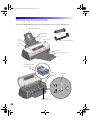
parts, 50
problems, 47 to 57
status, 12, 17
transporting, 46
Printer movies, 4 to 5
L
Layout problems, 57
Lever, thickness, 24, 53, 54
Lighting conditions, 21
Lights, control panel, 47 to 48
M
Macintosh
printing on roll paper, 32 to 34
printing on single sheets, 13 to 17
system requirements, 62
USB, 62
Maintaining printer, 37 to 46
Margins, incorrect, 56, 57
Media Pack, EPSON, 22
Media Type setting, 10, 16, 25
Metamerism, 21
Mirror images, 57
Mode setting, 10, 16
Monitoring ink level, 12, 40
Movies, see Printer movies
Moving printer, 46
N
Network printing, 51
Nozzle check pattern, 38 to 39, 49
68