1
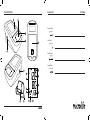
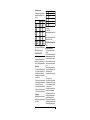
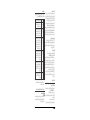
9. During the measurement, the pulse indicator AP flashes in the display. 10.The result, comprising the systolic AL and the diastolic AM blood pressure and the pulse rate AN is displayed. 11.When the device has finished measuring, remove the cuff. 12.Switch off the device. (The monitor does switch off automatically after approx. 1 min.). How not to store a reading As soon as the reading is displayed press and hold the ON/OFF button 1 until «M» BT is flashing. Confirm to delete the reading by pressing the M-button 9. You can stop the measurement at any time by pressing the ON/OFF button (e.g. if you feel uneasy or an unpleasant pressure sensation). If the systolic blood pressure is known to be very high, it can be an advantage to set the pressure individually. Press the ON/OFF button after the monitor has been pumped up to a level of approx. 30 mmHg (shown on the display). Keep the button pressed until the pressure is about 40 mmHg above the expected systolic value – then release the button. 4. Appearance of the Pulse Arrhythmia Indicator for early Detection This symbol AS indicates that certain pulse irregularities were detected during the measurement. In this case, the result may deviate from your normal blood pressure – repeat the measurement. In most cases, this is no cause for concern. However, if the symbol appears on a regular basis (e.g. several times a week with measurements taken daily) we advise you to tell your doctor. Please show your doctor the following explanation: Information for the doctor on frequent appearance of the Arrhythmia indicator This device is an oscillometric blood pressure monitor that also analyses pulse irregularity during measurement. The device is clinically tested. The arrhythmia symbol is displayed after the measurement, if pulse irregularities occur during measurement. If the symbol appears more frequently (e.g. several times per week on measurements performed daily) we recommend the patient to seek medical advice. This device does not replace a cardiac examination, but serves to detect pulse irregularities at an early stage. 4 5. Traffic Light Indicator in the Display The bars on the left-hand edge of the traffic light display AO show you the range within which the indicated blood pressure value lies. Depending on the height of the bar, the readout value is either within the optimum (green), elevated (yellow), too high (orange) or dangerously high (red) range. The classification corresponds to the 4 ranges in the table as defined by the international guidelines (ESH, AHA, JSH), as described in «Section 1.». 6. Data Memory This device automatically stores the last 30 measurement values. Viewing the stored values Press the M-button 9 briefly, when the device is switched off. The display first shows «M» BT and an average value. The device then switches to the last stored value. Pressing the M-button again displays the previous value. Pressing the M-button repeatedly enables you to move from one stored value to another. Memory full Pay attention that the maximum memory capacity of 30 memories is not exceeded. When the 30 memory is full, the oldest value is automatically overwritten with the 31st value. Values should be evaluated by a doctor before the memory capacity is reached – otherwise data will be lost. Clearing all values If you are sure that you want to permanently remove all stored values, hold down the M-button (the device must have been switched off beforehand) until «CL» appears and then release the button. To permanently clear the memory, press the M-button while «CL» is flashing. Individual values cannot be cleared. 7. Battery Indicator and Battery change Low battery When the batteries are approximately ¾ empty the battery symbol AT will flash as soon as the device is switched on (partly filled battery displayed). Although the device will continue to measure reliably, you should obtain replacement batteries. Flat battery – replacement When the batteries are flat, the battery symbol AT will flash as soon as the device is switched on (flat battery displayed). You cannot take any further measurements and must replace the batteries.