1
Introduction
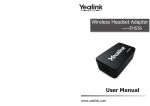
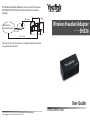
The Wireless Headset Adapter——EHS36, for the control
of wireless headsets is the perfect combination between
Yealink IP Phone T38G/T28/T26 and wireless headsets, such as
GN Netcom/Jabra/Sennheiser and Plantronics.
Port 2 : Connect with the GN Netcom/Jabra/Sennheiser
Wireless headset through RJ45 cord.
Port 3 : Connect with the Plantronics Wireless headset
through the 3.5 mm DC Jack.
Cord Description
RJ11 cord:For the audio connection to the IP Phone headset
port and the wireless headset.
Packing List
Connect to IP Phone
RJ11 cord
RJ45 cord
3.5 mm
DC Jack
RJ12 cord
User Manual
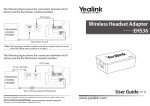
The Wireless Headset Adapter is the connection between
the T38G/T28/T26 IP phone and the GN Netcom/Jabra
wireless headset.
RJ12 cord
RJ45 cord
EHS36
GN Netcom/Jabra
wireless headset
Sennheiser Y-Cord
Port Description
1
RJ11 cord
3
2
The Wireless Headset Adapter is the connection between
the T38G/T28/T26 IP phone and the Sennheiser wireless
headset.
RJ45 cord
Port 1 : Connect with the IP Phone EXT port or Expansion
Module port (expansion module connected to the phone)
through RJ12 cord.
EHS36 User Guide
RJ
4
5c
Sennheiser
wireless headset
or
d
RJ12 cord
RJ11 cord
Note: The sennheiser wireless headset needed the newest firmware of the
DW-Office series! (version 96 or higher)
www.yealink.com