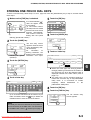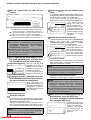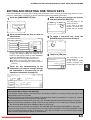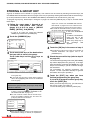
1
USING AN EXTENSION PHONE
You can connect a telephone to the machine and use it as an extension phone to place and receive calls like any
normal phone. You can also activate fax reception from the phone (remote operation).
NOTE
If you connect a combination telephone/answering machine to the machine, you will not be able to use the
answering machine function.
USING AN EXTENSION PHONE TO RECEIVE A FAX
The machine normally receives faxes automatically after ringing (page 2-10); however, when an extension phone is
connected, you can set the reception mode to "MANUAL RECEPTION". This will allow you to talk to the other party
first and then receive a fax.
This is convenient when you only have one telephone line and receive more voice calls than faxes. You must answer
all calls on the extension phone, and activate fax reception after you verify that a call is a fax transmission.
NOTES
The reception mode is initially set to "AUTO RECEPTION". If you have not connected an extension phone, keep
the reception mode set to "AUTO RECEPTION".
If you hear beeps during reception or at the end of reception and an error message appears in the display, refer
to page 7-3.
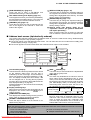
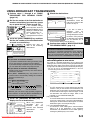
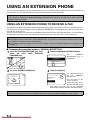
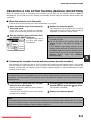
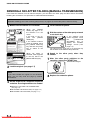
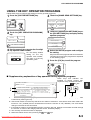
Changing the reception mode to "MANUAL RECEPTION"
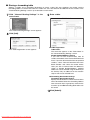
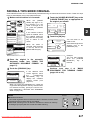
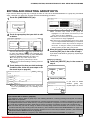
the [CUSTOM SETTINGS] key. Then
1 Press
touch
the
[FAX
DATA
RECEIVE/
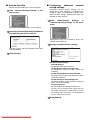
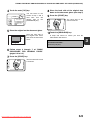
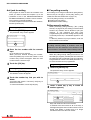
3 Touch the [MANUAL RECEPTION] key.
The
[MANUAL
RECEPTION] key is
highlighted.
FORWARD] key .
AUTO RECEPTION
LIST PRINT
MANUAL RECEPTION
SENDER CONTROL
FAX DATA
RECEIVE/FORWARD
KEY OPERATOR PROGRAMS
2 Touch the [RECEIVE MODE] key.
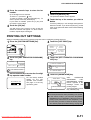
4 Touch the [OK] key.
OK
RECEIVE MODE
FAX
FO
RECEPTION
I-FAX DATA
FORWARD
RECEPTION
The reception mode is
set
to
"MANUAL
RECEPTION".
You will return to the
screen of step 2.
Touch the [OK] key in
the screen of step 2, and
then touch the [EXIT] key in the [CUSTOM
SETTINGS] screen to return to the main screen.
NOTE
To return the reception mode to AUTO RECEPTION, touch the [AUTO RECEPTION] key in step 3 above.
5-2
Downloaded From ManualsPrinter.com Manuals