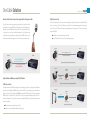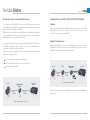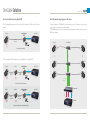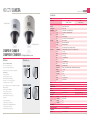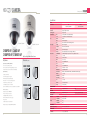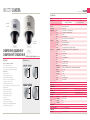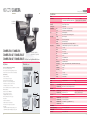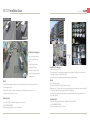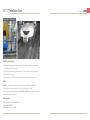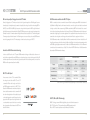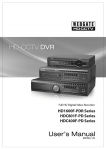
1
2011 HD-CCTV Products & Solutions Singapore Sole Distributor: Jia Ying Trading Pte Ltd 6F, Hanlim Venture Town B/D, 689-6 Geumjeoung-Dong, Gunpo-si, Gyeonggi-do, Korea (435-862) T. +82. 31. 428. 9333 F. +82. 31. 455. 3955 1 Rochor Canal Road, #02-67/69/34-37 Sim Lim Square Singapore 188504 T. +65. 6336.0404 F. +65. 6338.0404 www.webgateinc.com www.jiaying.com [email protected] | [email protected] [email protected] HD-CCTV Products 2014 HD-CCTV / WEBGATE / PREMIUM TO YOUR HD-CCTV / WEBGATE / PREMIUM TO YOUR HD-CCTV / WEBGAT DVR / WEBGATE / PREMIUM TO YOUR H.264 DVR / WEBGATE / PREMIUM TO YOUR H.264 DVR / PREMIUM R / WEBGATE / PREMIUM TO YOUR HD IP/NVR / WEBGATE / PREMIUM TO YOUR HD IP/NVR / WEBGATE / P MS / WEBGATE / PREMIUM TO YOUR CMS / WEBGATE / PREMIUM TO YOUR CMS / WEBGATE / PREMIUM 2012 “Leadership Award” & Solutions Premium to your security EN 2.1 WebGate Div. Daemyung Enterprise Co.,Ltd. 2013 2014 / PREMIUM TO YOUR HD-CCTV / WEB B PREMIUM TO YOUR H.264 DVR / WEB B EMIUM TO YOUR HD IP/NVR / WEBGA A PREMIUM TO YOUR CMS / WEBGATE Welcome to HD-CCTV Philosophy, Vision, & Mission Enjoy the Genuine HD Security with WEBGATE HD-CCTV Solution. Established in 1997, Daemyung Enterprise Co., Ltd. WEBGATE division, has been continuously tried to keep the promise of providing the best and the most innovative products in the world of security. With a world-class technology and highly reliable products, WEBGATE is currently leading the world of security market. We will always keep the promise to meet the changes in the market and provide you the best. WEBGATE Philosophy : We value the manifestation of future trends. Based on this, Webgate is the leading company in the world of HD Video surveillance market and continuing to serve the most convenient and secure product line humanity has ever known. Welcome to a new... World of Webgate History of 2012. 5 HD1600M 2012. 12 WEBGATE HDC400M 2013. 3 OPT-TX/RX 2013. 10 VCU 1999. 5 WebEye-E10 2000. 1 i-Rec C104 2001. 1 M360, DVrS 2002. 2 WebEye-MC10 2003. 5 DS412 Development of Image processing system of UAV (Unmanned Aerial Vehicle) for the Korean Army Development of WebEye series, The world’s first Wavelet base multi streaming IP Camera Development of i-Rec C104, The world’s first DVR integrating camera Development of DVrS, The world’s first 108ch NVR solution The world’s first 3GPP real-time MPEG-4 streaming camera 2007. 9 MD1600H 2007.10 MD3200M NVS04S 2010.11 C720B 2010.11 RP102 The world’s first Hybrid DVR(Analog 4ch + IP 12ch) using WEBGATE’s own differential Wavelet image process 2011. 2 C1080B 2003. 10 DS1600Q 2005. 5 Control Center 2007. 3 B101M Development of DS1600Q 16ch Wavelet DVR using WEBGATE own differential Wavelet image processing Development of Control Center CMS(Central Management Software) supporting 1024 unit registration, 6 monitors and virtual matrix etc. Development of MPEG-4 IP products supporting 8 different multi streams Development of MD1600H The world’s first 16ch D1 real-time standalone DVR 2013. 10 C1080P Series Development of MD3200M The world’s first 32ch 2CIF real-time standalone DVR 2011. 3 HD400H 2011. 7 HD800H 2012. 5 SDI2HDMI Leadership Award 4ch Compact size Full-HD DVR Certified by HDcctv Alliance 2013. 11 HD1600F-PDR Fiber-Optic Converter 4 models The world’s first certified product by HDcctv Alliance Development of NVS04S The world’s first 16ch Mega-Pixel Standalone type NVR 720p HD-SDI camera, The world’s first certified product by HDcctv Alliance. HD-SDI repeater, The world’s first certified product by HDcctv Alliance 1080p HD-SDI camera, The world’s first certified product by HDcctv Alliance 1080p HD-SDI camera 11 models Certified by HDcctv Alliance 1080p PoC HD-SDI camera 12 models Certified by HDcctv Alliance The world’s first certified product by HDcctv Alliance HDC400F-PD 2013. 12 HDC801F-PD Won “Compliance Leadership Award” from HDcctv Alliance 3 consecutive years in 2011, 2012, 2013 The world’s first PoC/CoC 16ch Full-HD DVR Full-Frame recording, Built-in PoC/CoC, DoubleReachTM, RAID function. The world’s first certified product by HDcctv Alliance PoC/CoC 4ch Full-HD DVR Full-Frame recording, Built-in PoC/CoC function Certified by HDcctv Alliance PoC/CoC 8ch Full-HD DVR Full-Frame recording, Built-in PoC/CoC function Certified by HDcctv Alliance Patents 1999.10 2008.10 2013. 11 2013. 12 C1080 Series 1998. 3 16ch Full-HD DVR, The world’s first certified product by HDcctv Alliance Method of image processing for monitoring camera 2010. 6 Method of hard disk driver mount 2000. 3 Method and network expression system of embedded device 2010. 6 IR LED control and IR LED camera 2003. 3 Method and multi channels support device of digital Image system 2012. 7 Using SDI Compressed video transferring system and the way 2003. 8 2D Wavelet conversion device 2007.12 Internet Protocol-based surveillance system and the method to assign internet protocol address. Management method of network camera 2013. 12 2013. 4 SNS Relay Service for Embedded device Design of camera front case Patents Pending Effective management method for memory allocation and cancellation 4ch Full-HD DVR, The world’s first certified product by HDcctv Alliance 8ch Full-HD DVR, The world’s first certified product by HDcctv Alliance HD-SDI to HDMI convertor, The world’s first certified product by HDcctv Alliance WEBGATE won the “Compliance Leadership Award” for 3 consecutive years by 2013 PRODUCT LINEUP Premium to your security 09p HD-CCTV One Cable Solution 75p HD-CCTV Camera Image Seonsor Model OS / Codec Model Channel HD1600F-PDR 16ch HD1600M-PDR HD800F-PDR HD400F-PDR 16ch Linux / H.264 High Profile, JPEG C1080B 17p HD-CCTV Ultimate Performance PoC DVR Display / Resolution Recording / Resolution 480/400fps@1080p 120/100fps@1080p C1080PBM - DC12V 89p - - - PoC / DC12V 91p 93p Double Reach Page - - - PoC AC24V / DC12V 4/1 HDMI 5 Max. 128TB (NS04R) Max. 32TB (eSATA) C1080PD C1080D 2 O O O 41p C1080PD-IR C1080D-IR 24 - - PoC AC24V / DC12V 95p 5 Max. 128TB (NS04R) Max. 32TB (eSATA) 2 O O O 43p C1080PD-AF C1080D-AF - O - PoC AC24V / DC12V 97p - PoC AC24V / DC12V 99p - O PoC AC24V / DC12V 93p - O PoC AC24V / DC12V 95p O PoC AC24V / DC12V 97p O PoC AC24V / DC12V 99p O PoC AC24V / DC12V 101p 101p HDMI 4/1 HDMI 5 Max. 32TB (eSATA) 2 O O O 45p C1080PD-IR-AF C1080D-IR-AF 4ch 120/100fps@1080p 4/1 HDMI 5 Max. 32TB (eSATA) 2 O O O 47p C1080PVD C1080VD HDMI 2 Max. 32TB (eSATA) 2 - O O 49p C1080PVD-IR C1080VD-IR HDC400F-PD 4ch 120/100fps@1080p 4/1 HDMI 1 Max. 32TB (eSATA) 2 - O O 51p C1080PVD-AF C1080VD-AF All models acquired HDcctv certificate 24 1/3” 2.1MP CMOS 30/25fps@1080p 60/50fps@720P 2.8~11mm F1.4 DC Iris Lens Monitor Output HDD External Storage USB RAID PoC/CoC Double Reach Page HD1600F-R 16ch 480/400fps@1080p 4/1 HDMI 5 Max. 128TB (NS04R) Max. 32TB (eSATA) 2 O - - 53p HD1600F 16ch 480/400fps@1080p 4/1 HDMI 5 Max. 128TB (NS04R) Max. 32TB (eSATA) 2 - - - 55p HDC1601M 16ch 120/100fps@1080p 4/1 HDMI 2 Max. 32TB (eSATA) 2 - - - 57p 8ch 240/200fps@1080p 4/1 HDMI 5 Max. 32TB (eSATA) 2 O - - 59p HDC801F 8ch 240/200fps@1080p 4/1 HDMI 2 Max. 32TB (eSATA) 2 - - - 61p HDC801H 8ch 120/100fps@1080p 4/1 HDMI 2 Max. 32TB (eSATA) 2 - - - 63p HDC400F 4ch 120/100fps@1080p 4/1 HDMI 2 - 2 - - - 65p 67p O O 18 - 18 O O PoC AC24V / DC12V C1080PBL-IR48-AF C1080BL-IR48-AF 48 O O PoC AC24V / DC12V 101p O O AC24V 103p O - AC24V / DC12V 103p C1080PT-Z20F* HD-CCTV Storage Common : 3DNR / WDR / BLC / TDN OSD / Anti-Motion Blur / Anti-Flicker / De-Fog / AGC / Privacy Masking O C1080PBL-IR18-AF C1080BL-IR18-AF C1080PT-Z20* All models acquired HDcctv certificate Suffix P models : PoC (Power over Coax) CoC (Control over Coax) 24 C1080PBL-IR18 C1080BL-IR18 Audio In/Out 24 - C1080PVD-IR-AF C1080VD-IR-AF HD-CCTV High Performance DVR 1/2.8” 2.1MP CMOS 30/25fps@1080p 60/50fps@720P 20x Optical Zoom Lens - 3DNR / WDR / BLC / OSD(RS485) Preset / Scan / Pattern / Group All models acquired HDcctv certificate (except * marked models) 105p HD-CCTV Converter & Etc Model RP101P Feature Page 1ch PoC Repeater for HD-SDI 113p Model Feature Page HD2SD 1ch HD-SDI to 1ch CVBS Converter 119p 115p PS101P 1ch Power Supply for PoC Devices 113p OPT-TX4-RS485P 4ch HD-SDI to Optic Converter supporting PoC function DR101P-TX 1ch DoubleReach Transmitter for HD-SDI 113p OPT-TX1-RS485U(C) 1ch HD-SDI to Optic Converter 119p 115p OPT-RX1-RS485U(C) 1ch Optic to HD-SDI Converter 119p DR101P-RX 1ch DoubleReach Receiver for HD-SDI Max Capacity HDD Bay RAID Host I/F Power Supply Page RP102 1ch HD-SDI to 2ch HD-SDI Repeater 115p OPT-TX4-RS485U(C) 4ch HD-SDI to Optic Converter 121p NS04R 128TB 4 1, 5, 10 Giga Ethernet 220W Power w/PFC 69p SDI2HDMI 1ch HD-SDI to 1ch HDMI Converter 117p OPT-RX16-RS485U(C) 16ch Optic to HD-SDI Converter 121p ES0104 16TB 4 0, 1, 3, 5, 10, LARGE eSATA 220W power w/PFC 71p HDMI2SDI* 1ch HDMI to 1ch HD-SDI Converter 117p WKC-100* Remote Control Keyboard 121p Model ES0212 5 - PoC/CoC 4/1 Linux / H.264 High Profile, JPEG - RAID 4/1 Recording / Resolution Page USB 240/200fps@1080p Display / Resolution Power External Storage 16ch Channel IP66 Function HDD 240/200fps@1080p HD800F-R C/CS Mount Auto Focus LEDs Monitor Output 8ch OS / Codec Lens Audio In/Out HDC801F-PD Model Resolution 16TB 12 0, 1, 10(1E), 3, 5, 6 and JBOB eSATA 400Wx2 redundant power w/PFC 73p SD2HD* 6ch CVBS to 1ch HD-SDI Converter 117p All models acquired HDcctv certificate (except * marked models) 6 PRODUCT LINEUP Premium to your security 123p HD IP / NVR Model B101M Feature Page 1ch video server with MPEG-4 125p D101M 1ch video decoder with MPEG-4 127p HDC730C 1/3” 1.3M CMOS, 1280x720(720p 30fps), PoE, MPEG 4 129p Model Feature Page SPD360M 1/4” Optical 36x CCD, D1 x30(25)fps, MPEG 4 131p NVS04S 16ch Network Video Recorder with 4 hot-swap SATA HDD 133p 135p H.264 Standalone DVR OS / Codec Model Channel Recording / Resolution Display Audio In/Out Monitor Out HDD / ODD External Storage Max. 8TB(eSATA) Max. 32TB(NVS04R) Max. 8TB(eSATA) Max. 32TB(NVS04R) Max. 8TB(eSATA) Max. 32TB(NVS04R) Page 2 137p 2 139p MH3200M 32ch 960/800fps 960/800fps@2CIF 16 / 1 4 BNC + 2 DVI 4/1 MH1600H 16ch 480/400fps 480/400fps@D1 16 / 1 4 BNC + 2 DVI 4/1 MH1600M 16ch 480/400fps 480/400fps@2CIF 16 / 1 2 BNC + 1 DVI 4/1 2 141p EH1600L 16ch 480/400fps 480/400fps@CIF 4/1 2 BNC + 1 DVI 2/1 Max. 8TB(eSATA) 2 143p 8ch 240/200fps 240/200fps@2CIF 4/1 2 BNC + 1 DVI 2/1 Max. 8TB(eSATA) 2 145p EH400H 4ch 120/100fps 120/100fps@D1 4/1 2 BNC + 1 DVI 2/1 Max. 8TB(eSATA) 2 147p LH1600C 16ch 480/400fps 480/400fps@CIF 4/1 2 BNC + 1 VGA 2/0 - 2 149p LH800L 8ch 240/200fps 240/200fps@2CIF 4/1 2 BNC + 1 VGA 2/0 - 2 151p EH800M Linux / H.264, JPEG 153p Software Solution e-Map Rule-based auto-action Action Log External Controller Page Model Units Decoding Performance Control Center Standard 1024 8 HD 2 128 No Yes No No USB joystick, Jog / Shuttle 169p Control Center Pro 1024 12 HD 6 256 No Sub-map Yes Yes USB joystick, Jog / Shuttle, WKC-100 169p Control Center Enterprise 1024 12 HD 4 + 50 3456 Yes Sub-map Yes Yes USB joystick, Jog / Shuttle, WKC-100 169p Monitor Simultaneous Monitoring Channels Virtual matrix WinRDS Video Streaming Re-Distribution Solution, 512Channel Input, 512Channel Output, Up to 100 User registration 171p WebEye Mobile App for iOS and Android, 16Units Registration, 4Split-Screen Live Monitoring & PTZ Control, HD Resolution, Alarm and System Event Log, WinRDS can be registered 173p Solution Guides HD-CCTV Tech Note 7 USB 175p 203p Installation Case Ordering Information 185p 229p 8 One Cable Solution Easy Installation True Plug & Play PoC / CoC DoubleReachTM HD-CCTV One Cable Solution The World’s First HD-CCTV One Cable Solution including DVR, Camera, Converter models One Cable Solution for Full-HD video transmission, Camera power supply & control via Coaxial cable One Cable Solution Premium to your security About One Cable Solution - Camera Power supply & Control through coax cable CoC(Control over Coax) Not only PoC function but also camera control can be executed through coaxial cable. Cameras do not need additional RS-485 cable to control camera, so PoC camera’s OSD menu control, Zoom/Focus control and firmware upgrade can be executed by coaxial cable. In case of PTZ dome which requires somewhat higher power consumption, only CoC function can be utilized interfaced with RP101P. One Cable Solution provides camera power through coaxial cable, so installation of camera power supply is not necessary. Also, DVR can transmit camera control data through same coaxial cable, so camera’s all OSD menu control is possible. For AF camera models, Zoom/Focus, One-push auto focus control can be additionally supported. One Cable Solution provides easy installation at actual installation sites. And besides, because DVR or CMS can control camera, it supports efficient management of video surveillance system at the same time. DVR transmits camera control signal through coaxial cable Supports OSD menu, Zoom/Focus control and camera firmware upgrade PoC Camera PoC DVR HD-SDI Video + Power (PoC) + RS485 (CoC) PoC Camera PoC DVR Power (PoC) + RS485 (CoC) Max. 200m with 5C-HFBT Coax Cable No Power Supply [ Camera power supply and control through coaxial cable ] HD1080p HD-SDI Video PoC Camera Max. 200m with 5C-HFBT Easy Installation and Maintenance using PoC/CoC function No Power Supply DVR provides power to camera through coaxial cable Cameras do not require additional installation for power supply 11 No Power Supply Max. 200m with 5C-HFBT [ Extension of transmission distance using PoC Repeater, RP101P ] PoC(Power over Coax) The Ultimate performance PoC DVR series supply power to cameras through coaxial cables, so cameras don’t need additional installation for power supply. Besides, DVR provides auto-detection of PoC/Non-PoC camera, supports over-current alarm and its protection, status of PoC operation. By using WEBGATE’s recommended 5C-HFBT coaxial cable, PoC cameras can transmit HD-SDI video up to 200m. Moreover, PoC repeater RP101P can be used to extend the transmission distance. RP101P is a repeater which supports PoC function and because its power is supplied from DVR, it can be located anywhere without any restriction of installation. PoC DVR PoC Repeater RP101P C1080PT-Z20 PoC Repeater RP101P PoC DVR RS485 No Power Supply [ Example of using CoC function ] 12 One Cable Solution Premium to your security HD-SDI Transmission distance extension using DoubleReachTM function PoC, DoubleReachTM Converters : RP101P, PS101P, DR101P-TX, DR101P-RX, OPT-TX4-RS485P The Ultimate performance PoC DVR’s DoubleReachTM is a new technology for HD-SDI video transmission. This technology converts Full-HD video to the undistinguishable video level by naked eye, and extends HD-SDI transmission distance by two times (up to 400m) when it compared with conventional HD-SDI. HD DVR models which support DoubleReach can receive DoubleReach video for odd channels without additional equipment, and users can easily relocate channels which are displayed on multi-screen. To use this function, camera needs DoubleReach transmitter DR101P-TX, and it can work together with PoC repeater RP101P. PoC Repeater This technology is especially useful when it comes to upgrading existing system. Because DoubleReachTM technology changes the HD-SDI’s video data from 1.5Gb/s to 270Mb/s, old existing cable can be effectively used to transmit HD-SDI signal and, making the users to configure HD video surveillance system with ease. To use this function, camera side needs DoubleReachTM transmitter of DR101P-TX, and PoC repeater of RP101P can be worked together to extend video transmission distance. PoC(Power over Coax) repeater, RP101P extends the HD-SDI video transmission distance between PoC camera and PoC DVR. Because RP101P also supports CoC(Control over Coax) function, operator can control camera’s all functions (such as OSD menu, Zoom/Focus control and Firmware upgrade) through DVR. DoubleReachTM Transmitter & Receiver DoubleReach Transmitter, DR101P-TX can be directly connected to a DVR which support the function, or can be connected to DoubleReach Receiver, DR101P-RX. DoubleReach function extends the HD-SDI video transmission distance by two times. Besides, DoubleReach converters support PoC & CoC functions at the same time. Supports up to 400m HD-SDI video transmission using 5C-HFBT(RG-6) cable It is effective when the existing cable’s performance is low or its length is over 200m PoC Camera Can be interfaced with PoC repeater RP101P DoubleReach Receiver DR101P-RX DR101P-TX Non-PoC DVR RS485 Max. 200m with 5C-HFBT No Power Supply PoC Camera Max. 200m with 5C-HFBT No Power Supply PoC DVR with built-in DoubleReach DoubleReach Transmitter DR101P-TX Max. 400m with 5C-HFBT Max. 400m with 5C-HFBT No Power Supply Power [ Non-DoubleReach DVR needs DR101P-RX ] PoC DVR supplies necessary power to PoC Repeater and DoubleReach Transmitter, so they do not require additional power installation basically. No Power Supply [ DoubleReach doubles HD-SDI transmission distance ] 13 14 One Cable Solution Premium to your security How to use One Cable Solution using Non-PoC DVR Fiber-Optic Transmitter supporting power to PoC cameras PS101P is power supply that supply power to PoC devices. If using PS101P, existing Non-PoC DVR can use One Cable Solution with ease. If Fiber-optic transmitter of OPT-TX4-RS485P which can supply necessary power to PoC cameras were used for large-scale surveillance sites, you can easily design and configure the system. OPT-TX4-RS485P supplies power to up to 4 PoC cameras using its input power, and it uses fiber-optic cable for long-distance HD-SDI video transmission. PoC Camera Power Supply for PoC PS101P Non-PoC DVR RS485 Max. 200m with 5C-HFBT PoC Camera No Power Supply OPT-TX4-RS485P Power n FL HD-SDI Video + PoC + CoC [ One cable solution using PS101P ] PS101P can be interfaced with PoC Repeater and you can use DoubleReach function using DR101P-RX. 2 FL PoC Camera RP101P Power Supply for PoC PS101P Non-PoC DVR RS485 1 FL Max. 200m with 5C-HFBT No Power Supply Max. 200m with 5C-HFBT No Power Supply Power Fiber-Optic Cable (Max. 20Km) [ Example of using PS101P and PoC repeater ] PoC Camera DR101P-TX DoubleReach Receiver DR101P-RX RS485 Max. 200m with 5C-HFBT No Power Supply Max. 400m with 5C-HFBT No Power Supply OPT-RX16-RS485U Non-PoC DVR Power Coax Cable RS485 Twist Pair 16ch HD DVR [ Example of using DR101P-RX to have DoubleReach capability ] 15 16 HD-CCTV DVR Full-HD Video Recorder H.264 / Multi-Streaming Broadcast quality PoC/CoC RAID / DoubleReachTM Full-frame recording/playback, broadcasting class video quality using H.264 High-profile Codec, and network multi-streaming provide the best way to build High definition surveillance system. HD-CCTV DVR HD-CCTV DVR Features PoC/CoC, DoubleReachTM Support for One Cable Solution PoC(Power over Coax) Support Auto Detection of PoC Camera / Power supply to Camera PoC DVR can supply camera power through coaxial cable. DVR can provide maximum 16W per channel, and DVR can supply power to PoC repeater within the power specifications. If PoC camera or PoC repeater is connected to DVR through coaxial cable, DVR automatically detect the devices, and start to supply power to PoC devices. DVR has over-current protection function per each channel and also shows the working condition of PoC operating. CoC(Control over Coax) Support Automatic setting of communication / Camera Control PoC DVR can transmit control commands to PoC camera through coaxial cable. In case of Non-PoC DVR, RS485 cable installation, protocol, address, baud rate, data bit, parity bit, stop bit settings are necessary. But, in case of PoC camera, these settings are unnecessary. By merely assigning CoC at PTZ menu, DVR can control all camera functions with 57,600bps baud rate. Premium to your security As you can see from below Figure, if PoC cameras are connected to a PoC DVR by coaxial cable, PoC DVR supplies necessary power to cameras and additional power installation is not necessary. Also, you can control whole camera menu through DVR or CMS without additional RS485 cable installation and it makes simple design and to build efficient video surveillance system. PoC Camera PoC DVR HD-SDI Video + Power (PoC) + RS485 (CoC) Max. 200m with 5C-HFBT Coax Cable No Power Supply DoubleReachTM Support – Built-in DoubleReach Receiver DoubleReachTM is the latest HD-SDI technology which converts Full-HD video to the undistinguishable video quality level by naked eye and transmit the video up to 400m through 5C-HFBT coaxial cable. DoubleReach supporting HD DVR models can receive DoubleReach video for odd channels without additional equipment and users can easily relocate channels which are displayed on multi-screen. Also, DoubleReach technology includes PoC/CoC function, so DoubleReach transmitter’s power can be supplied from DVR. PoC Camera DoubleReach Transmitter DR101P-TX Max. 200m with 5C-HFBT No Power Supply 19 PoC DVR with built-in DoubleReach Max. 400m with 5C-HFBT No Power Supply 20 HD-CCTV DVR Features Broadcasting class video quality using H.264 High-profile Codec New DVR 1dB 2dB Competitor 30dB 21dB 4dB 17dB 4dB Previous DVR 2Mbps 4Mbps Webgate’s video image 6Mbps 8Mbps 10Mbps 12Mbps Bitrate Full-Frame Recording The Ultimate performance PoC DVR series support 30fps recording of 1080p Full-HD video per each channel, and customers can configure the recording condition from 1fps to 30fps per each channel. Places such as casino, racetrack and bank requires all frame recording, and we can provide full-frame video recording without any frame missing. Video Quality 30dB Premium to your security HD DVR series adopted H.264 High-profile Codec, and it shows better video compression performance through overall rage of bitrate when it compared with competitor’s H.264 Main-profile or H.264 Base-profile. Especially, at lower bitrate(Less than 4Mbps) section, our HD DVR needs only half of bitrate in order to show similar video quality level. Moreover, because HD DVR allows video quality setting up to 12Mbps, customers can get the best quality recording under an environment of complicated or a lot of movement. Competitor’s video image Full-Frame Recording Non Full-Frame Recording Full-Frame Playback Using AMD (Advanced Multi-channel Decoding) Full-frame recorded video can be played by full-frame at every playback mode. WEBGATE’s AMD(Advanced Multi-channel Decoding) technology controls video decoder performance according to the split-screen modes, so DVR can provide full-frame playback not only at single screen but at 16 split-screen mode. Recorded video: 1920 x 1080 Single screen playback: 30fps decoding with 1920 x 1080 size 21 16 split screen Playback 480fps decoding with 480 x 270 size 22 HD-CCTV DVR Features Premium to your security Convenient and versatile Search features Intuitive and simple User Interface HD DVR series provide Calendar/Timeline search feature which had been only supported by PC software. Through this integrated search method, customers can intuitionally find the recorded video data they want. Besides, all HD DVR models support up to 64 times fast playback and step playback for forward/reverse direction to help easy search. HD DVR series have intuitive and simple user interfaces. Because DVR adopted PC’s user interface components like mouse right click and scroll-wheel, everyone easily operates DVR. Moreover, CMS setting page’s GUI(Graphic User Interface) have exactly same interface with DVR’s, so customers who are not familiar with DVR can easily perform the whole DVR settings. Drop-down menu by mouse right button click Setting all channels at one page 28 frame Stop Step Reverse Fast Reverse Play Fast Forward Step Forward 29 frame Pause User friendly setting menu 30 frame 23 24 HD-CCTV DVR Features Premium to your security Improvement on reliability of recording data by RAID technology Multi-Streaming Technology RAID(Redundant Array Independent Disk) technology raise the reliability of recorded data by duplicated data storing or/and by processing of pre-assigned parity bits. HD400/800/1600F-PDR, HD800/1600F-R and HD1600M-PDR allows a maximum of 5HDDs inside and they support RAID function by using these HDDs. RAID level 1,5,10 are supported and they can restore the HDD’s data even if the data on a hard disk was damaged. All of WEBGATE’s products support multi-streaming, which satisfy various network requests such as high-quality monitoring, low bandwidth network and mobile monitoring. HD DVR series always provide 3 video streams of H.264 high quality HD stream, H.264 SD class (640x360, nHD) stream and JPEG SD class stream. The users can obtain high-quality HD video images, monitor several channels at the same time, or check the video images through mobile phone, FTP, E-mail and so on. All these actions are automatically performed during the communication between DVR and CMS. So, users do not need to worry about what type of stream they use, and there is no need to turn off any other functions to use multiple streams. Supports RAID level 1,5,10 according to the quantity of installed HDDs Hardware RAID system increased reliability than others’ software RAID Even if one HDD is damaged, the DVR can keep recording DVR provides Auto-Rebuilding function when the damaged HDD is replaced to a new one. DVR keeps recording during auto-rebuilding process. RAID 1 HDD1 HDD2 DATA RAID D5 HDD1 HDD1 HDD2 H.264 HD H.264 nHD JPEG 1fps nHD Mobile stream HDD3 HDD2 DATA DATA HDD3 HDD4 HDD5 RAID 10 DATA HDD1 HDD2 HDD3 HDD4 Note. When 16ch Full-Frame DVR is using RAID5, the recording performance is reduced from 480fps to 320fps. But, 4ch and 8ch DVR models do not show such performance reduction. 25 26 HD-CCTV DVR Features Premium to your security Upgraded Network Performance Rapid network response using SLL(Super Low Latency) technology The Ultimate performance PoC DVR series support 480fps network monitoring as well as 480fps recording and 480fps playback. Newly adopted high-performance network module can provide Full-HD video monitoring up to 12 channels, and nHD video monitoring up to 48 channels. It means that DVR can provide Full-Frame monitoring service up to 72Mbps. The HD DVR’s video codec starts its compression even before images fully fill up the memory and finishes its compression by the time images have filled up the memory. Because this SLL technology is also optimized to the network transmission, video monitoring within local network only shows approximately 270ms delay. Such a fast network response is very useful when real time monitoring over the network is necessary. User1 HD Single screen 30fps User2 HD Single screen 30fps 72Mbps full frame service User3 HD Single screen 30fps Network 0ms Full HD12 channels or nHD 48 channels Good User4 HD Single screen 30fps WEBGATE 270ms Eqorgvkvqtʋu 1100ms User5 16 Split screen 480fps User6 16 Split screen 480fps 27 No Good Network Monitoring Latency 28 HD-CCTV DVR Features Premium to your security True Full-HD Display High Performance, High Reliability Video File System (VFS) HD DVR series provide clear and natural video image at single/ 4-split/ 9-split/ 16-split display screen. Because DVR was designed to be optimized to Full-HD 1080p video, it shows industry’s best resolution of 1200TV lines. WEBGATE’s VFS is specialized DVR file system that minimizes the hard disk drive header’s movement, and it allows data to be saved consecutively by sectors By using VFS, the DVR can maximize HDD’s performance and improve reliability as well as life-cycle of HDD. IPFR(Intelligent Power Failure Recovery) Technology The SMPS is specially designed to protect circuit control so data on the HDD will not be destroyed during a sudden power failure. In some cases where data is lost, the IPFR minimizes its loss within the last single frame instead of the entire block. Diverse bad block management If any trouble occurs inside HDD, the HDD will mark the relevant block to prevent further access. If there are too many defects to record, DVR will hand over recording to the next HDD automatically. Bad blocks found by both DVR and S.M.A.R.T function are shown all together, so the users can make data backups before the HDD completely fails. If any trouble occurs, the DVR will make notification by e-mail, relay, popup windows, and other methods. Digital Zoom of WEBGATE’s product 29 Digital Zoom of Competitor’s Digital Zoom 30 HD-CCTV DVR Features Premium to your security Mass storage At-the-PC Playback Aside from the default communication network port, some HD DVR models provide additional Gigabit Ethernet port for storage interface. WEBGATE’s storage NS04R can expand HD DVR’s HDD capacity up to 128TB using this storage port. The NS04R has two network ports that can be cascaded up to 8 units without additional hub devices and it can improve the reliability of recorded data by supporting RAID function including Mirroring. Additionally, external eSATA storage which have RAID technology can be connected to HD DVR’s eSATA port, and this can expand the DVR storage capacity up to 32TB. HD DVR series are using the dedicated Video File System(VFS) which is optimized to DVR. But this VFS is based on Linux based file system, so it does not have compatibility with FAT, NTFS file systems which are supported by Microsoft Windows. It means that the HDD which was used in DVR can not be recognized by Microsoft Windows based PC. Gigabit Connect eSATA NS04R can expand DVR’s recording capacity up to 128TB by connecting with HD1600F-PDR, HD1600M-PDR, HD1600F-R, HD1600F In case of WEBGATE’s HD DVR series, if the HDD which was used in DVR is connected to a PC through USB or eSATA, users can do all the necessary works such as Playback, Search, Backup even though Microsoft Windows originally does not support users to read/write from the HDD. So, when the DVR is broken, the user can play recorded data and create backups using CMS. Since all these processes only require reading process of the HDD, the HDD will not have any affects when re-installed to the DVR. When full backup is necessary, user can connect same or bigger HDD and use CMS software to easily make a duplicate. (1) Take Out HD DVR Removed Harddisk Removed Harddisk Control Center Interface to PC (2) Control Conter Playback Harddisk Reader Backup New Harddisk 1TB External Hard disk back-up HD DVR series support data backup up to 1TB using NTFS file system. 32GB USB flash memory using FAT32, 1TB external USB hard drive or external eSATA hard drive can be used for data backup. Also, customers can make backup data as AVI video format as well as WEBGATE dedicated video file format. 31 Search & Play (3) 32 HD-CCTV DVR Features Premium to your security Easy network installation by Plug & Play WNS (WEBGATE Naming Service) To remotely access to a DVR through internet which has dynamic IP address, you do not need to configure complicated router setting. By merely activating UPnP protocol and WRS service at DVR menu, you can easily access to the DVR. DVR CMS DHCP activated Choose WRS server UPnP activated Enter Group ID Enter Gruoup ID Connecting successful Choose DVR Auto Port Forward using UPnP WRS(WEBGATE Registration Service) If a DVR shares the port number to the router by UPnP protocol, the router can deliver the connection request from an external source to the DVR automatically. Users don’t need to configure the router. WRS is a network service that manages the DVR which has both a public and dynamic IP. If the operator inputs a group ID at DVR menu, the group ID is registered to WEBGATE’s WRS server. Since the CMS shows the DVR list under the same group ID by communication between CMS and WRS, user can easily connect to the desired DVR. There is no need to sign up for a membership, remember MAC address or serial number. 33 WNS is a DDNS service which was developed and managed by WEBGATE. If used WNS servers, users can easily connect to the DVR by assigned domain name. Because WNS is served from a server located in IDC(Internet Data Center) where can always provide stable connection state, prompt action is possible even if any trouble occurs. The user can directly configure the WNS service through WNS webpage(www.mycam.to) or DVR menu. Of course, user can use free DDNS services such as www.dyndns.org or www. no-ip.org. Frame by Frame step reverse Due to high performance codec the latest video processing technology, the DVR can provide forward and reverse step-by-step playback by frame. When the user wants to find any single frame, it will be very effective. It is very useful in places like racetrack and casino where all frames are valuable. 34 HD-CCTV DVR Features Premium to your security Advanced Lightning Arrestor NTP server WEBGATE’s advanced lightning arresters can cope with 6KV test condition. And it meets more than the requirement of the international surge standard IEC61000-4-5’s highest level, class5(2KV). All of WEBGATE’s HD-SDI DVRs have built in advanced arrestors to help minimize damage from potential lightning strikes. The HD-SDI product line of high-frequency signals, RS-485 communication lines have the advanced surge protection circuit. This also includes protection for the sensor / relay as well. Manage DVR time equally Time server NTP client NTP client Interface with POS/ATM WEBGATE DVR can interface with VSI product lines that contain 300 types of POS/ATM protocols within. Through he family of VSI products, the DVR can record text data, provide search and playback. By connecting multiple VSI products, the DVR can receive text data from several POS devices and DVR can connect the text data to the desired video channel. DVR records video and text data separately, and can overlay text data on video when it is necessary. CMS also supports text search. ATM camera Time Synchronized DVR Network The DVR can synchronize time information directly from NTP server. Moreover, a DVR can work as a time server and distribute the time information to other DVRs on the local network at the same time. This way, there is not time differences between each DVR. Also, when DVR is not connected to a network, DVR’s temperature compensated real-time clock guarantees less than 0.1 second error in one day. 35 Mart POS VSI Pro Hydra POS VSI Pro RS-485 Ehternet Search text contents RS-232 36 HD-CCTV DVR Features Premium to your security Multi platform support by Java viewer Flexible and powerful WESP SDK WEBGATE’s DVR are embedded with Java Viewer which support connection from different operating systems such as Mac and Linux. User can access PTZ control, event/alarm through such as MS Windows’ internet explorer, Chrome and Firefox. Due to the flexibility and interoperability of the WESP (WEBGATE Embedded Standard Protocol) SDK, it supports all functions of equipment so that a user can easily develop their own applications. This SDK supports a broad range of equipment from low to high levels such as video data receiving and playback with caption display. The user can develop programs based on their coding capabilities. The WESP SDK was developed based on Microsoft COM technology, and it supports various programming languages (VB, VC++, VB Script, Java Script, .NET). Web developers who are familiar Java Script can create their own customized applications to fit their needs. Since all of WEBGATE’s products conform to WESP protocol, if a user create a program, that same application can be used with other WEBGATE products. Chrome Safari FireFox Centralized Password Management WEBGATE’s DVRs contain Radius protocol with which a server can change every DVRs’ password at once. This function is instrumental and handy for the places where the administrator needs to change the password periodically. Monitor Powerful User Application Simple User Application Web Application File Converter (2) Validation Request Playback Bank #2 (4 )L og in OK & or Pa NG ss w or d (3) Validation Result Bank #1 Bank #3 High Level Functions WESP SDK (1 )I D RADUIS Server WESP SDK Config Serial Port Low Level Functions RADUIS Server Network WESP Protocol Event Control Center PTZ Bank #4 HD DVR Bank #5 SD DVR Video Server IP Camera NVR WinRDS WRS/WNS Discovery Control Center 37 38 HD-CCTV DVR Features Premium to your security Powerful CMS : Control Center Standard/ Pro/ Enterprise Mobile Viewer : WebEye Control Center Standard is provided as a bundle software for the DVR. It can provide users with a maximum of 1024 DVRs, dual-monitors, View Set, user-specific authority settings, e-Map, real-time status and other necessary functions found in high-end models. It also provides real time event status, and all the other necessary functions. Diverse search methods are also included such as Time, Calendar, Event, Thumbnail, and text based search to help the operator playback recorded video data with ease. The Control Center Pro includes all functions of the Standard version, but also provides functions which are necessary for a large scale central control system. It supports a maximum 6 monitors, provides Rule-based Auto Action which the operator can define a series of DVR actions. The DVR can also record the operator’s CMS control history. The Enterprise version provides Virtual Matrix system, One server PC can control a maximum of 50 client PC’s CMS. This allows large scale of systems to be constructed without using expensive HD-SDI matrix device. WebEye is a mobile application that supports iOS and Android. Users can register DVRs, monitor video and control PTZ. Also, WebEye supports full-frame monitoring and digital zoom to observe the details of HD video. WebEye provides system log to check DVR’s operating condition such as power failure, hard disk trouble, also provides event log to check alarm history. Pinch to Zoom [ HD video check using D-Zoom in iPhone viewer ] Product Family : HD DVR Full-frame recording/playback, PoC/CoC, DoubleReach, RAID supporing Ultimate performance PoC DVR series and High performance DVR series are available. Ultimate performance PoC DVR full screen e-map view playback Hwnn/htcog"Tgeqtfkpi"("Rnc{dcem"hqt"cnn"ejcppgnu Dwknv/kp"RqE1EqE."FqwdngTgcejVO."TCKF"hwpevkqp JF3822H/RFT JF:22H/RFT main display 39 smart search JF3822O/RFT JF622H/RFT High performance DVR Jkij"rgthqtocpeg"6"1":"1"38ej"FXT JF3822H/T JF:22H/T JF3822H JFE:23H/RF JFE3823O JFE:23J JFE:23H JFE622H/RF JFE622H schedule backup 40 HD-CCTV DVR Premium to your security Specifications VIDEO INPUT NETWORK Video input standard SMPTE 292M (HD-SDI) Odd channels support DoubleReach (Total 8 channels) Interface Type 1 Gigabit Ethernet (10/100/1000Mbps) Static IP, Dynamic IP, xDSL Resolution / framerate SMPTE 274M (1080p, 1920x1080) : 25, 30, 29.97 fps DDNS WNS, DynDNS, NoIP, WRS Input format auto detection Bandwidth limit Supported Connectors 16ch, 75Ω BNC connector NTP Server / Client / Both PoC 16ch, Power over Coax, Max. 16 W/ch, Total 180W Users 10 monitoring, 2 playback CoC 16ch, Control over Coax, Max. 57,600bps Streaming 1 HD, H.264 stream, Same as recording setting 1 additional H.264 stream, nHD(640 x 360) VIDEO OUTPUT Video Output HDMI 1, 4, 9, 10, 13, 16 split-screen User defined sequence / Alarm pop-up 1920 x 1080p via HDMI port HD1600F-PDR RECORDING Full-HD & Full-Frame DVR supporting PoC/CoC, DoubleReachTM, RAID Key Features Front - 16ch HD-SDI Standalone DVR - The World’s First HDcctv Certified PoC/CoC 16ch HD-SDI DVR - Control all 16 cameras by CoC (Control over Coax) function - Doubles the video transmission distance by DoubleReachTM technology - Adjustable recording quality and framerate per each channel H.264 / JPEG 1920 x 1080 Rate 480/400 fps at 1080p Quality Mode Schedule 24hrs / 7days Back 1 admin, 10 users Menu, PTZ, Relay, Playback, Power, Copy, Network MIC IP filtering Supported STORAGE & BACKUP 5 internal SATA HDDs, 1 external eSATA Interface, 1 Gigabit network for storage(NS04R) 1080p, 10 levels up to 12Mbps RAID Level 1/5/10 Supported Manual & Event / Schedule & Event / Continuous & Event File system Proprietary file system, Data-loss protection against Capacity Max. 32TB with eSATA, Max. 128TB with cascaded NS04R power-failure Mode Speed Instant playback / search Max. 480/400 fps at 1080p Backup type Multi-channel or Single channel avi file Backup device USB drive (2 ports) Search type Time, Calendar, Timeline, Event, Thumbnail, Smart, Text S.M.A.R.T. Temperature and Health checking Block playback 24hours ~ 99days SERIAL & I/O EVENT & ALARM - Supports High-resolutions over 1200TV lines at Live/Playback User level User privilege Storage devices PLAYBACK - Self-power supply to all 16 cameras by PoC (Power over Cable) function - Max. 480/400fps Recording & Playback at Full-HD 1080p resolution Compression Resolution 1 JPEG stream, nHD(640 x 360) for e-mail or mobile SECURITY Serial port Sensor input 1 RS-232C, 2 RS-485 16 Dry-contacts Relay output 4 Relays - Supports Dual Codec(H.264,JPEG) & Multi Stream (HD, nHD(640x360)) Event source Event check schedule MD(Motion Detection), Sensor, Text, Video Loss 24hrs / 7days - Full-HD 1920x1080 resolution output via HDMI port Event action Buzzer, Relay, E-mail, FTP, Alarm pop-up CONTROLLER - Various Live and Playback display (1/4/9/10/13/16 Split-screen) MD area 15 x 10 Device - Robust IPFR (Intelligent Power Failure Recovery) DVR File System Sensor input Dry contact (N.O. or N.C. selectable) SOFTWARE Text input POS/ATM support, AVE VSI Pro/Hydra support Web viewer Java viewer Monitoring / Event / PTZ / Playback with IE Monitoring / Event / PTZ with IE, Chrome, Safari HDD fail, HDD almost full, fan fail, Password fail, WRS fail Warning message, Buzzer, E-mail, Relay Mobile viewer Monitoring / PTZ / LogView with iPhone & Android CMS Control Center Standard, Max. 1024 DVRs SDK ActiveX(COM) SDK - Max. 5 Internal SATA Type HDDs - Hardwired RAID system supporting RAID level 1/5/10 Dimension (unit:mm) SYSTEM ALARM - Supports Max. 128TB(NS0104R connection via Gigabit ethernet) and Alarm source Alarm action Max. 32TB(e-SATA) external storage interface AUDIO - At-the-PC Playback of removed DVR HDD Input/output Compression Input 4ch RCA / output HDMI, RCA 16KHz, 16bit sampling ADPCM Direction Both 418 - Date/Time, Calendar, Event, Thumbnail, Smart, Text Search available - Lightning arrester on HD-SDI, RS-485, DIO ports - Provides bundle CMS program, managing Max. 1,024 DVRs in various PTZ ways such as E-map, Viewset Protocols - Java Viewer for Chrome, Firefox, Safari - Provides Full SDK for easy and powerful customization 41 445 88 - Supports various mobile platform (iPhone/Android Viewer, Mobile page) 35 models including C1080, C1080PT-Z20, Pelco-D, Pelco-P, Samsung, Panasonic and others Front panel, IR remote, Joystick Keyboard, Mouse ENVIRONMENTAL & PHYSICAL Dimension Weight 445(W) x 418(D) x 88(H) mm 10 Kg (No HDD) Operating temperature 5°C~45°C (41°F ~ 113°F) Power AC free volt (100 ~ 240VAC), 50/60Hz PoC Power DC 24V/7.5A (Option) Power Consumption Max. 100W Typical 70W(1 HDD) Approval KC, FCC, CE, RoHS, HDcctv 42 HD-CCTV DVR Premium to your security Specifications VIDEO INPUT NETWORK Video input standard SMPTE 292M (HD-SDI) Odd channels support DoubleReach (Total 8 channels) Interface Type 1 Gigabit Ethernet (10/100/1000Mbps) Static IP, Dynamic IP, xDSL Resolution / framerate SMPTE 274M (1080p, 1920x1080) : 25, 30, 29.97 fps DDNS WNS, DynDNS, NoIP, WRS Input format auto detection Bandwidth limit Supported Connectors 16ch, 75Ω BNC connector NTP Server / Client / Both PoC 16ch, Power over Coax, Max. 16 W/ch, Total 180W Users 10 monitoring, 2 playback CoC 16ch, Control over Coax, Max. 57,600bps Streaming 1 HD, H.264 stream, Same as recording setting 1 additional H.264 stream, nHD(640 x 360) VIDEO OUTPUT Video Output HDMI 1, 4, 9, 10, 13, 16 split-screen User defined sequence / Alarm pop-up 1920 x 1080p via HDMI port HD1600M-PDR RECORDING Full-HD DVR supporting PoC/CoC, DoubleReachTM, RAID Key Features Front - 16ch HD-SDI Standalone DVR - Certified by HDcctv Alliance - Control all 16 cameras by CoC (Control over Coax) function - Doubles the video transmission distance by DoubleReachTM technology - Adjustable recording quality and framerate per each channel H.264 / JPEG 1920 x 1080 Rate 120/100 fps at 1080p Quality Mode Schedule 24hrs / 7days Back 1 admin, 10 users Menu, PTZ, Relay, Playback, Power, Copy, Network MIC IP filtering Supported STORAGE & BACKUP 5 internal SATA HDDs, 1 external eSATA Interface, 1 Gigabit network for storage(NS04R) 1080p, 10 levels up to 12Mbps RAID Level 1/5/10 Supported Manual & Event / Schedule & Event / Continuous & Event File system Proprietary file system, Data-loss protection against Capacity Max. 32TB with eSATA, Max. 128TB with cascaded NS04R power-failure Mode Speed Instant playback / search Max. 120/100 fps at 1080p Backup type Multi-channel or Single channel avi file Backup device USB drive (2 ports) Search type Time, Calendar, Timeline, Event, Thumbnail, Smart, Text S.M.A.R.T. Temperature and Health checking Block playback 24hours ~ 99days SERIAL & I/O EVENT & ALARM - Supports High-resolutions over 1200TV lines at Live/Playback User level User privilege Storage devices PLAYBACK - Self-power supply to all 16 cameras by PoC (Power over Cable) function - Max. 120/100fps Recording & Playback at Full-HD 1080p resolution Compression Resolution 1 JPEG stream, nHD(640 x 360) for e-mail or mobile SECURITY Serial port Sensor input 1 RS-232C, 2 RS-485 16 Dry-contacts Relay output 4 Relays - Supports Dual Codec(H.264,JPEG) & Multi Stream (HD, nHD(640x360)) Event source Event check schedule MD(Motion Detection), Sensor, Text, Video Loss 24hrs / 7days - Full-HD 1920x1080 resolution output via HDMI port Event action Buzzer, Relay, E-mail, FTP, Alarm pop-up CONTROLLER - Various Live and Playback display (1/4/9/10/13/16 Split-screen) MD area 15 x 10 Device - Robust IPFR (Intelligent Power Failure Recovery) DVR File System Sensor input Dry contact (N.O. or N.C. selectable) SOFTWARE Text input POS/ATM support, AVE VSI Pro/Hydra support Web viewer Java viewer Monitoring / Event / PTZ / Playback with IE Monitoring / Event / PTZ with IE, Chrome, Safari HDD fail, HDD almost full, fan fail, Password fail, WRS fail Warning message, Buzzer, E-mail, Relay Mobile viewer Monitoring / PTZ / LogView with iPhone & Android CMS Control Center Standard, Max. 1024 DVRs SDK ActiveX(COM) SDK - Max. 5 Internal SATA Type HDDs - Hardwired RAID system supporting RAID level 1/5/10 Dimension (unit:mm) SYSTEM ALARM - Supports Max. 128TB(NS04R connection via Gigabit ethernet) and Alarm source Alarm action Max. 32TB(e-SATA) external storage interface AUDIO - At-the-PC Playback of removed DVR HDD Input/output Compression Input 4ch RCA / output HDMI, RCA 16KHz, 16bit sampling ADPCM Direction Both 418 - Date/Time, Calendar, Event, Thumbnail, Smart, Text Search available - Lightning arrester on HD-SDI, RS-485, DIO ports - Provides bundle CMS program, managing Max. 1,024 DVRs in various PTZ ways such as E-map, Viewset Protocols - Java Viewer for Chrome, Firefox, Safari - Provides Full SDK for easy and powerful customization 43 445 88 - Supports various mobile platform (iPhone/Android Viewer, Mobile page) 35 models including C1080, C1080PT-Z20, Pelco-D, Pelco-P, Samsung, Panasonic and others Front panel, IR remote, Joystick Keyboard, Mouse ENVIRONMENTAL & PHYSICAL Dimension Weight 445(W) x 418(D) x 88(H) mm 10 Kg (No HDD) Operating temperature 5°C~45°C (41°F ~ 113°F) Power AC free volt (100 ~ 240VAC), 50/60Hz PoC Power DC 24V/7.5A (Option) Power Consumption Max. 100W Typical 70W(1 HDD) Approval KC, FCC, CE, RoHS, HDcctv 44 HD-CCTV DVR Premium to your security Specifications VIDEO INPUT NETWORK Video input standard SMPTE 292M (HD-SDI) Odd channels support DoubleReach (Total 4 channels) Interface Type 1 Gigabit Ethernet (10/100/1000Mbps) Static IP, Dynamic IP, xDSL Resolution / framerate SMPTE 274M (1080p, 1920x1080) : 25, 30, 29.97 fps DDNS WNS, DynDNS, NoIP, WRS Input format auto detection Bandwidth limit Supported Connectors 8ch, 75Ω BNC connector NTP Server / Client / Both PoC 8ch, Power over Coax, Max. 16 W/ch, Total 120W Users 10 monitoring, 2 playback CoC 8ch, Control over Coax, Max. 57,600bps Streaming 1 HD, H.264 stream, Same as recording setting 1 additional H.264 stream, nHD(640 x 360) VIDEO OUTPUT Video Output HDMI 1, 4, 8 split-screen User defined sequence / Alarm pop-up HD800F-PDR 1920 x 1080p via HDMI port Full-HD & Full-Frame DVR supporting PoC/CoC, DoubleReachTM, RAID RECORDING 1 JPEG stream, nHD(640 x 360) for e-mail or mobile SECURITY User level User privilege 1 admin, 10 users Menu, PTZ, Relay, Playback, Power, Copy, Network MIC IP filtering Supported STORAGE & BACKUP Compression Resolution H.264 / JPEG 1920 x 1080 Rate 240/200 fps at 1080p Storage devices RAID Level 5 internal SATA HDDs, 1 external eSATA Interface 1/5/10 Supported - 8ch HD-SDI Standalone DVR Quality 1080p, 10 levels up to 12Mbps File system Proprietary file system, Data-loss protection against - Certified by HDcctv Alliance Mode Manual & Event / Schedule & Event / Continuous & Event - Self-power supply to all 8 cameras by PoC (Power over Cable) function Schedule 24hrs / 7days - Control all 8 cameras by CoC (Control over Coax) function PLAYBACK Key Features Front TM - Doubles the video transmission distance by DoubleReach technology - Max. 240/200fps Recording & Playback at Full-HD 1080p resolution - Adjustable recording quality and framerate per each channel Back - Supports High-resolutions over 1200TV lines at Live/Playback - Full-HD 1920x1080 resolution output via HDMI port - Various Live and Playback display (1/4/8 Split-screen) - Robust IPFR (Intelligent Power Failure Recovery) DVR File System - Max. 5 Internal SATA Type HDDs Dimension (unit:mm) - Hardwired RAID system supporting RAID level 1/5/10 - Supports Max. 128TB(NS0104R connection via Gigabit ethernet) and 418 - At-the-PC Playback of removed DVR HDD - Lightning arrester on HD-SDI, RS-485, DIO ports - Provides bundle CMS program, managing Max. 1,024 DVRs in various ways such as E-map, Viewset - Java Viewer for Chrome, Firefox, Safari - Provides Full SDK for easy and powerful customization 45 USB drive (2 ports) S.M.A.R.T. Temperature and Health checking Search type Time, Calendar, Timeline, Event, Thumbnail, Smart, Text SERIAL & I/O Block playback 24hours ~ 99days Serial port Sensor input 1 RS-232C, 2 RS-485 8 Dry-contacts Event source Event check schedule MD(Motion Detection), Sensor, Text, Video Loss 24hrs / 7days Relay output 4 Relays Event action Buzzer, Relay, E-mail, FTP, Alarm pop-up Device MD area 15 x 10 SOFTWARE Sensor input Dry contact (N.O. or N.C. selectable) Text input POS/ATM support, AVE VSI Pro/Hydra support Web viewer Java viewer Monitoring / Event / PTZ / Playback with IE Monitoring / Event / PTZ with IE, Chrome, Safari Mobile viewer Monitoring / PTZ / LogView with iPhone & Android CMS Control Center Standard, Max. 1024 DVRs SDK ActiveX(COM) SDK HDD fail, HDD almost full, fan fail, Password fail, WRS fail Warning message, Buzzer, E-mail, Relay 445 CONTROLLER Front panel, IR remote, Joystick Keyboard, Mouse ENVIRONMENTAL & PHYSICAL AUDIO Input/output Compression Input 4ch RCA / output HDMI, RCA 16KHz, 16bit sampling ADPCM Dimension Weight Direction Both Operating temperature 5°C~45°C (41°F ~ 113°F) Power AC free volt (100 ~ 240VAC), 50/60Hz PoC Power DC 24V/5A (Option) PTZ Protocols 88 - Supports various mobile platform (iPhone/Android Viewer, Mobile page) Backup device Alarm source Alarm action - Date/Time, Calendar, Event, Thumbnail, Smart, Text Search available Multi-channel or Single channel avi file Instant playback / search Max. 240/200 fps at 1080p SYSTEM ALARM Max. 32TB(e-SATA) external storage interface Max. 32TB with eSATA Backup type Mode Speed EVENT & ALARM - Supports Dual Codec(H.264,JPEG) & Multi Stream (HD, nHD(640x360)) power-failure Capacity 35 models including C1080, C1080PT-Z20, Pelco-D, Pelco-P, Samsung, Panasonic and others 445(W) x 418(D) x 88(H) mm 10 Kg (No HDD) Power Consumption Max. 100W Typical 70W(1 HDD) Approval KC, FCC, CE, RoHS, HDcctv 46 HD-CCTV DVR Premium to your security Specifications VIDEO INPUT NETWORK Video input standard SMPTE 292M (HD-SDI) Odd channels support DoubleReach (Total 2 channels) Interface Type 1 Gigabit Ethernet (10/100/1000Mbps) Static IP, Dynamic IP, xDSL Resolution / framerate SMPTE 274M (1080p, 1920x1080) : 25, 30, 29.97 fps DDNS WNS, DynDNS, NoIP, WRS Input format auto detection Bandwidth limit Supported Connectors 4ch, 75Ω BNC connector NTP Server / Client / Both PoC 4ch, Power over Coax, Max. 16 W/ch, Total 64W Users 10 monitoring, 2 playback CoC 4ch, Control over Coax, Max. 57,600bps Streaming 1 HD, H.264 stream, Same as recording setting 1 additional H.264 stream, nHD(640 x 360) VIDEO OUTPUT Video Output HDMI 1, 4 split-screen User defined sequence / Alarm pop-up HD400F-PDR 1920 x 1080p via HDMI port Full-HD & Full-Frame DVR supporting PoC/CoC, DoubleReachTM, RAID RECORDING 1 JPEG stream, nHD(640 x 360) for e-mail or mobile SECURITY User level User privilege 1 admin, 10 users Menu, PTZ, Relay, Playback, Power, Copy, Network MIC IP filtering Supported STORAGE & BACKUP Compression Resolution H.264 / JPEG 1920 x 1080 Rate 120/100 fps at 1080p Storage devices RAID Level 5 internal SATA HDDs, 1 external eSATA Interface 1/5/10 Supported - 4ch HD-SDI Standalone DVR Quality 1080p, 10 levels up to 12Mbps File system Proprietary file system, Data-loss protection against - Certified by HDcctv Alliance Mode Manual & Event / Schedule & Event / Continuous & Event - Self-power supply to all 4 cameras by PoC (Power over Cable) function Schedule 24hrs / 7days - Control all 4 cameras by CoC (Control over Coax) function PLAYBACK Key Features Front TM - Doubles the video transmission distance by DoubleReach technology - Max. 120/100fps Recording & Playback at Full-HD 1080p resolution - Adjustable recording quality and framerate per each channel Back - Supports High-resolutions over 1200TV lines at Live/Playback - Full-HD 1920x1080 resolution output via HDMI port - Various Live and Playback display (1/4 Split-screen) - Robust IPFR (Intelligent Power Failure Recovery) DVR File System - Max. 5 Internal SATA Type HDDs Dimension (unit:mm) - Hardwired RAID system supporting RAID level 1/5/10 - Supports Max. 128TB(NS0104R connection via Gigabit ethernet) and 418 - At-the-PC Playback of removed DVR HDD - Lightning arrester on HD-SDI, RS-485, DIO ports - Provides bundle CMS program, managing Max. 1,024 DVRs in various ways such as E-map, Viewset - Java Viewer for Chrome, Firefox, Safari - Provides Full SDK for easy and powerful customization 47 USB drive (2 ports) S.M.A.R.T. Temperature and Health checking Search type Time, Calendar, Timeline, Event, Thumbnail, Smart, Text SERIAL & I/O Block playback 24hours ~ 99days Serial port Sensor input 1 RS-232C, 2 RS-485 4 Dry-contacts Event source Event check schedule MD(Motion Detection), Sensor, Text, Video Loss 24hrs / 7days Relay output 4 Relays Event action Buzzer, Relay, E-mail, FTP, Alarm pop-up Device MD area 15 x 10 SOFTWARE Sensor input Dry contact (N.O. or N.C. selectable) Text input POS/ATM support, AVE VSI Pro/Hydra support Web viewer Java viewer Monitoring / Event / PTZ / Playback with IE Monitoring / Event / PTZ with IE, Chrome, Safari Mobile viewer Monitoring / PTZ / LogView with iPhone & Android CMS Control Center Standard, Max. 1024 DVRs SDK ActiveX(COM) SDK HDD fail, HDD almost full, fan fail, Password fail, WRS fail Warning message, Buzzer, E-mail, Relay 445 CONTROLLER Front panel, IR remote, Joystick Keyboard, Mouse ENVIRONMENTAL & PHYSICAL AUDIO Input/output Compression Input 4ch RCA / output HDMI, RCA 16KHz, 16bit sampling ADPCM Dimension Weight Direction Both Operating temperature 5°C~45°C (41°F ~ 113°F) Power AC free volt (100 ~ 240VAC), 50/60Hz PoC Power DC 24V/5A (Option) PTZ Protocols 88 - Supports various mobile platform (iPhone/Android Viewer, Mobile page) Backup device Alarm source Alarm action - Date/Time, Calendar, Event, Thumbnail, Smart, Text Search available Multi-channel or Single channel avi file Instant playback / search Max. 120/100 fps at 1080p SYSTEM ALARM Max. 32TB(e-SATA) external storage interface Max. 32TB with eSATA Backup type Mode Speed EVENT & ALARM - Supports Dual Codec(H.264,JPEG) & Multi Stream (HD, nHD(640x360)) power-failure Capacity 35 models including C1080, C1080PT-Z20, Pelco-D, Pelco-P, Samsung, Panasonic and others 445(W) x 418(D) x 88(H) mm 10 Kg (No HDD) Power Consumption Max. 100W Typical 70W(1 HDD) Approval KC, FCC, CE, RoHS, HDcctv 48 HD-CCTV DVR Premium to your security Specifications VIDEO INPUT NETWORK Video input standard SMPTE 292M (HD-SDI) Odd channels support DoubleReach (Total 4 channels) Interface Type 1 Gigabit Ethernet (10/100/1000Mbps) Static IP, Dynamic IP, xDSL Resolution / framerate SMPTE 274M(1080p, 1920x1080) : 25, 30, 29.97 fps DDNS WNS, DynDNS, NoIP, WRS Input format auto detection Bandwidth limit Supported Connectors 8ch, 75Ω BNC connector NTP Server / Client / Both PoC 8ch, Power over Coax, Max. 16 W/ch, Total 120W Users 10 monitoring, 2 playback CoC 8ch, Control over Coax, Max. 57,600bps Streaming 1 HD, H.264 stream, Same as recording setting 1 additional H.264 stream, nHD(640 x 360) VIDEO OUTPUT Video Output HDMI 1, 4, 8 split-screen User defined sequence / Alarm pop-up HDC801F-PD 1920 x 1080p via HDMI port Full-HD & Full-Frame DVR supporting PoC/CoC, DoubleReachTM RECORDING Compression Resolution H.264 / JPEG 1920 x 1080 Rate 240/200 fps at 1080p - 8ch HD-SDI Standalone DVR Quality 1080p, 10 levels up to 12Mbps - The World’s First HDcctv Certified PoC/CoC 8ch HD-SDI DVR Mode - Self-power supply to all 8 cameras by PoC (Power over Cable) function Schedule - Control all 8 cameras by CoC (Control over Coax) function PLAYBACK Key Features Front TM - Doubles the video transmission distance by DoubleReach technology - Max. 240/200fps Recording & Playback at Full-HD 1080p resolution - Adjustable recording quality and framerate per each channel Back - Supports High-resolutions over 1200TV lines at Live/Playback - Full-HD 1920x1080 resolution output via HDMI port - Various Live and Playback display (1/4/8 Split-screen) - Robust IPFR (Intelligent Power Failure Recovery) DVR File System - Max. 2 Internal SATA Type HDDs - Supports Max. 32TB(e-SATA) external storage interface Dimension (unit:mm) - Date/Time, Calendar, Event, Thumbnail, Smart, Text Search available 393 - Provides bundle CMS program, managing Max. 1,024 DVRs in various ways such as E-map, Viewset Supported STORAGE & BACKUP Manual & Event / Schedule & Event / Continuous & Event Capacity Max. 32TB with eSATA 24hrs / 7days Backup type Multi-channel or Single channel avi file Backup device USB drive (2 ports) Temperature and Health checking power-failure Instant playback / search Max. 240/200 fps at 1080p S.M.A.R.T. Search type Time, Calendar, Timeline, Event, Thumbnail, Smart, Text Block playback 24hours ~ 99days Serial port Sensor input 1 RS-232C, 2 RS-485 8 Dry-contacts Relay output 2 Relays SERIAL & I/O Event source Event check schedule MD(Motion Detection), Sensor, Text, Video Loss 24hrs / 7days CONTROLLER Event action Buzzer, Relay, E-mail, FTP, Alarm pop-up SOFTWARE MD area 15 x 10 Sensor input Dry contact (N.O. or N.C. selectable) Web viewer Java viewer Monitoring / Event / PTZ / Playback with IE Monitoring / Event / PTZ with IE, Chrome, Safari Text input POS/ATM support, AVE VSI Pro/Hydra support Mobile viewer Monitoring / PTZ / LogView with iPhone & Android CMS Control Center Standard, Max. 1024 DVRs SDK ActiveX(COM) SDK HDD fail, HDD almost full, Password fail, WRS fail Warning message, Buzzer, E-mail, Relay AUDIO - Java Viewer for Chrome, Firefox, Safari Input/output Compression Input 4ch RCA / output HDMI, RCA 16KHz, 16bit sampling ADPCM - Supports various mobile platform (iPhone/Android Viewer, Mobile page) Direction Both - Provides Full SDK for easy and powerful customization PTZ Protocols 35 models including C1080, C1080PT-Z20, Pelco-D, Pelco-P, Samsung, Panasonic and others Device Front panel, IR remote, Joystick Keyboard, Mouse ENVIRONMENTAL & PHYSICAL Dimension Weight 350(W) x 393(D) x 88(H) mm 8 Kg (No HDD) Operating temperature 5°C~45°C (41°F ~ 113°F) Power AC free volt (100 ~ 240VAC), 50/60Hz PoC Power DC 24V/5A (Option) Power Consumption Max. 75W Typical 50W (1HDD) Approval KC, FCC, CE, RoHS, HDcctv 88 350 IP filtering Mode Speed Alarm source Alarm action - Lightning arrester on HD-SDI, RS-485, DIO ports 1 admin, 10 users Menu, PTZ, Relay, Playback, Power, Copy, Network MIC 2 internal SATA HDDs, 1 external eSATA Interface Proprietary file system, Data-loss protection against SYSTEM ALARM - At-the-PC Playback of removed DVR HDD User level User privilege Storage devices File system EVENT & ALARM - Supports Dual Codec(H.264,JPEG) & Multi Stream (HD, nHD(640x360)) 1 JPEG stream, nHD(640 x 360) for e-mail or mobile SECURITY 49 50 HD-CCTV DVR Premium to your security Specifications VIDEO INPUT NETWORK Video input standard SMPTE 292M (HD-SDI) Odd channels support DoubleReach (Total 2 channels) Interface Type 1 Gigabit Ethernet (10/100/1000Mbps) Static IP, Dynamic IP, xDSL Resolution / framerate SMPTE 274M(1080p, 1920x1080) : 25, 30, 29.97 fps DDNS WNS, DynDNS, NoIP, WRS Input format auto detection Bandwidth limit Supported Connectors 4ch, 75Ω BNC connector NTP Server / Client / Both PoC 4ch, Power over Coax, Max. 16 W/ch, Total 64W Users 10 monitoring, 2 playback CoC 4ch, Control over Coax, Max. 57,600bps Streaming 1 HD, H.264 stream, Same as recording setting 1 additional H.264 stream, nHD(640 x 360) VIDEO OUTPUT Video Output HDMI 1, 4 split-screen User defined sequence / Alarm pop-up HDC400F-PD 1920 x 1080p via HDMI port Full-HD & Full-Frame DVR supporting PoC/CoC, DoubleReachTM RECORDING Compression Resolution H.264 / JPEG 1920 x 1080 Rate 120/100 fps at 1080p - 4ch HD-SDI Standalone DVR Quality 1080p, 10 levels up to 12Mbps - The World’s First HDcctv Certified PoC/CoC 4ch HD-SDI DVR Mode - Self-power supply to all 4 cameras by PoC (Power over Cable) function Schedule - Control all 4 cameras by CoC (Control over Coax) function PLAYBACK Key Features Front TM - Doubles the video transmission distance by DoubleReach technology - Max. 120/100fps Recording & Playback at Full-HD 1080p resolution - Adjustable recording quality and framerate per each channel Back - Supports High-resolutions over 1200TV lines at Live/Playback - Full-HD 1920x1080 resolution output via HDMI port - Various Live and Playback display (1/4 Split-screen) - Robust IPFR (Intelligent Power Failure Recovery) DVR File System - Max. 1 Internal SATA Type HDDs - Supports Max. 32TB(e-SATA) external storage interface Dimension (unit:mm) - Date/Time, Calendar, Event, Thumbnail, Smart, Text Search available 232 - Provides bundle CMS program, managing Max. 1,024 DVRs in various ways such as E-map, Viewset Capacity Max. 32TB with eSATA 24hrs / 7days Backup type Multi-channel or Single channel avi file Backup device USB drive (2 ports) Temperature and Health checking S.M.A.R.T. Search type Time, Calendar, Timeline, Event, Thumbnail, Smart, Text Block playback 24hours ~ 99days Serial port Sensor input 1 RS-232C, 2 RS-485 4 Dry-contacts Relay output 2 Relays MD(Motion Detection), Sensor, Text, Video Loss 24hrs / 7days CONTROLLER Event action Buzzer, Relay, E-mail, FTP, Alarm pop-up SOFTWARE MD area 15 x 10 Sensor input Dry contact (N.O. or N.C. selectable) Web viewer Java viewer Monitoring / Event / PTZ / Playback with IE Monitoring / Event / PTZ with IE, Chrome, Safari Text input POS/ATM support, AVE VSI Pro/Hydra support Mobile viewer Monitoring with PTZ, iPhone & Android supported CMS Control Center Standard, Max. 1024 DVRs SDK ActiveX(COM) SDK HDD fail, HDD almost full, Password fail, WRS fail Warning message, Buzzer, E-mail, Relay AUDIO - Supports various mobile platform (iPhone/Android Viewer, Mobile page) Direction Both PTZ Protocols 65 SERIAL & I/O Event source Event check schedule - Java Viewer for Chrome, Firefox, Safari 51 power-failure Instant playback / search Max. 120/100 fps at 1080p Input 4ch RCA / output HDMI 16KHz, 16bit sampling ADPCM 290 Supported STORAGE & BACKUP Manual & Event / Schedule & Event / Continuous & Event Input/output Compression - Provides Full SDK for easy and powerful customization IP filtering Mode Speed Alarm source Alarm action - Lightning arrester on HD-SDI, RS-485, DIO ports 1 admin, 10 users Menu, PTZ, Relay, Playback, Power, Copy, Network MIC 1 internal SATA HDDs, 1 external eSATA Interface Proprietary file system, Data-loss protection against SYSTEM ALARM - At-the-PC Playback of removed DVR HDD User level User privilege Storage devices File system EVENT & ALARM - Supports Dual Codec(H.264,JPEG) & Multi Stream (HD, nHD(640x360)) 1 JPEG stream, nHD(640 x 360) for e-mail or mobile SECURITY 35 models including C1080, C1080PT-Z20, Pelco-D, Pelco-P, Samsung, Panasonic and others Device Front panel, IR remote, Joystick Keyboard, Mouse ENVIRONMENTAL & PHYSICAL Dimension Weight 290(W) x 232(D) x 65(H) mm 2.5 Kg (No HDD) Operating temperature 5°C~45°C (41°F ~ 113°F) Power DC24V, 5A Power Consumption Max. 30W Typical 20W (1HDD) Approval KC, FCC, CE, RoHS, HDcctv 52 HD-CCTV DVR Premium to your security Specifications VIDEO INPUT Video input standard Resolution / framerate Connectors NETWORK SMPTE 292M (HD-SDI) SMPTE 274M (1080p, 1920x1080) : 25, 30, 29.97 fps Interface Type 1 Gigabit Ethernet (10/100/1000Mbps) Static IP, Dynamic IP, xDSL Input format auto detection DDNS WNS, DynDNS, NoIP, WRS 16ch, 75Ω BNC connector Bandwidth limit Supported NTP Server / Client / Both Users 10 monitoring, 2 playback Streaming 1 HD, H.264 stream, Same as recording setting VIDEO OUTPUT Video Output HDMI 1, 4, 9, 10, 13, 16 split-screen 1 additional H.264 stream, nHD(640 x 360) User defined sequence / Alarm pop-up 1 JPEG stream, nHD(640 x 360) for e-mail or mobile 1920 x 1080p via HDMI port SECURITY RECORDING HD1600F-R Full-HD & Full-Frame DVR supporting RAID Key Features Front Compression Resolution H.264 / JPEG 1920 x 1080 User level User privilege 1 admin, 10 users Menu, PTZ, Relay, Playback, Power, Copy, Network MIC Rate 480/400 fps at 1080p IP filtering Supported Quality 1080p, 10 levels up to 12Mbps STORAGE & BACKUP Mode Manual & Event / Schedule & Event / Continuous & Event Storage devices Schedule 24hrs / 7days 5 internal SATA HDDs, 1 external eSATA Interface, 1 Gigabit network for storage(NS04R) - 16ch HD-SDI Standalone DVR PLAYBACK RAID Level 1/5/10 Supported - Certified by HDcctv Alliance Instant playback / search Max. 480/400 fps at 1080p File system Proprietary file system, Data-loss protection against - Max. 480/400fps Recording & Playback at Full-HD 1080p resolution Mode Speed - Adjustable recording quality and framerate per each channel Search type Time, Calendar, Timeline, Event, Thumbnail, Smart, Text Capacity Max. 32TB with eSATA, Max. 128TB with cascaded NS04R - Supports High-resolutions over 1200TV lines at Live/Playback Block playback 24hours ~ 99days Backup type Multi-channel or Single channel avi file - Supports Dual Codec(H.264,JPEG) & Multi Stream (HD, nHD(640x360)) EVENT & ALARM Backup device USB drive (2 ports) Temperature and Health checking - Full-HD 1920x1080 resolution output via HDMI port Back - Various Live and Playback display (1/4/9/10/13/16 Split-screen) - Robust IPFR (Intelligent Power Failure Recovery) DVR File System - Max. 5 Internal SATA Type HDDs - Hardwired RAID system supporting RAID level 1/5/10 - Supports Max. 128TB(NS0104R connection via Gigabit ethernet) and Max. 32TB(e-SATA) external storage interface MD(Motion Detection), Sensor, Text, Video Loss 24hrs / 7days S.M.A.R.T. Event action Buzzer, Relay, E-mail, FTP, Alarm pop-up MD area 15 x 10 Serial port Sensor input 1 RS-232C, 2 RS-485 16 Dry-contacts Sensor input Dry contact (N.O. or N.C. selectable) Relay output 4 Relays Text input POS/ATM support, AVE VSI Pro/Hydra support CONTROLLER - At-the-PC Playback of removed DVR HDD Device - Provides bundle CMS program, managing Max. 1,024 DVRs in various 418 ways such as E-map, Viewset - Java Viewer for Chrome, Firefox, Safari Web viewer Java viewer Monitoring / Event / PTZ / Playback with IE Monitoring / Event / PTZ with IE, Chrome, Safari Input/output Compression Input 4ch RCA / output HDMI, RCA 16KHz, 16bit sampling ADPCM Mobile viewer Monitoring / PTZ / LogView with iPhone & Android CMS Control Center Standard, Max. 1024 DVRs Direction Both SDK ActiveX(COM) SDK ENVIRONMENTAL & PHYSICAL PTZ - Supports various mobile platform (iPhone/Android Viewer, Mobile page) Protocols - Provides Full SDK for easy and powerful customization 88 445 Front panel, IR remote, Joystick Keyboard, Mouse SOFTWARE AUDIO - Lightning arrester on HD-SDI, RS-485, DIO ports SERIAL & I/O HDD fail, HDD almost full, fan fail, Password fail, WRS fail Warning message, Buzzer, E-mail, Relay Alarm source Alarm action - Date/Time, Calendar, Event, Thumbnail, Smart, Text Search available 53 Event source Event check schedule SYSTEM ALARM Dimension (unit:mm) power-failure 35 models including C1080, C1080PT-Z20, Pelco-D, Pelco-P, Samsung, Panasonic and others Dimension Weight 445(W) x 418(D) x 88(H) mm 10 Kg (No HDD) Operating temperature 5°C~45°C (41°F ~ 113°F) Power AC free volt (100 ~ 240VAC), 50/60Hz Power Consumption Max. 100W Typical 70W(1 HDD) Approval KC, FCC, CE, RoHS, HDcctv 54 HD-CCTV DVR Premium to your security Specifications VIDEO INPUT Video input standard Resolution / framerate Connectors NETWORK SMPTE 292M (HD-SDI) SMPTE 274M (1080p, 1920x1080) : 25, 30, 29.97 fps Interface Type 1 Gigabit Ethernet (10/100/1000Mbps) Static IP, Dynamic IP, xDSL Input format auto detection DDNS WNS, DynDNS, NoIP, WRS 16ch, 75Ω BNC connector Bandwidth limit Supported NTP Server / Client / Both Users 10 monitoring, 2 playback Streaming 1 HD, H.264 stream, Same as recording setting VIDEO OUTPUT Video Output HDMI 1, 4, 9, 10, 13, 16 split-screen 1 additional H.264 stream, nHD(640 x 360) User defined sequence / Alarm pop-up 1 JPEG stream, nHD(640 x 360) for e-mail or mobile 1920 x 1080p via HDMI port SECURITY RECORDING HD1600F Full-HD & Full-Frame Digital Video Recorder Key Features Front Compression Resolution H.264 / JPEG 1920 x 1080 User level User privilege 1 admin, 10 users Menu, PTZ, Relay, Playback, Power, Copy, Network MIC Rate 480/400 fps at 1080p IP filtering Supported Quality 1080p, 10 levels up to 12Mbps STORAGE & BACKUP Mode Manual & Event / Schedule & Event / Continuous & Event Storage devices Schedule 24hrs / 7days 5 internal SATA HDDs, 1 external eSATA Interface, 1 Gigabit network for storage(NS04R) - 16ch HD-SDI Standalone DVR PLAYBACK File system Proprietary file system, Data-loss protection against - Certified by HDcctv Alliance - Max. 480/400fps Recording & Playback at Full-HD 1080p resolution Mode Speed Instant playback / search Max. 480/400 fps at 1080p Capacity Max. 32TB with eSATA, Max. 128TB with cascaded NS04R - Adjustable recording quality and framerate per each channel Search type Time, Calendar, Timeline, Event, Thumbnail, Smart, Text Backup type Multi-channel or Single channel avi file - Supports High-resolutions over 1200TV lines at Live/Playback Block playback 24hours ~ 99days Backup device USB drive (2 ports) - Supports Dual Codec(H.264,JPEG) & Multi Stream (HD, nHD(640x360)) EVENT & ALARM S.M.A.R.T. Temperature and Health checking - Full-HD 1920x1080 resolution output via HDMI port Back - Various Live and Playback display (1/4/9/10/13/16 Split-screen) - Robust IPFR (Intelligent Power Failure Recovery) DVR File System - Max. 5 Internal SATA Type HDDs - Supports Max. 128TB(NS04R connection via Gigabit ethernet) and Max. 32TB(e-SATA) external storage interface - Date/Time, Calendar, Event, Thumbnail, Smart, Text Search available Dimension (unit:mm) Event action Buzzer, Relay, E-mail, FTP, Alarm pop-up Serial port Sensor input 1 RS-232C, 2 RS-485 16 Dry-contacts MD area 15 x 10 Relay output 4 Relays Sensor input Dry contact (N.O. or N.C. selectable) CONTROLLER Text input POS/ATM support, AVE VSI Pro/Hydra support Device ways such as E-map, Viewset 418 - Java Viewer for Chrome, Firefox, Safari - Supports various mobile platform (iPhone/Android Viewer, Mobile page) HDD fail, HDD almost full, fan fail, Password fail, WRS fail Warning message, Buzzer, E-mail, Relay 88 Monitoring / Event / PTZ / Playback with IE Monitoring / Event / PTZ with IE, Chrome, Safari Mobile viewer Monitoring / PTZ / LogView with iPhone & Android Input 4ch RCA / output HDMI, RCA 16KHz, 16bit sampling ADPCM CMS Control Center Standard, Max. 1024 DVRs SDK ActiveX(COM) SDK Direction Both ENVIRONMENTAL & PHYSICAL Protocols 445 Web viewer Java viewer Input/output Compression PTZ - Provides Full SDK for easy and powerful customization Front panel, IR remote, Joystick Keyboard, Mouse SOFTWARE AUDIO - Provides bundle CMS program, managing Max. 1,024 DVRs in various 55 MD(Motion Detection), Sensor, Text, Video Loss 24hrs / 7days Alarm source Alarm action - Lightning arrester on HD-SDI, RS-485, DIO ports SERIAL & I/O Event source Event check schedule SYSTEM ALARM - At-the-PC Playback of removed DVR HDD power-failure 35 models including C1080, C1080PT-Z20, Pelco-D, Pelco-P, Samsung, Panasonic and others Dimension Weight 445(W) x 418(D) x 88(H) mm 10 Kg (No HDD) Operating temperature 5°C~45°C (41°F ~ 113°F) Power AC free volt (100 ~ 240VAC), 50/60Hz Power Consumption Max. 100W Typical 70W(1 HDD) Approval KC, FCC, CE, RoHS, HDcctv 56 HD-CCTV DVR Premium to your security Specifications VIDEO INPUT Video input standard Resolution / framerate Connectors NETWORK SMPTE 292M (HD-SDI) SMPTE 274M(1080p, 1920x1080) : 25, 30, 29.97 fps Interface Type 1 Gigabit Ethernet (10/100/1000Mbps) Static IP, Dynamic IP, xDSL Input format auto detection DDNS WNS, DynDNS, NoIP, WRS 16ch, 75Ω BNC connector Bandwidth limit Supported NTP Server / Client / Both Users 10 monitoring, 2 playback Streaming 1 HD, H.264 stream, Same as recording setting VIDEO OUTPUT Video Output HDMI 1, 4, 9, 10, 13, 16 split-screen 1 additional H.264 stream, nHD(640 x 360) User defined sequence / Alarm pop-up 1 JPEG stream, nHD(640 x 360) for e-mail or mobile 1920 x 1080p via HDMI port SECURITY RECORDING HDC1601M Full-HD Digital Video Recorder Key Features Front Compression Resolution H.264 / JPEG 1920 x 1080 User level User privilege 1 admin, 10 users Menu, PTZ, Relay, Playback, Power, Copy, Network MIC Rate 120/100 fps at 1080p IP filtering Supported Quality 1080p, 10 levels up to 12Mbps STORAGE & BACKUP Mode Manual & Event / Schedule & Event / Continuous & Event Schedule 24hrs / 7days Storage devices File system 2 internal SATA HDDs, 1 external eSATA Interface Proprietary file system, Data-loss protection against power-failure - 16ch HD-SDI Standalone DVR PLAYBACK - Certified by HDcctv Alliance Instant playback / search Max. 120/100 fps at 1080p Capacity Max. 32TB with eSATA - Max. 120/100fps Recording & Playback at Full-HD 1080p resolution Mode Speed Backup type Multi-channel or Single channel avi file - Adjustable recording quality and framerate per each channel Search type Time, Calendar, Timeline, Event, Thumbnail, Smart, Text Backup device USB drive (2 ports) - Supports High-resolutions over 1200TV lines at Live/Playback Block playback 24hours ~ 99days S.M.A.R.T. Temperature and Health checking - Supports Dual Codec(H.264,JPEG) & Multi Stream (HD, nHD(640x360)) EVENT & ALARM Back - Full-HD 1920x1080 resolution output via HDMI port - Various Live and Playback display (1/4/9/10/13/16 Split-screen) - Robust IPFR (Intelligent Power Failure Recovery) DVR File System - Max. 2 Internal SATA Type HDDs - Supports Max. 32TB(e-SATA) external storage interface - Date/Time, Calendar, Event, Thumbnail, Smart, Text Search available - At-the-PC Playback of removed DVR HDD - Lightning arrester on HD-SDI, RS-485, DIO ports SERIAL & I/O Event source Event check schedule MD(Motion Detection), Sensor, Text, Video Loss 24hrs / 7days Serial port Sensor input 1 RS-232C, 2 RS-485 16 Dry-contacts Event action Buzzer, Relay, E-mail, FTP, Alarm pop-up Relay output 2 Relays MD area 15 x 10 CONTROLLER Sensor input Dry contact (N.O. or N.C. selectable) Device Text input POS/ATM support, AVE VSI Pro/Hydra support SOFTWARE SYSTEM ALARM Dimension (unit:mm) Alarm source Alarm action - Provides bundle CMS program, managing Max. 1,024 DVRs in various HDD fail, HDD almost full, Password fail, WRS fail Warning message, Buzzer, E-mail, Relay AUDIO ways such as E-map, Viewset - Java Viewer for Chrome, Firefox, Safari 393 - Supports various mobile platform (iPhone/Android Viewer, Mobile page) - Provides Full SDK for easy and powerful customization Web viewer Java viewer Monitoring / Event / PTZ / Playback with IE Monitoring / Event / PTZ with IE, Chrome, Safari Mobile viewer Monitoring / PTZ / LogView with iPhone & Android CMS Control Center Standard, Max. 1024 DVRs ActiveX(COM) SDK Input/output Compression Input 4ch RCA / output HDMI, RCA 16KHz, 16bit sampling ADPCM SDK Direction Both Dimension Weight 350(W) x 393(D) x 88(H) mm 8 Kg (No HDD) 35 models including C1080, C1080PT-Z20, Pelco-D, Pelco-P, Samsung, Panasonic and others Operating temperature 5°C~45°C (41°F ~ 113°F) Power AC free volt (100 ~ 240VAC), 50/60Hz PTZ Protocols ENVIRONMENTAL & PHYSICAL Power Consumption Max. 75W Typical 50W (1HDD) Approval KC, FCC, CE, RoHS, HDcctv 88 350 Front panel, IR remote, Joystick Keyboard, Mouse 57 58 HD-CCTV DVR Premium to your security Specifications VIDEO INPUT Video input standard Resolution / framerate Connectors NETWORK SMPTE 292M (HD-SDI) SMPTE 274M (1080p, 1920x1080) : 25, 30, 29.97 fps Interface Type 1 Gigabit Ethernet (10/100/1000Mbps) Static IP, Dynamic IP, xDSL Input format auto detection DDNS WNS, DynDNS, NoIP, WRS 8ch, 75Ω BNC connector Bandwidth limit Supported NTP Server / Client / Both Users 10 monitoring, 2 playback Streaming 1 HD, H.264 stream, Same as recording setting VIDEO OUTPUT Video Output HDMI 1, 4, 8 split-screen 1 additional H.264 stream, nHD(640 x 360) User defined sequence / Alarm pop-up 1 JPEG stream, nHD(640 x 360) for e-mail or mobile 1920 x 1080p via HDMI port SECURITY RECORDING HD800F-R Full-HD & Full-Frame DVR supporting RAID Key Features Front Compression Resolution H.264 / JPEG 1920 x 1080 User level User privilege 1 admin, 10 users Menu, PTZ, Relay, Playback, Power, Copy, Network MIC Rate 240/200 fps at 1080p IP filtering Supported Quality 1080p, 10 levels up to 12Mbps STORAGE & BACKUP Mode Manual & Event / Schedule & Event / Continuous & Event Schedule 24hrs / 7days Storage devices RAID Level 5 internal SATA HDDs, 1 external eSATA Interface 1/5/10 Supported File system Proprietary file system, Data-loss protection against - 8ch HD-SDI Standalone DVR PLAYBACK - Certified by HDcctv Alliance - Max. 240/200fps Recording & Playback at Full-HD 1080p resolution Mode Speed Instant playback / search Max. 240/200 fps at 1080p Capacity Max. 32TB with eSATA - Adjustable recording quality and framerate per each channel Search type Time, Calendar, Timeline, Event, Thumbnail, Smart, Text Backup type Multi-channel or Single channel avi file - Supports High-resolutions over 1200TV lines at Live/Playback Block playback 24hours ~ 99days Backup device USB drive (2 ports) - Supports Dual Codec(H.264,JPEG) & Multi Stream (HD, nHD(640x360)) EVENT & ALARM S.M.A.R.T. Temperature and Health checking - Full-HD 1920x1080 resolution output via HDMI port Back - Various Live and Playback display (1/4/8 Split-screen) - Robust IPFR (Intelligent Power Failure Recovery) DVR File System - Max. 5 Internal SATA Type HDDs - Hardwired RAID system supporting RAID level 1/5/10 - Supports Max. 32TB(e-SATA) external storage interface - Date/Time, Calendar, Event, Thumbnail, Smart, Text Search available Dimension (unit:mm) Event action Buzzer, Relay, E-mail, FTP, Alarm pop-up Serial port Sensor input 1 RS-232C, 2 RS-485 8 Dry-contacts MD area 15 x 10 Relay output 4 Relays Sensor input Dry contact (N.O. or N.C. selectable) CONTROLLER Text input POS/ATM support, AVE VSI Pro/Hydra support Device ways such as E-map, Viewset 418 - Java Viewer for Chrome, Firefox, Safari - Supports various mobile platform (iPhone/Android Viewer, Mobile page) HDD fail, HDD almost full, fan fail, Password fail, WRS fail Warning message, Buzzer, E-mail, Relay 88 Monitoring / Event / PTZ / Playback with IE Monitoring / Event / PTZ with IE, Chrome, Safari Mobile viewer Monitoring / PTZ / LogView with iPhone & Android Input 4ch RCA / output HDMI, RCA 16KHz, 16bit sampling ADPCM CMS Control Center Standard, Max. 1024 DVRs SDK ActiveX(COM) SDK Direction Both ENVIRONMENTAL & PHYSICAL Protocols 445 Web viewer Java viewer Input/output Compression PTZ - Provides Full SDK for easy and powerful customization Front panel, IR remote, Joystick Keyboard, Mouse SOFTWARE AUDIO - Provides bundle CMS program, managing Max. 1,024 DVRs in various 59 MD(Motion Detection), Sensor, Text, Video Loss 24hrs / 7days Alarm source Alarm action - Lightning arrester on HD-SDI, RS-485, DIO ports SERIAL & I/O Event source Event check schedule SYSTEM ALARM - At-the-PC Playback of removed DVR HDD power-failure 35 models including C1080, C1080PT-Z20, Pelco-D, Pelco-P, Samsung, Panasonic and others Dimension Weight 445(W) x 418(D) x 88(H) mm 10 Kg (No HDD) Operating temperature 5°C~45°C (41°F ~ 113°F) Power AC free volt (100 ~ 240VAC), 50/60HzZ Power Consumption Max. 100W Typical 70W(1 HDD) Approval KC, FCC, CE, RoHS, HDcctv 60 HD-CCTV DVR Premium to your security Specifications VIDEO INPUT Video input standard Resolution / framerate Connectors NETWORK SMPTE 292M (HD-SDI) SMPTE 274M(1080p, 1920x1080) : 25, 30, 29.97 fps Interface Type 1 Gigabit Ethernet (10/100/1000Mbps) Static IP, Dynamic IP, xDSL Input format auto detection DDNS WNS, DynDNS, NoIP, WRS 8ch, 75Ω BNC connector Bandwidth limit Supported NTP Server / Client / Both Users 10 monitoring, 2 playback Streaming 1 HD, H.264 stream, Same as recording setting VIDEO OUTPUT Video Output HDMI 1, 4, 8 split-screen 1 additional H.264 stream, nHD(640 x 360) User defined sequence / Alarm pop-up 1 JPEG stream, nHD(640 x 360) for e-mail or mobile 1920 x 1080p via HDMI port SECURITY RECORDING HDC801F Full-HD & Full-Frame Digital Video Recorder Key Features Front Compression Resolution H.264 / JPEG 1920 x 1080 User level User privilege 1 admin, 10 users Menu, PTZ, Relay, Playback, Power, Copy, Network MIC Rate 240/200 fps at 1080p IP filtering Supported Quality 1080p, 10 levels up to 12Mbps STORAGE & BACKUP Mode Manual & Event / Schedule & Event / Continuous & Event Schedule 24hrs / 7days Storage devices File system 2 internal SATA HDDs, 1 external eSATA Interface Proprietary file system, Data-loss protection against power-failure - 8ch HD-SDI Standalone DVR PLAYBACK - Certified by HDcctv Alliance Instant playback / search Max. 240/200 fps at 1080p Capacity Max. 32TB with eSATA - Max. 240/200fps Recording & Playback at Full-HD 1080p resolution Mode Speed Backup type Multi-channel or Single channel avi file - Adjustable recording quality and framerate per each channel Search type Time, Calendar, Timeline, Event, Thumbnail, Smart, Text Backup device USB drive (2 ports) - Supports High-resolutions over 1200TV lines at Live/Playback Block playback 24hours ~ 99days S.M.A.R.T. Temperature and Health checking - Supports Dual Codec(H.264,JPEG) & Multi Stream (HD, nHD(640x360)) EVENT & ALARM Back - Full-HD 1920x1080 resolution output via HDMI port - Various Live and Playback display (1/4/8 Split-screen) - Robust IPFR (Intelligent Power Failure Recovery) DVR File System - Max. 2 Internal SATA Type HDDs - Supports Max. 32TB(e-SATA) external storage interface - Date/Time, Calendar, Event, Thumbnail, Smart, Text Search available - At-the-PC Playback of removed DVR HDD - Lightning arrester on HD-SDI, RS-485, DIO ports SERIAL & I/O Event source Event check schedule MD(Motion Detection), Sensor, Text, Video Loss 24hrs / 7days Serial port Sensor input 1 RS-232C, 2 RS-485 8 Dry-contacts Event action Buzzer, Relay, E-mail, FTP, Alarm pop-up Relay output 2 Relays MD area 15 x 10 CONTROLLER Sensor input Dry contact (N.O. or N.C. selectable) Device Text input POS/ATM support, AVE VSI Pro/Hydra support SOFTWARE SYSTEM ALARM Dimension (unit:mm) Alarm source Alarm action - Provides bundle CMS program, managing Max. 1,024 DVRs in various HDD fail, HDD almost full, Password fail, WRS fail Warning message, Buzzer, E-mail, Relay AUDIO ways such as E-map, Viewset - Java Viewer for Chrome, Firefox, Safari 393 - Supports various mobile platform (iPhone/Android Viewer, Mobile page) - Provides Full SDK for easy and powerful customization Web viewer Java viewer Monitoring / Event / PTZ / Playback with IE Monitoring / Event / PTZ with IE, Chrome, Safari Mobile viewer Monitoring / PTZ / LogView with iPhone & Android CMS Control Center Standard, Max. 1024 DVRs ActiveX(COM) SDK Input/output Compression Input 4ch RCA / output HDMI, RCA 16KHz, 16bit sampling ADPCM SDK Direction Both Dimension Weight 350(W) x 393(D) x 88(H) mm 8 Kg (No HDD) 35 models including C1080, C1080PT-Z20, Pelco-D, Pelco-P, Samsung, Panasonic and others Operating temperature 5°C~45°C (41°F ~ 113°F) Power AC free volt (100 ~ 240VAC), 50/60Hz PTZ Protocols ENVIRONMENTAL & PHYSICAL Power Consumption Max. 75W Typical 50W (1HDD) Approval KC, FCC, CE, RoHS, HDcctv 88 350 Front panel, IR remote, Joystick Keyboard, Mouse 61 62 HD-CCTV DVR Premium to your security Specifications VIDEO INPUT Video input standard Resolution / framerate Connectors NETWORK SMPTE 292M (HD-SDI) SMPTE 274M(1080p, 1920x1080) : 25, 30, 29.97 fps Interface Type 1 Gigabit Ethernet (10/100/1000Mbps) Static IP, Dynamic IP, xDSL Input format auto detection DDNS WNS, DynDNS, NoIP, WRS 8ch, 75Ω BNC connector Bandwidth limit Supported NTP Server / Client / Both Users 10 monitoring, 2 playback Streaming 1 HD, H.264 stream, Same as recording setting VIDEO OUTPUT Video Output HDMI 1, 4, 8 split-screen 1 additional H.264 stream, nHD(640 x 360) User defined sequence / Alarm pop-up 1 JPEG stream, nHD(640 x 360) for e-mail or mobile 1920 x 1080p via HDMI port SECURITY RECORDING HDC801H Full-HD Digital Video Recorder Key Features Front Compression Resolution H.264 / JPEG 1920 x 1080 User level User privilege 1 admin, 10 users Menu, PTZ, Relay, Playback, Power, Copy, Network MIC Rate 120/100 fps at 1080p IP filtering Supported Quality 1080p, 10 levels up to 12Mbps STORAGE & BACKUP Mode Manual & Event / Schedule & Event / Continuous & Event Schedule 24hrs / 7days Storage devices File system 2 internal SATA HDDs, 1 external eSATA Interface Proprietary file system, Data-loss protection against power-failure - 8ch HD-SDI Standalone DVR PLAYBACK - Certified by HDcctv Alliance Instant playback / search Max. 120/100 fps at 1080p Capacity Max. 32TB with eSATA - Max. 100/120fps Recording & Playback at Full-HD 1080p resolution Mode Speed Backup type Multi-channel or Single channel avi file - Adjustable recording quality and framerate per each channel Search type Time, Calendar, Timeline, Event, Thumbnail, Smart, Text Backup device USB drive (2 ports) - Supports High-resolutions over 1200TV lines at Live/Playback Block playback 24hours ~ 99days S.M.A.R.T. Temperature and Health checking - Supports Dual Codec(H.264,JPEG) & Multi Stream (HD, nHD(640x360)) EVENT & ALARM Back - Full-HD 1920x1080 resolution output via HDMI port - Various Live and Playback display (1/4/8 Split-screen) - Robust IPFR (Intelligent Power Failure Recovery) DVR File System - Max. 2 Internal SATA Type HDDs - Supports Max. 32TB(e-SATA) external storage interface - Date/Time, Calendar, Event, Thumbnail, Smart, Text Search available - At-the-PC Playback of removed DVR HDD - Lightning arrester on HD-SDI, RS-485, DIO ports SERIAL & I/O Event source Event check schedule MD(Motion Detection), Sensor, Text, Video Loss 24hrs / 7days Serial port Sensor input 1 RS-232C, 2 RS-485 8 Dry-contacts Event action Buzzer, Relay, E-mail, FTP, Alarm pop-up Relay output 2 Relays MD area 15 x 10 CONTROLLER Sensor input Dry contact (N.O. or N.C. selectable) Device Text input POS/ATM support, AVE VSI Pro/Hydra support SOFTWARE SYSTEM ALARM Dimension (unit:mm) Alarm source Alarm action - Provides bundle CMS program, managing Max. 1,024 DVRs in various HDD fail, HDD almost full, Password fail, WRS fail Warning message, Buzzer, E-mail, Relay AUDIO ways such as E-map, Viewset - Java Viewer for Chrome, Firefox, Safari 393 - Supports various mobile platform (iPhone/Android Viewer, Mobile page) - Provides Full SDK for easy and powerful customization Web viewer Java viewer Monitoring / Event / PTZ / Playback with IE Monitoring / Event / PTZ with IE, Chrome, Safari Mobile viewer Monitoring / PTZ / LogView with iPhone & Android CMS Control Center Standard, Max. 1024 DVRs ActiveX(COM) SDK Input/output Compression Input 4ch RCA / output HDMI, RCA 16KHz, 16bit sampling ADPCM SDK Direction Both Dimension Weight 350(W) x 393(D) x 88(H) mm 8 Kg (No HDD) 35 models including C1080, C1080PT-Z20, Pelco-D, Pelco-P, Samsung, Panasonic and others Operating temperature 5°C~45°C (41°F ~ 113°F) Power AC free volt (100 ~ 240VAC), 50/60Hz PTZ Protocols ENVIRONMENTAL & PHYSICAL Power Consumption Max. 75W Typical 50W (1HDD) Approval KC, FCC, CE, RoHS, HDcctv 88 350 Front panel, IR remote, Joystick Keyboard, Mouse 63 64 HD-CCTV DVR Premium to your security Specifications VIDEO INPUT Video input standard Resolution / framerate Connectors NETWORK SMPTE 292M (HD-SDI) SMPTE 274M(1080p, 1920x1080) : 25, 30, 29.97 fps Interface Type 1 Gigabit Ethernet (10/100/1000Mbps) Static IP, Dynamic IP, xDSL Input format auto detection DDNS WNS, DynDNS, NoIP, WRS 4ch, 75Ω BNC connector Bandwidth limit Supported NTP Server / Client / Both Users 10 monitoring, 2 playback Streaming 1 HD, H.264 stream, Same as recording setting VIDEO OUTPUT Video Output HDMI 1, 4 split-screen 1 additional H.264 stream, nHD(640 x 360) User defined sequence / Alarm pop-up 1 JPEG stream, nHD(640 x 360) for e-mail or mobile 1920 x 1080p via HDMI port SECURITY RECORDING HDC400F Full-HD & Full-Frame Digital Video Recorder Key Features Front Compression Resolution H.264 / JPEG 1920 x 1080 User level User privilege 1 admin, 10 users Menu, PTZ, Relay, Playback, Power, Copy, Network MIC Rate 120/100 fps at 1080p IP filtering Supported Quality 1080p, 10 levels up to 12Mbps STORAGE & BACKUP Mode Manual & Event / Schedule & Event / Continuous & Event Schedule 24hrs / 7days Storage devices File system 2 internal SATA HDDs Proprietary file system, Data-loss protection against power-failure - 4ch HD-SDI Standalone DVR PLAYBACK - Certified by HDcctv Alliance Instant playback / search Max. 120/100 fps at 1080p Backup type Multi-channel or Single channel avi file - Max. 120/100fps Recording & Playback at Full-HD 1080p resolution Mode Speed Backup device USB drive (2 ports) - Adjustable recording quality and framerate per each channel Search type Time, Calendar, Timeline, Event, Thumbnail, Smart, Text S.M.A.R.T. Temperature and Health checking - Supports High-resolutions over 1200TV lines at Live/Playback Block playback 24hours ~ 99days SERIAL & I/O - Supports Dual Codec(H.264,JPEG) & Multi Stream (HD, nHD(640x360)) - Full-HD 1920x1080 resolution output via HDMI port EVENT & ALARM Back - Various Live and Playback display (1/4 Split-screen) - Robust IPFR (Intelligent Power Failure Recovery) DVR File System - Max. 2 Internal SATA Type HDDs - Date/Time, Calendar, Event, Thumbnail, Smart, Text Search available - At-the-PC Playback of removed DVR HDD - Lightning arrester on HD-SDI, RS-485, DIO ports - Provides bundle CMS program, managing Max. 1,024 DVRs in various - Supports various mobile platform (iPhone/Android Viewer, Mobile page) 232 - Provides Full SDK for easy and powerful customization CONTROLLER MD area 15 x 10 Device Sensor input Dry contact (N.O. or N.C. selectable) SOFTWARE Text input POS/ATM support, AVE VSI Pro/Hydra support Web viewer Java viewer Monitoring / Event / PTZ / Playback with IE Monitoring / Event / PTZ with IE, Chrome, Safari HDD fail, HDD almost full, Password fail, WRS fail Warning message, Buzzer, E-mail, Relay Mobile viewer Monitoring / PTZ / LogView with iPhone & Android CMS Control Center Standard, Max. 1024 DVRs SDK ActiveX(COM) SDK Input/output Compression Input 4ch RCA / output HDMI 16KHz, 16bit sampling ADPCM Direction Both PTZ Protocols 35 models including C1080, C1080PT-Z20, Pelco-D, Pelco-P, Samsung, Panasonic and others Front panel, IR remote, Joystick Keyboard, Mouse ENVIRONMENTAL & PHYSICAL Dimension Weight 290(W) x 232(D) x 65(H) mm 2.5 Kg (No HDD) Operating temperature 5°C~45°C (41°F ~ 113°F) Power DC12V, 5A Power Consumption Max. 30W Typical 20W (1HDD) Approval KC, FCC, CE, RoHS, HDcctv 65 290 2 Relays Buzzer, Relay, E-mail, FTP, Alarm pop-up AUDIO - Java Viewer for Chrome, Firefox, Safari Relay output Event action Alarm source Alarm action ways such as E-map, Viewset 1 RS-232C, 2 RS-485 4 Dry-contacts MD(Motion Detection), Sensor, Text, Video Loss 24hrs / 7days SYSTEM ALARM Dimension (unit:mm) Serial port Sensor input Event source Event check schedule 65 66 HD-CCTV Storage HD-CCTV Storage Premium to your security Front Back Specifications SYSTEM NS04R HD-CCTV External Storage Equipment Key Features OS Storage device Embedded linux 4 SATA interface with hot-swap function Intelligent file system Data-loss protection against power failure Capacity / Unit Max 32TB Capacity Expansion Max 128TB by cascaded NS04R Max 8 NS04R can be cascaded Dimension (unit:mm) RECORDING - Dedicated storage equipment for DVR Performance RAID - Supports WEBGATE’s HD DVR series - Max. 128TB storage expansion 383 - RAID Level 1/5/10 and support Auto-Rebuiding - IPFR (Intelligent Power Failure Recovery) file system NETWORK Connection 1 Connection 2 - At-the-PC Playback of removed DVR HDD - 4 Hot-Swap, SATA type HDD bays 96Mbps RAID level 1/5/10 with Auto Rebuild Gigabit ethernet for DVR connection Gigabit ethernet for cascaded connection of NS04R - Built-in 1 network port for DVR connection ENVIRONMENTAL & PHYSICAL 445 44 - Built-in 1 network port for NS04R cascade connection 69 Dimension Weight 445(W) x 383(D) x 44(H) mm Approx. 5.5 Kg (with one HDD) Operating Temperature 5°C ~ 45°C (41°F ~ 113°F) Power AC free voltage (100 ~ 240V), 50/60Hz Power consumption Max. 85W Typical 60W Approval FCC, CE, MIC, RoHS 70 HD-CCTV Storage Premium to your security Front Back Specifications ELECTRICAL ES0104 e-SATA RAID Subsystem Key Features - 1U/4Bays, eSATA - SATA II RAID sub-system Dimension (unit:mm) Form-factor RAID processor 1U 19-inch rackmount chassis Integrated Micro Processor RAID level 0, 1, 3, 5, 10, Large No. of channels (host+drive) 1+4 Host bus interface eSATA x 1, USB 3.0 x 1, 1394b x 2 Drive bus interface SATA II (Up to 3.0Gbps) Data transfer rate Up to 3Gbps (eSATA) Up to 5Gbps (USB 3.0) 446.4 Up to 800Mbps (1394b) Hot-swap drive trays Four(4) 3.5-inch Disk trays - SATAII (up to 3Gbps) host bus interface Cooling fan 1 - Supports hot spare and automatic rebuild Management Interface Locally RAID Level Switch / In-Band GUI - Local event notification Failed drive indicators Yes - Real time drive activity and system status indicators Failed drive auto rebuild Yes - Easy RAID level maintenance Environment monitor Yes - Max. 8TB support interfaced with LH/EH/MH DVR series Auto spare support Yes - Max 32TB support interfaced with HD DVR series Power supply 220W with PFC 500 - RAID : 0,1, 3, 5, 10, Large AC 90V ~ 264V Full Range 3A~5A, 50~60Hz 44 486.4 71 ENVIRONMENTAL Relative Humidity Operating Temperature 10% ~ 85% Non-condensing 10°C ~ 40°C (50°F ~ 104°F) Physical Dimensions 486.4(W) x 500(D) x 44(H) mm Weight 6.8kg (without HDD) 72 HD-CCTV Storage Premium to your security Specifications ELECTRICAL Form-factor RAID processor 2U 19-inch rackmount chassis 400MHz storage I/O processor RAID level 0 , 1 , 10 (1E) , 3 , 5 , 6 and JBOD Cache memory 256MB No. of channels (host+drive) 4+12 Host bus interface USB 2.0 / eSATA x 2 / iSCSI *Only eSATA is suitable for DVR connection Drive bus interface SATA II (Up to 3.0 Gbps) Data transfer rate Support up to 480 Mbps (USB 2.0) Support up to 3.0 Gbps (SATA II) Support 10 / 100 / 1000 Mbps Ethernet Hot-swap drive trays Twelve (12) 1-inch trays Cooling fan 2 Password protection Yes Audible alarm Yes Failed drive indicators Yes Failed drive auto rebuild Yes Online consistency check Yes Online expansion No Array Roaming Yes Online RAID level/ stripe size migration Yes - RAID 0,1,10(1E),3,5,6 and JBOD Instant availability and background initialization Yes - Redundant power supplier Environment monitor Yes - eSATA (3Gbps) host interface Auto spare support Yes - Max. 8TB support interfaced with LH/EH/MH DVR series Bad block auto-remapping Yes - Max 32TB support interfaced with HD DVR series Remote management Yes - Hot-spare and auto rebuild MAID support Yes - Inside buzzer alarm Over 2TB support Yes - Password protection Power supplies 400W x2 redundant power supplies w/PFC - Serial port for external event notification Power requirements AC 100V ~ 240V +/-10% Full range, 6A ~ 3A, 50Hz ~ 60Hz e-SATA RAID Subsystem Key Features - 2U/12Bays, eSATA - SATA II RAID sub-system Dimension (unit:mm) 446 500 ES0212 - Smart LCD panel - Real-time drive and status notification 482 ENVIRONMENTAL 88 - Web base GUI management utility 73 Relative Humidity Operating Temperature 10% ~ 85% Non-condensing 10°C ~ 40°C (50°F ~ 104°F) Physical Dimensions 482(W) x 500(D) x 88(H) mm Weight 14.4kg (without HDD) 74 HD-CCTV CAMERA HD-CCTV CAMERA 1080p Full HD Anti-Motion blur SMART IR-LED Control Digital Slow Shutter Auto Focus PoC/CoC HD-CCTV Camera Features Premium to your security True Plug & Play Support DVR interface : Remote camera control by DVR PoC camera’s operating power is supplied from PoC DVR through coaxial cable. That is, cameras do not need additional installation of power supply, and just connecting coaxial cable, you can get Full-HD 1080p high-resolution video. Also, PoC camera’s control commands can receive through same coaxial cable. Because it helps easy control of Zoom/Focus and OSD menu, it increases the operational efficiency. If PoC cameras are connected to a PoC DVR directly or if Non-PoC cameras are connected to a DVR by serial communication, DVR can control all the OSD menu of camera, and allow user to upgrade camera firmware. By this function, user can even manage the camera through network. In case of -AF models, users can control camera’s zoom and Focus. PoC Camera PoC DVR Power (PoC) + RS485 (CoC) PoC Cameras PoC DVR HD1080p HD-SDI Video OSD Control/Firmware Upgrade & Zoom/Focus Control Easy Installation and maintenance of PoC camera Once a PoC camera is connected to a PoC DVR, DVR can control all camera functions including OSD menu without additional cable installation. Also, a wired remote controller is provided with a PoC camera to support easier installation. Ethernet Non-PoC Cameras RS485 OSD Control/Firmware Upgrade & Zoom/Focus Control Non-PoC DVR RS485 77 78 HD-CCTV Camera Features Premium to your security High-Resolution : Provides 1,200TV Line Auto Focus : Auto Focus by one-push All HD-CCTV camera products provide high-quality Full-HD(1920 x 1080) video image. They uses state-of-the-art signal processing technology to show excellent video. AF series cameras support auto focus function. To adjust focus of HD camera is very difficult working at actual installation site. Auto focus solution can help users to get the best HD video image without complicated adjustments. And also, if PoC cameras are connected a PoC DVR, user can control camera OSD menu, Zoom/Focus through coaxial cable without additional cable installation. In case of Non-PoC cameras, if serial cable is connected between camera and DVR, user can control camera. WGI HD-SDI Camera (C1080B) Over 1,200 TV Line Before Auto Focus After Auto Focus Excellent Sensitivity : Clear image at 0.0005 lux High-performance signal processing makes camera to have high sensitivity at dark environment where even human eyes cannot identify target object. (BW: 0.0005Lux / Color: 0.2Lux@50IRE, F1.2, 3100K, DSS off) WGI C1080B (2M, CMOS, 0.2Lux) “S” Camera (2M, CMOS, 1.0Lux) Test Environment: 0.08 Lux Color Mode - F1.2, Fluorescent 79 WGI C1080B (2M, CMOS, 0.0005Lux) “S” Camera (2M, CMOS, 0.1Lux) Test Environment: 0.005 Lux B/W Mode - F1.2, Fluorescent 80 HD-CCTV Camera Features Premium to your security Anti-Motion blur : Delivers more clear image for a moving object [Outdoor Mode] Clear images, without motion blurring, are provided using highly performed new video signal processing. This mode minimizes the motion blurring at outdoor environment, and it is especially useful for the license plate recognition on the road. This function also minimizes the image blurring caused by camera vibration, and provides clear video image. [Indoor Mode] This mode minimizes the motion blurring in indoor environment like entrance or corridor. Motion Blur Motion Blur 81 Anti-Motion Blur Anti-Motion Blur Normal Anti-Motion Blur 82 HD-CCTV Camera Features Premium to your security CVBS output : Auxiliary analog video output Test Pattern : Color Bar, Stress Pattern All camera models provide CVBS(NTSC/PAL) video signal output to support easy installation. If use this CVBS output, installer can easily adjust focus and angle of view without using HD video. To help checking the quality of HD-SDI transmission cable, cameras support color bar and stress pattern. This is a request from HDcctv Alliance and it also helps to check product’s well-working condition. Especially, Stress pattern is the most sensitive video image to cable quality. WDR : Smart Backlight Compensation Color Bar WDR function helps cameras to show clear video images even with very bright and dark scene are mixed in the same image. Users may select BLC or HLC function according to the installed environment. Stress Pattern SMART IR-LED : Intelligent brightness control WDR OFF WDR ON SMART IR-LED function automatically controls the intensity of IR-LED according to the distance with the target. Cameras can show clear video image without saturation of light at dark environment. White Balance : Nature color as it is… Camera delivers natural color images by excellent color reproduction performance against various light conditions. C1080B(2M, CMOS) 83 “L” company (2M IP, CMOS) “G” company (2M HD-SDI, CMOS) Normal IR-LED Smart IR-LED 84 HD-CCTV Camera Features Premium to your security DSS : Digital Slow Shutter (Sense-up) 3DNR : Powerful 3-Dimensional Digital Noise Reduction At very dark environment, DSS function accumulates the light into the sensor pixels, and provides visible video image as a result. 3DNR function removes video noise at dark environment, and it provides clear video image as a result. We adopted 3DNR and it provides better performance than 2DNR. 3DNR function removes video noise at dark environment, providing clear video during low light environment. HD-CCTV cameras adopted 3NDR technology because it surpasses the performance shown in 2DNR. Light Off, DSS Off Light Off, DSS ON = 5x Light Off, DSS ON = 10x C1080B 3DNR OFF C1080B 3DNR ON (high) TDN : True Day & Night TDN function always provides clear video image by distinguishing daytime and nighttime. In case of night time, TDN mechanism removes IR-CUT filter to gather more light including IR light source. Dual Voltage : DC12V / AC24V Regarding Non-PoC camera products, users may select either DC12V or AC24V according to the install environment. Both power inputs use same terminal, and camera contains a protection circuit for reverse DC polarity input. Light On, Day Mode (228 Lux) 85 Light Off, Day Mode (0 Lux) DC12V AC24V Light Off, Night Mode (0 Lux) 86 HD-CCTV Camera Features Premium to your security Low power consumption Product Family : HD Camera HD-CCTV cameras show lower power consumption compared to competitors’ products. They show lower heating result and because cameras are very sensitive to their installation environment, we significantly increased the reliability of products. There are diverse PoC and Non-PoC camera models composed of box, indoor/outdoor dome, bullet and PTZ. Especially, dome and bullet camera models support IR-LED and Auto focus function and help easy installation and maintenance. LOW Electric Power Excellent mechanical design Dome type camera’s 3-axis gimbal provides easy installation. Box type camera’s front case keeps lens exactly perpendicular to sensor, and it provides homogeneous focus over the whole video image. Bullet type camera requires only one screw to fix its position, which is also convenient when it comes to installation. type Appearance PoC Model Non-PoC Model C1080PBM BOX C1080B Box Camera (Patent pending: 10-2011-0014790) Title: Design of camera front case Substance: Mechanical design which keeps the center of image sensor and lens for fine focusing. The design minimized the mechanical error. Bullet Camera (Patent No. : 10-1018881) Title: CCTV Bracket Substance: Mechanical design fixing 3-axis with ease which is used for adjusting of angle of view. 87 Plastic Dome C1080PD, C1080PD-AF C1080PD-IR, C1080PD-IR-AF C1080D, C1080D-AF C1080D-IR, C1080D-IR-AF Vandal Dome C1080PVD, C1080PVD-AF C1080PVD-IP, C1080PVD-IP C1080VD, C1080VD-AF C1080VD-IR, C1080VD-IR-AF C1080PBL-IR18 C1080PBL-IR18-AF C1080PBL-IR48-AF C1080BL-IR18 C1080BL-IR18-AF C1080BL-IR48-AF Bullet PTZ C1080PT-Z20* C1080PT-Z20F* All models acquired HDcctv 1.0 certificate (Except * marked 2 models) 88 HD-CCTV CAMERA Premium to your security Specifications VIDEO Sensor Type Total Pixels 1/3” 2.1Megapixel CMOS 1920(H) x 1080(V) = 2.1M pixels Scanning System Min illumination Progressive Scan B/W 0.0005Lux@50IRE, F1.2, 3100K, DSS(OFF), AGC(10) Color 0.2Lux@50IRE, F1.2, 3100K, DSS(OFF), AGC(10) Mount CS/ C(Ring Adaptor) Filter True Day & Night (ICR) type DC Auto Iris, Manual Output 1(BNC 1.0 Vp-p, 75Ω) Resolution 1080p 30/25fps, 720p 30/25fps (Clipping) HD-SDI SMPTE 292M compatible Distance Approx. 200m(650 ft.) via RG6, 150m(490 ft.) via RG59 Control Method OSD(5 Push Buttons), DVR, CMS(Control Center) AGC 1 ~ 10 steps Mirror Horizontal / Vertical WDR OFF, 0 ~ 4 step BLC ACE DNR OFF, LOW, MIDDLE, HIGH OFF, ON OFF, LOW, MIDDLE, HIGH DSS OFF, x2 ~ x10 White Balance AUTO, PRESET, MANUAL Electric shutter INDOOR, OUTDOOR, INDOOR-ANTI BLUR, OUTDOOR-ANTI BLUR, MANUAL(12steps) D-ZOOM 0 ~ 16 steps ANTI-FLICKER OFF, ON Lens Shading OFF, ON - Certified by HDcctv Alliance HLC 0 ~ 10 steps - 1/3” 2.1M CMOS progressive image sensor Privacy OFF, ON (28 Zones ) Lens Video Output Video Control C1080B High-Definition Box Camera Key Features Dimension (unit:mm) CONTROL INTERFACE 63 - HD-SDI 1080p30/25 & 720p30/25 video output - Horizontal/Vertical resolution over 1200TV lines - High-performance under low light environment (BW : 0.0005Lux/ Color : 0.2Lux@50IRE, F.1.4, 3100K, DSS off ) - 3DNR (Noise Reduction) - Backlight compensation of WDR/BLC/HLC - Privacy zone function (Color selectable) - True Day&Night with IR cut filter removable - Anti-Motion Blur function - Remote OSD control & camera upgrade through RS485 from DVR - DC Iris & C/CS mountable (C-Adaptor Ring) - Supports Test Patterns (Color bar, Stress Pattern) 89 68 150 RS232 RS485 Debug Upgrade Firmware / OSD Control Strobe for external light TTL level ELECTRICITY Power Consumption DC 12V ± 10%, 4W MECHANICAL Dimension Weight ENVIRONMENTS Operation Temp. / Humidity CERTIFICATIONS Certifications 68(W) x 150(D) x 63(H) mm 350g (Lens not included) -10 ºC ~ 50 ºC / 0%RH ~ 80%RH KC, FCC, CE, RoHS, HDcctv 90 HD-CCTV CAMERA Premium to your security Specifications VIDEO Camera Models PoC Non-PoC C1080PBM Sensor Type 1/3” 2.1Megapixel CMOS Total Pixels 1920(H) x 1080(V) = 2.1M pixels Scanning System Min illumination Lens Video Output Video Control C1080PBM High-Definition Box Camera (PoC & DC12V Support) Key Features Dimension (unit:mm) Progressive Scan B/W 0.0005Lux@50IRE, F1.2, 3100K, DSS(OFF), AGC(10) Color 0.2Lux@50IRE, F1.2, 3100K, DSS(OFF), AGC(10) Mount CS/ C(Ring Adaptor) Filter True Day & Night (ICR) type DC Auto Iris, Manual Output 1(BNC 1.0 Vp-p, 75Ω) Resolution 1080p 30/25fps, 720p 30/25fps HD-SDI SMPTE 292M compatible Distance Max. 200m(650ft) video transmission through 5C-HFBT cable Control Method OSD Menu, DVR (Supporting remote control via CoC), CMS (Control Center) AGC 1 ~ 10 steps Mirror Horizontal / Vertical WDR OFF, 0 ~ 4 step BLC ACE DNR OFF, LOW, MIDDLE, HIGH OFF, ON OFF, LOW, MIDDLE, HIGH OFF, Auto, x2 ~ x10 steps White Balance AUTO, PRESET, MANUAL - Camera power supply through Coax (PoC) or DC12V input Electric shutter INDOOR, OUTDOOR, INDOOR-ANTI BLUR, OUTDOOR-ANTI BLUR, MANUAL(12 steps) - OSD control, Firmware upgrade through Coax (CoC) & supports additional RS485 port D-ZOOM 0 ~ 16 steps - 1/3“, 2.1M CMOS progressive image sensor ANTI-FLICKER OFF, ON - HD-SDI 1080p30/25 & 720p30/25 video output Lens Shading OFF, ON - Horizontal/Vertical resolution over 1200TV lines HLC 0 ~ 10 steps DE-FOG OFF, ON (Auto / Manual) Privacy OFF, ON (15 Zones ) - Superior Sensitivity (BW: 0.0005Lux/Color: 0.2Lux@50IRE, F1.2, 3100K, DSS Off ) 56 DSS - Certified by HDcctv Alliance 68 80.2 - 3DNR (Noise Reduction) - Backlight compensation of WDR/ BLC/ HLC CONTROL INTERFACE - Privacy zone masking (Color selectable) Control - True Day&Night with IR cut filter removable ELECTRICITY - Anti-Motion Blur function for fast moving object Power Consumption - De-Fog function MECHANICAL - Test Pattern output (Color bar, Stress Pattern) Dimension Weight - Provides wired remote controller for OSD control and CVBS output - DC Iris & C/CS mount Lens applicable (C-Adaptor Ring) 91 ENVIRONMENTS Operation Temp. / Humidity CERTIFICATIONS Certifications CoC (Control over Coax) / RS485 PoC(DC24V ± 10%), 3W / DC 12V ± 10%, 2W 68(W) x 80.2(D) x 56(H) mm 320g (Lens not included) -10 ºC ~ 50 ºC / 0%RH ~ 80%RH KC, FCC, CE, RoHS, HDcctv 92 HD-CCTV CAMERA Premium to your security Specifications VIDEO Camera Models PoC C1080PD / C1080PVD Sensor Type 1/3”, 2.1Megapixel CMOS Total Pixels 1920(H) x 1080(V) = 2.1M pixels Scanning System Min illumination Non-PoC C1080D / C1080VD Progressive Scan B/W 0.0005Lux@50IRE, F1.4, 3100K, DSS(OFF), AGC(10) Color 0.2Lux@50IRE, F1.4, 3100K, DSS(OFF), AGC(10) Mount D-Mount Filter True Day & Night (ICR) type DC Iris, 2.8~11mm, F1.4, IR Corrective Megapixel Lens Output 1 (BNC 1.0 Vp-p, 75Ω) Resolution 1080p 30/25fps, 720p 30/25fps HD-SDI SMPTE 292M compatible Distance Max. 200m(650ft) video transmission through 5C-HFBT cable Control Method OSD Menu, DVR (Supporting remote control via CoC), CMS(Control Center) AGC 1 ~ 10 steps Mirror Horizontal / Vertical WDR OFF, 0 ~ 4 step BLC ACE DNR OFF, LOW, MIDDLE, HIGH OFF, ON OFF, LOW, MIDDLE, HIGH - OSD control, Firmware upgrade through coax (CoC) DSS OFF, Auto, x2 ~ x10 steps - Provides wired remote controller for OSD control and CVBS output White Balance AUTO, PRESET, MANUAL Electric shutter INDOOR, OUTDOOR, INDOOR-ANTI BLUR, OUTDOOR-ANTI BLUR, MANUAL(12 steps) - Certified by HDcctv Alliance D-ZOOM 0 ~ 16 steps - 1/3“, 2.1M CMOS progressive image sensor ANTI-FLICKER OFF, ON - HD-SDI 1080p30/25&720p30/25 video output Lens Shading OFF, ON - DC Iris, 2.8mm~11mm, F1.4, IR Corrective Megapixel Lens HLC 0 ~ 10 steps - Horizontal/Vertical resolution over 1200TV lines DE-FOG OFF, ON (Auto / Manual) Privacy OFF, ON (15 Zones ) Lens C1080PVD / C1080VD C1080PD / C1080D C1080PVD / C1080VD Key Features Video Output C1080PD / C1080D Video Control High-Definition Dome Camera Dimension (unit:mm) [PoC Cameras : C1080PD, C1080PVD] C1080D [Common Features] - Superior Sensitivity (BW: 0.0005 Lux/Color: 0.2Lux@50IRE, F1.4, 3100K, DSS off ) 130 C1080PD 104 - Camera power supply through coax (PoC) C1080PVD C1080VD CONTROL INTERFACE - 3DNR (Noise Reduction) - Anti-Motion Blur function for fast moving object - De-Fog function - Test Pattern output (Color bar, Stress Pattern) - Dustproof, Waterproof of IP66 (C1080PVD/C1080VD) 136 - True Day&Night with IR cut filter removable 60 - Privacy zone masking (Color selectable) Control 111 - Backlight compensation of WDR/BLC/HLC Power Consumption RS485 PoC(DC24V ± 10%), 3W DC 12V ± 10%, 3W / AC 24V ± 10%, 4W MECHANICAL Dimension Weight C1080PD/D C1080PVD/VD 130(ø) x 104(H)mm 136(ø) x 111(H)mm C1080PD/D 360g C1080PVD/VD 760g ENVIRONMENTS Operation Temp. / Humidity CERTIFICATIONS Certifications 93 CoC (Control over Coax) ELECTRICITY -10 ºC ~ 50 ºC / 0%RH ~ 80%RH KC, FCC, CE, RoHS, HDcctv 94 HD-CCTV CAMERA Premium to your security Specifications VIDEO Camera Models C1080PD-IR / C1080D-IR PoC C1080PD-IR, C1080PVD-IR Sensor Type 1/3” 2.1Megapixel CMOS Total Pixels 1920(H) x 1080(V) = 2.1M pixels Scanning System Min illumination Non-PoC C1080D-IR, C1080VD-IR Progressive Scan B/W 0.0005Lux@50IRE, F1.4, 3100K, DSS(OFF), AGC(10) Color 0.2Lux@50IRE, F1.4, 3100K, DSS(OFF), AGC(10) Mount D-Mount Filter True Day & Night (ICR) type DC Iris, 2.8~11mm, F1.4, IR Corrective Megapixel Lens Output 1 (BNC 1.0 Vp-p, 75Ω) Resolution 1080p 30/25fps, 720p 30/25fps HD-SDI SMPTE 292M compatible Distance Max. 200m(650ft) video transmission through 5C-HFBT cable Control Method OSD Menu, DVR (Supporting remote control via CoC), CMS(Control Center) AGC 1 ~ 10 steps Mirror Horizontal / Vertical WDR OFF, 0 ~ 4 step BLC ACE DNR OFF, LOW, MIDDLE, HIGH OFF, ON OFF, LOW, MIDDLE, HIGH DSS OFF, Auto, x2 ~ x10 steps White Balance AUTO, PRESET, MANUAL - OSD control, Firmware upgrade through coax (CoC) Electric shutter INDOOR, OUTDOOR, INDOOR-ANTI BLUR, OUTDOOR-ANTI BLUR, MANUAL(12 steps) - Provides wired remote controller for OSD control and CVBS output D-ZOOM 0 ~ 16 steps ANTI-FLICKER OFF, ON - Certified by HDcctv Alliance Lens Shading OFF, ON - 1/3” 2.1M CMOS progressive image sensor HLC 0 ~ 10 steps DE-FOG OFF, ON (Auto / Manual) Privacy OFF, ON (15 Zones ) Lens Video Output C1080PVD-IR / C1080VD-IR C1080PD-IR / C1080D-IR C1080PVD-IR / C1080VD-IR Key Features Video Control IR-LED High-Definition Dome Camera Dimension (unit:mm) [PoC Camera : C1080PD-IR, C1080PVD-IR] C1080D-IR 130 C1080PD-IR 104 - Camera power supply through coax (PoC) [Common Features] - HD-SDI 1080p25/30 & 720p25/30 Video Output - DC Iris, 2.8mm~11mm, F1.4, IR Corrective Megapixel Lens LIGHT - Horizontal/Vertical resolution over 1200TV line - Superior Sensitivity (BW : 0.0005 Lux/ Color : 0.2Lux@50IRE, F.1.4, 3100K, DSS off ) C1080PVD-IR IR Light Source C1080VD-IR - 3DNR (Noise Reduction) - True Day&Night with IR cut filter removable - Anti-Motion Blur function for fast moving object - De-Fog function - Smart IR function (No Saturation) - Test Pattern output (Color bar, Stress Pattern) - Dust-proof/Water-proof of IP66 (C1080PVD-IR/C1080VD-IR) - 3-axis gimbal structure for easy installation - Built-in IR LED : 24pcs, Visible length : up to 30m 95 60 136 - Privacy zone masking (Color selectable) Control 111 - Backlight compensation of WDR/BLC/HLC 24pcs, 850nm, 60º, control by visible light sensor, max. 30m CONTROL INTERFACE CoC (Control over Coax) RS485 PoC(DC24V ± 10%), 4W DC 12V ± 10%, 4W / AC 24V ± 10%, 5W ELECTRICITY Power Consumption MECHANICAL Dimension Weight C1080PD/D C1080PVD/VD 130(ø) x 104(H)mm 136(ø) x 111(H)mm C1080PD/D 370g C1080PVD/VD 770g ENVIRONMENTS Operation Temp. / Humidity CERTIFICATIONS Certifications -10 ºC ~ 50 ºC / 0%RH ~ 80%RH KC, FCC, CE, RoHS, HDcctv 96 HD-CCTV CAMERA Premium to your security Specifications VIDEO Camera Models PoC C1080PD-AF, C1080PVD-AF Sensor Type 1/3” 2.1Megapixel CMOS Total Pixels 1920(H) x 1080(V) = 2.1M pixels Scanning System Min illumination Non-PoC C1080D-AF, C1080VD-AF Progressive Scan B/W 0.0005Lux@50IRE, F1.4, 3100K, DSS(OFF), AGC(10) Color 0.2Lux@50IRE, F1.4, 3100K, DSS(OFF), AGC(10) Mount D-Mount Filter True Day & Night (ICR) type DC Iris, 2.8~11mm, F1.4, IR Corrective Megapixel Lens Output 1 (BNC 1.0 Vp-p, 75Ω) Resolution 1080p 30/25fps, 720p 30/25fps HD-SDI SMPTE 292M compatible Distance Max. 200m(650ft) video transmission through 5C-HFBT cable Control Method OSD Menu, DVR (Supporting remote control via CoC), CMS(Control Center) AGC 1 ~ 10 steps Mirror Horizontal / Vertical WDR OFF, 0 ~ 4 step BLC ACE DNR OFF, LOW, MIDDLE, HIGH OFF, ON OFF, LOW, MIDDLE, HIGH - Zoom/Focus, OSD control, Firmware upgrade through coax (CoC) DSS OFF, Auto, x2 ~ x10 steps - Provides wired remote controller for OSD control and CVBS output White Balance AUTO, PRESET, MANUAL Electric shutter INDOOR, OUTDOOR, INDOOR-ANTI BLUR, OUTDOOR-ANTI BLUR, MANUAL(12 steps) - Certified by HDcctv Alliance D-ZOOM 0 ~ 16 steps - 1/3” 2.1M CMOS progressive image sensor ANTI-FLICKER OFF, ON - HD-SDI 1080p30/25 & 720p30/25 Video Output Lens Shading OFF, ON - DC Iris, 2.8mm~11mm, F1.4, IR Corrective Megapixel Lens HLC 0 ~ 10 steps - One-Push Auto Focus, Zoom/Focus Control DE-FOG OFF, ON (Auto / Manual) Privacy OFF, ON (15 Zones ) Lens C1080PD-AF / C1080D-AF C1080PD-AF / C1080D-AF C1080PVD-AF / C1080VD-AF Key Features C1080PVD-AF / C1080VD-AF Video Output Video Control Auto Focus High-Definition Dome Camera Dimension (unit:mm) [PoC Cameras : C1080PD-AF, C1080PVD-AF] [Common Features] - Horizontal/Vertical resolution over 1200TV lines C1080D-AF 130 C1080PD-AF 104 - Camera power supply through coax (PoC) C1080PVD-AF C1080VD-AF CONTROL INTERFACE - Superior Sensitivity (BW : 0.0005 Lux/ Color : 0.2Lux@50IRE, F.1.2, 3100K, DSS off ) - True Day&Night with IR cut filter removable - Anti-Motion Blur function for fast moving object - De-Fog Function - Test Pattern output (Color bar, Stress Pattern) - Dust-proof, Water-proof of IP66 (C1080PVD-AF/C1080VD-AF) 97 136 - Privacy zone masking (Color selectable) 60 - Backlight compensation of WDR/BLC/HLC Control 111 - 3DNR (Noise Reduction) CoC (Control over Coax) RS485 PoC(DC24V ± 10%), 3W DC 12V ± 10%, 3W / AC 24V ± 10%, 4W ELECTRICITY Power Consumption MECHANICAL Dimension Weight C1080PD/D C1080PVD/VD 130(ø) x 104(H)mm 136(ø) x 111(H)mm C1080PD/D 370g C1080PVD/VD 770g ENVIRONMENTS Operation Temp. / Humidity CERTIFICATIONS Certifications -10 ºC ~ 50 ºC / 0%RH ~ 80%RH KC, FCC, CE, RoHS, HDcctv 98 HD-CCTV CAMERA Premium to your security Specifications VIDEO Camera Models C1080PD-IR-AF C1080D-IR-AF PoC C1080PD-IR-AF, C1080PVD-IR-AF Sensor Type 1/3” 2.1Megapixel CMOS Total Pixels 1920(H) x 1080(V) = 2.1M pixels Scanning System Min illumination Lens Video Output C1080PVD-IR-AF C1080VD-IR-AF C1080PD-IR-AF / C1080D-IR-AF C1080PVD-IR-AF / C1080VD-IR-AF IR-LED, Auto Focus High-Definition Dome Camera 99 130 C1080D-IR-AF 104 C1080PD-IR-AF Progressive Scan B/W 0.0005Lux@50IRE, F1.4, 3100K, DSS(OFF), AGC(10) Color 0.2Lux@50IRE, F1.4, 3100K, DSS(OFF), AGC(10) Mount D-Mount Filter True Day & Night (ICR) type DC Iris, 2.8~11mm, F1.4, IR Corrective Megapixel Lens Output 1 (BNC 1.0 Vp-p, 75Ω) Resolution 1080p 30/25fps, 720p 30/25fps HD-SDI SMPTE 292M compatible Distance Max. 200m(650ft) video transmission through 5C-HFBT cable Control Method OSD Menu, DVR (Supporting remote control via CoC), CMS(Control Center) AGC 1 ~ 10 steps Mirror Horizontal / Vertical WDR OFF, 0 ~ 4 step BLC ACE DNR OFF, LOW, MIDDLE, HIGH OFF, ON OFF, LOW, MIDDLE, HIGH DSS OFF, Auto, x2 ~ x10 steps White Balance AUTO, PRESET, MANUAL Electric shutter INDOOR, OUTDOOR, INDOOR-ANTI BLUR, OUTDOOR-ANTI BLUR, MANUAL(12 steps) D-ZOOM 0 ~ 16 steps ANTI-FLICKER OFF, ON Lens Shading OFF, ON HLC 0 ~ 10 steps DE-FOG OFF, ON (Auto / Manual) Privacy OFF, ON (15 Zones ) LIGHT IR Light Source C1080VD-IR-AF 24pcs, 850nm, 60º, control by visible light sensor, max. 30m CONTROL INTERFACE Control 136 C1080PVD-IR-AF 60 [PoC Camera : C1080PD-IR-AF, C1080PVD-IR-AF] - Camera power supply through coax (PoC) - Zoom/Focus, OSD control, Firmware upgrade through coax (CoC) - Provides wired remote controller for OSD control and CVBS output [Common Features] - Certified by HDcctv Alliance - 1/3” 2.1M CMOS progressive image sensor - HD-SDI 1080p30/25 & 720p30/25 Video Output - DC Iris, 2.8mm~11mm, F1.4, IR Corrective Megapixel Lens - One-Push Auto Focus, Zoom/Focus Control - Horizontal/Vertical resolution over 1200TV lines - Superior Sensitivity (BW : 0.0005 Lux/ Color : 0.2Lux@50IRE, F.1.4, 3100K, DSS off ) - 3DNR (Noise Reduction) - Backlight compensation of WDR/BLC/HLC - Privacy zone masking (Color selectable) - True Day&Night with IR cut filter removable - Anti-Motion Blur for fast moving object - De-Fog function - Smart IR function (No Saturation) - Test Pattern output (Color bar, Stress Pattern) - Dust-proof, Water-proof of IP66 (C1080PVD-AF/C1080VD-AF) - Built-in IR LED : 24pcs, Visible length : up to 30m Dimension (unit:mm) 111 Key Features Video Control Non-PoC C1080D-IR-AF, C1080VD-IR-AF CoC (Control over Coax) RS485 PoC(DC24V ± 10%), 4W DC 12V ± 10%, 4W / AC 24V ± 10%, 6W ELECTRICITY Power Consumption MECHANICAL Dimension Weight C1080PD/D C1080PVD/VD 130(ø) x 104(H)mm 136(ø) x 111(H)mm C1080PD/D 380g C1080PVD/VD 780g ENVIRONMENTS Operation Temp. / Humidity CERTIFICATIONS Certifications -10 ºC ~ 50 ºC / 0%RH ~ 80%RH KC, FCC, CE, RoHS, HDcctv 100 HD-CCTV CAMERA Premium to your security Specifications VIDEO Camera Models C1080PBL-IR48-AFF C1080BL-IR48-AF PoC C1080PBL-IR18, C1080PBL-IR18-AF, C1080PBL-IR48-AF Sensor Type 1/3” 2.1Megapixel CMOS Total Pixels 1920(H) x 1080(V) = 2.1M pixels Scanning System Min illumination Lens Video Output Video Control C1080PBL-IR18 / C1080BL-IR18 C1080PBL-IR18/C1080BL-IR18 C1080PBL-IR18-AF/ C1080BL-IR18-AF C1080PBL-IR18-AF / C1080BL-IR18-AF C1080PBL-IR48-AF / C1080BL-IR48-AF IR-LED, Auto Focus High-Definition Bullet Camera 101 C1080PBL-IR18 / C1080PBL-IR18-AF C1080BL-IR18 / C1080BL-IR18-AF 88 70 79 118 [PoC Camera : C1080PBL-IR18(-AF), C1080PBL-IR48-AF] - Camera power supply through Coax (PoC) - Zoom/Focus, OSD control, Firmware upgrade through Coax (CoC) - Provides wired remote controller for OSD control and CVBS output [Common Featrues] - Certified by HDcctv Alliance - 1/3“, 2.1M CMOS progressive image sensor - HD-SDI 1080p30/25 & 720p30/25 Video Output - DC Iris, 2.8mm~11mm, F1.4, IR Corrective Megapixel Lens - One-Push Auto Focus, Zoom/Focus Control (-AF Series) - Horizontal/Vertical resolution over 1200TV lines - Superior Sensitivity (BW: 0.0005 Lux/ Color: 0.2Lux@50IRE, F1.4, 3100K, DSS off ) - 3DNR (Noise Reduction) - Backlight compensation of WDR/BLC/HLC - Privacy zone masking (Color selectable) - True Day&Night with IR cut filter removable - Anti-Motion Blur function for fast moving object - De-Fog function - Smart IR function (No Saturation) - Test Pattern output (Color bar, Stress Pattern) - All-in-one Bracket & Housing structure supporting IP66 - Built-in IR LED C1080PBL-IR18-AF/C1080BL-IR18-AF(18pcs), Visibility : up to 25m C1080PBL-IR-48-AF/C1080BL-IR-48-AF(48pcs), Visibility : up to 48m Dimension (unit:mm) Progressive Scan B/W 0.0005Lux@50IRE, F1.4, 3100K, DSS(OFF), AGC(10) Color 0.2Lux@50IRE, F1.4, 3100K, DSS(OFF), AGC(10) Filter True Day & Night (ICR) Type DC Iris, 2.8~11mm, F1.4, IR Corrective Megapixel Lens Output 1 (BNC 1.0 Vp-p, 75Ω) Resolution 1080p 30/25fps, 720p 30/25fps HD-SDI SMPTE 292M compatible Distance Max. 200m(650ft) video transmission through 5C-HFBT cable Control Method OSD Menu, DVR (Supporting remote control via CoC), CMS(Control Center) AGC 1 ~ 10 steps Mirror Horizontal / Vertical WDR OFF, 0 ~ 4 steps BLC OFF, LOW, MIDDLE, HIGH ACE DNR DSS OFF, ON OFF, LOW, MIDDLE, HIGH OFF, Auto, x2 ~ x10 steps White Balance AUTO, PRESET, MANUAL Electric shutter INDOOR, OUTDOOR, INDOOR-ANTI BLUR, OUTDOOR-ANTI BLUR, MANUAL(12 steps) D-ZOOM 0 ~ 16 steps ANTI-FLICKER OFF, ON Lens Shading OFF, ON HLC 0 ~ 10 steps DE-FOG OFF, ON (Auto / Manual) Privacy OFF, ON (15 Zones ) CONTROL INTERFACE Control CoC (Control over Coax) RS485 LIGHT IR Light Source 120 198 C1080PBL/BL-IR18 Ser. C1080PBL/BL-IR48 Ser. 18pcs, 850nm, 60°, control by visible light sensor, max. 25m 48pcs, 850nm, 60°, control by visible light sensor, max. 48m C1080PBL/BL-IR18 Ser. C1080PBL/BL-IR48 Ser. PoC (DC24V ± 10%), 4W PoC (DC24V ± 10%), 6W C1080PBL/BL-IR18 Ser. C1080PBL/BL-IR48 Ser. 88(W) x 118(H) x 198(D) mm 120(W) x 140(H) x 254(D) mm C1080PBL/BL-IR18 Ser. C1080PBL/BL-IR18 : 710g, C1080PBL/BL-IR18-AF : 720g C1080PBL/BL-IR48 Ser. 1600g ELECTRICITY C1080PBL-IR48-AF C1080BL-IR48-AF Power Consumption 120 DC12V ± 10%, 4W / AC 24V ± 10%, 6W DC12V ± 10%, 5W / AC 24V ± 10%, 8W MECHANICAL Dimension 87 95 140 Key Features Non-PoC C1080BL-IR18, C1080BL-IR18-AF, C1080BL-IR48-AF 133 254 Weight ENVIRONMENTS Operation Temp. / Humidity CERTIFICATIONS Certifications -10 ºC ~ 50 ºC / 0%RH ~ 80%RH KC, FCC, CE, RoHS, HDcctv 102 HD-CCTV CAMERA Premium to your security Key Features - HD-SDI Speed Dome Camera - 20x Optical Zoom (4.7~94mm) and 12x Digital Zoom - 1/2.8, 2Megapixel CMOS progressive image sensor - HD-SDI 1080p or 720p Video Output - Automatic Pan/Tilt speed control according to zoom magnification - Pan Speed : Max. 360°/sec - Manual Speed : Min. 0.05°/sec - Endless 360° Pan Rotation - WDR function - 3D Noise Reduction - Privacy zone Masking (Up to 8 Area) - True Day&Night with IR cut filter removable - 255 Preset, 4 Patterns, 8 Scans and 8 Group functions - Power-up Action Specifications VIDEO Camera Models Sensor type C1080PT-Z20 1/2.8” 2Megapixel CMOS Total Pixels 1920(H) x 1080(V) = 2.1M pixels Scanning System Min illumination Lens Video Output C1080PT-Z20 C10 080PT-Z Z20 Dimension (unit:mm) Full-HD PTZ Dome Camera Video Control - Outdoor PTZ Dome Camera Wall Mount Bracket - Weather-Proof (IP66) 132 182.5 383 71 - Supports Wall-Mount, Ceiling-Mount 142 78.7 187 102 Pan/Tilt ø146 ø259 C1080PT-Z20F Progressive Scan B/W 0.3Lux@50IRE, F1.6, DSS(OFF), High Sensitivity Mode [email protected] 50IRE Color 1.7Lux@50IRE, F1.6, DSS(OFF), High Sensitivity Mode [email protected] 50IRE Zoom 20x Optical zoom & 12x Digital zoom Angle of View H:55.4˚(W) ~ 2.9˚(T) Facal Length F1.6 ~ 3.5, f=4.7 ~ 94mm CVBS Output 1 (BNC 1.0 Vp-p, 75Ω) HD-SDI Resolution 1080p 30/25fps, 720p 60/50fps, 1080i 60/50fps HD-SDI Standard SMPTE 292M compatible Transmission Distance Approx. 200m(650 ft.) via RG6, 150m(490 ft.) via RG59 Day&Night Auto/Day/Night(ICR) Focus Auto/Manual Exposure Mode Full Auto/ Shutter/ Iris/ Bright/ Manual White Balance Auto WB/ Indoor/ Outdoor/ One Push WB/ Manual WB AGC WDR Range Auto, Manual (-3~28dB, 16Steps) Auto/Off Pan:360˚(Endless), Tilt:180˚ Pan/Tilt Speed Preset 400˚/sec, Manual:0.05˚~200˚/sec (Zoom proportional), Scan:1˚~180˚/sec Preset 255 presets with labels/ Independent camera setup Pattern 4 Patterns(Approx. 5 Minutes for each pattern) Scan 8 Scans Group 8 Groups (max. 20 functions for each group) Other functions Power-up Action & etc. CONTROL INTERFACE Ceiling Mount Bracket Communication RS-485 Protocol Flush Mount RS-485 Auto(Pelco-D, Pelco-P, Samsung-E can be supported automatically) ELECTRICITY Power Consumption 102 286 101.8 90.9 187 142 182.5 Full-HD PTZ Dome Camera 51.5 117.7 C1080PT-Z20F - Supports Flush-Mount 78.7 - Indoor PTZ Dome Camera ø149 AC 24V, Max. 55W (Heater 30W) DC12V / AC24V, Max. 20W Dome(ø) : 146mm, Housing(øxH) : 259x266mm Net : 6Kg, Package : 10.9Kg Dome(ø) : 146mm, Net (øxH): 211.8x244.2mm Net: 1.75Kg, Package: 2.4Kg -40 ºC ~ 50 ºC / 10%RH ~ 80%RH -10 ºC ~ 50 ºC / 10%RH ~ 80%RH MECHANICAL Dimension Weight ENVIRONMENTS Operation Temp. CERTIFICATIONS Certifications FCC, CE, IP66 ø72.7 ø211.8 ø259 404.5 103 104 HD-CCTV Converters & etc HD-CCTV Converter&etc Premium Pre emiu m m to to your your ourr security secur se currity cu ittyy HD-CCTV Converters & etc. PoC/CoC Repeater DoubleReach Converter 2CH Distributor HD-SDI Repeater HDMI Converter CVBS Converter Optic Converter 105 106 HD-CCTV Converter Features Premium to your security Converters for One Cable Solution PoC Camera DR101P-TX HD-SDI PoC/CoC P C/C TM PoC/CoC and DoubleReach converters help to configure diverse One Cable Solutions Max. 200m When using a PoC DVR, up to 2 RP101P (PoC/CoC repeater) can be placed to extend the HD-SDI transmission distance. DoubleReach PoC / CoC Even if using a Non-PoC DVR, you can use a PS101P to configure One Cable Solution. PS101P can be used to provide power to PoC/CoC devices. Also, if you use a DR101P-RX (DoubleReach receiver), you can use DoubleReach transmission technology through Non-PoC DVR. Max. 800m Non-PoC DVR Max. 400m HD-SDI Max. 200m When long distance video transmission is needed, you can use OPT-TX4-RS485P (4ch Fiber-Optic transmitter) which can supply power to PoC cameras. You can configure One Cable Solution between Fiber-Optic transmitter and cameras. DR101P-RX RP101P PoC Camera HD-SDI P PoC/CoC C/C OPT-TX4-RS485P Max. 200m HD-SDI P PoC/CoC C/C Max. 600m PoC DVR Max. 200m HD-SDI P PoC/CoC C/C RP101P HD-SDI PoC/CoC P C/C HD-SDI PoC/CoC P C/C Max. 200m Fiber-Optic 4 PoC / CoC OPTIC & RS485 Max. 20 Km HD-SDI PoC/CoC P C/C RP101P PoC Camera 4 HD-SDI P PoC/CoC C/C HD-SDI PoC/CoC P C/C Max. 200m HD-SDI P PoC/CoC C/C Max. 200m HD-SDI Max. 200m Max. 600m OPT-TX16-RS485UC Non-PoC DVR HD-SDI Max. 200m PS101P 107 108 HD-CCTV Converter Features Premium to your security Diverse HD-SDI Converters : RP101P, SDI2HDMI, HDMI2SDI, SD2HD, HD2SD Fiber Optic Converters : OPT-TX/RX Series Building a HD-CCTV system requires various devices. For this, WEBGATE is prepared diverse devices such as repeaters for extending transmission distance, converters between HDSDI and HDMI and converters between HD and SD. Each device insures the best video quality of HD-SDI signal to configure the most optimized system. Fiber-optic cable can be used for long distance HD-SDI transmission (up to 20Km). If HD-SDI video signal is transmitted using fiber-optic cable, it provides noiseless clear video and can support RS485 for camera control at the same time. 1ch, 4ch Fiber-optic transmitters and 1ch, 16ch Fiber-optic receivers are applied to a number of large- scale installation sites and utilized. HD-SDI HD SDI HD-SDI Camara OPT-TX1-RS485U(C) RP102 HD-SDI HD-SDI HD SDI [HD-SDI Monitor] OPTIC & RS485 1 Km Max. 20 Km HD-SDI HD SDI HD-SDI OPT-RX1-RS485U(C) HD-SDI Camera SDI2HDMI HDMI HD-SDI Divx Player (HD Source) OPT-TX4-RS485U(C) [HDMI Monitor] HDMI2SDI HD-SDI HD-SDI HDMI 4 HD-SDI SD Camera SD2HD ANALOG OPTIC & RS485 HD-SDI Max. 20 Km HD-SDI 4 HD-SDI Camera HD2SD HD-SDI HD-SDI HD-SDI ANALOG OPT-RX16-RS485U(C) [Analog CCTV Monitor] 109 110 HD-CCTV Converter Features Premium to your security Product Family : HD Converters PoC & DoubleReachTM Converters Model Appearance Non-PoC Converters Description Model RP101P PoC Repeater RP102 HD-SDI Repeater PS101P PoC Power Supply SDI2HDMI SDI to HDMI Converter DR101P-TX DoubleReachTM 1ch Transmitter HDMI2SDI HDMI to SDI Converter DR101P-RX DoubleReachTM 1ch Receiver SD2HD SD to HD Converter OPT-TX4-RS485P PoC Fiber-Optic 4ch Transmitter HD2SD HD to SD Converter OPT-TX1-RS485U(C) Fiber-Optic 1ch Transmitter OPT-TX4-RS485U(C) Fiber-Optic 4ch Transmitter OPT-RX1-RS485U(C) Fiber-Optic 1ch Receiver OPT-RX16-RS485U(C) Fiber-Optic 16ch Receiver * DoubleReach Transmitter & Receiver supports PoC/CoC together Appearance Description * Fiber-Optic converter’s suffix C models have HDcctv certification. 111 112 HD-CCTV Converters & etc RP101P Premium to your security Specifications HD-SDI Repeater for PoC/CoC/DoubleReach VIDEO INPUT Key Features Video input standard Resolution TM VIDEO OUTPUT Video output standard Resolution 65 - HD-SDI Repeater supporting PoC/CoC/DoubeReachTM PoC(Power over Coax), CoC(Control over Coax) - Power supply to PoC/DoubleReach devices via coaxial cable(PoC) - Camera control data transmission via coaxial cable(CoC) - Further transmission distance extension using multiple repeaters (Max. 2 devices between PoC Camera and PoC DVR) - LED indicators for Power, Video input, PoC output, RS485 output - Additional terminal blocks for power input and RS485 ouput Dimension (unit:mm) 95 134 26 Equalizing, Reclocking, Cable driving Power over Coax, Max.16W (DC24V) CoC Camera control data transmission, Max. 57600bps VIDEO INPUT Video input standard Resolution Dimension (unit:mm) Power(Red), Video In(Green), PoC Out(Red), RS485 Out(Green) RS485 out Terminal block Power input Terminal block (Additional Power Input DC24V) ENVIRONMENTAL & PHYSICAL Dimension Weight 134(W) x 65(D) x 26(H) mm Approx. 140g(0.3 lbs) Operating temperature 0°C to +50°C / 20%RH to 80%RH Power consumption Max 2W Approval KC, FCC, CE, RoHS, HDcctv INTERFACE 1CH(HD-SDI SMPTE 292M, DoubleReachTM) SMPTE 274M(1080p30/25) VIDEO OUTPUT Video output standard Resolution - Power supply for PoC/CoC/DoubleReachTM devices PoC(Power over Coax), CoC(Control over Coax) - Power supply to PoC/DoubleReach devices via coaxial cable(PoC) - Camera control data transmission via coaxial cable(CoC) - LED indicators for Power, Video input, PoC output, RS485 input status - Terminal blocks for power and RS485 input 1CH(HD-SDI SMPTE 292M, DoubleReachTM) SMPTE 274M(1080p30/25) 65 PERFORMANCE Function PoC Equalizing, Reclocking, Cable driving Power over Coax, Max.16W (DC24V) CoC Camera control data transmission, Max. 57600bps 95 134 26 DR101P-TX Indication LED Power(Red), Video In(Green), PoC Out(Red), RS485 In(Green) RS485 input Terminal block Power input Terminal block (Additional Power Input DC24V) ENVIRONMENTAL & PHYSICAL Dimension Weight 134(W) x 65(D) x 26(H) mm Approx. 140g(0.3 lbs) Operating temperature 0°C to +50°C / 20%RH to 80%RH Power consumption Max 2W Approval KC, FCC, CE, RoHS, HDcctv Specifications VIDEO INPUT DoubleReachTM Transmitter supporting PoC / CoC function Video input standard Resolution Dimension (unit:mm) INTERFACE 1CH(HD-SDI SMPTE 292M) SMPTE 274M(1080p30/25) VIDEO OUTPUT - DoubeReachTM Transmitter supporting PoC/CoC function PoC(Power over Coax), CoC(Control over Coax) - Camera power supply via coaxial cable (PoC) - Camera remote control via coaxial cable (CoC) - HD-SDI video transmission up to 400m based on 5C-HFBT cable - LED indicators for Power, Video input, PoC output, RS485 output - Additional terminal blocks for power input and RS485 ouput Video output standard Resolution 1CH(DoubleReachTM) SMPTE 274M(1080p30/25) PERFORMANCE 65 26 113 Function PoC Indication LED Specifications Power supply for PoC / CoC / DoubleReachTM Key Features 1CH(HD-SDI SMPTE 292M, DoubleReachTM) SMPTE 274M(1080p30/25) PERFORMANCE PS101P Key Features INTERFACE 1CH(HD-SDI SMPTE 292M, DoubleReachTM) SMPTE 274M(1080p30/25) 95 134 Function PoC DoubleReachTM Converting Power over Coax, Max.16W (DC24V) CoC Camera control data transmission, Max. 57600bps Indication LED Power(Red), Video In(Green), PoC Out(Red), RS485 Out(Green) RS485 out Terminal block Power input Terminal block (Additional Power Input DC24V) ENVIRONMENTAL & PHYSICAL Dimension Weight 134(W) x 65(D) x 26(H) mm Approx. 170g(0.3 lbs) Operating temperature 0°C to +50°C / 20%RH to 80%RH Power consumption Max 3W Approval KC, FCC, CE, RoHS, HDcctv 114 HD-CCTV Converters & etc Premium to your security DR101P-RX Specifications VIDEO INPUT TM DoubleReach Receiver supporting PoC/CoC function - DoubeReachTM Receiver supporting PoC/CoC function PoC(Power over Coax), CoC(Control over Coax) - Power supply via coaxial cable (PoC) - Camera remote control via coaxial cable (CoC) - HD-SDI video transmission up to 400m based on 5C-HFBT cable - LED indicators for Power, Video input, PoC output, RS485 input - Terminal blocks for power input and RS485 input Dimension (unit:mm) INTERFACE 1CH(DoubleReachTM) SMPTE 274M(1080p30/25) VIDEO OUTPUT Video output standard Resolution 1CH(HD-SDI SMPTE 292M) SMPTE 274M(1080p30/25) PERFORMANCE 65 Key Features Video input standard Resolution 95 134 26 OPT-TX4-RS485P Function PoC DoubleReachTM Converting Power over Coax, Max.16W (DC24V) CoC Camera control data transmission, Max. 57600bps Indication LED Power(Red), Video In(Green), PoC Out(Red), RS485 In(Green) RS485 input Terminal block Power input Terminal block (Additional Power Input DC24V) ENVIRONMENTAL & PHYSICAL Dimension Weight 134(W) x 65(D) x 26(H) mm Approx. 170g(0.3 lbs) Operating temperature 0°C to +50°C / 20%RH to 80%RH Power consumption Max 3W Approval KC, FCC, CE, RoHS, HDcctv Specifications Fiber-Optic Transmitter Supporting PoC/CoC VIDEO INPUT Key Features Video input standard Resolution Dimension (unit:mm) - 4ch HD-SDI to Optic converter Supporting PoC/CoC PoC(Power over Coax), CoC(Control over Coax) - Camera power supply via coaxial cable (PoC) - Camera remote control via coaxial cable (CoC) - BNC 4ch input, LC type 4ch Fiber-optic output - Up to 20Km video/data(RS485) transmission via single-mode cable - LED indicators for Power, HD-SDI Input, PoC Output, RS485 data and Optic status INTERFACE 1CH(HD-SDI SMPTE 292M, DoubleReachTM) SMPTE 274M(1080p30/25) Indication LED 1310/1550 nm (Tx / Rx) Single mode / Max. 20Km RS485 out Terminal block Power input 4pin DC-JACK (DC24V) RS485(Green), Optic(Green) VIDEO OUTPUT PERFORMANCE ENVIRONMENTAL & PHYSICAL Function PoC Equalizing, Reclocking, Cable driving Power over Coax, Max.16W (DC24V) /ch Dimension Weight 239(W) x 140(D) x 44(H) mm Approx. 1Kg (2.20 lbs) CoC Camera control data transmission, Max. 57600bps Operating temperature 0°C to +50°C / 20%RH to 80%RH 44 140 Video output standard Resolution Power(Red), HD-SDI(Green), PoC(Red), Power consumption Max 9W Approval KC, FCC, CE, RoHS, HDcctv 239 Specifications RP102 - The World’s first HDcctv Certified repeater - HD-SDI repeater & distributer - BNC 1ch input / 2ch outputs - Auto-detection of HD-SDI video format - Transmission distance extendable using multiple repeaters - HD-SDI transmission distance : Approx. 200m(650ft.) via RG6 or 150m(490ft.) via RG59 - Power, Link LED indicator 115 Video input standard Resolution Dimension (unit:mm) INTERFACE 1CH(HD-SDI SMPTE 292M) SMPTE 274M(1080i60/50, 1080p30/25) Indication LED SMPTE 296M(720p25/30/50/60) Dimension Weight 92(W) x 65(D) x 26(H) mm Approx. 120g(0.2 lbs) 2CH (HD-SDI SMPTE 292M) SMPTE 274M(1080i60/50, 1080p30/25) Operating temperature 0°C to +50°C / 20%RH to 80%RH Input Voltage DC12V SMPTE 296M(720p25/30/50/60) Power consumption Max 3W Approval KC, FCC, CE, RoHS, HDcctv VIDEO OUTPUT Video output standard Resolution 65 Key Features VIDEO INPUT 26 60 92 PERFORMANCE Function Power LED(Red), Link LED(Green) ENVIRONMENTAL & PHYSICAL Include equalizing, Reclocking, Driver 116 HD-CCTV Converters & etc Premium to your security Specifications SDI2HDMI - The world’s first HDcctv certified converter - HD-SDI to HDMI converter - BNC input / HDMI output - Supports HD-SDI 1080p & 720p video format - Supports HDMI embedded audio - OSD for video status display - Compatible with 50/60Hz system - Power, Link LED indicator Video input standard Resolution Dimension (unit:mm) Video output standard Resolution 21 26 SMPTE 296M(720p25/30/50/60) ENVIRONMENTAL & PHYSICAL 1CH(HDMI) 1080p60RB, 1080p60, 1080i60, 720p60 Audio output 92 115 2CH(Left, Right) Power LED(Red), Link LED(Green) 4 Dip switches for operation mode setting Dimension Weight 115(W) x 65(D) x 26(H) mm Approx. 140g(0.3 lbs) Operating temperature 0°C to +50°C / 20%RH to 80%RH Input Voltage DC12V Power consumption Max 4W Approval KC, FCC, CE, RoHS, HDcctv Specifications VIDEO INPUT Video input standard Resolution Dimension (unit:mm) - HDMI to HD-SDI converter - Selectable one HDMI among two HDMI input - Auto detection on input image - Mode selection switch for video output format selection - HD-SDI embedded audio & RCA audio output - Power LED indicator INTERFACE 2CH (HDMI, selectable) SMPTE 274M(1080i60/50, 1080p30/25) Indication LED Input channel indication LED (Green, Red), Power LED (Red) SMPTE 296M(720p25/30/50/60) Mode selection switch 4 Dip switches for operation mode setting VIDEO OUTPUT 122 Video output standard Resolution ENVIRONMENTAL & PHYSICAL 2CH (HD-SDI SMPTE 292M) SMPTE 274M(1080i60/50, 1080p30/25) Dimension Weight 126(W) x 122(D) x 33(H) mm Approx. 310g(0.7 lbs) SMPTE 296M(720p25/30/50/60) Operating temperature 0°C to +50°C / 20%RH to 80%RH AUDIO Audio output 112 126 33 2CH (Left, Right), RCA connector PERFORMANCE Function Input Voltage DV12V Power consumption Max 4W Approval KC, FCC, CE, RoHS Include equalizing, Reclocking, Driver Specifications SD2HD ENVIRONMENTAL & PHYSICAL VIDEO INPUT Video input standard Key Features Indication LED Mode selection switch AUDIO HDMI2SDI Key Features INTERFACE 1CH(HD-SDI SMPTE 292M) SMPTE 274M(1080i60/50, 1080p30/25) VIDEO OUTPUT 65 Key Features VIDEO INPUT Dimension (unit:mm) Dimension Weight 143(W) x 121(D) x 33(H) mm Approx. 320g(0.7 lbs) 1CH (HD-SDI SMPTE 292M) SMPTE274M(1080p30/25) Operating temperature 0°C to +50°C / 20%RH to 80%RH VIDEO OUTPUT Video output standard Resolution - CVBS to HD-SDI converter - Max 6ch CVBS signal input - NTSC/PAL switch selectable - 1/4/6 split-screen output selectable - 16:9 or 4:3 video ratio selectable - Power LED indicator 6CH (NTSC/PAL CVBS) INTERFACE 121 Indication LED Mode select switch Include equalizing, Reclocking, Driver SW1 : NTSC/PAL select Input Voltage DC12V Power consumption Max 5W Approval KC, FCC, CE, RoHS SW2 : Split-Screen select SW3 : Split-Screen select 33 117 143 SW4 : 16:9/4:3 Mode select 118 HD-CCTV Converters & etc Premium to your security Specifications HD2SD - The world’s first HDcctv certified converter - HD-SDI to CVBS converter (HD-SDI Loop-through output) - BNC 1ch Input / 2ch outputs - HD-SDI 1080p & 720p Video Format - NTSC/PAL Auto-Output by detecting input video - Standby mode for power saving - 50/60Hz system compatible - Power, Link LED indicator Video input standard Resolution Dimension (unit:mm) Video output standard Indication LED 26 119 Operating temperature 0°C to +50°C / 20%RH to 80%RH 1CH CVBS(NTSC/PAL-auto change according to 25/30Hz) 1CH (HD-SDI SMPTE 292M) Input Voltage DC 12V Power consumption Max 2.2W Approval KC, FCC, CE, RoHS, HDcctv Power LED : Red, Link LED : Green HD-SDI PORT Video standard Resolution Dimension ((unit:mm)) ENVIRONMENTAL & PHYSICAL SMPTE292M SMPTE 274M(1080p30/25) Dimension Weight 117W) x 65(D) x 26(H) mm Approx. 150g(0.33 lbs) SMPTE 296M(720p25/30/50/60) Operating temperature 0°C to +50°C / 20%RH to 80%RH OPTICAL PORT 26 Fiber Type Connector Single-mode LC Distance 20Km(12.4mi) at 1.5Gbps DC 12V Power consumption Max. 2.0W Approval KC, FCC, CE, RoHS, HDcctv Specifications ENVIRONMENTAL & PHYSICAL HD-SDI PORT Video standard Resolution Dimension (unit:mm) SMPTE292M SMPTE 274M(1080p30/25) Dimension Weight 117W) x 65(D) x 26(H) mm Approx. 160g(0.35 lbs) SMPTE 296M(720p25/30/50/60) Operating temperature 0°C ~ 50°C / 5% ~ 95%RH OPTICAL PORT 26 Input Voltage 95.5 117 65 - 1ch Optic to HD-SDI converter - LC type 1ch Fiber-optic input, BNC 1ch output - Supports SMPTE-292M(HD-SDI) video standard - Supports 1080p25/30, 1080i50/60, 720p25/30/50/60 resolution - Up to 20Km video/data(RS485) transmission via single-mode cable - Power, Video, Data, Optic status LED indicators - ‘UC’ model has HDcctv certificate SMPTE 296M(720p25/30/50/60) Specifications OPT-RX1-RS485U(C) Key Features 97(W) x 65(D) x 26(H) mm Approx. 120g 60 97 65 - 1ch HD-SDI to Optic converter - BNC 1ch input, LC type 1ch Fiber-optic output - Supports SMPTE-292M(HD-SDI) video standard - Supports 1080p25/30, 1080i50/60, 720p25/30/50/60 resolution - Up to 20Km video/data(RS485) transmission via single-mode cable - Power, Video, Data, Optic status LED indicators - ‘UC’ model has HDcctv certificate Dimension Weight INTERFACE OPT-TX1-RS485U(C) Key Features ENVIRONMENTAL & PHYSICAL 1CH (HD-SDI SMPTE 292M) SMPTE 274M(1080i60/50, 1080p30/25) VIDEO OUTPUT 65 Key Features VIDEO INPUT Fiber Type Connector Single-mode LC Distance 20Km(12.4mi) at 1.5Gbps Input Voltage DC12V Power consumption Max. 2.0W Approval KC, FCC, CE, RoHS, HDcctv 95.5 117 120 HD-CCTV Converters & etc Premium to your security Specifications OPT-TX4-RS485U(C) Key Features HD-SDI PORT Video standard Resolution Dimension (unit:mm) - 4ch HD-SDI to Optic converter - BNC 4ch input, LC type 4ch Fiber-optic output - Supports SMPTE-292M(HD-SDI) video standard - Supports 1080p25/30, 1080i50/60, 720p25/30/50/60 resolution - Up to 20Km video/data(RS485) transmission via single-mode cable - Power, Video, Data, Optic status LED indicators - ‘UC’ model has HDcctv certificate ENVIRONMENTAL & PHYSICAL SMPTE292M SMPTE 274M(1080p30/25) Dimension Weight 239(W) x 120(D) x 44(H) mm Approx. 1Kg(2.2lbs) SMPTE 296M(720p25/30/50/60) Operating temperature 0°C ~ 50°C / 5% ~ 95%RH Fiber Type Connector Single-mode LC Distance 20Km(12.4mi) at 1.5Gbps Input Voltage DC 12V Power consumption Max. 6.0W Approval KC, FCC, CE, RoHS, HDcctv 44 120 OPTICAL PORT 239 Specifications OPT-RX16-RS485U(C) Dimension (unit:mm) 462 483 121 483(W) x 342(D) x 44(H) mm Approx. 4.5Kg(9.92lbs) SMPTE 296M(720p25/30/50/60) Operating temperature 0°C ~ 50°C / 5% ~ 95%RH Fiber Type Connector Single-mode LC Distance 20Km(12.4mi) at 1.5Gbps Input Voltage DC 12V Power consumption Max. 30W Approval KC, FCC, CE, RoHS, HDcctv Specifications INTERFACE DEVICE CONNECTION Support Devices Dimension (unit:mm) HD/MH/EH/LH series DVR Pelco-D/Pelco-P protocol supported camera Joy Stick LCD Control Center Software ENVIRONMENTAL & PHYSICAL OPTICAL PORT 190 - Supports 255 DVRs, 255 Speed dome camera - PTZ dome camera control via DVR or CMS - Unit and channel control which are connected to Control Center - Supports Preset, Tour, Pattern, Group and other major functions - Supports RS485/422/232 - Supports various protocols (Pelco-D, Pelco-P and so on) Dimension Weight 44 WKC-100 Key Features ENVIRONMENTAL & PHYSICAL SMPTE292M SMPTE 274M(1080p30/25) OPTICAL PORT 342 - 16ch Optic to HD-SDI converter - LC type 16ch Fiber-optic input, BNC 16ch output - Supports SMPTE-292M(HD-SDI) video standard - Supports 1080p25/30, 1080i50/60, 720p25/30/50/60 resolution - Up to 20Km video/data(RS485) transmission via single-mode cable - Power, Video, Data, Optic status LED indicators - 19” Rack-mount type - ‘UC’ model has HDcctv certificate Video standard Resolution 361 Key Features HD-SDI PORT 390 3 Axis Joy Stick 30 x 8 Character LCD Dimension Weight 390(W) x 190(D) x 97(H) mm Approx. 1.2kg Operating temperature 0°C to +50°C / 0%RH to 90%RH Method Cascade RS485/RS422/RS232 Up to 255 keyboards with Master/Slave Protocol EZ,HWL,S2,S2e,Pelco-D, Pelco-P Input Voltage DC12V / 0.5A Password Master,User Login Power Consumption Max 6W 97 122 HD IP & NVR HD IP & NVR Versatile WESP (Webgate Embedded Standard Protocol) SDK Provides Max.8 Streams Dual Video Compression Reliable Standalone NVR Supports Mirroring and IPFR (Intelligent Power Failure Recovery) HD IP/NVR Premium to your security Specifications IMAGE COMPRESSION MPEG-4 Resolution JPEG Resolution Up to 720x480, 30 frames per second Support D1(4CIF)/HALF(2CIF)/CIF/QCIF Support D1(4CIF)/HALF(2CIF)/CIF/QCIF Performance Up to 8 streams simultaneously MPEG-4 D1(4CIF) 60fps NETWORK Program Protocol Control Center, Web Browser TCP/IP, HTTP, ARP, ICMP, UDP, FTP, SMTP, DNS, DHCP, PPPoE, SNTP Connection 10/100Mbps Ethernet (RJ-45) F/W Upgrade Firmware upgrade via Network Number of clients 10 users Security Encrypted password, IP filtering INPUT / OUTPUT Video Audio 1 Input : CVBS(BNC) / 1 Output : CVBS(BNC) 1 input : Line-in, 1Vpp / 1 output : Line-out, 1Vpp Sensor Input Software-controlled 2 sensor inputs (Dry contact) Digital Output Schedule Daily : Day / Night / Four-segment time frame Weekly : Weekdays / Weekends Conditions : MD, Sensor Digital Output Software-controlled 2 digital outputs (TTL level) PTZ CONTROL B101M Network Server Solution Key Features Dimension (unit:mm) Serial Port Control Method (Remote) RS232, RS422/485 PTZ control at the screen (control center, web) Preset Mode 64 preset positions per channel ADDITIONAL FUNCTION Password Protection Video Motion Detection Yes Yes - Supports Multi Streaming (Max.8) under D1/60fps performance FTP/E-mail Sending Yes - Supports Dual-Codec (MPEG-4 & JPEG) OS - Supports D1 / Half D1 / CIF / QCIF Resolutions Operation System - 2 Sensor Inputs (Dry Contact) / 2 Digital Outputs (TTL level) ENVIRONMENTS - Live monitoring and Server setup via IE Browser Operation Temperature Storage Temperature 5ºC~40ºC -10ºC~55ºC Operation Humidity 30%~80%, free of condensation Storage Humidity 93% below, free of condensation 121 - 1ch MPEG-4 Video server Front Embedded Linux ELECTRICITY DC Adaptor (optional) Power Consumption Input : AC 110~220V / Output : DC 12V 5A Max. 5W (DC12V) MECHANICAL Back 113 33 125 124 Dimension (mm) Weight 121.0(W) x 124.0(D) x 33.0(H) Approx. 300g Approval KC, FCC, CE, RoHS 126 HD IP/NVR Premium to your security Specifications IMAGE COMPRESSION MPEG-4 Resolution JPEG Resolution Up to 720x480, 30 frames per second Support D1(4CIF)/HALF(2CIF)/CIF/QCIF Support D1(4CIF)/HALF(2CIF)/CIF/QCIF NETWORK Program Protocol Control Center TCP/IP, HTTP, ARP, ICMP, UDP, FTP, SMTP, DNS, DHCP, PPPoE, SNTP Connection 10/100Mbps Ethernet (RJ-45) F/W Upgrade Firmware upgrade via Network Security Encrypted password, IP filtering INPUT / OUTPUT Video Audio 1 ch output for analog monitor 1 input : Line-in, 1Vpp / 1 output : Line-out, 1Vpp ADDITIONAL FUNCTION D101M Key Input for OSD control Sequence Monitoring Yes Yes Keyboard for remote PTZ control Yes Caption on Screen Yes Network Server Solution Key Features OS Dimension (unit:mm) Operation System Embedded Linux - 1ch MPEG-4 video decoder - Supports various resolution D1(4CIF), HALF D1(2CIF), CIF, QCIF ENVIRONMENTS - MPEG-4 & JPEG decoding - Sequential monitoring up to 16 video servers Operation Temperature Storage Temperature 5ºC~40ºC -10ºC~55ºC - OSD menu control of video server at non-PC environment Operation Humidity 30%~80%, free of condensation - Supports bi-directional audio (1ch RCA input & output) Storage Humidity 93% below, free of condensation ELECTRICITY 121 Front DC Adaptor (optional) Power Consumption Input : AC 110~220V / Output : DC 12V, 5A Max. 5W (DC12V) MECHANICAL 113 Back 33 127 124 Dimension (mm) Weight 121.0(W) x 124.0(D) x 33.0(H) Approx. 300g Approval KC, FCC, CE, RoHS 128 HD IP/NVR Premium to your security Specifications LENS Lens Mount Lens Type PTZ CONTROL CS / C(Ring Adaptor) Manual Iris, DC Iris, Video Iris Serial Port Control Method (Remote) RS232, RS422/485 PTZ control at the screen (control center, web) Preset Mode 64 preset positions per channel CAMERA ADDITIONAL FUNCTION Image Sensor Resolution Progressive Scan, 1/3”, CMOS image sensor 1280 x 720(720p) Effective Pixels 1.25M-Effective Pixels Password Protection Video Motion Detection Yes Yes Min. Lux Level 0.001 Lux @ 50IRE, F1.4, 3100K, 0.5Lux @ 50IRE, F1.4, 3100K FTP/E-mail Sending Yes Sensitivity(F5.6) 3200K, 706 cd/m2, Y signal, 1/30 s accumulation White Balance ATW/AWC/PUSH AGC Yes Back-light compensation Yes DSS Yes OS Operation System Embedded Linux ENVIRONMENTS IMAGE COMPRESSION HDC730C MPEG-4 Resolution Up to 1280x720, 30 frames per second Supports 720p/D1(4CIF)/HALF(2CIF)/CIF/QCIF JPEG Resolution Supports 720p/D1(4CIF)/HALF(2CIF)/CIF/QCIF Performance Up to 2 streams simultaneously MPEG-4 720p 30fps performance HD Box Camera Key Features Program Protocol - 1ch MPEG-4 High-Definition network camera 5ºC~40ºC -10ºC~55ºC Operation Humidity 30%~80%, free of condensation Storage Humidity 93% below, free of condensation ELECTRICITY DC Adaptor (optional) Power Consumption NETWORK Dimension (unit:mm) Operation Temperature Storage Temperature Control Center, Web Browser TCP/IP, HTTP, ARP, ICMP, UDP, FTP, SMTP, DNS, DHCP, PPPoE, SNTP Input : AC 110~220V / Output : DC 12V 5A Max. 7W (DC12V), 8W(PoE) MECHANICAL - 30fps@720p or 22.5fps@1280x960 performance Connection 10/100Mbps Ethernet (RJ-45) Dimension (mm) Weight 68(W) x 149.2(D) x 63(H) Approx. 460g - Supports 1280x720, (x1/4), (x1/16) resolutions F/W Upgrade Firmware upgrade via Network Approval KC, FCC, CE, RoHS Number of clients 5 users Security Encrypted password, IP filtering 63 - 1/3”, 1.3M CMOS Sensor - Superior sensitivity, 0.001lux @B&W, 0.5lux @Color - PoE (Power over Ethernet) Option - Bi-Directional Audio (1ch Input/Output) - 2 sensor Inputs (Dry Contact) / 2 digital Outputs (TTL level) - RS232 and RS422/485 port for PTZ Control 68 149.2 INPUT / OUTPUT - Supports static or dynamic IP for xDSL and cable-modem User Video Audio 1 ch output 1 input : Line-in, 1Vpp / 1 output : Line-out, 1Vpp - Live monitoring and camera setup via IE Browser Sensor input Software-controlled 2 sensor inputs (Dry contact) - Supports WESP (Webgate Embedded Standard Protocol) Digital Output Schedule Daily : Day / Night / Four-segment time frame - SDK is available for customization Weekly : Weekdays / Weekends Conditions : MD, Sensor Digital Output 129 Software-controlled 2 digital outputs (TTL level) 130 HD IP/NVR Premium to your security SPD360M Specifications IP Speed Dome Camera LENS Lens Optical Key Features PTZ CONTROL 36x (f=3.4 ~ 122.4mm), F1.6(Wide) ~ F4.5(Tele) Optical zoom 36x & Digital zoom 16x (Total 576x) Serial Port Control Method (Remote) RS232, RS485 PTZ control at the screen (control center, web) Preset Mode 64 preset positions per channel COD CAMERA - 1ch MPEG-4 Network speed dome camera ADDITIONAL FUNCTION - Supports multi-streaming(Max.8) with D1/60fps performance COD Format Video Type Progressive Scan, 1/3”, CMOS image sensor NTSC - Supports D1/ Half D1/ CIF /QCIF resolution Max. Resolution 720 x 480 Password Protection Video Motion Detection Yes Yes - Day/Night function of IR Cut-filter removing method Image Transfer Rate MAX. 30fps (NTSC) / 25fps (PAL) FTP/E-mail Sending Yes - 360° endless panning Minimum illumination 0.5 lx (50 IRE) - 36x Optical zoom (Max. 576x including 12x digital zoom) 0.05 lx (50 IRE, IR Filter OFF) - MPEG-4 & JPEG Dual Codec 0.001 lx (50 IRE, IR Filter ON, 512 Fields) OS - Noise Reduction / Optional PoE 0.0001 lx (50 IRE, IR Filter OFF, 512 Fields) Operation System - Bi-directional audio AGC High / Medium / Low - 4 Sensor inputs (Dry contact) / 2 Digital outputs (TTL Level) Auto white balance ATW / AWC / Indoor / Outdoor / Manual Back-light compensation BLC / BMB / WDR - Supports RS232, RS485 and CVBS output for Local operation - Supports Fixed/Dynamic IP address for xDSL, Cable modem users - Live monitoring and configuration through web browser IMAGE COMPRESSION - WESP (WEBGATE Embedded Standard Protocol) SDK compatible Dimension (unit:mm) Embedded Linux ENVIRONMENTS Operation Temperature Storage Temperature 5ºC~40ºC -10ºC~55ºC Operation Humidity 30%~80%, free of condensation Storage Humidity 93% below, free of condensation MPEG-4 Resolution Up to 1280x720 @ 30 frames per second Support D1(4CIF)/ HALF(2CIF)/ CIF/ QCIF JPEG Resolution Support D1(4CIF)/ HALF(2CIF)/ CIF/ QCIF Performance MPEG-4 D1(4CIF) 60fps performance ELECTRICITY Up to 8 video streams simultaneously DC Adaptor (optional) Power Consumption Control Center, Web Browser TCP/IP, HTTP, ARP, ICMP, UDP, FTP, SMTP, MECHANICAL Input : AC 110~220V / Output : DC 12V, 5A Max. 7W (DC12V) 126 NETWORK 191 67 Program Protocol DNS, DHCP, PPPoE, SNTP Dimension (mm) Weight 126.0(Φ) x 191.0(mm) Approx. 1.2kg Connection 10/100Mbps Ethernet (RJ-45) Approval KC, FCC, CE, RoHS F/W Upgrade Firmware upgrade via Network Number of clients 10 users Security Encrypted password, IP filtering INPUT / OUTPUT 131 Video output Audio VBS, 1Vp-p / 75Ω, Composite signal 1 input : Line-in, 1Vpp / 1 output : Line-out, 1Vpp Sensor input Software-controlled 4 sensor inputs (Dry contact) Digital output Software-controlled 2 digital outputs (TTL level) 132 HD IP/NVR Premium to your security Specifications SYSTEM OS Network Embedded linux 1 Gigabit Ethernet port for network 1 Gigabit Ethernet for future use VIDEO Recording channels Supported camera Up to 16 HD video streams B101M, E30M, SPD260M, SPD350M, SPD360M, VD101M, HDC730 * Axis, Arecont, Truen, Acti, STW, Brickcom * Please contact local sales for the details Codec MPEG-4, H.264 Recording Rate up to 480fps STORAGE NVS04S HD Network Video Recorder Key Features Capacity Performance 8TB Up to 80Mbps Storage device 4 SATA interface with hot-swap function Intelligent file system Data-loss protection against power failure EVENT Dimension (unit:mm) Capacity Storage device 8TB 4 SATA interface with hot-swap function Intelligent file system Data-loss protection against power failure - Network Video Recorder (Standalone type NVR) - Up to 16 HD video streams can be recorded - 4 Hot-Swap, SATA type HDD bays ENVIRONMENTS - Remote playback and configuration via CMS (Control Center) Operation Temperature Storage Temperature +5ºC~+40ºC (+41F ~ +113F) -25ºC~+70ºC (-13F ~ +158F) Operation Humidity 30%~80%, free of condensation Storage Humidity 93% below, free of condensation - IPFR Support (Intelligent Power Failure Recovery) 383 Front ELECTRICITY Power Power Consumption with 4HDD AC 100~240V, 50/60Hz TBD ENVIRONMENTAL & PHYSICAL Back Dimension (mm) Weight 445(W) x 383(D) x 44(H) Approx. 5.5 Kg (with one HDD) 44 445 133 134 H.264 DVR H.264 DVR H.264 and JPEG dual codec Adjustable resolution PTZ control Built-in Mirroring support H.264 Standalone DVR Premium to your security Specifications VIDEO INPUT Video input analog ch Connectors NETWORK 32 BNC connectors (NTSC/PAL, auto detect) 32ch, 75Ω BNC connector VIDEO OUTPUT Video Output Loop Output 4 BNC (Each monitor supports16 split-screen), 2 DVI 1, 4, 9, 16 mode H.264 Standalone Digital Video Recorder Front - 32ch Standalone DVR Server / Client / Both Users 10 monitoring, 2 playback Menu, PTZ, relay, playback, power On/Off, copy,Network MIC IP filtering Supported Resolution Rate D1(4CIF), HALF(2CIF), CIF 960/800fps (NTSC/PAL) at Half D1(2CIF) Quality 5 levels of compression rate / Mode Manual & Event / Schedule & Event / Continuous & Event Schedule 24hrs / 7days PLAYBACK - 4 Individual monitor output via built-in 4 BNC and 2 DVI port Mode Search type Instant playback / search Time, Calendar, Event, Thumbnail, Smart Block playback 24hours ~ 99days Back Supported NTP User level User privilege - Adjustable recording quality and framerate per each channel - Supports Dual Codec(H.264, JPEG) / Multi stream Supported Bandwidth limit SECURITY - Full-frame monitoring/recording(960/800fps@2CIF) for all channels (Each monitor can support playback / split-screen / menu display) WRS Not supported Record frame rate adjustment Key Features 10/100 Ethernet Fixed IP, Floating IP, xDSL User defined sequence / alarm pop-up RECORDING MH3200M Interface Type STORAGE & BACKUP Storage devices 4 internal SATA HDDs, 1 external eSATA I/F, 1 ethernet for storage Mirroring Supported File system Proprietary file system, data-loss protection Capacity Max 8TB with SATA, Max 32TB with cascaded NVS04R Backup type Multi-channel own file format or single channel avi file Backup device Internal CD/DVD or USB drive(2 port) S.M.A.R.T. Temperature and health against power-failure SERIAL & I/O - Supports IPFR (Intelligent Power Failure Recovery) file system Serial port Sensor input 1 RS-232C, 2 RS-485 16 dry-contact Relay output 4 relay - 4 Internal SATA type HDDs EVENT & ALARM - Supports external storage via gigabit ethernet (NVS04R) - Supports external storage via eSATA port Event source Event check schedule - Date/Time, Calendar, Event, Thumbnail, Smart, Text search available Event action Buzzer, Relay, E-mail, Twitter, FTP, Alarm Pop-Up CONTROLLER - Provides bundle CMS program that manages 1,024 DVRs in various MD area 22x15(NTSC) or 22x18(PAL) grid Device Sensor input Dry contact (N.O. or N.C. selectable) Text input POS/ATM support, AVE VSI Pro/Hydra support ways such as E-map, Viewset Dimension (unit:mm) - Java Viewer for Chrome, Firefox, Safari MD(Motion Detection), sensor, video loss, text 24hrs / 7days - Various mobile platform support (iPhone/Android Viewer, Mobile page) SYSTEM ALARM 418 - Provides full SDK for easy and powerful customization Alarm source Alarm action HDD fail, HDD almost full, fan fail, Password fail, WRS fail Warning message, buzzer, e-mail, relay, twitter Input/output 16ch input / 1ch output 88 445 PTZ Protocols Front panel, IR remote, Joystick KBD, Mouse SOFTWARE Web viewer Java viewer Monitoring / Event / PTZ / Playback with IE Monitoring / Event/ PTZ with Chrome, Firefox and Safari Mobile viewer Monitoring with PTZ, iPhone & Android supported CMS Control Center standard, max 1024 DVRs SDK ActiveX(COM) SDK ENVIRONMENTAL & PHYSICAL AUDIO 137 1 admin, 10 users 35 models including C1080, C1080PT-Z20, Pelco-D, Pelco-P, Samsung, and Panasonic Dimension Weight 445(W) x 418(D) x 88(H) mm Approx. 9.5 Kg (No HDD) Operating temperature 5°C ~ 45°C (41°F ~ 113°F) Power AC free voltage (100 ~ 240V), 50/60Hz Power consumption Approval Max. 75W Typical 50W FCC, CE, MIC, RoHS 138 H.264 Standalone DVR Premium to your security Specifications VIDEO INPUT Video input analog ch Connectors NETWORK 16 BNC connectors (NTSC/PAL, auto detect) 16ch, 75Ω BNC connector VIDEO OUTPUT Video Output Loop Output 4 BNC (Each monitor supports16 split-screen), 2 DVI 1, 4, 9, 16 mode H.264 Standalone Digital Video Recorder Front - 16ch Standalone DVR Server / Client / Both Users 10 monitoring, 2 playback Menu, PTZ, relay, playback, power On/Off, copy, Network MIC IP filtering Supported Resolution Rate D1(4CIF), HALF(2CIF), CIF 480/400fps (NTSC/PAL) at D1(4CIF) Quality 5 levels of compression rate / Mode Manual & Event / Schedule & Event / Continuous & Event Schedule 24hrs / 7days PLAYBACK - 4 Individual monitor output via built-in 4 BNC and 2 DVI port Mode Search type Instant playback / search Time, Calendar, Event, Thumbnail, Smart Block playback 24hours ~ 99days Back Supported NTP User level User privilege - Adjustable recording quality and framerate per each channel - Supports Dual Codec(H.264, JPEG) / Multi stream Supported Bandwidth limit SECURITY - Full-frame monitoring/recording(480/400fps@4CIF) for all channels (Each monitor can support playback /split screen / menu display) WRS 16 with auto-termination Record frame rate adjustment Key Features 10/100 Ethernet Fixed IP, Floating IP, xDSL User defined sequence / alarm pop-up RECORDING MH1600H Interface Type STORAGE & BACKUP Storage devices 4 internal SATA HDDs, 1 external eSATA I/F, 1 ethernet for storage Mirroring Supported File system Proprietary file system, data-loss protection Capacity Max 8TB with SATA, Max 32TB with cascaded NVS04R Backup type Multi-channel own file format or single channel avi file Backup device Internal CD/DVD or USB drive(2 port) S.M.A.R.T. Temperature and health against power-failure SERIAL & I/O - Supports IPFR (Intelligent Power Failure Recovery) File System Serial port Sensor input 1 RS-232C, 2 RS-485 16 dry-contact Relay output 4 relay - 4 Internal SATA type HDDs EVENT & ALARM - Supports external Storage via gigabit ethernet (NVS04R) - Supports external storage via eSATA port Event source Event check schedule - Date/Time, Calendar, Event, Thumbnail, Smart, Text search available Event action Buzzer, Relay, E-mail, Twitter, FTP, Alarm Pop-Up CONTROLLER - Provides bundle CMS program that manages 1,024 DVRs in various MD area 22x15(NTSC) or 22x18(PAL) grid Device Sensor input Dry contact (N.O. or N.C. selectable) Text input POS/ATM support, AVE VSI Pro/Hydra support ways such as E-map, Viewset Dimension (unit:mm) - Java Viewer for Chrome, Firefox, Safari MD(Motion Detection), sensor, video loss, text 24hrs / 7days - Various mobile platform support (iPhone/Android Viewer, Mobile page) SYSTEM ALARM 418 - Provides Full SDK for easy and powerful customization Alarm source Alarm action HDD fail, HDD almost full, fan fail, Password fail, WRS fail Warning message, buzzer, e-mail, relay, twitter Input/output 16ch input / 1ch output 88 445 PTZ Protocols Front panel, IR remote, Joystick KBD, Mouse SOFTWARE Web viewer Java viewer Monitoring / Event / PTZ / Playback with IE Monitoring / Event/ PTZ with Chrome, Firefox and Safari Mobile viewer Monitoring with PTZ, iPhone & Android supported CMS Control Center standard, max 1024 DVRs SDK ActiveX(COM) SDK ENVIRONMENTAL & PHYSICAL AUDIO 139 1 admin, 10 users 35 models including C1080, C1080PT-Z20, Pelco-D, Pelco-P, Samsung, and Panasonic Dimension Weight 445(W) x 418(D) x 88(H) mm Approx. 9.5 Kg (No HDD) Operating temperature 5°C ~ 45°C (41°F ~ 113°F) Power AC free voltage (100 ~ 240V), 50/60Hz Power consumption Approval Max. 75W Typical 50W FCC, CE, MIC, RoHS 140 H.264 Standalone DVR Premium to your security Specifications VIDEO INPUT Video input analog ch Connectors NETWORK 16 BNC connectors (NTSC/PAL, auto detect) 16ch, 75Ω BNC connector VIDEO OUTPUT Video Output Loop Output 2 BNC (Each monitor supports 16 split-screen), 1 DVI 1, 4, 9, 16 mode H.264 Standalone Digital Video Recorder Front - 16ch Standalone DVR Server / Client / Both Users 10 monitoring, 2 playback Menu, PTZ, relay, playback, power On/Off, copy, Network MIC IP filtering Supported Resolution Rate D1(4CIF), HALF(2CIF), CIF 480/400fps (NTSC/PAL) at Half D1(2CIF) Quality 5 levels of compression rate / Mode Manual & Event / Schedule & Event / Continuous & Event Schedule 24hrs / 7days PLAYBACK - 4 Individual monitor output via built-in 4 BNC and 2 DVI port Mode Search type Instant playback / search Time, Calendar, Event, Thumbnail, Smart Block playback 24hours ~ 99days Back Supported NTP User level User privilege - Adjustable recording quality and framerate per each channel - Supports Dual Codec(H.264, JPEG) / Multi stream Supported Bandwidth limit SECURITY - Full-frame monitoring/recording(480/400fps@2CIF) for all channels (Each monitor can support playback / split-screen/menu display) WRS 16 with auto-termination Record frame rate adjustment Key Features 10/100 Ethernet Fixed IP, Floating IP, xDSL User defined sequence / alarm pop-up RECORDING MH1600M Interface Type STORAGE & BACKUP Storage devices 4 internal SATA HDDs, 1 external eSATA I/F, 1 ethernet for storage Mirroring Supported File system Proprietary file system, data-loss protection Capacity Max 8TB with SATA, Max 32TB with cascaded NVS04R Backup type Multi-channel own file format or single channel avi file Backup device Internal CD/DVD or USB drive(2 port) S.M.A.R.T. Temperature and health against power-failure SERIAL & I/O - Supports IPFR (Intelligent Power Failure Recovery) File System Serial port Sensor input 1 RS-232C, 2 RS-485 16 dry-contact Relay output 4 relay - 4 Internal SATA type HDDs EVENT & ALARM - Supports external storage via gigabit ethernet (NVS04R) - Supports external storage via eSATA port Event source Event check schedule - Date/Time, Calendar, Event, Thumbnail, Smart, Text search available Event action Buzzer, Relay, E-mail, Twitter, FTP, Alarm Pop-Up CONTROLLER - Provides bundle CMS program that manages 1,024 DVRs in various MD area 22x15(NTSC) or 22x18(PAL) grid Device Sensor input Dry contact (N.O. or N.C. selectable) Text input POS/ATM support, AVE VSI Pro/Hydra support ways such as E-map, Viewset Dimension (unit:mm) - Java Viewer for Chrome, Firefox, Safari MD(Motion Detection), sensor, video loss, text 24hrs / 7days - Various mobile platform support (iPhone/Android Viewer, Mobile page) SYSTEM ALARM 418 - Provides Full SDK for easy and powerful customization Alarm source Alarm action HDD fail, HDD almost full, fan fail, Password fail, WRS fail Warning message, buzzer, e-mail, relay, twitter Input/output 16ch input / 1ch output 88 445 PTZ Protocols Front panel, IR remote, Joystick KBD, Mouse SOFTWARE Web viewer Java viewer Monitoring / Event / PTZ / Playback with IE Monitoring / Event/ PTZ with Chrome, Firefox and Safari Mobile viewer Monitoring with PTZ, iPhone & Android supported CMS Control Center standard, max 1024 DVRs SDK ActiveX(COM) SDK ENVIRONMENTAL & PHYSICAL AUDIO 141 1 admin, 10 users 35 models including C1080, C1080PT-Z20, Pelco-D, Pelco-P, Samsung, and Panasonic Dimension Weight 445(W) x 418(D) x 88(H) mm Approx. 9.5 Kg (No HDD) Operating temperature 5°C ~ 45°C (41°F ~ 113°F) Power AC free voltage (100 ~ 240V), 50/60Hz Power consumption Approval Max. 75W Typical 50W FCC, CE, MIC, RoHS 142 H.264 Standalone DVR Premium to your security Specifications VIDEO INPUT Video input analog ch Connectors NETWORK 16 BNC connectors (NTSC/PAL, auto detect) 16ch, 75Ω BNC connector VIDEO OUTPUT Video Output 2 BNC (1 Main Monitor, 1 Spot Monitor), 1 DVI 1, 4, 9, 16 mode User defined sequence / alarm pop-up Loop Output 16 with auto-termination RECORDING EH1600L H.264 Standalone Digital Video Recorder Key Features Front - 16ch Standalone DVR Resolution Rate D1(4CIF), HALF(2CIF), CIF 480/400fps (NTSC/PAL) at Half D1(2CIF) Quality 5 levels of compression rate / Supported NTP Server / Client / Both Users 10 monitoring, 2 playback SECURITY User level User privilege Menu, PTZ, relay, playback, power On/Off, copy, Network MIC IP filtering Supported STORAGE & BACKUP Manual & Event / Schedule & Event / Continuous & Event File system Proprietary file system, data-loss protection Schedule 24hrs / 7days Mode Search type Instant playback / search Time, Calendar, Event, Thumbnail, Smart Block playback 24hours ~ 99days - Date/Time, Calendar, Event, Thumbnail, Smart, Text search available EVENT & ALARM - Provides bundle CMS program that manages 1,024 DVRs in various Event source Event check schedule against power-failure Capacity Max 8TB with SATA Backup type Multi-channel own file format or single channel avi file Backup device Internal CD/DVD or USB drive(2 port) S.M.A.R.T. Temperature and health SERIAL & I/O Serial port Sensor input 1 RS-232C, 2 RS-485 16 dry-contact MD(Motion Detection), sensor, video loss, text 24hrs / 7days Relay output 2 relay - Supports external storage via eSATA port - Java Viewer for Chrome, Firefox, Safari Event action Buzzer, Relay, E-mail, Twitter, FTP, Alarm Pop-Up CONTROLLER - Various mobile platform support (iPhone/Android Viewer, Mobile page) MD area 22x15(NTSC) or 22x18(PAL) grid Device Sensor input Dry contact (N.O. or N.C. selectable) Text input POS/ATM support, AVE VSI Pro/Hydra support - Provide Full SDK for easy and powerful customization Dimension (unit:mm) 413 SYSTEM ALARM Alarm source Alarm action HDD fail, HDD almost full, fan fail, Password fail, WRS fail Warning message, buzzer, e-mail, relay, twitter Input/output 88 143 4ch input / 1ch output PTZ Protocols Front panel, IR remote, Joystick KBD, Mouse SOFTWARE Web viewer Java viewer Monitoring / Event / PTZ / Playback with IE Monitoring / Event/ PTZ with Chrome, Firefox and Safari Mobile viewer Monitoring with PTZ, iPhone & Android supported CMS Control Center standard, max 1024 DVRs SDK ActiveX(COM) SDK ENVIRONMENTAL & PHYSICAL AUDIO 350 1 admin, 10 users Mode - Main and Spot monitor output via built-in 2 BNC and 1 DVI port ways such as E-map, Viewset Supported Bandwidth limit 2 internal SATA HDDs, 1 external eSATA I/F Not Supported PLAYBACK Back WRS Storage devices Mirroring - Adjustable recording quality and framerate per each channel - 2 Internal SATA type HDDs 10/100 Ethernet Fixed IP, Floating IP, xDSL Record frame rate adjustment - Full-frame monitoring/recording(480/400fps@CIF) for all channels - Supports Dual Codec(H.264, JPEG) / Multi stream Interface Type 35 models including C1080, C1080PT-Z20, Pelco-D, Pelco-P, Samsung, and Panasonic Dimension Weight 350(W) x 413(D) x 88(H) mm Approx. 8.0 Kg (No HDD) Operating temperature 5°C ~ 45°C (41°F ~ 113°F) Power AC free voltage (100 ~ 240V), 50/60Hz Power consumption Approval Max. 75W Typical 50W FCC, CE, MIC, RoHS 144 H.264 Standalone DVR Premium to your security Specifications VIDEO INPUT Video input analog ch Connectors NETWORK 8 BNC connectors (NTSC/PAL, auto detect) 8ch, 75Ω BNC connector VIDEO OUTPUT Video Output 2 BNC (1 Main Monitor, 1 Spot Monitor), 1 DVI 1, 4, 9 mode User defined sequence / alarm pop-up Loop Output 8 with auto-termination RECORDING EH800M H.264 Standalone Digital Video Recorder Key Features Front - 8ch Standalone DVR Resolution Rate D1(4CIF), HALF(2CIF), CIF 240/200fps (NTSC/PAL) at HALF D1(2CIF) Quality 5 levels of compression rate / Supported NTP Server / Client / Both Users 10 monitoring, 2 playback SECURITY User level User privilege Menu, PTZ, relay, playback, power On/Off, copy, Network MIC IP filtering Supported STORAGE & BACKUP Manual & Event / Schedule & Event / Continuous & Event File system Proprietary file system, data-loss protection Schedule 24hrs / 7days Mode Search type Instant playback / search Time, Calendar, Event, Thumbnail, Smart Block playback 24hours ~ 99days - Date/Time, Calendar, Event, Thumbnail, Smart, Text search available EVENT & ALARM - Provides bundle CMS program that manages 1,024 DVRs in various Event source Event check schedule against power-failure Capacity Max 8TB with SATA Backup type Multi-channel own file format or single channel avi file Backup device Internal CD/DVD or USB drive(2 port) S.M.A.R.T. Temperature and health SERIAL & I/O Serial port Sensor input 1 RS-232C, 2 RS-485 8 dry-contact MD(Motion Detection), sensor, video loss, text 24hrs / 7days Relay output 2 relay - Supports external storage via eSATA port - Java Viewer for Chrome, Firefox, Safari Event action Buzzer, Relay, E-mail, Twitter, FTP, Alarm Pop-Up CONTROLLER - Various mobile platform support (iPhone/Android Viewer, Mobile page) MD area 22x15(NTSC) or 22x18(PAL) grid Device Sensor input Dry contact (N.O. or N.C. selectable) Text input POS/ATM support, AVE VSI Pro/Hydra support - Provides full SDK for easy and powerful customization Dimension (unit:mm) 413 SYSTEM ALARM Alarm source Alarm action HDD fail, HDD almost full, fan fail, Password fail, WRS fail Warning message, buzzer, e-mail, relay, twitter Input/output 88 145 4ch input / 1ch output PTZ Protocols Front panel, IR remote, Joystick KBD, Mouse SOFTWARE Web viewer Java viewer Monitoring / Event / PTZ / Playback with IE Monitoring / Event/ PTZ with Chrome, Firefox and Safari Mobile viewer Monitoring with PTZ, iPhone & Android supported CMS Control Center standard, max 1024 DVRs SDK ActiveX(COM) SDK ENVIRONMENTAL & PHYSICAL AUDIO 350 1 admin, 10 users Mode - Main and Spot monitor output via built-in 2 BNC and 1 DVI Port ways such as E-map, Viewset Supported Bandwidth limit 2 internal SATA HDDs, 1 external eSATA I/F Not Supported PLAYBACK Back WRS Storage devices Mirroring - Adjustable recording quality and framerate per each channel - 2 Internal SATA type HDDs 10/100 Ethernet Fixed IP, Floating IP, xDSL Record frame rate adjustment - Full-frame monitoring/recording(240/200fps@2CIF) for all channels - Supports Dual Codec(H.264, JPEG) / Multi stream Interface Type 35 models including C1080, C1080PT-Z20, Pelco-D, Pelco-P, Samsung, and Panasonic Dimension Weight 350(W) x 413(D) x 88(H) mm Approx. 8.0 Kg (No HDD) Operating temperature 5°C ~ 45°C (41°F ~ 113°F) Power AC free voltage (100 ~ 240V), 50/60Hz Power consumption Approval Max. 75W Typical 50W FCC, CE, MIC, RoHS 146 H.264 Standalone DVR Premium to your security Specifications VIDEO INPUT Video input analog ch Connectors NETWORK 4 BNC connectors (NTSC/PAL, auto detect) 4ch, 75Ω BNC connector VIDEO OUTPUT Video Output 2 BNC (1 Main Monitor, 1 Spot Monitor), 1 DVI 1, 4 mode User defined sequence / alarm pop-up Loop Output 4 with auto-termination RECORDING EH400H H.264 Standalone Digital Video Recorder Key Features Front - 4ch Standalone DVR Resolution Rate D1(4CIF), HALF(2CIF), CIF 120/100fps (NTSC/PAL) at D1 (4CIF) Quality 5 levels of compression rate / 1 admin, 10 users IP filtering Supported STORAGE & BACKUP against power-failure Capacity Max 8TB with SATA Backup type Multi-channel own file format or single channel avi file Backup device Internal CD/DVD or USB drive(2 port) S.M.A.R.T. Temperature and health SERIAL & I/O Serial port Sensor input 1 RS-232C, 2 RS-485 4 dry-contact MD(Motion Detection), sensor, video loss, text 24hrs / 7days Relay output 2 relay Event action Buzzer, Relay, E-mail, Twitter, FTP, Alarm Pop-Up CONTROLLER MD area 22x15(NTSC) or 22x18(PAL) grid Device Sensor input Dry contact (N.O. or N.C. selectable) Text input POS/ATM support, AVE VSI Pro/Hydra support - Date/Time, Calendar, Event, Thumbnail, Smart, Text search available EVENT & ALARM - Provides bundle CMS program that manages 1,024 DVRs in various Event source Event check schedule - Java Viewer for Chrome, Firefox, Safari - Various mobile platform support (iPhone/Android Viewer, Mobile page) SYSTEM ALARM 413 Menu, PTZ, relay, playback, power On/Off, copy, Network MIC Proprietary file system, data-loss protection - Supports external storage via eSATA port Alarm source Alarm action HDD fail, HDD almost full, fan fail, Password fail, WRS fail Warning message, buzzer, e-mail, relay, twitter Input/output 4ch input / 1ch output PTZ Protocols Front panel, IR remote, Joystick KBD, Mouse SOFTWARE Web viewer Java viewer Monitoring / Event / PTZ / Playback with IE Monitoring / Event/ PTZ with Chrome, Firefox and Safari Mobile viewer Monitoring with PTZ, iPhone & Android supported CMS Control Center standard, max 1024 DVRs SDK ActiveX(COM) SDK ENVIRONMENTAL & PHYSICAL AUDIO 88 User level User privilege File system 24hours ~ 99days 147 SECURITY 24hrs / 7days Block playback 350 10 monitoring, 2 playback Manual & Event / Schedule & Event / Continuous & Event Instant playback / search Time, Calendar, Event, Thumbnail, Smart Dimension (unit:mm) Server / Client / Both Users Schedule Mode Search type - Provides full SDK for easy and powerful customization Supported NTP Mode - Main and Spot monitor output via built-in 2 BNC and 1 DVI Port ways such as E-map, Viewset Supported Bandwidth limit 2 internal SATA HDDs, 1 external eSATA I/F Not Supported PLAYBACK Back WRS Storage devices Mirroring - Adjustable recording quality and framerate per each channel - 2 Internal SATA Type HDDs 10/100 Ethernet Fixed IP, Floating IP, xDSL Record frame rate adjustment - Full-frame monitoring/recording(120/100fp@D1) for all channels - Supports Dual Codec(H.264, JPEG) / Multi stream Interface Type 35 models including C1080, C1080PT-Z20, Pelco-D, Pelco-P, Samsung, and Panasonic Dimension Weight 350(W) x 413(D) x 88(H) mm Approx. 8.0 Kg (No HDD) Operating temperature 5°C ~ 45°C (41°F ~ 113°F) Power AC free voltage (100 ~ 240V), 50/60Hz Power consumption Approval Max. 75W Typical 50W FCC, CE, MIC, RoHS 148 H.264 Standalone DVR Premium to your security Specifications VIDEO INPUT Video input analog ch Connectors NETWORK 16 BNC connectors (NTSC/PAL, auto detect) 16ch, 75Ω BNC connector VIDEO OUTPUT Video Output 2 BNC (1 Main Monitor, 1 Spot Monitor), 1 VGA 1, 4, 9, 16 mode User defined sequence / alarm pop-up Loop Output Not Supported RECORDING LH1600C H.264 Standalone Digital Video Recorder Key Features Front - 16ch Standalone DVR Resolution Rate D1(4CIF), HALF(2CIF), CIF 480/400fps (NTSC/PAL) at CIF Quality 5 levels of compression rate / Supported NTP Server / Client / Both Users 10 monitoring, 2 playback SECURITY User level User privilege Menu, PTZ, relay, playback, power On/Off, copy, Network MIC IP filtering Supported STORAGE & BACKUP Manual & Event / Schedule & Event / Continuous & Event File system Proprietary file system, data-loss protection Schedule 24hrs / 7days Mode Search type Instant playback / search Time, Calendar, Event, Thumbnail, Smart Block playback 24hours ~ 99days - Date/Time, Calendar, Event, Thumbnail, Smart, Text search available EVENT & ALARM against power-failure Capacity Max 8TB with SATA Backup type Multi-channel own file format or single channel avi file Backup device Internal CD/DVD or USB drive(2 port) S.M.A.R.T. Temperature and health SERIAL & I/O Serial port Sensor input 1 RS-232C, 2 RS-485 16 dry-contact 2 relay Event source Event check schedule MD(Motion Detection), sensor, video loss, text 24hrs / 7days Relay output - Java Viewer for Chrome, Firefox, Safari - Various mobile platform support (iPhone/Android Viewer, Mobile page) Event action Buzzer, Relay, E-mail, Twitter, FTP, Alarm Pop-Up CONTROLLER MD area 22x15(NTSC) or 22x18(PAL) grid Device Sensor input Dry contact (N.O. or N.C. selectable) Text input POS/ATM support, AVE VSI Pro/Hydra support ways such as E-map, Viewset Dimension (unit:mm) 413 SYSTEM ALARM Alarm source Alarm action HDD fail, HDD almost full, fan fail, Password fail, WRS fail Warning message, buzzer, e-mail, relay, twitter Input/output 88 149 4ch input / 1ch output PTZ Protocols Front panel, IR remote, Joystick KBD, Mouse SOFTWARE Web viewer Java viewer Monitoring / Event / PTZ / Playback with IE Monitoring / Event/ PTZ with Chrome, Firefox and Safari Mobile viewer Monitoring with PTZ, iPhone & Android supported CMS Control Center standard, max 1024 DVRs SDK ActiveX(COM) SDK ENVIRONMENTAL & PHYSICAL AUDIO 350 1 admin, 10 users Mode - Main and Spot monitor output via built-in 2 BNC and 1 DVI port - Provides bundle CMS program that manages 1,024 DVRs in various Supported Bandwidth limit 2 internal SATA HDD Not Supported PLAYBACK Back WRS Storage devices Mirroring - Adjustable recording quality and framerate per each channel - Supports external storage via eSATA 10/100 Ethernet Fixed IP, Floating IP, xDSL Record frame rate adjustment - Full-frame monitoring/recording(480/400@CIF) for all channels - Supports Dual Codec(H.264, JPEG) / Multi stream Interface Type 35 models including C1080, C1080PT-Z20, Pelco-D, Pelco-P, Samsung, and Panasonic Dimension Weight 350(W) x 413(D) x 88(H) mm Approx. 8.0 Kg (No HDD) Operating temperature 5°C ~ 45°C (41°F ~ 113°F) Power AC free voltage (100 ~ 240V), 50/60Hz Power consumption Approval Max. 75W Typical 50W FCC, CE, MIC, RoHS 150 H.264 Standalone DVR Premium to your security Specifications VIDEO INPUT Video input analog ch Connectors NETWORK 8 BNC connectors (NTSC/PAL, auto detect) 8ch, 75Ω BNC connector VIDEO OUTPUT Video Output 2 BNC (1 Main Monitor, 1 Spot Monitor), 1 VGA 1, 4, 9 mode User defined sequence / alarm pop-up Loop Output Not Supported RECORDING LH800L H.264 Standalone Digital Video Recorder Key Features Front - 8ch Standalone DVR Resolution Rate D1(4CIF), HALF(2CIF), CIF 240/200fps (NTSC/PAL) at CIF Quality 5 levels of compression rate / Supported NTP Server / Client / Both Users 10 monitoring, 2 playback SECURITY User level User privilege Menu, PTZ, relay, playback, power On/Off, copy, Network MIC IP filtering Supported STORAGE & BACKUP Manual & Event / Schedule & Event / Continuous & Event File system Proprietary file system, data-loss protection Schedule 24hrs / 7days Mode Search type Instant playback / search Time, Calendar, Event, Thumbnail, Smart Block playback 24hours ~ 99days - Date/Time, Calendar, Event, Thumbnail, Smart, Text search available EVENT & ALARM against power-failure Capacity Max 8TB with SATA Backup type Multi-channel own file format or single channel avi file Backup device Internal CD/DVD or USB drive(2 port) S.M.A.R.T. Temperature and health SERIAL & I/O Serial port Sensor input 1 RS-232C, 2 RS-485 8 dry-contact 2 relay Event source Event check schedule MD(Motion Detection), sensor, video loss, text 24hrs / 7days Relay output - Java Viewer for Chrome, Firefox, Safari - Various Mobile Platform Support (iPhone/Android Viewer, Mobile page) Event action Buzzer, Relay, E-mail, Twitter, FTP, Alarm Pop-Up CONTROLLER MD area 22x15(NTSC) or 22x18(PAL) grid Device Sensor input Dry contact (N.O. or N.C. selectable) Text input POS/ATM support, AVE VSI Pro/Hydra support ways such as E-map, Viewset Dimension (unit:mm) 413 SYSTEM ALARM Alarm source Alarm action HDD fail, HDD almost full, fan fail, Password fail, WRS fail Warning message, buzzer, e-mail, relay, twitter Input/output 88 151 4ch input / 1ch output PTZ Protocols Front panel, IR remote, Joystick KBD, Mouse SOFTWARE Web viewer Java viewer Monitoring / Event / PTZ / Playback with IE Monitoring / Event/ PTZ with Chrome, Firefox and Safari Mobile viewer Monitoring with PTZ, iPhone & Android supported CMS Control Center standard, max 1024 DVRs SDK ActiveX(COM) SDK ENVIRONMENTAL & PHYSICAL AUDIO 350 1 admin, 10 users Mode - Main and Spot Monitor output via built-in 2 BNC and 1 DVI Port - Provides bundle CMS program that manages 1,024 DVRs in various Supported Bandwidth limit 2 internal SATA HDDs Not Supported PLAYBACK Back WRS Storage devices Mirroring - Adjustable recording quality and framerate per each channel - 2 Internal SATA type HDDs (Optional DVD-R/W) 10/100 Ethernet Fixed IP, Floating IP, xDSL Record frame rate adjustment - full-frame monitoring/recording(240/200fps@CIF) for all channels - Supports Dual Codec(H.264, JPEG) / Multi stream Interface Type 35 models including C1080, C1080PT-Z20, Pelco-D, Pelco-P, Samsung, and Panasonic Dimension Weight 350(W) x 413(D) x 88(H) mm Approx. 8.0 Kg (No HDD) Operating temperature 5°C ~ 45°C (41°F ~ 113°F) Power AC free voltage (100 ~ 240V), 50/60Hz Power consumption Approval Max. 75W Typical 50W FCC, CE, MIC, RoHS 152 Software SOLUTION WebEye - WEBGATE mobile application - allows the authorized users to monitor and control all WEBGATE products under mobile environment anywhere and anytime. Convenient and Feature-rich CMS WebEye for iPhone, Android Phone Easy DVR access by Mobile page Live Monitoring Anytime Anywhere Centralized Management Solution Premium to your security Integrated Control Software Solution : Control Center Control Center is an integrated Central Managing Software of WEBGATE. Standard version is supplied for with products, and more powerful features are included in the Pro version. Enterprise version is equipped with Virtual Matrix feature. Network Max. 512 channels Integrated Control Solution WinRDS Max. 512 Channels Integrated Control Software Streaming solution Customizing solution Mobile solution Dynamic IP solution Control Center Standard Win RDS WESP SDK WebEye for iOS WRS WebEye for Android WNS Web Server [ Max. 512 video stream inputs from DVR, provides maximum. 512 video stream outputs to clients ] Control Center Pro Operator Building #1 Building #1 Building #2 Operator Building #2 Control Center Enterprise WinRDS Streaming Solution : WinRDS WinRDS(Windows Re-Distribution Server) is streaming server providing video/audio stream and alarm/status information to multi users. It is very helpful when distributing video stream via public website without DVR’s recording performance reduction, or multiple Control Center operating is required. There are some differences according to resolutions, but, WinRDS allows max. 512 video streaming inputs(channels) from DVR and can provide max. 512 stable video streams to Control Center(CMS), WebViewer(Mobile monitoring App) and web browsers. 155 Building #3 Building #4 Admin Building #1~#4 Network Operator Building #3 Operator Building #4 156 Centralized Management Solution Premium to your security In case of large-scale video surveillance system, the administrator might have to assign several users’ authority to individual DVR differently. This will be difficult and time consuming for administrator to assign each DVR with different authorities per user. WinRDS allows max. 100 user registration, and the administrator can easily allocate individual user’s authority. WinRDS helps the administrator to easily assign/modify user’s authority through simple user interface. If 2 Network Interface cards are used in a PC which runs WinRDS, user can separate network as DVR side and client side. So, security could be improved and lessen the network burden. Dynamic IP Solution : WRS and WNS WRS and WNS are solutions which enable remote users to access to units having dynamic IP address. WRS(WEBGATE Registration Service) is different from competitors’ DDNS service where complicated procedures such as member register, unit register are required. Instead, using Control Center, users can easily find their units and register it. Users’ authority setting trough WinRDS Customizing Solution : WESP SDK The powerful, abundant WESP(WEBGATE Embedded Standard Protocol) SDK has full function of Control Center with which any special application preferred by user can be developed with ease. From low level functions which have all functions of the products, to high level functions, showing images and controlling PTZ achieved in a single code, users can develop various programs to meet their needs. In addition, It can be programmed with various languages (VB, VC++, VB Script, Java Script, .NET) since it is made based on Microsoft COM® Technology. Webpage programmer using Java Script can make featured application too. All WEBGATE’s products use single protocol called WESP so one single program can be adopted to all range of WEBGATE’s products. Powerful Application Simple Application Web Application High Level Functions WESP SDK Low Level Functions WESP Protocol HD DVR 157 SD DVR Video Server IP Camera NVR WinRDS WRS/WNS WNS(WEBGATE Naming Service) is DDNS service which changes IP address managed by WRS server into domain name address. It is required when a user wants to access the unit from web browser instead of Control Center. All the WRS and WNS services are free to use and both were developed and managed inhouse. This is why users do not need to worry about sudden service discontinues or malfunctions. Moreover, these services are being managed without a break in IDC (Internet Data Center) to protect from power failure. The administrator can confirm DVR’s DDNS operating condition by accessing WNS server as following figure. 158 Centralized Management Solution Premium to your security Mobile Solution : WebEye for iPhone, Android phone DVRs WebEye is customized App working on iOS and Android which can manage multi devices under mobile environment. DVR or WinRDS can be registered and monitored or user can control PTZ too. System log to check system for power failure, HDD failure and Event log to check alarm status are supported. Supporting full frame image monitoring and if connected to HD DVR, user can check details of image from received HD level high quality image through Digital Zoom function. WESP SDK Control Center WinRDS / WinDVRs IP Cameras [ HD video’s digital zoom ] 1024 Units Management Provides Simplified Integrated Solution through Unified Protocol Policy This all solutions are provided in unified single protocol called WESP(WEBGATE Embedded Standard Protocol). WEBGATE had been aware of how important it is to unify Protocol when WEBGATE started as IP camera expert and developed WESP which is in-house unified protocol in early of 2000. All products from IP camera, NVR, SD DVR to HD DVR developed using WESP protocol can be managed under single software(Control Center). Newly developing products also will be unified using the same software. 159 Control Center can manage Max. 1024 units in one PC. By using “Distributed Connection Management”, usage of CPU and network bandwidth are minimized. Therefore allowing one PC to effectively control many units in real time. Network Control C Contro ontro troll Center Cent Center ter 160 Control Center Features Control Center – Strong Central Management Software Control Center is a strong central management software which can manage up to 1024 DVRs, and operator can monitor up to 256 channels at the same time through up to 6 monitors. Control center is classified as Standard/ Pro/Enterprise version according to its function and performance. Also, each version has diverse functions for DVR management, video monitoring, playback and alarm events. Premium to your security Supports Multi Monitor Standard version supports maximum of 2 monitors and Pro version supports maximum 6 monitors to manage multi units effectively in one PC. Quick and easy setup on each multi monitor can be done through Layout manager. Also to maintain screen configuration preferred by user, it can memorize user’s configured screen configuration when power off then restore it when starts. Flexible High Performance Video Engine Over 12 channels at 1080p 30fps stream can smoothly run with new high performance display engine. If PC suddenly lacks resources because of other programs, software will automatically reduce frame rate of minimum channels for system stability. And once PC gets stable, it will automatically recover its original frame rate. Specialized functions for the large-scale monitoring system DVR’s setting values and configuration information can be imported or exported. When using these functions, you can easily configure a lot of DVRs. Control Center supports automatic restart after PC booting or abnormal close, and you can use Action Log function which record DVR operating history. Also, it supports efficient system operation using dedicated Joystick controller, USB Joystick and others. 256 Channels Display via Auto Stream Selection Control Center supports Max. 64 split-screen monitoring per monitor, Standard version supports 128 channels monitoring via 2 monitors, Pro version support 256 channels monitoring via 4 monitors out of 6 monitors. Auto Stream Selection function supports the most optimized full frame monitoring during multi monitoring. This function, with the help of advantages of WEBGATE’s products supporting multi streaming, selects stream automatically fitting screen division to avoid unnecessary network bandwidth or CPU consumption. For example, when HD DVR is connected, HD video for single channel mode, small sized SD video (D1, Half, CIF, etc.) for 16 split screen or smaller screen. This function works automatically, so user doesn’t need to select stream or wait for it. 161 Virtual Matrix Function Enterprise version of Control Center has a feature to mange 51 PCs as 1 server and 50 clients. Server Control Center can control screen of Client Control Center so user can monitor 3,000 channels and manage them throughout virtual matrix of 1024 x 51. Server and Client Control Center share information so either connecting to any PC among 51ea PCs, user can work under same screen configuration and unit information. 162 Control Center Features Premium to your security ViewSet : Virtualizing units by channel grouping Status & Action Panel showing status of connected units in real time graphically Viewset function is grouping function where user can select preferring channels from multi units and it works as one of unit virtualized with new name. Control Center provides various features such as user’s own editable screen configuration, Alarm popup together with other channels included in viewset, sequence among viewset and so on. This viewset features will be very useful for intensive monitoring on important spots selected by user. Status & Action panel is managing tool to show multi unit’s status in real time. It can graphically show each unit’s status for video connection, motion detection and alarm sensor. And also turn on relay, send voice warning message to make proper response to the occurred events. [ The way to 2ea ‘FLOOR’viewset by mixing 3ea DVR channels ] Authority setup function per user Control Center has user management function to limit feature on each user. Executing Control Center can be blocked by password or specific program such as ‘setup’, ‘playback’ can be blocked per user. Pro version has more detailed function such as saving layout per user or block specific unit access. MD/No Video Shows camera status of DVR as no-video or Motion Detection Sensor Input Show current status of sensor. Relay Output Shows status of relay or control it. Talk Audio transfer to selected or all units through PC mike. Recording Shows status if recording is going or if any problem in HDD. Alarm Notify Select not to receive alarm of units Classified Map Function Units can be managed in a unit of map by locating camera, sensor, mike and relay on the map. Monitoring video, controlling relay or displaying all set of videos registered in the map can be supported. Icon will be flickering to inform user of event such as MD, Sensor on, Relay on. Moreover, Pro version supports sub-map or map link to support effective navigation feature among maps. 163 Diverse Event Management If an event such as sensor alarm, motion detection was occurred, Control Center can provide diverse event actions like alarm popup, buzzer, latch window, image save and recording. And also, if used Rule-Based Auto Action, you can program the series of actions for a specific event and it helps efficient event management. 164 Control Center Features Premium to your security Integrated event management via Rule-based Auto Action Keyboard shortcut and joystick keyboard support When an event is triggered, user can set Control Center to make various actions such as image popup, warning sound (wav file format) output, E-mail sending, warning window’s popup, move preset, quick record, save JPEG image and so on. Also, these actions can be scheduled to be performed only during the specific time period. Pro version further allows these actions to perform under definite rule or a scenario. The most of functions can be set into keyboard shortcut for easy and fast control. Based on this method, using the customized keyboard WKC-100 or USB joystick users will more directly select channels as well as control PTZ. With USB Jog/Shuttle, users can even control playback speed if they desire. ͮ"Ugngev"cevkqp"vq"rgthqto yjgp"cncto"vtkiigtu0 Ͳ"Cevkqp"twng"ku"eqorngvgf0 [ Example for control PTZ from joystick ] [Example for monitoring playback frame by frame using jog & shuttle] Event Log Save/Search Function ͱ"Ugv"rgthqtokpi"vkog"hqt"vjg"cevkqp0 ͯ"Ugngev"yjkej"cncto"ku"vq"dg"vtkiigt0 While Control Center is running, all the incoming event logs will be saved and managed in database. Users can search event logs after selecting preferable condition and the result can be exported as a file, or related video can be played by directly connecting the unit. Ͱ"Ugv"vjg"fguetkrvkqp"qh"cncto"cevkqp0 [This picture is about how to make rule-based auto action for one of example that warning message of “Do not open the door” output from DVR(DVR0) with speaker if there is someone opening the back door of office (Sensor No.1 of Full-HD DVR) at lunch time (12 ~ 2 o’clock)] This function is available with Control Center Pro version. 165 User Action Log Save/Search Function (Pro version) Pro version not only saves events logs, but it also saves user’s Control Center usage. Allowing users to see who performed such acts as playback/backup/close warning message to check if the operator followed the procedure. 166 Control Center Features Premium to your security Calendar/Timeline/Smart/Thumbnail/Text Search Quick Recording Control Center’s playback program provides various search features. Through timeline search, users can see graphically what kind of events happened during certain time period and can move to the desired time with ease. Smart search enables user to see images only with motion in designated area set by user. Thumbnail search allows users to check long video files with glance of an eye. Users can also search for text data of POS/ATM and other facilities stored in DVR and bring back the videos of when the text files were recorded. User can make instant recording while monitoring through Control Center by clicking the right button of mouse. Schedule Backup Schedule backup runs through pre-set schedule which makes data of DVR, connected to Control Center, to be saved in PC’s hard disks. It is possible to select unit, time to backup, channel individually, so users can effectively prepare a backup program. Playback At-the-PC HDD used in DVR can be connected to a PC through USB or eSATA port and user can achieve playback, search, backup from the HDD through Control Center, whereas reading/writing on the HDD is impossible through Windows OS. The feature will come in handy if DVR is damaged by intruder, and user needs to check the recorded video image. Simply install the HDD from damaged DVR to a PC, then through Control Center, user can see video images and make backups if necessary. This procedure only requires reading for HDD, so HDD will not have any affects when re-installed to the DVR. In addition, if a full HDD backup is necessary, user can simply connect same or bigger HDD to a PC and use Control Center for backup. Select start/end time of backup data Select DVR Select file lacation, storage period and etc 167 Select channel Select time to achieve backup 168 Control Center Software Premium to your security MONITOR Performance Realtime Audio Remote PTZ Control Remote I/O Control Save snapshot image Quick Recording Alarm Log Viewer, Save/Search Event List Control Center (4.x) Key Features - Central Monitoring Software (CMS) supporting Max. 1024 units - Consists of Monitoring, Playback, Setup Program and Utilities - Max. 64 split-screen per monitor - Management of multi monitors at a PC (Std: 2, Pro:6, Ent: 4+50 Extended Monitor) - Layered Map function - Status & Action panel displaying statuses of connected units - Rule based Auto Action (Pro, Ent) - User’s Action Log Save/Search function (Pro, Ent) - Auto backup of DVR via Schedule Backup function - Remote login to other Control Center to share unit information (Ent) - Supports all WEBGATE products including IP camera, NVR, DVR, Software - High-performance video engine displaying 12 Full-HD video streams in realtime - Calendar, Timeline, Event, Text, Smart, Thumbnail search support - Composition of user-defined split-screen via Viewset - Alarm Pop-up / Sequence switching function - User-specific permission settings - Event Log Save / Search Function - USB or dedicated Joystick Keyboard (WKC-100) support (Pro, Ent) - Playback/Search/Backup/Copy from a HDD that was removed from DVR Specifications Control Center Standard Control Center Professional Control Center Enterprise 1024 2 1024 6 1024 4+50 External Monitor GENERAL Maximum # of Units Maximum # of Monitors (Views) Maximum # of Supported Split-Screen 1/4/9/13/26/25/36/49/64 1/4/9/13/26/25/36/49/64 1/4/9/13/26/25/36/49/64 H/W Support WebEye i-Rec HD DVR series LH/EH/MH DVR series MD DVR Series DS DVR series MPEG-4 WebEye Series NVS04S WinDVrS WinRDS WebEye i-Rec HD DVR series LH/EH/MH DVR series MD DVR Series DS DVR series MPEG-4 WebEye Series NVS04S WinDVrS WinRDS Video Format Audio Format H.264/MPEG4/JPEG ADPCM/Truespeech/G.723 User Management Yes H.264/MPEG4/JPEG ADPCM/Truespeech/G.723 Yes Unit allocation to manage Monitor allocation to manage 2 WebEye i-Rec HD DVR series LH/EH/MH DVR series MD DVR Series DS DVR series MPEG-4 WebEye Series NVS04S WinDVrS WinRDS H.264/MPEG4/JPEG ADPCM/Truespeech/G.723 Yes Unit allocation to manage Monitor allocation to manage 2 Account level 2 Max account 100 100 100 WNS (DDNS) Yes Yes Yes WRS (Dynamic IP Registration Service) Yes Yes Yes 169 Control Center Standard Control Center Professional Control Center Enterprise 8 HD 1080p30 Yes Yes Yes Yes Yes Yes 12 HD 1080p30 Yes Yes Yes Yes Yes Yes Yes Alarm Popup, Buzzer, Latch Window, Relay, e-Mail, Preset, Recording, Save Image Yes Yes Items of errors to be managed are selectable freely 12 HD 1080p30 / PC Yes Yes Yes Yes Yes Yes Yes Alarm Popup, Buzzer, Latch Window, Relay, e-Mail, Preset, Recording, Save Image Yes Yes Items of errors to be managed are selectable freely Yes User action, auto action Yes Yes Yes Yes Yes Yes Yes Yes Section, Sub Map, Map Link Yes Auto Action Yes Alarm Popup, Buzzer Rule based auto action No Error Management (Latch function) No Action Log No Log Save Status Viewer Auto Connection (Lost & Recovery) Watermark Keyboard Shortcuts Joystick Interface (WKC-100) Viewset (group) Yes Yes Yes Yes No No Yes Map Yes Remote Login PLAYBACK Playback Backup (re4, avi) Log Viewer Timeline display (log)Timeline index search Go to a certain timeCalendar search Playback event image Speed playback(0.5 ~ 64x) Smart Search Thumbnail Search Text Search Snapshot / print Zoom in/out image, Brightness/Contrast Audio play Fix Layout UTILITIES Web Viewer Schedule Backup System Requirement No Yes User action, auto action Yes Yes Yes Yes Yes Yes Yes Yes Section, Sub Map, Map Link No Yes Yes Yes Yes Yes Yes Yes Yes Yes Yes Yes Yes Yes No Yes Yes Yes Yes Yes Yes Yes Yes Yes Yes Yes Yes Yes Yes Yes Yes Yes Yes Yes Yes Yes Yes Yes Yes Yes Yes Yes Yes No Yes No Yes Yes Yes Intel Core i5 3GHz 4GB of RAM 500GB HDD 1024MB PCI-E Graphic Card Support AGP Accelate 100/1000 Ethernet NIC Sound Card WinXP/Win7/Win8 Intel Core i7 3.4GHz 8GB of RAM 500GB HDD Radeon 1024MB PCI-E Graphic Cards Support AGP Accelate Support PCI-E 2.0 16x or higher 100/1000 Ethernet NIC Sound Card WinXP/Win7/Win8 Recommended Intel Core i7 3.4GHz 8GB of RAM 500GB HDD Radeon 1024MB PCI-E Graphic Cards Support AGP Accelate Support PCI-E 2.0 16x or higher 100/1000 Ethernet NIC Sound Card WinXP/Win7/Win8 170 Video Streaming Software Premium to your security Specifications WinRDS (Windows ReDistribution Server) - Max. 512 video stream distribution to users (up to 500Mbps) RE-DISTRIBUTE Maximum number of input stream (Channels) Supported Device Max. number of input streams per video resolution (Unit : Stream) Max. number of output streams per video resolution (Unit : Stream) Multi-Streams per Channel - Authority Management of DVR access and channel control based on user account Network More than 1Gbit Unit/Channel name transmission Support Remote Software Control Center Standard / Pro / Enterprise Key Features - Streaming Server to Re-Distribute DVR video stream to multi Users - Max. 100 Users registration - Max. 512 video stream input from DVRs (up to 500Mbps) Scenario 1. 512 Channels DVR 512(CIF 7fps) / 250(CIF 30fps) / 170(D1 15fps) / 140(720p 15fps) / 80(1080p 15fps) Up to 500Mbps 512(CIF 7fps) / 250(CIF 30fps) / 170(D1 15fps) / 140(720p 15fps) / 80(1080p 15fps) Up to 500Mbps Support Android : WebEye 2.0 or higher Multiple users want to get full-frame video image from DVR iPhone : WebEye 2.4 or higher DVR CMS CMS DVR CMS WinRDS DVR MANAGEMENT Management Program Max. number of user registration Control Center Configuration Tool 100 Users DVR Auto-detection in Local network Supported Batch registration of auto-detected DVRs Supported Authority management of DVR Monitoring / Search / PTZ / Relay / Mic / Backup Authority management of each Channel Monitoirng / Search / Backup Authority’s batch registration of multi users Support PLAYBACK Playback Backup Support Issue of serial number to the individual users ETC. Watch-Dog License Support Issue of serial number to the individual users PC SPEC. RECOMMENDATION CPU Memory Intel i7-870 CPU @2.93GHz or higher 4GB RAM HDD Capacity 1TB or more Network Interface Card PCI-E Gigabit Ethernet NIC card x 2EA CMS DVR CMS PC User PC User DVR Mobile User WinRDS Mobile User Mobile User 171 Scenario 2." Users want to distribute DVR video image to unspecified individuals through public website 172 Mobile Application Software Premium to your security Specifications iOS Android iPhone 3GS/4G, iPhone 5G, iPod Touch 3G/4G, iPad, iPad2 iOS 4.2 or higher HD DVR series MH/EH/LH DVR series MD DVR series WinRDS All Android Phones Android 2.3 or higher HD DVR series MH/EH/LH DVR series MD DVR series WinRDS List Manager Address Add, Remove, Modify, Rearrange IP, URL(DNS/DDNS), WRS Add, Remove, Modify, Rearrange IP, URL (DNS/DDNS), WRS Port Support Support ID/Password Support Support Discovery VIDEO INPUT TCP, WRS (up to 16) TCP, WRS (up to 20) - Single/Quad screen monitoring Protocol Standard WESP NTSC, PAL, HD WESP NTSC, PAL, HD - Video streaming up to 30fps Resolution QCIF, CIF, HALF, D1, 720p, 1080p QCIF, CIF, HALF, D1, 720p, 1080p - Supports PTZ control Compression JPEG, H.264 JPEG, H.264 - Supports D-Zoom of HD video VIDEO DISPLAY - Unit status by searching system log Division Single or Quad Single or Quad - Unit status check by searching System log Frame rate MAX CIF 30, Half 20, D1 7, 720P 4, 1080P 1, JPEG 1 fps (It depends on network) - Alarm history check by searching Event log DIGITAL ZOOM SUPPORT H/W OS WebEye Device SERVER Key Features - Mobile Viewer for iPhone / Android phone - Supports HD/MH/EH/LH DVR series - Max. 16 DVR Support - Capable to connect a unit that has dynamic IP - Supports QCIF/CIF/Half/D1/720p/1080p resolutions Support Thumbnail View 4X - 4X Support CGI call Zoom In/Out, Tilt Up/Down, Pan Left/Right WESP Zoom In/Out, Tilt Up/Down, Pan Left/Right Type Protocol System Log, Event Log WESP System Log, Event Log WESP Search Date (Event Log - Date + Time) Date System log filter Nothing Status&Action ”CH Pre Alarm Start“, “CH Post Alarm Stop”, “CH Recording Start”, “CH Recording Stop”, “Manual Recording Start”, “Manual Recording Stop”, “Unknown Code” Nothing Status&Action ”CH Pre Alarm Start“, “CH Post Alarm Stop”, “CH Recording Start”, “CH Recording Stop”, “Manual Recording Start”, “Manual Recording Stop”, “Unknown Code” Text ”Text Input” Text ”Text Input” Motion ”Motion Detected”, “MD Off” Motion ”Motion Detected”, “MD Off” Alarm ”Sensor On”, “Sensor Off”, “CH Network Event On”, ”CH Network Event Off”, “CH Site Connected”, ”CH Site Disconnected”, “CH Site Disconnected(Cont.)”, ”CH No Video”, “CH Video Detected”, “Bookmark” Up to 1000 Alarm ”Sensor On”, “Sensor Off”, “CH Network Event On”, ”CH Network Event Off”, “CH Site Connected”, ”CH Site Disconnected”, “CH Site Disconnected(Cont.)”, ”CH No Video”, “CH Video Detected”, “Bookmark” Up to 1000 PTZ Screen Shots Protocol Command LOG Event log filter Limitied 173 174 Solution Guides Hotel & Leisure Game & Casino Bank Transportation Industry Public & Education Retail WEBGATE Solution Guides Premium to your security Hotel & Leisure Game & Casino Prevents any negligent accidents of customers and employees as well as protect the important equipment in hotel or its facility. With real-time monitoring and HDTV level video recording without delay, customers are provided with a comfortable environogpv"yjgtg"vjg{"ecp"hggn"uchg0 Reliable management of entrance histories through differentiated high-definition recording Prevention of cheating through differentiated high-definition and real-time recording Safe custody of recording data through high-capacity storage and mirroring function - Video recording of maximum 30 frames/second at 1920 x 1080 image size without delay time - Monitoring of cheating by customers and dealers, and provision of optimal corroborative facts in case of an accident - Minimizes unnecessary frictions with customers - Provision of an external storage interface of maximum 128TB per a HD-SDI DVR - Safe custody of data via mirroring recording method - Provision of perfect measures against troubles in the storage media - Provides high resolution records of HD video image data to identify visitors - Simple entrance search using date/time, thumbnail or smart search Minimization of factors for a friction with customers - High-definition parking lot monitoring - Recognition of leaving/entering car number plates and conditions - High-density recording of lobby situation and customer receptions Prevention of negligent accidents through the efficient monitoring of dangerous areas - 6 times better video resolution than conventional analog video system with HD1080p camera - 3 times wider viewing angle than conventional analog video system with HD1080p camera - Effectively monitor elevator, indoor/outdoor swimming pools and restrict areas 177 High-density Internet P.R. of the views around the hotel and resort, weather, etc. - Real-time high-definition video P.R. of hotels and resorts via the Internet homepage - Securing video clips for tourism and P.R. sites Establishment of a large-scale system using HD-SDI matrix and CMS - Decentralized video record processing by HD-SDI DVRs - Provides integrated solution by HD-SDI matrix and/or provides network integration by CMS 178 WEBGATE Solution Guides Premium to your security Bank Transportation Protects your precious financial assets from various crimes through wide monitoring and HDTV class video recording. Monitoring road traffic and protect the safety of passengers and crew at airport, harbor and railway. Thorough recording of visitors through differentiated high-definition video Reliable prevention of robbery, cheating and provides the corroborative facts - 3 times wider viewing angle than conventional analog camera with HD1080p - Reliable recording of customer movement, and provision of high-definition image - Recording of maximum 30 frames per second at 1920 x 1080 resolution - Prevention of a dispute with customers and employees Clear recording of customer face through applying a HD camera to the ATM Integration of DVRs using a CMS - 6 times better resolution than conventional analog camera with HD1080p camera - Provision of a perfect solution compared to the existing CCTV recorded image in which face recognition was unclear - Provides the perfect solution against unclear face recording result of SD system Safe custody of recording data through high-capacity storage and its mirroring function - Saves recorded data over 6 months worth - Provides perfect measure against a trouble of storage media through dispersed storage, mirroring, backup, etc. 179 - Integrated control and real-time remote monitoring of dispersed DVRs at each branch - Prior prevention of unjust data operation by using a Radius function Monitoring the waiting room and facility of airport, harbor and railway, using more wider view and clear image - Search for suspicious people and monitor their actions - Automatic recognition of persons on the blacklist through interlocking with face recognition system - Monitoring of robbery case and damage of important facilities such as roads, airports, harbor, etc. Monitoring of a real-time traffic situation /"Nqpi/fkuvcpeg"vtcpuokuukqp"qh"jkij/fghkpkvkqp"xkfgq"vq"eqpvtqn"egpvgt" vjtqwij"hkdgt/qrvke"ecdng /"Fgvckngf"eqphktocvkqp"qh"ceekfgpv"eqpvgpvu"d{"wukpi"cp"cwvq/hqewu"RV\" ecogtc Perfect identification of unjust passengers and provision of corroborative facts - Ticket gate at railway station and subway station - Monitors any violence in a bus and provides the best recorded video image Excellent recognition rate of car license plate by high definition image - Monitors any illegal parking - Checks entering/leaving vehicles in parking lot 180 WEBGATE Solution Guides Premium to your security Industry Retail Through high-definition and real-time monitoring methods, prevents future hazards in dangerous facilities. With the same design and installation method as the existing ones, you can still get HDTV class monitoring and its recorded video images with simple DVR operation. Provides optimal monitoring solution for important facilities - Regulates intruders from hydro, thermal or nuclear power plants - Protects power plant, factory, warehouse or building’s facilities Monitoring of a civil or architectural construction site - Theft prevention of raw and subsidiary materials and the damage to facilities - Monitoring in all directions of 360° by using wide angle and auto-focus PTZ camera - Remote monitoring of the construction progress situation at a site Monitoring the operation condition of important equipment Process control of a factory or plant - Remote monitoring of operation condition, and real-time checking through iPhone or Android Phone - Can provide corroborative facts about control responsibility by using a reliable high-definition recorded image - Process monitoring by using high-definition and real-time transmission - Real-time monitoring and alarming of dangerous equipment in petroleum and chemical plant, etc. - Detects possible accident risks to prevent workers and equipment 181 Provision of the same design and installation method as the existing analog CCTV design Efficient store management through interface with POS system /"Pq"pggf"qh"eqornkecvgf"pgvyqtm"eqphkiwtcvkqp"cpf"ugvwr /"Rtqxkfgu"c"oqpkvqtkpi"ogvjqf"{qw"ctg"cntgcf{"hcoknkct"ykvj /"Okpkok|g"wppgeguuct{"htkevkqpu"ykvj"ewuvqogtu /"Rquukdknkv{"qh"rtqxkfkpi"eqttqdqtcvkxg"hcevu"cdqwv"gzcev"oqpg{"tgegkrv" cpf"fkudwtugogpvu Configuration of a full-embedded system guaranteeing reliability /"Pqv"pgeguuct{"qh"uqhvyctg"kpuvcnncvkqp"qt"eqornkecvgf"qrgtcvkqp /"Vtqwdng/htgg"godgffgf"rtqfwevu Simple monitoring, recording and playback method without needing a PC Improvement of store service /"Tgcn/vkog"oqpkvqtkpi"qh"uvqtg"vjtqwij"kRjqpg"qt"Cpftqkf"Rjqpg /"Ejgemkpi"vjg"fkurnc{"eqpfkvkqpu"qh"ogtejcpfkug."cpf"uwurkekqwu" ewuvqogtu"vq"rtgxgpv"tqddgt{ /"Fq"pqv"pggf"eqornkecvgf"ugvwru"hqt"qrgtcvkqp /"Ukorng"FXT"qrgtcvkqp"ykvj"htqpv"dwvvqpu"qt"oqwug"enkem 182 WEBGATE Solution Guides Public & Education With wide viewing angle and high-definition video images, we provide optimal solution to manage public facilities and juvenile crimes that may occur at school. Premium to your security Provision of a perfect urban crime prevention solution - Monitors vehicle movement by number plate recognition and particular region using high-definition video - Interlocking with an emergency bell system - Integration of a wide area crime prevention system using the CMS Monitoring of a downtown park - Monitoring of illegal activities in a park School zone monitoring - Searches for suspicious people around elementary schools and report them to a police station - Provides countermeasures against illegal intruder into a school - Provision of the optimal solution to prevent juvenile crimes in school through wide-angle surveillance and high quality video Real-time monitoring of cultural assets and advertisement of tourism through Internet - Real-time and high-definition monitoring of major national cultural assets - Prevention of damage to cultural assets by suspicious persons, and provides reliable evidence - Prevents damages to cultural assets from suspicious people and provides reliable evidence 183 184 INSTALLATION CASE HD-CCTV Installation Cases Resort Hotel Racecourse Park Power Station City Surveillance Remodeling of Department Store Recognition of License Plate HD-CCTV Installation Cases Resort Premium to your security Purpose · To incorporate optimal video surveillance system to increase the efficiency in work and prevent accidents · Protection of customers and facilities by installing high quality CCTV camera · By using storage system and NMS(Network Management System) program, each department can monitor necessary scene using GUI(Graphic User Interface) client program. The system provides real-time monitoring through VPN network when an accident occurred Results · Provided the best Full-HD video surveillance system to prevent crime and protect facilities · Stable and high quality video can provide obvious evidences for any conflicts between customers · Provided real-time monitoring surveillance capabilities to security personnel throughout the resort Installed Product List Installation Place · Installation case of large scale resort composed of 32 floor building (4 below, 28 above) · Resort facilities have 516 rooms, water park, 8 convention halls, wedding center and restaurants 187 1SPEVDUT 2UZ $%"')%%PNF$BNFSB $#.)%#PY$BNFSB $15;)%94QFFEEPNF$BNFSB 0154%*593464%*5P0QUJD 0154%*394%*5P0QUJD )%)DI)%%73 5#Y&" .))DI%%73 5#Y&" ⲳ-&%'VMM)%.POJUPS ⲳ-&%'VMM)%.POJUPS $POUSPM$FOUFS1SP $POUSPM$FOUFS4UBOEBSE 8JO3%4 188 HD-CCTV Installation Cases Configuration Premium to your security HD-SDI video’s long distance transmission using optical cable Because cameras were scattered all around the resort, the most of HD-SDI video transmission was done with optic cables. · Camera’s HD-SDI video signal has been transferred to optic transmitter via coaxial cable, and the transmitter converts the HDSDI signal to optic and delivered the signal to the monitoring room. · Also, optic receiver converts the incoming optic signals to HD-SDI and delivered to the DVR. 1 2 1 1 OPT-TX4-RS485U 1 Camera Wall-Mount FDF Location : 10 floors in the building 4 Location : Monitoring room in the 1st floor of building DVR 1 1 1 1 3 OPT-TX16-RS485U Rack-Mount FDF 2 189 190 HD-CCTV Installation Cases /P %FTDSJQUJPO ⴗ )%4%*$PBYJBM$BCMF ⴘ $PSF4JOHMF.PEF'JCFS0QUJD$BCMF ⴙ 1JHUBJMDBCMFGPSDPOOFDUJOHXJUIPVUEPPS'JCFS0QUJD$BCMF ⴚ 0VUEPPS$PSF'JCFS0QUJD$BCMF Premium to your security 3FNBSLT DVR #n LAN LAN Network LAN Network WinRDS Control Center Pro LAN Client #3 LAN Integrated video surveillance system using Control Center Pro Control Center Pro was used to the video surveillance system design. Control Center Pro has additional functions compared to Control Center Standard such as (1) up to 6 monitors support (2) Joystick controller interface (3) diverse actions for events and etc. · System was designed for a WKC-100(Joystick Controller) to control DVR and PTZ via Control Center Pro. · Control Center Pro accommodates maximum of 6 monitors. In this case, 4 large LED monitors(42”) are connected to Control Center Pro and supports simultaneous 256 video channel monitoring. · In order to efficiently monitor more than 300 cameras, Control Center’s grouping function, ViewSet, has been used. Security personnel can easily place the grouped cameras’ display to a monitor’s split screen. · Also, alarm pop-up has been incorporated with map function for direct and intuitive monitoring. Client #2 LAN Client #4 LAN Client #1 RS232 Client #5 Video distribution solution using WinRDS To preserve the recording performance of DVR, WinRDS was incorporated to support multi-monitoring from different locations simultaneously. · In WinRDS installed PC, two network cards are inserted to separate the DVR network from client network and to reduce the network overload. · There are total of 5 fixed Control Center clients. Different monitoring channel access authorities were given to security personnel to perform remote monitoring via Control Center and mobile phone. 191 192 HD-CCTV Installation Cases Hotel Installation place · Installation case of Luxury 5 star hotel composed of 20 floors · 377 rooms including 34 suite rooms, grand ballroom accommodating 450 people, banquet hall of diverse size, fitness club, swimming pool, sauna, business center and wedding halls Premium to your security Installed Product List 1SPEVDUT 2UZ $%"')%%PNF$BNFSB $#.)%#PY$BNFSB $15;)%94QFFEEPNF$BNFSB 0154%*59394%*UP0QUJD 0154%*5943944%*345P0QUJD 015&954%*UP0QUJD$)&95&/%&3 )%)DI)%%73 5#Y&" .))DI%%73 5#Y&" $POUSPM$FOUFS1SP $POUSPM$FOUFS4UBOEBSE 8JO3%4 Configuration Purpose and results · Because the conventional SD-class analog camera provided very unclear video image which can not identify even the face of visitors. The hotel requested a solution to provide higher resolution and wider angle of view even using a single camera · Full-HD high resolution and seamless video monitoring without frame drop · Stable 30FPS monitoring and recording for important places like hotel lobby, entrance of parking lot · Facility management department and security department are provided with the necessary video at their desk and mobile phone 193 194 HD-CCTV Installation Cases Resort Premium to your security Installed Product List 1SPEVDUT $%"')%%PNF$BNFSB $#.)%#PY$BNFSB $15;)%94QFFEEPNF$BNFSB 0154%*59394%*UP0QUJD 0154%*5943944%*345P0QUJD 015&954%*UP0QUJD$)&95&/%&3 )%)DI)%%73 5#Y&" $POUSPM$FOUFS1SP $POUSPM$FOUFS4UBOEBSE 8JO3%4 2UZ Configuration (A condominium building) Installation place · Large scale resort complex. It has 4 condominium buildings composed of 683 rooms, luxury village buildings, hotel, golf courses and etc. · Additional facilities such as diverse restaurants, Teddy bear museum, recreational facilities and Aqua world Result · Full-HD video’s optical transmission to get reliability of video data · High definition video and wider monitoring angle which could not be supported by analog cameras · Efficient video surveillance by real-time PTZ control without delay · Full-frame monitoring of important areas and high quality video distribution to security guards 195 196 HD-CCTV Installation Cases Racecourse Park Premium to your security Power Station Installation place and purpose Installation place and purpose · A racecourse park opening total 782 races throughout 94 days in a year with about 980 horses · Because much prize money is provided through a horse race, securing the clear full-frame video data was crucial · 5 power stations, and their construction sites · Main key facilities which supply energy to nation. so, These sites required strict surveillance for the security Results Results · Provided the best quality and lossless full-frame video monitoring and recording · Provided the perfect still image owing to camera’s Anti-motion blur function, and this is used to check the race ranking · In order to discriminate the horse that passed the finish line first, system used WEBGATE DVR’s step forward/reverse playback function · In order to support user’s easy operating, USB jog shuttle was interfaced with WEBGATE’s CMS, Control Center Pro. Installed products · Box camera, C1080B which supports Anti-Motion Blur function · 8ch Full-HD HD-SDI DVR, HD800H · Jog Shuttle interface to Control Center Pro 197 · Monitors operating condition of major equipment · 360° all-around video surveillance using 20x outdoor speed dome camera · Working together with video analytics system to detect intruder on fence and smoke detection · Clear and seamless high definition video provided monitoring of materials theft at power plant’s construction site, and monitoring of construction progress Installed products · 20x outdoor speed dome camera, C1080PT-Z20 · 8ch Full-HD HD-SDI DVR, HD800H · HD DVR dedicated external storage to keep 6 months recording data, NVS04R · Control Center Pro and Joystick controller WKC-100 198 HD-CCTV Installation Cases Premium to your security City Surveillance Remodeling of department store Traffic Monitoring Installation place and purpose School zone · Total 90 places for city surveillance · School zones and crime concern places · Provided high-definition video monitoring and still image. Considered about integration with existing CCTV system, easy operation and management Installation place and purpose · A department store opened in 2006 · Video from more than 100 analog cameras are transmitted to central monitoring room through coaxial cables, and video monitoring/recording was executed by PC-based DVR · Because the existing CCTV system was superannuated, system replacement was necessary Results Results · Improved the monitoring efficiency by wide monitoring angle (Security function and license plate recognition were performed by same camera) · Monitoring and recording of all vehicle’s city entry and exit. Quick identification when an accident occurred · Crackdown of lawless vehicle inside school zone · Reuse of existing coaxial cables · Provided lossless Full-HD video with real-time without video latency · Department store’s CCTV operators who do not have enough knowledge about network was able to manage the new HDCCTV system by same operation and management method with existing system · As a result of system upgrade, enhanced the video monitoring quality for parking lot monitoring, theft prevention and frictions with customers Installed products Installed products · Box cameras of C1080B, C1080BM which support Anti-motion blur function · 8ch Full-HD HD-SDI DVR, HD800H · Network system integration based on Control Center software · Existing camera’s alternate product, Box camera C1080BM and Dome camera C1080D · 16ch Full-HD HD-SDI DVR, HD1600M · Network video monitoring through Control Center 199 200 HD-CCTV Installation Cases Premium to your security Recognition of license plate Installation place and purpose · A Pay Tunnel’s management agency wanted to record the vehicle license plate for those who passed the tollgate in high speed without paying and make them pay fines · They requested camera, illuminator and recorder solution which can provide clear number plate image of high-speed vehicle’s number plate even at night · They needed solution for 10 tollbooth and each recorder should keep the recorded video data more than one year Results · WEBGATE successfully passed the readability test with IR illuminator integrated HD-SDI camera. (DIRC-1080BL) · The test was executed at night time for diverse cars which are moving at speeds higher than 80Km · By interfacing external storages(NVS04R) with 8-channel HD DVR(HD800H), WEBGATE was able to provide 1 year recording solution to the tunnel management agency Installed products · IR illuminator integrated HD-SDI camera (DIRC-1080BL) · 8ch Full-HD HD-SDI DVR, HD800H · HD DVR dedicated external storage, NVS04R 201 202 01 JF/EEVX"u{uvgo"cpf"JF/UFK"vtcpuokuukqp"ogvjqf 02 JF/EEVXʋu"Hgcvwtgu"cpf"Cfxcpvcigu 03 Cdqwv"JF/UFK"Ecdng 04 Ngikdknkv{"qh"JF/UFK"\qqo"Ecogtc 05 Kpvtqfwevkqp"qh"vjg"JFeevx"Cnnkcpeg HD-CCTV SYSTEM 01 )%$$57TZTUFNBOE)%4%*USBOTNJTTJPONFUIPE Premium to your security HD class video quality as the biggest issue in the CCTV market HD-SDI transmission method used in HD-CCTV system Recently the biggest issue in CCTV market can be said to be the high resolution application of HD or Megapixel class more than anything else. Not simply enhancing the camera’s video quality, but the change of resolution from the existing SD(720x480:NTSC) class to HD(1920x1080:HD1080p) class requires a change in the whole system. In the HDTV era, high definition and high visibility were required in the market, but the SD class(NTSC/PAL) image was not enough to meet the requirement due to its limitation in resolution. The market requirement for high definition started to be applied to the CCTV market in a Megapixel IP camera type along with the development of a HD class image sensor at a reasonable price, and recently HD-SDI transmission technology was grafted on the CCTV market, starting to be introduced as a product group of HD-CCTV. HD-SDI is a standard specification to transmit video between HD class broadcasting systems. HD-SDI is the abbreviation of High Definition Serial Digital Interface, which means the method to convert video signal into serial video data and transmit it through a coaxial cable without compressing it. HD-SDI was standardized by SMPTE, which describes all the contents of electric interfaces, data formats, auxiliary data and video formats. The feature of HD-SDI transmission method is that because it transmits video as digital signal, it does not make degradation of video quality within a distance where data are not lost. It can transmit audio and control signals as well as images, and it seems that it will be able to supply power in the future. The HD-SDI transmission method is basically different from SD class transmission method. As shown in the table below. Although they use the same coaxial cable, but there is big difference that SD class video is using the analog transmission method and HD-SDI is using the digital transmission method. In addition, the HD-SDI transmission method is one of the SDI transmission methods, which can transmit video up to 1080p30. This is defined in SMPTE 292M, which uses 1.485 Gb/s transmission data quantity and 750MHz transmission frequency. Introduction of HD-SDI transmission technology In order to adopt HD class video into CCTV system, HD-SDI transmission technology and dedicated chip solutions were introduced in the security market. Because HD-SDI is easy to understand and easy to use, it provided easy way to build the HD surveillance system. Moreover, because this technology was already verified in the broadcasting market, it can be said that HD-SDI surveillance systems already have the reliability. HD-CCTV as a HD system? In here, we want to define a CCTV to transmit the SD class video through a coaxial cable as the SD-CCTV, and a CCTV to transmit the HD class video through a coaxial cable using HD-SDI transmission method as the HD-CCTV. This is because the HD-SDI transmission method was developed as the most suitable transmission method to transmit the HD class video without degradation of video quality, being used as the standard transmission method between broadcasting systems for HDTV system. Now, the high definition video security market is expected to develop into a new shape through competition and fusion between the HD-CCTV market and the IP market. 205 4%$$57 4%*USBOTNJTTJPONFUIPE 4%)%* )%4%* (4%* 4JHOBMUZQF "OBMPHVF %JHJUBM %JHJUBM %JHJUBM 4UBOEBSE /54$1"-4&$". 4.15&. 4.15&. 4.15&. %BUBUSBOTNJTTJPOWPMVNF 9 .CT (CT (CT 5SBOTNJTTJPOGSFRVFODZ 9 .)[ "CPVU.)[ "CPVU()[ .BYSFTPMVUJPO YJPSYJ Y!J JQ Q HD-SDI : A technology to transmit HD video digitally through a coaxial cable without compressing it. HD-CCTV, HDcctv, HD-SDI terminology HD-SDI : Technology to transmit HD video digitally through a coaxial cable without compression HD-CCTV : HD class video CCTV system realized by using HD-SDI transmission method HDcctv : HD-CCTV assured its specifications and performance by HDcctv Alliance 206 HD-CCTV SYSTEM 01 )%$$57TZTUFNBOE)%4%*USBOTNJTTJPONFUIPE Example of HD-CCTV system configuration Premium to your security What is the weak point of the HD-CCTV system? The figure below is an example of using a HD-SDI transmission method, showing that various types of cameras are connected with a HD-SDI DVR using the HD-SDI transmission technology to realize the system. In here, HD-SDI cameras, repeaters, DVRs, etc. were used. A repeater can be used in the middle of a line to extend the transmission distance of the HD-SDI signal, and the existing SD camera’s video signal can be changed to the HD-SDI signal through a converter. Short transmission distance? The transmission distance of existing SD-CCTV is 300m or more when using a coaxial cable. The transmission distance of HD-SDI is about 150m~200m when using a coaxial cable exclusive for the HD-SDI. Of course, there may be a little difference depending on quality of coaxial cables. Even using the existing coaxial cable can transmit video at least 100m. For your reference, the transmission distance of the UTP cable(CAT5,6) for network communication is about 100m, and accordingly, the transmission distance may not be a weak point. In addition, using a commercialized HD-SDI repeater or optical transmission converter can extend the transmission distance as much as one likes. Remote monitoring(network) is impossible? HD-SDI camera can be networked through a DVR or video server, so there is no problem in integration through a network. Users can also monitor the HD video with their smart phones with the service provided through DVR. In security market, connection of camera to a storage device(DVR) is essential, and this is why network monitoring is possible without any additional equipment. Full-HD 1080p resolution is enough? Full-HD video has 6 times better resolution than SD, but considering the aspect that SD camera’s video quality is deteriorated through analog signal transmission and the degradation of still image due to interlace scanning at image sensor (composed of a field of image frame taken at two different times), the video quality difference between SD class and HD class exceeds the 6 times difference by far. In addition, realistically most of the monitoring equipment(HDTV, LCD monitor, etc.) has the 1920x1080 resolution. The HDTV broadcasting also uses the 1920x1080 screen size, so you can do monitoring HD resolution at the most competitive price. Now, considering the reality that HDTVs are supplied in a full scale just worldwide, the Full-HD 1080p resolution is expected to become the most competitive resolution for a considerable period. Feature comparison of HD-CCTV system The following table summarizes the differences between HD-CCTV, SD-CCTV and IP based system. In example, HD-CCTV shows that the camera image can be recorded without being affected by network errors because the the most important part of video transmission is using coaxial cable. This is just one of the key factors in the security system. 1BUIXBZUP*1/FUXPSL 3FDPSEJOH*NNVOFUP*1-"/'BJMVSF 8PSLTXJUI&YJTUJOH$PBY -PDBM4JUF-JWF7JFX*NNVOFUP*1-"/'BJMVSF /FBS;FSP-BUFODZ $PNQSFIFOTJWF(MPCBM*OUFSGBDF4UBOEBSE (VBSBOUFFE1MVHBOE1MBZ %JHJUBM %FMJWFSTPS7JEFP %FMJWFSTGVMMGSBNFSBUF)%57 $PNNJTTJPOFE$PTUQFS7JEFP$IBOOFM %FMJWFST.17JEFP 207 )%$$57)%4%* 5SBOTNJTTJPONFUIPE $$57 .1*1$BNFSB %73PS4USFBNFS %73PS4USFBNFS /73PS3PVUFS :FT :FT 6TVBMMZ/PU :FT :FT /FFET"EBQUPS :FT :FT /P :FT :FT /P :FT :FT /P :FT :FT /P 6ODPNQSFTTFE /P $PNQSFTTFE 6ODPNQSFTTFE /P $PNQSFTTFE 6ODPNQSFTTFE /P /P .FEJVN -PX )JHI 1MBOOFE /P $PNQSFTTFE Prospect of HD-CCTV system The request for HD-CCTV by the users already accustomed to high video quality of HDTV are considered very natural and expected. Price can be a burden but it is expected to approach the customer required level in near future. The HD-CCTV system introduced for the first time in 2009, started to be released in a full scale from 2012. According to IMS research published in 2013, HD-CCTV will have full-scale growth from 2013 and will have average 64% growth rate to 2017, and expected to have 1.4 billion market share. It seems that a number of sites requiring the high resolution such as important facilities, banking sectors, etc. will be changed into the HD-CCTV during this period. With previous experiences of SD-CCTV system design, installation, management, we are able to easily maneuver HD-CCTV products. We can operate small system to large scale system with no problem. As an example, its installation at a place requiring high video quality such as highway control system, casino, bank, etc. is being discussed in a full scale. If someone buys a new TV, it is expected to be HDTV. So, it is only natural to expect that getting a new CCTV means the installation of HD-CCTV system in near future. 208 HD-CCTV SYSTEM 02 )%$$57ⲱT'FBUVSFTBOE"EWBOUBHFT Premium to your security 6 times bigger resolution size Face Identification HD-SDI standard allows 1080p resolution image together with 720p. In case of 1080p resolution, it has 6 times bigger image size than SD level resolution. Therefore, it will be able to be used in the special market such as car license plate recognition or face identification of criminal requiring High Resolution. Below pictures show the difference between 1080p image and SD image. These pictures were taken under the same environment and you can clearly see the big difference in parts of face and text identification. SD Resolution Full HD Resolution Full HD High Definition 1080p shows over 1200TV lines in both horizontal and vertical resolution. It is decidedly superior to the SD resolution which can only show less than 700TV lines SD Digital transmission without video quality degradation In case of SD-CCTV, transmitted analog video signal’s quality is decreased by external noise and during the digital converting at DVR, but HD-SDI cameras execute image processing, get digital video and transmit the digital video to DVR without any converting process. So, there is no video degradation during the transmission and DVR processing, and user can monitor clear video images. Fully Digital Signal Coax cable 209 HDMI cable 210 HD-CCTV SYSTEM 02 )%$$57ⲱT'FBUVSFTBOE"EWBOUBHFT Premium to your security Uncompressed video for monitoring The effect of raising legibility Below pictures show resolution chart image taken from diverse 2 Mega-Pixel cameras. Since HD-SDI cameras do not compress video, it shows more clear image, and superior horizontal and vertical resolution. We compared 35x speed dome camera used in conventional CCTV to 20x HD-CCTV camera. The picture of 20x Full-HD camera is more clear than 35x SD camera in same distance. This can be surely recognized if you look at the number plate. 20x Full-HD camera has the resolution of 49x SD camera and please refer to “Readability of Full HD & SD camera” for detailed information. “L”2M IP Camera “S”2M IP Camera WEBGATE C1080 HD Camera 35x SD camera image 20x Full HD camera image 650 TV Line 750 TV Line over 1,200 TV Line Progressive Screen Since HD-SDI camera captures the images by progressive scan method, user can see the very clear image without video noise occurred by interlace scan method of SD camera. Like below pictures, HD-SDI camera’s progressive scan method enables to get clear image even for moving object. Progressive scan 211 Interace scan 212 HD-CCTV SYSTEM 02 )%$$57ⲱT'FBUVSFTBOE"EWBOUBHFT Premium to your security Plug & Play using Coaxial Cable Trustworthy Channel (Video-only Channel) Improved Camera reliability by low heat In case of HD-CCTV, the coaxial cable used in conventional CCTV can be reusable. The management of camera and DVR is very similar to that of SD products, so it can contribute to minimize the technical burden of conventional installer and manager of monitoring center. This is because HD-CCTV is relatively easier when it is compared with IP system which has product compatibility issue and difficult network configuration. It is possible to transmit and record video with no interference of network error because HD-CCTV is transmitting video through coaxial cable. The trustworthy of transmitting channel is one of the most core elements to secure trustworthy of security system. Surveillance cameras can be installed indoor or outdoor. Sometimes HD-SDI cameras are installed under the environment where temperature is very high. HD-SDI cameras do not need H.264 compression or IP network feature, so the power consumption is relatively minimized than IP cameras, resulting minimization of performance degradation of camera, insuring the reliability. Easy Integrated Monitoring Securing Compatibility among Equipment The system using both HD-SDI camera and HD-SDI DVR can be easily integrated and installed into the conventional SD-CCTV. It is easy to use some channels as SD and some channels as HD together in the same monitoring system. This could be achieved more easily with the help of HD-SDI Hybrid DVR or SD-to-HD converter. In addition, it is possible to integrate with IP network system and remotely access the system because HD-SDI DVR has the network feature. The system using various HD-SDI camera and HD-SDI DVR can be easily integrated and installed like conventional SDCCTV system. Various converters will offer easy connection among different type of devices if HD class video is converted into HD-SDI transmission method. This is superior to the IP camera system which makes compatibility problem among devices due to the different high-level protocol. Therefore, user can configure HD-CCTV system based on installation environment requirement by selecting various cameras and accessories regardless of manufacturers. HD real time monitoring (Full Frame, No latency, No compression) Because HD-SDI transmits video as digital data without compression, you can get the best video image without any quality degradation, and furthermore because there is no latency, you can control PTZ with real-time from control center. It means HD-SDI had overcome some restrictions of HD video introduction due to picture degradation and delay of IP solution. The below picture shows the component of network system. IP camera includes delay caused by video compression and network transmission. Besides, NVR includes delay caused by network and video recovery. This will make the overall delay of total system, and this will decrease the completeness of the system such as you can see from PTZ control. HD Encoder Ethernet HD Decoder CMS center HD Box Cam IP Camera SDI to OPTIC FIBER OPTIC OPTIC to SDI HD PTZ Image Sensor Compression TCP/IP ISP HD Box Cam Ethernet Repeater Repeater Monitor HD-SDI Ethernet NVR or PC HD Dome HD-SDI Monitor Decompression TCP/IP HDMI HD Camcorder 213 HDMI to SDI HDMI HD DVR 214 HD-CCTV SYSTEM 03 "CPVU)%4%*$BCMF Premium to your security The main coaxial cable types and specifications Features of HD-SDI signal The transmission method of HD-SDI uses Bitrate 1.485Gbit/s of SDI(Serial Digital Interface) method as a standard of SMPTE 292M defined by SMPTE(Society of Motion Picture and Television Engineer). The transmission of HD-SDI uses high frequency of 750MHz due to large amount of data transferred per second. Compared to Analog video signal which uses less than 10MHz, it is over 75 times differences. The higher frequency means short wavelength of signal, and signal attenuation by distance will be increased. So, the most important part in HD-SDI transmission is to minimize decrease of signal. To minimize decrease of signal , user needs to select suitable coaxial cable for HD-SDI transmission. RG-type coaxial cable RG-type coaxial cables include RG-59, RG-6, RG-58, RG-8, etc. following the American coaxial cable standard. RG-58, RG-8 is 50ohm coaxial cable and RG-59, RG-6 is 75ohm video coaxial cable. RG-59 means 4C high-foamed coaxial cable, and RG-6 means 5C high-foamed coaxial cable. /U means normal cable and /T means triple shielded cable. ECX-type coaxial cable Coaxial Cable ECX-type coaxial cables include 3C-2V, 5C-2V, 7C-2V, The coaxial cable consists of signal line with insulator surrounding signal line and shield(outer conductor). The signal line, metal, has resistance value and this resistance value can be separated as resistance, capacitance and reactance. From these 3 values characteristic impedance is decided, and there are 50ohm and 75ohm impedance in Coaxial cable. Video cable has minimum attenuation at 75ohm characteristic impedance and can transfer signal farthest at that time. External diameter of signal line, permittivity of insulator and external diameter of insulator are the elements to maintain 75ohm impedance. Even though conventional Analog CCTV system consists of coaxial cable, user needs to check impedance of coaxial cable, quality of insulator, shielding method and impedance of cable connector to apply HD-CCTV system using HD-SDI. 10C-2V etc., and they are defined in Korean domestic Vjg"kpvgtpcn"uvtwevwtg"qh"GEZ"v{rg"eqczkcn"ecdng standard KSC 3610. They are solid polyethylene insulation type coaxial cable, and it is different from foamed insulation type ones. 3, 5, 7, and 10 means the outer diameter, C means 75ohm impedance, 2 means PE (polyethylene), and V means braided-shielding. FB (T)-type coaxial cable FB(T)-type coaxial cables include 3C-(H) FB (T), 4C-(H) FB (T), 7C-(H) FB (T), 10C-(H) FB (T) etc., and they are de- Vjg"kpvgtpcn"uvtwevwtg"qh"HD*V+"v{rg"eqczkcn"ecdng fined as foamed/high-foamed polyethylene insulation coaxial cable in Korean domestic standard KSC 3617. 3, 75ohm Impedance 5, 7, and 10 means the outer diameter, C means 75ohm The picture shows Attenuation according to Characteristic Impedance, Power and Volt- impedance, F means foamed PE insulation, B means age. HD-SDI transmission signal is very low voltage and the most important part in the braided-shielding, and T means triple shield. Especially, HF means high-foamed, but the expression is a little different according to manufac- coaxial cable is signal decrease. If signal decrease is big, that means transmission distance turers. In case of HD-SDI transmission, high-foamed insulation type is better than ECX type, and HFBT/FBT type’s triple shielding shows better becomes short. So, 75ohm characteristic impedance cable which shows minimum atten- signal attenuation performance. uation should be used. For reference, FB(T) type coaxial cable shows the most cost effective performance in HD-SDI transmission because it has high-foamed insula- In contrast to HD-SDI signal, 50ohm characteristic impedance coaxial cable is used in area tion and shielding as default suitable for high frequency. But, if the distance is short, every cable does not make problem. You may refer to the standard signal attenuation vs. frequency band table provided from cable manufacturers. You may think that HD-SDI signal eqwnf"tgcej"vq"vjg" of RF such as communication, measurement, antenna to deliver signal of higher voltage and current even though signal decrease is bit fallen behind. 215 Impedance in Ohms fkuvcpeg"yjgtg"vjg"uvcpfctf"cvvgpwcvkqp"dgeqog"42fD"cv"972OJ|"*314"qh"307IJ|+"htgswgpe{"dcpf0 216 HD-CCTV SYSTEM 03 "CPVU)%4%*$BCMF 5C-HFBT cable performance Selecting a Coaxial cable for HD-SDI (5C-HFBT) To get stable HD-SDI video signal, selecting a cable is very important. WEBGATE is providing most suitable Coaxial cable, BNC connector and Cabling tools for our valuable customers. Selecting a HD-SDI coaxial cable .BOVGBDUVSFS 4QFD %JTUBODF $FOUFSDPOEVDUPS #SBJEFETIJFME Ⲳ"ⲳ $)'#5)%4%* N PINN PINN Ⲳ#ⲳ $)'#5 N PINN PINN Ⲳ$ⲳ $)'#5 N PINN PINN · If 50ohm BNC connector is used, transmission distance is decreased 10~20m · Superiority of “A” company product - Center Conductor : “A” company uses annealed copper, but the other companies use copper covered steel - Braided shield : “A” company uses 0.13mm, but the other company use 0.09mm [ BNC cable termination ] Crimp Barrel Premium to your security Braided shield 5C-HFBT product type Foil shield BNC connector Center conductor Center pin .BOVGBDUVSFS 4QFD $FOUFSDPOEVDUPS Ⲳ"ⲳ $)'#5 5IFSFBSFLJOETPGDBCMFCZCSBJETIJFME Ⲳ#ⲳ $)'#5 0OF$)'#5QSPEVDU Ⲳ$ⲳ $)'#5 0OF$)'#5QSPEVDU - WEBGATE is supplying “A” company’s 5C-HFBT coaxial cable. Transmission distance of several cables - When selecting 5C-HFBT coaxial cable, its center conductor must be composed of annealed copper. $BCMF %JTUBODF $)'#5 "QQSPYN There are 2 kinds of center conductor. The first one is made of copper, and the other one is copper covered steel. - Signal transmission distance of 5C-HFBT cable can be judged by resistance of center conductor. (Refer to below 5C-HFBT cable performance table) $)'#5 "QQSPYN - BNC connector must have 75ohm impedance. (if used 50ohm’s one, transmission distance will be decreased around 10~20m) $7 "QQSPYN - Crimping type center conductor can be easily used for assembly. $7 "QQSPYN 50ohm impedance BNC connector body $FOUFSDPOEVDUPSNBEFCZBOOFBMFEDPQQFSTIPXTCFUUFSQFSGPSNBODFUIBODPQQFSDPWFSFETUFF #SBJEFETIJFMEBGGFDUTUPUSBOTNJTTJPOEJTUBODF Introduction of cabling tools Comparison of 50ohm and 75ohm BNC Connector Kpuwncvqt"ku rtqvtwfgf"vq"qwvukfg 3FNBSL Kpuwncvqt"ku Rncegf"kpukfg 75ohm impedance BNC connector body ]Ecdng"Uvtkrrgt"JV/554_ ]"DPE"Etkorkpi"Vqqn"_ ]"7E"DPE"RNWI"_ ]"7E/JHDV"㰴㒨⭈"_ ⲻ Regarding purchase of Coaxial cable, BNC connector, Cabling tools, WEBGATE is waiting for your inquiry. 217 218 HD-CCTV SYSTEM 03 "CPVU)%4%*$BCMF Premium to your security HD-SDI signal extension Fiber Optic converter (HD-SDI fiber optic transmission) Maximum HD-SDI transmission distance is almost decided according to the type of coaxial cable as shown in the table below. If you want to lengthen the distance, you may use higher rating cable which has lower signal attenuation or use HD-SDI repeater or adopt fiber-optic converter for long distance. In order to make up for the weakness and to reduce transmission HD-SDI Speed Dome OPT-TX1-RS485UC loss and to extend transmission distance to dozens of Km, fib20 Km er-optic transmitter is in use. The advantages are as follows. installation is easy due to thin cable, and although HD-SDI video can be transmitted around 100~300m using normal coaxial cable, but it can be transmitted up to dozen of Km by fiber-optic cable. OPT-TX1-RS485UC Moreover, normal coaxial cable is easy to be affected by EMI, RFI noise, but fiber-optic cable is not affected by these electromagnetic noises, and if used multiplex transmission, several data can be transmitted through one fiber-optic cable. Repeater / PoC Repeater HD-SDI repeater has equalizer function to compensate and recover video signals attenuated. HD-SDI repeater is used for extend the transmission distance. PoC(Power over Coax) is a repeater which supplies power via coaxial cable. If used PoC repeater, it does not need to supply power into the repeaters which are connected in the middle of line. According to the cable type, maximum number of PoC repeater is different. Guide for Fiber-Optic Converter (OPT-TX/RX Series) Installation configuration Camera RP102 RP102 RP102 RP102 Camera OPT-TX1-RS485UC OPT-RX1-RS485UC HD-SDI DVR HD-SDI RS485 RS485 Fiber Optic Cable Max. 20Km [ Repeater ] Camera PoC Repeater PoC Repeater PoC Repeater PoC Repeater Optical Cable and Connector [ PoC Repeater ] ]"Qrvkecn"Ecdng"_ 219 ]"Qrvkecn"Eqppgevqt"_ ]"Qrvkecn"ecdng"eqppgevkqp"_ 220 HD-CCTV SYSTEM 03 "CPVU)%4%*$BCMF Premium to your security Transmission distance of HD-SDI signal *UFN $BCMFUZQF %JTUBODF 5SBOTNJTTJPOTJHOBM 4JOHMFNPEFPQUJDBMDBCMF .BY,N )%4%*Q34 .VMUJNPEFPQUJDBMDBCMF .BY,N )%4%*Q34 "QQMZJOH 'JFME # OPT-TX/RX Series support only LC type connector 4JOHMFNPEFGJCFSPQUJDDBCMF .VMUJNPEFGJCFSPQUJDDBCMF 6TFGPS⽃XBWFMFOHUITJHOBM 6TFGPS⽃XBWFMFOHUITJHOBM -POHEJTUBODFSFQFBUFSMFTTUSBOTNJTTJPO 4IPSUEJTUBODFUSBOTNJTTJPO %BUBUSBOTNJTTJPODBCMF 0QUJDBMDBCMFGPS-"/ -POHEJTUBODFUSBOTNJTTJPO 0QUJDBMDBCMFGPSEBUB $"57DBCMF 0QUJDBMDBCMFGPSEJTUSJCVUJPO # Single-mode or Multi-mode cable can be used depending on transmission distance *OUFSOBMDPSFEJBNFUFSJT⽄ 'FBUVSFT 6OJGPSNPQUJDBMDIBSBDUFSJTUJDTBOEMPXMPTT *OUFSOBMDPSFEJBNFUFSJT⽄⽄ 4USPOHGPSNJDSPCBOEJOH %PVCMFDPBUJOHUZQF 4VQFSJPSDPNQBUJCJMJUZXJUIFYUFSOBMEFWJDFT Optical cable and Connector type 2) Connector types of optic cable 1) Optical cable types and specifications Optic cable or Optic jumper code can be divided into 2 types. ͮ Single mode cable : Core diameter is about 9ۯ, which is being used for wideband, long distance and it can make repeaterless QRV/VZ1TZ"Ugtkgu"uwrrqtv NE"v{rg"Eqppgevqt transmission up to 50km. In case of small-size core diameter single-mode cable, the cable path is narrow so it is hard to deliver large SC ST MTRJ FDDI(MIC) BIOCONIC FC MU FJ45 amount information, but is possible to deliver information far away. The cable jacket color normally uses Yellow color. ͯ Multi mode cable : Core diameter is 50~100ۯ, which is being used for short distance. In case of big-size core diameter multi-mode cable, the cable path is wide so it can deliver large amount information. The cable jacket color normally uses Orange color. ]"Uvtwevwtg"qh"Ukping/oqfg"hkdgt/qrvke"ecdng"_ Eqtg"/"fkcogvgt"ku";ۯ Encf"/"fkcogvgt"ku"34707ۯ Rncuvke"eqcvkpi"nc{gt"/"fkcogvgt"ku"472ۯ 221 LC VF45 ]"Uvtwevwtg"qh"Ownvk/oqfg"hkdgt/qrvke"ecdng"_ Eqtg"/"fkcogvgt"ku"7218407ۯ Encf"/"fkcogvgt"ku"34707ۯ Rncuvke"eqcvkpi"nc{gt"/"fkcogvgt"ku"472ۯ 222 HD-CCTV SYSTEM 04 -FHJCJMJUZPG)%4%*;PPN$BNFSB Premium to your security Legibility of HD-SDI zoom camera (vs. analog camera) Zoom performance comparison using actual cameras To get the optical performance of lens, we may simply compare the focal-length of lenses. But, it is somewhat risky to judge the zoom performance only based on the zoom magnification which is calculated by the focal-length ratio of Tele-end and Wide-end. Several factors like resolution of lens itself and light transmittance affect the actual legibility of zoom camera. In the following case, zoom performance of two 35x and 37x camera is almost same, but actually 35x zoom camera will show better zoom performance. In other words, the higher zoom magnification does not mean the better legibility. If we compare the legibility among cameras through the formula of “Focal-length at Tele-end x Resolution Factor = Virtual focal-length at tele-end” · Camera A : 35x optical zoom (f=3.4 ~ 119mm) · Camera B : 37x optical zoom (f=3.2 ~ 118.4mm) Many conventional zoom camera and speed dome customers had been judged zoom performance based on focal-length at Tele-End, and zoom magnification. But, if we compare the HD-CCTV camera with conventional analog camera, we need more deep study. Because HD-CCTV camera has much higher resolution than analog camera, it is not suitable only to use lens magnification to compare the legibility between the videos. Camera1 Analog 35x zoom camera (410K pixels, 720 x 480) Focal length : 3.4mm ~ 119mm 119mm x 1 = 119mm Camera2 HD-CCTV 18x zoom camera (720p, 1,280 x 720) Focal length : 4.7mm ~ 84.6mm 84.6mm x 1.63 = 137.9mm Camera3 HD-CCTV 20x zoom camera (1080p, 1920 x 1080) Focal length : 4.7mm ~ 94mm 94mm x 2.45 = 230.3mm Legibility comparison between analog and HD-CCTV camera based on resolution You may consider 20x HD-CCTV camera may have lower legibility if it compared with 35x analog camera because it has lower zoom magnification, but it it not true. Because HD-CCTV camera is using 2 megapixel image sensor, it provides much greater information than analog camera which uses 410Kpixel image sensor. Moreover, HD-CCTV is using digital video transmission method so, it prevents the drop of video quality during transmission, and it keeps relatively higher legibility. More technically, let’s compare the pixel quantity between HD-CCTV camera and analog camera. NTSC video can be converted to digital video, and its maximum size is as follows. · Resolution of HD-CCTV camera · Resolution of Analog camera From the above results, camera 2 shows similar legibility to 29x (137.9mm/4.7mm), analog zoom camera, and camera 3 shows similar legibility to 49x (230.3mm/4.7mm) analog zoom camera. In other words, judging the zoom performance of HD-SDI and analog camera by simply their zoom magnification may bring wrong result. That is, even through camera’s “Focal length at Tele-End” is same, the actual legibility shows difference according to camera’s resolution. : 1920 x 1080 = 2,073,600 pixels (HD1080p) : 720 x 480 = 345,600 pixels (NTSC) Therefore, HD-CCTV’s total pixel is exactly 6 times bigger than analog’s one. Because √6=2.45, it means HD-CCTV camera has same effect as using a zoom lens which has 2.45 times better performance compared to an analog camera. 223 224 HD-CCTV SYSTEM 05 *OUSPEVDUJPOPGUIF)%$$57"MMJBODF Premium to your security Status of HDcctv alliance Guarantee of product compatibility and transmission performance Founded in 2009, HDcctv Alliance(www.highdefcctv.org) is developing the HD-SDI standard based on SMPTE standard. Their purpose is functional and performance standardization for speedy HD-SDI market expansion, so it adds new items to ensure the performance or restricts items suitable for surveillance market. Approx. 50 companies all over the world is joining this alliance and closely working with the alliance. Below picture shows the company logos that joined and working with HDcctv Alliance at present. It includes diverse companies like chipset provider, DVR and camera manufacturers from various countries of the world. HDcctv Alliance is developing the HD-SDI standard, and this standard includes video, physical layer, meta data, etc. which are using between HD-SDI Tx/Rx equipment. Especially, they are standardizing the performance, compatibility requirements that are necessary for surveillance camera, DVR, monitor, and repeater, and its purpose is fast market expansion of HD-SDI products in surveillance market. For example, because still image is as very important as video in surveillance market, they do not allow interlace scan method that makes quality degradation of still image and only allow progressive scanning method. HDcctv Alliance is clearly providing the HD-SDI’s minimum requirements for performance, standardizing the compatibility between equipment, ensuring product performance for the expansion and settlement of the HD-CCTV market. Standardization (differences from SMPTE) HDcctv Alliance and SMPTE made a license agreement in year 2009, and the HDcctv standard was derived from SMPTE-292M. Because HD-SDI is already proven technology in broadcasting market, it did not need a separate standard. However, in contrast to the relatively small and high cost of broadcasting equipment market, large and price-sensitive surveillance market needs further standardization of electrical function, performance and the compatibility between diverse equipment. HDcctv standard requests the plug and play regardless of device’s features, nation, price and it provides their test methods in certification process. Below table shows the differences between SMPTE and HDcctv standard. HD-CCTV adopted 1.485Gbps, 1080p30 HD-SDI transmission method due to the compatibility between equipment and importance of still image. Additionally, the transmission distance is one of the main issues, it requests strict signal quality of equipment. HDcctv is still working for improvement of transmission distance, communication between equipment and adding PoC function for easy installation. 7JEFP'PSNBU 4.15& )%DDUW7 1IZTJDBM-BZFS 4%4%*)%4%*(4%* )%4%* .BYCJUSBUF VQUPQ VQUPQ 4DBOOJOH QSPHSFTTJWFJOUFSMBDF QSPHSFTTJWF 4JHOBM-PTTE# UZQJDBMMZE# E#!-$'# #JUFSSPS /PUEFGJOFE /PFSSPSXIFON!3( F9UFOE3FBDI /PUEFGJOFE XJMMCFSFMFBTFEBU)%DDUW93 #JEJSFDUJPOBMDPOUSPM /PUEFGJOFE XJMMCFSFMFBTFEBU)%DDUW7 1PXFSPWFS$PBY /PUEFGJOFE XJMMCFSFMFBTFEMBUFS $FSUJGJDBUJPO1SPDFTT /PUEFGJOFE 0 4JHOBM1FSGPSNBODF 'VUVSF4QFD &UD 225 226 WEBGATE, the leading company in HD-CCTV market Premium to your security Leadership Award for 3 years in a row WEBGATE won on the HDcctv Leadership Award for 3 consecutive years from 2011 to 2013. This award means that HD-CCTV market has recognized WEBGATE’s tireless new product development, the effort effo to spread significant system ystem installation cases, holding customer seminars. Also, this proves ves that WEBGATE is the leading manufacturer driving the HD-CCTV market in the world. 2011 2012 2013 WEBGATE’s HDcctv certificates WEBGATE’s Vision Since receiving the world’s first HDcctv camera certificate in 2010, WEBGATE has acquired total of 45 certificates for DVR, camera and converter products. Especially, WEBGATE acquired HDcctv certifications for PoC cameras on October in 2013, and acquired the world’s first certifications for PoC DVR models also. It is truly a defining moment for HD-CCTV industry. Because it directs the future of “One Cable Solution” using HD-SDI products. WEBGATE is holding total 45 HDcctv certificates and it is top among HDcctv members (Based January 2014). Also, keep designing high quality products satisfying fussy HDcctv Alliance standard. ⰑDVR Products – Total 13 certificates ⰑCamera Products – Total 25 certificates ⰑConverter Products – Total 7 certificates Established in 1997, Daemyung Enterprise Co., Ltd. WEBGATE division, has been continuously tried to keep the promise of providing the best and the most innovative products in the world of security. With a world-class technology and highly reliable products, WEBGATE is currently leading the world of security market. We will always keep the promise to meet the changes in the market and provide you the best. 227 228 Ordering Information Premium to your security HD-SDI DVR HD1600F-PDR-20T5 Number of HDD 10T : 1TB HDD 20T : 2TB HDD 30T : 3TB HDD 40T : 4TB HDD P : PoC/CoC support D : DoubleReach support R : RAID support Large case Medium case F : HD1080p 30fps/ch H : HD1080p 15fps/ch M : HD1080p 7.5fps/ch Small case In case of HDC, 00 : Small case 01 : Medium case 4 : 4ch 8 : 8ch 16 : 16ch HD : Large case HDC : Medium or Small Case HD-SDI Box & Bullet Camera Singapore Sole Distributor: Jia Ying Trading Pte Ltd HD-SDI Dome Camera C1080PBL-IR48-AF C1080PVD-IR-AF AF : Auto Focus Blank : Manual Focus IR18 : Built-in 18 IR-LED IR48 : Built-in 48 IR-LED Blank : No IR-LED B : Box Camera (Long Body) BM : Box Camera (Short Body) BL : Bullet Camera P : Built-in PoC/CoC Blank : Non-PoC HD1080P Camera 229 AF : Auto Focus Blank : Manual Focus IR : Built-in 24 IR-LED Blank : No IR-LED D : Plastic Dome VD : Vandal Dome P : Built-in PoC/CoC Blank : Non-PoC/CoC HD1080P Camera 1 Rochor Canal Road, #02-67/69/34-37 Sim Lim Square Singapore 188504 T. +65. 6336.0404 F. +65. 6338.0404 www.jiaying.com [email protected] | [email protected]