1
Chapter 2. The Eclipse Integrated Development Environment (IDE)
To customize the current perspective, navigate to Window > Customize Perspective. This will opens
the Customize Perspective menu, allowing the visible tool bars, main menu itmes, command groups,
and short cuts to be configured.
The location of each view within the workbench can be customized by clicking on a view's title and
dragging it to a desired location.
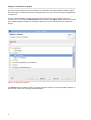
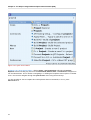
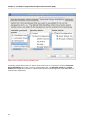
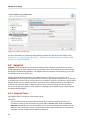
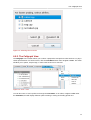
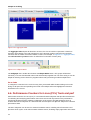
Figure 2.13. Customize Perspective Menu
Figure 2.13, “Customize Perspective Menu” displays the Tool Bar Visibility tab. As the name
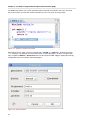
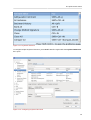
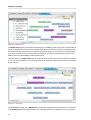
suggests, this tab allows you to toggle the visibility of the tool bars (Figure 2.14, “Toolbar”).
Figure 2.14. Toolbar
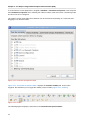
The following figures display the other tabs in the Customize Perspective Menu:
14