1
Energy Save
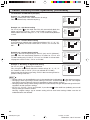
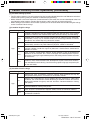
H SCREEN
This feature lets you lower the power consumption of your TV
set which in turn saves you money and minimizes the impact on
the environment. When this feature is turned on, it reduces the
brightness of the TV to a level that consumes approximately 20
percent less energy than when the feature is turned off.
The reduction in brightness will be less noticeable under low
room lighting conditions.
H STANDBY
If set to OFF: No power save during standby mode.
ON: With power save during standby mode. When
change your TV channel to a digital channel will
take approximately 10 seconds to display after TV
is turned on.
1
2
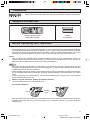
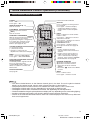
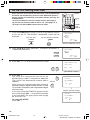
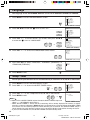
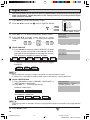
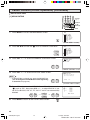
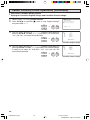
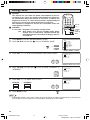
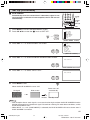
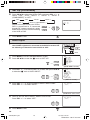
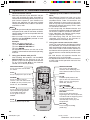
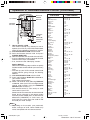
Press MENU to access the MAIN MENU screen.
Press CH a/s to move the “E” mark to “ENERGY SAVE”.
→
POWER
DVD
VCR
TV
DISPLAY
INPUT
1
2
3
4
5
6
7
8
9
ENTER
FLASHBACK
0
VOLUME
(k)/(l)
PERSONAL PREFERENCE
A
B
C
D
CH
VOL
+
VOL
—
CH
MUTE
MENU
CATV
TV
DVD
VCR
CHANNEL
UP (a)/
DOWN (s)
MENU
MENU
SLEEP T I MER
V I DEO ADJ UST
AUD I O SEL ECT
D I G I T AL AUD I O
CC CLOSED CAPT I ON
PARENT CONTROL
ES ENERGY SAVE
SET UP
CH
CH
(MAIN MENU screen)
3
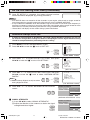
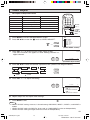
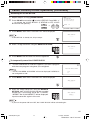
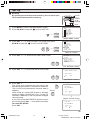
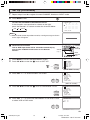
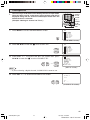
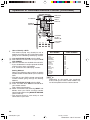
Press VOL k/l to access the ENERGY SAVE select screen.
ES ENERGY
SAVE
SCREEN : OFF
STANDBY : ON
VOL
—
VOL
+
(ENERGY SAVE select screen)
4
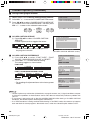
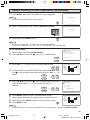
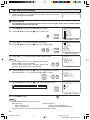
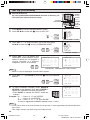
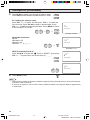
Press CH a/s to move the “E” mark to either “SCREEN” or
“STANDBY”.
ES ENERGY
SAVE
SCREEN : OFF
STANDBY : ON
CH
CH
5
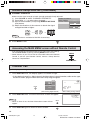
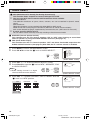
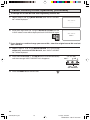
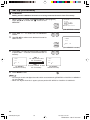
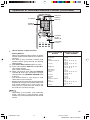
Press VOL k/l to select “ON” or “OFF”.
SCREEN:
ES ENERGY
STANDBY:
ON
ON
OFF
OFF
VOL
—
6
SAVE
SCREEN : ON
STANDBY : OFF
VOL
+
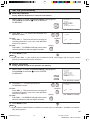
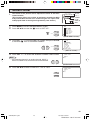
Press MENU to exit.
Note:
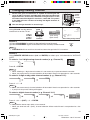
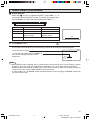
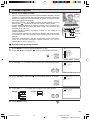
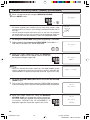
• If STANDBY mode is set to “ON”, when you turn on the TV set within approximately 15 seconds you
are not allow to turn the power off. “Please Wait” will display on the screen.
32
32SF560(29-32).p65
32
2/12/05, 4:20 PM
Dimension: 140 X 215 mm