1
5.3
Activating the "Passive mode"
Pool monitoring outside bathing hours
For pool monitoring outside bathing hours the “Passive mode”
vated.
must be acti-
Note: A detailed description of the passive mode can be found on page 10. See page
page 29 for a description of how the passive mode is used in day-to-day operations.
Procedure:
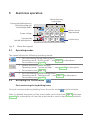
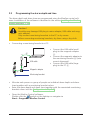
Press the
button.
If PIN protected: Enter the 4-figure PIN and then press OK (see page 27).
The LED alongside the
button will flash until the waves have subsided.
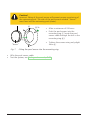
Warning!
Risk of drowning because the BlueFox system is not monitoring the pool. If the passive mode LED is flashing BlueFox
is not monitoring the pool. The pool must be monitored by
a person.
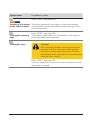
Following successful activation of the passive mode the LED alongside
the
button will illuminate permanently.
21