1
Switching the Displayed Temperature
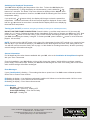
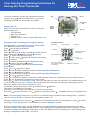
Your 535 will be displaying the temperature of the floor. To have the 535 display the
Room temperature (i.e. using the display as a thermometer), push & hold both &
buttons for 2 seconds. The Room Temp icon will now be displayed & the 535 will show
the actual room air temperature. However, the 535 will still be following the Floor Sensor
temperature setting.
If you push both & buttons briefly, the display will change to show the actual floor
temperature . Release both buttons & the air temp will again be displayed. Press & hold
both the & buttons for more than 2 seconds and the display will revert to displaying
the actual floor temperature.
Turning your 535 OFF (for Summer, when going on holiday or leaving for an extended period etc.)
DO NOT USE THE FRONT PUSH BUTTON. Press & hold the until the temp lowers to 5°C (the temp will
reduce in 0.1°C steps). Release the button & then immediately push it twice to instruct your 535 to turn OFF. Now
push the centre button to lock this setting. This process will stop all heating but leave the power supply on to
your 535, thus keeping the “battery” charged. To restart your 535, press & hold the button for a few moments
(approx. 0.5 seconds).
NOTE You may use the ON/OFF button on the front of the thermostat for short OFF periods or for a period of less
than 80 days. If you exceed the 80 days, your 535 will become discharged & the Clock Time setting will be lost.
You will then need to reset the Clock (refer to page 1 of this Guide for resetting instructions). All other previously
entered settings will remain unchanged.
General information
For full details and the other features available with your 535, refer to the Installation & Setup Manual supplied
with your Timer Thermostat.
From first installation, your 535 will take 18 hrs to fully charge the “battery” which will then provide a “standby”
power supply of around 80 days. Should your 535 become discharged, the Clock Time setting will be lost but all
other entered settings will remain unchanged.
Error Messages
If your Clock Symbol is flashing – Time settings lost due to power loss. Your 535 reverts to Manual operation.
Reset Time to restore Timer function.
E4 flashing in display – Your 535 has overheated & switched off. Allow to cool and then switch Off/On to reset.
E5 flashing in display – Floor Sensor has short circuited
E6 flashing in display – Floor Sensor disconnected
LED Indicators
No light – System is tuned off
Green Light – system on, Heating OFF
Green light flashing – Floor Sensor faulty
Red light – Heating ON
Unit 5, 83 Bassett Street Mona Vale \ PO Box 707 Mona Vale NSW 1660
T 1800 636 091 \ F 02 9997 7852
E [email protected] \ W www.devexsystems.com.au
Devex Systems Pty Ltd \ ACN 122 894 562
BROCDEV411.1