1
Setup
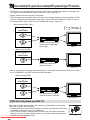
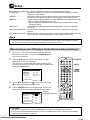
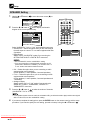
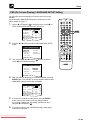
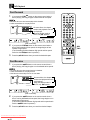
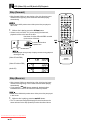
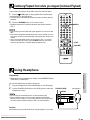
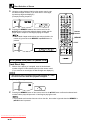
PARENTAL Level Setting
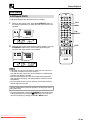
1
Use the ' or " button in
PARENTAL.
to move the screen cursor (_) to
SE T UP
OPERATE
4:3
T V MO D E S E T
SPEAKER
2ch/DIGITAL
PARENTA L
LEVEL : 8
P RO
L OG I C
DIMMER DISPLAY
OPEN/
CLOSE
PAL
LB
SETUP
VIRTUAL
DIGITAL DIGITAL
GAMMA S.PICTURE
SUBTITLE
ON/OFF
SUBTITLE
ANGLE
AUDIO
OF F
OSD LANGUAGE SETUP
EN
TITLE
MENU
RETURN
ENTER
EN
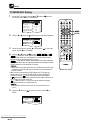
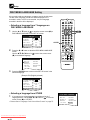
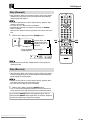
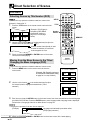
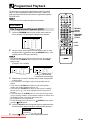
2
Press the \ or | button in
once to display the password
specification and modification screen.
RETURN
SE T UP
LB
2ch/DIGITAL
PARENTA L
LEVEL : 8
=
A B REPEAT
PAL
SPEAKER
P A S S WO R D
Number
buttons
PROGRAM
4:3
T V MO D E S E T
REPEAT
CLEAR
CLEAR
MEMORY
C
M
SKIP
DIRECT
SKIP
PLAY
????
RESUME
STILL PAUSE
STOP
:
: ENTER
STOP
: RETURN
REV
• Use the ' or " button in
to move between items of setting.
• Press the
RETURN button on the remote control to return to
the screen in step 1.
• Factory setting keeps parental level 8.
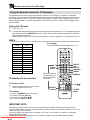
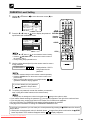
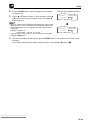
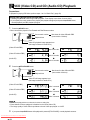
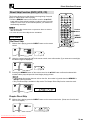
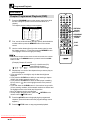
3
Use the number buttons (0 to 9) on the remote control to enter a
4-digit password.
FWD
SLOW
TV CONTROL
OPERATE
INPUT
CH
VOL
DVD/TV REMOTE CONTROL
PASSWORD = 1 2 3 4 — Displayed when “1234” is
being entered as the
password.
• Enter the numbers slowly as each number is stored separately.
• Press the CLEAR button on the remote control to return to the
previous step.
• When you have finished entering your 4-digit number,
(password verification display) appears.
If you have already set your password:
•
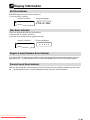
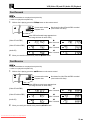
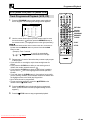
4
appears in step 2 above.
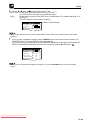
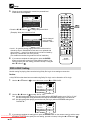
To confirm your password, re-enter the numbers you entered in
step 3 (using the number buttons on the remote control).
• At this point, the background colour for the dash shown
•
•
•
•
changes from yellow to white.
If you make a mistake entering the password, ø (error symbol) appears to the right of the numbers frame.
If you enter the wrong number three times in succession, the normal screen reappears.
On some DVD discs, the PARENTAL level setting is fixed and cannot be modified.
See page 26 for information on setting the TEMPORARY PARENTAL level.
If you forget your password, you can erase your current password by pressing the Ë STOP button four times in
step 3 above.
• At this point, the background colour for the dash shown changes from yellow to white when the Ë STOP
button is pressed. The 4 numbers disappear and the ? ? ? ? display reappears.
Downloaded From Disc-Player.com Sharp Manuals