1
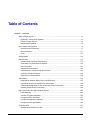
Single Sign-on Operator's Guide: Table of Contents
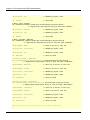
Business system public URL ...................................................................................................1-61
Host Name of the Repository Server .......................................................................................1-65
Chapter 2 Environment Setup (SSO Administrators)
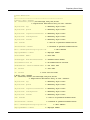
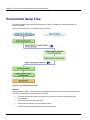
Environment Setup Flow .................................................................................................................2-2
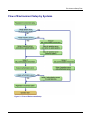
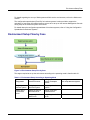
Flow of Environment Setup by Systems ....................................................................................2-3
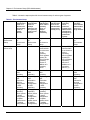
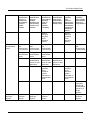
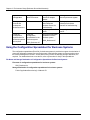
Using the Authentication Infrastructure Configuration Spreadsheet..........................................2-6
Preparation for Environment Setup.................................................................................................2-8
Designing an SSO Repository ...................................................................................................2-8
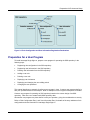
Preparation for a User Program...............................................................................................2-11
Repository Server Setup...............................................................................................................2-12
Creating an SSO Repository ...................................................................................................2-13
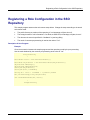
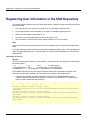
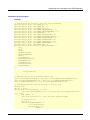
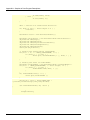
Registering User Information and Role Configuration in the SSO Repository ........................2-16
Importing User Information From the Database to the SSO Repository ............................2-16
Using a CSV Data File ........................................................................................................2-19
Using an LDIF File ..............................................................................................................2-28
Role Configuration Entry.....................................................................................................2-37
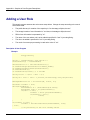
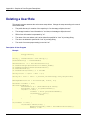
User Information Entry........................................................................................................2-41
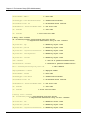
Constructing a Repository Server (One Server or Update System)........................................2-51
Downloading the Authentication Infrastructure Setup File..................................................2-52
Constructing an SSL Communication Environment for a Repository Server (Update System)2-52
Adding a Repository Server (Reference System)....................................................................2-54
Backing up the SSO Repository of the Repository Server (Update System).....................2-54
Setting up the SSL Communication Environment for the Repository Server (Reference
System)...............................................................................................................................2-55
Creating an SSO Slave Repository of the Repository Server (Reference System)...........2-56
Restoring the SSO Repository in the Repository Server (Reference System) ..................2-58
Changing the Settings of the SSO Repository of the Restored Repository Server
(Reference System)............................................................................................................2-61
Setting up for Adding the Repository Server (Reference System) .....................................2-61
Changing the Settings of the SSO Repository of the Repository Server (Update System)2-62
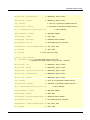
Setup of Authentication Server .....................................................................................................2-63
SSL Communication Environment Setup ................................................................................2-63
Preparations for SSL Communication ................................................................................2-64
Settings for SSL Communication........................................................................................2-69
Preparations for Confirming Validity of Certificate Authentication ......................................2-70
Settings for SSL Communication Using SSL Accelerator...................................................2-74
Settings for Operation using Application Gateway .............................................................2-74
Setting up One Authentication Server......................................................................................2-74
Adding an Authentication Server for Load Distribution ............................................................2-76
vi