1
8
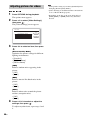
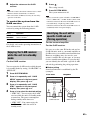
Adjust the volume on the S-AIR
receiver.
Note
• When the sound is other than 2 channel stereo, multichannel sound is downmixed to 2 channel.
• The sound of the S-AIR receiver may be cut off by
operation of the unit.
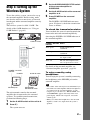
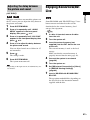
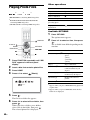
To control the system from the
S-AIR receiver
You can control the system from the S-AIR
receiver by using the following buttons.
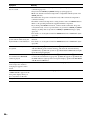
Operation
N, X, x,
./>
Share the same operations on the
remote and unit.
S-AIR CH
Change the function of the system.
For details, refer to the operating instructions of
the S-AIR receiver.
Enjoying the S-AIR receiver
while the unit is in standby
mode
For the S-AIR receiver
You can enjoy the S-AIR receiver while the unit
is in standby mode by setting “S-AIR STBY” to
“STBY ON.”
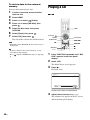
1
2
3
4
Press SYSTEM MENU.
Press X/x repeatedly until “S-AIR
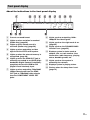
MENU” appears in the front panel
display, then press
or c.
Press X/x repeatedly until “S-AIR
STBY” appears in the front panel
display, then press
or c.
Press
.
The setting is made.
6
Press SYSTEM MENU.
The system menu turns off.
Note
• When you turn the system off while “S-AIR STBY”
is set to “STBY ON,” “S-AIR” flashes (when sound
transmission between the unit and S-AIR receiver is
not established), or lights up (when sound
transmission between the unit and S-AIR receiver is
established) in the front panel display.
Identifying the unit with a
specific S-AIR sub unit
(Pairing operation)
For the surround amplifier
For the S-AIR receiver
It is easy to set the same ID for the unit and an
S-AIR sub unit, such as a surround amplifier or
S-AIR receiver, to establish sound transmission.
However, neighbors may also receive your
system’s sound if IDs are the same, or you may
receive sound from neighbors. To prevent this,
you can identify the unit with a specific S-AIR
sub unit by performing the pairing operation.
External Audio Device
Press
5
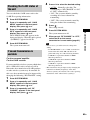
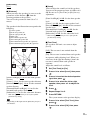
x Before pairing
Sound transmission is established by the ID
(example).
Your room
Neighbor
This unit
ID A
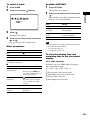
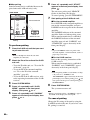
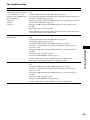
Press X/x to select the desired setting.
• “STBY ON”: You can enjoy the S-AIR
receiver while the unit is in standby mode
or turned on. The power consumption
during standby mode increases.
• “STBY OFF”: You cannot enjoy the
S-AIR receiver while the unit is in
standby mode.
ID A
S-AIR sub unit
ID A
S-AIR sub unit
63GB