1
Troubleshooting Software
What software do I use for CD-R/CD-RW software functions?
Sony recommends using the preinstalled SonicStage software’s Record function
to create any CDs on your VAIO® computer, if the specific model you purchased
is preconfigured with all necessary components for CD-R and CD-RW
capability.
Downloading the optional RealJukebox CD-burning component to create any
CDs on your computer may interfere with normal system operations.
The image does not display properly in Smart Capture
Premium.
If you use the AV In port and Smart Capture Premium software to record an
image, the image may become distorted. Use Windows® Media Player software
to correct this problem. Follow the procedure below.
1
Close Smart Capture Premium software.
2
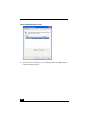
Click Start on the Windows taskbar, select All Programs, and click Windows
Media Player. The Windows Media Player window appears.
3
Select File and click Open. When the Open dialog box appears, click My
Documents in the left menu.
4
Double-click Smart Capture Premium. If you created a folder to save the
image, open the folder you created.
5
Double-click the folder you want to play.
Why doesn’t the Bluetooth destination button in the send
mode of Smart Capture Premium function?
The Bluetooth™ destination button does not function because your computer
does not support Bluetooth technology. To send images, use the Mail,
ImageStation, or MovieShaker button as an alternative. You may refer to the
online Help for Smart Capture Premium for more information. To access the
online help file, click Start on the Windows taskbar, select All Programs, select
Smart Capture Premium, and click Smart Capture Premium Online Help.
69