1
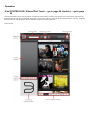
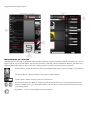
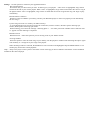
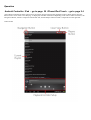
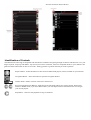
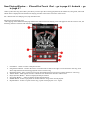
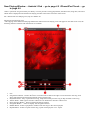
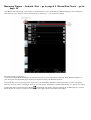
Settings – Several options to customize your app detailed below:
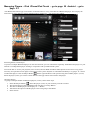
Play Last/Next/Now
This feature lets you choose how you want to add songs to your playlist – when “Last” is highlighted, songs will be
inserted at the end of your current playlist. When “Next” is highlighted, songs will be inserted after the current song in
the playlist. When “Now” is highlighted, songs will be in serted after the current song and the song will begin to play
immediately.
Reindex Music Collection
Whenever songs are added to your library, reindex your Bluesound player so that it can properly locate and identify
the new songs.
Q: How long will it tak e to reindex your Music Library?
A: It will depend upon its size and your network connection (wired or wireless). Wireless speed: 500 songs per
minute; Wired speed: 1000 songs per minute.
While indexing, you will see the message: “Indexing phase 1 – xxx tracks processed”. Reindex music collection will
re - appear once the indexing is completed.
Reload Artwork
Reload artwork – Select this option if you are missing some of your Album artwork.
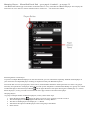
All songs random
Select this option to insert all of the songs in your Library into the playlist in random order. Selecting this option again
will randomly re - arrange all of your songs in the playlist.
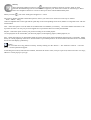
When All Songs random is selected, the Shuffle func tion is turned on and highlighted. Tap the Shuffle button to exit
random play and resume normal playback.
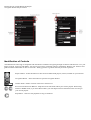
Help – Setup a new player on the system or check the version of the app you have installed as well the the version of BluOS
installed on the selec ted player.