1
Smart Label Run-time Diagnostic Logging
The Smart Label software is capable of generating a verbose run-time log file, which may be helpful in
diagnosing certain problems. Diagnostic logging is turned off, by default. In Smart Label is now
installed with a special program to turn debug logging on and off.
Turn driver debugging on
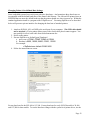
1. Run SLPTechSupport.exe – double click it inside the same folder as Smart Label.
2. Follow the instructions on-screen to turn on debug logging.
Turn driver debugging off
1. Run SLPTechSupport.exe – double click it inside the same folder as Smart Label.
2. Follow the instructions on-screen to turn off debug logging.
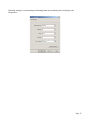
After enabling debug logging, run the application and re-create/observe the behavior in question.
When you’re done, re-run SLPTechSupport.exe. Follow the instructions on-screen to transmit this
data directly to Seiko support staff.
Page 9