1
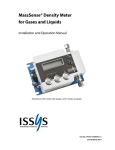
6. CAUTIONS: A filter is required upstream of the meter. The gas or liquid should be filtered to at least 60 microns. The selection of the filter element is dependent on the application. For gas installations with potentially condensing vapors, a coalescing filter is recommended to condense the vapors prior to the sensor. Caution: If installing the meter in a liquid process where sudden pressure spikes (water hammer) caused by rapidly opening and closing valves or a positive displacement pump the use the optional pressure snubber is required to protect the sensor from damage. Caution: Do not allow any fluid to freeze in the meter, which will destroy the sensor. When installing the unit outdoors, it is best to mount it in a location that is protected from direct sunlight and the elements. If mounting on a warm surface, use a thermal insulation pad between the meter, bracket and mounting surface to reduce thermal gradients in the device. Consult the Operations & User’s Manual for additional information and for laboratory applications 7. DIMENSIONAL DRAWING MassSense® Liquid and Gas Density Meter Quick Start Guide Integrated Sensing Systems, ISSYS 391 Airport Industrial Drive, Ypsilanti, MI 48198 www.metersolution.com PH: (734) 547-9896 EMAIL: [email protected] 1. INTRODUCTION: The MassSense® instrument is designed to measure the density and temperature of a liquid or density and pressure of a gas. It is available as a liquid density measurement (LDM) or gas density measurement (GDM) model. The instrument measures liquid density between 0.6 to 1.3 g/cc and gas density between 0-30 kg/m3. APPLICATION: The LDM and GDM are used in many industrial and laboratory environments. These applications range from in-line, real-time process applications to sampling in laboratories. Fuels Chemicals Binary Detection Concentration Gases MassSense QuickStart Guide PN: FQS0214GDM Rev A 2. UNPACKING: The shipment includes a calibration certificate, CD-ROM with the User Manual and PC software, and DC power connector (Single ended cord set with female plug with 16.4’ (5M) cable. Additional certificates are provided based on the selected options. Inspect the package and contents to ensure that no damage has occurred during shipping. Contact the factory if damage has occurred or is suspected prior to installation. In the box: or and 4. ELECTRICAL: The connectors for external power are easily accessible on the outside of the unit. See Figure 1. The only cable supplied with the meter is the power connector. Plugs are supplied for analog output and serial communication. Figure 1: and Caution: The MassSense instrument is supplied with plastic caps fitted to the process connections to prevent damage. Do not remove these caps until immediately before installation. Caution: For the GDM a pressure sensor is matched with a specific gas density meter. If receiving multiple gas density units at the same time, be sure they do not get separated. 3. MOUNTING: Mount the MassSense instrument using the mounting holes in the housing enclosure. It is recommended to use (4) 1/4” 20 UNC (M6) bolts. The instrument can be mounted in any orientation and the flow direction can be set in the software. Tubing is connected to the meter using compression fittings, available in ¼” or 1/8” size. Devices such as valves, elbows, T-pieces, etc., can be installed upstream of the device. There are no requirements for upstream or downstream pipe lengths. Flow rates through the meter should be limited to a maximum of 2 liters/min for gas measurement and 0.5 liter per minute for liquid measurement. When installing the unit outdoors, it is recommended to mount it in a location that is protected from direct sunlight and precipitation. If mounting on a hard surface that generates heat, it is recommended to use a thermal insulation pad between the meter, bracket, and mounting surface. Consult the Operations & User’s Manual for additional information. MassSense is available for hazardous location installation. In order to meet the requirements, electrical barriers are required to isolate the instrument from voltage spikes. Consult the Operations & User’s Manual for a full explanation. 5. OPERATION: The power supply for the instrument can be an 8 - 30 VDC power adapter or 5 VDC USB, depending on the instrument’s location. For hazardous location the power adapter must be used for power supply. Once the instrument is powered it will cycle through a start-up process, less than a minute. To access the display menu use the access code, 0020. 1. Press the E button on the unit. The unit will then display the following message: Access Code 0*** 2. 3. Press E again to accept the first 0, use the – and + buttons to navigate to the next number or back a number. Press E when the correct number is shown in the current digit to forward to the next digit. Press E when the full pass code is shown on the screen. The user can now scroll through the menu of options using the – and + buttons. The instrument menu descriptions, options and PC Software descriptions are available in the Operations & User’s Manual. MassSense QuickStart Guide PN: FQS0214GDM Rev A