1
Safety Information and Technical Specifications
Silent install/upgrade command line syntax
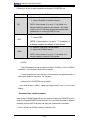
The following launches a typical installation of PROSETDX.msi.
<Full path to msiexec.exe> /i <Full path to PROSETDX.msi> /qn /liew <Full path
to install.log>
Silent uninstall command line syntax
The following uninstalls all the Intel PROSet components. It can be used when the
path to PROSETDX.msi is available.
<path to msiexec.exe> /x <path to PROSETDX.msi> /qn /liew <path to uninstall.
log>
The following uninstalls all the Intel PROSet components. It can be used when the
path to PROSETDX.msi is not available but the ProductCode of MSI package is
known.
<path to msiexec.exe> /x <ProductCode of PROSETDX.msi> /qn /liew <path to
uninstall.log>
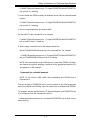
Command line options supported by PROSETDX.msi
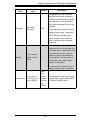
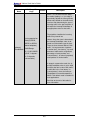
PROSETDX.msi provides public properties that can be used to change Intel PROSet
install selections from the command line.
By setting the properties in the command line, you can disable and hide some
features in PROSETDX.msi, or force some feature to be selected/displayed. This
provides the flexibility to install different components/features in Intel PROSet.
3-9