1
Declaration of Conformity (DoC)
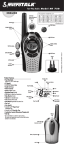
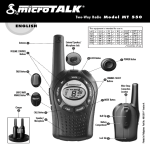
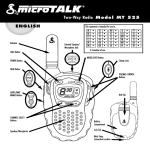
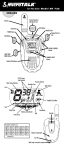
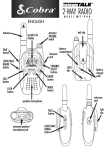
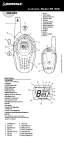
Radio Controls
and Indicators
1
2
1. Antenna
2. External Speaker/
Microphone/Charge Jack
3. Mode/Power Button
4. Scan Button
5. Channel Up/Down
Buttons
6. Backlit LCD Display
6
7.
8.
9.
10.
11.
12.
13.
14.
15.
Speaker/Microphone
Volume Up/Down Buttons
Light/Max Range Button
Talk Button
Call/Lock Button
Wrist Strap Connection
Belt Clip
Battery Compartment
Battery Door Latch
12
10
5
9
4
8
3
13
14
11
TWO-WAY RADIO MODEL
Nothing Comes Close to a Cobra®
MT645VP_MANL_ENG.indd 1
Warranty & Customer Service
For warranty and customer service
information, please contact your
local dealer.
For use in EU countries, subject to local laws and
regulations.
CEEL® is a registered trademark of
Cobra Electronics Europe, Ltd.
Snake design and microTALK® are registered
trademarks of Cobra Electronics Corporation, USA.
©2013 Cobra Electronics Europe Limited
Dungar House, Northumberland Avenue
Dun Laoghaire, County Dublin, Ireland
www.cobra.com
Spectrum (Article 3.2): EN 300 296-2 V1.3.1 (2010-07)
This product complies with Commission Regulation
(EC) No 278/2009 of 6 April 2009 implementing
Directive 2009/125/EC of the European Parliament and
of the Council with regard to ecodesign requirements
for no-load condition electric power consumption and
average active efficiency of external power supplies
and is in conformity with Directive 2011/65/EU of the
European Parliament and of the Council of 8 June
2011 on the restriction of the use of certain hazardous
substances in electrical and electronic equipment.
The radio will not comply with the standard at voltage
below 3.4V.
7
15
MT645VP
We, Cobra Electronics Europe Limited of
Dungar House, Northumberland Avenue
Dun Laoghaire, County Dublin, Ireland
declare under our sole responsibility that the
product: Private Mobile Radio (PMR 446)
Model: MT 645
to which this declaration relates is in conformity
with the essential requirements and other relevant
requirements of the R&TTE Directive (1999/5/EC).
The product is in conformity with the following
standards and/or other normative documents:
Health (Article 3.1(a)): EN 62311 (2008)
Safety (Article 3.1(a)): EN 60950-1:2006/A12:2011
EMC: (Article 3.1(b)): EN 301 489-1 V1.9.2 (2011-09)
EN 301 489-5 V1.3.1 (2002-08
Printed in China
Part No. 480-868-P
Version D
English
DUBLIN, IRELAND
1 July 2013
JEAN-LOUIS POOT
Managing Director
14
8/12/13 2:25 PM
Operation
Features
1
To install or replace batteries:
L
CHANNE
VOLUME
MT645VP_MANL_ENG.indd 2
Remove Belt Clip
11
6
CAL
MODE
EL
L
CHANN
E
English
Installing Batteries
5
7
CA
LL
MODE
Pull Up Lock Latch
2
10
9
1.
2.
3.
4.
5.
6.
Product Information
This microTALK® radio has been manufactured to
meet all required standards for radio equipment
using PMR 446 frequencies as authorized. The
use of this two-way radio product involves the
public airways and its use may be subject to local
laws or regulations. Contact your radio licensing
authority for more information.
2
4
VOLUM
• 8 Channels*
• 121 Privacy Codes
(38 CTCSS codes/83 DCS codes)
• Hands-Free Operation (VOX)
• Scan
Channels, privacy codes
• Backlit LCD Display
• Call Alert
Five selectable tones
• Button Lock
• Speaker/Microphone/ Charge Jack
• Roger Beep
Selectable On/Off
• Battery/Power Saver
• Keystroke Tones
• Battery Level Indicator
• Auto Squelch
• Maximum
Range Extender
• Belt Clip
3
Battery Level Indicator
VOX Icon
Scan Icon
Roger Beep Icon
Lock Icon
Key Stroke Icon
8
7. DCS/CTCSS Icons
8. DCS/CTCSS Privacy
Code Numbers
9. Power Saver Icon
10. Channel Numbers
11. Receive/Transmit Icon
*You are not allowed to use channels 1 and 2 in France.
This situation can change; please contact the French radio
licensing authority for more information.
Caring for Your Radio
Your microTALK® radio will give you years of
trouble-free service if cared for properly. Here are
a few suggestions:
• Handle the radio gently.
• Keep it away from dust.
• Never put the radio in water or in a damp place.
• Avoid exposure to extreme temperatures.
Insert Batteries
Radio Charger Jack
1. Remove belt clip by releasing belt clip
latch and sliding clip up.
2. Pull up on the battery door latch to remove the battery compartment cover.
3. Insert the supplied three AA rechargeable batteries or non-rechargeable
alkaline batteries. Position batteries according to polarity markings.
4. Replace battery compartment cover and
belt clip.
• Do not attempt to charge alkaline batteries.
• Do not mix old and new batteries.
• Do not mix alkaline, standard (carbon-zinc), or rechargeable
(Ni-Cd, Ni-MH, etc.) batteries.
Caution – Risk of explosion if battery is replaced by an incorrect type.
Dispose of used batteries according to the instructions.
To charge batteries in radio:
1. Check to see that the batteries have been inserted properly.
2. Insert the cable into the charge jack located at the top of the radio.
3. Plug the cable into USB-compatible power port.
Use only the supplied rechargeable batteries and charger for recharging your Cobra microTALK radio.
The radio is not intended to be used while being charged.
Non-rechargeable alkaline batteries can also be used in your radio.
Maximum/Minimum Operating Range: -20°C to +45°C.
Quick Start
1. Press and hold the Mode/Power button to turn on your radio.
2. Press the Channel Up or Channel Down button to select a channel.
Both radios must be tuned to the same
channel/privacy code to communicate.
3. Press and hold the Talk button while speaking into the microphone.
4. When finished talking, release the Talk button and listen for a response.
3
8/12/13 2:25 PM
Using Your Radio
NEL
CHAN
Using Your Radio
CA
LL
AN
MODE
SC
Talk Button
Your microTALK® radio is now in Standby mode, ready to receive
transmissions. The radio is always in Standby mode except when the Talk,
Call or Mode/Power buttons are pressed.
Battery Status Indicator
Battery Charge
Status
Communicating with Another Person
•
Press and hold the Mode/Power button until you hear a series of audible tones
indicating the radio is on.
The battery charge status is shown on the display. Four bars indicates
fully charged.
Two Inches (5 cm)
from Mouth
•
1. Press and hold the Talk button.
2. With the microphone about two inches (5 cm) from your mouth, speak in a
normal voice.
3. Release the Talk button when you are finished talking and listen for a
response.
You cannot receive incoming calls while pressing the Talk button.
•
E
M
Mode/Power
LU
VO
VOLUME
CHANN
EL
Turning on Your microTALK® Radio
CALL
DE
MO
Both radios must be tuned to the
same channel to communicate.
To Select a Channel
•
CA
LL
Auto Battery Save
Battery Save Mode
4
If there are no transmissions within 10 seconds, the radio will automatically
switch to Power Save mode and the Power Saver icon will flash in
the display. This will not affect the radio’s ability to receive incoming
transmissions.
English
MT645VP_MANL_ENG.indd 3
Both radios must be tuned to the
same channel to communicate.
AN
MODE
The radio will display flashing battery icon while
charging if the radio is on.
•
With the radio on, select any of the 8 channels by pressing the Channel Up or
Channel Down button.
EL
When battery power is low, the final bar in the Battery Low icon will blink and an
audible tone will sound twice before the radio shuts off. Your batteries should be
replaced or recharged, if using rechargeable batteries.
VOLUME
Battery Low
Channel Button
CHANN
Battery Low
SC
Channel Number
•
Listening for a Response
Listening
Release the Talk button to receive incoming transmissions. Your microTALK®
radio is always in Standby mode while the Talk or Call buttons are not
pressed.
•
5
8/12/13 2:25 PM
Using Your Radio
CHAN
NEL
Using Your Radio
CHANNE
L
LL
•
Auto Squelch/Maximum Range continued
E
VOLUME
CA
Press the Volume Up or Volume Down button.
A double beep sound is used to indicate the minimum and maximum volume
levels (1 through 8).
M
Volume Button
LU
VO
To Adjust Volume
Light/Max Range
N
SCA
MODE
Volume Level
CALL
CHAN
VOLUME
NEL
Call Button
Press and release the Call button.
Call Button
•
CA
LL
AN
SC
LL
Lock Icon
NEL
The Lock function locks the Channel Up, Channel Down, Volume Up, Volume
Down and Mode/Power buttons to prevent accidental operation.
To
turn the lock on or off:
AN
SC
– Press and hold the Lock button for two seconds.
A double beep sound is used to confirm your lock on or off request.
When in Lock mode, the Lock icon will be displayed.
NEL
See page 13 on how to select
between five call tone settings.
CHAN
MODE
CA
MODE
The other person will hear a two second call tone. This tone is used only to
establish voice communications.
•
•
CHAN
VOLUME
Lock Function
Lock Button
DE
MO
To temporarily turn off auto squelch:
Press the Light/Max Range button for less than five seconds.
To turn maximum range extender on:
-Press and hold the Light/Max Range button for at least five seconds until
you hear two beeps which indicates the maximum range extender is on.
To turn maximum range extender off:
-Press and release the Light/Max Range button or change channels.
E
M
LU
VO
To Illuminate Display
CALL
Light/Max Range
DE
MO
Press and release the Light/Max Range button to illuminate the display.
•
MicroTALK® Range
Your range will vary depending on terrain and conditions.
Maximum Range
MODE
Reduced Range
CHANNEL
•
VOLUME
You can temporarily turn off auto squelch or turn on maximum range extender, allowing all signals to
be received and extending the maximum range of your radio.
CALL
CALL
Dense foliage and hilly terrain will further reduce the range
of the radio.
On FRS Channels 8 through 14, your radio automatically switches to low power,
which will limit the range the radio can communicate.
MODE
Reduced Range
VOLUME
CHANNEL
Your microTALK® radio will automatically shut off weak transmissions and unwanted noise due to terrain,
conditions or if you’ve reached your Maximum Range limit.
In flat, open country your radio will operate at maximum range.
Buildings and foliage in the path of the signal can reduce
the range of the radio.
CHANNEL
VOLUME
Auto Squelch/Maximum Range
•
Remember, you can achieve maximum
range by using maximum range extender.
See page 6 for details.
CALL
MODE
6
English
MT645VP_MANL_ENG.indd 4
7
8/12/13 2:25 PM
Using Your Radio
Using Your Radio
Scrolling Through the Mode Function
MODE
SC
EL
CHANNE
Set DCS Privacy Codes
Mode/Power
CA
LL
AN
MODE
The privacy code 00 is not a privacy
code, but allows all signals to be heard
on a channel that is set to 00 on both
the CTCSS and DCS systems.
SC
•
DCS Privacy Code
Channel Button
VOLUME
MT645VP_MANL_ENG.indd 5
AN
SC
MODE
VOLUME
English
2. Press using the Channel Up or Channel Down button to select a privacy code.
You can hold the Up or Down button for fast advance.
3. When your desired CTCSS privacy code is displayed, choose one of the following:
a. Press the Mode/Power button to enter the new setting and proceed to other
functions.
b. Press the Lock button to enter the new setting and return to Standby mode.
c. Do not press any buttons for 15 seconds to enter the new setting and return
to Standby mode.
Channel Button
LL
Your microTALK radio incorporates two advanced coded squelch systems that can help to reduce
interference from other users on any given channel. CTCSS (Continuous Tone Coded Squelch
System) provides 38 privacy codes and DCS (Digitally Coded Squelch) provides 83 privacy codes.
This provides a total of 121 Privacy Codes. Either system can be used on all channels, but both
systems cannot be used on the same channel at the same time.
8
If DCS is turned on at the channel selected, the display will flash
the CTCSS icon and “OFF.” To switch from DCS to CTCSS, press
the Channel Up or Channel Down button while the display is
flashing “OFF.” The display will then show the small numbers
flashing and you will then be able to proceed to step 2.
•
CA
Privacy Codes
To successfully communicate using a privacy
code, both the sending and receiving radios must
be tuned to the same channel and to the same
privacy code system (CTCSS or DCS) and privacy
code number. Each channel will remember the
last privacy code system and number you select.
SC
Privacy Code
Set CTCSS Privacy Codes
Set DCS Privacy Codes
Set Vox On/Off
Set Vox Sensitivity
Set Channel Scan
Set CTCSS Privacy Code Scan
Set DCS Privacy Code Scan
Set Call Tones
Set Roger Beep On/Off
Set Key Stroke On/Off
•
To select a CTCSS privacy code:
1. After selecting a channel, press the Mode/Power button until the CTCSS icon
appears and the small numbers next to the channel number flash on the display.
EL
AN
AN
MODE
CHANN
LL
LL
L
CA
CA
CHANNE
CHAN
E
Mode/Power
Mode/Power
VOLUME
VOLUM
NEL
By scrolling through the Mode function, you will be able to select or turn on preferred features of your
microTALK® radio. When scrolling through the Mode function, your radio features will be displayed in
the same predetermined order:
Set CTCSS Privacy Codes
•
CHANN
®
L
Your micoTALK radio can be fitted with an optional external speaker/
microphone (not included), freeing your hands for other tasks.
To attach an external speaker/microphone or charger:
1. Open the charge tab at the top of the radio.
2. Insert the plug into the jack.
NOTE: Excessive sound pressure from earphones and headphones can cause hearing loss.
Radio Charger Jack
VOLUME
External Speaker/Microphone/Charge Jack
CA
LL
AN
MODE
SC
To select a DCS privacy code:
1. After selecting a channel, press the Mode/Power button until the DCS icon
appears and the small numbers flash on the display (01 through 83).
•
If CTCSS is turned on at the channel selected, the display will
flash the DCS icon and “OFF.” To switch from DCS to CTCSS,
press the Channel Up or Channel Down button while the
display is flashing “OFF.” The display will then show the small
numbers flashing and you will then be able to proceed to step 2.
2. Press using the Channel Up or Channel Down button to select a DCS privacy
code. You can hold the Up or Down button for fast advance.
3. When your desired DCS privacy code is displayed, choose one of the following:
a. Press the Mode/Power button to enter the new setting and proceed to other
functions.
b. Press the Lock button to enter the new setting and return to Standby mode.
c. Do not press any buttons for 15 seconds to enter the new setting and return
to Standby mode.
9
8/12/13 2:25 PM
Using Your Radio
Using Your Radio
NEL
®
Mode/Power
EL
CHANN
To turn VOX mode on and off:
SC
L
VOLUME
CHANNE
The Scan icon will continue to be displayed when scan is on. Your radio will
continue to scan all channels and stop if an incoming transmission is detected.
AN
MODE
EL
CHANN
VOLUME
CA
To set VOX sensitivity:
1. Press the Mode/Power button until the VOX icon flashed and the current
sensitivity level is displayed.
The current VOX sensitivity level is displayed with letters “L”
and a Number 1 through 5, with Number 5 being the most
sensitive level and Number 1 being the least sensitive level.
AN
SC
VOX Sensitivity Level
CHANNE
VOLUME
L
Channel Button
CA
Channel Button
SC
During scanning (while receiving an incoming transmission), you can choose from the following:
Mode/Power
MODE
2. Press using the Channel Up or Channel Down button to begin scanning
channels.
The radio ignores specific privacy codes while scanning.
LL
AN
LL
Channel Scan
CA
SC
MODE
AN
SC
MODE
VOLUME
Channel Button
LL
LL
2. Press using the Channel Up or Channel Down button to turn VOX On or Off.
3. Choose one of the following:
a. Press the Mode/Power button to enter the selected On or Off setting and
proceed to other functions.
b. Press the Lock button to enter the selected On or Off setting and return to
Standby mode.
VOX Icon
CA
CA
1. Press the Mode/Power button until the VOX icon flashes on the display. The
current On or Off setting is displayed).
AN
MODE
L
LL
To scan channels:
1. Press the Scan button until the Scan icon and the channel numbers appear
on the display.
CHANNE
CA
•
Your microTALK radio can automatically scan channels.
E
VOLUM
VOLUME
Mode/Power
LL
Channel Scan
•
In VOX mode, your microTALK® radio can be used “hands-free,” automatically transmitting when you speak.
You can set the VOX sensitivity level to fit the volume of your voice and avoid transmissions triggered by
background noise.
CHAN
Voice Activated Transmit (VOX)
2. Press using the Channel Up or Channel Down button to enter the selected
setting and proceed to other functions.
3. Choose one of the following:
a. Press the Mode/Power button to enter the selected setting and proceed to
other functions.
b. Press the Lock button to enter the selected setting and return to Standby
mode.
a. Press and hold the Talk button to communicate on that channel. Your radio will remain on that
channel and return to Standby mode.
b. Press the Channel Up or Channel Down button to resume scanning channels.
c. Press the Lock button to return to Standby.
During scanning (while receiving an incoming transmission), you can choose from the following:
a. Press and hold the Talk button to communicate on that channel/privacy code.
Your radio will remain on that channel/privacy code and return to Standby mode.
b. Press the Channel Up or Channel Down button to resume scanning privacy codes.
If you do not press any button within 10 seconds, your radio will automatically resume scanning
privacy codes.
c. Press the Lock button to return to Standby.
AN
MODE
10
SC
English
MT645VP_MANL_ENG.indd 6
11
8/12/13 2:25 PM
Using Your Radio
AN
MODE
SC
Scan Privacy Codes
EL
LL
AN
1. While in Standby mode, press the Channel Up or Channel Down button to
choose the channel on which you wish to scan privacy codes.
MODE
2. Press the Scan button until either the CTCSS or the DCS icon appears on the
display and the privacy code numbers flash on the display.
SC
Call Tone Setting
3. Press the Channel Up or Channel Down button to begin scanning privacy
codes within the channel you selected.
During scanning (while receiving an incoming transmission), you can choose
from the following:
VOLUME
a. Press and hold the Talk button to communicate on that channel/privacy
code. Your radio will remain on that channel/privacy code and return to
Standby mode.
Channel Button
CA
LL
To change a call tone setting:
1. Press the Mode/Power button until the
letter “C” and the current call tone number
(01 through 5) is displayed. The current
call tone will sound for three seconds.
2. Press the Channel Up or Channel Down button to hear the other
call tone settings.
3. Choose one of the following:
a. Press the Mode/Power button to enter the new setting and proceed to
other functions.
b. Press Talk or Call/Lock button to enter the new setting and return to
Standby mode.
c. Do not press any buttons for 15 seconds to enter the new setting and return
to Standby mode.
AN
SC
MODE
Roger Beep Confirmation Tone
b. Press the Channel Up or Channel Down button to resume scanning privacy
codes. If you do not press any button within 10 seconds, your radio will
automatically resume scanning privacy codes.
Your listener will hear an audible tone when you release the Talk button. This alerts the other party that
you are finished talking and it is ok for them to speak.
VOLUME
EL
LL
CA
c. Press the Lock button to return to Standby.
CHANN
CA
Mode/Power
To scan privacy codes:
L
Scan Button
•
You can choose between five different Call Tone Settings to transmit a call alert.
CHANNE
CHAN
E
VOLUM
NEL
Select Channel
Five Call Tone Settings
•
VOLUME
Your microTALK radio can automatically scan the Privacy Codes (either CTCSS 01 through 38 or DCS 01
through 83) within one channel. Only one set of privacy codes (CTCSS or DCS) can be scanned at a time.
CHANN
Privacy Code Scan
Using Your Radio
Mode/Power
CA
LL
N
MODE
A
SC
•
To turn roger beep on and off:
1. Press the Mode/Power button until the Roger Beep icon flashes. The current on or
off setting is displayed.
2. Press the Channel Up or Channel Down button to select roger beep on or off.
Roger Beep Off
3. Choose one of the following:
a. Press the Mode/Power button to enter the new setting and return to
Standby mode.
CHANNE
VOLUME
CA
LL
AN
MODE
12
English
MT645VP_MANL_ENG.indd 7
b. Press the Lock button to enter the new setting and return to Standby.
L
Channel Button
SC
13
8/12/13 2:25 PM