1
JTAGJ ET
DRIVER
FOR
I N S T A L L A T I O N
CCS TUDIO
I N S T R U C T I O N S
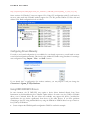
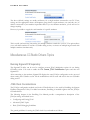
from executing unwanted code. Here is a snapshot from F28027 disassembly showing infinite loop
executing in the ROM:
When CCStudio debug session will close, EMU0/EMU1 pins will remain set to defined values. As
result, power-cycle of the board will not allow CPU to boot and run normally. You must disable The
Power-On-Reset Boot-Mode to be able to run the board without disconnecting an emulator. If you
power-cycle an emulator (by disconnecting the USB cable) these settings will be disabled as well.
Note: EMU0/EMU1 pins are open-collector bi-directional lines between emulator and CPU. It means that
EMU0/EMU1 is high setting should be understood as tri-stating appropriate EMU0/EMU1 pins by emulator. Since
EMU0/EMU1 lines should have pull-up resistor on the board, it is the same as setting these pins to logical 1 level.
EMU0/1 is low setting will provide strong drive to logical 0 level.
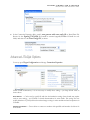
Faster JTAG Clock during Download
Caution: This feature relies on the assumption that the CPU clock is fast enough when downloading the code. Use
this option ONLY when (1) the code to download is large, (2) the connection to the CPU is stable, and (3) you repeat
the download operation often. Do not use it when connecting to the target for the first time, or when your memory or
CPU clock configuration settings (in GEL or in code) are not finalized. None of the predefined configurations
supplied with the driver has this option set.
For target boards with OMAP, DaVinci or C6000 processors, the code downloaded can be quite large,
reaching several Megabytes.
In general, the faster JTAG clock, the faster code download. However, your target may be running with
a slow clock, or even while in the sleep mode. In such cases, it may be impossible to connect to the CPU
using fast JTAG clock. The GEL files provided with most boards initialize the CPU before downloading
the code. The process includes the setup of the PLL (to make the CPU run faster) and the initialization
of SDRAM (to accelerate access to RAM). After the PLL is set up and CPU runs using a fast clock, it
may be possible to use a faster JTAG clock.
If the Use Faster JTAG Clock During Download option is set to 10, 15, 20 or 30MHz, the driver
internally switches to the specified faster JTAG clock before performing large memory transfers, such as
code downloads or massive memory uploads. At the end of the transfer, the option switches back to the
original clock (usually Adaptive/RTCK). This approach ensures that the CPU initialization and all
accesses to the registers use the original (slower or Adaptive/RTCK) JTAG clock frequency.
Typically, this option results in doubling the download speed.
Emulator Serial Number
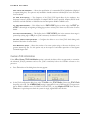
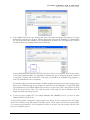
The Connection Properties option allows you to specify the serial number of the emulator to use. The
default settings do not include the emulator serial number.
11