1
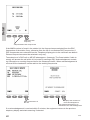
Quick DSC distress call
(only for emergency use)
1. If necessary, switch on by pressing the ON/OFF button
2. Lift up the lid covering the orange
key and press for 3 seconds.
3. The distress will be accompanied by a sound.
Distress message is sent at the continuous tone.
4. Wait for distress acknowledgement and start mayday procedure. Unless stopped
manually, by pressing the CANCEL softkey or switching the unit off, the distress call is
automatically repeated every 3½-4½ minutes until distress acknowledgement is received.
If an alarm panel is connected the MF/HF DISTRESS button on this unit will have the same
functionality as the distress button described above. All further handling should continue in
front of your main MF/HF DSC.
Mayday procedure
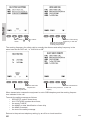
When DSC distress acknowledgement is received after you have pressed DISTRESS, or if
you otherwise need to commence distress traffic via radiotelephony on the distress traffic
frequency, follow this procedure:
•
•
•
•
•
•
•
•
•
the distress signal MAYDAY, spoken three times;
the words THIS IS;
the NAME of the vessel in distress, spoken three times;
the CALL SIGN or other identification;
the MMSI if needed;
the POSITION given as the LATITUDE and LONGITUDE or with respect to known
geographical location,
the NATURE of the distress;
the kind of ASSISTANCE required; and
any other useful INFORMATION
Upon reception of a DSC distress alert from another ship in distress, you should acknowledge the receipt by radiotelephony on the distress traffic frequency, by doing the following:
•
•
•
•
•
the distress signal MAYDAY;
the words THIS IS;
the NAME of the vessel in distress, spoken three times;
the NAME or other identification of own ship, spoken three times;
“RECEIVED MAYDAY”.
Transmission of DSC distress alert on MF/HF (2, 4, 6, 8, 12, 16 MHz)
2187.5 kHz,
4207.5 kHz,
6312.0 kHz,
8414.5 kHz,
12577.0 kHz,
0735
16804.5 kHz
v