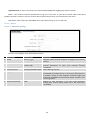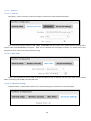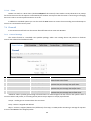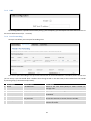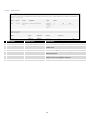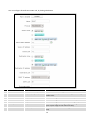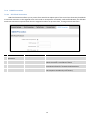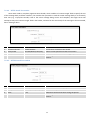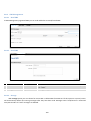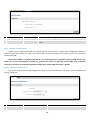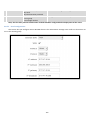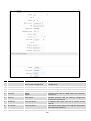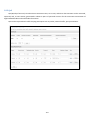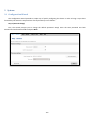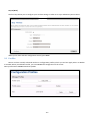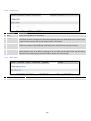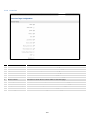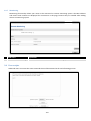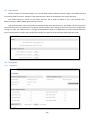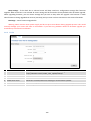
1
USER MANUAL
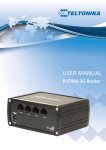
RUT950 LTERouter
1
Legal notice
Copyright © 2014 TELTONIKA Ltd. All rights reserved. Reproduction, transfer, distribution or storage of part
or all of the contents in this document in any form without the prior written permission of TELTONIKA Ltd is
prohibited. The manufacturer reserves the right to modify the product and manual for the purpose of technical
improvement without prior notice.
Other product and company names mentioned herein may be trademarks or trade names of their respective
owners.
Attention
Before using the device we strongly recommend reading this user manual first.
Do not rip open the device. Do not touch the device if the device block is broken.
All wireless devices for data transferring may be susceptible to interference, which could
affect performance.
The device is not water-resistant. Keep it dry.
Device is powered by low voltage +9V DC power adaptor.
2
Table of Contents
Legal notice.............................................................................................................................................................. 2
Attention ................................................................................................................................................................. 2
SAFETY INFORMATION ............................................................................................................................................ 8
Device connection ............................................................................................................................................... 9
1
Introduction ................................................................................................................................................. 10
2
Specifications ............................................................................................................................................... 10
2.1
Ethernet ................................................................................................................................................... 10
2.2
Wi-Fi ......................................................................................................................................................... 10
2.3
Hardware ................................................................................................................................................. 10
2.4
Electrical, Mechanical & Environmental .................................................................................................. 10
2.5
Applications ............................................................................................................................................. 11
3
Setting up your router ................................................................................................................................. 12
3.1
Installation ............................................................................................................................................... 12
3.1.1
Front Panel and Back Panel ............................................................................................................. 12
3.1.2
Hardware installation ...................................................................................................................... 12
3.2
Logging in ................................................................................................................................................. 13
4
Operation Modes ......................................................................................................................................... 16
5
Powering Options ........................................................................................................................................ 16
5.1
6
Powering the device from higher voltage................................................................................................ 17
Status ........................................................................................................................................................... 18
6.1
Overview .................................................................................................................................................. 18
6.2
System Information ................................................................................................................................. 19
6.3
Network Information ............................................................................................................................... 20
6.4
Device information .................................................................................................................................. 31
6.5
Services .................................................................................................................................................... 32
6.6
Routes ...................................................................................................................................................... 32
6.6.1
ARP ................................................................................................................................................... 32
6.6.2
Active IP-Routes ............................................................................................................................... 33
6.6.3
Active IPv6-Routes ........................................................................................................................... 33
6.7
Realtime Graphs ...................................................................................................................................... 34
6.7.1
Mobile Signal Strenght ..................................................................................................................... 34
6.7.2
Realtime Load .................................................................................................................................. 35
6.7.3
Traffic ............................................................................................................................................... 36
3
6.7.4
Realtime Wireless ............................................................................................................................ 37
6.7.5
Realtime Connections ...................................................................................................................... 38
6.8
Mobile Traffic ........................................................................................................................................... 39
6.9
Speed Test ................................................................................................................................................ 39
6.10
Events Log ............................................................................................................................................ 40
6.10.1
All Events ......................................................................................................................................... 40
6.10.2
System Events.................................................................................................................................. 41
6.10.3
Network Events ............................................................................................................................... 42
6.10.4
Events Reporting ............................................................................................................................. 43
6.10.5
Reporting Configuration .................................................................................................................. 44
7
Network ....................................................................................................................................................... 46
7.1
Mobile ...................................................................................................................................................... 46
7.1.1
General............................................................................................................................................. 46
7.1.2
SIM Management ............................................................................................................................ 48
7.1.3
Network Operators .......................................................................................................................... 49
7.1.4
Mobile Data Limit ............................................................................................................................ 50
7.1.5
Sim Idle protection........................................................................................................................... 51
7.2
WAN ......................................................................................................................................................... 52
7.2.1
Operation Mode .............................................................................................................................. 52
7.2.2
Common configuration .................................................................................................................... 53
7.3
LAN ........................................................................................................................................................... 59
7.3.1
Configuration ................................................................................................................................... 59
7.3.2
DHCP Server ..................................................................................................................................... 60
7.4
VLAN ........................................................................................................................................................ 61
7.4.1
VLAN Networks ................................................................................................................................ 61
7.4.2
LAN Networks .................................................................................................................................. 63
7.5
Wireless ................................................................................................................................................... 63
7.6
Firewall..................................................................................................................................................... 66
7.6.1
General Settings ............................................................................................................................... 66
7.6.2
DMZ.................................................................................................................................................. 67
7.6.3
Port Forwarding ............................................................................................................................... 67
7.6.4
Traffic Rules ..................................................................................................................................... 69
7.6.5
Custom Rules ................................................................................................................................... 74
7.6.6
DDOS Prevention ............................................................................................................................. 75
7.7
Static Routes ............................................................................................................................................ 78
4
8
Services ........................................................................................................................................................ 79
8.1
VRRP ......................................................................................................................................................... 79
8.1.1
VRRP LAN Configuration Settings .................................................................................................... 79
8.1.2
Check Internet connection............................................................................................................... 79
8.2
TR-069 ...................................................................................................................................................... 80
8.2.1
8.3
TR-069 Parameters Configuration ................................................................................................... 80
Web filter ................................................................................................................................................. 81
8.3.1
Site blocking ..................................................................................................................................... 81
8.3.2
Proxy based URL content blocker .................................................................................................... 81
8.4
NTP ........................................................................................................................................................... 82
8.5
VPN .......................................................................................................................................................... 83
8.5.1
OpenVPN .......................................................................................................................................... 83
8.5.2
IPSec ................................................................................................................................................. 86
8.5.3
GRE Tunnel ....................................................................................................................................... 89
8.5.4
PPTP ................................................................................................................................................. 91
8.5.5
L2TP .................................................................................................................................................. 92
8.6
Dynamic DNS............................................................................................................................................ 93
8.7
SNMP ....................................................................................................................................................... 94
8.7.1
SNMP Settings .................................................................................................................................. 94
8.7.2
TRAP Settings ................................................................................................................................... 95
8.8
SMS Utilities ............................................................................................................................................. 96
8.8.1
SMS Utilities ..................................................................................................................................... 96
8.8.2
Call Utilities ...................................................................................................................................... 99
8.8.3
User Groups ..................................................................................................................................... 99
8.8.4
SMS Management.......................................................................................................................... 100
8.8.5
Remote Configuration.................................................................................................................... 101
8.8.6
Statistics ......................................................................................................................................... 105
8.9
SMS Gateway ......................................................................................................................................... 105
8.9.1
Post/Get Configuration .................................................................................................................. 105
8.9.2
Email to SMS .................................................................................................................................. 107
8.9.3
Scheduled Messages ...................................................................................................................... 108
8.9.4
Auto Reply Configuration............................................................................................................... 110
8.9.5
SMS Forwarding ............................................................................................................................. 111
8.9.6
SMPP .............................................................................................................................................. 114
8.10
CLI....................................................................................................................................................... 115
5
8.11
Hotspot .............................................................................................................................................. 115
8.11.1
General settings............................................................................................................................. 115
8.11.2
Internet Access Restriction Settings .............................................................................................. 117
8.11.3
Logging .......................................................................................................................................... 117
8.11.4
Landing Page.................................................................................................................................. 119
8.11.5
Radius server configuration........................................................................................................... 121
8.11.6
Statistics......................................................................................................................................... 122
8.12
Auto Reboot ....................................................................................................................................... 122
8.12.1
Ping Reboot ................................................................................................................................... 122
8.12.2
Periodic Reboot ............................................................................................................................. 123
8.13
9
QoS ..................................................................................................................................................... 124
System........................................................................................................................................................ 125
9.1
Configuration Wizard ............................................................................................................................. 125
9.2
Profiles ................................................................................................................................................... 127
9.3
Administration ....................................................................................................................................... 128
9.3.1
General........................................................................................................................................... 128
9.3.2
Troubleshoot .................................................................................................................................. 129
9.3.3
Backup............................................................................................................................................ 130
9.3.4
Diagnostics ..................................................................................................................................... 132
9.3.5
MAC Clone ..................................................................................................................................... 132
9.3.6
Overview ........................................................................................................................................ 133
9.3.7
Monitoring ..................................................................................................................................... 134
9.4
User scripts ............................................................................................................................................ 134
9.5
Safe mode .............................................................................................................................................. 135
9.6
Firmware ................................................................................................................................................ 135
9.6.1
Firmware ........................................................................................................................................ 135
9.6.2
FOTA ............................................................................................................................................... 136
9.7
Restore point ......................................................................................................................................... 137
9.7.1
Restore point create ...................................................................................................................... 137
9.7.2
Restore point load ......................................................................................................................... 137
9.8
10
Reboot.................................................................................................................................................... 137
Device Recovery ......................................................................................................................................... 137
10.1
Reset button ...................................................................................................................................... 138
10.2
Safemode ........................................................................................................................................... 138
10.3
Bootloader’s WebUI ........................................................................................................................... 138
6
11
Glossary: .................................................................................................................................................... 139
7
SAFETY INFORMATION
In this document you will be introduced on how to use a RUT950 router safely. We suggest you to adhere to the
following recommendations in order to avoid personal injuries and or property damage.
You have to be familiar with the safety requirements before using the device!
To avoid burning and voltage caused traumas, of the personnel working with the device, please follow these
safety requirements.
The device is intended for supply from a Limited Power Source (LPS) that power consumption
should not exceed 15VA and current rating of overcurrent protective device should not exceed 2A.
The highest transient overvoltage in the output (secondary circuit) of used PSU shall not
exceed 36V peak.
The device can be used with the Personal Computer (first safety class) or Notebook (second
safety class). Associated equipment: PSU (power supply unit) (LPS) and personal computer (PC) shall
comply with the requirements of standard EN 60950-1.
Do not mount or service the device during a thunderstorm.
To avoid mechanical damages to the device it is recommended to transport it packed in a
damage-proof pack.
Protection in primary circuits of associated PC and PSU (LPS) against short circuits and earth
faults of associated PC shall be provided as part of the building installation.
To avoid mechanical damages to the device it is recommended to transport it packed in a damage-proof pack.
While using the device, it should be placed so, that its indicating LEDs would be visible as they inform in which working
mode the device is and if it has any working problems.
Protection against overcurrent, short circuiting and earth faults should be provided as a part of the building
installation.
Signal level of the device depends on the environment in which it is working. In case the device starts working
insufficiently, please refer to qualified personnel in order to repair this product. We recommend forwarding it to a repair
center or the manufacturer. There are no exchangeable parts inside the device.
8
Device connection
9
1 Introduction
Thank you for purchasing a RUT950 LTE router!
RUT950 is part of the RUT9xx series of compact mobile routers with high speed wireless and Ethernet
connections.
This router is ideal for people who‘d like to share their internet on the go, as it is not restricted by a cumbersome
cable connection. Unrestricted, but not forgotten: the router still supports internet distribution via a broadband cable,
simply plug it in to the wan port, set the router to a correct mode and you are ready to browse.
2 Specifications
2.1 Ethernet
•
•
•
•
IEEE 802.3, IEEE 802.3u standards
3 x LAN 10/100Mbps Ethernet ports
1 x WAN 10/100Mbps Ethernet port
Supports Auto MDI/MDIX
2.2 Wi-Fi
•
•
•
•
•
•
•
IEEE 802.11b/g/n WiFi standards
2x2 MIMO
AP and STA modes
64/128-bit WEP, WPA, WPA2, WPA&WPA2 encryption methods
2.401 – 2.495GHz Wi-Fi frequency range
20dBm max WiFi TX power
SSID stealth mode and access control based on MAC address
2.3 Hardware
•
•
•
•
•
•
High performance 560 MHz CPU with 128 Mbytes of DDR2 memory
5.5/2.5mm DC power socket
Reset/restore to default button
2 x SMA for LTE , 2 x RP-SMA for WiFi antenna connectors
4 x Ethernet LEDs, 1 x Power LED
1 x bi-color connection status LED, 5 x connection strength LEDs
2.4 Electrical, Mechanical & Environmental
•
•
•
•
•
•
•
•
•
Dimensions (H x W x D)
Weight
Power supply
Input voltage range
Power consumption
Operating temperature
Storage temperature
Operating humidity
Storage humidity
80mm x 106mm x 46mm
250g
100 – 240 VAC -> 9 VDC wall adapter
9 – 30VDC
< 7W
-40° to 75° C
-45° to 80° C
10% to 90% Non-condensing
5% to 95% Non-condensing
10
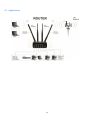
2.5 Applications
11
3 Setting up your router
3.1 Installation
After you unpack the box, follow the steps, documented below, in order to properly connect the device. For
better Wi-Fi performance, put the device in clearly visible spot, as obstacles such as walls and door hinder the signal.
1. First assemble your router by attaching the necessary antennas and inserting the SIM card.
2. To power up your router, please use the power adapter included in the box. (IMPORTANT: Using a different
power adapter can damage and void the warranty for this product.).
3. If you have a wired broadband connection you will also have to connect it to the WAN port of the router.
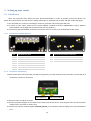
3.1.1
Front Panel and Back Panel
1,2,3
4
5,6,7
8
9
10
11
12
3.1.2
LAN Ethernet ports
WAN Ethernet port
LAN LEDs
WAN LED
Power socket
Power LED
Connection status LED
Signal strength indication LEDs
1
2
3,5
4
LTE auxiliary antenna connector
LTE main antenna connector
Wi-Fi antenna connectors
Reset button
Hardware installation
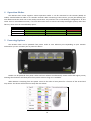
1. Remove back panel and insert SIM card which was given by your ISP (Internet Service Provider). Correct SIM card
orientation is shown in the picture.
SIM 1 (primary)
SIM 2 (secondary)
2. Attach LTE main and Wi-Fi antennas.
3. Connect the power adapter to the socket on the front panel of the device. Then plug the other end of the power
adapter into a wall outlet or power strip.
4. Connect to the device wirelessly (SSID: Teltonika_Router) or use Ethernet cable and plug it into any LAN Ethernet
port.
12
3.2 Logging in
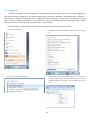
After you’re complete with the setting up as described in the section above, you are ready to start logging into
your router and start configuring it. This example shows how to connect on Windows 7. On windows Vista: click Start ->
Control Panel -> Network and Sharing Centre -> Manage network Connections -> (Go to step 4). On Windows XP: Click
Start -> Settings -> Network Connections -> (see step 4). You wont’s see “Internet protocol version 4(TCP/IPv4)”, instead
you’ll have to select “TCP/IP Settings” and click options -> (Go to step 6)
We first must set up our network card so that it could properly communicate with the router.
2. Type in “network connections”, wait for the results to pop
1. Press the start button
up.
3. Click “View network connections”
4. Then right click on your wireless device that you use to
connect to other access points (It is the one with the name
“Wireless Network Connection” and has signal bars on its
icon).
13
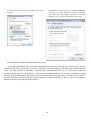
5. Select Internet Protocol Version 4 (TCP/IPv4) and then click
6. By default the router is going to have DHCP enabled, which
Properties
means that if you select “Obtain an IP address automatically”
and “Obtain DNS server address automatically”, the router
should lease you an IP and you should be ready to login.
7. If you choose to configure manually here’s what you do:
First select an IP address. Due to the stock settings that your router has arrived in you can only enter an IP in the
form of 192.168.1.XXX , where XXX is a number in the range of 2-254 (192.168.1.2 , 192.168.1.254 , 192.168.1.155 and
so on… are valid; 192.168.1.0 , 192.168.1.1 , 192.168.1.255 , 192.168.1.699 and so on… are not). Next we enter the
subnet mask: this has to be “255.255.255.0”. Then we enter the default gateway: this has to be “192.168.1.1”. Finally
we enter primary and secondary DNS server IPs. One will suffice, though it is good to have a secondary one as well as it
will act as a backup if the first should fail. The DNS can be your routers IP (192.168.1.1), but it can also be some external
DNS server (like the one Google provides: 8.8.8.8).
14
Right click on the Wireless network icon and select Connect / Disconnect. A list should pop up with all available
wireless networks. Select “Teltonika” and click connect.Then we launch our favorite browser and enter the routers IP
into the address field:
Press enter. If there are no problems you should be greeted with a login screen such as this:
Enter the default password, which is “admin01” into the “Password” field and then either click Login with your
mouse or press the Enter key. You have now successfully logged into the RUT950!
From here on out you can configure almost any aspect of your router.
15
4 Operation Modes
The RUT9xx series router supports various operation modes. It can be connected to the internet (WAN) via
mobile, standard Ethernet cable or via a wireless network. When connecting to the internet, you may also backup your
main WAN connection with one or two backup connections. Any interface can act like backup if configured so. At first
router uses its main WAN connection, if it is lost then router tries to connect via backup with higher priority and if that
fails too, router tries the second backup option.
WAN
Main WAN
Backup WAN
LAN
Mobile
√
√
x
Ethernet
√
√
√
Wi-Fi
√
√
√
In later sections it will be explained, in detail, how to configure your router to work in a desired mode.
5 Powering Options
The RUT9xx router can be powered from power socket or over Ethernet port. Depending on your network
architecture you can use LAN 1 port to power the device.
RUT9xx can be powered from power socket and over Ethernet simultaneously. Power socket has higher priority
meaning that the device will draw power from power socket as long as it is available.
When RUT9xx is switching from one power source to the other it loses power for a fraction of the second and
may reboot. The device will function correctly after the reboot.
16
Though the device can be powered over Ethernet port it is not compliant with IEEE 802.3af-2003 standard.
Powering RUT9xx from IEEE 802.3af-2003 power supply will damage the device as it is not rated for input voltages of
PoE standard.
5.1 Powering the device from higher voltage
If you decide not to use our standard 9 VDC wall adapters and want to power the device from higher voltage (15 –
30 VDC) please make sure that you choose power supply of high quality. Some power supplies can produce voltage
peaks significantly higher than the declared output voltage, especially during connecting and disconnecting them.
While the device is designed to accept input voltage of up to 30 VDC peaks from high voltage power supplies can
harm the device. If you want to use high voltage power supplies it is recommended to also use additional safety
equipment to suppress voltage peaks from power supply. One of the options is to use “Teltonika” PR1000 overvoltage
protection device conforming ISO 7637-2.
17
6 Status
The status section contains various information, like current IP addresses of various network interfaces; the state
of the routers memory; firmware version; DHCP leases; associated wireless stations; graphs indicating load, traffic, etc.;
and much more.
6.1 Overview
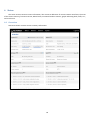
Overview section contains various summary information.
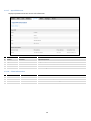
18
6.2 System Information
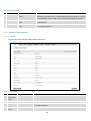
The System Information tab contains data that pertains to the routers operating system.
System explanation:
Field Name
Sample value
1. Router Name
Teltonika
2.
Host name
Teltonika
3.
4.
Router Model
Firmware
Version
Teltonika RUT9xx
RUT9XX_T_00.00.372
5.
6.
Kernel Version
Local Time
3.10.36
2014-11-03, 14:33:14
7.
Uptime
0h 40m 46s (since
2014-11-03, 13:53:13)
8.
Load Average
1 min: 11%; 5 mins:
18%; 15 mins: 17%
9.
Temperature
Explanation
Name of the router (hostname of the routers system). Can be changed
in System -> Administration.
Indicates how router will be seen by other devices on the network. Can
be changed in System -> Administration.
Routers model.
Shows the version of the firmware that is currently loaded in the router.
Newer versions might become available as new features are added. Use
this field to decide whether you need a firmware upgrade or not.
The version of the Linux kernel that is currently running on the router.
Shows the current system time. Might differ from your computer,
because the router synchronizes it's time with an NTP server.Format
[year-month-day, hours:minutes:seconds].
Indicates how long it has been since the router booted up. Reboots will
reset this timer to 0.Format [day’s hours minutes seconds (since yearmonth-day, hours: minutes: seconds)].
Indicates how busy the router is. Let's examine some sample output: "1
min: 11%, 5 mins: 18%, 15 mins: 17%". The first number mean past
minute and second number 11% means that in the past minute there
have been, on average, 11% processes running or waiting for a
resource.
Device’s temperature
19
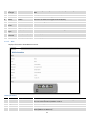
Memory explanation:
Field Name
Sample Value
1. Free
94532 kB / 126452 kB
(74%)
2.
Cached
3.
Buffered
10828 kB / 126452 kB
(8%)
4308 kB / 126452 kB
(3%)
Explanation
The amount of memory that is completely free. Should this rapidly
decrease or get close to 0, it would indicate that the router is running
out of memory, which could cause crashes and unexpected reboots.
The size of the area of memory that is dedicated to storing frequently
accessed data.
The size of the area in which data is temporarily stored before moving
it to another location.
6.3 Network Information
6.3.1.1 Mobile
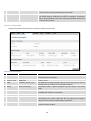
Displays information aboutmobile modem connection.
Mobile information:
Field Name Sample Value
1.
Data
Connected
connection
state
2.
IMEI
860461024164561
3.
IMSI
246020100070220
4.
SIM card
state
Ready
Explanation
Mobile data connection status
Modem's IMEI (International Mobile Equipment Identity) number
IMSI (International Mobile Subscriber Identity) is used to identify the user
in a cellular network
Indicates the SIM card's state, e.g. PIN required, Not inserted, etc.
20
5.
6.
7.
8.
9.
10.
11.
12.
13.
14.
Signal
strength
Cell ID
RSRP
RSRQ
SINR
Operator
state
Operator
Connection
type
Bytes
received
Bytes sent
-65 dBm
FD90B
-88dBm
-7dBm
-21.4dBm
LT BITE GSM
Received Signal Strength Indicator (RSSI). Signal's strength measured in
dBm
ID of operator cell that device is currently connected to
Indicates the Reference Signal Received Power
Indicates the Reference Signal Received Quality
Indicates the Signalto Interference Noise Ratio
Operator's name of the connected GSM network
Registered (home)
4G (LTE)
GSM network's status
Indicates the GSM network's access technology
3.3 Kb (3345 bytes)
How many bytes were received via mobile data connection
3.4 kb (3487 bytes)
How many bytes were sent via mobile data connection
6.3.1.2 WAN
Displays information aboutWAN connection.
WAN information:
Field Name
1.
Interface
Sample Value
Wired
2.
3.
4.
Static
192.168.99.69
00:1E:42:00:00:01
Type
IP address
WAN MAC
Explanation
Specifies through what medium the router is connecting to the internet.
This can either be Wired, Mobile or Wi-Fi.
Specifies the type of connection. This can either be static or DHCP.
The IP address that the routers uses to connect the internet.
MAC (Media Access Control) address used for communication in a Ethernet
WAN (Wide Area Network)
21
5.
6.
7.
8.
Netmask*
Gateway*
255.255.255.0
192.168.99.254
Specifies a mask used to define how large the WAN network is
Indicates the default gateway, an address where traffic destined for the
internet is routed to.
DNS*
8.8.8.8
Domain name server(s).
Connected* 1h 45m 27s
How long the connection has been successfully maintained.
*-These fields show up on other connection modes.
**-Exclusive to other Modes with DHCP.
6.3.1.3 LAN
Displays information aboutLAN connection.
LAN information:
Field Name
1. Name
2. IP address
3. Netmask
4. Ethernet LAN
MAC address
5. Connected for
Sample Value
Lan
192.168.99.218
255.255.255.0
00:1E:42:00:00:00
1h 53m 56s
Explanation
Lan instance name
Address that the router uses on the LAN network.
A mask used to define how large the LAN network is
MAC (Media Access Control) address used for communication in a Ethernet
LAN (Local Area Network)
How long LAN has been successfully maintained.
DHCP Leases
If you have enabled a DHCP server this field will show how many devices have received an IP address and what
those IP addresses are.
1.
2.
Field Name
Hostname
IP address
Sample Value
?
192.168.99.120
Explanation
DHCP client's hostname
Each lease declaration includes a single IP address that has been leased to
the client
22
3.
4.
Lan name
MAC address
Lan
D4:85:64:65:2B:D4
5.
Lease time
remaining
10h 11m 13s
Lan instance name
The MAC (Media Access Control) address of the network interface on
which the lease will be used. MAC is specified as a series of hexadecimal
octets separated by colons
Remaining lease time for addresses handed out to clients
6.3.1.4 Wireless
Wireless can work in two modes, Access Point (AP) or Station (STA). AP is when the wireless radio is used to
create an Access Point that other devices can connect to. STA is when the radio is used to connect to an Access Point via
WAN.
6.3.1.4.1 Station
Displays information about wireless connection (Station mode).
Client mode information
Field Name
Sample Value
1. Channel
1 (2.41 GHz)
2. Country
3. SSID
4. Mode
00
Teltonika_Router
Station (STA)
5. Encryption
WPA2 PSK (CCMP)
6. Wireless MAC
7. Signal Quality
00:1E:42:10:80:22
61%
Explanation
The channel that the AP, to which the routers is connected to, uses.
Your wireless radio is forced to work in this channel in order to
maintain the connection.
Country code.
The SSID that the AP, to which the routers is connected to, uses.
Connection mode – Client indicates that the router is a client to
some local AP.
The AP, to which the router is connected to, dictates the type of
encryption.
The MAC address of the access points radio.
The quality between routers radio and some other device that is
23
8. Bit rate
43.3 MBit/s
connecting to the router. Will show 0% if no devices are trying to
connect or are currently maintaining a connection.
The physical maximum possible throughput that the routers radio
can handle. Keep in mind that this value is cumulative - The bitrate
will be shared between the router and other possible devices that
connectto the local AP.
6.3.1.4.2 Access Point
Displays information about wireless connection (Access Point mode).
Wireless AP information
Field Name
Sample Value
1. Channel
11 (2.46 GHz)
2.
3.
Country code
SSID
00(World)
Teltonika_Router_Test
4.
Mode
Access Point (AP)
5.
Encryption
No Encryption
6.
7.
Wireless MAC
Signal Quality
00:1E:42:00:00:03
80%
8.
Bit rate
54.0 MBit/s
Explanation
The channel which is used to broadcast the SSID and to establish
new connections to devices.
Country code.
The SSID that is being broadcast. Other devices will see this and will
be able to use to connect to your wireless network.
Connection mode – Master indicates that you router is an access
point.
The type of encryption that the router will use to authenticate,
establish and maintain a connection.
MAC address of your wireless radio.
The quality between routers radio and some other device that is
connecting to the router. Will show 0% if no devices are trying to
connect or are currently maintaining a connection.
The bitrate will be shared between all devices that connect to the
routers wireless network.
24
Additional note: MBit/s indicates the bits not bytes. To get the throughput in bytes divide the bit value by 8, for
e.g. 54MBits/s would be 6.75MB/s (Mega Bytes per second).
6.3.1.5 Associated Stations
Outputs a list of all devices and their MAC addresses that are maintain a connection with your router right now.
This can either be the information of the Access Point that the router is connecting to in STAmode or a list of all
devices that are connecting to the router in AP mode:
1.
2.
Field Name
MAC Address
Device Name
3.
Signal
4.
RX Rate
5.
TX Rate
Sample Value
FC:C2:DE:91:36:A6
Android9aed2b2077a54c74
-54dBm
24.0Mbit/s, MCS 0,
20MHz
54.0Mbit/s, MCS 0,
20MHz
Explanation
Associated station's MAC (Media Access Control) address
DHCP client's hostname
Received Signal Strength Indicator (RSSI). Signal's strength measured
in dBm
The rate at which packets are received from associated station
The rate at which packets are sent to associated station
6.3.1.6 OpenVPN Client (must be updated)
Displays openVPN connection client side information.
1.
2.
3.
4.
5.
6.
Field Name
Status
Type
IP
Mask
Server IP
Time
Sample Value
Enabled
Client
172.16.1.6
255.255.255.255
172.16.1.0
0h 48m 43s
Explanation
OpenVPN status
A type of OpenVPN instance that has been created
Remote virtual network's IP address
Remote virtual network's subnet mask
Remote virtual server's IP address
For how long the connection has been established
25
6.3.1.7 OpenVPN Server
Displays openVPN connection server side information.
1.
2.
3.
4.
5.
Field Name
Status
Type
IP
Mask
Time
Sample Value
Enabled
Server
172.16.1.1
255.255.255.255
20h 13m 9s
Explanation
OpenVPN status
A type of OpenVPN instance that has been created
Remote virtual network's IP address
Remote virtual network's subnet mask
For how long the connection has been established
6.3.1.8 Client information
1.
2.
3.
4.
Field Name
Common Name
Real Address
Virtual Address
Connection Since
Sample Value
Client1
192.168.99.91:50850
172.16.1.6
2015-05-15 08:07:15
Explanation
Client connection
Client’s IP address and port number
Virtual address which has been given to a client
Since when connection has been established
26
6.3.1.9
VRRP
VRRP (Virtual Router Redundancy Protocol) for LAN
1.
2.
Field Name
Status
Virtual IP
Sample Value
Enabled
192.168.1.253
3.
Priority
100
4.
Router**
Master
**-Exclusive to other Modes with Slave.
Explanation
VRRP status
Virtual IP address(es) for LAN’s VRRP (Virtual Router Redundancy
Protocol ) cluster
Router with highest priority value on the same VRRP (Virtual Router
Redundancy Protocol) cluster will act as a master, range [1 - 255]
Since when connection has been established
27
6.3.1.10 Topology
Network scanner allowing you to quickly retrieve information about network devices.
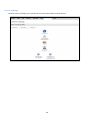
28
6.3.1.11 Access
Displays information aboutlocal and remote active connections status.
1.
2.
3.
4.
Field Name
Sample Value
Type
SSH;HTTP;HTTPS
Status
Disabled/Enabled
Port
22; 80; 443
Active
0(0.00B);1(9.26 KB);
Connections
6(558.12 KB)
**-Exclusive to other Modes with Slave.
Explanation
Type of connection protocol
Connection status
Connection port used
Count of active connections and amount of data transmitted in KB
29
6.3.1.11.1 Last Connections
Displays information aboutlocal and remote last 3 connections status
1.
2.
3.
4.
Field Name
Type
Date
IP
Authentications
Status
Sample Value
SSH;HTTP;HTTPS
2015-05-11, 10:36:59
192.168.1.167
Failed; Succeded
Explanation
Type of connection protocol
Date and time of connection
IP address from which the connection was made
Status of authentication attempt
30
6.4 Device information
The page displays factory information that was written into the device during manufacturing process.
1.
2.
3.
4.
5.
6.
6.
7.
8.
9.
10.
Field Name
Serial number
Product code
Batch number
Hardware revision
IMEI
IMSI
Ethernet LAN MAC
Ethernet WAN
MAC
Wireless MAC
Model
FW version
Sample Value
02345678
RUT950 101010
0222
0321
860461024164561
246020100070220
3E:83:6F:84:E1:A4
AE:F4:F3:5B:9D:CC
Explanation
Serial number of the device
Product code of the device
Batch number used during device’s manufacturing process
Hardware revision of the device
Identification number of the internal modem
Subscriber identification number of the internal modem
MAC address of the Ethernet LAN ports
MAC address of the Ethernet WAN port
N/A
ME909-521
11.235.07.00.00
MAC address of the Wi-Fi interface
Router’s modem model
Router’s modem firmware version
31
6.5 Services
The page displays usage of the available services.
6.6 Routes
The page displays ARP table active IP routes of the device.
6.6.1
ARP
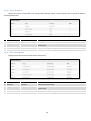
Shows the routers active ARP table. An ARP table contains recently cached MAC addresses of every immediate
device that was communicating with the router.
1.
Field Name
IP Address
Sample Value
192.168.99.17
2.
MAC Address
00:25:22:D7:CA:A7
3.
Interface
br-lan
Explanation
Recently cashed IP addresses of every immediate device that was
communicating with the router
Recently cashed MAC addresses of every immediate device that was
communicating with the router
Interface used for connection
32
6.6.2
Active IP-Routes
Shows the routers routing table. The routing table indicates where a TCP/IP packet, with a specific IP address,
should be directed to.
1.
2.
Field Name
Network
Target
Sample Value
ppp
192.168.99.0/24
3.
4.
IP Gateway
Metric
0.0.0.0
0
6.6.3
Explanation
Interface to be used to transmit TCP/IP packets through
Indicates where a TCP/IP packet, with a specific IP address, should
be directed
Indicates through which gateway a TCP/IP packet should be directed
Metric number indicating interface priority of usage
Active IPv6-Routes
Displays active IPv6 routes for data packet transmittion
1.
2.
Field Name
Network
Target
Sample Value
loopback
0:0:0:0:0:0:0:0/0
3.
4.
IPv6-Gateway
Metric
0:0:0:0:0:0:0:0/0
FFFFFFFF
Explanation
Network interface used
Indicates where a TCP/IP packet, with a specific IP address, should
be directed
Indicates through which gateway a TCP/IP packet should be directed
Metric number indicating interface priority of usage
33
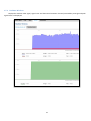
6.7 Realtime Graphs
Real-time graphs show how various statistical data changes over time.
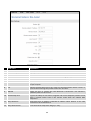
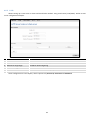
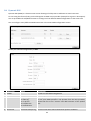
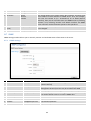
6.7.1
Mobile Signal Strenght
Displays mobile signal strength variation in time (measured in dBm)
1.
2.
3.
4.
Field Name
Connection type
Signal
Average
Peak
Sample Value
3G (WCDMA)
-72 dBm
-72.0 dBm
-72 dBm
Explanation
Type of mobile connection used
Current signal strength value
Average signal strength value
Peak signal strength value
34
6.7.2
Realtime Load
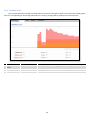
This tri-graph illustrates average CPU load values in real time. The graph consists out of three color coded graphs,
each one corresponding to the average CPU load over 1 (red), 5 (orange) and 15 (yellow) most recent minutes.
1.
2.
3.
Field Name
1/5/15 Minutes
Load
Average
Peak
Sample Value
0.83
Explanation
Time interval for load averaging, color of the diagram
0.86
1.50
Average CPU load value over time interval (1/5/15 Minute)
Peak CPU load value of the time interval
35
6.7.3
Traffic
This tri-graph illustrates average system load over the course of ~3 minutes; each new measurement is taken
every 3 seconds. The graph consists out of three color coded graphs, each one corresponding to the average system
load over 1 (red), 5 (orange) and 15 (yellow) most recent minutes. Although not graphed, the page also displays peak
loads over 1, 5 and 15 minutes.
1.
Field Name
Bridge
Explanation
Cumulative graph, which encompasses wired Ethernet LAN and the wireless network.
2.
LAN
Graphs the total traffic that passes through both LAN network interfaces.
3.
WAN (Wired)
Graphs the amount of traffic which passed through the current active WAN connection.
4.
Mobile
Graphs the amount of traffic which passed through the mobile network connection.
5.
Wi-Fi
Shows the amount of traffic that has been sent and received through the wireless radio.
36
6.7.4
Realtime Wireless
Displaysthe wireless radio signal, signal noise and theoretical maximum channel permeability. Average and peak
signal levels are displayed.
37
6.7.5
Realtime Connections
Displays currently active network connections. With the information on network, protocol, source and destination
addresses, transfer speed.
38
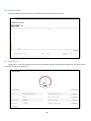
6.8 Mobile Traffic
Displays mobile connection data sent and received in KB of this day, week, month.
6.9 Speed Test
Speed test is a tool for measuring your internet connection upload and download speeds. You can select servers
for manual testing, or use auto test.
39
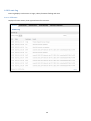
6.10 Events Log
Event log displays such actions as: login, reboot, firmware flashing and reset.
6.10.1 All Events
Displays all router events, their type and time of occurrence.
40
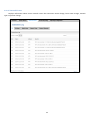
6.10.2 System Events
Displays all system events, their type and time of occurance. Events include authentication or reboot requests,
safemode, incoming and outgoing SMS and calls, configuration changes, DHCP events.
41
6.10.3 Network Events
Displays information about recent network events like connection status change, lease status change, network
type or operator change.
42
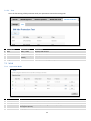
6.10.4 Events Reporting
Allows to view, enable, disable or modify created rules for events reporting.
6.10.4.1 Events Reporting Configuration
Allows to review created rules details and modify them, so after event occurrence, messages or emails are sent to
specified address or phone numbers with information about the event.
43
1.
2.
3.
4.
5.
6.
Field Name
Enable
Event type
Event subtype
Action
Custom message
Recipient‘s
phone number
Sample Value
Enable/Disable
Reboot
After unexpected shut
down
Send SMS
Enable/Disable
+123456789
Explanation
Make a rule active/inactive
Select event type about which occurrence information will be sent
Specify event subtype to activate the rule
Action to perform when an event occurs
When action occurs, custom message will be send
For whom you want to send a SMS
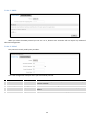
6.10.5 Reporting Configuration
Displays configured services for event reporting, allows to enable, disable, view and modify the parameters.
44
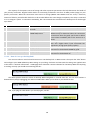
6.10.5.1 Events Log Report Configuration
Allows to change the configuration of periodic events reporting to email or ftp.
1.
2.
3.
4.
5.
Field Name
Enable
Events log
Transfer type
Compress file
Host
Sample Value
Enable/Disable
System
FTP
Enable
192.168.123.123
6.
User name
Username
7.
Password
password
8.
Interval
between
reports
Weekday
Hour
Week
Explanation
Make a rule active/inactive
Event type for which the rule is applied
Event subtype for which the rule is applied: Email/ftp
Action to perform when an event occurs
FTP (File transfer Protocol) host name, e.g. ftp.exemple.com,
192.168.123.123. Allowed characters (a-z-A-Z0-9!@#$%^&*+/=?_`{|}~. )
User name for authentication on SMTP(Simple Mail Transfer
Protocol) or FTP (File Transfer Protocol) server. Allowed characters
(a-z-A-Z0-9!@#$%^&*+-/=?_`{|}~. )
Password for authentication on SMTP(Simple Mail Transfer Protocol)
or FTP (File Transfer Protocol) server . Allowed characters (a-z-A-Z09!@#$%^&*+-/=?_`{|}~. )
Send report every select time interval
Monday
12
Day of the week to get events log report
Hour of the day to get events log report
9.
10.
45
7 Network
7.1 Mobile
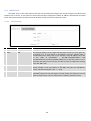
7.1.1
General
7.1.1.1 Mobile configuration
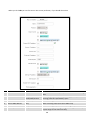
Here you can configuremobile settings which are used when connecting to your local 3G/LTE network.
1.
Field Name
Mobile
connection
Sample value
PPP / NDIS
2.
Mode
NAT / Passthrough / Use
bridge
3.
APN
“APN”
4.
PIN number
5.
Dialing
number
Authentication
“1234” or any number
that falls between 0000
and 9999
*99***1#
6.
CHAP, PAP or none
Explanation
PPP mode uses dialling number to establish data connection.
NDIS mode (default) does not use dialling and PPP protocol to
establish data connection it is usually faster than PPP mode.
NAT mode enables network address translation on router. Bridge
mode bridges LTE data connection with LAN. In this mode the router
does not have internet connection as ISP provides IP directly to end
device (PC, tablet or smartphone).Using Bridge mode will disable
most of the router capabilities and you can access your router's
settings only by using static IPaddress on your end device.
Passthrough mode is similar with bridge mode except that in
passthrough mode router do have internet connection.
Access Point Name (APN) is a configurable network identifier used
by a mobile device when connecting to a GSM carrier.
A personal identification number is a secret numeric password
shared between a user and a system that can be used to
authenticate the user to the system.
Dialling number is used to establish a mobile PPP (Point-to-PointProtocol) connection.
Authentication method, which your carrier uses to authenticate new
46
method
Username
connections. (This selection is unavailable on the alternate model)
7.
“username”
Your username that you would use to connect to your carriers
network. This field becomes available when you select an
authentication method (i.e. authentication method is not “none”).
These fields are always enabled on the alternate model.
8.
Password
“password”
Your password that you would use to connect to your carriers
network. This field becomes available when you select an
authentication method (i.e. authentication method is not “none”).
These fields are always enabled on the alternate model.
9.
Service mode
2G only, 2G preferred,
Your network preference. If your local mobile network supports 2G,
3G only, 3G preferred,
3G and 4G (LTE) you can specify to which network you wish to
4G (LTE) only, 4G (LTE)
connect. E.g.: if you choose 2G, the router will connect to a 2G
preferred or automatic. network, so long as it is available, otherwise it will connect to a
networkthat provides better connectivity. If you select auto, then
the router will connect to the network that provides better
connectivity.
10. Deny data
Enable/Disable
If enabled this function prevents the device from establishing mobile
roaming
data connection while not in home network.
11. Use IPv4 only
Enable / Disable
If enabled this function makes the device to use only IPv4 settings
when connecting to operator.
Warning: If an invalid PIN number was entered (i.e. the entered PIN does not match the one that was used to
protect the SIM card), your SIM card will get blocked. To avoid such mishaps it is highly advised to use an unprotected
SIM. If you happen to insert a protected SIM and the PIN number is incorrect, your card won’t get blocked immediately,
although after a couple of reboots OR configuration saves it will.
7.1.1.2 Mobile Data On Demand
1.
2.
Field name
Enable
Possible values
Enable/Disable
No data
timeout(sec)
1-99999999
Explanation
Mobile Data On Demand function enables you to keep mobile data
connection on only when it's in use
A mobile data connection will be terminated if no data is transferred
during the timeout period
7.1.1.3 Force LTE network
1.
Field name
Enable
Possible values
Enable/Disable
Explanation
Force LTE network function periodically disables mobile data
connection (for a few seconds)) to allow the device to switch to LTE
47
2.
Interval (sec)
7.1.2
180 - 3600
network. This could because some operators do not support switching
from 3G to LTE networks while data is being transferred.
Interval in seconds the device will use to periodically disable mobile
data connection.
SIM Management
Possible values
SIM 1 / SIM 2
Enable/Disable
3.
4.
Field name
Primary SIM card
Enable automatic
switching
Check interval
On weak signal
5.
On data limit
Enable/Disable
6.
On sms limit
Enable/Disable
7.
8.
On roaming
On data connection
fail
Switch back to
primary SIM card
after timeout
Enable/Disable
Enable/Disable
Explanation
SIM card that will be used in the system as a primary SIM card
Automatically switch between primary and secondary SIM cards
based on the various rules and criterions defined below
Check interval in seconds
Perform a SIM card switch when a signal's strength drops below a
certain threshold
Perform a SIM card switch when mobile data limit for your currrent
SIM card is exceeded
Perform a SIM card switch when sms limit for your currrent SIM card
is exceeded
Perform a SIM card switch when roaming is detected
Perform a SIM card switch when data connection fails
Enable/Disable
Switch back to primary SIM card after timeout has been reached
1.
2.
9.
20-3600
Enable/Disable
48
7.1.3
Network Operators
This function lets you Scan, Select and enter manual Network Operator to which router should connect. Function
will provide great utility when router is in Roaming conditions.Operator is selected only for the active SIM card. In order
to specify operator for the other SIM card it must first be selected as primary SIM in “SIM Management”.
Field Name
Sample Value
Explanation
1. SIM card in use
SIM 1 / SIM 2
Shows current SIM card’s in use
2. Current operator
„TELE2“
Operator's name of the connected GSM network
Note: after clicking Scan button- You will lose current mobile connection!For changing network operator status have to
be available. There is manual connection to network operator, you have to fill numeric name, and it’s have to be
available.
49
7.1.4
Mobile Data Limit
This function lets you limit maximum amount of data transferred on WAN interface in order to minimize
unwanted traffic costs.
7.1.4.1 Data Connection Limit Configuration
1.
2.
3.
4.
Field Name
Enable data
connection limit
Data limit (MB)
Period
Start day/ Start
hour
Sample value
Enable/Disable
Explanation
Disables mobile data when a limit for current period is reached
200
Disable mobile data after limit value in MB is reached
Month/Week/Day Period for which mobile data limiting should apply
1
A starting time for mobile data limiting period
7.1.4.2 SMS Warning Configuration
Field Name
1. Enable SMS
warning
2. Data limit (MB)
3. Period
4. Start day/ Start
hour
5. Phone number
Sample value
Enable/Disable
Explanation
Enables sending of warning SMS message when mobile data limit for
current period is reached
200
Send warning SMS message after limit value in MB is reached
Month/Week/Day Period for which mobile data limiting should apply
A starting time for mobile data limiting period
+37012345678
A phone number to send warning SMS message to, e.g. +37012345678
50
7.1.5
Sim Idle protection
Some operators block user SIM cards after period of inactivity. This function enables router to periodically switch
to secondary SIM card and establish data connection with mobile network in order to prevent sim card blocking.
7.1.5.1 Settings
Field Name
1. Enable
2. Period
3. Day
4.
5.
6.
7.
8.
Hour
Minute
Host to ping
Ping package size
Ping requests
Sample value
Enable/Disable
Month / Week
1-31 / Monday Sunday
1-24
1-60
8.8.8.8
56
2
Explanation
Enables SIM idle protection
Switches between monthly and weekly sim activation periods
Specifies the day for SIM idle protection activation, 1-31 if Period is
Month, and Monday – Sunday if period is week.
Specifies the hour for SIM idle protection activation
Specifies the minute for SIM idle protection activation
Specifies IP address or domain name to send data packages to
Specifies ping Package size in bytes
Specifies requests to be sent
51
7.1.5.2 Test
Tests the functioning of idle protection with your parameters entered at settings tab.
Field Name
1. SIM
2. SIM state
3. Host IP
4. Ping
Sample value
SIM1 / SIM2
OK (inserted)
1-31 / Monday Sunday
Success
Explanation
Displays SIM number
Displays status of the SIM card
Displays the IP of the Host
Displays status of ping attempt
7.2 WAN
7.2.1
Operation Mode
1.
2.
3.
Type
Main WAN
Backup WAN
Interface Name
4.
Protocol
Explanation
Switches between Mobile, Wired and WiFi interface for main WAN
Let’s user to select one or two interfaces for WAN backup
Displays Wan interface name, and changes interface priority, the interface at the table top has
the highest priority
Displays protocol used by Wan interface
52
5.
6.
IP Address
Sort
7.2.2
Displays IP address acquired by specific interface
Sorts table rows and changes interface priority, the highest interface has highest priority
Common configuration
Common configuration allows you to configure your TCP/IP settings for the wan network.
You can switch between the Static, DHCP or PPPoE protocol by selecting the protocol that you want to use and
then pressing Switch Protocol
7.2.2.1 General Setup
7.2.2.1.1 Static:
This is the configuration setup for when you select the static protocol.
1.
2.
3.
4.
Filed name
IPv4 address
IPv4 netmask
IPv4 gateway
IPv4 broadcast
Sample
192.168.99.162
255.255.255.0
192.168.99.254
192.168.99.255
5.
custom DNS servers
8.8.8.8 8.8.6.6
Explanation
Your routers address on the WAN network
A mask used to define how “large” the WAN network is
Address where the router will send all the outgoing traffic
Broadcast address (autogenerated if not set). It is best to leave this
blank unless you know what you are doing.
Usually the gateway has some predefined DNS servers. As such the
router, when it needs to resolve a hostname (“www.google.com”,
“www.cnn.com”, etc…) to an IP address, it will forward all the DNS
requests to the gateway. By entering custom DNS servers the router
will take care of host name resolution. You can enter multiple DNS
servers to provide redundancy in case the one of the server fails.
53
7.2.2.1.2 DHCP:
When you select the DHCP protocol you can use it as is, because most networks will not require any additional
advanced configuration.
7.2.2.1.3 PPPoE
This protocol is mainly used by DSL providers:
This is the configuration setup for when you select PPPoE protocol.
1.
Filed name
PAP/CHAP username
Sample
test
2.
3.
PAP/CHAP password
Access Concentrator
your_password
isp
4.
Service Name
isp
Explanation
Your username and password that you would use to connect to your
carriers network.
A mask used to define how “large” the WAN network is
Specifies the name of access concentrator. Leave empty to auto
detect.
Specifies the name of the service. Leave empty to auto detect.
54
7.2.2.2 Advanced
These are the advanced settings for each of the protocols, if you are unsure of how to alter these attributes it is
highly recommended to leave them to a trained professional:
7.2.2.2.1 Static
1.
2
Field name
Disable NAT
Override MAC address
Sample value
On/Off
86:48:71:B7:E9:E4
3.
Override MTU
1500
4.
Use gateway metric
0
Explanation
Toggle NAT on and off.
Override MAC address of the WAN interface. If your ISP gives you
a static IP address it might also bind it to your computers MAC
address (i.e. that IP will only work with your computer). In this
field you can enter your computers MAC address and fool the
gateway in thinking that it is communicating with your computer.
Maximum transmission unit – specifies the largest possible size
of a data packet.
The WAN configuration by default generates a routing table
entry. With this field you can alter the metric of that entry.
7.2.2.2.2 DHCP
1.
Field name
Disable NAT
Sample value
Enable/Disable
2
Use broadcast flag
Enable/Disable
Explanation
If checked, router will not perform NAT (masquerade) on this
interface
Required for certain ISPs, e.g. Charter with DOCSIS 3
55
3.
4.
Enable/Disable
Enable/Disable
If unchecked, no default route is configured
If unchecked, the advertised DNS server addresses are ignored
0
The WAN configuration by default generates a routing table entry
With this field you can alter the metric of that entry
8.
Client ID to send when
requesting DHCP
Vendor Class to send
when requesting DHCP
Override MAC address
86:48:71:B7:E9:E4
9.
Override MTU
1500
Override MAC address of the WAN interface. If your ISP gives you
a static IP address it might also bind it to your computers MAC
address (i.e. that IP will only work with your computer). In this
field you can enter your computers MAC address and fool the
gateway in thinking that it is communicating with your computer.
Maximum transmission unit – specifies the largest possible size of
a data packet.
5.
6.
7.
Use default gateway
Use DNS server
advertised by peer
User gateway metric
7.2.2.2.3 PPPoE
Field name
Disable NAT
Sample value
Enable/Disable
Enable/Disable
0
Enable/Disable
6.
Use default gateway
Use gateway metric
Use DNS servers
advertised by peer
LCP echo failure
threshold
LCP echo interval
7.
Inactivity timeout
0
1.
2
3.
4.
5.
0
5
Explanation
If checked, router will not perform NAT (masquerade) on this
interface
If unchecked, no default route is configured
If unchecked, the advertised DNS server addresses are ignored
Presume peer to be dead after given amount of LCP echo failures,
use 0 to ignore failures
Send LCP echo requests at the given interval in seconds, only
effective in conjunction with failure threshold
Close inactive connection after the given amount of seconds, use
0 to persist connection
56
7.2.2.2.4 IP Aliases
IP aliases are a way of defining or reaching a subnet that works in the same space as the regular network.
As you can see, the configuration is very similar to the static protocol; only in the example a 99th subnet is
defined. Now if some device has an IP in the 99 subnet (192.168.99.xxx) and the subnets gateway metric is “higher” and
the device is trying to reach the internet it will reroute it’s traffic not to the gateway that is defined in common
configurations but through the one that is specified in IP aliases.
You may also optionally define a broadcast address and a custom DNS server.
7.2.2.2.5 Backup WAN configuration
Backup WAN is function that allows you to back up your primary connection in case it goes down. There can be
two backup connections selected at the same time, in that case, when primary connection fails, router tries to use
backup with higher priority and if that is unavailable or fails too, then router tries the backup with lower priority.
57
The majority of the options consist of timing and other important parameters that help determine the health of
your primary connection. Regular health checks are constantly performed in the form of ICMP packets (Pings) on your
primary connection. When the connections state starts to change (READY->NOT READY and vice versa) a necessary
amount of failed or passed health checks has to be reached before the state changes completely. This delay is instituted
so as to mitigate “spikes” in connection availability, but it also extends the time before the backup link can be brought
up or down.
1.
Field Name
Health monitor Interval
Sample value
Disable/5/10/20/30/60/120
Seconds
Disable/DNS Server(s)
/WAN GW/Custom
2.
Health monitor ICMP host(s)
3.
Health monitor ICMP timeout
1/3/4/5/10 Seconds
4.
Attempts before failover
1/3/5/10/15/20
5.
Attempts before recovery
1/3/5/10/15/20
Explanation
The interval at which health checks are performed
Where to Ping for a health check. As there is no
definitive way to determine when the connection
to internet is down for good, you’ll have to define
a host whose availability that of the internet as a
whole.
How long to wait for an ICMP request to come
back. Set a higher value if your connection has
high latency or high jitter (latency spikes).
How many checks should fail for your WAN
connection to be declared DOWN for good.
How many checks should pass for your WAN
connection to be declared UP.
7.2.2.3 How do I set up a backup link?
First we must select a main link and choose one or two backup links in WAN section. Then push the “Edit” button
and configure your WAN and Backup Wan settings to your liking. Click Save and wait until the settings are applied. Now
in the Status -> Network Information -> WAN page there should be a status indication for the backup WAN. If everything
is working correctly you should see something like this:
The above picture shows the status for Backup WAN configured on a wired main link. You can now simulate a
downed link by simply unplugging your Ethernet WAN cable. When you’ve done so you should see this:
And, if you plug the cable back in you should, again, see this:
58
7.3 LAN
This page is used to configure the LAN network, where all your devices and computers that you connect to the
router will reside.
7.3.1
Configuration
7.3.1.1 General Setup
Sample value
192.168.1.1
255.255.255.0
0
Explanation
Address that the router uses on the LAN network
A mask used to define how large the LAN network is
IP broadcasts are used by BOOTP and DHCP clients to find and
send requests to their respective servers
Sample value
Enable/Disable
2.
Field name
Accept router
advertisements
Override MTU
3.
4.
Use gateway metric
Use WAN port as LAN
0
Enable/Disable
Explanation
If enabled allows accepting router advertisements (Disabled by
default)
MTU (Maximum Transmission Unit) specifies the largest
possible size of a data packet
With this field you can alter the metric of that entry
1.
2
3.
Field name
IP address
IP netmask
IP broadcast
7.3.1.2 Advanced settings
1.
1500
59
7.3.2
DHCP Server
The DHCP server is the router side service that can automatically configure the TCP/IP settings of any device that
requests such a service. If you connect a device that has been configured to obtain IP address automatically the DHCP
server will lease an address and the device will be able to fully communicate with the router.
7.3.2.1 General Setup
1.
2.
Field Name
DHCP
Start
Sample value
Enable/Disable
100
3.
Limit
150
4.
Lease time
12
Explanation
Manage DHCP server
The starting address of the range that the DHCP server can use to give out
to devices. E.g.: if your LAN IP is 192.168.2.1 and your subnet mask is
255.255.255.0 that means that in your network a valid IP address has to be
in the range of [192.168.2.1 – 192.168.2.254](192.168.2.0 and
192.168.2.255 are special unavailable addresses). If the Start value is set to
100 then the DHCP server will only be able to lease out addresses starting
from 192.168.2.100
How many addresses the DHCP server gets to lease out. Continuing on the
above example: if the start address is 192.168.2.100 then the end address
will be 192.168.2.254 (100 + 150 – 1 = 254).
How long can a leased IP be considered valid. An IP address after the
specified amount of time will expire and the device that leased it out will
have to request for a new one. Select Hour or Minute (minimum 2min).
60
7.3.2.2 Advanced settings
You can also define some advanced options that specify how the DHCP server will operate on your LAN network.
1.
Field Name
Sample Value
Dynamic DHCP Checked/Unchecked
2.
Force
3.
IP netmask
4.
DHCP-Options
Checked/Unchecked
Explanation
Dynamically allocate client addresses, if set to 0 only clients present
in the ethers files are served
Forces DHCP serving even if another DHCP server is detected on the
same network segment.
You can override your LAN netmask here to make the DHCP server
think it’s serving a larger or a smaller network than it actually is.
Additional options to be added for this DHCP server. For example
with '26,1470' or 'option:mtu, 1470' you can assign an MTU per
DHCP. Your client must accept MTU by DHCP for this to work.
7.4 VLAN
On this page you can configure your virtual LAN settings, either Port based or Tag based.
7.4.1
VLAN Networks
7.4.1.1 VLAN Functionality
1.
Field Name
VLAN mode
Sample Value
Disabled / Port based /
Tag based
Explanation
Lets user to choose the VLAN mode or disable VLAN functionality.
61
7.4.1.2 VLAN Network List
If VLAN mode – Port based:
1.
2.
3.
4.
Field Name
VLAN ID
LAN ports
1/2/3
Wireless
access points
LAN
Sample Value
1
on
Explanation
VLAN Identification number, allowed in range (1-4094)
Switches each LAN port between ON, OFF or tagged state.
Enabled / Disabled
Assign selected access point(s) to selected LAN.
Select to which LAN to assign selected LAN ports and wireless access
points.
If VLAN mode – Taged based:
1.
3.
4.
Field Name
VLAN ID
Wireless
access points
LAN
Sample Value
1
Enabled / Disabled
Explanation
VLAN Identification number, allowed in range (1-4094)
Assign selected access point(s) to selected LAN.
Select to which LAN to wireless access point(s).
62
7.4.2
LAN Networks
In this page you can create extra LAN networks, and assign them with LAN Ports and wireless access points. You
can get extra information on how to configure any of your LAN’s settings in section – 6.3 LAN.
1.
Field Name
LAN name
Sample Value
LAN2
Explanation
Specifies new LAN name
7.5 Wireless
On this page you can configure your wireless settings. Depending on whether your WAN mode is set to Wi-Fi or
not, the page will display either the options for configuring an Access Point or options for configuring a connection to
some local access point.
Access Point:
Here you can see the Overview of the wireless configuration. It is divided into two main sections – device and
interface. One is dedicated to configuring hardware parameters other – software.
Here you can toggle the availability of the wireless radio and the physical channel frequency.
63
Important note: As seen in the picture you should always Save before toggling the radio on and off.
ESSID – Your wireless networks identification string. This is the name of your Wi-Fi network. When other Wi-Fi
capable computers or devices scan the area for Wi-Fi networks they will see your network with this name.
Hide ESSID – Will render your SSID hidden from other devices that try to scan the area.
7.5.1.1 Device
7.5.1.1.1 Advanced Settings
Here you can configure more advanced parameters:
1.
Field name
Mode
2.
Country Code
3.
4.
Transmit power
Frag. Threshold
5.
RTS/CTS Threshold
Sample value
Auto, b, g, g+n
Explanation
Different modes provide different throughput and security
options.
Any ISO/IEC 3166 alpha2
Selecting this will help the wireless radio configure its
country code
internal parameters to meet your countries wireless
regulations.
20%/40%/60%/80%/100% Select WiFi signal power
2346
The smallest packet size that can be fragmented and
transmitted by multiple frames. In areas were interference is
a problem, setting a lower fragment threshold might help
reduce the probability of unsuccessful packet transfers, thus
increasing speed.
2346
Request to send threshold. It can help resolve problems
arising when several access points are in the same area,
contending.
64
7.5.1.2 Interface
7.5.1.2.1 Security
Encryption – There are many modes of encryption, a distinctive classis pointed out below.
First select an encryption method: TKIP, CCMP, TKIP&CCMP and auto. Note: Some authentication methods won’t
support TKIP (and TKIP&CCMP) encryption. After you’ve selected your encryption method, you should enter your
passphrase, which must be at least 8 characters long.
7.5.1.2.2 MAC-Filter
Filter – you can define a rule for what to do with the MAC list you’ve defined. You can either allow only the listed
MACs or allow ALL, but forbid only the listed ones.
7.5.1.2.3 Advanced settings
Separate clients – prevents Wi-Fi clients from communicating with each other on the sane subnet.
65
7.5.1.3 Client
RUT9xx can work as a Wi-Fi client (check 6.5 Chapterof this manual). Client mode is nearly identical to AP, except
for the fact that most for the options are dictated by the wireless access point that the router is connecting to. Changing
them can result in an interrupted connection to an AP.
In addition to standard options you can also click the Scan button to rescan the surrounding area and attempt to
connect to a new wireless access point.
7.6 Firewall
In this section we will look over the various firewall features that come with RUT950.
7.6.1
General Settings
The routers firewall is a standard Linux iptables package, which uses routing chains and policies to facilitate
control over inbound and outbound traffic.
Field Name
Drop Invalid packets
Sample value
Checked/Unchecked
Explanation
1.
A “Drop” action is performed on a packet that is
determined to be invalid
2. Input
Reject/Drop/Accept
DEFAULT* action that is to be performed for
packets that pass through the Input chain.
3. Output
Reject/Drop/Accept
DEFAULT* action that is to be performed for
packets that pass through the Output chain.
4. Forward
Reject/Drop/Accept
DEFAULT* action that is to be performed for
packets that pass through the Forward chain.
*DEFAULT: When a packet goes through a firewall chain it is matched against all the rules for that specific chain. If
no rule matches said packet, an according Action (either Drop or Reject or Accept) is performed.
Accept – Packet gets to continue down the next chain.
Drop – Packet is stopped and deleted.
Reject – Packet is stopped, deleted and, differently from Drop, an ICMP packet containing a message of rejection
is sent to the source of the dropped packet.
66
7.6.2
DMZ
By enabling DMZ for a specific internal host (for e.g.: your computer), you will expose that host and its services to
the routers WAN network (i.e. - internet).
7.6.3
Port Forwarding
Here you can define your own port forwarding rules.
You can use port forwarding to set up servers and services on local LAN machines. The above picture shows how
you can set up a rule that would allow a website that is being hosted on 192.168.1.109, to be reached from the outside
by entering http://routersExternalIp:12345/.
1.
Field Name
Name
Sample value
“localWebsite”
2.
3.
Protocol
External Port
TCP/UDP/TCP+UDP/Other
1-65535
4.
Internal IP address
5.
Internal port
IP address of some computer
on your LAN
1-65535
Explanation
Name of the rule. Used purely to make it easier to
manage rules.
Type of protocol of incoming packet.
From what port on the WAN network will the traffic be
forwarded.
The IP address of the internal machine that hosts some
service that we want to access from the outside.
To what port on the internal machine would the rule
redirect the traffic.
67
When you click edit you can fine tune a rule to near perfection, if you should desire that.
1.
Field Name
Name
Sample value
“localWebsite”
2.
Protocol
3.
4.
5.
7.
Source zone
Source MAC address
Source IP address
Source port
TCP/UDP/TCP+
UDP/ICMP/Custom
LAN/VPN/WAN
Any
any
any
Explanation
Name of the rule. Used purely to make it easier to manage
rules.
You may specify multiple by selecting (custom) and then
entering protocols separated by space
Match incoming traffic from this zone only
Match incoming traffic from these MACs only
Match incoming traffic from this IP or range only
Match incoming traffic originating from the given source port
or port range on the client host only
68
8.
9.
External IP address
External port
any
12345
10. Internal zone
LAN/VPN/WAN
11. Internal IP address
192.168.1.109
12. Internal port
80
13. Enable NAT loopback
Enable/Disable
14. Extra arguments
7.6.4
Match incoming traffic directed at the given IP address only
Match incoming traffic directed at the given destination port
or port range on this host only
Redirect matched incoming traffic to the specified internal
zone
Redirect matched incoming traffic to the specified internal
host
Redirect matched incoming traffic to the given port on the
internal host
NAT loopback enables your local network (i.e. behind your
router/modem) to connect to a forward-facing IP address
(such as 208.112.93.73) of a machine that it also on your local
network
Passes additional arguments to iptables. Use with care!
Traffic Rules
The traffic rule page contains a more generalised rule definition. With it you can block or open ports, alter how
traffic is forwarded between LAN and WAN and many more things.
1.
2.
3.
4.
5.
6.
Field Name
Name
Protocol
Source
Destination
Action
Enable
7.
Sort
Explanation
Name of the rule. Used for easier rules management purpose only
Protocol type of incoming or outgoing packet
Match incoming traffic from this IP or range only
Redirect matched traffic to the given IP address and destination port
Action to be taken for the packet if it matches the rule
Self-explanatory. Uncheck to make the rule inactive. The rule will not be deleted, but it also
will not be loaded into the firewall.
When a packet arrives, it gets checked for a matching rule. If there are several rules that
match the rule, the first one is applied i.e. the order of the rule list impacts how your firewall
operates, therefore you are given the ability to sort your list as you wish.
69
You can configure firewall rule by clicking edit button.
3.
Field Name
Name
Restrict to address
family
Protocol
4.
5.
6.
7.
Match ICMP type
Source zone
Source MAC address
Source address
1.
2.
Sample value
“Allow-DHCP-Relay”
IPv4-only
Explanation
Used to make rule management easier
Match traffic from selected address family only
TCP/UDP/Any/ICMP/Custom Protocol of the packet that is being matched against
traffic rules.
any
Match traffic with selected ICMP type only
Any zone/LAN/VPN/WAN
Match incoming traffic from this zone only
any
Match incoming traffic from these MACs only
any
Match incoming traffic from this IP or range only
70
8.
Source port
any
9.
Destination zone
10. Destination address
Device/Any
zone/LAN/VPN/WAN
any
11. Destination port
67
12. Action
Drop/Accept/Reject + chain
+ additional rules
Match incoming traffic originating from the given source
port or port range on the client host only
Match forwarded traffic to the given destination zone
only
Match forwarded traffic to the given destination IP
address or IP range only
Match forwarded traffic to the given destination port or
port range only
Action to be taken on the packet if it matches the rule.
You can also define additional options like limiting
packet volume, and defining to which chain the rule
belongs
7.6.4.1 Open Ports On Router
1.
2.
Field Name
Name
Protocol
3.
External port
Sample value
Explanation
Open_Port_rule
Used to make rule management easier
TCP/UDP/Any/ICMP/Custom Protocol of the packet that is being matched against
traffic rules.
1-65535
Match incoming traffic directed at the given destination
port or port range on this host.
7.6.4.2 New Forward Rule
1.
2.
3.
Field Name
Name
Source
Protocol
Sample value
Forward_rule_new
LAN/VPN/WAN
TCP/UDP/Any/ICMP/Custom
Explanation
Used to make rule management easier
Match incoming traffic from selected address family only
Protocol of the packet that is being matched against
traffic rules.
71
7.6.4.3 Source NAT
1.
2.
Field Name
Name
Protocol
3.
4.
Source
Destination
5.
SNAT
6.
Enable
Sample value
Explanation
Forward_rule_new
Used to make rule management easier
TCP/UDP/Any/ICMP/Custom Protocol of the packet that is being matched against
traffic rules.
LAN/VPN/WAN
Match incoming traffic from selected address family only
Redirect matched traffic to the given IP address and
destination port
SNAT (Source Network Address Translation) rewrite
packet\'s source IP address and port
Enable/Disable
Make a rule active/inactive
72
You can configure firewall source NAT rule, by clicking edit button.
1.
2.
Field Name
Name
Protocol
3.
4.
5.
6.
Source zone
Source MAC address
Source address
Source port
7.
Destination zone
Sample value
Explanation
“Allow-DHCP-Relay”
Used to make rule management easier
TCP/UDP/Any/ICMP/Custom Protocol of the packet that is being matched against
traffic rules.
LAN/VPN/WAN
Match incoming traffic from this zone only
any
Match incoming traffic from these MACs only
any
Match incoming traffic from this IP or range only
any
Match incoming traffic originating from the given source
port or port range on the client host only
LAN/VPN/WAN
Match forwarded traffic to the given destination zone
only
73
8.
Destination address
Select from the list
9.
Destination port
any
10. SNAT IP address
11. SNAT port
12. Extra arguments
7.6.5
“10.101.1.10”
“22”
Match forwarded traffic to the given destination IP
address or IP range only
Match forwarded traffic to the given destination port or
port range only
Rewrite matched traffic to the given IP address
Rewrite matched traffic to the given source port. May be
left empty to only rewrite the IP address'
Passes additional arguments to iptables. Use with care!
Custom Rules
Here you have the ultimate freedom in defining your rules – you can enter them straight into the iptables
program. Just type them out into the text field ant it will get executed as a Linux shell script. If you are unsure of how to
use iptables, check the internet out for manuals, examples and explanations.
74
7.6.6
DDOS Prevention
7.6.6.1 SYN Flood Protection
SYN Flood Protection allows you to protect from attack that exploits part of the normal TCP three-way handshake
to consume resources on the targeted server and render it unresponsive. Essentially, with SYN flood DDoS, the offender
sends TCP connection requests faster than the targeted machine can process them, causing network saturation.
Sample value
Enable/Disable
Explanation
Makes router more resistant to SYN flood attacks.
2.
Field Name
Enable SYN flood
protection
SYN flood rate
“25”
3.
SYN flood burst
“50”
4.
TCP SYN cookies
Enable/Disable
Set rate limit (packets/second) for SYN packets above
which the traffic is considered a flood.
Set burst limit for SYN packets above which the traffic is
considered a flood if it exceeds the allowed rate.
Enable the use of SYN cookies(particular choices of initial
TCP sequence numbers by TCP servers).
1.
75
7.6.6.2 Remote ICMP requests
Attackers are using ICMP echo request packets directed to IP broadcast addresses from remote locations to
generate denial-of-service attacks.
1.
2.
3.
4.
5.
Field Name
Enable ICMP requests
Enable ICMP limit
Limit period
Limit
Limit burst
Sample value
Enable/Disable
Enable/Disable
Second/Minute/Hour/Day
“10”
“5”
Explanation
Blocks remote ICMP echo-request type
Enable ICMP echo-request limit in selected period
Select in what period limit ICMP echo-request
Maximum ICMP echo-requestduring the period
Indicating the maximum burst before the above limit
kicks in.
7.6.6.3 SSH Attack Prevention
Prevent SSH( Allows a user to run commands on a machine's command prompt without them being physically
present near the machine. ) attacks by limiting connections in defined period
1.
2.
3.
4.
Field Name
Enable SSH limit
Limit period
Limit
Limit burst
Sample value
Enable/Disable
Second/Minute/Hour/Day
“10”
“5”
Explanation
Enable ssh connections limit in selected period
Select in what period limit ssh connections
Maximum ssh connections during the period
Indicating the maximum burst before the above limit
kicks in.
76
7.6.6.4 HTTP Attack Prevention
HTTP attack sends a complete, legitimate HTTP header, which includes a 'Content-Length' field to specify the size
of the message body to follow. However, the attacker then proceeds to send the actual message body at an extremely
slow rate (e.g. 1 byte/110 seconds). Due to the entire message being correct and complete, the target server will
attempt to obey the 'Content-Length' field in the header, and wait for the entire body of the message to be transmitted,
hence slowing it down.
1.
2.
3.
4.
Field Name
Enable HTTP limit
Limit period
Limit
Limit burst
Sample value
Enable/Disable
Second/Minute/Hour/Day
“10”
“10”
Explanation
Limits HTTP connections per period
Select in what period limit HTTP connections
Maximum HTTP connections during the period
Indicating the maximum burst before the above limit
kicks in.
7.6.6.5 HTTPS Attack Prevention
1.
2.
3.
4.
Field Name
Enable HTTPS limit
Limit period
Limit
Limit burst
Sample value
Enable/Disable
Second/Minute/Hour/Day
“10”
“10”
Explanation
Limits HTTPS connections per period
Select in what period limit HTTPS connections
Maximum HTTPS connections during the period
Indicating the maximum burst before the above limit
kicks in.
77
7.7 Static Routes
Static routes provide a way of entering custom entries in the internal routing table of the router.
Field name
Interface
Target
Netmask
Explanation
1.
The zone where the ‘Target’ resides
2.
The source of the traffic.
3.
Mask that is applied to the Target to determine to what actual IP
addresses the routing rule applies
4. Gateway
IP address
To where the router should send all the traffic that applies to the
rule
5. Metric
integer
Used as a sorting measure. If a packet about to be routed fits two
rules, the one with the higher metric is applied.
Additional note on Target & Netmask: You can define a rule that applies to a single IP like this: Target - some IP;
Netmask - 255.255.255.255. Furthermore you can define a rule that applies to a segment of IPs like this: Target – some
IP that STARTS the segment; Netmask – Netmask that defines how large the segment is. E.g.:
192.168.55.161
192.168.55.0
192.168.55.240
192.168.55.161
192.168.0.0
Value
LAN/WAN/PPP/WAN2
IP address
IP mask
255.255.255.255
255.255.255.0
255.255.255.240
255.255.255.0
255.255.0.0
Only applies to 192.168.55.161
Applies to IPs in range 192.168.55.0-192.168.55.255
Applies 192.168.55.240 - 192.168.55.255
192.168.55.0 - 192.168.55.255
192.168.0.0 - 192.168.255.255
78
8 Services
8.1 VRRP
8.1.1
VRRP LAN Configuration Settings
1.
2.
Field name
Enable
IP address
Sample
Enable/Disable
192.168.1.253
3.
Virtual ID
1
4.
Priority
100
8.1.2
Explanation
Enable VRRP (Virtual Router Redundancy Protocol) for LAN
Virtual IP address for LAN's VRRP (Virtual Router Redundancy
Protocol) cluster
Routers with same IDs will be grouped in the same VRRP (Virtual
Router Redundancy Protocol) cluster
Router with highest priority value on the same VRRP (Virtual Router
Redundancy Protocol) cluster will act as a master
Check Internet connection
1.
2.
3.
4.
5.
Field name
Enable
Ping IP address
Ping interval
Ping timeout (sec)
Ping packet size
Sample
Enable/Disable
8.8.4.4
10
1
50
6.
Ping retry count
10
Explanation
Enable WAN's connection monitoring
A host to send ICMP (Internet Control Message Protocol) packets to
Time interval in minutes between two Pings
Response timeout value, interval [1 - 9999]
ICMP (Internet Control Message Protocol) packet's size, interval [0 1000]
Failed Ping attempt’s count before determining that connection is lost
79
8.2 TR-069
TR-069 is a standard developed for automatic configuration and management of remote devices by Auto
Configuration Servers (ACS).
8.2.1
1.
2.
3.
4.
5.
6.
TR-069 Parameters Configuration
Field name
Enable
Enable Periodic
Transmission
Sending interval
User name
Password
URL
Sample
Enable/Disable
Enable / Disable
Explanation
Enable TR-069 client
Enable periodic transmissions of data to server
100
admin
*******
http://192.168.1.110:8080
Periodic data transmission to server period
User name for authentication on TR-069 server
Password for authentication on TR-069 server
TR-069 server URL address
80
8.3 Web filter
8.3.1
1.
2.
Site blocking
Field name
Enable
Mode
8.3.2
Sample
Enable/Disable
Whitelist/Blacklist
Explanation
Enable host name based websites blocking
Whitelist - allow every site on the list and block everything else.
Blacklist - block every site on the list and allow everything else
Proxy based URL content blocker
1.
Field name
Enable
Sample
Enable/Disable
2.
Mode
Whitelist/Blacklist
Explanation
Enable proxy server based URL content blocking. Works with HTTP
protocol only
Whitelist - allow every part of URL on the list and block everything
else. Blacklist - block every part of URL on the list and allow everything
else
81
8.4 NTP
NTP configuration lets you setup and synchronize routers time.
Field name
Current System time
Time zone
Enable NTP
Update interval
Description
Notes
1.
Local time of router.
--2.
Time zone of your country. --3.
Enables the functionality
--4.
How often router updates
--systems time
5. Count of time
Total amount of times that If left blank - the count will be infinite
synchronizations
router will do the
synchronization
6. Offset frequency
Adjust the minor drift of
the clock so that it will be
more accurate
Note, that under Time Servers at least one server has to be present, otherwise NTP will not serve its purposes.
82
8.5 VPN
8.5.1
OpenVPN
VPN (Virtual Private Network) is a method for secure data transfer through unsafe public network. This section
explains how to configure OpenVPN, which is implementation of VPN supported by the RUT950 router.
A picture below demonstrates default OpenVPN configurations list, which is empty, so you have to define a new
configuration to establish any sort of OpenVPN connection. To create it, enter desired configuration name in “New
configuration name” field, select device role from “Role” drop down list. For example, to create an OpenVPN client with
configuration name Demo, select client role, name it “Demo” and press “Add New” button as shown in the following
picture.
To see at specific configuration settings press “edit” button located in newly created configuration entry. A new
page with detailed configuration appears, as shown in the picture below (TLS client example).
83
There can be multiple server/client instances.
84
You can set custom settings here according to your VPN needs. Below is summary of parameters available to set:
1.
2.
Field name
Enabled
TUN/TAP
3.
4.
5.
Protocol
Port
LZO
6.
7.
Encryption
Authentication
Explanation
Switches configuration on and off. This must be selected to make configuration active.
Selects virtual VPN interface type. TUN is most often used in typical IP-level VPN connections,
however, TAP is required to some Ethernet bridging configurations.
Defines a transport protocol used by connection. You can choose here between TCP and UDP.
Defines TCP or UDP port number (make sure, that this port allowed by firewall).
This setting enables LZO compression. With LZO compression, your VPN connection will
generate less network traffic; however, this means higher router CPU loads. Use it carefully
with high rate traffic or low CPU resources.
Selects Packet encryption algorithm.
Sets authentication mode, used to secure data sessions. Two possibilities you have here:
“Static” means, that OpenVPN client and server will use the same secret key, which must be
uploaded to the router using “Static pre-shared key” option. “Tls” authentication mode uses
X.509 type certificates. Depending on your selected OpenVPN mode (client or server) you
have to upload these certificates to the router:
85
8.
9.
Remote host IP
address
Resolve Retry
10.
Keep alive
11.
14.
Remote network
IP address
Remote network
IP netmask
Certificate
authority
Client certificate
15.
Client key
12.
13.
For client: Certificate Authority (CA), Client certificate, Client key.
For server: Certificate Authority (CA), Server certificate, Server key and Diffie-Hellman (DH)
certificate used to key exchange through unsafe data networks.
All mention certificates can be generated using OpenVPN or OpenSSL utilities on any type
host machine. Certificate generation and theory is out of scope of this user manual.
IP address of OpenVPN server (applicable only for client configuration).
Sets time in seconds to try resolving server hostname periodically in case of first resolve
failure before generating service exception.
Defines two time intervals: one is used to periodically send ICMP request to OpenVPN server,
and another one defines a time window, which is used to restart OpenVPN service, if no ICPM
request is received during the window time slice. Example Keep Alive “10 60”
IP address of remote network, an actual LAN network behind another VPN endpoint.
Subnet mask of remote network, an actual LAN network behind another VPN endpoint.
Certificate authority is an entity that issues digital certificates. A digital certificate certifies the
ownership of a public key by the named subject of the certificate.
Client certificate is a type of digital certificate that is used by client systems to make
authenticated requests to a remote server. Client certificates play a key role in many mutual
authentication designs, providing strong assurances of a requester's identity.
Authenticating the client to the server and establishing precisely who they are
After setting any of these parameters press “Save” button. Some of selected parameters will be shown in the
configuration list table. You should also be aware of the fact that router will launch separate OpenVPN service for every
configuration entry (if it is defined as active, of course) so the router has ability to act as server and client at the same
time.
8.5.2
IPSec
The IPsec protocol client enables the router to establish a secure connection to an IPsec peer via the Internet.
IPsec is supported in two modes - transport and tunnel. Transport mode creates secure point to point channel between
two hosts. Tunnel mode can be used to build a secure connection between two remote LANs serving as a VPN solution.
IPsec system maintains two databases: Security Policy Database (SPD) which defines whether to apply IPsec to a
packet or not and specify which/how IPsec-SA is applied and Security Association Database (SAD), which contain Key of
each IPsec-SA.
The establishment of the Security Association (IPsec-SA) between two peers is needed for IPsec communication. It
can be done by using manual or automated configuration.
Note: router starts establishing tunnel when data from router to remote site over tunnel is sent. For automatic
tunnel establishment used tunnel Keep Alive feature.
86
1.
2.
Field name
Enable
Mode
Explanation
Check box to enable IPSec.
Select “Main”, “Aggressive” or "Base" mode accordingly to your IPSec server
configuration.
Enable this function if client-to-client applications will be used.
Enable this to send an INITIAL-CONTACT message.
3.
4.
Enable NAT traversal
Enable initial contact
5.
6.
My identifier type
My identifier
7.
Preshare key
8.
Remote VPN endpoint
Set remote IPSec server IP address.
9.
Enable DPD
10.
Delay (sec)
If the RUT does not receive DPD-ACK message from its IPSec peer, RUT shuts
the connection down.
Select delay between peer acknowledgement requests
Set the device identifier for IPSec tunnel. E.g. You can use your IP address
Set the device identifier for IPSec tunnel.
In case RUT has Private IP, its identifier should be its own LAN network
address. In this way, the RoadWarrior approach is possible.
Specify the authentication secret [string]. Secret’s length depends on
selected algorithm, eg. 128 bit long secret is 16 characters in length, 128 bits
/ 8 bits (one character) = 16.
87
Phase 1 and Phase 2 must be configured accordingly to the IPSec server configuration, thus algorithms,
authentication and lifetimes of each phase must be identical.
Remote Network Secure Group – Set the remote network (Secure Policy Database) information. It must be LAN
network of remote IPSec host.
1.
Field name
Tunnel keep alive
2.
3.
4.
Enable
Host
Ping period (sec)
Explanation
Allows sending ICMP echo request (Ping utility) to the remote tunnel network. This
function may be used to automatically start the IPSec tunnel.
This function should be used every time.
Allows sending ICMP echo requests to the remote tunnel network
Enter IP address to which ICMP echo requests will be sent.
Set sent ICMP request period in seconds.
88
8.5.3
GRE Tunnel
GRE (Generic Routing Encapsulation RFC2784) is a solution for tunneling RFC1812 private address-space traffic
over an intermediate TCP/IP network such as the Internet. GRE tunneling does not use encryption it simply encapsulates
data and sends it over the WAN.
In the example network diagram two distant networks LAN1 and LAN2 are connected.
To create GRE tunnel the user must know the following parameters:
1. Source and destination IP addresses.
2. Tunnel local IP address
3. Distant network IP address and Subnet mask.
89
1.
2.
3.
4.
5.
6.
7.
Field name
Enabled
Remote endpoint IP address
Remote network
Remote network netmask
Local tunnel IP
Local tunnel netmask
MTU
8.
TTL
9.
PMTUD
10. Enable Keep alive
11. Keep Alive host
12. Keep Alive interval
Explanation
Check the box to enable the GRE Tunnel function.
Specify remote WAN IP address.
IP address of LAN network on the remote device.
Network of LAN network on the remote device. Range [0-32].
Local virtual IP address. Can not be in the same subnet as LAN network.
Network of local virtual IP address. Range [0-32]
Specify the maximum transmission unit (MTU) of a communications protocol of
a layer in bytes.
Specify the fixed time-to-live (TTL) value on tunneled packets [0-255]. The 0 is a
special value meaning that packets inherit the TTL value.
Check the box to enable the Path Maximum Transmission Unit Discovery
(PMTUD) status on this tunnel.
It gives the ability for one side to originate and receive keepalive packets to and
from a remote router even if the remote router does not support GRE
keepalives.
Keep Alive host IP address. Preferably IP address which belongs to the LAN
network on the remote device.
Time interval for Keep Alive. Range [0 - 255].
90
8.5.4
PPTP
Point-to-Point Tunneling Protocol (PPTP) is a protocol (set of communication rules) that allows corporations to
extend their own corporate network through private "tunnels" over the public Internet. Effectively, a corporation uses a
wide-area network as a single large local area network. A company no longer needs to lease its own lines for wide-area
communication but can securely use the public networks. This kind of interconnection is known as a virtual private
network (VPN).
1.
2.
3.
4.
5.
6.
Field name
Enable
Local IP
Remote IP range begin
Remote IP range end
Username
Password
Explanation
Check the box to enable the PPTP function.
IP Address of this device (RUT)
IP address leases beginning
IP address leases end
Username to connect to PPTP (this) server
Password to connect to PPTP server
91
8.5.5
L2TP
Allows setting up a L2TP server or client and should it be needed - using it with IPsec (L2TP/IPSec). Below is L2TP
server configuration example.
1.
2.
3.
4.
5.
6.
Field name
Explanation
Enable
Check the box to enable the GRE Tunnel function.
Local IP
IP Address of this device (RUT)
Remote IP range begin
IP address leases beginning
Remote IP range end
IP address leases end
Username
Username to connect to L2TP (this) server
Password
Password to connect to L2TP server
Client configuration is even simplier, which requires only Servers IP, Username and Password.
92
8.6 Dynamic DNS
Dynamic DNS (DDNS) is a domain name service allowing to link dynamic IP addresses to static hostname.
To start using this feature firstly you should register to DDNS service provider (example list is given in description).
You are provided with add/delete buttons to manage and use different DDNS configurations at the same time!
You can configure many different DDNS Hostnames in the main DDNS Configuration section.
To edit your selected configuration, hit Edit.
1.
2.
3.
Field name
Enable
Status
Service
Value
1. dydns.org
2. 3322.org
3. no-ip.com
4. easydns.com
5. zoneedit.com
Explanation
Enables current DDNS configuration.
Timestamp of the last IP check or update.
Your dynamic DNS service provider selected from the list.
In case your DDNS provider is not present from the ones provided,
please feel free to use "custom" and add hostname of the update
URL.
4.
Hostname
Yourhost.example.org Domain name which will be linked with dynamic IP address.
93
5.
6.
7.
Username
Password
IP Source
your_username
your_password
Public
Private
Custom
8.
IP renew interval
(min)
Force IP renew
10 (minutes)
9.
472 (minutes)
Name of the user account.
Password of the user account.
This option allows you to select specific RUT interface, and then send
the IP address of that interface to DDNS server. So if, for example,
your RUT has Private IP (i.e. 10.140.56.57) on its WAN (3G/LTE
interface), then you can send this exact IP to DDNS server by selecting
"Private", or by selecting "Custom" and "WAN" interface. The DDNS
server will then resolve hostname queries to this specific IP.
Time interval (in minutes) to check if the IP address of the device
have changed.
Time interval (in minutes) to force IP address renew.
8.7 SNMP
SNMP settings window allows you to remotely monitor and send GSM event information to the server.
8.7.1
SNMP Settings
1.
Field name
Enable SNMP service
2.
Enable remote access
3.
4.
Port
Community
5.
6.
7.
8.
Community name
Location
Contact
Name
Sample
Enable/Disable
Explanation
Run SNMP (Simple Network Management Protocol) service on
system's start up
Enable/Disable
Open port in firewall so that SNMP (Simple Network
Management Protocol) service may be reached from WAN
161
SNMP (Simple Network Management Protocol) service's port
Public/Private/Custom The SNMP (Simple Network Management Protocol) Community
is an ID that allows access to a router's SNMP data
custom
Set custom name to access SNMP
Location
Trap named sysLocation
[email protected]
Trap named sysContact
Name
Trap named sysName
94
Variables/OID
1.
2.
3.
4.
5.
6.
7.
8.
9.
10.
11.
12.
13.
14.
15.
16.
8.7.2
OID
1.3.6.1.4.1.99999.1.1.1
1.3.6.1.4.1.99999.1.1.2
1.3.6.1.4.1.99999.1.1.3
1.3.6.1.4.1.99999.1.1.4
1.3.6.1.4.1.99999.1.1.5
1.3.6.1.4.1.99999.1.1.6
1.3.6.1.4.1.99999.1.1.7
1.3.6.1.4.1.99999.1.1.8
1.3.6.1.4.1.99999.1.1.9
1.3.6.1.4.1.99999.1.1.10
1.3.6.1.4.1.99999.1.1.11
1.3.6.1.4.1.99999.1.1.12
1.3.6.1.4.1.99999.1.1.13
1.3.6.1.4.1.99999.1.1.14
1.3.6.1.4.1.99999.1.1.15
1.3.6.1.4.1.99999.1.1.16
Description
Modem IMEI
Modem model
Modem manufacturer
Modem revision
Modem serial number
SIM status
Pin status
IMSI
Mobile network registration status
Signal level
Operator currently in use
Operator number (MCC+MNC)
Data session connection state
Data session connection type
Signal strength trap
Connection type trap
TRAP Settings
95
1.
Field name
SNMP Trap
Sample
Enable/Disable
2.
Host/IP
192.168.99.155
3.
4.
Port
Community
162
Public/Private
Explanation
Enable SNMP (Simple Network Management Protocol) trap
functionality
Host to transfer SNMP (Simple Network Management Protocol)
traffic to
Port for trap's host
The SNMP (Simple Network Management Protocol) Community is an
ID that allows access to a router's SNMP data
8.8 SMS Utilities
RUT950 has extensive amount of various SMS Utilities. These are subdivided into 6 sections: SMS Utilities, Call
Utilities, User Groups, SMS Management, Remote Configuration, Statistics.
8.8.1
SMS Utilities
You can choose your SMS Keyword (text to be sent) and authorized phone number in the main menu. You can
edit each created rule by hitting Edit button. All configuration options are listed below:
96
1.
Field name
Enable SMS Reboot
Explanation
This check box will enable and
disable SMS reboot function.
2.
SMS text
3.
Sender phone number
SMS text which will reboot
router.
Phone number of person who
can reboot router via SMS
message
4.
Get status
5.
Enable SMS Status
6.
SMS text
7.
Sender phone number
8.
Get Information
Wireless On/Off via
SMS
10. Wireless on SMS text
9.
11. Wireless on SMS text
12. Sender Phone number
Check this to receive
connection status via SMS after
a reboot.
This check box will enable and
disable SMS status function.
SMS text which will send
routers status.
Phone number of person who
can receive router status via
SMS message
Data state
Operator
Connection type
Signal Strength
Connection State
IP
This check box will enable and
disable this function
SMS text which will turn Wi-Fi
ON
SMS text which will turn Wi-Fi
OFF
Phone number of person who
can receive router status via
SMS message
SMS status is disabled by default.
SMS text can contain letters, numbers, spaces and
special symbols. Capital letters also matters.
You can add as many phone numbers as you need.
Dropdown list with additional rows will show up if
you click on “add” icon at the end of phone number
row.
You can select which status elements to display.
Allows Wi-Fi control via SMS
13. Write to config
Permanently saves Wi-Fi state
14. Mobile Settings via
SMS
15. SMS text
This check box will enable and
disable mobile settings function
Key word that will precede
actual configuration
parameters
Phone number of person who
can receive router status via
SMS message
16. Sender phone number
Notes
If you select Get Status, it will send routers status
once it has rebooted and is operational again. For Get
Status description see item No. 4 of this table.
SMS text can contain letters, numbers, spaces and
special symbols. Capital letters also matters.
You can add as many phone numbers as you need.
Dropdown list with additional rows will show up if
you click on “add” icon at the end of phone number
row.
This is both separate SMS Rule and an option under
SMS Reboot rule.
97
SMS text can contain letters, numbers, spaces and
special symbols. Capital letters also matters.
SMS text can contain letters, numbers, spaces and
special symbols. Capital letters also matters.
You can add as many phone numbers as you need.
Dropdown list with additional rows will show up if
you click on “add” icon at the end of phone number
row.
With this setting enabled, router will keep Wi-Fi state
even after reboot.
If it is not selected, router will revert Wi-Fi state after
reboot.
Allows cellular control via SMS
SMS text can contain letters, numbers, spaces and
special symbols. Capital letters also matters.
You can add as many phone numbers as you need.
Dropdown list with additional rows will show up if
you click on “add” icon at the end of phone number
row.
Mobile Settings via SMS parameters:
Value(s)
Explanation
i.e. internet.gprs
Sets APN. i.e: apn=internet.gprs
i.e. *99***1#
Sets dial number
none
Sets authentication mode
pap
chap
4. service=
auto
You can add as many phone numbers as you need.
3gpreferred
Dropdown list with additional rows will show up if you
3gonly
click on “add” icon at the end of phone number row.
2gpreferred
2gonly
5. username=
user
Used only if PAP or CHAP authorization is selected
6. password=
user
Used only if PAP or CHAP authorization is selected
All Mobile settings can be changed in one SMS. Between each <parameter=value> pair a space symbol is
necessary.
1.
2.
3.
Parameter
apn=
dialnumber=
auth_mode=
Example: cellular apn=internet.gprs dialnumber=*99***1#auth_mode=pap service=3gonly username=user
password=user
1.
Field name
3G On/Off via SMS
2.
3G on SMS text
3.
4.
3G off SMS text
Write to config
Text to turn 3G connection OFF
Permanently saves 3G network
state
5.
Change profile via
SMS
SMS text to change
profile
SMS text to get list of
profiles
This check box will enable and
disable this function
Keyword that must precede
profile name
Upon receiving this SMS router
will send list of created profiles
to the sender number
Phone number of person who
can control this function
6.
7.
8.
Sender Phone number
Explanation
This check box will enable and
disable this function
Text to turn 3G connection ON
Notes
Function disabled by default
SMS text can contain letters, numbers, spaces and
special symbols. Capital letters also matters.
With this setting enabled, router will keep 3G state
even after reboot.
If it is not selected, router will revert 3G state after
reboot.
Function disabled by default
SMS text can contain letters, numbers, spaces and
special symbols. Capital letters also matters.
You can add as many phone numbers as you need.
Dropdown list with additional rows will show up if you
click on “add” icon at the end of phone number row.
Important Notes:
• 3G settings must be configured correctly. If SIM card has PIN number you must enter it at “Network” > “3G”
settings. Otherwise SMS reboot function will not work.
• Sender phone number must contain country code. You can check sender phone number format by reading
the details of old SMS text massages you receiving usually.
98
8.8.2
Call Utilities
Allows users to Call the router in order to perform one of the actions: Reboot, Get Status, turn WiFi ON/OFF, turn
Mobile data ON/OFF. Only thing that is needed is to call routers SIM card number from allowed phone (user) and
RUT950 will perform all actions that are assigned for this particular number. To configure new action on call rules you
just need to click the Add button in the ”New Call rule” section. After that, you get in to the “Modify Call Rule section”.
1.
2.
Field name
Enable
Action
Sample
Enable/Disable
Reboot
3.
Allowed users
From all numbers
4.
Get status via SMS
after reboot
Enable/Disable
8.8.3
Explanation
Enables the rule
Action to be taken after receiving a call, you can choose from
following actions: Reboot, Send status, Switch WiFi, Switch mobile
data, switch output
Allows to limit action triggering from all users, to user groups or
single user numbers
Enables automatic message sendingwith router status information
after reboot
User Groups
Gives possibility to group phone numbers for SMS management purposes. You can then later use these groups in
all related SMS functionalities. This option helps if there are several Users who should have same roles when managing
router via SMS. You can create new user group by entering group name and clicking on Add button in “Create New User
Group” section. After that you get to “Modify User Group” section.
1.
2.
Field name
Group name
Phone number
Sample
Group1
+37061111111
Explanation
Your name of the phone numbers group
Number to add to users group, must match international format.
You can add many phone numbers fields by clicking on the green +
symbol
99
8.8.4
SMS Management
8.8.4.1 Read SMS
In SMS Management page Read SMS you can read and delete received/stored SMS.
8.8.4.2 Send SMS
1.
Field name
Phone number
Sample
+3701111111
2.
Message
My text.
Explanation
Recipients phone number. Should be preceded with country code,
i.e. “+370”
Message text, special characters are allowed.
8.8.4.3 Storage
With storage option you can choose for router NOT to delete SMS from SIM card. If this option is not used, router
will automatically delete all incoming messages after they have been read. Message status “read/unread” is examined
every 60 seconds. All “read” messages are deleted.
100
1.
2.
Field name
Save messages on SIM
Leave free space
8.8.5
Sample
Enabled / Disabled
1
Explanation
Enables received message storing on SIM card
Specifies how much space for SMS should remain free on SIM at all
times.
Remote Configuration
RUT9xx can be configured via SMS from another RUT9xx. You only have to select which configuration details are
to be sent, generate the SMS Text, type in the phone number and Serial number of the router that you wish to configure
and Send the SMS.
Total count of SMS is managed automatically. You should be aware of possible number of SMS and use this
feature at your own responsibility. It should not, generally, be used if you have high cost per SMS. This is especially
relevant if you will try to send whole OpenVPN configuration, which might acumulate ~40 SMS.
8.8.5.1 Receive configuration
This section controls how should configuation initiation party should identify itself. In this scenario RUT950 itself
is being configured.
1.
Field name
Enable
Values
Enabled / Disabled
Notes
Enables router to receive configuration
101
1.
2.
Authorization method
No authorization /
Method at Receiving and Sending ends must match
By serial
By administration password
Allowed users
From all numbers
Gives greater control and security measures
From group
From single number
Note, that for safety reasons Authorization method should be configured before deployment of the router.
8.8.5.2 Send configuration
This section lets you configure remote RUT950 devices. The authorization settings must confirm to those that are
set on the receiving party.
102
1.
Field name
Generate SMS
2.
3.
4.
5.
Mobile
WAN
LAN
Interface
6.
Protocol
Values
New
From current configuration
Enable/Disable
Enable/Disable
Enable/Disable
Wired
Mobile
Static/DHCP
7.
IP address
“217.147.40.44”
8.
IP netmask
“255.255.255.0”
11. IP gateway
“217.147.40.44”
Notes
Generate new SMS settings or use current device
configuration
Include configuration for mobile network
Include configuration forWAN (Wide Area Network)
Include configuration forLAN (Local Area Network)
Interface type used for WAN (Wide Area Network)
connection
Network protocol used for network configuration
parameters management
IP address that router will use to connect to the
internet
That will be used to define how large the WAN (Wide
Area Network) network is
The address where traffic destined for the internet is
103
12. IP broadcast
13. Primary SIM card
14. Mobile connection
15. APN
16. Dialing number
17. Authentication
method
18. User name
19. Password
20. Service mode
21. IP address
22. IP netmask
23. IP broadcast
1.
Field name
Message text field
routed to
“217.147.40.255”
A logical address at which all devices connected to a
multiple-access communications network are enabled
to receive datagrams
SIM1/SIM2
A SIM card that will be used
Use pppd mode
An underlying agent that will be used for mobile data
Use ndis mode
connection creation and management
“internet.mnc012.mcc345.gprs” (APN) is the name of a gateway between a GPRS, 3G
or 4G mobile network and another computer
network, frequently the public Internet.
“+37060000001”
A phone number that will be used to establish a
mobile PPP (Point-to-Point Protocol) connection
CHAP/PAP/None
Select an authentication method that will be used to
authenticate new connections on your GSM carrier's
network
“admin”
User name used for authentication on your GSM
carrier's network
“password”
Password used for authentication on your GSM
carrier's network
2G only
Select network's preference. If your local mobile
2G preferred
network supports GSM (2G), UMTS (3G) or LTE (4G)
3G only
you can specify to which network you prefer to
3G preferred
connect to
4G (LTE) only
4G (LTE) preferred
Automatic
“192.168.1.1”
IP address that router will use on LAN (Local Area
Network) network
“255.255.255.0”
A subnet mask that will be used to define how large
the LAN (Local Area Network) network is
“192.168.1.255”
A logical address at which all devices connected to a
multiple-access communications network are enabled
to receive datagrams
Values
Generated configuration
Notes
Here you can review and modify configuration
104
2.
Phone number
3.
Authorization method
8.8.6
message
“+37060000001”
No authorization
By serial
By router admin password
message text to be sent
A phone number of router which will receive the
configuration
What kind of authorization to use for remote
configuration
Statistics
In statistics page you can review how much SMS was sent and received on both SIM card slots. You can also reset
the counters.
8.9 SMS Gateway
8.9.1
Post/Get Configuration
Post/Get Configuration allows you to perform actions by writing these requests URI after your device IP address.
1.
Field name
Enable
Values
Enabled / Disabled
2.
User name
admin
Notes
Enable SMS management functionality through
POST/GET
User name used for authorization
3. Password
*******
Password used for authorization (default- admin01)
.Do not forget to change parameters in the url according to your POST/GET Configuration!
105
8.9.1.1 SMS by HTTP POST/GET
It is possible to read and send SMS by using valid HTTP POST/GET syntax. Use web browser or any other
compatible software to submit HTTP POST/GET string to router. Router must be connected to GSM network when using
“SMS send” feature.
Action
1. View mobile
messages list
POST/GET url e.g.
/cgi-bin/sms_list?username=admin&password=admin01
2. Read mobile
message
3. Send mobile
messages
/cgi-bin/sms_read?username=admin&password=admin01&number=+37060000001
4. View mobile
messages
total
5. Delete mobile
message
/cgibin/sms_send?username=admin&password=admin01&number=+37060000001&text=testmessag
e
/cgi-bin/sms_total?username=admin&password=admin01
/cgi-bin/sms_delete?username=admin&password=admin01&number=+37060000001
8.9.1.2 Syntax of HTTP POST/GET string
HTTP POST/GET string
http://{IP_ADDRESS} /cgi-bin/sms_read?number={MESSAGE_INDEX}
/cgi-bin/sms_send?number={PHONE_NUMBER}&text={MESSAGE_TEXT}
/cgi-bin/sms_delete?number={MESSAGE_INDEX}
/cgi-bin/sms_list?
/cgi-bin/sms_ total?
Explanation
Read message
Send message
Delete message
List all messages
Number of
messages in
memory
Note: parameters of HTTP POST/GET string are in capital letters inside curly brackets. Curly brackets (“{ }”) are not
needed when submitting HTTP POST/GET string.
8.9.1.3 Parameters of HTTP POST/GET string
1.
2.
3.
4.
Parameter
IP_ADDRESS
MESSAGE_INDEX
PHONE_NUMBER
Explanation
IP address of your router
SMS index in memory
Phone number of the message receiver.
Note: Phone number must contain country code. Phone number format is:
00{COUNTRY_CODE}{RECEIVER_NUMBER}.
E.g.: 0037062312345 (370 is country code and 62312345 is receiver phone number)
MESSAGE_TEXT
Text of SMS. Note: Maximum number of characters per SMS is 160. You cannot send
longer messages. It is suggested to use alphanumeric characters only.
After every executed command router will respond with return status.
8.9.1.4 Possible responses after command execution
1.
Response
OK
Explanation
Command executed successfully
106
2.
3.
4.
5.
6.
ERROR
TIMEOUT
WRONG_NUMBER
NO MESSAGE
NO MESSAGES
An error occurred while executing command
No response from the module received
SMS receiver number format is incorrect or SMS index number is incorrect
There is no message in memory by given index
There are no stored messages in memory
8.9.1.5 HTTP POST/GET string examples
http://192.168.1.1/cgi-bin/sms_read?number=3
http://192.168.1.1/cgi-bin/sms_send?number=0037061212345&text=test
http://192.168.1.1/cgi-bin/sms_delete?number=4
http://192.168.1.1/cgi-bin/sms_list
http://192.168.1.1/cgi-bin/sms_total
8.9.2
Email to SMS
Field name
Enable
Values
Enable/Disable
Notes
Allows to convert received Email to SMS
2.
3.
4.
5.
6.
POP3 server
Server port
User name
Password
Secure connection
(SLL)
“pop.gmail.com”
“995”
“admin”
“admin01”
Enable/Disable
7.
Check mail every
Minutes
Hours
Days
POP3 server address
Server authentication port
User name using for server authentication
Password using for server authentication
(SSL) is a protocol for transmitting private documents
via the Internet. SSL uses a cryptographic system that
uses two keys to encrypt data − a public key known to
everyone and a private or secret key known only to
the recipient of the message.
Mail checking period
1.
107
8.9.3
Scheduled Messages
Scheduled messages allows to periodically send mobile messages to specified number.
108
8.9.3.1 Scheduled Messages Configuration
1.
2.
3.
4.
Field name
Enable
Values
Enable/Disable
Notes
Activates periodical messages sending.
Recipient’s phone
number
Message text
Message sending
interval
“+37060000001”
Phone number that will receive messages.
“Test”
Day
Week
Month
Year
Message that will be send.
Message sending period.
109
8.9.4
Auto Reply Configuration
Auto reply allows replying to every messagethat router receives to everyone or to listed numbers only.
Field name
Enable
Values
Enable/Disable
Notes
Enable auto reply to every received mobile message.
Enable/Disable
3.
Don’t save received
message
Mode
4.
Message
If enabled, received messages are not going to be
saved
Specifies from which senders received messages are
going to be replied.
Message text that will be sent in reply.
1.
2.
Everyone /
Listed numbers
“Text”
110
8.9.5
SMS Forwarding
8.9.5.1 SMS Forwarding To HTTP
This functionality forwards mobile messages from all or only specified senders to HTTP, using either POST or GET
methods.
1.
Field name
Enable
Values
Enable / Disable
Notes
Enable mobile message forwarding to HTTP
2.
3.
4.
Method
URL
Number value name
5.
6.
Message value name
Extra data pair 1
7.
Extra data pair 2
8
Mode
POST / GET
Defines the HTTP transfer method
192.168.99.250/getpost/index.php URL address to forward messages to
“sender”
Name to assign for sender’s phone number value in
query string
“text”
Name to assign for message text value in query string
Var1 - 17
If you want to transfer some extra information
through HTTP query, enter variable name on the left
field and its value on the right
Var2 – “go”
If you want to transfer some extra information
through HTTP query, enter variable name on the left
field and its value on the right
All messages/From listed numbers Specifies which senders messages to forward
111
8.9.5.2 SMS Forwarding to SMS
This functionality allows forwarding mobile messages from specified senders to one or several recipients.
1.
Field name
Enable
Values
Enable / Disable
Notes
Enable mobile message forwarding
2.
Add sender number
Enable / Disable
3.
Mode
4.
Recipients phone
numbers
All message /
From listed numbers
+37060000001
If enabled, original senders number will be added at
the end of the forwarded message
Specifies from which senders received messages are
going to be forwarded.
Phone numbers to which message is going to be
forwarded to
112
8.9.5.3 SMS Forwarding To Email
This functionality forwards mobile messages from one or several specified senders to email address.
1.
Field name
Enable
Values
Enable / Disable
2.
Add sender number
Enable / Disable
3.
4.
5.
6.
Subject
SMTP server
SMTP server port
Secure connection
7.
8.
9.
10.
11.
User name
Password
Sender’s email address
Recipient’s email address
Mode
Notes
Enable mobile message forwarding to email
If enabled, original senders number will be added at
the end of the forwarded message
“forwarded message”
Text that will be inserted in email Subject field
mail.teltonika.lt
Your SMTP server’s address
25
Your SMTP server’s port number
Enable / Disable
Enables the use of cryptographic protocols, enable
only if your SMTP server supports SSL or TLS
“admin”
Your full email account user name
*******
Your email account password
[email protected]
Your address that will be used to send emails from
[email protected] Address that you want to forward your messages to
All messages / from listed
Choose which senders messages to forward to email
numbers
113
8.9.6
SMPP
SMPP (Short Message Peer to Peer) server allows clients to connect to router using SMPP protocol and then send
SMS via mobile network. This SMPP server implementation allows sending messages, but receiving incoming messages
is not supported for now.
1.
Field name
Enable
Values
Enable / Disable
Notes
Enables SMPP server on router
2.
User name
admin
3.
Password
*******
4.
Server port
7777
User name which clients will need to connect to SMPP
server
Password which clients will need to connect to SMPP
server
Server port to be used for SMPP communication. You
can choose any unused port (0 - 65535)
114
8.10 CLI
CLI or Comand Line Interface functionality allows you to enter and execute comands into routers terminal.
8.11 Hotspot
Wireless hotspot provides essential functionality for managing an open access wireless network. In addition to
standard RADIUS server authentication there is also the ability to gather and upload detailed logs on what each device
(denoted as a MAC address) was doing on the network (what sites were traversed, etc.).
8.11.1 General settings
115
1.
2.
3.
4.
5.
6.
7.
8.
9.
10.
11.
12.
13.
14.
15.
Field name
Enabled
AP IP
Authentication
mode
Radius server #1
Explanation
Check this flag to enable hotspot functionality on the router.
Access Point IP address. This will be the address of the router on the hotspot network. The
router will automatically create a network according to its own IP and the CIDR number
that you specify after the slash. E.g. “192.168.2.254/24” means that the router will create
a network with the IP address 192.168.182.0, netmask 255.255.255.0 for the express
purpose of containing all the wireless clients. Such a network will be able to have 253
clients (their IP addresses will be automatically granted to them and will range from
192.168.2.1 to 192.168.2.253).
External radius
The IP address of the RADIUS server that is to be used for Authenticating your wireless
clients.
Radius server #2
The IP address of the second RADIUS server.
Authentication port RADIUS server authentication port.
Accounting port
RADIUS server accounting port.
Authentication
Internal radius
mode
IP address or
E.g.(192.168.1.1 or 192.168.1.0/24)
network of the
client
Authentication
Without radius
mode
Doesn’t require any RADIUS configuration. Allows simple user connection based on
username/password.
External landing
Enables the use of external landing page.
page
Landing page
The address of external landing page
address
Protocol
HTTP or HTTPs.
HTTPS redirect
Redirects HTTP pages to landing page.
116
8.11.2 Internet Access Restriction Settings
Allows to disable internet access onspecified day and hour of every week.
8.11.3 Logging
1.
Field name
Enable
2.
3.
4.
5.
Server address
Username
Password
Port
Explanation
Check this box if you want to enable wireless traffic logging. This feature will produce logs
which contain data on what websites each client was visiting during the time he was
connected to your hotspot.
The IP address of the FTP server to which you want the logs uploaded.
The username of the user on the aforementioned FTP server.
The password of the user.
The TCP/IP Port of the FTP server.
117
1.
Field name
Mode
2.
Weekdays
3.
Interval
4.
Hours, Minutes
Explanation
The mode of the schedule. Use “Fixed” if you want the uploading to be done on a specific
time of the day. Use “Interval” If you want the uploading to be done at fixed interval.
This field specifies on what weekdays the uploading should be done. The entry format is
numbers from 1 to 7 separated by only commas. E.g. If you want to upload the logs on
Monday, Wednesday and Saturday you should enter “1,3,6”.
Shows up only when “Mode” is set to Interval. Specifies the interval of regular uploads on
one specific day. E.g. If you choose 4 hours, the uploading will be done on midnight, 4:00,
8:00, 12:00, 16:00 and 20:00.
Shows up only when “Mode” is set to Fixed. Uploading will be done on that specific time of
the day. E.g. If you want to upload your logs on 6:48 you will have to simply enter hours: 6
and minutes: 48.
118
8.11.4 Landing Page
8.11.4.1 General Landing Page Settings
With this functionality you can customize your Hotspot Landing page.
Field name
Explanation
1. Page title
Will be seen as landing page title
2. Theme
Landing page theme selection
3. Upload login page
Allows to upload custom landing page theme
4. Login page file
Allows to download and save your landing page file
In the sections – “Terms Of Services”, “Background Configuration”, “Logo Image Configuration”, “Link
Configuration”, “Text Configuration” you can customize various parameters of landing page components.
119
8.11.4.2 Template
In this page you can review landing page template HTML code and modify it.
120
8.11.5 Radius server configuration
An authentication and accounting system used by many Internet Service Providers (ISPs). When you dial in to the
ISP you must enter your username and password. This information is passed to a RADIUS server, which checks that the
information is correct, and then authorizes access to the ISP system.
1.
2.
3.
4.
Field name
Enable
Remote access
Accounting port
Authentication port
Explanation
Activates an authentication and accounting system
Activates remote access to radius server
Port on which to listen for acounting
Port on which to listen for authentication
121
8.11.6 Statistics
On statistics page you can review various statistical information about hotspot instances.
8.12 Auto Reboot
8.12.1 Ping Reboot
Ping Reboot function will periodically send Ping command to server and waits for echo receive. If no echo is
received router will try again sending Ping command defined number times, after defined time interval. If no echo is
received after the defined number of unsuccessful retries, router will reboot. It is possible to turn of the router
rebooting after defined unsuccessful retries. Therefore this feature can be used as “Keep Alive” function, when router
Pings the host unlimited number of times.
1.
2.
Field name
Enable
Reboot router if no echo
received
Explanation
This check box will enable or disable Ping reboot
feature.
This check box will disable router rebooting after
the defined number of unsuccessful retries.
122
Notes
Ping Reboot is disabled by
default.
This check box must be
unselected if you want to use
Ping Reboot feature as “Keep
Alive” function.
3.
Interval between Pings
Time interval in minutes between two Pings.
4.
5.
Ping timeout (sec)
Packet size
Time after which consider that Ping has failed.
This box allows to modify sent packet size
6.
Retry count
Number of times to try sending Ping to server after
time interval if echo receive was unsuccessful.
7.
Host to ping from SIM 1
8.
Host to ping from SIM 2
IP address or domain name which will be used to
send ping packets to. E.g. 192.168.1.1 (or
www.host.com if DNS server is configured
correctly)
IP address or domain name which will be used to
send ping packets to. E.g. 192.168.1.1 (or
www.host.com if DNS server is configured
correctly)
Minimum time interval is 5
minutes.
Range(1-9999)
Should be left default, unless
necessary otherwise
Minimum retry number is 1.
Second retry will be done after
defined time interval.
Ping packets will be sending
from SIM1.
Ping packets will be sending
from SIM2.
8.12.2 Periodic Reboot
1.
2.
3.
Field name
Enable
Days
Hours, Minutes
Explanation
This check box will enable or disable Periodic reboot feature.
This check box will enable router rebooting at the defined days.
Uploading will be done on that specific time of the day
123
8.13 QoS
QoS (Quality of Service) is the idea that transmission rates, error rates, and other characteristics can be measured,
improved, and, to some extent, guaranteed in advance. QoS is of particular concern for the continuous transmission of
high-bandwidth video and multimedia information.
QoS can be improved with traffic shaping techniques such as packet, network traffic, port prioritization.
124
9 System
9.1 Configuration Wizard
The configuration wizard provides a simple way of quickly configuring the device in order to bring it up to basic
functionality.The wizard is comprised out of 4 steps and they are as follows:
Step 1 (General change)
First, the wizard prompts you to change the default password. Simply enter the same password into both
Password and Confirmation fields and press Next.
125
Step 2 (Mobile Configuration)
Next we have to enter your mobile configuration. On a detailed instruction on how this should be done see the
Mobilesection under Network
Step 3 (LAN)
Next, you are given the chance to configure your LAN and DHCP server options. For a detailed explanation see
LAN under Network.
126
Step 4 (Wi-Fi)
The final step allows you to configure your wireless settings in order to set up a rudimentary Access Point.
When you’re done with the configuration wizard, press Save.
9.2 Profiles
Router can have virtually unlimited number or configuration profiles, which you can later apply either via WebUI
or via SMS. When you add New Profile, you save current full configuration of the router.
Note: profile names cannot exceed 10 symbols.
127
9.3 Administration
9.3.1
General
1.
2.
3.
Field name
Router name
Host name
New Password
4.
5.
6.
7.
8.
9
10
Confirm new password
Language
IPv6 support
Show mobile info at login page
Show WAN IP at login page
On/Off leds
Restore to default
Explanation
Enter your new router name.
Enter your new host name
Enter your new administration password.
Changing this password will change SSH password as well.
Re-enter your new administration password.
Website will be translated into selected language.
Enable IPv6 support on rounter
Show operator and signal strength at login page.
Show WAN IP at login page.
If uncheck, all routers leds are off.
Router will be set to factory default settings
128
Important notes:
The only way to gain access to the web management if you forget the administrator password is to reset the
device factory default settings. Default administrator login settings are:
User Name: admin
Password: admin01
9.3.2
Troubleshoot
7.
Field name
System log level
Save log in
Include GSMD information
Include PPPD information
Include Chat script
information
Include network topology
information
System Log
8.
Kernel Log
9.
Troubleshoot
1.
2.
3.
4.
5.
6.
Explanation
Debug level should always be used, unless instructed otherwise.
Default RAM memory should always be used unless instructed otherwise.
Default setting – enabled should be used, unless instructed otherwise.
Default setting – disabled should be used, unless instructed otherwise.
Default setting – enabled should be used, unless instructed otherwise.
Default setting – disabled should be used, unless instructed otherwise.
Provides on-screen System logging information. It does not, however, substitute
troubleshooting file that can be downloaded from System -> Backup and Firmware
menu.
Provides on-screen Kernel logging information. It does not, however, substitute
troubleshooting file that can be downloaded from System -> Backup and Firmware
menu.
Downloadable archive, that contains full router configuration and all System log
files.
129
9.3.3
Backup
1.
Field name
Backup archive
2.
Restore from backup
Explanation
Download current router settings file to personal computer. This file can be loaded to
other RUT900 with same Firmware version in order to quickly configure it.
Select, upload and restore router settings file from personal computer.
9.3.3.1 Access Control General
130
Field name
1. Enable SSH access
2. Remote SSH access
3. Port
4. Enable HTTP access
5. Enable remote HTTP
access
6. Port
7. Enable remote
HTTPS access
8. Port
9. Enable CLI
10. Enable remote CLI
11. Port
Explanation
Check box to enable SSH access.
Check box to enable remote SSH access.
Port to be used for SSH connection
Enables HTTP access to router
Enables remote HTTP access to router
Port to be used for HTTP communication
Enables remote HTTPS access to router
Port to be used for HTTPS communication
Enables Command Line Interface
Enables remote Command Line Interface
Port to be used for CLI communication
Note: The router has 2 users: “admin” for WebUI and “root” for SSH. When logging in via SSH use “root”.
9.3.3.2 Access Control Safety
1.
2.
3.
4.
Field name
SSH access secure
enable
Clean after reboot
Fail count
WebUIaccess secure
enable
Explanation
Check box to enable SSH access secure functionality.
If check box is selected – blocked addresses are removed after every reboot.
Specifies maximum connection attempts count before access blocking.
Check box to enable secure WebUIaccess.
131
9.3.4
Diagnostics
1.
2.
Field name
Host
Ping
3.
Traceroute
4.
Nslookup
9.3.5
1.
Explanation
Enter server IP address or hostname.
Utility used to test the reachability of a host on an Internet IP network and to measure the
round-trip time for messages sent from the originating host to a destination server. Server echo
response will be shown after few seconds if server is accessible.
Diagnostics tool for displaying the route (path) and measuring transit delays of packets across an
Internet IP network. Log containing route information will be shown after few seconds.
Network administration command-line tool for querying the Domain Name System (DNS) to
obtain domain name or IP address mapping or for any other specific DNS record. Log containing
specified server DNS lookup information will be shown after few seconds.
MAC Clone
Field name
WAN MAC address
Explanation
Enter new WAN MAC address.
132
9.3.6
Overview
Field name
1. Mobile
2. SMS counter
3. System
4. Wireless
5. WAN
6. Local network
7. Access control
8. Recent system events
9. Recent network events
10. <Hotspot name> Hotspot
11. VRRP
12. Monitoring
Explanation
Check box to show Mobile table in Overview page
Check box to show SMS counter table in Overview page
Check box to show System table in Overview page
Check box to show Wireless table in Overview page
Check box to show WAN table in Overview page
Check box to show Local network table in Overview page
Check box to show Access control table in Overview page
Check box to show Recent system events table in Overview page
Check box to show Recent network events table in Overview page
Check box to show Hotspot instance table in Overview page
Check box to show VRRP table in Overview page
Check box to show Monitoring table in Overview page
133
9.3.7
Monitoring
Monitoring functionality allows your router to be connected to remote monitoring system. Also Mac address
and router serial numbers are displayed for conveniencei n this page, becouse they are needed when adding
device to monitoring system.
1.
Field name
Enable remote monitoring
Explanation
Enables the device to connect to remote monitoring system
9.4 User scripts
Advanced users can insert their own commands that will be executed at the end of booting process.
134
9.5 Safe mode
Router contains two firmware images in its internal flash memory. Master firmware image is the default one and
is constantly used by the user. Another is safe mode firmware, which is the backup of the master firmware.
Safe mode firmware is similar to the master firmware, but in order to reduce its size, some functions like Wireless Hotspot, VRRPD, SNMP, Web Filterare removed.
Safe mode firmware can be recognized from different logo and reduced menu in the WebUI. The sole purpose of
safe mode firmware is to allow the user to update master firmware and in doing so toremove all previous configuration
settings. To make safe mode useful it is strongly recommended to back up configuration of master firmware when the
user is satisfied with the setup. After configuration backup is created it can be tested by requesting safe mode.
9.6 Firmware
9.6.1
Firmware
135
Keep settings – if the check box is selected router will keep saved user configuration settings after firmware
upgrade. When check box is not selected all router settings will be restored to factory defaults after firmware upgrade.
When upgrading firmware, you can choose settings that you wish to keep after the upgrade. This function is useful
when firmware is being upgraded via Internet (remotely) and you must not lose connection to the router afterwards.
FW image – router firmware upgrade file.
Warning: Never remove router power supply and do not press reset button during upgrade process! This would
seriously damage your router and make it inaccessible. If you have any problems related to firmware upgrade you
should always consult with local dealer.
9.6.2
FOTA
1.
Field name
Server address
2.
3.
4.
5.
6.
User name
Password
Enable auto check
Auto check mode
WAN wired
Explanation
Specify server address to check for firmware updates. E.g.
“http://teltonika.sritis.lt/rut9xx_auto_update/clients/”
User name for server authorization.
Password name for server authorization.
Check box to enable automatic checking for new firmware updates.
Select when to perform auto check function.
Allows to update firmware from server only if routers WAN is wired (if box is checked).
136
9.7 Restore point
9.7.1
Restore point create
Allows to create firmware restorepoints with all custom configurations. You can download created restore points
to your computer
9.7.2
Restore point load
Allows to restore configuration from previously saved restore point. You can upload restore point from your
computer.
9.8 Reboot
Reboot router by pressing button “Reboot”.
10 Device Recovery
The following section describes available options for recovery of malfunctioning device. Usually device can
become unreachable due to power failure during firmware upgrade or if its core files were wrongly modified in the file
system. Teltonika’s routers offer several optionsfor recovering from these situations.
137
10.1 Reset button
Reset button is located on the back panel of the device. Reset button has several functions:
Reboot the device. After the device has started if the reset button is pressed for up to 4 seconds
the device will reboot. Start of the reboot will be indicated by flashing of all 5 signal strength LEDs
together with green connection status LED.
Reset to defaults. After the device has started if the reset button is pressed for at least 5 seconds
the device will reset all user changes to factory defaults and reboot. To help user to determine how long
the reset button should be pressed, signal strength LEDs indicatesthe elapsed time. All 5 lit LEDs means
that 5 seconds have passed and reset button can be released. Start of the reset to defaults will be
indicated by flashing of all 5 signal strength LEDs together with red connection status LED. SIM PIN on
the main SIM card is the only user parameter that is kept after reset to defaults.
10.2 Safemode
Router contains two firmware images in its internal flash memory. One is master firmware which is the default
firmware on is constantly used by the user. Another is safemode firmware which plays the role of the backup to the
master firmware.
Safemode firmware has most function of master firmware but in order to reduce its size Wireless Hotspot,
VRRPD, SNMP and Web Filter function were removed. Safemode firmware can be recognized from different logo and
reduced menu in the WebUI. The sole purpose of safemode firmware is to allow the user to update master firmware on
the routerandto reset all previous configuration changes while doing so. To make safemode useful it is strongly
recommended to back up configuration of master firmware when the user is satisfied with the setup (described in
Klaida! Nerastas nuorodos šaltinis. section). After configuration backup is created and it can be tested by requesting
safemode.
10.3 Bootloader’s WebUI
Bootloader also provides a way to recover the router functionality when the firmware is damaged. To make it
easierto use bootloader has its own webserver that can be accessed with any web browser.
Procedure for starting bootloader’s webserver:
Automatically. It happens when bootloader does not detect neither master nor safemode
firmware. Flashing all 4 Ethernet LEDs indicate that bootloader’s webserver has started.
Manually. Bootloader’s webserver can be requested by holding reset button for 3 seconds while
powering the device on. Flashing all 4 Ethernet LEDs indicates that bootloader’s webserver has started.
Bootloader’s WebUI can be accessed by typing this address in the web browser:
http://192.168.1.1/index.html
Note: it may be necessary to clear web browser’s cache and to use incognito/anonymous window to access
bootloader’s WebUI.
138
11 Glossary:
WAN – Wide Area Network is a telecommunication network that covers a broad area (i.e., any network that links
across metropolitan, regional, or national boundaries). Here we use the term WAN to mean the external network that
the router uses to reach the internet.
LAN – A local area network (LAN) is a computer network that interconnects computers in a limited area such as a
home, school, computer laboratory, or office building.
DHCP – The Dynamic Host Configuration Protocol (DHCP) is a network configuration protocol for hosts on Internet
Protocol (IP) networks. Computers that are connected to IP networks must be configured before they can communicate
with other hosts. The most essential information needed is an IP address, and a default route and routing prefix. DHCP
eliminates the manual task by a network administrator. It also provides a central database of devices that are connected
to the network and eliminates duplicate resource assignments.
ETHERNET CABLE – Refers to the CAT5 UTP cable with an RJ-45 connector.
AP – Access point. An access point is any device that provides wireless connectivity for wireless clients. In this
case, when you enable Wi-Fi on your router, your router becomes an access point.
DNS – Domain Name Resolver. A server that translates names such as www.google.lt to their respective IPs. In
order for your computer or router to communicate with some external server it needs to know it’s IP, its name
“www.something.com” just won’t do. There are special servers set in place that perform this specific task of resolving
names into IPs, called Domain Name servers. If you have no DNS specified you can still browse the web, provided that
you know the IP of the website you are trying to reach.
ARP – Short for Adress Resolution Protocol,a network layerprotocol used to convert an IP address into a physical
address (called a DLC address), such as an Ethernet address.
PPPoE – Point-to-Point Protocol over Ethernet. PPPoE is a specification for connecting the users on an Ethernet to
the internet through a common broadband medium, such as DSL line, wireless device or cable modem.
DSL – digital subscriber line - it is a family of technologies that provide internet access by transmitting digital data
using a local telephone network which uses the public switched telephone network.
NAT – network address translation – an internet standard that enables a local-area network (LAN) to use one set
of IP addresses for internet traffic and a second set of addresses for external traffic.
LCP – Link Control Protocol – a protocol that is part of the PPP (Point-to-Point Protocol). The LCP checks the
identity of the linked device and either accepts or rejects the peer device, determines the acceptable packet size for
transmission, searches for errors in configuration and can terminate the link if the parameters are not satisfied.
BOOTP – Bootstrap Protocol – an internet protocol that enables a diskless workstation to discover its own IP
address, the IP address of a BOOTP server on the network, and a file to be loaded into memory to boot the machine.
This enables the workstation to boot without requiring a hard or floppy disk drive.
TCP – Transmission Control Protocol – one of the main protocols in TCP/IP networks. Whereas the IP protocol
deals only with packets, TCP enables two hosts to establish a connection and exchange streams of data. TCP guarantees
delivery of data and also guarantees that packets will be delivered in the same order in which they were sent.
139
TKIP – Temporal Key Integrity Protocol – scrambles the keys using hashing algorithmand, by adding an integritychecking feature, ensure that the keys haven’t been tampered with.
CCMP – Counter Mode Cipher Block Chaining Message Authentication Code Protocol – encryption protocol
designed for Wireless LAN products that implement the standards of the IEEE 802.11i amendment to the original
IEEE802.11 standard. CCMP is an enchanged data cryptographic encapsulation designed for data confidentiality and
based upon the Counter Mode with CBC-MAC (CCM) of the AES (Advanced Encyprion Standard) standard.
MAC – Media Access Control – hardware address that uniquely identifies each node of a network. In IEEE 802
networks, the Data Link Control (DCL) layer of the PSO Reference Model is divided into two sub-layers: the Logical Link
Control (LLC) layer and the Media Access Control layer. The MAC layer interfaces directly with the network medium.
Consequently, each different type of network medium requires a different MAC layer.
DMZ – Demilitarized Zone – a computer or small subnetwork that sits between a trusted internal network, such as
a corporate private LAN, and an untrusted external network, such as the public internet.
UDP – User Datagram Protocol – a connectionless protocol that, like TCP, runs on top of IP networks. Provides
very few error recovery services, offering instead a direct way to send and receive datagrams over IP network.
VPN – Virtual Private Network – a network that is constructed by using public wires — usually the Internet — to
connect to a private network, such as a company's internal network.
VRRP – Virtual Router Redundancy Protocol - an election protocol that dynamically assigns responsibility for one
or more virtual router(s) to the VRRP router(s) on a LAN, allowing several routers on a multiaccess link to utilize the
same virtual IP address.
GRE Tunnel – Generic Routing Encapsulation - a tunneling protocol developed by Cisco Systems that can
encapsulate a wide variety of network layerprotocols inside virtual point-to-point links over an Internet Protocol
internetwork.
PPPD – Point to Point Protocol Daemon – it is used to manage network connections between two nodes on Unixlikeoperating systems. It is configured using command-line arguments and configuration files.
SSH – Secure SHell - a program to log into another computer over a network, to execute commands in a remote
machine, and to move files from one machine to another. It provides strong authentication and secure communications
over insecure channels.
VRRPD – Virtual Router Redundancy Protocol – it is designed to eliminate the single point of failure associated
with statically routed networks by automatically providing failover using multiple LAN paths through alternate routers.
SNMP – Simple Network Management Protocol - a set of protocols for managing complex networks. SNMP works
by sending messages, called protocol data units (PDUs), to different parts of a network.
140