1
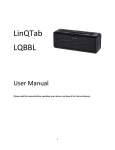
LinQTab LQBBM LQBBM – Bluetooth Speaker FM Radio User Manual Please read this manual before operating your device, and keep it for future reference. 1 Copyright © LinQTab is a registered trademark of eXiom Technologies and its related entities. The Bluetooth® word mark, figure mark (stylized “B Design”), and combination mark (Bluetooth word mark and “B Design”) are registered trademarks and are wholly owned by the Bluetooth SIG. microSD™ and the microSD logo are Trademarks of the SD Card Association. Wi-Fi, the Wi-Fi CERTIFIED logo, and the Wi-Fi logo are registered trademarks of the Wireless Fidelity Alliance, Inc. 2 Table of Contents LQBBM – Bluetooth Speaker FM Radio User Manual............................................................................................... 1 Copyright .............................................................................................................................................................. 2 Table of Contents ...................................................................................................................................................... 3 General notices for use .......................................................................................................................................... 4 Disclaimer............................................................................................................................................................. 4 Box Contents ............................................................................................................................................................ 4 Getting Started .......................................................................................................................................................... 5 Product Specifications ........................................................................................................................................... 5 LQBBM – Portable Bluetooth Speakers..................................................................................................................... 5 Features................................................................................................................................................................. 6 Safety Precautions: ................................................................................................................................................ 6 Operating instructions: .............................................................................................................................................. 7 Hands-free cell phone call...................................................................................................................................... 8 For FM RADIO..................................................................................................................................................... 8 Customer service....................................................................................................................................................... 9 3 General notices for use This product is a highly advanced electronics device. Disassembly, customization or repairs without the appropriate knowledge and precautions can lead to dangerous situations with chance of damaging the product and causing serious personal injuries. Avoid use in extreme conditions such as high or low temperatures, high humidity or moist environments and around magnetic fields. Also avoid long-time exposure to sunlight. Only use the manufacturer permitted accessories to avoid damages to the product and possibly warranty loss. Please follow the relevant local environmental regulations to deal with obsolete machines and accessories. Use a protective folder to avoid extreme physical shocks to the device (i.e. of dropping). Disclaimer The screenshots in this manual are for reference only. They may be made on a device with a different resolution or hardware configuration than yours and therefore can be slightly different that the final product. The manufacturer takes no responsibility for loss of information or data caused by hardware or software failure. The user is responsible for performing timely backups of important data. All information and images used in this user manual are provided ‘as is’ and are subject to change without notice. The manufacturer accepts no liability for the information offered in this document. Box Contents 1 x LQBBM Speaker 1 x Gift Box 1 x Two-in-one USB cable 1 x User Manual 4 Getting Started Product Specifications LQBBM – Portable Bluetooth Speakers Model No. LQBBM – LinQTab Portable Bluetooth Speakers Bluetooth Standard Microphone Bluetooth V4.0 Built In Microphone with high sensitivity clear voice calls function FM Radio Built In. FM Stereo Radio module and FM antenna. Search FM Channels and store favourite FM Channels automatically. Up To 60 Feet (20 Metres) High Capacity Polymer, Li-Ion Battery supports longer play time. Seamless steel all metal case, cool metal texture, interior dustproof design. High-Quality SMT Process. Micro USB Charging Port Reading Micro-SD Card (TF Card) directly when linked to a PC via USB Cable Aux In for iPad/iPhone/iPod, PC, Mobile MP3 MP4. Stereo Headphone output, enjoy your private space. 6.1cm(L) x 6.0cm(W) x 6.0cm(H) or 2.4"(L) x 2.4"(W) x 2.4"(H) 236 grams or 0.52 Lbs 6-months FM Radio Operating Range Operating Time All Metal Case Support Dimensions Weight Warranty The information contained in this document is subject to change without notice. 5 Features Thank you and congratulations on your purchase of the LinQTab Portable Bluetooth Speaker Radio. Please read this manual through carefully to maximize your enjoyment of the product and to ensure your own safety. Safety Precautions: 1. Do not attempt to disassemble or replace any parts of the device as doing so may cause electrical or fire hazards. 2. Keep the device in a safe environment away from heat, fire or water. 3. Charge the device using the special USB cable for not less than 2 hours before using it. While charging, the indicator light will show red. 6 Operating instructions: 1. The Bluetooth function is turn on once the speaker has turned ON. The indicator light will show a fast green flash alternatively. Please match and connect your Bluetooth device to the speaker device. After connecting, the speaker will play the music from the Bluetooth device. Next time, while you open the speaker the Bluetooth automatically connect the Bluetooth device. a. While in the Bluetooth mode, press +/- button for Previous song track/Next song track; Long press +/- button to increase/reduce the volume. b. Voice Prompt function in the Bluetooth model: c. Long press Play/Pause for 3 seconds to stop Bluetooth function. (ln five minutes, if the speaker device and Bluetooth device are failed to match and connect, the Bluetooth function will stop automatically. Reboot the speaker, it will pair and connect the Bluetooth device again.)To switch from Bluetooth Mode to another mode, Bluetooth device will be paused firstly. d. Press M button, here are the cyclical patterns "MICRO SD + AUX IN +FM BADIO". (lf there is no SD card in the speaker, the SD card mode will be skipped.) At this time, Bluetooth is connecting, and Blue light flashing slowly. Bluetooth mode has a priority. When you replay the music via Bluetooth, the audio from other mode automatically stop. When the Bluetooth device is paused, other mode automatically opens after 3 seconds. 7 Hands-free cell phone call 1. When playing music via Bluetooth device and the call comes in, it switches to Hand-free function. Press Play/Pause to accept the call. Press Play/Pause again to finish the call. Short press twice, the latest dialed phone number will be re-dialed. 2. For MICRO SD and AUX lN modes, a long press on the +/- button will increase or decrease the volume and a short press on the +/- button (MICRO SD mode) will activate the ND(I/PREV functions. Short press the PLAY symbol intermittently to Play or Pause. For FM RADIO Insert the FM rod antenna first before selecting this mode. Short press the Play/Pause button to search for channels and pre-set stations automatically. Long Press +/- button to increase,/reduce volume. Short press +/- button to change to the NEXT STATION / PREV STATION. 8 Customer service If you have any questions or suggestions, please contact us: E-mail: [email protected] 9