1
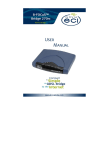
B-FOCuS Combo 285PR User Manual Copyright by ECI Telecom and Inovia Telecoms (“ECI”) 2003. All rights reserved worldwide The information contained in this document is proprietary and is subject to all relevant copyright, patent and other laws protecting intellectual property, as well as any specific agreement protecting ECI rights in the aforesaid information. Neither this document nor the information contained herein may be published, reproduced or disclosed to third parties, in whole or in part, without the express, prior, written permission of ECI. In addition, any use of this document or the information contained herein for any purposes other than those for which it was disclosed is strictly forbidden ECI reserves the right, without prior notice or liability, to make changes in equipment design or specifications Information supplied by ECI is believed to be accurate and reliable. However, no responsibility is assumed by ECI for the use thereof nor for the rights of third parties, which may be effected in any way by the use thereof Any representation(s) in this document concerning performance of ECI product(s) are for informational purposes only and are not warranties of future performance, either express or implied. ECI standard limited warranty, stated in its sales contract or order confirmation form, is the only warranty offered by ECI in relation thereto This document may contain flaws, omissions or typesetting errors; no warranty is granted nor liability assumed in relation thereto unless specifically undertaken in ECI sales contract or order confirmation. Information contained herein is periodically updated and changes will be incorporated into subsequent editions. If you have encountered an error, please notify ECI. All specifications are subject to change without prior notice. ECI Telecom Ltd. and/or Inovia Telecoms Ltd. Proprietary 458006-0909-008 A0 B-FOCuS Combo 285PR User Manual Table of Contents 1. 1.1. INTRODUCTION ................................................................1 SAFETY CONSIDERATIONS .....................................................................1 2. B-FOCuS COMBO 285PR PACKAGE CONTENTS ..........2 3. INSTALLATION PROCEDURE..........................................3 4. LED INDICATORS .............................................................6 5. TROUBLESHOOTING .......................................................7 6. B-FOCuS COMBO 285PR SPECIFICATIONS ..................8 ECI Telecom Ltd. and/or Inovia Telecoms Ltd. Proprietary 458006-0909-008 A0 B-FOCuS Combo 285PR ECI Telecom Ltd. and/or Inovia Telecoms Ltd. Proprietary User Manual 458006-0909-008 A0 B-FOCuS Combo 285PR User Manual 1. Introduction With your purchase of the B-FOCuS Combo 285PR ADSL modem from Inovia/ECI Telecom, you have joined the world of fast Internet. This powerful compact-sized modem will enable you to connect to an ADSL line and enjoy the benefits of a high-speed connection to the Internet. The B-FOCuS Combo 285PR ADSL modem is a dual-port modem with both an Ethernet and USB connection. It is possible to connect the modem to a computer that has either a USB port or an Ethernet 10/100Base-T port (Ethernet card). The B-FOCuS Combo 285PR ADSL modem also supports two computers working simultaneously, sharing the same ADSL line. One computer can be connected to the USB port while the second can be connected to the Ethernet port. 1.1. Safety Considerations 1.1.1. Installation Environment The B-FOCuS Combo 285PR is designed for in-house desktop use only. Do not expose to direct sunlight. Do not expose to temperatures exceeding 40°C. Do not immerse in water, dampen, or install in wet conditions. Please follow the instructions in order to install your modem correctly. 1.1.2. Maintenance Use a dry or damp cloth for cleaning. Do not use any commercial cleaning product. ECI Telecom Ltd. and/or Inovia Telecoms Ltd. Proprietary 1 458006-0909-008 A0 B-FOCuS Combo 285PR User Manual 2. B-FOCuS Combo 285PR Package Contents Please check that your package contains the following items: Item Equipment Description Quantity 1 B-FOCuS Combo 285PR modem. 1 2 AC Power Adaptor. 1 3 RJ45 cable for connection from the modem to the computer’s 10/100Base-T Ethernet port. 1 4 RJ11 cable for connection from the modem to the ADSL line. 1 5 USB cable for connection from the modem to the computer’s USB port. 1 6 CD containing the USB driver for connection via the computer’s USB port. 1 ECI Telecom Ltd. and/or Inovia Telecoms Ltd. Proprietary 2 458006-0909-008 A0 B-FOCuS Combo 285PR User Manual 3. Installation Procedure 1. Turn off your computer and all peripheral devices (printer, monitor, etc.). 2. Connect one end of the power cable to the connector on the back of the modem labeled “Power”, and plug the other end of the cable into a standard power outlet. 3. Connect one end of the RJ11 telephone cable to the ADSL port on the back of the ADSL modem, and connect the other end to your ADSL port on the splitter. 4. Connect the modem to the computer. The modem can be connected either via a LAN 10/100Base-T (Ethernet) port or a USB port, depending on the type of port on your computer. Note: If your computer has both a USB and an Ethernet port, it is recommended to connect the modem to the Ethernet port. The modem can also be connected to two computers simultaneously, sharing the ADSL line, providing one computer has a LAN 10/100Base-T Ethernet port and the other computer has a USB port. ` To connect the modem to the LAN 10/100Base-T Ethernet port: Note: When connecting the modem to the Ethernet port, the B-FOCuS CD is not needed. a. Connect one end of the RJ45 Ethernet cable to the LAN port on the back of the ADSL modem, and the other end to the LAN port on the computer. b. Turn on the computer and modem. ` To connect the modem to the USB port: a. Connect one end of the USB cable to the USB port on the back of the modem, and the other end to the USB port on the back of the computer. b. Locate the CD from the B-FOCuS Combo 285 kit and insert it into the computer’s CD drive. c. Turn on the computer and modem. d. The computer will identify that a new piece of hardware has been connected. The following window is displayed (or similar, depending on your operating system). ECI Telecom Ltd. and/or Inovia Telecoms Ltd. Proprietary 3 458006-0909-008 A0 B-FOCuS Combo 285PR User Manual e. Select Search for a suitable driver for my device and then click Next. The following window is displayed. f. Select CD-ROM drives and click Next. The computer will search for the USB driver and locate it on the CD ROM. Follow the installation instructions to complete the modem driver installation. ECI Telecom Ltd. and/or Inovia Telecoms Ltd. Proprietary 4 458006-0909-008 A0 B-FOCuS Combo 285PR User Manual Once the modem is powered on, the Power LED will be on and the ADSL Sync LED will blink, indicating that the modem is trying to synchronize with the telephone exchange equipment. Once synchronization is complete, the ADSL Sync LED will remain on continuously (not blinking). The B-FOCuS Combo 285PR installation is complete. The modem is ready for Internet use. To set up your Internet account, please refer to your Internet Service Provider’s instructions. B-FOCuS Combo 285PR Modem Connection to Two Computers ECI Telecom Ltd. and/or Inovia Telecoms Ltd. Proprietary 5 458006-0909-008 A0 B-FOCuS Combo 285PR User Manual 4. LED Indicators LED Power Condition Off Power is off. On Power is on. Off The modem is operating properly. On The modem has a problem. Please call your service provider. Off The modem’s 10Base-T port is not connected to the computer. On The modem’s 10Base-T port is connected to the computer and operating properly. Alarm LAN 10 Link LAN 100 Link Blinking Indicates data transfer between the computer and the modem, using a 10Base-T connection. Off The modem’s 100Base-T port is not connected to the computer. On The modem’s 100Base-T port is connected to the computer and operating properly. Blinking Network Activity ADSL Sync Status Off Indicates data transfer between the computer and the modem using a 100Base-T connection. Data is not being transferred between the modem and the ADSL line. Blinking Data transfer is occurring between the ADSL line and the modem. Blinking The modem is trying to synchronize with the telephone exchange equipment. On The modem is synchronized and ready for operation. ECI Telecom Ltd. and/or Inovia Telecoms Ltd. Proprietary 6 458006-0909-008 A0 B-FOCuS Combo 285PR User Manual 5. Troubleshooting Symptom Possible Cause Action Check the power wiring connection. Insure there is AC power at the AC socket. Check the ADSL RJ11 cable The modem cannot connection between the modem and The ADSL Sync synchronize with the ADSL line. LED is blinking the Telephone Confirm that your splitter is provider’s constantly. connected properly to the Telephone equipment. port. Press the Reset button on the back of the modem. Wait a few seconds The modem has a Alarm LED is on. until the modem resets itself to the problem. default values. If the Alarm LED is still on, call for support. Power LED is off. No power supply. ECI Telecom Ltd. and/or Inovia Telecoms Ltd. Proprietary 7 458006-0909-008 A0 B-FOCuS Combo 285PR User Manual 6. B-FOCuS Combo 285PR Specifications Physical Interface • Dimensions: 175mm x 152mm x 31mm • One RJ-11 port for ADSL connection • One RJ-45 port for 10 / 100 Base-T Ethernet LAN • One USB port • One Power Jack for AC power adapter • Reset to default switch Environment • Ambient Temperature: -5oC to 45 oC • Relative Humidity: • Transportation Temperature: -40 oC to 70 oC (packaged) • Transportation Humidity: 5% to 95% 95% (packaged) Power • 220V AC ±10%, 50 to 60Hz, 9V 800mA • Power consumption ≤ 6W Compliance • FCC Part 15, Subpart B, Part 68 • UL 1950 • CE EN60950 • ITU-T K.21 • EN 55022 Class B, EN50082-1 ECI Telecom Ltd. and/or Inovia Telecoms Ltd. Proprietary 8 458006-0909-008 A0