1
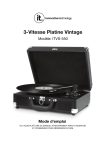
5-in-1 Nostalgic Entertainment Center
Model: ITVS-200
Instruction Manual
PLEASE READ THIS INSTRUCTION MANUAL CAREFULLY BEFORE USING
AND KEEP IT FOR FUTURE REFERENCE.
CAUTION
RISK OF ELECTRIC SHOCK
DO NOT OPEN
The lightning flash with arrowhead within an
equilateral triangle is intended to alert the
user to the presence of uninsulated
“dangerous voltage” within the product’s
enclosure that may be of sufficient magnitude
to constitute a risk of electric shock.
CAUTION: TO PREVENT
RISK OF ELECTRIC SHOCK,
DO NOT REMOVE COVER (OR BACK).
NO USER-SERVICEABLE PARTS INSIDE. REFER
SERVICING TO QUALIFIED SERVICE PROFESSIONAL.
The exclamation point within an equilateral
triangle is intended to alert the user to the
presence of important operating and
maintenance (servicing) instructions in the
literature accompanying the appliance.
WARNING: TO PREVENT FIRE OR SHOCK HAZARD, DO NOT EXPOSE THIS
APPLIANCE TO RAIN OR MOISTURE.
CAUTION
• DO NOT REMOVE THE EXTERNAL CASES OR CABINETS TO EXPOSE THE
ELECTRONICS. NO USER SERVICEABLE PARTS ARE WITHIN!
• USE OF CONTROLS OR ADJUSTMENTS OR PERFORMANCE OF PROCEDURES
OTHER THAN THOSE SPECIFIED HEREIN MAY RESULT IN HAZARDOUS
RADIATION EXPOSURE.
CAUTION
The product shall not be exposed to dripping or splashing and no object filled
with liquids, such as vases, shall be placed on the product.
Do not install this equipment in a confined space such as a book case or
similar unit.
WARNING: Invisible laser radiation when open and interlock failed or
defeated. Avoid direct exposure to laser beam.
PRODUCT COMPLIES WITH DHHS RULE 23 CFR SUBCHAPTER J
IN EFFECT AT DATE OF MANUFACTURE.
IMPORTANT SAFETY INSTRUCTIONS
1.
2.
3.
4.
5.
6.
7.
Read these instructions.
Keep these instructions.
Heed all warnings.
Follow all instructions.
Do not use this apparatus near water.
Clean only with a dry cloth.
Do not block any ventilation openings. Install in accordance with the
manufacturer’s instructions.
8. Do not install near any heat sources such as radiators, heat registers, stoves, or
other apparatus (including amplifiers) that produce heat.
9. Do not defeat the safety purpose of the polarized or grounding-type plug. A
polarized plug has two blades with one wider than the other. A grounding type
plug has two blades and a third grounding prong. The wide blade or the third
prong are provided for your safety. If the provided plug does not fit into your
outlet, consult an electrician for replacement of the obsolete outlet.
10. Protect the power cord from being walked on or pinched particularly at plugs,
convenience receptacles, and the point where they exit from the apparatus.
11. Only use attachments/accessories specified by the manufacturer.
12. Use only with the cart, stand, tripod, bracket, or table specified by the
manufacturer, or sold with the apparatus. When a cart is used, use
caution when moving the cart/apparatus combination to avoid injury
from tip-over.
13. Unplug this apparatus during lightning storms or when unused for long periods of
time.
14. Refer all servicing to qualified service personnel. Servicing is required when the
apparatus has been damaged in any way, such as power-supply cord or plug is
damaged, liquid has been spilled or objects have fallen into the apparatus, the
apparatus has been exposed to rain or moisture, does not operate normally, or
has been dropped.
• Do not expose this apparatus to drips or splashes.
• Do not place any objects filled with liquids, such as vases, on the apparatus.
• Do not install this apparatus in a confined space such as a book case or
similar unit.
• The apparatus draws nominal non-operating power from the AC outlet with its
POWER switch in the OFF position.
CALIFORNIA PROP 65 WARNING
"WARNING" This product contains chemicals known to the State of California to
cause birth defects or other reproductive harm. For more information on these
regulations and a list of chemicals, log on to the following website address:
http://www.oehha.ca.gov/prop65.html
TABLE OF CONTENTS
Before Using the Unit ................................................................................................... 1
Compact Discs............................................................................................................. 2
Cassette Tapes............................................................................................................. 3
Vinyl Records................................................................................................................ 3
How to Replace the Stylus ........................................................................................... 4
Connections ................................................................................................................. 4
How to Open/Close the Turntable Cover..................................................................... 5
Parts of the Turntable ................................................................................................... 5
Unit Functions .............................................................................................................. 6
Listening to a CD.......................................................................................................... 7
Listening to an Auxiliary Source ................................................................................... 9
Listening to a Record ................................................................................................... 9
Listening to the Radio ................................................................................................ 11
Listening to a Cassette Tape ...................................................................................... 11
Troubleshooting.......................................................................................................... 13
Specifications.....................................................................................................14 & 15
BEFORE USING THE UNIT
Read this before attempting any operations
• As the unit may become warm during operation, always leave sufficient space
around the unit for ventilation.
• The voltage supplied to the unit should match the voltage as printed on the rear
panel. If you are in any doubt regarding this matter, consult an electrician.
• Choose the installation location of your unit carefully. Avoid placing it in direct
sunlight or close to a source of heat. Also avoid locations subject to vibrations and
excessive dust, heat, cold or moisture.
• Do not place the unit on an amplifier/receiver.
• Do not open the cabinet as this might result in damage to the circuitry or electrical
shock. If a foreign object should get into the unit, contact your dealer or service
company.
• When removing the power plug from the wall outlet, always pull directly on the
plug, never yank the cord.
• To keep the laser pickup clean do not touch it and always close the disc tray.
• Do not attempt to clean the unit with chemical solvents as this might damage the
finish. Use a clean, dry cloth.
• Keep this manual in a safe place for future reference.
DO NOT MOVE THE UNIT DURING PLAYBACK
During playback, the disc rotates at high speed. DO NOT lift or move the unit during
playback. Doing so may damage the disc or the unit.
WHEN MOVING THIS UNIT
When changing the unit’s location, or packing the unit for moving, be sure to remove
the record or disc. Moving this unit with the record or disc loaded may result in
damage to this unit. If the unit is to be packed and moved a great distance, it is also
advisable to tighten the turntable transport locking screw.
See page 5 for instructions.
1
COMPACT DISCS
Discs which can be played on this unit:
• Conventional audio CD
• Properly finalized CD-R and CD-RW discs
• Always place the disc on the disc tray with the label side up. (Compact discs can
be played or recorded only on one side.)
• To remove a disc from its storage case, press down on the center of the case and
lift the disc out, holding it carefully by the edges. Should the disc become dirty,
wipe the surface radially (from the center hole outward towards the outer edge)
with a soft, dry cloth.
How to remove the disc
How to hold the disc
How to clean the disc
• Never use such chemicals as record sprays, antistatic sprays or fluid, benzine or
thinner to clean the discs. Such chemicals will do irreparable damage to the disc’s
plastic surface.
• Discs should be returned to their cases after use to avoid dust and scratches that
could cause the laser pickup to “skip.”
• Do not expose discs to direct sunlight or high humidity and temperature for
extended periods. Long exposure to high temperatures will warp the disc.
• Do not play any disc that is warped, deformed or damaged. Playing such discs
may cause irreparable harm to the playing mechanisms.
• CD-R and CD-RW discs are more sensitive to the effects of heat and ultraviolet
rays than ordinary CDs. It is important that they are not stored in a location where
direct sunlight will fall on them, and away from sources of heat such as radiators or
heat-generating electrical devices.
• Printable CD-R and CD-RW discs are not recommended, as the label side might
be sticky and damage the unit.
• Do not stick papers or protective sheets on the discs and do not use any
protective coating spray.
• Use a soft oil-based felt-tipped pen to write the information on the label side.
Never use a ball-point or hard-tipped pen, as this may cause damage to the
recorded side.
• Never use a stabilizer. Using commercially available CD stabilizers with this unit will
damage the mechanisms and cause them to malfunction.
• Do not use CDs with an irregular shape (octagonal, heart shaped, business card
size, etc.). CDs of this sort can damage the unit:
• If you are in any doubt as to the care and handling of a CD-R/CD-RW disc, read
the precautions supplied with the disc, or contact the disc manufacturer directly.
2
CASSETTE TAPES
Tape Selection:
• Metal and chrome (cobalt) tapes have identification holes.
Tape Handling:
• Use your finger or a pencil to turn the cassette tape’s hub
and take up any slack tape.
• Avoid touching the tape. Fingerprints attract dust and dirt.
• Avoid dropping or subjecting cassettes to excessive shocks.
• As C-120 tapes are physically weak and could become entangled in the transport
mechanism, do not use them.
Do not store tapes in the following places:
• On top of heaters, exposed to direct sunlight or in any other places with high
temperatures.
• Near speakers, on TV sets or amplifiers or where they would be exposed to strong
magnetic fields.
• Where humidity is high or in dirty, dusty places.
Head Maintenance
The head and tape path should be cleaned and demagnetized periodically. Please
use a cassette type head cleaning tape and demagnetizer. For specific details on the
proper use of either item, please read each item's instruction manual.
VINYL RECORDS
• Do not touch the record's grooves.
label
grooves
Only handle records by edges or label.
Make sure your hands are clean. Skin
edge
oils from even clean hands can leave
a residue on the record surface that will
gradually deteriorate the quality of
your record.
• Keep your records away from dust. Store in a cool, dry place.
• Keep records in sleeves and jackets when not in use to avoid dust and scratches.
• Store records upright on edges. Records stored horizontally will bend and warp.
• Do not expose records to direct sunlight or high humidity and temperature. Long
exposure to high temperatures will warp records.
• Do not store records in the trunk of a car.
• Store records in an area with a stable temperature and low humidity.
• Should the record become dirty, gently wipe surface
in a circular motion, using a soft anti-static cloth.
3
HOW TO REPLACE THE STYLUS
The stylus should last about 50 hours under normal use. However, it is
recommended that the stylus be replaced as soon as you notice a change in sound
quality. Prolonged use of a worn-out stylus may damage the record. Wear and tear
on the stylus will be accelerated when playing 78 RPM records. The higher speed of
78 RPM records can wear the stylus more quickly.
Caution:
• Do not bend the stylus.
• To avoid injury, do not touch the needle.
• Turn off the unit's power before you replace the stylus.
• Keep out of the reach of children.
• Handle with care, as the stylus is delicate. Use of a bent or broken stylus may
damage the record and cause the turntable to malfunction.
• Do not expose stylus to extreme heat.
• Contact a qualified repair company if you experience difficulty in changing the
stylus.
Removing an Old Stylus
1. Set a screwdriver at the tip of the stylus and
push down to the direction “A”.
2. Pull the stylus out toward direction “B".
Installing a New Stylus
1. Hold the tip of the stylus and insert
the other edge by pressing toward
direction "C".
2. Push the stylus up toward direction
"D" until it locks at the tip.
Guide Pins (inside)
CONNECTIONS
FM Antenna
While in FM mode, tune in an FM
station and extend the antenna to
find a position for the best
reception. This antenna may need
to be repositioned if you move
your unit to a new location.
AC Power Cord
Plug the AC power cord into an
AC wall socket.
Audio-Out
4
HOW TO OPEN/CLOSE THE TURNTABLE COVER
To Open:
1. Lift the turntable cover all
the way up until it stops.
2. Lower the cover slowly until
the latch engages. If the latch
does not engage, pull the
lower bar by hand.
3. The cover will now stay open.
To Close:
1. Lift the cover all the way up until it stops.
2. The latch should disengage and you may now
slowly lower the cover. If the latch does not
disengage, push out the lower bar by hand.
3. Make sure you hold the cover to avoid pinching
your fingers as it closes.
PARTS OF THE TURNTABLE
B
C
D
E
A
F
Before use, detach stylus
guard (white plastic cover)
by pulling it straight
off the front of
the cartridge
in the direction
of the
arrow.
G
A TURNTABLE
B TRANSPORTATION SCREW
Before use, completely loosen the screw by turning it clockwise
with a coin or screwdriver. When you transport the unit, turn the
screw counter clockwise to secure the turntable.
C CUE-LEVER
Use this lever to lift the tone arm.
D TONE ARM HOLDER
E SPEED SELECTOR
F
TONE ARM
G 45 RPM ADAPTOR AND HOLDER
5
UNIT FUNCTIONS
H
O
K
P
H
Q
R
W
I
S U
J
H SPEAKERS (STEREO)
I
J
FUNCTION KNOB
Rotate the knob to select PHONO, CD,
AUX or RADIO.
TUNING KNOB
Tune to a radio station in RADIO mode.
K DISPLAY PANEL
When unit is on, display will light.
L
V N L M T
T
MUSIC SKIP
Skip tracks in CD mode.
U BAND
Select AM/FM in RADIO mode.
V EARPHONE JACK
W POWER
X TAPE OPERATION BUTTON
Eject/fast forward cassette
VOLUME KNOB
Y CASSETTE TRAY
M OPEN/CLOSE CD TRAY
N 3.5MM AUX-IN JACK
O STOP
Stop playback in CD mode.
X
P PLAY/PAUSE
Play/pause playback in CD mode.
The play indicator lights during
playback of CD.
Q PROGRAM
R REPEAT
S COMPACT DISC TRAY
6
Y
LISTENING TO A CD
1. Turn the unit ON by pressing the POWER button.
2. Set the FUNCTION KNOB (PHONO/CD/AUX/RADIO) to CD.
“--” blinks for a few seconds. When no disc is loaded, “no” appears on the
display.
3. Press the OPEN/CLOSE button ( ).
4. Place a disc on the tray with the printed label face up.
• Never place more than one disc on the tray.
• The disc must be placed in the center of the disc tray. If the disc is not
correctly loaded, it may not be possible to open the tray again once it has
closed. To avoid this possibility you should be sure that the disc is always
centered on the tray.
• Do not force the tray by hand during opening and closing operations.
5. Press the OPEN/CLOSE button ( ) to close the tray.
• Several seconds later, the total number of tracks will appear on the Track
Number Display.
6. Press the PLAY/PAUSE button ( ) to start playback.
• Disc playback starts from the first track, and the PLAY indicator lights.
• During playback, the number of the track currently playing will appear in the
display.
• If you load the disc, and then press the PLAY button without having first closed
the disc tray, the disc tray closes and playback starts.
7. Turn the VOLUME KNOB to adjust the volume.
7
LISTENING TO A CD (CONTINUED)
To suspend playback temporarily (PAUSE mode)
• Press the PLAY/PAUSE button ( ) during playback. Playback stops at the current
position, and the track number blinks in the display.
• To resume playback, press the PLAY/PAUSE button ( ) again.
To STOP playback
• Press the STOP button ( ) to stop playback.
To SKIP to the next or previous track
• During playback, repeatedly press the MUSIC SKIP button (
or
) until the
desired track is found. The selected track will be played from the beginning.
• In STOP mode, press the MUSIC SKIP button (
or
) repeatedly until the track
you want to listen to is found. Press the PLAY/PAUSE button ( ) within 5 seconds
to start playback from the selected track.
• When the
button is pressed during playback, the track being played will restart
from the beginning. To return to the beginning of the previous track, press the
button twice.
SEARCH for a part of a track
• During playback, hold down the MUSIC SKIP button (
when the part you want to listen to is found.
or
) and release it
REPEAT Function
• Press the REPEAT button once to repeat a single track.
• Press the REPEAT button one more time to repeat all tracks.
PROGRAM Function
• Press the PROGRAM button. The display will show "01"
• Press
or
to select a track and press the PROGRAM button again to save
the track.
• Press
or
to select another track and press the PROGRAM button again.
Repeat this step to continue saving tracks. This unit can program 19 tracks.
• To playback the programmed tracks, press PLAY/PAUSE.
• To erase the programmed track, turn the unit OFF. The programmed tracks will
automatically be erased.
8
LISTENING TO AN AUXILIARY SOURCE
Playing via 3.5mm AUX-IN Jack on the Front of Unit:
1. Turn the unit ON by pressing the POWER button
2. Set the FUNCTION KNOB (PHONO/CD/AUX/RADIO) to the
AUX position.
3. Connect the 3.5mm aux-in cable (included) into the 3.5mm
AUX-IN Jack to play an external audio source, such as CD
player, tablet, MP3 player, etc.
LINE-OUT Jacks on the Back of Unit:
1. You can connect a CD player, tablet, MP3 player, etc. to this
unit. Connect the external source with an RCA component
cable. Make sure to connect the white plug to white jack (left)
and the red plug to the red jack (right).
LISTENING TO A RECORD
1. Before use, completely loosen the TRANSPORTATION SCREW by turning it
clockwise with a coin or screwdriver.
2. Detach the stylus guard (white plastic cover).
3. Turn the unit ON by pressing the POWER button.
4. Set the FUNCTION KNOB (PHONO/CD/AUX/RADIO) to the PHONO position.
5. Gently open the dust cover. Be careful not to pinch your finger.
6. Select the speed.
7. Put the record on the turntable. When playing a 45 RPM record, use the included
45 adaptor.
8. Gently push the CLAMPER to the right to release the TONE ARM.
9
LISTENING TO A RECORD (CONTINUED)
9. Raise the CUE LEVER to lift the TONE ARM off the tone arm support.
10. Move the TONE ARM gently to the edge of the record (or the starting point of a
track). The turntable will begin to turn.
11. Gently lower the TONE ARM by slowly releasing the CUE LEVER. You can lower
the TONE ARM manually if the CUE LEVER has not been raised.
12. Turn the VOLUME KNOB to adjust the volume.
13. When playback has finished, slightly lift the tone arm using the CUE LEVER and
return it to the TONE ARM holder. The rotation stops.
Note: Playing records with the dust cover down will prevent dust from settling on
the turntable.
10
LISTENING TO THE RADIO
1. Turn the unit ON by pressing the POWER button.
2. Set the FUNCTION KNOB (PHONO/CD/AUX/RADIO) to the RADIO position.
3. Select AM or FM using the band switch.
4. Turn the TUNING KNOB to tune to a station.
5. Turn the VOLUME KNOB to adjust the volume.
If reception is poor:
• AM broadcast
Rotate the unit to find the best position for AM stations.
• FM broadcast
Extend and move the FM antenna until you receive the station clearly.
LISTENING TO A CASSETTE TAPE
1. Turn the unit ON by pressing the POWER button.
2. Set the FUNCTION KNOB (PHONO/CD/AUX/RADIO) to the AUX position.
3. To insert a cassette tape, push a tape into the CASSETTE TRAY until a “click” is
heard. The cassette tape will only fit in one way. Never force a tape in. Playback
starts automatically. When the tape reaches the end, playback will stop.
exposed side
11
LISTENING TO A CASSETTE TAPE (CONTINUED)
4. Turn the VOLUME KNOB to adjust the volume.
To stop playback and eject the tape:
Push the TAPE OPERATION BUTTON all the way in until the tape is ejected. To stop
playback, you must eject the tape.
To fast forward:
During playback, lightly press and hold the TAPE OPERATION BUTTON. Release it
when the part you want to listen to is found. You can also push in the TAPE
OPERATION BUTTON about 1/4˝ (5mm) to start the fast forward operation, and
press the button again to release it and resume normal speed playback.
• When the tape has wound to the end, release the button to stop the unit.
12
TROUBLESHOOTING
If you experience any problems with the unit, please take a moment to look
through this guide and see if you can solve the problem yourself before you call
your dealer.
General
No power:
• Check the connection to the AC power source. Make sure the AC source is not a
switched outlet and if it is, turn the switch on. Make sure there is power to the AC
outlet by plugging another item such as a lamp or fan.
No sound:
• Adjust the volume.
The sound has interference:
• The unit is too close to a TV set or similar appliance. Relocate the unit further away
from them, or turn the other appliances off.
Radio
Cannot listen to any station, or signal is too weak:
• Tune in the station properly.
• If a TV is near the unit, turn it off.
• Rotate the unit or antenna wire for the best reception position.
Record Player
Will not play:
• Turn the VOLUME KNOB clockwise.
• Loosen the screw and detach the stylus guard. The stylus guard is a white plastic
cover that protects the stylus during transportation. Failing to remove this guard
will not allow the needle to contact the grooves of the record and no sound will
be heard!
• If the stylus is worn-out, change the stylus. Select the correct playback speed.
Sound skips:
• Place the unit on a stable surface to avoid vibration and shock. Make sure the unit
is level both front to back and side to side.
• Clean the surface of the record/disc.
• Do not use scratched, damaged or warped records/discs.
CD Player
Will not play:
• Turn the VOLUME knob clockwise, and rotate the FUNCTION KNOB to "CD".
• Load a disc with the playback side facing down.
• If the disc is dirty, clean the surface of the disc.
• A blank disc has been loaded. Load a pre-recorded disc.
• Depending on the disc, it may not be possible to play back CD-R/CD-RW discs.
Try again with another disc.
• You cannot play back unfinalized CD-R/CD-RW discs. Finalize and try again.
13
TROUBLESHOOTING (CONTINUED)
Cassette Tape Player
The button does not work:
• Insert a cassette tape securely.
Sound is distorted or noisy:
• Clean and demagnetize the heads.
• Use normal tape.
If normal operation cannot be obtained, unplug the power cord from the outlet
and plug it again.
Beware of condensation
When the unit (or a record/disc) is moved from a cold to warm place, or used after a
sudden temperature change, condensation may form; vapor in the air could
condense on the internal mechanism, making correct operation erratic or impossible.
To prevent this, or if this occurs, leave the unit turned off for one or two hours. The
unit will stabilize at the temperature of its surroundings.
Maintenance
Always keep the turntable clean. If the surface of the unit gets dirty, wipe with a soft
dry cloth or use a diluted mild liquid soap. Be sure to remove any excess liquid
completely. Do not use thinner, benzine or alcohol as they may damage the surface
of the unit. Allow the surface of the unit to dry completely before using.
SPECIFICATIONS
Amplifier Section
Output Power.................................................. 2W+2W
Frequency Response ...................................... 60Hz to 20,000Hz
CD Player Section
Frequency Response ...................................... 20Hz to 20,000Hz (±ldB)
Wow and Flutter .............................................. Unmeasurable
Tuner Section
Frequency Range (FM) .................................... 88MHz to 108.00MHz
Frequency Range (AM).................................... 530kHz to 1710kHz
Tape Section
Track System................................................... 4 track, 2 channel stereo
Tape Speed ..................................................... 4.8cm/sec
Wow and Flutter .............................................. 0.15% (WRMS)
Frequency Response ...................................... 100 to 8,000Hz
Signal-to-Noise Ratio ...................................... 35dB
Record Player Section
Motor............................................................... DC servo motor
Drive System ................................................... Belt Drive
Speed .............................................................. 33-1/3 rpm, 45 rpm, 78 rpm
14
Wow and Flutter .............................................. less than O.15% (WDT)
Cartridge type.................................................. Ceramic Stereo Cartridge
Stylus............................................................... ITRRS-300
Speaker System Section
Unit .................................................................. 1-way
Impedance....................................................... 4 ohms
General
Power Requirements ....................................... AC 120V/60Hz
Power Consumption........................................ 20W
Dimensions (W x H x D)................................... 460 X 250 X 340 mm
Standard Accessories
Owner's Manual x 1
Aux-In Cable x 1
45 RPM adaptor (installed on holder) x 1
• Design and specifications are subject to change without notice.
• Photos and illustrations may differ slightly from production models.
FCC STATEMENT
Warning: Changes or modifications to this unit not expressly approved by the party
responsible for compliance could void the user authority to operate the equipment.
NOTE: This equipment has been tested and found to comply with the limits for Class
B digital device, pursuant to part 15 of the FCC Rules. These limits are designed to
provide reasonable protection against harmful interference in a residential
installation. This equipment generates, uses and can radiate radio frequency energy
and, if not installed and used in accordance with the instructions, may cause harmful
interference to radio or television reception, which can be determined by turning the
equipment off and on, the user is encouraged to try to correct the interference by
one or more of the following measures:
‐ Reorient or relocate the receiving antenna.
‐ Increase the separation between the equipment and the receiver.
‐ Connect the equipment into an outlet on a circuit different from that to which the
receiver is connected.
‐ Consult the dealer or an experienced radio/TV technician for help.
INDUSTRY CANADA CONFORMITY
This device complies with RSS-Gen of the IC Rules. Operation is subject to the
following two conditions: (1) this device may not cause harmful interference, and (2)
this device must accept any interference received, including interference that may
cause undesired operation.
15
Innovative Technology Electronics Corp.
Limited Warranty: 90 Days Labor, One Year Parts
Innovative Technology Electronics Corp. (IT) warrants the product to be free from
“Defects” in materials under normal use for a period of “One Year” from the date of the
original purchase. The Warranty is “Not” transferable. IT agrees, within the initial “90 Day”
period, to repair or replace the product if it is determined to be defective at “No Charge”.
It is further agreed that IT will cover the cost to repair or replace damaged “Parts” only for
a total period of “One Year” from the date of the original purchase. The warranty does not
cover cosmetic damage, antennas, AC cords, cabinets, headbands, ear-pads, or damage
due to line power surges, connection to improper voltage supply or settings, misuse,
mishandling, accident, acts of God or attempted repair by an unauthorized service agent.
To obtain service, the purchaser MUST present an original sales receipt / proof of
purchase. Please contact us at www.ithomeproducts.com to request an RMA
(Return Material Authorization) number to return products for service or
replacement. Returns without an RMA number on the package will be refused and
returned to sender. Upon receipt of the returning item and our full inspection (IT) may
issue a replacement to customer for the same item or of one that has equivalent value and
features. To return an item, supply full name, return address, phone number, item
purchased, receipt of purchase and reason for return to obtain RMA number.
All returns must be in the original packaging or reasonable substitute to prevent damage.
Customer “Must” include full name, shipping address and telephone number inside of
package. No return will be shipped back to a PO Box or APO address.
Please include your check or money order in the amount of:
• USD$5.00 for items $10.00 to $39.99 (Price Paid Per Unit)
• USD$10.00 for items $40.00 to $99.99. (Price Paid Per Unit)
• USD$16.00, for items $100.00 and up. (Price Paid Per Unit)
• Shipping fees are non-refundable
to be payable to Innovative Technology Electronics Corp. (for handling and return shipping
charges) (IT) will not be responsible for delays or unprocessed claims resulting from a
purchaser’s failure to provide any / all of the necessary information. Send all inquiries or
RMA request via our website www.ithomeproducts.com/support.
Innovative Technology Electronics Corp.
1 Channel Drive
Port Washington, NY 11050
Toll free: 1-877-483-2497
Website for support: www.ithomeproducts.com/support
There are no express warranties except as listed above.
REPAIR OR REPLACEMENT AS PROVIDED UNDER THIS WARRANTY IS THE
EXCLUSIVE REMEDY OF THE CUSTOMER, (IT) SHALL NOT BE LIABLE FOR ANY
INCIDENTAL OR CONSEQUENTIAL DAMAGES FOR BREACH OF ANY EXPRESS OR
IMPLIED WARRANTY ON THIS PRODUCT EXCEPT TO THE EXTENT PROHIBITED BY
APPLICABLE LAW. ANY IMPLIED WARRANTY OF MERCHANTABILITY OR FITNESS FOR
A PARTICULAR PURPOSE ON THIS PRODUCT IS LIMITED IN DURATION TO THE
DURATION OF THIS WARRANTY.
Some states do not allow the exclusion or limitation of incidental or consequential
damages, or limitations on how long an implied warranty lasts, so the above exclusions or
limitations may not apply to you. This warranty gives you specific legal rights and you may
also have other rights, which vary from state to state.
Made in China.