1
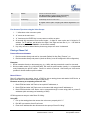
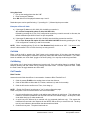
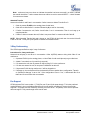
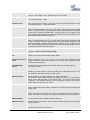
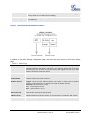
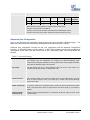
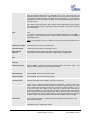
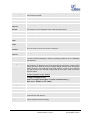
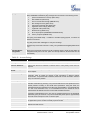
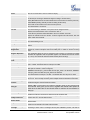
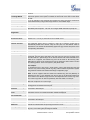
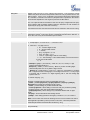
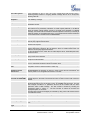
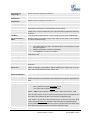
AAL2-G726 - 24 Payload type AAL2-G726 - 32 Payload type AAL2-G726 - 40 Payload type G729E payload type Default value is 99. Range is from 96 to 127. VAD Fax Mode Default is No. VAD allows detecting the absence of audio and conserve bandwidth by preventing the transmission of "silent packets" over the network. Default is No. When set to Yes the device will change the destination to send RTP packets to the source IP address and port of the inbound RTP packet last received by the device. T.38 (Auto Detect) FoIP by default, or Pass-Through (must use codec PCMU/PCMA) Fax Tone Detection Mode Jitter Buffer Type Default is Callee. This decides whether Caller, Callee or both sends out the re-INVITE for T.38 or Fax Pass Through. Select either Fixed or Adaptive based on network conditions. Jitter Buffer Length SLIC Setting Select Low, Medium or High based on network conditions. High (initial 200ms, min 40ms, max 600ms) Note: not all vocoders can meet the high requirement Medium (initial 100ms, min 20ms, max 200ms) Low (initial 50ms, min 10ms, max 100ms) This option defines different implementation of support SRTP (squired RTP) transmission mode. Dependent on standard phone type (and location) Caller ID Scheme Bellcore/Telcordia, ETSI-FSK, ETSI-DTMF, SIN 227 – BT, & NTT Japan Polarity Reversal Default is No. If set to “Yes”, polarity will be reversed upon call establishment and termination. Default is No. Set it to Yes if the traditional PBX you are using with HT502 uses this method for signaling call termination. Method initiates short voltage drop on the line when remote (VoIP) side disconnects an active call. Symmetric RTP SRTP Mode Loop Current Disconnect Loop Current Disconnect Duration Hook Flash Timing On Hook Timing Gain Default value is 104. Range is from 96 to 127. Default value is 103. Range is from 96 to 127. Default value is 102. Range is from 96 to 127. Here can be configured duration of such voltage drop described in topic above. Time period when the cradle is pressed (Hook Flash) to simulate FLASH. To prevent unwanted activation of the Flash/Hold and automatic phone ring-back, adjust this time value. On-hook timing is the minimum time for an on-hook event to be validated. Voice path volume adjustment. • Rx is a gain level for signals transmitted by FXS • Tx is a gain level for signals received by FXS. Default = 0dB for both parameters. Loudest volume: +6dB Lowest volume: -6dB. User can adjust volume of call on either end using the Rx Gain Level parameter and the Tx Gain Level parameter located on the FXS Port Configuration page. If call volume is too low when using the FXS port (ie. the ATA is at user site), adjust volume using the Rx Gain Level parameter under the FXS Port Configuration page. Disable Line Echo Grandstream Networks, Inc. If voice volume is too low at the other end, user may increase the far end volume using the Tx Gain Level parameter under the FXS Port Configuration page. Default is No. If set to “Yes” LEC will be disabled per call base. Recommended for HT-502 User Manual Firmware Version 1.0.5.10 Page 28 of 32 Last Updated: 01/2012