1
Bewator Entro Installation Manual — Contents
3
Contents
WHAT IS BEWATOR ENTRO?...............................................................................................................5
System components ...............................................................................................................6
COMMUNICATION WITH PC IN BEWATOR ENTRO............................................................................9
Multiple user database ........................................................................................................ 11
GLOBAL COMMUNICATION BETWEEN SEVERAL SR34I .............................................................. 12
Example of SR34i with RS485 ............................................................................................ 13
Example of SR34i used in Local Area Networks .............................................................. 14
Example of SR34i using Internet ........................................................................................ 15
DYNAMIC IP-ADDRESS (DHCP) AND DYNAMIC DNS ..................................................................... 16
Background .......................................................................................................................... 16
Prerequisites ........................................................................................................................ 17
Static IP-addresses .............................................................................................................. 17
Dynamic IP-addresses......................................................................................................... 18
INSTALLATION PROCEDURE ............................................................................................................ 19
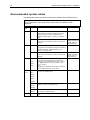
Recommended system cables............................................................................................ 20
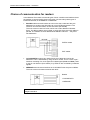
Choice of communication for readers ............................................................................... 21
WIRING THE SYSTEM ......................................................................................................................... 22
New Entro Hardware components ..................................................................................... 22
New housings....................................................................................................................... 22
Installing door readers ........................................................................................................ 23
Installing the door controllers ............................................................................................ 23
Installing the segment controllers ..................................................................................... 23
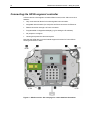
Connecting the SR34i segment controller ........................................................................ 24
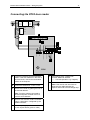
Connecting the DC22 controller ......................................................................................... 26
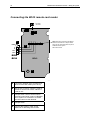
Connecting the DC12 controller ......................................................................................... 28
Connecting the DC01 door controller................................................................................ 29
Connecting the IOR6 Relay central .................................................................................... 30
Connecting the DT05 door reader ...................................................................................... 31
Connecting the BC43 remote card reader......................................................................... 32
Connecting keypad M43 ...................................................................................................... 33
Connecting the BC16 remote card reader......................................................................... 33
Connection of other readers............................................................................................... 34
Anti-pass back using BCLINK readers .............................................................................. 35
Anti-pass back using CLOCK&DATA and WIEGAND readers ........................................ 35
Installing of Interlock doors................................................................................................ 36
Install the connection to the PC ......................................................................................... 37
Connecting the power supplies ......................................................................................... 39
Check the communications circuit RS485 ........................................................................ 41
Check the power supply...................................................................................................... 41
Check communication......................................................................................................... 41
PROGRAMMING .................................................................................................................................. 41
BEWATOR ENTRO RESERVATION ................................................................................................... 42
How the Reservation system is installed .......................................................................... 43
Installing the CF8 flash memory card ................................................................................ 43
Connecting the InfoPoint IP810.......................................................................................... 44
EXPANDING AND MODIFYING THE SYSTEM................................................................................... 45
Installing another PC ........................................................................................................... 46
Installing another SR34i ...................................................................................................... 47
SR34i firmware control........................................................................................................ 48
INSTALLING MODEM BASED SYSTEMS .......................................................................................... 49