1
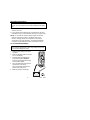
AUTORANGING/MANUAL RANGE SELECTION
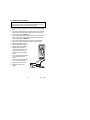
When the meter is first turned on, it automatically goes into
AutoRanging. This automatically selects the best range for the
measurements being made and is generally the best mode for
most measurements. For measurement situations requiring that
a range be manually selected, perform the following:
1.
Press the RANGE key. The “AUTO” display indicator will turn
off.
2. Press the RANGE key to step through the available ranges
until you select the range you want.
3. To exit the Manual Ranging mode and return to AutoRanging,
press and hold the RANGE key for 2 seconds.
Note: Manual ranging does not apply for the Capacitance,
Frequency and Temperature functions.
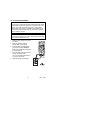
RELATIVE MODE
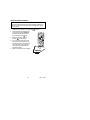
The relative measurement feature allows you to make
measurements relative to a stored reference value. A reference
voltage, current, etc. can be stored and measurements made in
comparison to that value. The displayed value is the difference
between the reference value and the measured value.
1. Perform the measurement as described in the operating
instructions.
2. Press the REL button to store the reading in the display and
the "REL" indicator will appear on the display.
3. The display will now indicate the difference between the stored
value and the measured value.
4. Press the REL button to exit the relative mode.
Note: The Relative function does not operate in the Frequency
function.
17
V5.0
5/04