1
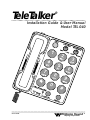
TeleTalker ® Model TEL 040
Installation Guide & User Manual
Installation Steps
Step 1: Make sure you have a 115 VAC wall outlet and telephone jack within 6 feet of the place you’ve chosen
to install the telephone. If you have an older 4-prong
jack, you’ll need a modular jack adapter.These
adapters are available from electronic, phone, and
other retail stores.
Step 2: Place the Pulse/Tone Switch, located on the side of
the phone, in either Tone or Pulse (Rotary Dial Pulse).
Make sure you choose the correct dialing mode.
Tone dialing will not work if you have only dial
pulse (rotary) service.
fig. 2: Pulse/Tone Switch
Pulse / Tone Switch
TO TEL. LINE
PULSE TONE
AC 12 V/0.85A
Switches between touch-tone
and rotary dial modes.
Step 3: Set Ringer Volume and Tone Controls to desired level.
(see fig.3)
fig. 3: Ringer Controls
OFF
HI
LO
RINGER
I
III
II
TONE
RINGER
Ringer Volume Control
Ringer Tone Control
Adjusts ringer volume (Hi, Lo, Off)
Adjusts ringer pitch (I, II, III)
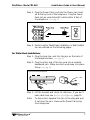
Step 4: Plug the coiled handset cord into the handset. Plug
the other end into the telephone base. (see fig. 4)
fig. 4: Handset Connection
6
Williams
Sound ®
Helping People Hear