1
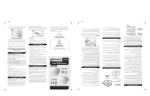
ACFW1 STANDARD DOOR/WINDOW CONTACT
USER MANUAL
Magnet
Features
EXTRA Low current draw.
S.M.D. Technology.
Excellent false alarm suppression.
Introduction
The Wireless Magnetic Contact uses a magnetically operated switch to sense the opening of the door or window.
The Wireless Magnetic Contact is easy to install without connecting any cables from the security Control Unit.
The Wireless Magnetic Contact is compact, attractive and easy to install, it can be mounted on a window or a door.
The Wireless Magnetic Contact is ideal for commercial, office and residential applications.
The Wireless Magnetic Contact detects intrusion by determining open or close of the magnetically operated switch.
Detector
Please follow the following steps in order to ensure you correctly install:
1). Installing the batteries in the Detector(s)
Note: Do not use rechargeable, zinc carbon or zinc chloride batteries in the detectors.
1. Slacken screw on base of detector and lift off cover
2. Remove screw from battery cover and remove cover.
3. Insert two “AAA” size alkaline batteries as shown. Taking care to observe correct polarity (Illustration 1).
4. Replace battery compartment cover and screw.
Terminals for connecting to Wired Contact
Batteries
AAA size ×2
Illustration 1
Note: The Magnetic Contact is able to expand by adding on a
Wired Magnetic Door/Window Contact Accessory (DC2)
2). Programming the detector into Easy Set Module APFES/APFW10
2.1
Press Learn button on APFES/APFW10 board, it gives two beeps, then yellow
LED is on to indicate learn mode now after release off.
greater than 40mm
2.2
Under learn mode of APFES/APFW10, trigger unregistered wireless detector,
RED LED on APFES/APFW10 will flash fast twice and give two beeps to indicate OK.
1
3). Power OFF the CU
Power OFF the CU completely after the Detector(s) have been learnt by isolating the backup power battery and mains power
adaptor (to prevent the tamper function of the Detector(s) from triggering the alarm of the CU when mounting)
4). Mounting Location
This product contains a radio transmitter and should not be sited on or near large metal objects
The detector consists of two parts. It is designed to detect a door or window opening. For optimum radio range the detector should
be mounted as high on the door as possible.
Mounting the detector
There are two parts to the detector. The larger section is actual detector and contains the batteries and the electronics. The smaller
section is simply a magnet (Illustration 2).
1. Choose where on the door or window you wish to locate the unit. The transmitter unit is usually mounted on the frame and
should be positioned such that the red LED is closest to the door or window edge.
2. The magnet should be fitted as shown (Illustration 3) with one narrow edge level with the flat top on the detector housing.
The gap between the magnet and detector should be no more than 10mm with the arrow on the magnet pointing directly
towards the arrow on the detector.
3. If there is insufficient room to mount the detector on the frame then it can be fixed to the door or window instead, with the
magnet fixed to the frame alongside it. For reliable operation, the front face of the magnet should be no more than 8mm
below the front face of the detector – in some cases it may be necessary to place packing behind the magnet or detector to
achieve this.
4. Remove and retain the screw from the bottom of the detector (Illustration 4). Using a small drill or screw driver to make two
fixing holes in the backplate as a template, mark and drill two fixing holes. Fix the backplate in position using the screws
provided.
Mounting Holes
Illustration 2
5.
6.
Illustration 3
Illustration 4
Locate the detector on the backplate and replace the retaining screw at the base off the unit.
Align the magnet as described above and fix in position with the two screws provided.
Note If you are fitting the unit to a PVC door or window, you may wish to use STRONG double sided tape to fix both the detector
and magnet in position.
5). Power the CU again
Power up the CU again. The system will return to standby ready for use.
Specifications
Type
Housing
Transmission range
Transmission frequency
LED
Power Supply
Battery Life
Magnetically activated switch with option for external wired contact detectors
ABS
150 metres (open air with direct line of sight)
433MHz
Transmission indication
3Vdc (2 x 1.5V AAA Alkaline battery)
Approx. 18months
2
Distributed by;
Challenger Security Products
4 Arkwright Court,
Fylde Industrial Estate
Blackpool
FY4 5DR
Tel: 01253 792898
Fax: 01253 791887
Email: [email protected]
Web: www.challenger.co.uk
3