1
USER MANUAL
Version 6.55 - July 2014
USER MANUAL IPClipLogger 6.55
Copyright
EVS Broadcast Equipment SA– Copyright © 2013-2014. All rights reserved.
Disclaimer
The information in this manual is furnished for informational use only and subject to
change without notice. While every effort has been made to ensure that the information
contained in this user manual is accurate, up-to-date and reliable, EVS Broadcast
Equipment cannot be held responsible for inaccuracies or errors that may appear in this
publication.
Improvement Requests
Your comments will help us improve the quality of the user documentation. Do not
hesitate to send improvement requests, or report any error or inaccuracy on this user
manual by e-mail to [email protected].
Regional Contacts
The address and phone number of the EVS headquarters are usually mentioned in the
Help > About menu in the user interface.
You will find the full list of addresses and phone numbers of local offices either at the end
of this user manual (for manuals on hardware products) or at the following page on the
EVS website: http://www.evs.com/contacts.
User Manuals on EVS Website
The latest version of the user manual, if any, and other user manuals on EVS products
can be found on the EVS download center, on the following webpage:
http://www.evs.com/downloadcenter.
I
USER MANUAL IPClipLogger 6.55
Table of Contents
TABLE OF CONTENTS
WHAT'S NEW?
1.
INTRODUCTION
VII
1
1.1. Product Description
1
1.2. Licenses
1
1.3. Opening IPClipLogger
2
1.4. Typical Workflows
2
1.5. Overview of the Process
4
2.
5
USER INTERFACE
2.1. Overview of the IPClipLogger Window
5
2.2. Recorder Channels Selection Area
8
2.3. Toolbar
8
2.4. Clips List Pane
9
2.4.1. Introduction
9
2.4.2. Overview of the Clips List Pane
10
2.4.3. Tree View
11
2.4.4. Quick Text Search Area
14
2.4.5. Elements Grid
15
2.5. Clip Infos Pane
22
2.5.1. Purpose
22
2.5.2. Overview of the Clip Infos Pane
22
2.5.3. Timecode Fields Display
26
2.5.4. Video Display
26
2.5.5. Audio Configuration and Monitoring
26
2.5.6. Jog Bar
29
2.5.7. Player Full Screen Mode
30
2.5.8. Metadata Profiles
31
2.6. Logs Panes
Table of Contents
III
33
2.6.1. Purpose
33
2.6.2. Overview of the Logging Pane
34
2.6.3. Overview of the Associated Logs Pane
35
2.6.4. Log Info
36
2.6.5. Logs Grid
37
2.7. Keywords Grids
37
2.7.1. Purpose
37
2.7.2. Overview of the Keywords Grids Pane
38
III
EVS Broadcast Equipment SA
Issue 6.55.A - July 2014
2.7.3. Keyword Types
2.8. Message Pane
3.
40
2.8.1. Purpose
40
2.8.2. Messages Display
40
2.8.3. Message Acknowledgment
40
2.8.4. Messages Filter
41
WORKING WITH MULTIPLE LOGGING SESSIONS
42
3.1. Introduction
42
3.2. Managing Several Logging Sessions
42
4.
SEARCHING FOR MEDIA
43
4.1. Filtering Tools
43
4.2. Branch Selection in the Tree
43
4.3. Quick Text Search
43
5.
4.3.1. Purpose and Context of Use
43
4.3.2. Search for Synonyms
44
4.3.3. Quick Text Search Field Display
45
4.3.4. Quick Text Search Syntax Rules
45
4.3.5. Autocomplete Function in Quick Text Search Field
46
LOADING MEDIA
50
5.1. Introduction
50
5.2. Possible Loading Actions
50
5.3. Loading a Train or a Recording Ingest
52
5.3.1. Loading a Train or a Recording Ingest in Player Mode
52
5.3.2. Loading a Train in Live Mode
57
5.4. Loading a Clip
6.
IV
39
59
5.4.1. How to Load a Clip
59
5.4.2. How to Load a Linked Clip
59
MOVING THROUGH MEDIA
61
6.1. Introduction
61
6.2. Transport Functions
61
6.2.1. Using the Jog Bar
61
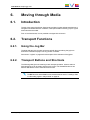
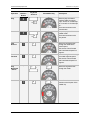
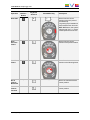
6.2.2. Transport Buttons and Shortcuts
61
6.2.3. Fast Forward and Fast Rewind Speed
64
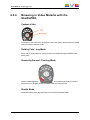
6.2.4. Browsing in Video Material with the ShuttlePRO
65
6.3. Jumping to a Given Timecode within the Loaded Media
66
6.4. Jumping to a Log within a Clip
66
Table of Contents
USER MANUAL IPClipLogger 6.55
7.
MANAGING WORK BIN
67
8.
CREATING A CLIP
68
8.1. Introduction
68
8.2. Clip Settings
69
8.3. Clip Creation Buttons and Shortcuts
70
8.4. Creating Clip(s) in Player Mode
72
8.4.1. How to Create a Clip
72
8.4.2. Ganged Recorder Channels and Linked Clips
73
8.4.3. Trimming a Clip
73
8.5. Creating Clip(s) in a Live Session
74
8.6. Creating Clips on a Streamed Feed
75
9.
ADDING LOGS TO MEDIA
9.1. Introduction
78
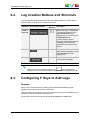
9.2. Log Creation Buttons and Shortcuts
79
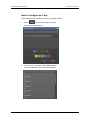
9.3. Configuring F Keys to Add Logs
79
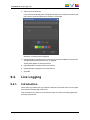
9.4. Live Logging
81
9.4.1. Introduction
81
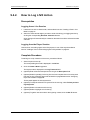
9.4.2. How to Log LIVE Action
82
9.5. Retroactive Logging
84
9.5.1. Introduction
84
9.5.2. How to Log a Recorded Train
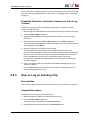
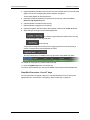
84
9.5.3. How to Log an Existing Clip
85
9.5.4. Managing Existing Logs
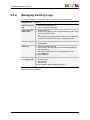
87
10. ASSIGNING KEYWORDS TO MEDIA
Table of Contents
78
88
10.1. Introduction
88
10.2. Conditions for the Use of a Keyword
88
10.3. Assigning a Keyword by Direct Entry
88
10.4. Assigning a Keyword from a Keyword Tool
90
10.4.1. Displaying the Keywords Sources
90
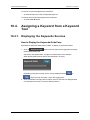
10.4.2. Assigning a Keyword to Media from a Keyword Grid
92
10.4.3. Assigning Keywords to Media from a Cascading Grid
93
V
USER MANUAL IPClipLogger 6.55
What's New?
In the user manual, the icon
has been added on the left margin to highlight
information on new and updated features.
The sections updated to reflect the new and modified features in IPClipLogger 6.55
(compared to version 6.41) are listed below.
Use of static licenses
IPClipLogger can work with static licenses and with floating licenses.
•
See section "Licenses" on page 1.
New icon for the application
A new application icon is displayed on the desktop shortcut and on the application title
bar.
•
See section "Opening IPClipLogger" on page 2.
•
See section "Overview of the IPClipLogger Window" on page 5.
Keywords management
The number of keywords which can be assigned to a log has been increased to 50.
•
See section "Log Info" on page 36.
A new Keyword tool is available and allows the selection of keywords in a cascading
style.
•
See section "Overview of the IPClipLogger Window" on page 5.
•
See section "Keywords Grids" on page 37.
•
See section "Assigning Keywords to Media" on page 88.
New GUI skin
The interface skin has slightly changed, and, consequently, the color shade of some user
interface elements (such as title bar, buttons). This has not been reflected in all the
screenshots from the user manual.
•
What's New?
See section "Overview of the IPClipLogger Window" on page 5
VII
USER MANUAL IPClipLogger 6.55
1.
Introduction
1.1.
Product Description
IPClipLogger is a simple stand-alone application designed for an easy and quick logging of
media, which means adding reference points to a specific frame in a video media. Users
have the possibility to create log entries directly during the event, or later on by moving
through the recorded media.
The IPClipLogger window is an integrated window from which it is possible to perform all
the actions related to several logging workflows. This includes searching tools to find the
correct media from the list of clips, a Player pane to watch the media and make clips from
it, a Logging pane to add logs to clips. Metadata, such as keywords, metadata profiles, log
color or interest level, can be associated to clips or logs from this window as well. All the
clips representing a story, and their associated logs and metadata, can be automatically
sent to a working bin. The logged clips could then be sent to targets for post-production.
Shortcuts are available for most of the operations to speed up the process and avoid using
the mouse.
In some workflows, takes are recorded from several camera angles at the same time. All
the operations performed from the IPClipLogger on such a media are done for all the
camera angles the users want to work with. This includes, among others, logging, clipping
and sub-clipping.
The IPClipLogger offers the possibility to log different media at the same time from
several tabs from which it is easy to switch.
1.2.
Licenses
IPClipLogger requires a specific license imported to XSecure to start.
Actually, the system first checks whether a static license for IPClipLogger exists on the
workstation. If there is one valid static license, it is used. If there is no static license, the
system requests a floating license. If such a license is available, it is used for that user. If
there is no floating license left at that time, the user gets an error message.
Some users, like editors, need a guaranteed connection to the IPClipLogger application .
So, a static license will be installed on their workstation.
For users who do not need to have a guaranteed connection, such as journalists, no static
license will be installed and a pool of floating licenses will be used on a first come/first
served basis. So a large number of stations can be equipped with the IPClipLogger
application .
1. Introduction
1
EVS Broadcast Equipment SA
1.3.
Issue 6.55.A - July 2014
Opening IPClipLogger
To open IPClipLogger, select the application from Start > Programs > EVS Broadcast
Equipment or click the corresponding icon on the desktop.
The IPDirector workstation may be integrated into an Active Directory domain. In this
case, IPClipLogger will automatically open without requesting additional access codes
when the user starts it.
The user group the user belongs to in the Windows domain is linked to a profile in the User
Manager. This determines the set of user rights and user settings the user will have in the
application. See the IPDirector Technical Reference user manual for more information.
If the IPDirector workstation is not integrated into an Active Directory domain, a login
screen will display, where users have to enter their own IPClipLogger username and
password.
1.4.
Typical Workflows
Overview
The IPClipLogger supports several workflows listed below.
•
Watch a live broadcast, create clips from it and add logs to these clips
•
Select an existing clip and add logs to it
•
Select an existing clip, create a sub-clip from it and add logs to this sub-clip
Note
The workflow which consists of logging a live broadcast (record train) without
first making clips is not in the scope of the IPClipLogger. It is supported by the
IPLogger module of the IPDirector software.
Modes of Use
To match those different workflows, the IPClipLogger provides two modes of use.
•
Player mode: the IPClipLogger window contains a Video Display to watch the media,
and transport functions to browse through the loaded media.
This mode will always be used when logging is done on an existing clip, after the live
event. It can also be used when users make clips and logs on a live broadcast.
2
1. Introduction
USER MANUAL IPClipLogger 6.55
•
Live mode: the IPClipLogger window does not contain any Video Display.
This mode can only be used when a live broadcast is being clipped and logged and
users watch the scene being recorded live or on a monitor.
In case several cameras are recording the event, clips and logs will be created on the
camera angles selected by the users.
Context of Use
Reality shows and News are, among others, the main business environments that will
benefit from the use of IPClipLogger.
In News workflows, a large amount of material is received every day. All the media that
will be archived need to be clearly identified and interesting events must be flagged to be
quickly retrieved later on if required. The IPClipLogger is designed to easily fulfill those
tasks.
Librarians or journalists are generally in charge of those operations. They will be able to
search for a clip, load the clip on the Player pane and identify it with a name or a unique
identifier, keywords and a metadata profile. They will add logs to the clip and, if logs
already exist for that clip, they will be able to review them and possibly edit them. A
description, keywords and other categorizing metadata can be associated to logs.
The Player mode will be used in this kind of workflow.
In Reality Show workflows, loggers generally work during the recording of sequences.
This can be done by watching the scene live, so the Live mode of the IPClipLogger will be
used. But, this can also be done by searching for an ingest being recorded and then
loading it on the Player pane, so the Player mode will fit the users’ needs.
Afterwards, story editors will review the clips and logs recorded by the loggers and they
still can update clips or create sub-clip from an existing clip.
1. Introduction
3
EVS Broadcast Equipment SA
1.5.
Issue 6.55.A - July 2014
Overview of the Process
The table below details the different steps of the process and the corresponding sections
describing each step.
4
Live
Player
Mode? Mode?
Step
Section
Defining shortcuts for the creation of
logs and associated metadata
"Configuring F Keys to
Add Logs" on page 79
√
√
Searching for media
"Searching for Media" on
page 43
-
√
Loading media
"Loading Media" on page
50
√
√
Browsing a clip
"Moving through Media"
on page 61
-
√
Defining the Work bin
"Managing Work Bin" on
page 67
√
√
Creating a clip and defining its
metadata
"Creating a Clip" on page
68
√
√
Adding logs to a clip and defining log
metadata
"Adding Logs to Media" on √
page 78
√
Assigning keywords to clips or logs
"Assigning Keywords to
Media" on page 88
√
√
1. Introduction
USER MANUAL IPClipLogger 6.55
2.
User Interface
2.1.
Overview of the IPClipLogger Window
Introduction
At first opening, a single tab, set to be used in Player mode, is shown in the IPClipLogger
window. Then, additional tabs can be opened to work with Live sessions. See section
"Working with Multiple Logging Sessions" on page 42 to know how to proceed.
The layout of the IPClipLogger window slightly differs between the Player Session tab and
a Live Session tab.
Illustration
Player Session Tab
The Player Session tab of the IPClipLogger window contains the areas highlighted on the
screenshot below:
2. User Interface
5
EVS Broadcast Equipment SA
Issue 6.55.A - July 2014
Live Session Tab
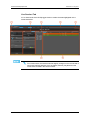
A Live Session tab of the IPClipLogger window contains the areas highlighted on the
screenshot below:
Note
From version 6.55, the interface skin has slightly changed, so the color shade of
some user interface elements (such as title bar, buttons) may differ from the
screenshots included in the current manual.
6
2. User Interface
USER MANUAL IPClipLogger 6.55
Area Description
The table below describes the various parts of the IPClipLogger window:
Area
Description
1.
Clip Info
pane
This pane is used to create a clip and to enter clip metadata for the
clip being created: a name, an interest level, keywords and a
metadata profile.
In Player mode, the pane also provides a Player pane with a Video
Display to view a media (clip or record train) to be logged, and
transport functions to browse through the loaded media.
See section "Clip Infos Pane" on page 22.
2.
Logging
pane
This pane is used to create logs for a loaded clip or a live event and
to associate metadata to the logs.
See section "Logs Panes" on page 33.
3.
Keywords
Grids pane
This pane displays one or several keyword grids and/or cascading
grids which can be used to add keywords to a clip or a log.
It is hidden or shown on screen, at the discretion of the user.
See section "Keywords Grids" on page 37.
4.
Clips List
pane
The Clips List pane is only displayed in Player mode. It provides
• several search tools to search for clips
• the Elements grid which displays the database content or the
search results
See section "Clips List Pane" on page 9.
5.
Toolbar
The toolbar, on the top right area of each tab, provides a F keys
button and a Tools button.
See section "Toolbar" on page 8.
6.
Associated
Logs pane
This pane is used to display the list of logs for a clip being logged.
A Quick Text Search tool is available for searching for logs.
See section "Logs Panes" on page 33.
7.
Message
pane
The Message field displays the most recent message. It can be
expanded to display and filter all the messages.
See section "Message Pane" on page 40.
8.
Recorder
Channels
Selection
area
This area is only displayed in Live mode. It is used to select the
recorder channels from which the clips and logs will be created.
Adaptable Display
The layout of the IPClipLogger window can be adapted to users’ needs:
•
2. User Interface
in both modes, the Keywords Grids pane can be displayed or hidden by clicking the
Keywords Grids button
7
EVS Broadcast Equipment SA
2.2.
Issue 6.55.A - July 2014
•
in both modes, the three areas of the Clip Infos pane used to enter clip metadata can
be expanded or collapsed by clicking a small arrow: General, Keywords, Metadata
Profiles.
•
in Player mode, the Clip List pane and the Associated Logs pane can be hidden or
shown in a reduced or enlarged size by clicking one of the split boxes
•
in Player mode, most of the panes can be enlarged or reduced by moving the
intersection line between them.
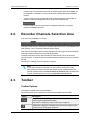
Recorder Channels Selection Area
This area is only available in Live mode.
It displays all the recorder channels from the EVS video servers which are available on the
XNet network. They correspond to different camera angles.
This area is used to select all the recorder channels from which logs will be relevant when
users log a media, and from which clips will be generated.
The field on the left is used to select the main recorder channel, which will be set as
preview recorder. As soon as a preview recorder has been selected, its name is shown as
title tab.
See section "Loading a Train in Live Mode" on page 57.
Note
If a recorder channel is connected to an OUT port of a video router, itself
associated to an IN port, the name of the router IN port is displayed after the
recorder channel name in the Preview Recorder Channel field or instead of the
recorder channel name on the secondary Recorder Channel buttons.
2.3.
Toolbar
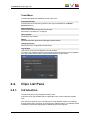
Toolbar Options
The toolbar is located on the top of the window.
The following table gives a description of the buttons available from the toolbar.
Button
Description
F keys button: used to configure the shortcuts that could be used to
create a log with predefined metadata.
See section "Configuring F Keys to Add Logs" on page 79.
Tools button: displays a contextual menu with various options for the
management of IPClipLogger operations:
8
2. User Interface
USER MANUAL IPClipLogger 6.55
Tools Menu
The following options are available from the Tools menu:
Activate Autoname
Activates the use of auto-naming rules for new clips, as defined from the Define
Autoname setting.
Define Autoname
Allows to define auto-naming rules for new clips.
See section "Clip Settings " on page 69.
User's manual
Provides the user manual.
About
Provides information about the IPClipLogger version number.
Change Password
Allows the users to change their own password.
Log Off User
Logs off the current user and displays the Login window.
In case the user had been logged in automatically through the Active Directory integration,
the Login window allows users to log with their IPDirector access codes:
2.4.
Clips List Pane
2.4.1.
Introduction
The Clips List pane is only displayed in Player mode.
It gives the list of clips available from the application. Bins can be created to organize
clips.
From the Clips List pane, users can search for a clip by different means: by navigating
through the bins in the Tree view, by searching for a character string, or by ordering the list
of elements. Results are displayed in the Elements grid of the Clips List.
2. User Interface
9
EVS Broadcast Equipment SA
Issue 6.55.A - July 2014
This pane is thus a central point to perform search on all the clips available and to load
them by a simple operation such as drag-and-drop or double-click.
The whole Clips List pane can be hidden or shown in a reduced or enlarged size by
clicking one of the split boxes.
2.4.2.
Overview of the Clips List Pane
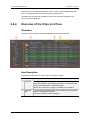
Illustration
The Clips List pane contains the areas highlighted on the screenshot below:
Area Description
The table below describes the various parts of the Clips List pane:
10
Area
Description
1.
Tree view
The Tree view shows all the clips and bins present in the database
and on the nearline. It also displays the Work bin. The tree branches
can be used to filter items in the Elements grid.
See section "Tree View" on page 11 for details on the interface.
2.
Elements
grid
The Elements grid displays all the clips included in the selected tree
branch or resulting from a search.
See section "Elements Grid" on page 15.
2. User Interface
USER MANUAL IPClipLogger 6.55
2.4.3.
Area
Description
3.
Switch to
Thumbnail
View
button
This button switches the view of the database content, or the results
of a search, from a simple view to a view with thumbnails.
4.
Quick Text
Search
area
The Quick Text Search area provides functions to perform quick text
searches on the Elements grid.
See section "Quick Text Search Area" on page 14.
Tree View
Introduction
The Tree view allows the users to browse and perform search in the database, among all
the clips or clips stored in bins.
Click the arrow next to a tree branch to expand a branch. By browsing the tree structure, a
selection is made and the items available displayed in the Elements grid. See section
"Branch Selection in the Tree" on page 43.
Tree View Elements
The current section mentions which items are displayed in the Elements grid based on the
tree branch selected.
Work Bin (BinName)
Selecting this branch displays, in the Elements grid, all the clips from the bin set as the
user's Work bin.
This branch cannot be expanded.
2. User Interface
11
EVS Broadcast Equipment SA
Issue 6.55.A - July 2014
Bins
Selecting this branch displays, in the Elements grid, all the clips which are in bins and bin
directories.
Expanding the Bins view shows the bins and bin directories in the Tree view, as detailed
in the table below:
Tree Branch /
Sub-Branch
Description
Bin Directory: shows all the elements which are in all the bins and
directories under the selected directory.
Bin: shows all the elements which are in the selected bin.
Users Bin Directory: shows all the elements which are under all
the System [User] bin directories.
This directory is created by the system when an IPBrowse license is
found in the database. It is visible by all the users but no one can
modify, delete or publish it, nor add a bin or bin directory directly
under this directory.
Expanding the Users Bin Directory view displays the System [User]
bin directories for all the users:
System [User] Bin Directory: shows all the elements which are in
the bins and bin directories for the selected user.
Expanding a System [User] Bin Directory view displays all the bins
and bin directories for the selected user (here: pge). Its name
contains the user logging ID.
This directory is created by the system. It is visible by all the users
but only the owner of the directory and an administrator can modify,
delete or publish it, or add a bin or bin directory directly under this
directory.
System [User] Bin created by the system for the selected user. Its
name contains the user logging ID.
It shows all the elements put in it by the selected user.
It is visible by all the users but only the owner of the bin and an
administrator can modify, delete or publish it, or move this bin.
12
2. User Interface
USER MANUAL IPClipLogger 6.55
Tree Branch /
Sub-Branch
Description
[User] Bin: created by the selected user under its System [User]
bin directory.
It shows all the elements put in it by the selected user.
[User] Bin Directory: created by the selected user under its
System [User] bin directory.
It shows all the elements put in it by the selected user.
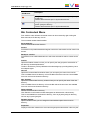
Bin Contextual Menu
From the Bins node, different contextual menus can be accessed by right-clicking the
Bins tree node, a bin directory or a bin.
The commands are described hereafter.
Set as work bin
Sets the selected bin as the Work bin.
Send to
Provides a list of possible destination targets to which the selected bin and its content can
be sent.
Backup to nearline
Provides the list of nearline destinations to which the selected bin and its content can be
sent.
Publish
Opens the Publish window in which you can specify the user groups the selected bin or
bin directory should be published to.
The bin or bin directory will be published to the selected groups, providing that they have
the adequate rights.
New bin
Opens the Create a New Bin window where you can specify the name of the new bin.
This is available from a bin directory or from the Bins node of the tree view. Not available
from a bin nor from the Users bin directory.
New directory
Opens the Create a New Directory window where you can specify the name of the new
directory.
This is available from a bin directory or from the Bin node of the tree view. Not available
from a bin nor from the Users bin directory.
Delete selected
Deletes the selected bin or directory.
Click Yes in the confirmation window that appears to delete the bin or bin directory.
This is not available from the Users bin directory, from any System [user] bin directory,
nor from any System [user] bin.
Rename selected
Opens a window where you can change the name and description of the bin or bin
directory.
Properties
Displays information related to the owner and the groups the selected bin or directory has
2. User Interface
13
EVS Broadcast Equipment SA
Issue 6.55.A - July 2014
been published to.
Keyboard Shortcuts
The following shortcuts can be used in the Tree view:
2.4.4.
Key
Action / Behavior
Up Arrow
Select the previous line
Down Arrow
Select the next line
Left arrow
Collapses the branch
Right Arrow
Expands the branch
Quick Text Search Area
Introduction
The Quick Text Search is used to perform a search based on free text entered in the
Quick Text Search field. This field is available on the top of the Elements grid.
The search is performed on the selected tree branch.
See section "Quick Text Search" on page 43 for details on the various ways to use this
function.
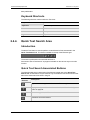
Quick Text Search Associated Buttons
The following table gives a description of the buttons located next to the Quick Text
Search field. These buttons may be used not only for the Quick Text Search function but
also for the other search functions in the grid.
Interface
Element
Description
Applies the search again and refreshes the Elements grid.
Displays the Syntax Rules list. See section "Quick Text Search Syntax
Rules" on page 45.
Clears the applied Quick Text search.
Refreshes the entire interface.
14
2. User Interface
USER MANUAL IPClipLogger 6.55
2.4.5.
Elements Grid
Introduction
The Elements grid represents the content of the tree branch selected in the Tree view. It
can also returns the result of a search applied with a filtering tool to the elements of a
selected branch of the Tree view.
XT clips and files are displayed for the All Clips and the Bins branches. The Clips branch
also lists the record trains from the servers present on the XNet. They appear with the
same icon
as an XT high resolution clip.
A thumbnail can be displayed for each element by clicking the
button.
In the grid, elements are presented in rows and all their associated parameters and
metadata are in columns.
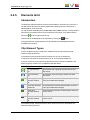
Clip Element Types
A clip is a logical entity that contains A/V media and can include several physical
resources (clips and/or files).
A clip element is the physical resource inside the clip: XT clip or nearline file.
A clip and its clip elements share the same TC IN, TC OUTand metadata set.
A clip can contain up to six types of clip elements and each of them is identified in the
Elements grid by a distinct icon, as detailed in the table below.
Icon
Clip Element
Description
XT high resolution
clip
high resolution clip or growing clip stored on an EVS
video server.
XT low resolution
clip
low resolution clip or growing clip stored on an EVS
video server.
on-line high
resolution nearline
file
high resolution file stored in nearline folders, IP drive is
on-line (accessible and managed).
on-line low resolution low resolution files stored in nearline folders, IP drive is
nearline file
on-line (accessible and managed).
off-line high
resolution nearline
file
high resolution files stored in nearline folders, IP drive is
no more on-line.
off-line low
resolution nearline
file
low resolution files stored in nearline folders, IP drive is
no more on-line.
In the Elements grid, the Clip Elements column shows the icons for the different clip
elements making up the clip.
2. User Interface
15
EVS Broadcast Equipment SA
Issue 6.55.A - July 2014
Note
There can be several copies of the same element within a clip.
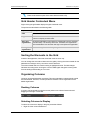
Grid Header Contextual Menu
Right-clicking the grid header displays the grid contextual menu.
The options are described in the following table:
Option
Description
Hide
Hides the selected column.
Organize
The Select Columns window opens and allows the users to select the
columns to display and their order.
Save grid
organization
Saves the organization of the grid as it is displayed (columns selection,
order and size). It is saved by each user. Therefore, this organization
will be retained the next time the user logs in and opens the application.
Reset grid
organization
Sets back the grid to the default grid organization.
Sorting the Elements in the Grid
At start of the application, items are sorted with most recent on top.
You can change the sort order of elements in the grid by clicking the column header for the
parameter according to which you want to sort the elements.
The column header which is used for sorting is highlighted in blue. The little triangle
indicates the sorting order. Clicking the column header again changes the sorting order
from ascending to descending or vice versa.
Organizing Columns
Columns can be resized and/or re-ordered. This new organization is automatically saved
and remembered. However, it is also possible to reset the column organization to the
default organization.
Resizing Columns
A column can be resized by using the mouse pointer over columns intersection and
dragging it to the right or to the left.
Selecting Columns to Display
To select the columns to display in the grid, proceed as follows:
1. Right-click the column header area.
16
2. User Interface
USER MANUAL IPClipLogger 6.55
A menu is displayed.
2. Select Organize.
The Select Columns window opens and the right pane shows the list of columns in the
current order.
3. To select the column(s) you wish to add to the view, do one of the following actions:
◦
in the left pane, double-click the column(s) you wish to add to the view
◦
select them in the left pane and click the right arrow
◦
drag them onto the Visible Columns area.
Use CTRL + click to select a list of non-contiguous columns.
Use SHIFT + click to select a list of contiguous columns.
4. To select the column(s) you wish to remove from the view, do one of the following
actions:
◦
on the right pane, double-click the column(s) you wish to remove from the view
◦
select them on the right pane and click the left arrow
◦
drag them onto the left pane.
Use CTRL + click to select a list of non-contiguous columns.
Use SHIFT + click to select a list of contiguous columns.
5. Click OK.
Ordering Columns
To change the columns order, proceed in one of the following ways:
Select a column header and drag it to the left or right to the required place:
OR
1. Right-click a column header.
A menu is displayed.
2. Select Organize.
The Select Columns window opens and the right pane shows the list of columns in the
current order.
3. Drag the selected column to the required position in the Visible Columns pane.
4. Click OK.
Resetting the Column Organization to the Default One
Users can reset the column organization to the default one (columns selection, order,
size,...). This will be done for all types of items at once.
To do so, proceed as follows:
1. Right-click the column headers area.
2. Select Reset Grid Organization.
2. User Interface
17
EVS Broadcast Equipment SA
Issue 6.55.A - July 2014
Resetting the List of Columns back to the Default One
Users can reset the list of columns displayed in the grid to the default one. This will be
done only for the type of items currently selected from the Tree view.
To do so, proceed as follows:
1. Right-click the column header area.
A menu is displayed.
2. Select Organize.
The Select Columns window opens.
3. Click Back to Default.
Clip Contextual Menu
The Clip contextual menu is available when right-clicking a clip in the Elements grid. It
gives access to the actions that can be performed on clips.
Note
No contextual menu is available from a record train.
The following commands are listed in the Clip contextual menu:
Cut
Cuts the selected clip.
Only available from the Clips tab when a Bins tree branch is selected.
Copy
Copies the selected item. It can then be pasted into the clipboard or in a bin.
Paste
Pastes a shortcut of the copied clip into the selected bin.
This option is available from the Elements grid when an clip has been copied and a bin is
now selected.
Send to
Provides a list of possible destinations to which the selected clip can be sent. Possible
destinations are:
• the user's default bin
• the user's default playlist
• a default archive target
• any target destination visible on the GigE network that has been defined in the
Remote Installer (CleanEdit targets, Avid targets, Final Cut Pro targets, File targets,
EVS servers targets). This is used to make A/V material available to external
systems.
Backup to Nearline
Used for the storage or the backup of the selected clip to the default nearline or to a
nearline directory.
Provides a list of possible nearline destinations to which the selected item can be sent as
file, that is to say any destination folder visible on the GigE network that has been defined
in the Remote Installer to allow transfer. The file format is defined in the Remote Installer.
18
2. User Interface
USER MANUAL IPClipLogger 6.55
Users can access the A/V material of nearline folders in IPDirector, or restore it on an
EVS server.
Copy by GigE
Copies a clip from an EVS video server to another one by the way of the Gigabit network,
as long as the servers have an operational GigE connection. This menu lists all the EVS
video servers that have a GigE address with sub-menus to select server pages.
Restore to XT
Restores the clip to an EVS video server. This can be:
• the default server.
The default server is defined in the XNet network page of the Remote Installer.
• one of the EVS video servers with GigE address present on the network.
A submenu is available from each EVS video server to select the server page where
you can restore the clip.
The system restores the clip portion between the IN and OUT points.
Publish
Opens the Publish window to publish the selected clip, or clip element within the clip, to
selected groups of users.
Delete
Allows the deletion of the selected clip.
This option is not available if the clip is part of a playlist or if it is currently loaded on a
player channel of an EVS video server.
When this option is selected from the Bins view, it deletes the selected clip from the bin
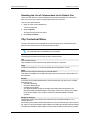
and from the actual clip location.
Delete Selected Clip Elements
This option is only visible by high-low browsers.
The Delete window is then displayed and allows you to select the clip elements to delete.
View Key Clip
This option is unavailable.
Edit
Opens the Edit Clip window, similar to the Save Clip window, from which the user can
modify the clip information.
Modify T/C IN or Date
Opens the Modify T/C In or Date window from which the user can modify the IN timecode
or the date of the clip.
Generate XML Metadata
The XML file is synchronized for the selected clip, provided that the IPDirector
workstation has been configured as master. With workstations configured as slave, an
error message is displayed when using this option.
Protect
Allows you to protect a clip from deletion:
• A Protect icon appears in the Protect column of the Elements grid when the clip is
protected.
• A message will warn the IPDirector users or the Multicam users who would try to
delete the clip.
Unprotect
Allows you to unprotect the selected clip when it has been protected from IPDirector (or
IPClipLogger).
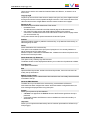
2. User Interface
19
EVS Broadcast Equipment SA
Issue 6.55.A - July 2014
Duplicate
Opens the Duplicate Clip window where you can specify the location (LSM ID) on an EVS
video server of the XNet Network where the copy of the clip must be stored.
Move
Opens the Move Clip window where you can specify the location on an EVS video server
of the XNet Network where the clip must be moved.
This command is not available for files.
Link
Allows you to link selected clips manually. It is only possible to link clips that are not
already associated with other clips.
Unlink
Allows you to unlink the clips linked to the selected clips.
Properties
Displays information related to the owner and the groups the selected item has been
published to.
Operations Allowed from the Elements Grid
Besides the actions available from the Clip contextual menu, the following operations are
possible from the Elements grid:
Operation
Resulting action
Click on an element line
Simply selects the element.
Double-click or press Enter on an element
line
Loads the element on the Player pane.
See section "Loading Media" on page
50
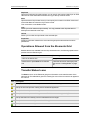
Transfer Status Icons
The Status column of the Elements grid gives information on the transfer status of the
selected clip.The table below gives the meaning for most of the icons which can appear in
this column.
Icon Description
The clip is still in the process of being sent to a nearline/file archive target.
The clip is still in the process of being sent to CleanEdit application.
The clip is still in the process of being sent to Avid.
The clip is still in the process of being sent to an EVS video server through the GigE network.
The clip has been successfully sent to a nearline/file archive target.
The clip has been successfully sent to CleanEdit application.
The clip has been successfully sent to Avid.
20
2. User Interface
USER MANUAL IPClipLogger 6.55
Icon Description
The clip has been successfully sent to an EVS video server through the GigE network.
Clip for which the transfer to a nearline/file archive target failed.
Clip for which the transfer to CleanEdit application failed.
Clip for which the transfer to Avid failed.
Clip for which the transfer to an EVS video server through the GigE network failed.
Note
Icons for destinations targets may have been customized from the Remote
Installer.
Clip Protection
Clips can be protected by Multicam users or other IPDirector (or IPClipLogger) users. The
clip protection will not prevent other users from deleting the clips. However, it will warn
them that the clip is protected and should not be deleted.
Within IPDirector (or IPClipLogger), you can protect and unprotect a clip mainly from the
contextual menus or during the creation of a clip.
Note
When you protect a XT hi-res clip, the lo-res version (if present) is protected
automatically and vice versa. Then, two icons will be displayed, one for each XT
clip. The protect feature does not affect hi-res or lo-res files.
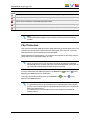
If a clip is protected by the IPDirector protocol, the Protect icon
appears in the Protect column of the element.
If the clip is protected by another protocol, the Protect icon
appears in the Protect column.
(hi-res) or
(hi-res) or
(lo-res)
(lo-res)
Note
It is possible to protect a clip via IPDirector if it is already protected by another
protocol. This will ensure that the clip remains protected even if it is unprotected
later by the other protocol.
From IPDirector, it is not possible to remove the clip protection defined by
another protocol.
2. User Interface
21
EVS Broadcast Equipment SA
2.5.
Clip Infos Pane
2.5.1.
Purpose
Issue 6.55.A - July 2014
In both Live and Player modes, the Clip Infos pane is used to create a clip and to enter clip
metadata for the clip being created. In Player mode, the associated Player pane is used to
view the media to be logged and to browse the media. When an existing clip is loaded on
the Player pane, the Clip Infos pane displays the clip metadata.
2.5.2.
Overview of the Clip Infos Pane
Introduction
The layout of the Clip Infos pane slightly differs between the Player Session tab and a
Live Session tab.
22
2. User Interface
USER MANUAL IPClipLogger 6.55
Illustration
Player Session Tab
The Clip Infos pane of the Player Session tab contains the areas highlighted on the
screenshot below:
2. User Interface
23
EVS Broadcast Equipment SA
Issue 6.55.A - July 2014
Live Session Tab
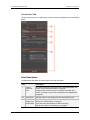
The Clip Infos pane of a Live Session tab contains the areas highlighted on the screenshot
below:
Area Description
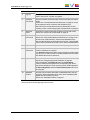
The table below describes the various parts of the Clip Infos pane:
Area
24
Description
1.
Current
Timecode
field
This field provides the current timecode of the loaded media. See
section "Timecode Fields Display" on page 26.
In Player mode, it allows to jump to a specific timecode. See
section "Jumping to a Given Timecode within the Loaded Media"
on page 66.
2-5
Player pane
The Player pane is only displayed in the Player Session tab.
2.
Video
Display and
Audiometers
This area displays the media loaded on the Player.
See section "Video Display" on page 26.
It may also show audiometers for audio monitoring.
See section "Audio Level Monitoring" on page 28.
2. User Interface
USER MANUAL IPClipLogger 6.55
Area
Description
3.
Jog bar
The jog bar allows you to move within the media at a variable
speed. See section "Jog Bar" on page 29.
4.
Transport
commands
Those commands are used to load, browse in and play the loaded
media.
See section "Transport Buttons and Shortcuts" on page 61 for the
list of transport buttons, shortcuts and ShuttlePro keys.
The E/E function and the Ret function are described in section
"Loading a Train or a Recording Ingest in Player Mode" on page 52.
5.
Maximize
button
This button is used to maximize the player on a second screen.
See section "Player Full Screen Mode" on page 30.
6.
Clip Creation Those commands are used to create a clip from the loaded media.
See section "Clip Creation Buttons and Shortcuts" on page 70 for
commands
the list of clip creation buttons, shortcuts and ShuttlePro keys.
The area also displays the timecode of the IN point, next to the IN
button, and the timecode of the OUT point, next to the OUT button.
7.
Clip name
Free text field used to enter a name for the clip being created.
8.
General
information
This area can be used to associate an interest level to the clip and
to enter a reference for a tape ID.
Four Interest Level buttons allow users to assign an interest rating
to a clip: from no star to 3 stars. The selected interest level is blue.
The default value is the no star level.
9.
Keywords
This area allows the selection of keywords to associate to the clip.
See section "Assigning Keywords to Media" on page 88.
They will appear in the Keywords and/or the Participants
columns of the Elements grid for the corresponding clip. When
logs will be created for the clip, those keywords will also appear in
the Parent Keywords and/or the Parent Participants columns of
the Logs grid.
10.
Metadata
Profiles
This area can be used to associate a metadata profile to the clip.
Doing this, all the user fields which make up the metadata profile
appear and can be filled in by users.
See section "Metadata Profiles" on page 31.
The General, Keywords and Metadata Profiles areas can be expanded, or collapsed, by
clicking the arrow at the beginning of each section.
2. User Interface
25
EVS Broadcast Equipment SA
2.5.3.
Issue 6.55.A - July 2014
Timecode Fields Display
Information displayed in the Current Timecode field and in the TC IN and TC OUT fields
can be changed as follows:
1. Right-click the Timecode field.
A contextual menu with the following options is displayed:
◦
Timecode
◦
Timecode and date
◦
Timecode and date and TC type
◦
Timecode and TC type
2. Select one of the options.
3. When the TC type is displayed, right-clicking it in the Timecode field allows to shift
from one TC type to the other (LTC or user).
4. When the date is displayed, clicking it in the Timecode field opens a calendar for date
selection.
2.5.4.
Video Display
Video Display
The background of the Player pane is gray when no media is loaded or when the loaded
media contains an on-line hi-res element.
Video Display Contextual Menu
A contextual menu is accessible by right-clicking the Video Display of the Player pane
when a media is loaded. It gives access to audio parameters. See section "Audio
Configuration and Monitoring" on page 26 for more information.
2.5.5.
Audio Configuration and Monitoring
Audio Parameters
Audio parameters are accessible by right-clicking the Video Display of the Player pane
when a media is loaded.
OCX Audio Configuration
Opens the Audio Output Channels window allowing the selection of audio channels to be
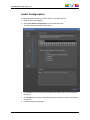
listened to and the selection of the number of audio channels for the audiometers display.
See sections "Audio Configuration" on page 27 and "Audio Level Monitoring" on page 28.
26
2. User Interface
USER MANUAL IPClipLogger 6.55
Audio Configuration
To select the audio channels you want to listen to, proceed as follows:
1. Right-click the Video Display.
2. Select OCX Audio Configuration from the contextual menu.
The Audio Output Channels window opens.
3. On the Left line, click the cell corresponding to the channel you want to associate to
the left ear.
4. On the Right line, click the cell corresponding to the channel you want to associate to
the right ear.
5. If required, adjust the input gain.
2. User Interface
27
EVS Broadcast Equipment SA
Issue 6.55.A - July 2014
6. For an easy retrieval of the configuration, you can save it:
◦
Enter a name in the Template Name field
◦
Click the Add button.
7. Click OK.
The audio configuration is automatically applied.
Audio Level Monitoring
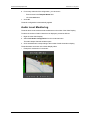
The audio level can be monitored with audiometers on the sides of the Video Display.
To select the number of audio channels to be displayed, proceed as follows:
1. Right-click the Video Display.
2. Select OCX Audio Configuration from the contextual menu.
The Audio Output Channels window opens.
3. Click the radio button corresponding to the number of audio channels to display.
The audiometers are shown on the Video Display sides.
•
28
Example for a selection of 2 channels:
2. User Interface
USER MANUAL IPClipLogger 6.55
•
2.5.6.
Example for a selection of 16 channels:
Jog Bar
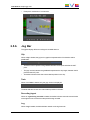
The jog bar display differs according to the loaded element.
Clip
When a clip is loaded, the jog bar is a graphical representation of its duration and its
guardbands.
•
The blue sections represent the guardbands before the IN point and after the OUT
point.
•
The gray section between the guardbands represents the clip length, between the IN
point and the OUT point.
•
The bullet indicator shows the current relative position in the clip.
Train
When a local train is loaded, only the gray section is displayed:
The bullet indicator shows the current relative position in the train.
Recording Ingest
When an ingest being recorded is loaded, the bullet indicator cannot be moved further
to the right than the current timecode position being recorded.
Log
When a log is loaded, the bullet indicator stands on the log timecode.
2. User Interface
29
EVS Broadcast Equipment SA
Issue 6.55.A - July 2014
Clip being Created
When a clip is being created, the following indicators appear :
2.5.7.
•
A green position indicator is shown when the IN button has been clicked and
represents the temporary IN point position until the UPDATE CLIP button or the
SAVE CLIP button is clicked.
•
A red position indicator is shown when the OUT button has been clicked and
represents the temporary OUT point position until the UPDATE CLIP button or the
SAVE CLIP button is clicked.
Player Full Screen Mode
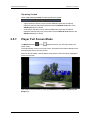
The Maximize button
screen mode.
, or the
keyboard shortcut, puts the Player pane in full-
The Video Display moves on a second screen. All the other user interface elements from
the Player pane stay on the initial screen.
Shortcuts remain usable. Controls appear at the bottom of the screen when keeping the
mouse over the area.
This mode can then be exited by clicking the Maximize button again or by pressing the
Escape key.
30
2. User Interface
USER MANUAL IPClipLogger 6.55
2.5.8.
Metadata Profiles
Purpose
A metadata profile is made of a set of user fields which are managed together.
Metadata profiles are created in IPDirector. IPClipLogger users may only select one of the
metadata profiles that they are allowed to use from the Current Profile list.
At clip creation, as soon as a metadata profile is selected in the Clip Infos pane, all the
user fields composing the profile are displayed and users can enter specific values for
each of them.
Then, columns dedicated to the user fields headings can be displayed in the Elements grid
and user fields values can be used in searches with the Quick Text Search.
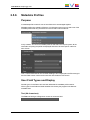
User Field Types and Display
Several types of user fields can have been defined at the metadata profile creation.
All the types of user fields are listed hereafter with the way they appear in the element
metadata area.
Text (64 characters)
The Text user field type will appear on screen as a free-text field:
2. User Interface
31
EVS Broadcast Equipment SA
Issue 6.55.A - July 2014
Memo (text, unlimited number of characters)
The Memo user field type will appear on screen as a free-text field:
TC (for Timecode)
The TC user field type will appear on screen as a timecode field:
Date
The Date user field type will appear on screen as a Date field with a Calendar button
giving access to a calendar:
Number
The Number user field type will appear on screen as a field with up and down arrows to
increase or decrease the value.
32
2. User Interface
USER MANUAL IPClipLogger 6.55
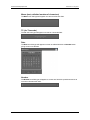
Predefined Text Values (64 characters)
The Predefined Text values user field type will appear on screen as a drop-down list
displaying all the values which have been created for the user field:
A + button displayed on the right of the combo box allows you to add additional values in
the list of predefined values.
When this user field type is selected, the expanded Add New User Field window is
displayed and gives the users the choice between two options.
2.6.
Logs Panes
2.6.1.
Purpose
The Logging pane is used to create logs on a loaded media and to associate metadata to
them.
The Associated Logs pane displays the list of logs for a loaded clip or for the clip being
logged and provides a Quick Text Search area to filter the logs.
Both panes are identical in a Live Session tab and in the Player Session tab.
2. User Interface
33
EVS Broadcast Equipment SA
2.6.2.
Issue 6.55.A - July 2014
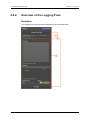
Overview of the Logging Pane
Illustration
The Logging pane contains the areas highlighted on the screenshot below:
34
2. User Interface
USER MANUAL IPClipLogger 6.55
Area Description
The table below describes the various parts of the Logging pane:
2.6.3.
Area
Description
1.
Log
Sheet
name
This area displays the name of the log sheet associated to a clip which
contains saved logs.
See sections "Live Logging" on page 81 and "Retroactive Logging" on
page 84.
2.
Log
Those commands are used to create a log on the loaded media.
Creation See section "Log Creation Buttons and Shortcuts" on page 79 for the list
buttons of log creation buttons and shortcuts.
3.
Log Info
area
The Log Info area is used to add keywords, a description, an interest
level and a color to each log. It contains the Log Timecode field which
shows the timecode of the current log.
See section "Log Info" on page 36.
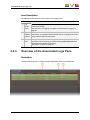
Overview of the Associated Logs Pane
Illustration
The Associated Logs pane contains the areas highlighted on the screenshot below:
2. User Interface
35
EVS Broadcast Equipment SA
Issue 6.55.A - July 2014
Area Description
The table below describes the various parts of the Associated Logs pane:
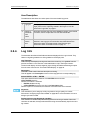
2.6.4.
Area
Description
1.
Logs grid
The Logs grid lists all the logs associated to the clip loaded on the
Player pane or to the clip being created in the Player or Live tab.
See section "Logs Grid" on page 37.
2.
Switch to
Thumbnail
View
button
This button switches the view of the database content, or the results
of a search, from a simple view to a view with thumbnails.
3.
Quick Text The Quick Text Search area provides functions to perform quick text
Search
searches in the Logs grid. Its use and its associated buttons are
area
similar to the Quick Text Search area of the Elements grid.
See section "Quick Text Search Area" on page 14.
Log Info
The list below describes all the fields and buttons displayed in the Log Info area. They
relate to a log being created or to the log loaded on the Player pane.
Log Timecode
This read-only field displays the log timecode of the current log. It is grabbed from the
preview recorder in a Live session or the loaded train or clip in the Player session.
The timecode display can be changed by right-clicking this field and selecting an option
from the menu. See section "Timecode Fields Display" on page 26.
Description
This field is used to add a free text description to the log.
This will appear in the Description column of the Logs grid for the corresponding log.
Switch ENTER / CTRL + ENTER
This option determines the behavior of the ENTER shortcut and the
CTRL+ENTER shortcut.
When the checkbox is selected:
• ENTER validates the log
• CTRL+ENTER goes to the next line in the Description field.
When the option is not selected, the behavior of the two shortcuts is reversed.
Keywords
This area allows you to assign up to fifty keywords to a log to qualify its content.
See section "Assigning Keywords to Media" on page 88 for more information on how to
assign keywords to media.
Follow Previous Logs Keywords checkbox
This checkbox is used to keep selected keywords from one log to another. When the
checkbox is selected, the keywords entered for a log are automatically kept for the next
log created.
36
2. User Interface
USER MANUAL IPClipLogger 6.55
Interest Level buttons
The Interest Level buttons allow users to assign an interest rating to a log. Four interest
levels can be defined, from no star to 3 stars. The background of the button corresponding
to the selected interest level is blue. The default value is the no star level.
Highlight Colors
These buttons are a set of colors which can be used to categorize the logs. The gray
button lets the log without any associated color. The log line will be highlighted with the
selected color in the Logs grid and the Elements grid. The operator can then search on the
colors in the grids.
2.6.5.
Logs Grid
The Logs grid represents the list of saved logs for the clip loaded on the Player pane or for
the clip being created.
Logs are presented in rows and all their associated parameters and metadata are in
columns. They are highlighted with the color which has been associated to them at
creation.
A thumbnail can be displayed for each element by clicking the
button.
The display of the Logs grid is managed in the same way as the Elements grid is. Users
can display, hide, resize or re-order columns, and sort the logs in the grid. See section
"Elements Grid" on page 15 for a description of all those operations.
2.7.
Keywords Grids
2.7.1.
Purpose
The Keywords Grids pane give access to keyword grids and cascading grids used to
assign keywords to clips and logs.
Keyword grids and cascading grids are created in IPDirector. IPClipLogger users may
display one or several of them but cannot manage the addition, update or deletion of
keywords in grids.
A cascading grid displays sets of keywords according to a waterfall effect. Clicking a
keyword button from the first set displays a second set of keywords related to the parent
keyword. Then, clicking a keyword button from the second set displays a third set of
keywords related to the second keyword, and so on.
These cascading grids will be a source to associate keywords with the various types of
media.
The Keywords Grids pane is displayed by clicking the Keywords Grids button in the
Player Session tab or in a Live Session tab. The Keywords Grids button background is
then highlighted.
When a new logging session is open, the grids displayed are the same as those from the
first tab. Afterwards, grids from the different tabs can evolve independently.
The Keywords Grids pane can be hidden by clicking the Keywords Grids button again.
2. User Interface
37
EVS Broadcast Equipment SA
Issue 6.55.A - July 2014
See section "Assigning a Keyword from a Keyword Tool" on page 90 for a description of
the procedures to follow to use keyword grids and cascading grids for the addition or
deletion of keyword(s) to a clip or a log.
2.7.2.
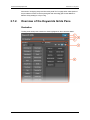
Overview of the Keywords Grids Pane
Illustration
The Keywords Grids pane contains the areas highlighted on the screenshot below:
38
2. User Interface
USER MANUAL IPClipLogger 6.55
Area Description
The table below describes the various parts of the Keywords Grids pane:
Area
1.
2.7.3.
Keyword
Mode icon
Description
This icon displays either
or
depending on the pane
currently active: Clip for the Clip Infos pane, Log for the Logging pane.
So, it gives indication on the element the keyword will be assigned to.
2.
Keyword
Sources
List field
This field gives the list of available keyword grids and cascading grids.
It allows the selection of the grid(s) to be displayed.
3.
Add Grid
button
This button is used to display the grid just selected in the Keyword
Sources List field.
4.
Keywords
grid and
Cascading
grid
This area displays the keyword grid(s) (KG) and/or the cascading grid
(s) (CG) selected in the Keyword Sources List field.
Keywords may be highlighted in a different color. The background and
foreground colors of a keyword are set within IPDirector and cannot be
changed from IPClipLogger.
As soon as a keyword is assigned to a clip or log, it is displayed on a
blue background:
5.
Remove
Grid
button
This button is used to hide the corresponding grid.
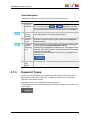
Keyword Types
A distinction can be made between standard keywords and participant keywords. The
participant keywords can be used for the competitor or player names. The standard
keywords can be used for actions.
By default, the keywords are defined as standard keywords.
The participant keywords are differentiated by a little blue icon next to the keyword in the
keyword grids.
2. User Interface
39
EVS Broadcast Equipment SA
2.8.
Message Pane
2.8.1.
Purpose
Issue 6.55.A - July 2014
The Message field displays the most recent message.
The Message panel expands by clicking the arrow on the right of the Message field. It
provides a quick display of the information, warning and error messages generated during
the current session.
2.8.2.
Messages Display
The messages include the following information:
•
the date and time when the message was generated
•
the message itself
The messages are highlighted on a different background color depending on the type of
message.
2.8.3.
•
An information message is highlighted in green.
•
A warning message is highlighted in orange.
•
An error message is highlighted in red.
Message Acknowledgment
As soon as a message appears, the Acknowledge button turns red.
→
Users can acknowledge the message by clicking the button. This changes the
background of the message to gray.
This helps the users to distinguish the messages that have been dealt with from the ones
that have not.
40
2. User Interface
USER MANUAL IPClipLogger 6.55
2.8.4.
Messages Filter
Messages can be filtered according to their type thanks to the Message Type buttons
displayed on the top left corner of the expanded Message field: Information, Warning,
Error.
By default, all the filters are enabled and all the buttons have a blue background.
To disable a filter and remove the corresponding messages from the list, users must click
the Message Type button for that filter. The button is then displayed on a gray
background.
2. User Interface
41
EVS Broadcast Equipment SA
Issue 6.55.A - July 2014
3.
Working with Multiple Logging
Sessions
3.1.
Introduction
On some occasions, users work on several events at the same time and need to have
more than one logging session at their disposal. The IPClipLogger is able to manage this
case and offers the possibility to open up to five tabs from which it is easy to switch.
The first time the application is opened, two tabs are shown. The first tab always displays
a session in Player mode and cannot be closed. The second tab is dedicated to a Live
session and can be closed.
All the other tabs that users would create are automatically set to work in Live mode.
Each logging session is completely independent of the other ones. This means that there
is no interaction on the work performed on each of them.
3.2.
Managing Several Logging Sessions
To open a new logging session, press the
right of the tabs series.
+
keys or click the + button on the
A new tab is displayed, entitled Live Session. As soon as a main recorder channel has
been selected, its name is shown as tab title.
Users can then perform some actions in one tab, switch to another tab, perform actions in
the second tab, and switch back to the first tab without losing any work done in any tab.
When a new logging session is open, the keyword grids displayed are the same as those
from the first tab. Afterwards, keywords grids from the different tabs can evolve
independently.
To close a logging session, press the
+
keys or click the X button next to the
corresponding tab. The Player Session tab cannot be closed.
42
3. Working with Multiple Logging Sessions
USER MANUAL IPClipLogger 6.55
4.
Searching for Media
4.1.
Filtering Tools
Search in the Elements Grid
When the IPDirector database contains large amounts of data, it may become difficult to
find a specific element. The IPClipLogger offers several ways to refine the list of elements
displayed in the Element grid and speed up your search:
•
Branch selection in the Tree view - Select a branch in the Tree view to limit the list to
specific item types or only a subset of the Tree view.
•
Quick text search - Enter free text in the Quick Text Search field to perform a search
on a specific string.
A search can also be facilitated by ordering the Elements grid. See section "Elements
Grid" on page 15 for more information.
Search in the Logs Grid
The Associated Logs pane also provides a simplified Quick Text Search area to filter the
logs displayed in the Associated Logs pane.
4.2.
Branch Selection in the Tree
The Tree view allows the users to browse and perform search in the database and the
nearline, among all the clips or clips stored in bins. By browsing the tree structure, a
selection is made and displayed in the Element grid.
If a Quick Text search has been applied to a branch and not cleared, the filter is
remembered when this branch is selected again.
See section "Tree View" on page 11 for a description of the user interface elements of the
Tree view.
4.3.
Quick Text Search
4.3.1.
Purpose and Context of Use
The Quick Text Search function is used to perform a search based on free text entered in
the Quick Text Search field. This field is available on the top of the Elements grid:
4. Searching for Media
43
EVS Broadcast Equipment SA
Issue 6.55.A - July 2014
The Associated Logs pane also provides a simplified Quick Text Search area to filter the
logs displayed in the Associated Logs pane:
See section "Quick Text Search Associated Buttons" on page 14 for the description of the
buttons associated to the Quick Text Search field.
The columns that are taken into account for the Quick Text Search are the ones currently
visible in the Elements grid. The search is performed on the branch selected in the Tree
view.
The filter remains applied until it is cleared with the Clear button of the Quick Text Search
area.
Users can enter a search string in one of the following ways.
4.3.2.
•
Entering the search string in full in the Quick Text Search field.
•
Clicking the arrow next to the Quick Text Search field, so the last 10 searches are
displayed, and then selecting one of them. See section "Quick Text Search Field
Display" on page 45.
•
Starting to type a search string in the Quick Text Search field, so the Autocomplete
function displays a list of proposals, and one of them can be selected. See section
"Autocomplete Function in Quick Text Search Field" on page 46.
Search for Synonyms
Users have the possibility to perform a search for word synonyms, provided that they
have been defined in the SQL thesaurus file and that the corresponding option has been
set in the IPDirector General setting Freetext searches behavior.
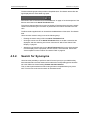
Then, a search performed with a search string will return the predefined synonyms as
well. This function can be used to search for translated words.
44
4. Searching for Media
USER MANUAL IPClipLogger 6.55
4.3.3.
Quick Text Search Field Display
The following table shows the various displays for the Quick Text Search field, and what
they mean:
Display
Meaning
The field background is gray:
No Quick Text Search is applied nor entered.
The field background is red:
The user is typing or has typed a search string, but has not
applied it yet, or a search has been applied but the user has
typed another search string in the field and not applied it yet.
The field background is green:
The user has applied the search string, by pressing ENTER.
The result of the Quick Text Search is displayed in the grid.
The down arrow next to the Quick Text Search field gives
access to the last 10 searched strings.
4.3.4.
Quick Text Search Syntax Rules
The Quick Text Search option obeys specific rules which can be accessed via the Help
button next to the Quick Text Search field:
4. Searching for Media
.
45
EVS Broadcast Equipment SA
Issue 6.55.A - July 2014
The string that you enter in the Quick Text Search field is analyzed according to the
following set of rules:
Search
String
Search Result
Logical
Equivalent
Yellow card
Searches for the words yellow and card, even if in
two different fields (columns), for example yellow in
Name and card in Keywords.
For example a clip named "The Yellow Man" with
keywords "Red Card" will be found, since it has
yellow and card in 2 different fields.
"Yellow" AND
"card"
Yellow | card
Searches for yellow or card, even if in two different
fields (columns), for example yellow in Name or
card in Keywords.
"Yellow" OR
"card"
"Yellow card"
Searches for exact matches of Yellow card. Between the quotes, all characters are considered
as characters and not operators or wildcards.
"Yellow card"
card*
Searches for card at the beginning of a word. "card"*
*card*
Searches for all words that include card.
*"card"*
=card
Searches for a whole field that contains only card.
For example, if a field contains yellow card, the
=card condition will not return any result.
Search operators may be combined.
4.3.5.
Autocomplete Function in Quick Text
Search Field
Introduction
The Autocomplete function is a help service for the capture of the search string.
As soon as the users start typing in the Quick Text Search field, the Autocomplete
function provides a list of matching words and sentences known by the system and
containing a word beginning with the typed letters.
46
4. Searching for Media
USER MANUAL IPClipLogger 6.55
Warning
Make sure the IP API service is started to be able to use the Autocomplete
function.
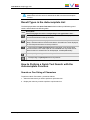
Result Types in the Autocomplete List
The list displayed below the Quick Text Search field is made up of different types of
results, as described in the following table.
Icon
Description:
The line displays the result corresponding to the typed letters and …
… coming from the local search history. Several lines can be displayed, the
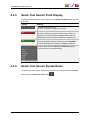
most recent are shown on the top of the list.
… coming from the 100 most popular searches asked to the system since its
startup, and launched from the same tree branch. Several lines can be displayed,
the most frequent are shown on the top of the list.
… coming from an index of words entered in text fields, such as item name,
item source name, item VarID, tape ID, item metadata text. Keywords are not
indexed in this list. Several lines can be displayed, sorted alphabetically.
… corresponding to a keyword from a keyword list.
… corresponding to a participant from a keyword list.
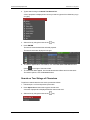
How to Perform a Quick Text Search with the
Autocomplete Function
Search on One String of Characters
To perform a Quick Text search, proceed as follows:
1. Select the tree branch you wish to perform a quick search on.
2. Display the columns you wish to perform a quick search on.
4. Searching for Media
47
EVS Broadcast Equipment SA
Issue 6.55.A - July 2014
3. Type a search string in the Quick Text Search field.
A list of proposals is displayed as soon as you start to type and it is refined as you go
on typing.
4. Select a line by using the mouse or the
key.
5. Press ENTER.
The search is launched with the selected proposal.
The search results are displayed in the grid.
6. To clear the applied Quick Text Search, click the Clear Quick Text Search button
(white
) to the right of the search field.
7. To clear all the filters applied, from the advanced search filters and from the Quick
Text search options, click the Clear All button.
Search on Two Strings of Characters
To perform a search based on two words, proceed as follows:
1. Follow steps 1 to 4 from the previous procedure.
2. Press Space bar and then start to type a second word.
A new list of proposals is displayed based on the second word.
3. Select a line by using the mouse or the
48
key.
4. Searching for Media
USER MANUAL IPClipLogger 6.55
4. Press ENTER.
The search is launched with the two selected proposals .
4. Searching for Media
49
EVS Broadcast Equipment SA
5.
Loading Media
5.1.
Introduction
Issue 6.55.A - July 2014
The meaning of loading media is explained hereafter.
A record train, or train, corresponds to the media being recorded live from a camera and
sent to an EVS video server through a recorder channel.
A recording ingest corresponds to the same media for which an IN point has been marked
at a specific timecode to start the creation of a clip.
Depending on the workflow, users will choose to work with a Live Session tab or with the
Player Session tab. To be able to create clips and logs, they first need to select the media
to log. In Player mode, this can be a clip, a recording ingest or a train. In Live mode, this
will be at least a single train, or a recording ingest, but several recorder channels or
recording ingests can be chosen. They correspond to the different cameras recording the
event. In this manual, these actions are called ‘loading a train or a recording ingest’ in
Player or Live mode, or ‘loading a clip’ on the Player pane.
The IPClipLogger allows users to create clips and logs on different media at the same
time. See section "Working with Multiple Logging Sessions" on page 42.
See section "Possible Loading Actions" on page 50 for the list of the possible ways to load
different types of media.
5.2.
Possible Loading Actions
Various element types can be loaded on the Player pane in different ways.
These actions are listed in the next table.
Action
See section…
Live Mode - Train
Loading a train by selecting a recorder channel.
"Selecting the Main Recorder" on
page 57.
Player Mode - Train
Loading a train by selecting a recorder channel
from the Clip Infos pane or the Elements grid.
"How to Select a Train or a Recording
Ingest in Player Mode" on page 52.
Loading a train by selecting a recorder channel
with the ShuttlePRO.
"How to Select a Train with the
ShuttlePRO" on page 55.
Loading the last loaded train (only in case it was "How to Reload the Last Loaded Train
loaded just before the media currently loaded) at or Recording Ingest" on page 53.
its currently recording timecode (E/E).
50
5. Loading Media
USER MANUAL IPClipLogger 6.55
Loading the last loaded train (only in case it was "How to Snap back to the Last
loaded just before the media currently loaded) at Loaded Train or Recording Ingest" on
the timecode where the E/E mode was exited
page 56.
(Snap).
Loading the source train corresponding to the
loaded clip (Ret).
"How to Load the Source Media of a
Clip" on page 53.
Loading a train from the previous or next
recorder channel
"How to Load the Train from the
Previous or Next Recorder Channel"
on page 55.
Player Mode - Recording Ingest
Loading a recording ingest by selecting it from
the Clip Infos pane or the Elements grid.
"How to Select a Train or a Recording
Ingest in Player Mode" on page 52
Loading the last loaded recording ingest (only in
case it was loaded just before the media
currently loaded) at its currently recording
timecode (E/E).
"How to Reload the Last Loaded Train
or Recording Ingest" on page 53.
Loading a linked recording ingest.
"How to Load a Linked Clip" on page
59.
Loading the last loaded recording ingest (only in
case it was loaded just before the media
currently loaded) at the timecode where the E/E
mode was exited (Snap).
"How to Snap back to the Last
Loaded Train or Recording Ingest" on
page 56.
Clip
5. Loading Media
Loading a clip from the Elements grid
"How to Load a Clip" on page 59.
Loading a clip linked to the clip currently loaded
"How to Load a Linked Clip" on page
59.
51
EVS Broadcast Equipment SA
Issue 6.55.A - July 2014
5.3.
Loading a Train or a Recording Ingest
5.3.1.
Loading a Train or a Recording Ingest in
Player Mode
How to Select a Train or a Recording Ingest in
Player Mode
From the E/E Button
By right-clicking the E/E button a contextual menu shows the available EVS video servers
with their recorder channels and the list of clips being currently ingested identified by their
name or VarID if any. Scheduled ingests not being recording yet are not shown.
Selecting a recorder channel loads the corresponding train at its current recording position
and plays it on the Clip Infos pane of the Player Session tab.
Selecting a recording ingest directly loads it at its currently recording position (OUT point)
and plays it on the Clip Infos pane of the Player Session tab.
Note
If a recorder channel is connected to an OUT port of a video router, itself
associated to an IN port, the name of the router IN port is displayed after the
recorder channel name.
From the Elements Grid
To load a record train or a recording ingest (clip currently ingested) from the Elements grid,
do one of the following:
52
•
double-click the line
•
select the line and press ENTER
5. Loading Media
USER MANUAL IPClipLogger 6.55
The train is loaded, on the Clip Infos pane of the Player Session tab, at the currently
recording timecode and played.
or
The growing clip is loaded on its "OUT" point, currently being ingested, and played on the
Clip Infos pane of the Player Session tab.
How to Reload the Last Loaded Train or
Recording Ingest
If a clip is loaded on the Clip Infos pane of the Player Session tab, clicking the E/E button
will unload it and load and play the last loaded media (record train or recording ingest) at its
current recording position.
Note
In case the previously recording ingest is finished when the E/E button is
clicked, the recorded clip is loaded on its IN point and stays in pause. If this clip
has been deleted, nothing happens.
User Interface Button
Keyboard Shortcut
ShuttlePRO key
How to Load the Source Media of a Clip
The Ret button becomes active if a clip has been loaded on the Clip Infos pane of the
Player Session tab. By clicking it, the same frame of media will be loaded from the original
record media (clip, recording ingest or train, if it is still available). This allows the users to
play beyond the original clip boundaries or to define a new clip from the original record
media.
5. Loading Media
53
EVS Broadcast Equipment SA
Clip Loaded:
User Interface Button
Issue 6.55.A - July 2014
Source Media Recalled with Ret:
Keyboard Shortcut
ShuttlePRO key
+
54
5. Loading Media
USER MANUAL IPClipLogger 6.55
How to Load the Train from the Previous or Next
Recorder Channel
When a train is loaded, it is possible to load a train from the previous or next recorder
channel thanks to the ShuttlePRO keys:
User Interface
Button
Keyboard
Shortcut
Previous
Recorder
-
-
Next Recorder
-
-
Operation
ShuttlePRO key
Two situations can occur:
•
The recorder channel currently selected does not belong to a group of ganged recorder
channels, then the next or previous record train of the XNet network is loaded.
•
The recorder channel currently selected belongs to a group of ganged recorder
channels, then the next or previous record train of the group is loaded .
How to Select a Train with the ShuttlePRO
To select a train with the ShuttlePRO, proceed as follows:
1. Press the Select Train key
5. Loading Media
.
55
EVS Broadcast Equipment SA
Issue 6.55.A - July 2014
This calls up on the screen a list of available recorder channels:
2. By moving the jog dial you can move through the list to highlight the required train.
3. Press Select Train again to select it and exit the menu.
The selected train is loaded on the Clip Infos pane of the Player Session tab.
How to Snap back to the Last Loaded Train or
Recording Ingest
When a record train or a recording ingest is loaded on the Clip Infos pane of the Player
Session tab and then another media is loaded on that channel, the Snap function allows
you to go back to the previously loaded record train or recording ingest at the timecode
where the E/E mode was exited, effectively "snapping" back to where the user left off in
the record train or the recording ingest.
The difference with the E/E function is that the Snap function does not load the train at its
currently recording timecode.
User Interface Button
Keyboard Shortcut
-
-
ShuttlePRO key
+
56
5. Loading Media
USER MANUAL IPClipLogger 6.55
5.3.2.
Loading a Train in Live Mode
Introduction
To be able to create clips and logs in a Live session, users must first select a recorder
channel. This corresponds to one of the different cameras recording the event. This main
recorder channel will automatically be set as preview recorder.
The IPClipLogger prevents two loggers or two Live sessions from using the same preview
recorder.
In addition to the main recorder channel, one or several other recorder channels, recording
the scene from different camera angles at the same time, may also be selected. Then,
clips and logs will be created for all of them at once.
Selecting the Main Recorder
Purpose
The selection of the main recorder channel is mandatory. The field on the left is used to
select this recorder channel, which will be set as preview recorder.
The preview recorder provides the timecode displayed in the Live tab. It will also be the
first angle selected to view an event when an IPDirector operator loads a log.
Constraints and Limitations
5. Loading Media
•
The preview recorder must be assigned to a recorder channel that is managed with a
direct RS422 link to the EVS video server the channel is on. If not, the system will not
function correctly, and no live timecode will be displayed.
•
The following recorder channels are not available from the list :
◦
A recorder that is selected in another Live Session tab as preview recorder. Such
a recorder channel is locked and is no longer available in other Live Session tabs
as a preview recorder until the session or the application is closed or the recorder
channel selection is cleared.
◦
Recorders that are ganged to the one selected in another Live Session tab as
preview recorder.
57
EVS Broadcast Equipment SA
Issue 6.55.A - July 2014
How to Select the Main Recorder
In Live mode, to select the recorder channel which will be used as preview recorder,
proceed as follows:
1. Right-click the Preview Recorder Channel field.
A contextual menu displays the list of recorder channels available as preview
recorders.:
2. Select one of the recorder channels.
Its name is displayed in the Preview Recorder Channel field:
The Current Timecode field immediately shows the current recording position of the
selected train and the IN and OUT buttons are immediately available for the creation
of a clip.
The system is now ready to start a clip and to add logs. See sections "Creating Clip(s) in a
Live Session" on page 74 and "How to Log LIVE Action" on page 82.
To clear the selection of preview recorder, right-click the Preview Recorder field and
select None.
Selecting the Secondary Recorders
Purpose
In a Live Session tab, secondary recorders may be selected to create clips and logs from
several angles at the same time.
Limitations
The recorder channel selected as preview recorder in the current Live session is not
available in the list. Recorder channels selected as preview or secondary recorders in
other Live sessions are displayed and available for selection.
The selection of secondary recorders can be done during the logging process, but in any
case it must be done before clicking the Save Clip button.
58
5. Loading Media
USER MANUAL IPClipLogger 6.55
How to Select the Secondary Recorders
To select secondary recorders, click each Recorder Channel button in the list of recorder
channels.
Those buttons then become highlighted.
To clear the whole selection of secondary recorders, click the Clear All button, on the
right of the list.
5.4.
Loading a Clip
5.4.1.
How to Load a Clip
Once you have identified, in the Elements grid, the clip you wish to preview, you can load
it on the Player pane in one of the following ways:
•
Select the clip line in the Elements grid and press ENTER.
•
Double-click the clip line in the Elements grid.
•
Drag the clip line to the Player pane.
The clip is loaded on its TC IN and is paused. Clip information is shown in the Clip Info
pane.
In case logs have already been added to that clip, they are listed in the Associated Logs
pane.
The system is now ready to add new logs, to edit existing logs, to trim the clip or to create
a sub-clip. See sections "Retroactive Logging" on page 84, "Trimming a Clip" on page 73
and "How to Create a Clip" on page 72.
5.4.2.
How to Load a Linked Clip
Linked clips are clips created at the same time by ganged recorder channels from
IPDirector or by a selection of secondary recorder channels from a Live Session tab of
IPClipLogger. They correspond to different angles of the same recorded media.
This applies also to recording ingests (or growing clips) being created from ganged
recorder channels.
When a clip already loaded on a player has linked clips, it is possible to rapidly load one of
them in the following way:
5. Loading Media
59
EVS Broadcast Equipment SA
•
Issue 6.55.A - July 2014
Use one of the ShuttlePRO keys:
Operation
ShuttlePRO key
Previous Linked Clip
Next Linked Clip
60
5. Loading Media
USER MANUAL IPClipLogger 6.55
6.
Moving through Media
6.1.
Introduction
The Clip Infos pane of the Player Session tab provides a jog bar and transport buttons to
navigate in the loaded element. In addition, other options allow to directly jump to a given
timecode within the media.
From a Live Session tab, it is not possible to navigate in the live train.
6.2.
Transport Functions
6.2.1.
Using the Jog Bar
The bullet indicator of the jog bar can be moved with the mouse along the jog bar to
browse the media and to play it from any position if needed.
See section "Jog Bar" on page 29 for a description of the elements of the jog bar.
6.2.2.
Transport Buttons and Shortcuts
The following table gives the meaning of each transport operation. A button and/or a
keyboard shortcut can be used to perform each action. The ShuttlePRO device has
buttons dedicated to most of these functions as well.
Note
The E/E function and the Ret function are described in section "Loading a Train
or a Recording Ingest in Player Mode" on page 52.
6. Moving through Media
61
EVS Broadcast Equipment SA
Operation
User
Interface
Button
Issue 6.55.A - July 2014
Keyboard
Shortcut
ShuttlePRO key
Play
Description
Starts to play the loaded
media at 100% for normal
clips, at 33% for "SLSM clips
3x" or at 50% for "SLSM clips
2x".
The button switches to the
Pause button.
or
Pause
Stops the playout of the
loaded media.
The button switches to the
Play button.
or
Fast
Rewind
Starts moving backwards
through the media at the
preset speed.
See section "Fast Forward
and Fast Rewind Speed" on
page 64.
Fast
Forward
Starts moving forward through
the media at preset speed.
See section "Fast Forward
and Fast Rewind Speed" on
page 64.
Play
Backward
/ Pause
+
+
Starts moving backwards
through the media.
+
Moves from the current
position to the IN point of the
loaded clip.
Goto IN
62
6. Moving through Media
USER MANUAL IPClipLogger 6.55
Operation
User
Interface
Button
Keyboard
Shortcut
ShuttlePRO key
Goto OUT
+
Description
Moves from the current
position to the OUT point of
the loaded clip.
If a growing clip is loaded on a
player and the user clicks the
Goto OUT button, the system
will play near "live", i.e. at the
closest position from the live.
Goto
Previous
Frame
Moves from the current
position to the previous frame.
Goto Next
Frame
Moves from the current
position to the following frame.
Go 10
Frames
Backward
-
-
Moves 10 frames before the
current position.
Go 10
Frames
Forward
-
-
Moves 10 frames after the
current position.
6. Moving through Media
63
EVS Broadcast Equipment SA
6.2.3.
Issue 6.55.A - July 2014
Fast Forward and Fast Rewind Speed
Introduction
The Fast Forward speed and the Fast Rewind speed can be adapted by means of
contextual menus or keyboard shortcuts.
Contextual Menus
Right-click the Fast Rewind button or the Fast Forward button and select one of the
options from the contextual menu.
Keyboard Shortcuts
Press the Fast Rewind (J) or the Fast Forward (L) shortcut to start playing the media
backward or forward.
Then, press the shortcut again to change speed.
Possible speed values are: 1x, 2x, 3x, 5x, 10x.
64
6. Moving through Media
USER MANUAL IPClipLogger 6.55
6.2.4.
Browsing in Video Material with the
ShuttlePRO
Context of Use
The wheels, in the center of the ShuttlePRO, allows the users to browse within the loaded
media according to different modes.
Field by Field - Jog Mode
Rotate the jog wheel clockwise or anti-clockwise to navigate through the loaded media
field by field.
Second by Second - Fast Jog Mode
Press the Fast Jog button
and rotate the jog wheel clockwise or
anti-clockwise to navigate through the loaded media second by second.
Shuttle Mode
Rotate the shuttle ring to play fast forward or fast rewind the loaded media.
6. Moving through Media
65
EVS Broadcast Equipment SA
6.3.
Issue 6.55.A - July 2014
Jumping to a Given Timecode within
the Loaded Media
There are several ways to jump to a given timecode within a loaded media:
•
Click at one position on the jog bar
•
Click on the bullet indicator and move it along the jog bar
•
Enter a new timecode value in the Current Timecode field and press ENTER.
Note
The Current Timecode field of the Live pane is read-only and does not allow to
move within the media.
6.4.
Jumping to a Log within a Clip
Once clips containing a log timecode have been created, the IPDirector system
automatically associates these clips to the log.
When a clip containing logs has been loaded on the Player, its associated logs are listed
in the Associated Logs pane. It is possible to jump to a log timecode and preview the log
frame by clicking the log line in the Logs grid. It can be seen as loading a log.
66
6. Moving through Media
USER MANUAL IPClipLogger 6.55
7.
Managing Work Bin
Purpose
One of the existing bins can be set as the Work bin, so the clips being created are sent to
the Work bin as soon as they are saved. The Work bin must have been defined prior to
saving a clip.
The Work bin is set from the Clips List pane of the Player Session tab but it is common to
all the sessions: the Player session and all the Live sessions.
How to Set a Work Bin
To set a bin as the Work bin, proceed as follows:
1. In the Tree view,
◦
browse to the requested bin, or
◦
create a new bin by right-clicking a bin directory and selecting New Bin.
2. Right-click the selected bin.
A contextual menu appears.
3. Select Set as Work Bin.
The name of the selected bin is mentioned next to the Work Bin:
→ How to Reset a Work Bin
To reset a Work bin, double-click it in the Tree view.
is then displayed again, and no work bin is defined.
How to Go To a Work Bin
To quickly see the Work bin content, click the Work bin in the Tree view.
The Elements grid is refreshed to display the Work bin content.
If some filters were applied when you go to work bin, these filters are kept.
7. Managing Work Bin
67
EVS Broadcast Equipment SA
8.
Creating a Clip
8.1.
Introduction
Issue 6.55.A - July 2014
Clip Structure
A clip is defined by Short IN and Short OUT points, usually called IN and OUT points by
the operators.
When Short IN and Short OUT points are set, the system automatically write protects a
user definable length of material before and after the Short IN/OUT points respectively.
These are referred to as the guardbands.
For this reason, the IN point before the guardband and the OUT point after the guardband
are called Protect IN point and Protect OUT point.
During playout, only the clip duration, between the Short IN and the Short OUT points is
played out.
It is possible to trim an existing clip by redefining its Short IN and/or its Short OUT points,
if the whole clip has not been protected.
The duration of the guardbands is set with the Guardbands option from Tools > Settings
> Clips Settings > General Settings for Clips in IPDirector.
Usable Media
It is not possible to log a live train. Logs can only be added to a clip. So, users need to
create clips to be able to add logs to media.
As soon as a media has been loaded, users can create a new clip from this loaded media
thanks to the clip creation functions of the Clip Infos pane. A clip can be created from a
record train loaded on a Live session tab or on the Player Session tab, or it can be created
from a recording ingest or an existing clip loaded on the Player Session tab.
To speed up the logging process on a train, IPClipLogger allows the users to create logs
without setting the IN and OUT points of a clip. In this case, the system automatically
creates the IN and OUT points of the clip based on the timecodes of the first and the last
logs.
68
8. Creating a Clip
USER MANUAL IPClipLogger 6.55
Prerequisites
Clips are sent to a bin set as the Work bin as soon as they are saved. So, a Work bin must
have been defined prior to save a clip. See section "Managing Work Bin" on page 67.
8.2.
Clip Settings
Introduction
Most of the settings cannot be defined from the IPClipLogger interface and are directly
applied from IPDirector.
The only setting that the user can configure from the IPClipLogger interface relate to autonaming of clip.
Defining Clip Autoname
The Define Autoname setting allows the user to define auto-naming rules for new clips.
To define a clip auto-name, proceed as follows:
1. Click the Tools button
on the main toolbar.
A contextual menu is displayed.
2. Select Define Autoname.
The Autoname window opens and lists the various possible format string options with
a brief explanation:
3. Double-click an item to append it to the format string.
4. Click OK.
The auto-name setting is saved in the IPDirector Auto-Name settings.
Activating the Clip Autoname Setting
The Activate Autoname setting allows the user to activate the use of auto-naming rules
for new clips, as defined from the Define Autoname setting.
This setting is unavailable as far as no auto-naming rule has been defined.
8. Creating a Clip
69
EVS Broadcast Equipment SA
8.3.
Issue 6.55.A - July 2014
Clip Creation Buttons and Shortcuts
The following table gives the meaning of each clip creation operation. A button and/or a
keyboard shortcut can be used to perform each action. The ShuttlePRO device has
buttons dedicated to most of these functions as well.
Operation
User Interface
Button
Keyboard
Shortcut
ShuttlePRO key
Mark IN
Sets a mark IN point at the
timecode shown in the
Current Timecode field and
corresponding to the bullet
indicator position on the jog
bar.
Then, a green indicator
represents the mark IN point
on the jog bar.
or
Mark
OUT
Sets a mark OUT point at the
timecode shown in the
Current Timecode field and
corresponding to the bullet
indicator position on the jog
bar.
Then, a red indicator
represents the mark OUT
point on the jog bar.
or
Clear IN
+
70
Description
Clears the mark IN point
which has just been set and
not yet saved.
When applied to a loaded clip,
the IN point is set to the
Protect IN timecode, before
the guardband.
8. Creating a Clip
USER MANUAL IPClipLogger 6.55
Operation
User Interface
Button
Keyboard
Shortcut
ShuttlePRO key
Clear
OUT
Clear
Marks
+
-
-
Description
Clears the mark OUT point
which has just been set and
not yet saved.
When applied to a loaded clip,
the OUT point is set to the
Protect OUT timecode, after
the guardband.
Clears the mark IN and the
mark OUT points which have
just been set and not yet
saved.
Save Clip
Saves the new clip after
having marked an IN point and
an OUT point and sends it to
the Work bin.
Update
Clip
+
Saves the new data of a clip
after having marked a new IN
point and/or a new OUT point,
or after having updated the
metadata.
See section "Trimming a Clip"
on page 73.
Note
When the cursor is located in a text area, the
key can be pressed
together with a keyboard shortcut to perform one of the following actions: Mark
IN, Mark OUT, Save Clip, and Update Clip.
8. Creating a Clip
71
EVS Broadcast Equipment SA
Issue 6.55.A - July 2014
8.4.
Creating Clip(s) in Player Mode
8.4.1.
How to Create a Clip
To create a clip from a train or a recording ingest or to create a sub-clip from an existing
clip in Player Mode, proceed as follows:
1. Load the record train, the recording ingest (growing clip) or the clip from which you
want to create a new clip on the Player pane.
2. Browse through media to select the point to be marked IN.
3. Create an IN point in one of the following ways:
◦
Use the clip creation function to set an IN point at the required timecode.
◦
Enter the timecode of the requested IN point in the IN field and press ENTER.
A green indicator represents the IN point on the jog bar. The IN point timecode is
displayed in the IN field.
4. Browse through media to select the point to be marked OUT.
5. Create an OUT point in one of the following ways:
◦
Use the clip creation function to set an OUT point at the required timecode
◦
Enter the timecode of the requested OUT point in the OUT field and press
ENTER.
A red indicator represents the OUT point on the jog bar. The OUT point timecode is
displayed in the OUT field.
6. Enter a name for the clip in the Clip Infos pane if the Activate Autoname setting has
not been selected. Otherwise, the auto-naming rules set with the Define Autoname
setting are automatically applied.
7. (optional) Select an interest level by clicking one of the buttons.
8. (optional) Associate one or several keyword(s) to the clip.
See section "Assigning Keywords to Media" on page 88.
9. (optional) Select a metadata profile and fill in the corresponding user fields.
See section "Metadata Profiles" on page 31.
10. Click the Save Clip button to save the clip.
The clip is saved in the database and the clip is sent to the bin set as Work bin.
72
8. Creating a Clip
USER MANUAL IPClipLogger 6.55
When a clip is successfully created, the status bar at the bottom of the window will show
the successful operation:
8.4.2.
Ganged Recorder Channels and Linked
Clips
Automatic Creation of Linked Clips
In Player mode, users do not have the possibility to select all the camera angles they want
to work with. If a clip is created from a recorder channel ganged to other ones, clips will
automatically be created on all the ganged recorder channels, provided that the Create
Clips on all Synchronized Recorders setting has been selected under Tools >
Settings > Clips > General in IPDirector. These clips are called "linked clips".
The name of the clips created on all the ganged recorders will have the extension 00, 01,
02, etc. depending on the number of ganged recorders.
They are all sent to the Work bin.
If the Activate Autoname setting has not been selected, they all receive the same name,
followed by xx, where xx starts with 00 and increments for each additional camera angle.
It the Activate Autoname setting has been selected, the source name is added to the clip
name.
Automatic Creation of Sub-Clips from Linked Clips
If a sub-clip is created from a clip which is part of a group of linked clips, sub-clips will
automatically be created from all the linked clips, provided that the Create sub clips on
all ganged clips setting has been selected under Tools > Settings >Clips > General in
IPDirector.
8.4.3.
Trimming a Clip
Context of Use
From the Player session, an existing clip can be trimmed and saved with the same name,
so the updated clip replaces the previous one. During this operation, the IN point and/or
the OUT point of a recorded clip can be modified and put within the [Protect IN – Protect
OUT] duration of the clip, i.e. clip duration including the guardbands.
Tip
If the original record train is still available, clicking the Ret button will load the
media on the same frame than the loaded clip. This will allow retrieving media
outside the original clip boundaries.
8. Creating a Clip
73
EVS Broadcast Equipment SA
Issue 6.55.A - July 2014
How to Trim a Clip
To trim a clip, proceed as follows:
1. Load a clip on the Player pane.
2. Browse the clip to mark a new IN point and/or a new OUT point.
3. Mark a new IN point and/or a new OUT point thanks to the clip creation buttons or
shortcuts.
4. Click the Update Clip button to save the updated clip.
The clip is saved in the IPDirector database and the clip is sent to the Work bin.
Linked Clips
If the clip to trim is part of a group of linked clips, all the linked clips will be trimmed,
provided that the Trim all ganged clips setting has been selected under Tools >
Settings > Clips > General in IPDirector.
8.5.
Creating Clip(s) in a Live Session
Introduction
In a Live session, users have the possibility to select all the camera angles they want to
work with. Clips and logs that they will create on the main recorder channel selected will
automatically be created on all the selected secondary recorder channels at once.
How to Create Clip(s) in a Live Session
To create a clip in a Live session, or several clips on several recorder channels, proceed
as follows:
1. Select a train on your Live session tab, as described in section "Loading a Train in Live
Mode" on page 57.
2. Select all the secondary recorder channels you want to work with by clicking the
corresponding buttons.
3. Set an IN point.
The corresponding timecode is displayed in the IN field.
4. Set an OUT point.
The corresponding timecode is displayed in the OUT field.
Note
The Clip Infos pane can be completed prior to marking the OUT point of the clip.
74
8. Creating a Clip
USER MANUAL IPClipLogger 6.55
5. Enter a name for the clip in the Clip Infos pane if the Activate Autoname setting has
not been selected. Otherwise, the auto-naming rules set with the Define Autoname
setting are automatically applied..
6. (optional) Select an interest level by clicking one of the buttons.
7. (optional) Associate one or several keyword(s) to the clip.
See section "Assigning Keywords to Media" on page 88.
8. (optional) Select a metadata profile and fill in the corresponding user fields.
See section "Metadata Profiles" on page 31.
9. Click the Save Clip button to save the clip, or use the dedicated shortcut.
The clip is saved in the IPDirector database and the clip is sent to the bin set as Work
bin in the Player Session tab.
When a clip is successfully created, the status bar at the bottom of the window will show
the successful operation:
In case several recorder channels have been selected, the clips created on each of them
are linked. They are all sent to the Work bin.
If the Activate Autoname setting has not been selected, they all receive the same name,
followed by xx, where xx starts with 00 and increments for each additional camera angle.
It the Activate Autoname setting has been selected, the source name is added to the clip
name.
8.6.
Creating Clips on a Streamed Feed
Context of Use
The loggers normally create clips and logs on a record train from a recorder channel. But,
in some workflows, most of the IPClipLogger uesres can only access low-resolution files
stored on the nearline. So, the feed recorded on an EVS server by a recorder channel is
being streamed to a nearline storage as a growing file.
Each time a clip is defined from IPClipLogger, a corresponding reference is generated
relative to the growing media on the nearline.
If the same A/V media is recorded in high resolution and in low resolution, clips generated
will have an XT clip and a reference to the nearline file in both modes.
See section "Clip Element Types" on page 15 for a description of the different types of
elements that can make up a clip.
Overview of Different Situations
On some occasions, for example with shows that last a long time, streams are scheduled
in chunks and breaks can occur between recorded streams. When IPClipLogger users
8. Creating a Clip
75
EVS Broadcast Equipment SA
Issue 6.55.A - July 2014
create a clip, the system looks for one or several streams to cover the duration of the clip.
Several situations can happen when an IPClipLogger user set a Mark In point and a Mark
OUT point to create a clip.
Illustration of different cases
The following drawing shows the different cases which can occur.
A single stream covers the whole clip duration
In case 1, the system finds a stream covering the whole clip duration. A single clip can be
created between the Mark IN point and the Mark OUT point. It will contain a new XT clip
and a reference to this file.
Several streams each cover the whole clip duration
In case 2, the system finds two streams covering the whole clip duration. The file will be
created from the longest stream. A single clip can be created between the Mark IN point
and the Mark OUT point and it will contain a new XT clip and a reference link to the longest
stream.
76
8. Creating a Clip
USER MANUAL IPClipLogger 6.55
No combination of streams covers the clip duration
In case 3, the whole clip duration cannot be covered by one or several streams. So, no
reference to a file can be created. The clip created by the user from the Mark IN point to
the Mark OUT point will only contain an XT clip.
Two or more contiguous or overlapping streams are required to
cover the clip duration
In cases 4 and 5, several streams are needed to cover the whole duration of the clip that
the IPClipLogger user is creating. In those cases, the system will create several clips,
each made up of an XT clip and a reference to a file.
•
The first clip is created from the IN point marked by the user (TC IN) to the OUT point
of the stream (TC OUT). The longest stream will be used in case several streams
contain the Mark IN point.
•
The second clip is created from the TC OUT of the first clip (TC IN) to, depending on
the case:
◦
the OUT point marked by the user (TC OUT) if it is covered by the second stream.
See case 4.
◦
the OUT point of the second stream (TC OUT). See case 5.
In this case, other clips are created until the Mark OUT point is reached.
Clip Name
If the Activate Autoname setting has not been selected, all the clips have the same
name, defined by the user, followed by "segment x", where x starts with 1 and increments
for each segment.
If the Activate Autoname setting has been selected, the clip name follows the autonaming rules defined and it is followed by "segment x", where x starts with 1 and
increments for each segment.
8. Creating a Clip
77
EVS Broadcast Equipment SA
9.
Adding Logs to Media
9.1.
Introduction
Issue 6.55.A - July 2014
A log is a reference point to a specific frame in a video sequence. The log is identified by a
timecode value, and relates to an action in a given event. It can be associated to metadata
related to the event (keywords and/or a ranking, for example).
Adding logs to media is particularly useful to easily and quickly retrieve the interesting
moments of the recorded sequences.
Users have the possibility to create log entries directly during the event, or later on.
However, with IPClipLogger, a log cannot be added to a live train. It can only be added to
a clip being recorded or already saved.
When users log LIVE actions, logs must be entered as soon as the action occurs to grab
the timecode corresponding to the action. This is called the LIVE logging hereafter.
When users log actions later on, users can move through the selected media: recorded
clip, loaded train. This is called the retroactive logging hereafter.
Log creation buttons and shortcuts are available to add logs to a media. In this case, users
will have to manually associate metadata to the log, such as keywords, interest level,
highlight color or a description. The IPClipLogger provides another way to create logs and
associate predefined metadata to it in a single click. This is done thanks to the F keys
which must have been previously configured.
78
9. Adding Logs to Media
USER MANUAL IPClipLogger 6.55
9.2.
Log Creation Buttons and Shortcuts
The following table gives the meaning of each log creation operation. A button and/or a
keyboard shortcut can be used to perform each action.
Operation User Interface Button
Keyboard
Description
Shortcut
Create a
New Log
Starts a new log, i.e. catches the
timecode and displays it in the
Log Timecode field of the
Logging pane. The cursor is put in
the Description field.
In case a previous log had
previously grabbed (timecode and
metadata), it is automatically
saved before the creation of the
new log.
Get TC
-
Grabs the timecode for the log
being created and displays it in the
Log Timecode field of the
Logging pane.
Save Log
-
Saves the log previously grabbed
(timecode and metadata).
Note
When the cursor is located in a text area, the
key can be pressed
together with one of the keyboard shortcut to perform the corresponding action.
9.3.
Configuring F Keys to Add Logs
Purpose
F keys can be used as shortcuts to add logs with predefined metadata (keywords,
highlight color and/or interest level) in a single click.
Shortcuts need to be configured. The F keys configuration is saved in the database and is
therefore the same for all the IPClipLogger users.
24 shortcuts can be set by using keys F1 to F12 and CTRL+F1 to CTRL+F12.
9. Adding Logs to Media
79
EVS Broadcast Equipment SA
Issue 6.55.A - July 2014
How to Configure an F Key
To associate specific metadata to an F key, proceed as follows:
1. Click the
button on the top right of any tab.
The following window opens:
2. Click the arrow on the right of the F Keys List field.
The list of available F keys shortcuts is displayed:
80
9. Adding Logs to Media
USER MANUAL IPClipLogger 6.55
3. Select one of the shortcuts.
If this shortcut has already been configured with keywords, interest level and/or color,
this is shown in the other areas of the window. For example:
Otherwise, no assignment is displayed.
4. (optional) Select keyword(s) for the shortcut from the Autocomplete list. See section
"Assigning a Keyword by Direct Entry" on page 88.
The keyword appears in the Keywords list.
5. (optional) Select an interest level for the shortcut.
6. (optional) Select a highlight color for the shortcut.
7. Click OK.
9.4.
Live Logging
9.4.1.
Introduction
When users log LIVE actions, logs must be created as soon as the action occurs to grab
the timecode corresponding to the action.
This can be done on a train from a Live Session tab or on a train or recording ingest from
the Player Session tab.
9. Adding Logs to Media
81
EVS Broadcast Equipment SA
9.4.2.
Issue 6.55.A - July 2014
How to Log LIVE Action
Prerequisites
Logging from a Live Session
1. Load a train on the Live Session tab, as described in section "Loading a Train in Live
Mode" on page 57.
2. Select the other camera angles you want to work with during your logging session by
clicking the corresponding Recorder Channels buttons.
Clips and logs will automatically be created on the trains from all the selected recorder
channels.
Logging from the Player Session
Load a train or a recording ingest on the Player pane, in one of the ways described in
section "Loading a Train or a Recording Ingest in Player Mode" on page 52.
Complete Procedure
To add logs to a clip created on a live event, proceed as follows:
1. Set an IN point for the clip.
The corresponding timecode is displayed in the IN field.
2. Click the Create a New Log button.
The log timecode is displayed in the Log Timecode field.
3. (optional) Enter a free-text description for the log in the Description field.
4. (optional) Select keyword(s) for the log from the Autocomplete list or from a keyword
tool.See section "Assigning Keywords to Media" on page 88See section "Assigning
Keywords to Media" on page 88.
The keyword appears in the Keywords list.
5. (optional) To keep the selection of keywords for the next log, select Follow previous
logs keywords.
6. (optional) Select an interest level for the log.
7. (optional) Select a highlight color for the log.
8. (optional) To grab a new timecode for the log being created, click the Get TC button.
82
9. Adding Logs to Media
USER MANUAL IPClipLogger 6.55
9. Save the log by clicking one of the following buttons:
◦
◦
: to save the log and starts the creation of the next log.
This action grabs a log timecode.
: to save the log.
A temporary log sheet name appears at the top of the Logging pane as soon as the
first log is saved:
The log is listed with its metadata in the Logs grid of the Associated Logs pane:
10. Repeat the procedure to create as many logs as you want for the clip.
11. Set an OUT point for the clip.
The corresponding timecode is displayed in the OUT field.
12. Complete the Clip Infos pane as described in section "Creating Clip(s) in a Live
Session" on page 74 (Live Session) or in section "How to Create a Clip" on page 72
(Player Session).
13. Click the Save Clip button to save the clip. This button is available as soon as a
name has been entered for the clip.
The final log sheet name is automatically assigned to the clip and corresponds to the
clip name.
Simplified Procedure: Use of F keys
If F keys have been configured, steps 2 to 7 can be performed at once by clicking the
appropriate F key. See section "Configuring F Keys to Add Logs" on page 79.
Simplified Procedure: Automatic Creation of a Clip at Log
Creation
To add logs to a live event when a clip has not yet been created, proceed as follows:
1. Click the Create a New Log button.
2. (optional) Enter metadata for the log as described in steps 3 et to 7 of the complete
procedure
3. Save the log by clicking the Create a New Log button or the Save Log button.
The clip IN point is automatically recorded at the log timecode. The IN point timecode
value is displayed in the IN field.
9. Adding Logs to Media
83
EVS Broadcast Equipment SA
Issue 6.55.A - July 2014
4. Create as many logs as you want to add to the clip.
As soon as the second log is saved, the clip OUT point is automatically recorded at a
timecode corresponding to the frame after the last log. The OUT point timecode value
is displayed in the OUT field.
The clip OUT point is updated each time a new log is saved.
5. Enter clip metadata in the Clip Infos pane as described in section "Creating Clip(s) in a
Live Session" on page 74 (Live Session) or in section "How to Create a Clip" on page
72 (Player Session).
6. Click the Save Clip button to save the clip. This button is available as soon as a
name has been entered for the clip.
9.5.
Retroactive Logging
9.5.1.
Introduction
In some workflows, logs will be added to media later than live.
This can be done on clips created earlier, sometimes just for a reason of easy retrieval of
archived material. In other cases, story editors reviewing the logged clips may decide to
add more logs.
Users may also log a recorded train, for example during a session break, by rewinding and
browsing the train loaded on the Player.
Retroactive logging is always done from the Player Session tab.
9.5.2.
How to Log a Recorded Train
Introduction
Logs can be added to a train later than the live event. The complete procedure is the same
as for the Live logging described in section "How to Log LIVE Action" on page 82, apart
from the fact that users will use the transport functions to move through the loaded train.
The simplified procedure for the automatic creation of a clip at log creation is described
hereafter.
Prerequisites
Load a train or a recording ingest on the Player pane, in one of the ways described in
section "Loading a Train or a Recording Ingest in Player Mode" on page 52.
Simplified Procedure: Use of F Keys
The complete procedure is described in section "How to Log LIVE Action" on page 82.
84
9. Adding Logs to Media
USER MANUAL IPClipLogger 6.55
If F keys have been configured, steps 2 to 7 of the complete procedure can be performed
at once by clicking the appropriate F key. See section "Configuring F Keys to Add Logs"
on page 79.
Simplified Procedure: Automatic Creation of a Clip at Log
Creation
To add logs to portions of a train previously recorded, when a clip has not yet been
created, proceed as follows:
1. Move through the loaded train thanks to the transport functions of the Clip Infos pane.
2. Click the Create a New Log button.
3. (optional) Enter metadata for the log as described in steps 3 to 7 of the complete
procedure
4. Save the log by clicking the Create a New Log button or the Save Log button.
The clip IN point is automatically recorded at the log timecode. The IN point timecode
value is displayed in the IN field.
5. Create as many logs as you want to add to the clip.
As soon another log is saved at a timecode greater than the first log, the clip
OUT point is automatically recorded. Its timecode corresponds to the frame after the
last log. The OUT point timecode value is displayed in the OUT field. The clip OUT
point is updated each time a new log is saved after the last log of the clip.
In case a log is created at a timecode smaller than the first log of the clip, the clip
IN point is updated.
6. Enter clip metadata in the Clip Infos pane as described"Creating Clip(s) in a Live
Session" on page 74
7. Click the Save Clip button to save the clip. This button is available as soon as a
name has been entered for the clip.
9.5.3.
How to Log an Existing Clip
Prerequisites
Load a clip on the Player pane, as described in section "How to Load a Clip" on page 59.
Complete Procedure
To add logs to an existing clip, proceed as follows:
1. Browse through the loaded clip to select the moment to log.
2. Click the Create a New Log button.
The log timecode is displayed in the Log Timecode field.
3. (optional) Enter a free-text description in the Description field.
9. Adding Logs to Media
85
EVS Broadcast Equipment SA
Issue 6.55.A - July 2014
4. (optional) Select keyword(s) for the log from the Autocomplete list or from the keyword
grid(s). See section "Assigning Keywords to Media" on page 88.
The keyword appears in the Keywords list.
5. (optional) To keep the selection of keywords for the next log, select the Follow
previous logs keywords option.
6. (optional) Select an interest level for the log.
7. (optional) Select a highlight color for the log.
8. (optional) To grab a new timecode for the log being created, click the Get TC button.
9. Save the log by clicking one of the following buttons:
◦
◦
: to save the log and starts the creation of the next log.
This action grabs a new log timecode.
: to save the log.
A log sheet name appears at the top of the Logging pane as soon as the first log is
saved. It corresponds to the new defined clip name:
The log is listed with its metadata in the Logs grid of the Associated Logs pane:
10. Create as many logs as you want to add to the clip.
11. Click the Update Clip button to save the clip.
In case the clip has linked clips, the logs are added to all the clips linked the loaded one.
Simplified Procedure: Use of F keys
If F keys have been configured, steps 2 to 7 can be performed at once by clicking the
appropriate F key. See section "Configuring F Keys to Add Logs" on page 79.
86
9. Adding Logs to Media
USER MANUAL IPClipLogger 6.55
9.5.4.
Managing Existing Logs
The following operations can be performed on logs from the Player Session tab.
If you want to…
then, …
View an existing
log
1. Load the corresponding clip
2. Select the log in the Logs grid.
View a log from
linked clips
1. Load a linked clip.
2. Double-click a log line in the Logs grid to load the log of the clip
from the preview recorder
or
Click a log line in the Logs grid to load the log of the loaded clip
(created from the preview recorder or a ganged recorder)
Delete a log
1. Select the log in the Logs grid
2. Press Delete.
Edit a log
1. Load the corresponding clip
2. Click the log in the Logs grid so its metadata are displayed in
the Logging pane
3. Edit the log: metadata or TC by moving through the clip
4. Click Save Log.
The log is updated.
Add another log
to a logged clip
1. Load the corresponding clip
2. Browse the clip
3. Create the log
4. Save the log
The log is added in the Associated Logs pane.
In case the clip has linked clips, the deletion, addition or edit of logs are performed on all
the clips linked the loaded one.
9. Adding Logs to Media
87
EVS Broadcast Equipment SA
Issue 6.55.A - July 2014
10.
Assigning Keywords to Media
10.1.
Introduction
Keywords can be assigned to media (clip, log) when the item is created or they can be
assigned or removed later on by editing the media item.
This can be done in various ways.
•
You can start typing the keyword directly in the Keyword field of the Clip Infos pane or
the Logging pane and select a keyword proposed in the Autocomplete list.
•
You can select keywords in a keyword grid or a cascading grid .
•
You can press a F key shortcut which has previously been configured with specific
keyword(s). This can only be used for the logs, not for clips. See section "Configuring
F Keys to Add Logs" on page 79.
See the procedures described in sections "Live Logging" on page 81 and "Retroactive
Logging" on page 84 for the use of the configured F keys.
Warning
It is highly recommended not to use different Keywords tools to add or remove
keywords to a media item.
10.2.
Conditions for the Use of a Keyword
The assignment of a keyword to a media item will only be possible if the following
conditions are met.
10.3.
•
The maximum number of keywords which can be assigned to the item has not already
been reached.
•
The keyword typed in the Keyword field exists in the IPDirector database.
•
An additional limitation exists for the use of cascading grids: It is not possible to select
more than one keyword per keywords level/set.
Assigning a Keyword by Direct Entry
Autocomplete List
The Autocomplete function is a help service for the capture of a keyword.
This is available from the Keywords area of the Clip Infos pane or the Logging pane.
88
10. Assigning Keywords to Media
USER MANUAL IPClipLogger 6.55
As soon as the users start typing in the Keyword field, the Autocomplete function
provides a list of matching keywords, standard and participant, beginning with the typed
letters and existing in the IPDirector database.
How to Assign a Keyword to Media by Direct Entry
To assign a keyword to a media item by direct entry in the Keyword field, proceed as
follows.
1. Start typing a keyword in the Keyword field.
A list of proposals is displayed as soon as you start to type and it is refined as you go
on typing.
Tip
The Add button next to a Keyword field becomes available when all the letters
of a keyword existing in the IPDirector database have been typed in the
Keyword field.
2. Select a line by using the mouse or the
key.
3. Click Add or press ENTER.
The keyword is displayed in the list of keywords assigned to the item.
10. Assigning Keywords to Media
89
EVS Broadcast Equipment SA
Issue 6.55.A - July 2014
To remove a keyword assigned to the media item:
•
click the X button next to the corresponding keyword.
To remove all the keywords assigned to the media item:
•
10.4.
click the Clear All button.
Assigning a Keyword from a Keyword
Tool
10.4.1. Displaying the Keywords Sources
How to Display the Keywords Grids Pane
By default, the Keywords Grids pane is hidden. To display it, proceed as follows:
1. Click the
the Keywords Grids pane.
button on the top right of the Logging pane to display
See section "Keywords Grids" on page 37 for a description of the interface.
When the Keywords Sources pane is first displayed, it is empty:
Depending on the pane currently active, the icon displayed will be
or
, Clip for the Clip Infos pane, Log for the Logging pane.
2. Click somewhere in the right pane to make it active in case the icon displayed does
not correspond to the item you want to add keywords to.
90
10. Assigning Keywords to Media
USER MANUAL IPClipLogger 6.55
How to Display Keyword Grids or Cascading Grids
To select the keywords grid or the cascading grid you want to work with, proceed as
follows:
1. Click the arrow on the right of the Keyword Sources List field.
The list of available keyword grids (KG) and cascading grids (CG) is displayed:
2. Select one of the grids.
3. Click the
button.
The corresponding grid is displayed.
4. Repeat steps 1 to 3 to display several grids.
5. Use the
10. Assigning Keywords to Media
button to hide the corresponding grid.
91
EVS Broadcast Equipment SA
Issue 6.55.A - July 2014
10.4.2. Assigning a Keyword to Media from a
Keyword Grid
Introduction
An keyword grid can be displayed as explained in section "Displaying the Keywords
Sources" on page 90.
When a media item is selected, its associated keywords are highlighted in the keyword
grid, provided that it is open.
Warning
It is highly recommended not to use different Keywords tools to add or remove
keywords to a media item.
How to Assign a Keyword
To add a keyword from a keyword grid to a clip or log being created or when it is being
edited, proceed as follows:
1. Open the relevant keyword grid.
2. Click a keyword from the keyword grid.
It is added to the Keywords area for the clip or for the log:
It is also highlighted in the keyword grid.
92
10. Assigning Keywords to Media
USER MANUAL IPClipLogger 6.55
How to Remove a Keyword
To remove a keyword, do one of the following actions:
•
click the keyword in the keyword grid
•
click the X button next to the corresponding keyword in the Keywords area.
It is removed from the Keywords area and it is no more highlighted in the Keyword tool.
To remove all the keywords:
•
Click the Clear All button in the Keywords area.
10.4.3. Assigning Keywords to Media from a
Cascading Grid
Introduction
A cascading grid can be displayed as explained in section "Displaying the Keywords
Sources" on page 90.
A cascading grid displays sets of keywords according to a waterfall effect. The sub-sets
of keywords displayed will depend upon the keyword selected from the first set, the
second set, and so on. It is not possible to select more than one keyword per keywords
level/set.
10. Assigning Keywords to Media
93
EVS Broadcast Equipment SA
Issue 6.55.A - July 2014
How to Assign a Keyword
To add a keyword from a cascading grid to a clip or log being created or when it is being
edited and no keyword has been assigned yet, proceed as follows:
1. Open the relevant cascading grid.
The cascading grid displays the first set of keywords.
2. Click a keyword from the cascading grid.
The parent keyword is added in the Keywords area and it is highlighted in the
cascading grid.
The child keywords from the second set, if any, is displayed below the first set:
94
10. Assigning Keywords to Media
USER MANUAL IPClipLogger 6.55
3. Click a keyword from the second set.
The child keyword is displayed in the Keywords area and it is highlighted in the
cascading grid.
The child keywords from the third set, if any, is displayed below the second set:
4. Click a keyword from the third set.
The child keyword is displayed in the Keywords area and it is highlighted in the
cascading grid.
The set of child keywords from the fourth set, if any, is displayed below the third set.
All the selected keywords are highlighted in the cascading grid.
Note
It is not possible to select more than one keyword per keywords level/set.
5. To remove a keyword, see the section below and the warning message.
How to Remove Selected Keywords
To remove a keyword and its child keywords:
•
click the keyword in the cascading grid
This automatically un-selects the keyword and its selected child keyword and collapses
the cascading grid to the level under the remaining selected keyword.
The same keywords are removed from the Keywords area of the as well.
Example: Clicking Brazil removes Brazil and Dida(1), and displays the sub-set of
keywords related to Teams.
10. Assigning Keywords to Media
95
EVS Broadcast Equipment SA
Issue 6.55.A - July 2014
Warning
Clicking the X button next to a selected keyword in the Keywords area of the
media item leads to a different result:
• the keyword is removed from the cascading grid, the cascading grid is
collapsed and, therefore, does not display its child keywords anymore.
• the keyword is removed from the Keywords area BUT its child keyword is
not removed. In the follwing example, clicking Brazil does not remove its
child keyword Dida(1) from the keywords area:
To remove all the keywords, do one of the following actions:
•
Click the Clear All button in the Keywords area.
•
Click the highlighted parent keyword in the cascading grid.
Rules for the Display of Keywords in Cascading Grids
Warning
It is highly recommended not to use different Keywords tools to add/remove
keywords to/from a media item.
96
10. Assigning Keywords to Media
USER MANUAL IPClipLogger 6.55
Display of Keywords in an Cascading Grid
In the case when a media item has been assigned keywords only from a cascading grid
and, later on, is selected, its associated keywords are highlighted in the cascading grid:
Rules for the Display of Keywords of a Media Item
Specific rules exist for the display of keywords in the Cascading Grid tool.
In case a media item has been assigned several keywords from different keywords
assignment processes (Keywords tools, direct entry), some of them could not be
displayed in a cascading grid when the media item is being edited.
The order according to which keywords have been assigned is taken into account.
The media item ...
...the keyword(s) highlighted
in the cascading grid...
has several keywords from level 1
is the first one encountered in
the list, and its child keywords
if any
has one keyword from level 1 (KW1) and level 2 (KW2) but the KW2
had been selected before KW1 and appears before KW1 in the
Keywords area
...the keyword from level 1 is
the only one displayed
10. Assigning Keywords to Media
97
EVS Broadcast Equipment SA
Issue 6.55.A - July 2014
Rules for the Display of Keywords when Edited
The media item ...
...the
edition of
keywords
consists
of...
...the keyword(s) highlighted in
the cascading grid...
has one keyword from level 1, level 2 and level 3
selecting
another
keyword
from level 2
from the
cascading
grid
the new keyword from level 2 is
added to media and the previous
keywords from levels 2 and 3 are
removed.
The keyword from level 1 is still
selected.
has one keyword from level 1 (KW1) and level 2
(KW2) but the KW2 had been selected before
KW1, so KW2 appears before KW1 in the
Keywords area and only KW1 is highlighted in the
cascading grid
selecting the
KW2 from
the
cascading
grid
both KW1 and KW2 are highlighted
in the cascading grid and KW2
appears after KW1 in the Keywords
area
has one keyword from level 1 (KW1), level 2 (KW2)
and level 3 (KW3) but the KW3 had been selected
before KW2, so KW3 appears before KW2 in the
Keywords area and only KW1 and KW2 are
displayed in the cascading grid
clicking
another
keyword
from level 3
from the
cascading
grid
nothing changes: KW1 and KW2
are still highlighted but the clicked
keyword from level 3 cannot be
selected as a KW3 is already
displayed in the Keywords area.
has several keywords from level 1, so both are
displayed in the Keywords area but only the first
one assigned to the media item is highlighted in the
cascading grid
clicking the
keyword not
highlighted
the "first assigned" keyword is
removed from the Keywords area
and the cascading grid and the
second one is appears on both
sides.
98
10. Assigning Keywords to Media
Corporate
+32 4 361 7000
North & Latin America
+1 973 575 7811
EVS Headquarters
Liège Science Park
16, rue Bois St Jean
B-4102 Seraing
Belgium
To learn more about EVS go to www.evs.com
Asia & Pacific
+852 2914 2501
Other regional offices
www.evs.com/contact
EVS Broadcast Equipment is continuously adapting and improving its products in accordance with the ever changing
requirements of the Broadcast Industry.
The data contained herein is therefore subject to change without prior notice. Companies and product names are
trademarks or registered trademarks of their respective companies.