1
User manual
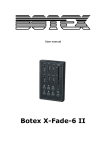
Botex X-KP II
Table of contents
1.
Safety instructions ............................................................................................................................ 3
1.1.
FOR SAFE AND EFFICIENT OPERATION ............................................................................ 3
2.
Introduction ....................................................................................................................................... 4
3.
Key features ..................................................................................................................................... 4
4.
Technical data .................................................................................................................................. 4
5.
Physical Dimensions ........................................................................................................................ 5
6.
Control Panel View ........................................................................................................................... 5
7.
Infrared Remote ............................................................................................................................... 6
8.
System Connection Diagram ........................................................................................................... 6
2/7
1. Safety instructions
This device is suitable for indoor use only.
All modifications to the device will void the warranty.
Repairs are to carry out by skilled personnel only.
Use only fuses of the same type and original parts as spare parts.
Protect the unit from rain and humidity to avoid fire and electric shocks.
Make sure to unplug the power supply before opening the housing.
1.1. FOR SAFE AND EFFICIENT OPERATION
Be careful with heat and extreme temperature
Avoid exposing it to direct rays of the sun or near a heating appliance.
Not put it in a temperature bellow 41°F /5°C, or exceeding 95°F /35°C.
Keep away from humidity, water and dust
Do not place the set in a location with high humidity or lots of dust.
Containers with water should not be placed on the set.
Keep away from sources of hum and noise
Such as transformer motor, tuner, TV set and amplifier.
To avoid placing on un-stable location
Select a level and stable location to avoid vibration.
Do not use chemicals or volatile liquids for cleaning
Use a clean dry cloth to wipe off the dust, or a wet soft cloth for stubborn dirt.
If out of work, contact sales agency immediately
Any troubles arose, remove the power plug soon, and contact with an engineer for repairing,
do not open the cabinet by yourself, it might result a danger of electric shock.
Take care with the power cable
Never pull the power cable to remove the plug from the receptacle, be sure to hold the plug.
When not using the device for an extended period of time, be sure to disconnect the plug
from the receptacle.
3/7
Important:
Damages caused by the disregard of this user manual are not subject to
warranty. The dealer will not accept liability for any resulting defects or
problems. Make sure the electrical connection is carried out by qualified
personnel. All electrical and mechanical connections have to be carried out
according to the European safety standards.
2. Introduction
Thank you for purchasing our digital product X-KP II. You now have a premiere, hybrid and simple
RGB fixture controller. Its compact and portable design is convenient to mount and easy to operate.
3. Key features
USITT DMX 512 (1990) Multiplex Digital Control
Built-in 10 patterns to control up to 4 RGB fixtures
Assignable fade setting in manual mode
Infrared remote control function
With a Junction Box as power supply and DMX Signal converter
RGB indicator on the panel to view the output state in real time
4. Technical data
Powered by
Junction Box 1 (Black/White for option)
Connection
RJ45 interface
Ingress Protection Rating
IP20
Control Protocol
DMX 512 (1990)
Listing
CE certified
Operation temperature
5°C to +35°C
Dimensions (L x W x H)
86 x 86 x 45 mm
Weight
Approx. 700 g (Full Packing)
Packing
1 X-KP II, 1 Junction Box, 1 Remote Control, 1 User Manual
4/7
5. Physical Dimensions
6. Control Panel View
RGB button (1~3):
Used to adjust the desired color.
Press the “Color 1” button to select Red, the “Color 2” button to select Green and the “Color 3” button
to select Blue.
Up/Down button:
Used to change color saturation in Manual Mode; to change fade time level in Auto mode.
AP button:
Used to select built-in patterns. Each tapping will activate one pattern.
OFF button:
Used to turn off the RGB fixtures.
RGB indicator:
Used to indicate the current output color of RGB fixture.
Infrared sensor:
To receive signals from the Infrared Remote Control.
RJ45 Interface:
To link with the Junction Box 1 via LAN cable for getting the tension and DMX output.
5/7
7. Infrared Remote
1. Some preset fade time levels in X-KP II are available, consisting of 1s, 2s, 4s, 8s, 16s, 32s,
64s, 128s, 256s, 512s.
In Auto mode, each tapping of the “Down” button represents a binary value and increase in
sequence, each tapping of the “Up” button represents a binary value and decrease in
sequence.
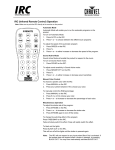
2. Additionally, the Infrared Remote can be used to operate the X-KP II
8. System Connection Diagram
NOTE:
Effective distance from the infrared sensor of X-KP II to Infrared Remote shall be limited within the
range of 10m. Otherwise, it may result out of control.
6/7
Importer:
B & K Braun GmbH
Industriestraße 1
D-76307 Karlsbad
www.bkbraun.com
[email protected]
7/7