1
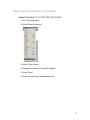
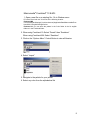
Adobe® InDesign® CS,CS2, CS3 & CS4:
1. Copy the file enclosed in the Application Support files/
Adobe/Indesign folder onto your hard drive. If Windows operating
system, precede to 2. below.
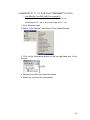
2. Go to Windows menu
3. Select “Swatches” or “F5”
4. Click on the small circle/arrow on the top right-hand corner of the
Swatches Window
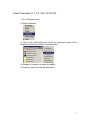
5. Select “New Color Swatch,” “New Color Swatch” window will appear
6. Under “Color Mode,” click on the pull down arrow to view the list of
libraries
7. Select “Other Library…”
8. Navigate to location you stored the palette
9. Select any color from the alphabetical list
8