1
1.Operation step of Laser X8
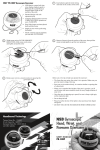
(1)Clean the skin, and according the
treatment part to choose the suit band
ties and tied them up.
(2)Put the Laser X8 work heads into
the band ties, the side with Led contact
to skin directly.
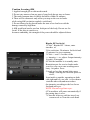
(3)Set intensity of every Laser X8 in
interface . Operation steps:
on the location "channel 1 0", click" →
"and "← "to set the intensity of laser,
the range is :
1HZ~1000HZ. Then move the
cursor "V" to the "channel 2 0",
click " → "and " ← " to set the
intensity of laser ......
(4)Setting work time
30 minutes of every treatment part,
and click "Time" enter interface.
Click" →"and " ← " one time to
change one minute, click the number
of time directly to change ten minutes
every time.then click "X8" return
function interface.
(5)click " ║ to start work
(6)The machine will pause
automatically
if the setting time is over. Beautician
take the Laser X8 work head out and
(6)put them well, then loosen the band
ties.