1
Contents
1. Introduction .......................................................................................................................................... 2
Specification....................................................................................................................................... 2
2. Installation Instruction ........................................................................................................................ 2
2.1 Minimum System Requirements .................................................................................................. 2
2.2 Common sense about hardware and software .............................................................................. 3
2.3 Install Introduction for Windows XP............................................................................................ 3
2.4 Attention in Windows Vista and Windows 2000 .......................................................................... 6
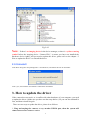
2.5 Check whether the device is rightly installed ............................................................................... 8
2.6 Uninstall ....................................................................................................................................... 9
3. How to update the driver ..................................................................................................................... 9
4. Camera Using Guide .......................................................................................................................... 15
4.1 Attention.................................................................................................................................... 16
4.2 Introduce of DirectShow Technique ........................................................................................... 16
4.3 Introduce of Twain Capture Technique....................................................................................... 17
5. Use the Camera in ScopeImage Plus................................................................................................. 17
5.1 An overview of ScopeImage Plus............................................................................................... 17
5.2 Quick learn to use ScopeImage Plus .......................................................................................... 18
5.3 Video Preview and Capture ........................................................................................................ 20
5.3.1 Use Directshow to Preview ............................................................................................ 20
(a) Start your Camera ....................................................................................................... 20
(b) View the Video in Full Screen Format ........................................................................ 21
(c) Set the Preview size .................................................................................................... 21
(d) perform Auto White Balance (AWB) and Auto Exposure (AE) ................................. 22
5.3.2 Use Twain to Preview:.................................................................................................... 24
5.4 Layer and Draw .......................................................................................................................... 25
5.4.1 Use the Image Processing Tool Box (Layer and Draw) ................................................. 25
5.4.2 Software Power Setup (Calibration)............................................................................... 33
5.4.3 Video Watermark ............................................................................................................ 40
5.5 Image Processing........................................................................................................................ 43
5.6 Image Browser............................................................................................................................ 43
5.7 Help Contents ............................................................................................................................. 44
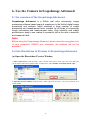
6. Use the Camera in ScopeImage Advanced ....................................................................................... 46
6.1 An overview of the ScopeImage Advanced................................................................................ 46
6.2 Use Directshow to Preview in ScopeImage Advanced............................................................... 46
(a) Open the Directshow Preview Window ............................................................................. 46
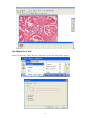
(b) Adjust the Color. ................................................................................................................ 47
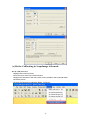
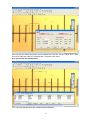
(c) Do the Calibrating in ScopeImage Advanced. ................................................................... 48
6.3 Use Twain to Preview in ScopeImage Advanced ....................................................................... 50
7. Trouble shooting................................................................................................................................. 51
Never disassembly the instruments yourself! ................................................................................... 51
USB Device conflict......................................................................................................................... 51
Image Morphing ............................................................................................................................... 51
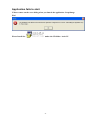
Application fails to start ................................................................................................................... 52
1