1
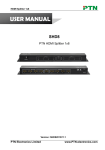
HDMI Splitter 1x2 USER MANUAL SHD2 PTN HDMI Splitter 1x2 Version: SHD22013V1.1 PTN Electronics Limited www.PTN-electronics.com HDMI Splitter 1x2 NOTICE: Please read this user manual carefully before using this product. This manual is for operation instruction only, not for any maintenance usage. The functions described in this version are updated till May 2013. Any changes of functions and parameters since then will be informed separately. Please refer to the dealers for the latest details. This manual is copyright PTN Electronics Limited. All rights reserved. No part of this publication may be copied or reproduced without the prior written consent of PTN Electronics Limited. All product function is valid till 2013-05-27. Update History Version 1.0 1.1 Date 2010.09.01 2013.05.27 PTN Electronics Limited Update Content First version. Modified the system diagram www.PTN-electronics.com HDMI Splitter 1x2 Table of Contents 1. Introduction ...............................................................................................................1 1.1. Introduction to SHD2 ..................................................................................... 1 1.2. Package Contents ......................................................................................... 1 2. Features ....................................................................................................................1 3. Specification ..............................................................................................................1 4. Interfaces Introduction ...............................................................................................2 5. System Diagram........................................................................................................3 6. Troubleshooting & Maintenance ................................................................................3 7. Safety Operation Guide .............................................................................................4 8. After-sales Service ....................................................................................................5 PTN Electronics Limited www.PTN-electronics.com HDMI Splitter 1x2 1. Introduction 1.1. Introduction to SHD2 SHD2 is equipped with high-quality 1 input, 2 outputs distribution chip, perfect matching with outside devices and anti-static function enable the advantages over others in distributing HDMI signal. It is a HDMI 1 x 2 splitter with HDMI 1.4a connectors, HDCP compliant, HDTV compatible, up to 1920*1200@60Hz, 1080p, 2k. It has a good application in various occasions, such as multi-media meeting room, television education, room controlling, monitoring center, government agency, exhibition hall and other fields. 1.2. Package Contents 1 x SHD2 2 x Mounting Ears (Separated from SHD2) 4 x Screws 1 x Power Adapter (DC 5V) 1 x User Manual Notes:Please confirm if the product and the accessories are all included, if not, please contact with the dealers. 2. Features HDCP Compliant. HDMI1.4a, support 3D. Supports Extended Display Identification Data (EDID) and Display Data Channel (DDC). HDTV compatible with High Definition Transmission resolution up to 1920*1200@60Hz (max), support 1080P. Antistatic case design to providing good performance protection. Built-in gain compensation technique and synchronous signal proofread technology. 3. Specification Video Input Input Input Connector Input Level Input Impedance Video General Gain Video Signal 1 HDMI HDMI 1.4a T.M.D.S. 2.9V/3.3V 50Ω 0 dB HDMI (or DVI-D) PTN Electronics Limited Video Output Output Output Connector 2 HDMI HDMI 1.4a Output Level T.M.D.S. 2.9V/3.3V Output Impedance 50Ω Bandwidth Maximum Pixel 6.75 Gbit/s 165MHz 1 www.PTN-electronics.com DVI Fiber Extender Clock Resolution Range Consumer Electronics Control (CEC) EDID and DDC Management HDCP Management General Up to 1920 x 1200 or 1080P@60Hz 200ns (Max.) Supports CEC wired infrared data pass-through using the HDMI 1.4a standard Supports Extended Display Identification Data (EDID) and Display Data Channel (DDC) data using DVI and HDMI standards, EDID and DDC signals are actively bufferred. Compliant with High-bandwidth Digital Content Protection (HDCP) using DVI and HDMI 1.4a standards. Power Supply DC 5V adapter Temperature -20 ~ +70℃ W22 x H10 x D22 mm Case Dimension Switching Speed Power Consumption Humidity Product Weight 10W 10% ~ 90% 0.1Kg 4. Interfaces Introduction The interfaces of SHD2 are showed in the following pictures. It has 1 HDMI input port and 2 HDMI output ports. Front panel: Rear panel: PTN Electronics Limited 2 www.PTN-electronics.com HDMI Splitter 1x2 5. System Diagram 6. Troubleshooting & Maintenance 1) When there is no output images: Check if there is any signal at the input. Check if there is any signal at the output. We can check these by using an oscilloscope or a multimeter. If there is no signal input/output, maybe the input/output cables broken or the connectors loosen, please change for another cable. If not the problem mentioned above, probably there is something broken inside the unit, please send it to the dealer for repairing. 2) If the POWER indicator doesn’t work or no respond to any operation, please make sure the power cord connection is good. 3) If the output image or sound is interfered, please make sure the system is grounded well. 4) If the static becomes stronger when connecting the HDMI cables, it probably due to the incorrect grounding, please correct it otherwise it would damage the splitter. PTN Electronics Limited 3 www.PTN-electronics.com HDMI Splitter 1x2 7. Safety Operation Guide In order to guarantee the reliable operation of the equipments and safety of the staff, please abide by the following proceeding in installation, using and maintenance: 1) The system must be earthed properly. Please do not use two blades plugs and ensure the alternating power supply ranged from 100v to 240v and from 50Hz to 60Hz. 2) Do not put the splitter in a place of too hot or too cold. 3) As the power generating heat when running, the working environment should be maintained fine ventilation, in case of damage caused by overheat. 4) Cut off the general power switch in humid weather or left unused for long time. 5) Before following operation, ensure that the alternating current wire is pull out of the power supply: Take off or reship any components of the equipment. Take off or rejoin any pin or other link of the equipment. 6) As to non-professional or without permission, please DO NOT try to open the casing of the equipment, DO NOT repair it on your own, in case of accident or increasing the damage of the equipment. 7) DO NOT splash any chemistry substance or liquid in the equipment or around. PTN Electronics Limited 4 www.PTN-electronics.com HDMI Splitter 1x2 8. After-sales Service 1) We offer products for all three-year warranty, which starts from the first day you buy this product (The purchase invoice shall prevail). 2) If there appear some problems when running SHD2, please check and deal with the problems reference to this user manual. Any transport costs are borne by the users during the warranty. 3) You can email to our after-sales department or make a call, please tell us the following information about your cases. Product version and name. Detailed failure situations. The formation of the cases. 4) Any problem is same with one of the following cases listed, we will not offer warranty service but offer for charge. Beyond the warranty. Damage due to incorrectly usage, keeping or repairing. Damage due to device assembly operations by the maintenance company non-assigned. No certificate or invoice as the proof of warranty. The product model showed on the warranty card does not match with the model of the product for repairing or had been altered. Damage caused by force majeure. 6) This document is just a user manual released with the product, not a quality guarantee. Any corrections or new function introductions added, we will update this document without further notice. Remarks: For any questions or problems, please try to get help from your local distributor, or email PTN at: [email protected]. PTN Electronics Limited 5 www.PTN-electronics.com