
1
Chapter 1
Before You Begin
This user guide is for all versions of the Flex Focus 1202 Ultrasound System.
Instructions apply to systems with a keyboard and systems with a touch screen and
touch control panel.
The Flex Focus 1202 User Guide includes an overview of all the documentation
available for the system, including different user guides.
NOTE: You must read the Safety chapter in the Flex Focus 1202 User Guide before
working with the system.
About this
guide
This guide takes you deeper into the functionality and potential of the Flex Focus
1202 Ultrasound System.
NOTE: Some of the functionality and options described in this guide may not be
available with your version of the system.
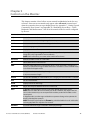
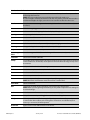
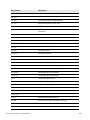
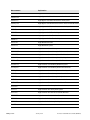
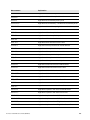
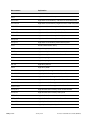
Questions About the System
Where to Find the Answers
What are the various parts of the monitor
display?
“The User Interface” on page 13
Is there an alphabetical list of all the
controls on the system?
“Controls on the Monitor” on page 19
How do you make measurements and
calculations for an image, and what
measurement tools are available?
“Making Measurements” on page 37
How do you manage the images, clips, 3D
data sets, and reports that are made on the
system?
“Documentation” on page 49
What imaging modes are available on the
Flex Focus?
“Imaging Modes” on page 69 and “3D
Imaging” on page 163
What is an examination type, and how does
it help with imaging?
“Pro Packages” on page 91
How does DICOM® work with the Flex
Focus?
“DICOM” on page 179
What do various abbreviations mean?
“Glossary” on page 183
Can the Flex Focus be customized and
how?
“Setting Up and Customizing Your System”
on page 209, and “Redefining Screen Keys –
Label, Bodymark, and Measurement” on
page 251,
How do you configure the system?
“Configuring the Flex Focus 1202” on
page 255
Flex Focus 1202 Advanced User Guide (BB1946-L)
Before You Begin
11















































































































![4 Click [OK] - Toshiba America Business Solutions](http://vs1.manualzilla.com/store/data/005818130_1-6da0751aebf4d6c87686321c2c4e7e3a-150x150.png)