1
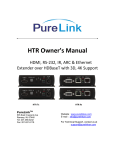
User Manual AVA-EX11-70TX AVA-EX11-70RX 70m HDMI Extender Version: V1.0.2 Table of Contents Introduction .............................................................2 Overview............................................................ 2 Features ............................................................ 3 Package Contents ............................................. 4 Specifications .................................................... 5 Panel ............................................................... 10 Transmitter................................................ 10 Receiver ................................................... 13 Hardware Installation............................................16 IR and RS232 .........................................................19 IR Control ........................................................ 19 Scenario 1 ................................................ 19 Scenario 2 ................................................ 21 RS232 Control ................................................. 22 Update ...................................................... 22 Pass-through ............................................ 24 Troubleshooting ....................................................25 1 Introduction Overview AVA-EX11-70TX (Transmitter for short) and AVA-EX11-70RX (Receiver for short) is a pair of slim HDMI extenders designed to extend HDMI signals up to 230 feet (70 meters) via a single CatX cable. The Transmitter and Receiver just need a single power supply to power both devices via its bi-directional PoE function. You can control the source from the display's location or control the display from source's location via IR pass-through function. The extenders are easy to install and space saving, offering solutions for homes, offices, digital entertainment centers, control centers, conference rooms, schools and corporate training environments. 2 Features Slim appearance and space saving Supports 4K signal transmission distance up to 131feet (40 meters), full HD 1080p signal transmission distance up to 230 feet(70 meters) via a single Cat X cable Supports bi-directional PoE Transfer bi-directional infrared control signal together with the HDMI signal HDMI 1.4 with 4K@30Hz HDCP compliant RS232 port supports firmware upgrade or signal control Note: The actual signal transmission distance can vary and depends on signal resolution, cable quality, graphics card, and display used in the system. 3 Package Contents 1 x Transmitter AVA-EX11-70TX 1 x Receiver AVA-EX11-70RX 1 x 18V 1A DC Power Supply 2 x Phoenix Male Connector (3.5 mm, 3 pin) 4 x Mounting Ear 2 x IR Emitter 2 x IR Receiver (30KHz-50KHz) 1 x User Manual 4 Specifications Technical Maximum 4K up to 40m/131ft Distance 1080p up to 70m/230ft Transmitter 1 x HDMI IN, 1 x HDBT OUT, I/O 1 x IR IN, 1 x IR OUT Connections Receiver 1 x HDMI OUT, 1 X HDBT IN, 1 x IR IN, 1 x IR OUT Power Supply DC 18V 1A Transmitter powers 13W Power Receiver Consumption Receiver powers 12.2W Transmitter 5 Technical Transmitter and Receiver Transmitter:5.5W are Receiver: 7.6W both connected to power Input Video Signal Input Resolution Support 0.5-1.2 volts p-p 4096 x 2160@30Hz, 3840x2160@30Hz, 1080p, 1080i, 720p, 576p, 480p, 576i, 480i 4096x2160@30Hz, Output Resolution Support IR Wavelength &Frequency 3840x2160@30Hz, 1080p, 1080i, 720p, 576p, 480p, 576i, 480i Wavelength: 940nm IR Frequency: 38KHz 6 Technical Video Impedance Maximum Pixel Clock ESD Protection Surge Protection Operating Temperature Storage Temperature 100Ω 297MHz Human-body model: ±8 kV (Air-gap discharge) ±4 kV (Contact discharge) IEC 61000-4-4 (5/50ns); IEC (EFT) 61000-4-5 (Lightning) 25A (8/20μs) 32°F ~ 113°F (0°C ~ 45°C) 10% ~ 90%, non-condensing -4°F ~140°F (-20°C ~70°C) 10% ~ 90%, non-condensing 7 40A Cable Specifications It's recommended that straight-through Ethernet cables of T568B be required. Cable Type Range Supported Video 1080p, 60 Hz36 60 m bpp 1080p 60 Hz 48 CAT5e/CAT6 bpp 35 m 1080p 60 Hz 3D 4K2K 30Hz 1080p, 60 Hz36 70 m bpp 1080p 60 Hz 48 CAT6a/CAT7 bpp 40 m 1080p 60 Hz 3D 4K2K 30Hz 8 General Product Dimension (W x H x D) Weight Certification 135 mm x 14 mm x 77 mm / 5.3'' x 0.6'' x 3.0'' (each) 220g (Transmitter), 240g (Receiver) CE, FCC, RoHS 9 Panel Transmitter Front Panel 1 ID 2 Name 3 4 5 6 7 Description Connects to a power supply. 1 Power If Transmitter is connected to a power, Receiver is adapter free. 10 ID 2 Name Description HDBT Connects to the Receiver via a OUT CatX cable. 3 IR IN 4 IR OUT 5 RS232 6 HDMI IN Connects to the supplied IR receiver (30KHz-50KHz). Connects to the IR emitter. Update firmware or passthrough. Connects to HDMI source. Normal: RS232 signals can be transmitted and Transmitter cannot be updated. 7 Mode Update: Transmitter can be updated and RS232 signals cannot be transmitted. 11 Rear Panel 1 ID Name 1 Power 2 Status 2 3 4 Description On: It is powered on. Off: It is powered off. Blinking: It works properly. Off: It does not work properly. On: Linked to Receiver. 3 Link Blinking: Connection exception. Off: No link. On: HDCP video is being transmitted. 4 HDCP Blinking: Non-HDCP video is being transmitted. Off: No HDMI signal. 12 Receiver Front Panel 1 ID 2 Name 3 4 5 6 7 Description Connects to a power supply. 1 Power If Receiver is connected to a power, Transmitter is adapter free. 2 HDBT Connects to the Transmitter via a IN CatX cable. 13 ID Name 3 IR IN 4 IR OUT 5 6 RS232 HDMI OUT Description Connects to the supplied IR receiver (30KHz-50KHz). Connects to the supplied IR emitter. Update firmware or pass-through. Connects to HDMI display device. Normal: RS232 signals can be transmitted and Receiver cannot be updated. 7 Mode Update: RS232 signals cannot be transmitted and Receiver can be updated. 14 Rear Panel 1 ID Name 1 Power 2 Status 2 3 4 Description On: It is powered on. Off: It is powered off. Blinking: It works properly. Off: It does not work properly. On: Linked to Transmitter. 3 Link Blinking: Connection exception. Off: No link. On: HDCP video is being transmitted. 4 HDCP Blinking: Non-HDCP video is being transmitted. Off: No HDMI signal. 15 Hardware Installation 1. Connect an HDMI source (such as a BluRay, games console, media server etc.) to Transmitter using quality HDMI cables. 2. Connect a good quality, well terminated Cat5e/6 cable of no more than 70m/230ft in length between the HDBT output of the Transmitter and HDBT input of Receiver. Note: 70m/230ft is the maximum recommended transmission distance for this model and denotes perfect transmission conditions – including straight cable runs with no electrical interference. If any of the above is a factor in your installation, transmission range maybe affected. 3. Connect the HDMI display (LED/LCD display or projector) to the HDMI output of the Receiver 16 4. Connect IR emitters from the IR OUT ports of Transmitter and Receiver and firmly attach the IR emitter eye directly over the infrared receiving sensors of the source and display device to be controlled. Location of the emitter eye on each device may need to be adjusted later to achieve best IR performance. 5. Insert IR receivers into IR IN ports of Transmitter and Receiver. Position of the IR receiver eye on or near the display or source device, ensuring using a clear line of sight to remote handset used to control it. 6. Connect the power supply to the Transmitter or Receiver and power on all devices. 17 Transmitter 6 IR RX TV Remote 5 4 IR TX 1 Cat X Cable HDMI DVD 2 Receiver 6 5 4 HDMI IR TX IR RX 3 TV DVD Remote 18 IR and RS232 IR Control IR pass-through function allows you to control the source from the sink's location or control the sink from source's location. Scenario 1 In this case, you can control the TV on Transmitter side. 19 TV remote DVD Transmitter HDMI IR RX Cat X Cable Receiver IR TX HDMI TV 20 Scenario 2 In this case, you can control the Blu-Ray on Receiver side. DVD IR TX Transmitter HDMI Cat X Cable Receiver IR RX HDMI TV DVD remote 21 RS232 Control Connect RS232 port to a computer to update firmware or a RS232 device to communicate with another RS232 device on the other extender's side via a CAT5e/CAT6 cable. Update Update the Transmitter: switch "Mode" in the front panel to "Update". RS232 Transmitter 22 Update the receiver: switch "Mode" in the front panel to "Update". Receiver RS232 23 Pass-through Note: Please switch "Mode" in the front panel to "Normal" mode on both devices. RS232 device RS232 Transmitter Cat X Cable Receiver RS232 RS232 device 24 Troubleshooting 1. Why the display connected to the Receiver shows no picture? Check that all the devices are powered on and working properly. Check that all the cables are qualified and connected properly Check that the display works properly, and that the source device has normal signals output. Make sure that the display device supports HDCP. Check that the length of HDMI cable and CatX cable. Check that no compatibility issues exist between Receiver and the display. If so, replace the display with other models. 25 2. Why the display connected to Receiver displays snow or mosaic? Check that all the cables are qualified and connected properly. Check that the source input device has no problems, such as snow, mosaic or a damaged disc. If so, replace it with another normal input source. Check that no compatibility issues exist between Receiver and the display. If so, replace the display with other models. 26 AV Access Technology Co., Ltd. B4, B block Tianrui Industry Park, Xinhe Fuyuan Rd, Fuyong St., Baoan District, Shenzhen, China America, Africa Sales & Market Ms. Suze Leung [email protected] Europe, Asia, Middle East Sales & Market Ms. Jessica Lee [email protected] Tel: 0086 755 21620562 Fax: 0086 755 26883498