1
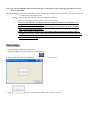
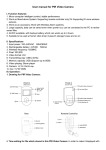
1、 Turns on and Starts:Open the back cover of the alarm, slide the "Backup Battery Switch" to "ON" on the PCB of
alarm back side and then close the cover. Connect the external power, install the alarm by the bracket and
adjust the angle.
Note:After connecting the alarm to the power, it will beep four times, the alarming indicator will keep on for
5 seconds and then off after flashing for 10 seconds to get into the standby status. It will start recording upon motion
trigger (5 minutes for each recording),the real time and date would be powerful crime evidence for the police.
2、Arming:Press the "Arm" button on the remote controller, the alarm beep once and get into the standby status after 15
seconds. If the alarm is triggered at this time, it will goes off and start recording, at the same time the
lampholer turns on automatically, the alarming indicator will keep flashing all the time when
recordingand then stop after recording finished. Files will be saved with the name including the time of
start recording and stopping recording.
3. Disarming:Press the "Disarm" button on the remote controller, the alarm will beep twice to indicate a successful
disarming.
Note:It can be also disarmed while it is recording, at the same time, it will stop recording automatically.
4. Automatic recording: It will start a 5 minutes on-site audio and video recording upon motion trigger when standby.
The alarming indicator will keep flashing all the time when recording and will off automatically after finish recording.
Files will be saved automatically with a name including the starting time and stopping time of recording.
5. Remote recording:Press "Emergency" button on the remote controller, it will start a 5-minute on-site A/V recording
immediately. During this period, you can stop recording by pressing the "Disarm" button on the remote controller.
6. Volume adjusting:Adjust the volume by revolving the orange button of volume. (Left--lower, Right--Higer)
7. Language options: Greeting voice of "Hello, welcome!" Connecting jumper line 1 and 2 is for Chinese, 2 and 3 is for
English.
Note:Remove the jumper and greeting message will be not be available.If don't need the greeting message, just please
remove the jumper.
8:How to program the remote lampholder
Connect the remote lampholder to the power, press the learning switch on the PCB of the lampholder, then press the PIR
learning switch on the PCB of the alarm front side five times after you hear a beep sound.The lampholder beeps five
times indicates a successful learning, beeps twice indicates failure and exit.
Note: The light keeps on for 5 minutes and off automatically.
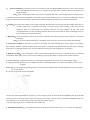
9. Installation and fixture:Fix the attached bracket on the proper position of the wall. (1.8~2.5 meters is suggested.)