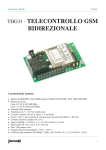
1
USER MANUAL
TDG133
GSM Bidirectional
Remote Control 2 IN / 2 OUT
TDG133 -
Technical data
• GSM / GPRS Module: SIM900 Quad (850/900/1800/1900 MHz)
• GPRS multi-slot class 10/8
• GPRS mobile station class B
• Output power:
Class 4 (2 W @ 850-900 MHz)
Class 1 (1 W @ 1800-1900 MHz)
• GSM external stylus antenna
• Power supply: 9 to 32 Vdc stabilized (or with Li-Ion battery 800 ÷ 1,000 mA/h)
• Idle current: 50 mA idle, peak up to 1 A
• Relay outputs: 2, to control low tension loads, SELV type (< 60 Vdc)
• Max current relay contacts: 10 A
• Digital inputs: 2 (logic 1 = 5 ÷ 32 V; logic 0 = 0 Vdc)
• Master users: 8
• Dimensions: 103x67x28 (LxWxH) mm
• Weight approx.: 100 grams
• Operating temperature: -10°C ÷ +55°C (14 °F - 131 °F)
• Complies with EN 60950-1 (2006), EN 301489-7 V.1.3.1, EN 301511 V9.0.2
1
TDG133
USER MANUAL
TABLE OF CONTENTS
1. Important information ............................................................................................. 3
2. Safety instructions................................................................................................... 3
3. General information................................................................................................. 4
4. Operating conditions............................................................................................... 4
5. Proper use............................................................................................................... 5
6. Introduction.............................................................................................................. 6
7. Connectors and LEDs............................................................................................. 6
8. Installing the USB.................................................................................................... 7
9. Start-up.................................................................................................................... 7
10.Configuration........................................................................................................... 8
11. Configuration SMS................................................................................................... 9
12. Table of command and configuration SMS....................................................... 17-18
13. Managing the device through a computer............................................................. 18
14. Troubleshooting..................................................................................................... 23
2
USER MANUAL
TDG133
1. Important information
Please, carefully read the information in this manual before attempting to operate the
device in order to protect yourself and use the equipment properly. This device shall be
exclusively utilized for its intended use. In no event shall the company Futura Elettronica, or its dealers, be held responsible for any damage, either extraordinary, incidental
or indirect of any nature (financial, physical, etc.), arising from the possession, use or
failure of this product.
In case of changes to the device, tampering, or non-compliance with the instructions in
this manual the warranty will be null and void.
The device contains highly integrated components that can be damaged by
electrostatic discharge. Therefore, do not touch any metal part (tracks, component terminals, etc.) with your hands.
Only handle the device by the edges in order to avoid touching the components on the board.
Notice
The user who makes the module operational by adding further components or by putting it into a housing is seen as a manufacturer and is obliged to hand out all the necessary technical documentation as well as place his name and address on the device.
Products made with this equipment have to be considered as industrial products from
the safety perspective. The phone costs related to sending SMS generated by the device are charged on the SIM in the device.
2. Safety instructions
In accordance with the current regulations on safety, whenever using a device
under tension all necessary precautions shall be taken. The device must always
be installed in absence of tension.
•The device must be placed into a suitable housing before use. During the installation,
the device must not be connected to the power source or to other devices.
• Before handling the device or opening the container where it has been placed, unplug
the power connector and make sure the circuit is not live.
•Before working with any kind of tool on the device make sure it is disconnected from
the power supply and that components that store energy (capacitors) are discharged.
•All cables connected to the device, particularly the power supply ones, have to be
checked regularly for fractures or damage of the isolation shield. If cables are visibly
3
TDG133
USER MANUAL
damaged, the device has to be switched off immediately until they have been replaced.
• Strictly comply with the technical specifications of components or modules used with
this device. If the information contained herein and/or the information on the components or modules used with the device are not clear enough, please contact a
qualified technician.
• Before starting the device, carefully check whether it is suitable for the intended field
of application. In case of doubt, please contact a qualified technician or the Manufacturer / Dealer.
• The Manufacturer / Dealer cannot be held responsible for improper handling or wrong
connections, therefore it cannot be held responsible for any damage that may result.
• Devices that operate with <35 Volts must be connected by a qualified technician.
• Before starting the device check there is no current leakage in the housing.
• If measurements are to be made with an open housing, an isolating-transformer has
to be integrated for safety reasons. Alternatively, tension can be supplied by a power
supply that complies with all safety regulations (limitations in current and tension). All
wiring work has to be done in a tension free state.
3. General information
For EU residents
Environmental information related to this product
This symbol on the device or package indicates it is forbidden to dispose of
the product in the environment at the end of its lifecycle as it could be harmful for the environment itself. Do not dispose of the product (or batteries, if
used) as unsorted waste.
For more information about the recycling of this product, please contact the
city hall, your local waste disposal service, or the shop where it was purchased.
4. Operating conditions
Warning: before making connections to the device, carefully verify that the supply tension and the tension applied to the relay contacts correspond to those described in this
manual!
Important information:
• The device must be installed in compliance with the current safety standards.
•Supply the remote TDG133 only with stabilized DC tension between 9 and 32 V, to
be applied to the power plug (see Picture 1) keeping in mind the polarity (center positive).
4
USER MANUAL
TDG133
Use a safety current-limited power supply providing current of at least 500 mA, able
to cope with absorption peaks of 1 A. The power cable must not exceed 3 meters.
•The relay outputs in the device can only be used to control low tension loads SELV
type (<60 Vdc)
•The tension applied to the contacts of each relay must not exceed 60 Vdc.
•The switching current on the relays must not exceed 10 A (*).
•The maximum tension applied to the digital inputs is 32 Vdc.
•The device can work in any position.
•Check that the section of the cables used is enough.
•The operating temperature of the device ranges between -10°C and +55°C (14 °F 131 °F).
•If moisture condensation occurs, wait for at least 2 hours before starting the equipment.
•Keep the device away from flower vases, sinks, water pipes, etc.
•Protect the device from moisture, spray water and heat.
•The device is meant for operation in clean and dry rooms.
•Do not expose the device to heavy vibrations.
•Do not use the device in presence of flammable gases, vapors or dust.
•The device can only be repaired by a qualified technician.
•When repairing the unit, original parts must be used. The use of differing spare parts
can cause serious material loss or personal injury.
*the tracks connecting the relay contacts to the terminal are sized considering a load
activation which absorbs 10 A for short periods of time.
5. Proper use
This device is designed for the remote switching of electric and electronic units via the
GSM network and for the remote retrieval of status information of its inputs by means
5
TDG133
USER MANUAL
of SMS messages automatically generated after those inputs change status. A different
use is not allowed.
6. Introduction
The TDG133 is a bidirectional remote control module easy to install and simple to use.
With the TDG133 it is possible to remotely control two relays (in monostable or bistable
mode) by means of special SMS commands (with a password), sent from any mobile
phone.
It is possible to store up to 8 telephone numbers to which the device sends SMS and
phone calls when (according to the settings made during the configuration) it considers
the inputs active. Moreover, the device can also be used as a gate control receiver,
controlled by up to 200 enabled telephone numbers.
Apart from the TDG133, you will need a valid SIM Card from any network provider
(GSM 900 / 1800 MHz). When using a prepaid SIM Card always check the available
credit so that in case of alarm a SMS can be sent.
Typical fields of application include gate opening, control of power loads, switching on
and off alarm devices, reception of information concerning the state of door sensors,
movement sensors, level sensors, etc. all through SMS.
7. Connectors and LEDs
As shown in picture 1, the TDG133 remote control has a terminal for connection with
different external units. Pairs IN1 and IN2 are two opto-isolated inputs, while the other
two pairs (OUT1 and OUT2) correspond to the NC, NO and C contacts of the two relays.
Connect the supply tension of the device to the outlet marked PWR (center positive).
Via USB (optional) directly installed on the card you can connect a computer; with the
special “TDG Configurator” software it is possible to make all programming and function
setting or change the list of authorized users. When the device is engaged in the GSM
network research, “LD5” flashes at 1 Hz frequency; when it is hooked in the network, it
will flash briefly every 2 seconds; the LED is on only when the module receives a call.
“LD1” and “LD2” indicate the status of the relays; “LD3” and “LD4” indicate the status
of the inputs.
LD1 on = Relay 1 active
LD2 on = Relay 2 active
LD3 on = IN1 active (logical condition set reached)
LD4 on = IN2 active (logical condition set reached)
“LD3” and “LD4” also report SMS reception (both of them flash for a few seconds),
CALL reception (both LEDs on), and CONFIGURATION CALL on hold (both LEDs turn
on alternatively after start-up and without phone numbers stored in the list).
6
USER MANUAL
TDG133
Power supply
connector PWR
(center positive)
USB interface
(optional)
SIM card
slot
SMA female
connector
for GSM antenna
Picture 1
LD1
C NO NC NC NO C
OUT 1
OUT 2
+
-
IN 1
+
LD2
LD3
LD4
LD5
-
IN 2
8. Installing the USB
A special USB interface (code FT782M),
available separately, must be installed on the
remote control card as shown in the picture
alongside, the mini USB connector must be
upwards.
9. Start-up
You must first obtain a valid SIM Card from a GSM network provider. Use a common
mobile phone to disable the SIM Card PIN. To do so, check the manual of the mobile.
If the SIM Card PIN is not disabled, the device cannot work as it cannot connect
to the GSM network.
Before feeding the TDG133, please insert the SIM Card into the SIM Card holder (mind
the orientation) making sure it is correctly blocked, then connect the antenna cable to
the connector. Now connect the power supply.
7
TDG133
USER MANUAL
10. Configuration
The device can be set as follows:
- EASY SETUP (Configuration through call)
- PROFESSIONAL SETUP (Configuration through SMS)
- Computer SETUP (Configuration through PC connection: it needs a USB interface,
code FT782M available separately)
1) EASY SETUP (Configuration through call made on start-up)
When the device is supplied with power, “LD5” will immediately flash at 1 Hz frequency.
The TDG133 will try to connect to the GSM network; when connected, “LD5” will briefly
flash every 2 seconds or so. After the system initialization (which may take several seconds), the device alternately illuminates yellow LEDs “LD3” and “LD4” to indicate the
“configuration call” on hold, which should take place within 3 minutes. If during this time
the unit receives a call, it stores the caller’s number (to which reply SMS will be sent) in
the first memory location, it turns the two LEDs off and becomes operative; otherwise,
at the end of the interval, it switches off the yellow LEDs and waits for the configuration
SMS (“PROFESSIONAL SETUP” mode). With the same phone used to make the first
setup call, it is also possible to switch the relay status. This mode allows for simple
commands without sending SMS or using a computer.
2) PROFESSIONAL SETUP (Configuration through SMS executable at any time)
This mode takes full advantage of the device with operations as output switch, output
status query, inclusion of additional phone numbers to activate the relay, inclusion of
numbers for door opening function, reception of reply messages, change output signals
timing and, in general, set the TDG133 with all parameters via simple SMS. A full reset
to restore the default settings can also be made via SMS. The syntax for all available
commands can be found in Section 11 (Configuration SMS).
3) Computer SETUP (Configuration through PC connection)
This mode easily allows you to setup the TDG133 -with no additional cost- through a
computer (with a special software) connected via USB code FT782M (optional). Chapter 13 provides all the necessary information to make the best use of this configuration
mode.
Configuration through call
Turn on the device, wait till the yellow LEDs “LD3” and “LD4” start to flash alternately;
then, with the mobile used to control the TDG133, call the phone number corresponding
to the SIM Card in the remote. The device will reject the call and store the caller number
in the first memory location. “LD3” and “LD4” will flash rapidly to indicate the operation.
Check that the mobile used for the configuration has an active ID, i.e. the “hidden call”
or “private call” has not been enabled. To return to the standard configuration with
active ID, please refer to the mobile instruction’s manual. To check your own mobile
configuration simply call another mobile: The caller ID is active if it displays the number
8
USER MANUAL
TDG133
or name of the calling mobile.
NOTE: Yellow LEDs “LD3” and “LD4” lighten up alternately until the TDG133 is
set up with a call within the first three minutes of start-up. If time is up and no
configuration has been made, the TDG133 turns off the two LEDs and waits for
the configuration SMS. The EASY SETUP mode can be restored by disconnecting
and reconnecting the power supply: you will have three minutes to set up the
device.
11. Configuration SMS
Commands and settings can be sent from any mobile via SMS as long as the message
includes the password.
To speed up certain commands, it is possible for the device to store 8 numbers enabled
to send commands without the password in the device. The numbers in this list are the
same to which (if enabled) a few rings or alarm messages will be sent. However, there is
a series of “sensitive” functions, that no matter who sends the SMS, require a password:
in particular, functions that add or remove other numbers from the list, that change the
current password, or request the list of approved numbers. As a result of a command or
query, the device replies via an execution confirmation SMS or a SMS with information
about the settings.
Please note that all commands that do not require a password are effective only
if they come from a recognized phone, that is a phone which number is in the list
of those stored in the remote; an outsider needs a password.
The remote accepts multiple SMS, that is SMS with more than one command regarding
one or more phone numbers; commands must be separated by a comma.
Here we present and describe all commands that can be sent to the device via SMS.
Note: every command must be written without spaces.
- Command PWDxxxxx;pwd changes the password; xxxxx is the new password (numeric, five digits); pwd is the current password. The default password is 12345.
Example: 54321 as the new password and 12345 as the current password
PWD54321;12345
-Command NUMx+39nnnnnnnnnnn;pwd stores a phone number (up to 8 numbers,19
digits each) in the device; x is its position in the list; nnnnnnnnnn is the phone number with country code (+39 for Italy); pwd is the current password.
Example: how to enter number 3498911512 in the 8th position
NUM8+393498911512;12345
9
TDG133
USER MANUAL
Note: the password is required only if you try to save the number in a position already
occupied by another one, or when the command is sent from a phone that is not in the
list. If the command is sent from an unknown phone, the password is always required.
-Command NUMx;pwd removes a phone number from the list; x is its position in the
list; pwd is the current password.
Example: how to remove from the stored list the 4th telephone number NUM4;12345
Note: the password is required.
- Command NUM?;pwd requests the list of phone numbers currently stored in the
device; pwd is the current password.
Example: NUM?;12345
Note: the password is required.
- Command RES;pwd resets the initial settings (default) of the system and deletes all
stored phone numbers; pwd is the current password.
Example: RES;12345
Note: the password is required.
The remote can send SMS to the phones of the people that must be advised of a
change in the inputs status. The following commands enable or disable that function,
(only valid for the numbers in the list):
- Command SMSxxxxxxxx:ON allows the number in the specified position to receive
SMS on input status; x is the position of the number(s) in the list.
Example: How to allow phone numbers on positions 1 and 5 in the list to receive the
SMS on inputs status SMS15:ON
Note 1: The command will only modify memory positions 1 and 5, and not the state
of the other ones (2, 3, 4, 6, 7, 8); if the latter are already enabled to receive alarm
SMS (for example because previously activated), they will continue receiving those
messages.
Note 2: The password is required.
- Command SMSxxxxxxxx:OFF does not allow the number on the specified position
to receive SMS on inputs status; x is the position of the number(s) in the list.
Example: How not to allow phone numbers on positions 2 and 7 of the list to receive
SMS on inputs status SMS27:OFF
10
USER MANUAL
TDG133
Note 1: The command will only modify memory positions 2 and 7, and not the state
of the other ones (1, 3, 4, 5, 6, 8); if the latter are already enabled to receive alarm
SMS (for example because previously activated), they will continue receiving those
messages.
Note 2: The password is required.
In addition to SMS, the device can also make short calls to ring the phones of the
people (which number is in the list) that must be advised of a change of input status;
the ringtone draws people’s attention faster than a SMS, which may arrive with some
delay.
-Command VOCxxxxxxxx:ON allows the number on the specified position to receive
the ringtone on the inputs status; x is the position of the number(s) in the list.
Example: How to allow phone numbers on positions 1 and 5 in the list to receive a
ringtone on inputs status VOC15:ON
Note 1: The command will only modify memory positions 1 and 5 and not the state of
the other ones (2, 3, 4, 6, 7, 8); if the latter are already enabled to receive the alarm
ringtone (for example because previously activated), they will continue receiving it.
Note 2: The password is required.
- Command VOCxxxxxxxx:OFF does not allow the number in the specified position to
receive the ringtone on the inputs status; x is the position of the number(s) in the list.
Example: How not to allow phone numbers on positions 2 and 4 in the list to receive
a ringtone on inputs status. VOC24:OFF
Note 1: The command will only modify memory positions 2 and 4 and not the state of
the other ones (1, 3, 5, 6, 7, 8); if the latter are already enabled to receive the alarm
ringtone (for example because previously activated), they will continue receiving it.
Note 2: The password is required.
Please note that: by default, all the phone numbers in the first eight positions of the list
(provided they are stored) receive a notification of the input alarm via SMS or short call
(ringtone). The same applies if the reset command which restores the initial settings is
sent to the remote control.
It should be noted that these notifications can be made only to the eight numbers stored
related to the remote and not to the 200 related to the door control.
Commands regarding the setting of the level that defines the alarm condition are listed
below:
11
TDG133
USER MANUAL
-Command LIVx:A sets a HIGH level as the alarm condition for inputs IN1 or IN2 (the
input is in alarm under tension); x stands for input 1 or 2 .
Example: How to set a HIGH level of alarm activation on input 2 LIV2:A
-Command LIVx:B sets a LOW level as the alarm condition for inputs IN1 or IN2 (the
input is in alarm in absence of tension); x stands for input 1 or 2 .
Example: How to set a LOW level of alarm activation on input 2 LIV2:B
-Command LIVx:V sets a level variation as the alarm condition for inputs IN1 or IN2
(the input is in alarm after going from a LOW level to a HIGH level, or the opposite); x
stands for input 1 or 2.
Example: How to set a level variation as alarm activation on input 1 LIV1:V
Please note that: By default, inputs are activated in presence of tension.
- Command LIV? requests the alarm activation level regarding the inputs.
Example: LIV?
You can define a period of time (known as input inhibition time) following an alarm activation, during this time the device does not control the level on a specific input; that
period may be set between 0 and 59 prime minutes. The default value is 5 minutes.
- Command INI1:mm sets the inhibition time on input 1; mm is the time in prime minutes.
- Command INI2:mm sets the inhibition time on input 2; mm is the time in prime minutes.
Example: How to establish that, following an alarm, IN1 cannot determine other
alarms for two minutes INI1:02.
-Command INI? requests the current inhibition time setting regarding the inputs.
Example: INI?
When it is necessary to control sensors that monitor frequently variable phenomena
and to receive real notifications about the current events, it might be necessary to ignore
the inhibition time. The remote can temporarily disable, input by input, the preset inhibition time with the following commands:
- Command TIZ1x resets the inhibition time if input 1 is idle; x is the setting parameter
(if = 0 no reset, if = 1 reset).
Example: How to reset inhibition time on input 1 TIZ11
Example: How to disable the inhibition time reset function on input 1 TIZ10
- Command TIZ2x resets the inhibition time if input 2 is idle; x is the setting parameter
12
USER MANUAL
TDG133
(if = 0 no reset, if = 1 reset).
Example: How to reset inhibition time on input 2 TIZ21
Example: How to disable the inhibition time reset function on input 2 TIZ20
Note 1: The default setting for this function is 0. To request the status of the reset
function use command INI?
Note 2: The inhibition time is reset when, following an alarm, the input is back to idle
within a shorter time than the interval of inhibition, restore will take place at the next
input activation.
The device lets you define how long the alarm condition must be for a certain input so
that the circuit sends the notifications. The setting is made through the following messages:
- Command OSS1:ss defines the length of the observation time regarding input 1; ss
is the time in seconds.
Example: How to set a ten-second observation time for input 1 OSS1:10
- Command OSS2:ss defines the length of the observation time regarding input 2; ss
is the time in seconds.
Example: how to set a 59-second observation time for input 2 OSS2:59
Note: The observation time can be set between 1 and 59 seconds. The default value
for both inputs is 1 second.
- Command OSS? requests the current observation time setting regarding the inputs.
Example: OSS?
Regarding the inputs activity, it is possible to define, for each of them, the notification
message about presence of tension , as well as for the one for absence of tension:
-Command TIN1A:xxxx defines the message the device sends to the numbers in
the list enabled to receive alarm SMS when input 1 gets the alert of tension presence; xxxx is the message you want to write (100 characters max. including spaces).
The text message does not accept the semi colon (;) and all letters must be capitalized.
The default message is: ALARM!! INPUT 1 HIGH.
Example: How to set the alarm text “TENSION ON INPUT 1” for input 1 in presence
of tension TIN1A: TENSION ON INPUT 1
-Command TIN1B:xxxx defines the message the device sends to the numbers in the
list enabled to receive alarm SMS when input 1 gets the alert of tension absence;
xxxx is the message you want to write (100 characters max. including spaces).
The text message does not accept the semi colon (;) and all letters must be capitalized.
13
TDG133
USER MANUAL
The default message is: ALARM!!
INPUT 1 LOW.
Example: How to set the alarm text “NO TENSION ON INPUT 1” for input 1 in absence of tension TIN1B:NO TENSION ON INPUT 1
- Command TIN2A:xxxx defines the message the device sends to the numbers in the
list enabled to receive alarm SMS when input 2 gets the alert of tension presence;
xxxx is the message you want to write (100 characters max. including spaces).
The text message does not accept the semi colon (;) and all letters must be capitalized.
The default message is: ALARM!! INPUT 2 HIGH.
Example: How to set the alarm text “TENSION ON INPUT 2” for input 2 in presence
of tension TIN2A:TENSION ON INPUT 2
- Command TIN2B:xxxx defines the message the device sends to the numbers in the
list enabled to receive alarm SMS when input 2 gets the alert of tension absence;
xxxx is the message you want to write (100 characters max. including spaces).
The text message does not accept the semi colon (;) and all letters must be capitalized.
The default message is: ALARM!! INPUT 2 LOW.
Example: How to set the alarm text “NO TENSION ON INPUT 2” for input 2 in absence of tension TIN2B:NO TENSION ON INPUT 2
Note: Keep in mind that messages will be sent from the remote control according to
the settings made in relation to the logic level intended as an alarm.
The operation mode, the timing, and the status requests of the input relays can be managed by SMS:
- Command OUTx:ON activates the specified output relay; x is the output relay 1 or 2.
Example: How to activate output relay 1 OUT1:ON
Example: How to activate output relay 2 OUT2:ON
- Command OUTx:OFF disables the specified output relay; x is the output relay 1 or 2.
Example: How to disable output relay 1 OUT1:OFF
Example: How to disable output relay 2 OUT2:OFF
- Command STA? requests the condition of the remote outputs.
Example: STA?
- Command OUTx:ss inverts the condition of the specified relay for the desired time; x
is output relay 1 or 2; ss is a period between 1 and 59 seconds.
Example: How to disable output relay 1 (if already active) or how to activate it (if not
active) for 10 seconds OUT1:10
- In case of black-out, command RIPx stores the relay status and restores it when po-
14
USER MANUAL
TDG133
wer is back on; x has a value of 1 to enable restoring, 0 to disable it. The default value
is 1.
Example: How to enable the relay status recovery on start-up RIP1
Example: How to disable the relay status recovery on start-up RIP0
- Command RIP? requests the current setting for relay status recovery.
Example: RIP?
The remote gives the possibility to send a customizable SMS to the phone number on
the first position in the list whenever it is fed:
- Command AVVx enables o disables the afore mentioned function; x has a value of 1
to enable it, 0 to disable it. The default value is 0.
Example: How to enable the function to send a start-up SMS AVV1
Example: How to disable the function to send a start-up SMS AVV0
- Command TSU:xxxxxxxxxxxx sets the text of the message the remote sends during
start-up; xxxxxxxxxxx is the message (100 characters max. including spaces).
The text message does not accept the semi colon (;) and all letters must be capitalized.
The default phrase is: SYSTEM STARTUP.
Example: How to set the start-up message “TDG140 DEVICE ON” TSU:DISPOSITIVO
TDG133 ACCESO
The following describes the commands of the functions for the gate control mode:
- Command TAC:ss defines how relay 1 (related to the gate control) should be enabled
when there is an incoming call from one of the 200 phone numbers or one of the 8
numbers in the list; ss is the time (in seconds) during which the relay should remain
excited. The default value is 3 seconds.
Example: How to set a gate control activation time of 25 seconds TAC:25
Example: Gate control activation bistable mode setting TAC:00
Note: The time value can be set between 00 and 59 seconds. Bistable activation is
get setting 00, the relay clicks and remains excited until the arrival of a new call from
the same number in the list that has caused the activation, or from another number
enabled for gate control.
- Command MAC+39xxxxxxxxxx;pwd stores the phone numbers that control the gate
opener function only; xxxxxxxxxxx is the phone number you want to store in the list
(200 numbers max.) with international code (+39 for Italy); pwd is the current password.
The password is required!
Example: How to store number 3339999999, being 12345 the password
MAC+393339999999;12345
15
TDG133
USER MANUAL
Note 1: For the gate control function there is no specific storage position. Each number is saved in the first available position; it follows that in order to delete a number it
is necessary to type the number itself in the relevant command, not its position.
- Command DAC+39xxxxxxxxxxxx;pwd deletes a phone number from the gate control list; xxxxxxxxxxx is the phone number you want to delete with international code
(+39 for Italy); pwd is the current password.
The password is required!
Example: How to delete number 3339999999 being 12345 the password
DAC+393339999999;12345
- Command DAC;pwd deletes all numbers in the gate control list; pwd is the current
password.
The password is required!
As already mentioned at the beginning of Chapter 11, the system accepts messages
with multiple commands separated by a comma helping the user save time and money.
There follows that the system replies to certain commands with more than one SMS.
This can be avoided by means of a command placed at the beginning of the SMS sent
to the TDG133.
- Command RISP at the beginning of a multiple message disables all reply messages.
Example: How to disable the answer message related to the sent commands RISP,
OUT1:ON, DAC, INI1:10
16
USER MANUAL
TDG133
12. Table of command and configuration SMS
FUNCTION
PWD
REQUIRED
SMS COMMAND
DEFAULT VALUE
PWDxxxxx
12345
YES
NUMx+393359999999
-
Only if the position is occupied
DELETE A NUMBER
NUMx
-
YES
CHECK STORED NUMBERS
NUM?
-
YES
RES
-
YES
SET NUMBERS THAT WILL RECEIVE SMS
SMSxxxxxxxx:ON
ALL
YES
SET NUMBERS THAT WILL RECEIVE RINGTONES
VOCxxxxxxxx:ON
ALL
YES
LOGIC LEVEL HIGH ALARM
(INPUT UNDER TENSION); x can represent 1 or 2.
LIVx:A
ACTIVE
UNDER TENSION
-
LOGIC LEVEL LOW ALARM
(NO TENSION IN INPUT); x can represent 1 or 2.
LIVx:b
ACTIVE
IF NO TENSION
-
LOGIC LEVEL ALARM VARIATION
LIVx:V
ACTIVE
IF NO TENSION
-
PASSWORD REPLACEMENT
STORE NUMBERS (max. 8 numbers,
max. 19 digits per number); x is the position
FULL RESET
LEVEL REQUEST
LIV?
-
-
INHIBITION TIME INPUT1 (00 to 59 min)
INI1:mm
5 MIN
-
INHIBITION TIME INPUT2 (00 to 59 min)
INI2:mm
5 MIN
-
RESETS INHIBITION TIME IF INPUT IS BACK TO IDLE
(INPUT1); x if 0 does not reset, 1 if it resets
TIZ1x
0
-
RESETS INHIBITION TIME IF INPUT IS BACK TO IDLE
(INPUT2); x if 0 does not reset, 1 if it resets
TIZ2x
0
-
INHIBITION TIME REQUEST
INI?
-
-
OBSERVATION TIME INPUT1 (00-59 sec)
OSS1:ss
1 sec
-
OBSERVATION TIME INPUT2 (00-59 sec)
OSS2:ss
1 sec
-
OSS?
-
-
RELAY ACTIVATION IN BISTABLE MODE
OUTx:ON
-
-
RELAY DEACTIVATION IN BISTABLE MODE
OUTx:OFF
-
-
CHANGE OF MONOSTABLE RELAY STATE (01-59
seconds)
OUTx:ss
-
-
RELAY RESET;
x is 1 to obtain reset, 0 to have the relays disabled
RIPx
1
-
RESET QUERY
RIP?
-
-
INPUT AND OUTPUT STATUS REQUEST
STA?
-
-
SEND SMS ON START-UP; x has a value of 1 for activation and 0 for deactivation
AVVx
0
-
STORE NUMBER FOR
GATE CONTROL FUNCTION (max 42)
MAC+39xxxxxx
-
YES
DELETE NUMBER FOR
GATE CONTROL FUNCTION
DAC+39xxxxxx
-
YES
DAC
-
YES
OBSERVATION TIME REQUEST
TOTAL DELETION OF GATE CONTROL LIST (except for
the first 8 numbers)
(continues on next page)
17
TDG133
USER MANUAL
Continuation of “Table of command and configuration SMS”
SMS COMMAND
DEFAULT VALUE
PWD REQUIRED
TAC:ss
3 sec
-
ALARM TEXT INPUT 1 IF UNDER TENSION (max. 100
characters)
TIN1A:xxxxxxxxxxx
ALARM!! INPUT 1 HIGH
-
ALARM TEXT INPUT 1 IF NO TENSION PRESENT (max.
100 characters)
TIN1B:xxxxxxxxxxx
ALARM!! INPUT 1 LOW
-
ALARM TEXT INPUT 2 IF UNDER TENSION (max. 100
characters)
TIN2A:xxxxxxxxxxx
ALARM!! INPUT 2 HIGH
-
ALARM TEXT INPUT 2 IF NO TENSION PRESENT (max 100
characters)
TIN2B:xxxxxxxxxxx
ALARM!! INPUT 2 LOW
-
START-UP TEXT MESSAGE (max 100 characters)
TSU:xxxxxxxxxxx
SYSTEM START-UP
-
DISABLE REPLY FOR THAT MULTIPLE MESSAGE
RISP,
-
-
FUNCTION
TIME FOR GATE CONTROL ACTIVATION
ss 00 (bistable) ÷ 59
13. Managing the device through a computer
By means of a computer with a specific software and USB interface code FT82M
(optional) installed directly on the board, it is possible to manage all programming
and function settings as well as change the list of enabled users. This speeds up the
initial settings and saves on the cost of SMS. After starting the software, verify that a
communication speed of 9600 Baud (8,N,1) is set.
Installing and using the software
The software can be downloaded at
www.futurashop.it from the page of
the TDG133.
In order to use the management
software it is first necessary to install
it. Launch the Setup files and follow
the installation instructions as they
appear. Once this is done, start the
program. After this, the window “TDG
Configurator” appears on the screen,
through this window it is possible to
modify all the settings of the device,
add users, change the password,
etc. It is an intuitive program and
the graphic interface simplifies this
procedure.
18
USER MANUAL
TDG133
So as to use the available commands, supply and connect the TDG133 to the computer, then select the communication port “COM” (top left) created. If need be, with the
“Update” button you can update the list related to the available ports in the computer.
Afterwards, press “Connect” to activate the connection and wait for the screen to
update with all the data on the
connected module. From now on,
the TDG133 can be managed from
you computer (PC mode is shown
by “LD3” on).
If the device was connected to the
computer before the storage of the
first master number, the message
“Waiting for Call for Master Number Storage” will appear on the log
window (down). In order to continue
with the setting, make the call so as
to store the number. The execution
will be confirmed with a message
on the log window.
In the “Information” tab you can find
the IMEI and the firmware version
of the connected device. In order
to modify the access password
stored on the device, type in the
fields “Old” and “New” the desired
password and press “Run”.
To access the system and make
all possible settings, please type
the current password in the field
“System password”, then press
“Confirm”. If the device does not reply to the commands sent from the
computer, make sure the password
stored in the PC is the same as the
one specified in the management
program.
19
TDG133
Management of phone numbers
enabled for the control of the device
and of those related to the gate
control function is done through the
folder “Telephone Numbers”.
It is possible to store or delete the
enabled numbers and to request
the full list (visible on the right of the
window) of those numbers in the
device. Every selected operation
(“Store”, “Delete” or “Request Full
List”) must be confirmed by pressing “Run”.
20
USER MANUAL
USER MANUAL
TDG133
The tab “Notice” is used to enable
or disable the numbers on specific positions in the list, enabled to
receive SMS or alarm calls.
The tab “Inputs” is used to define
the activation logic (High, Low,
Variation) of the two inputs and
their time.
It is possible to ask the device for the current set
time ticking on “Request Set Time” and pressing
“Run”; immediately after you will see a window like
the one in the figure where all the requested information will appear.
21
TDG133
The tab “Outputs” is used to enable
or disable the function “Restore Relay Status in absence of tension”,
directly manage the relay, and set
its activation time in gate control
mode.
Pressing “Activate Extended Log” it is possible to
visualize, in a specific window, all data in transit
through the communication port.
22
USER MANUAL
USER MANUAL
TDG133
The software version can be seen pressing “?” on the
menu bar.
Important: Management via SMS is disabled when
the TDG133 is connected to the computer.
14. Troubleshooting
The following table presents the possible solutions to some problems that may arise:
Problem
Possible reason
Solution
Green LED LD5 is off
No supply tension
or inverted polarity
Check power supply cable
Green LED LD5 flashes
cyclically at 1 Hz frequency
No GSM network available
or signal intensity
not enough
Change the position of the
external GSM antenna
The device does not send
a reply to the configuration
SMS
Reply to the message with
Do not use the RISP command
command RISP is disabled
in the SMS, or recharge
or there is no credit in the
the SIM Card.
SIM Card.
During the first start-up LEDs
LD1 and LD3 do not lighten
alternatively
The device has already
been started
Completely reset the device
using the RES command.
The device does not react to
the call from an enabled
number
The mobile used for the call
has a hidden ID
Enable the ID on outcoming
calls
The device cannot engage
in the GSM network
The PIN on the SIM Card Disable the PIN request from
has not been disabled
the SIM Card
The information in this manual is subject to change without notice.
Technical Assistance
In case of technical problems or questions concerning the TDG133, a hotline is available:
Mon and Wed: 2 pm - 6 pm CET (Central Europe Time)
Technical assistance +39 0331 245587
23
TDG133
USER MANUAL
Complies with all applicable
european directives.
Produced and distributed by:
FUTURA ELETTRONICA SRL
Via Adige, 11 - 21013 Gallarate (VA) Tel. 0331-799775 Fax. 0331-792287
web site: www.futurashop.it technical Information: [email protected]
Relase: 27/09/2010
24
V.I. 1.0 - V.F. 2.0