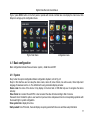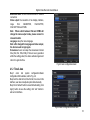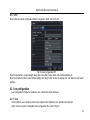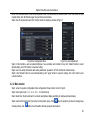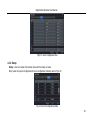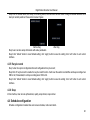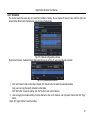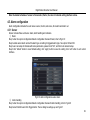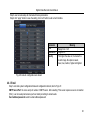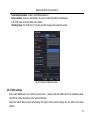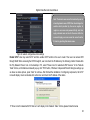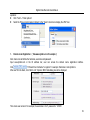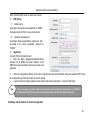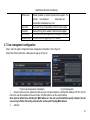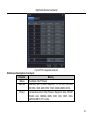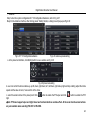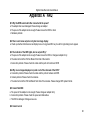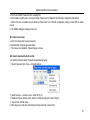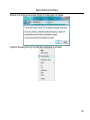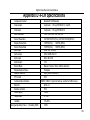
1
DVR User Manual For H.264 4/8/16-channel digital video recorder All rights reserved Digital Video Recorder User Manual CAUTION Please read this user manual carefully to ensure that you can use the device correctly and safely We do not warrant all the content is correct. The contents of this manual are subject to change without notice This device should be operated only from the type of power source indicated on the marking label. The voltage of the power must be verified before using. Kindly remove the cables from the power source if the device is not to be used for a long period of time. Do not install this device near any heat sources such as radiators, heat registers, stoves or other device that produce heat Do not install this device near water. Clean only with a dry cloth Do not block any ventilation openings and ensure well ventilation around the machine Do not power off the DVR when the device is function. The correct procedure to shut down DVR is to stop recording firstly, and then use “shut down” button from the menu, and finally switching off the main power. This equipment is for indoor use only. Do not expose the machine in rain or moist environment. In case any solid or liquid get inside the machine’s case, please cut off the power supply immediately, and get it checked by a qualified technician. Refer all servicing to qualified service personnel. No any parts repaired by yourself without technical aid or approval. This manual is suitable for 4/8/16-channel digital video recorders. All examples and pictures used in the manual are from 8-channel DVR. Digital Video Recorder User Manual Table of Contents 1 Introduction......................................................................................................................................................................... 1 1.1 DVR Introduction ............................................................................................................................................................................................... 1 1.2 Main Features.................................................................................................................................................................................................... 1 2 Hardware Installation ......................................................................................................................................................... 4 2.1 Install Hard Drive ............................................................................................................................................................................................... 4 2.1.1 Install Hard Drive ..................................................................................................................................................................................... 4 2.2 Front Panel Instructions ..................................................................................................................................................................................... 5 2.3 Rear Panel Instructions ...................................................................................................................................................................................... 6 2.3.1 Rear Panel Interface ................................................................................................................................................................................ 6 2.4 Remote Controller.............................................................................................................................................................................................. 9 2.5 Control with Mouse ........................................................................................................................................................................................... 11 2.5.1 Connect Mouse....................................................................................................................................................................................... 11 2.5.2 Use Mouse.............................................................................................................................................................................................. 11 3 Basic Function Instruction .............................................................................................................................................. 13 3.1 Power On/Off....................................................................................................................................................................................................13 3.1.1 Power on ................................................................................................................................................................................................13 3.1.2 Power off ................................................................................................................................................................................................13 3.2 Login ................................................................................................................................................................................................................14 3.3 Live preview .....................................................................................................................................................................................................14 3.3.1 Live playback ..........................................................................................................................................................................................15 4 Main menu setup guide .................................................................................................................................................... 16 4.1 Basic configuration ...........................................................................................................................................................................................17 4.1.1 System ...................................................................................................................................................................................................17 Digital Video Recorder User Manual 4.1.2 Time & date.............................................................................................................................................................................................18 4.1.3 DST ........................................................................................................................................................................................................19 4.2 Live configuration..............................................................................................................................................................................................19 4.2.1 Live.........................................................................................................................................................................................................19 4.2.2 Main monitor ...........................................................................................................................................................................................20 4.2.3 Spot ........................................................................................................................................................................................................21 4.2.4 Mask.......................................................................................................................................................................................................21 4.3 Record configuration .........................................................................................................................................................................................22 4.3.1 Enable ....................................................................................................................................................................................................22 4.3.2 Record stream ........................................................................................................................................................................................23 4.3.3 Time........................................................................................................................................................................................................24 4.3.4 Stamp .....................................................................................................................................................................................................25 4.3.5 Recycle record ........................................................................................................................................................................................26 4.3.6 Snap .......................................................................................................................................................................................................26 4.4 Schedule configuration .....................................................................................................................................................................................26 4.4.1 Schedule.................................................................................................................................................................................................27 4.4.2 Motion.....................................................................................................................................................................................................28 4.4.3 Sensor ....................................................................................................................................................................................................28 4.5 Alarm configuration ...........................................................................................................................................................................................29 4.5.1 Sensor ....................................................................................................................................................................................................29 4.5.2 Motion.....................................................................................................................................................................................................31 4.5.3 Video loss ...............................................................................................................................................................................................33 4.5.4 Other alarm.............................................................................................................................................................................................33 4.5.5 Alarm out ................................................................................................................................................................................................34 4.6 Network configuration .......................................................................................................................................................................................35 4.6.1 Network ..................................................................................................................................................................................................35 Digital Video Recorder User Manual 4.6.2 Sub stream .............................................................................................................................................................................................35 4.6.3 Email ......................................................................................................................................................................................................36 4.6.4 Other settings .........................................................................................................................................................................................37 4.7 User management configuration .......................................................................................................................................................................41 4.8 P.T.Z configuration ............................................................................................................................................................................................42 4.9 Reset................................................................................................................................................................................................................46 5 Record search & playback and backup .......................................................................................................................... 47 5.1 Time search......................................................................................................................................................................................................47 5.2 Event search.....................................................................................................................................................................................................48 5.3 File management ..............................................................................................................................................................................................49 5.4 Image ...............................................................................................................................................................................................................50 5.5 Backup .............................................................................................................................................................................................................50 6 Manage DVR...................................................................................................................................................................... 51 6.1 Check system information .................................................................................................................................................................................51 6.1.1 System information .................................................................................................................................................................................51 6.1.2 Event information ....................................................................................................................................................................................51 6.1.3 Log information .......................................................................................................................................................................................51 6.1.4 Network information ................................................................................................................................................................................51 6.1.5 Online information ...................................................................................................................................................................................51 6.2 Disk management .............................................................................................................................................................................................51 6.3 Upgrade ...........................................................................................................................................................................................................52 6.4 Logoff ...............................................................................................................................................................................................................52 7 Remote Surveillance ........................................................................................................................................................ 53 7.1 IE Remote Surveillance.....................................................................................................................................................................................53 7.1.1 On LAN ...................................................................................................................................................................................................53 7.1.2 On WAN .................................................................................................................................................................................................53 Digital Video Recorder User Manual 7.2 Remote Surveillance through Apple PC.............................................................................................................................................................55 7.2.1 On LAN ...................................................................................................................................................................................................56 7.2.2 On WAN .................................................................................................................................................................................................58 7.3 The remote live preview interface ......................................................................................................................................................................59 7.4 Remote playback & backup...............................................................................................................................................................................63 7.4.1 Remote playback ....................................................................................................................................................................................63 7.4.2 Remote backup .......................................................................................................................................................................................68 7.5 Remote System Configuration ..........................................................................................................................................................................69 8 Mobile Surveillance .......................................................................................................................................................... 70 8.1 By Phones with Windows mobile.......................................................................................................................................................................70 8.2 By Phones with Symbian ..................................................................................................................................................................................72 8.3 The operation method for iPhone mobile clients ................................................................................................................................................74 8.4 The installation & operation methods for Android mobile clients Software Installation .........................................................................................83 8.5 Installation and Operation methods for blackberry mobile phone Client .............................................................................................................89 8.5.1 Installation instruction for Blackberry mobile phone client ........................................................................................................................89 8.5.2 Operation method for Black berry mobile phone client .............................................................................................................................92 Appendix A FAQ…………………………………………………………………………………………………………………...............96 Appendix B Calculate Recording Capacity………………………………………………………………..…………………………101 Appendix C Compatible Devices…………………………………………………………………………………………………........102 Appendix D 4-CH DVR Specifications…………………………………………………………………………………………………103 Appendix E 8-CH DVR Specifications…………………………………………………………………………………………………104 Appendix F 16-CH DVR Specifications………………………………………………………………………………………………..105 Digital Video Recorder User Manual 1 Introduction 1.1 DVR Introduction This model of DVR (Digital Video Recorder) is designed for high performance CCTV solutions. It adopts state of the art video processing chips and embedded Linux system. Meanwhile, it utilizes most advanced technologies, such as standard H.264 with low bit rate, Dual stream, SATA interface, VGA output mouse supported, IE browser supported with full remote control, mobile view(by phones), etc., ensuring powerful functions and high stability. Due to these distinctive characteristics, it is widely used in banks, telecommunication, transportation, factories, warehouse, and other related applications. 1.2 Main Features COMPRESSION FORMAT Standard H.264 compression with low bit rate and better image quality LIVE SURVEILLANCE Support HD VGA output Support channel security by hiding live display Display the local record state and basic information Support USB to make full control RECORD MEDIA Support one SATA HDD to record for a longer time without any limitation BACKUP Support USB 2.0 devices to backup 1 Digital Video Recorder User Manual Support saving recorded files with AVI standard format to a remote computer through internet RECORD & PLAYBACK Record modes: Manual, Schedule, Motion detection and Sensor alarm recording Support recycle after HDD full Resolution, frame rate and picture quality are adjustable 128MB for every video file packaging 4 audio channels available Two record search mode: time search and event search Support 4/8/16 screen playback simultaneously Support deleting and locking the recorded files one by one Support remote playback in Network Client through LAN or internet ALARM 1 channel alarm output and 4/8/16 channel alarm input available Support schedule for motion detection and sensor alarm Support pre-recording and post recording Support linked channels recording once motion or alarm triggered on certain channel Support linked PTZ preset ,auto cruise and track of the corresponding channel PTZ CONTROL Support various PTZ protocols Support 128 PTZ presets and 8 auto cruise tracks Support remote PTZ control through internet SECURITY Customize user right: log search, system setup, two way audio, file management, disk management, remote login, 2 Digital Video Recorder User Manual live view, manual record, playback, PTZ control and remote live view Support 1 administrator and 63 users. Support event log recording and checking, events unlimited NETWORK Support TCP/IP, DHCP, PPPoE, DDNS protocol Support IE browser to do remote view Support setup client connection amount Support dual stream. Network stream is adjustable independently to fit the network bandwidth and environment. Support picture snap and color adjustment in remote live Support remote time and event search, and channel playback with picture snap Support remote PTZ control with preset and auto cruise Support remote full menu setup, changing all the DVR parameters remotely Support mobile surveillance by smart phones , Symbian, WinCE, Iphone , Gphone, or Blackberry, 3G network available Support CMS to manage multi devices on internet 3 Digital Video Recorder User Manual 2 Hardware Installation Notice: Check the unit and the accessories after getting the DVR. Please disconnect the power before being connected to other devices. Don't hot plug in/out 2.1 Install Hard Drive 2.1.1 Install Hard Drive Notice: 1.This series support one SATA hard drive. Please use the hard drive the manufacturers recommend specially for security and safe field. Please refer to “Appendix C Compatible Devices 2”. 2. Please calculate HDD capacity according to the recording setting. Please refer to “Appendix B Calculate Recording Capacity”. Step1: Unscrew and Open the top cover Step2: Connect the power and data cables. Place the HDD onto the bottom case as Fig 2.1. Step3: Mount the HDD as Fig 2.2. Note: For installation convenience, please connect the power and data cables first, and then wind the screws to fix the HDD. Fig 2.1 Connect HDD Fig 2.2 Screw HDD 4 Digital Video Recorder User Manual 2.2 Front Panel Instructions Notice: The front panel descriptions are only for reference; please make the object as the standard. Type Item Name Description 1 Work state indicator Power HDD Net Backup Play REC MENU/+ BACKUP/- Compound button 2 RECORD/FOCUS REW/SPEED SEARCH/ZOOM PLAY /IRIS FF/ P.T.Z. STOP/ESC 1-9 3 Digital button 0/10+ Power indicator, when connection , the light is blue When HDD is writing and reading , the light is blue When access to network , the light is blue When backup files and data, the light is blue When playing video, the light is blue When recording, the light is blue 1. Enter menu in live 2. Increase the value in setup 1. Decrease the value in setup 2. Enter backup mode in live 1. Record manually 2. FOCUS function enables at PTZ mode. 1. Rewind key 2. SPEED function enables at PTZ mode 1. Enter search mode 2.ZOOM function enables at PTZ mode. 1. Enter play interface 2. IRIS function enables at PTZ mode 1. Fast forward 2. Enter PTZ mode in live 1. Quit play mode 2. Exit the current interface or status Input number 1-9 or choose camera Input number0, 10 and the above number together with other digital keys 5 Digital Video Recorder User Manual Item Type 4 Input button 5 Name Description IR receiver Direction button Multi-screen Enter button IR 6 USB USB port 7 POWER POWER Change direction to select items Change screen display mode like1/4/9/16 channel Confirm selection For remote controller To connect external USB devices like USB flash, USB HDD for backup or update firmware; or connect to USB mouse Shot switch off 2.3 Rear Panel Instructions 2.3.1 Rear Panel Interface The rear Panel interface for 4-ch is shown as Fig 2.3: Fig 2.3 Rear Panel for 4-ch 6 Item Name 1 Video out 2 Spot out 3 4 5 6 7 8 9 10 11 12 13 14 Audio out Video in DC12V VGA port LAN USB port P/Z K/B ALARM OUT + 5V and GND ALARM IN Audio in Digital Video Recorder User Manual Description Connect to monitor Connect to monitor as an AUX output channel by channel. Only video display, no menu show Audio output, connect to the sound box Video input channels from 1-4 POWER INPUT VGA output, connect to monitor Network port Connect USB mouse or connect external USB devices Connect to speed dome Connect to keyboard 1-ch relay output. Connect to external alarm +5 V and Grounding Connect to external sensor1-4 4 CH Audio input The rear Panel interface for 8-ch is shown as Fig 2.4: Fig 2.4 Rear Panel for 8-ch 7 Digital Video Recorder User Manual Item Name Description 1 Video out 2 Spot out 3 4 5 6 7 8 9 10 11 12 13 14 Audio out Video in DC12V VGA port LAN USB port P/Z K/B ALARM OUT + 5V and GND ALARM IN Audio in Connect to monitor Connect to monitor as an AUX output channel by channel. Only video display, no menu show Audio output, connect to the sound box Video input channels from 1-8 POWER INPUT VGA output, connect to monitor Network port Connect USB mouse or connect external USB devices Connect to speed dome Connect to keyboard 1-ch relay output. Connect to external alarm +5 V and Grounding Connect to external sensor1-4 4 CH Audio input The rear Panel interface for 16-ch is shown as Fig 2.5: Fig 2.5 Rear Panel for 16-ch 8 Digital Video Recorder User Manual Item Name Description 1 2 3 4 5 6 7 8 9 10 11 Audio out Audio in VGA port Video out P/Z K/B ALARM OUT + 5V and GND ALARM IN USB port NET 12 Spot out 13 14 Video in DC12V Audio output, connect to the sound box 4 CH Audio input VGA output, connect to monitor Connect to monitor Connect to speed dome Connect to keyboard 1-ch relay output. Connect to external alarm. +5 V and Grounding Connect to external sensor1-16 Connect USB mouse or connect external USB devices Network port Connect to monitor as an AUX output channel by channel. Only video display, no menu show Video input channels from 1-16 POWER INPUT 2.4 Remote Controller It uses two AAA size batteries and works after loading batteries as following: Step1: Open the battery cover of the Remote Controller Step2: Place batteries. Please take care the poles (+ and -) Step3: Replace the battery cover Notice: Frequently defect checking as following 1. Check batteries poles 2. Check the remaining charge in the batteries 3. Check IR controller sensor is mask If it still doesn't work, Please change a new remote controller to try, or contact your dealers The interface of remote controller is shown in Fig2.6 Remote Controller. 9 Digital Video Recorder User Manual Item Name 1 2 3 4 5 6 7 8 9 10 11 12 13 14 Power Button INFOR Button REC Button Digital Button Multi Screen Button SEARCH Button MENU Button ENTER Button Direction Button +/- Button Playback Control Button AUDIO Button Auto Dwell Button BACKUP Button 15 PTZ Control Button Fig 2.6 Remote Controller Function Soft switch off to stop firmware running. Do it before power off. Get information about the DVR like firmware version, HDD information To record manually Input digital or choose camera To choose multi screen display mode To enter search mode To enter menu To confirm the choice or setup Move cursor in setup or pan/title PTZ To increase or decrease the value in setup To control playback, Fast forward/rewind/stop/single frame play To enable audio output in live mode To enter auto dwell mode To enter backup mode To control PTZ camera: Move camera/ZOOM/FOCUS/IRIS/SPEED control 10 Digital Video Recorder User Manual Operation processes with remote controller to control multi-DVR The device ID of the DVR is 0. When use of remote controller to control single DVR, it‟s not necessarily to reset the device ID, user can do operation directly; when control multiple DVR with remote controller, please refer to below steps: Step1: Activate remote controller to control DVR: enable DVR: turn the IR sensor of the remote controller to the IR receiver that on the front panel, press the number key 8 twice, then input device ID (Range from: 0-65535; the default device ID is 0.) with other digital number: 0-9, after that, press ENTER button to confirm. Step2: User can check the device ID by enter into System configurationBasic configurationdevice ID. User also can set other DVRs with the same device ID. For more convenient to operate, we don‟t recommend user to set the device ID too long. Step3: Cancel controller to control DVR: turn the IR sensor of the remote controller to the IR receiver that on the front panel, press the number key 8 twice, then input the device ID that needs to be cancelled from controlling, press ENTER button to confirm. After that, the DVR will not be controlled by remote controller. 2.5 Control with Mouse 2.5.1 Connect Mouse It supports USB mouse through the ports on the rear panel. Notice: If mouse is not detected or doesn't work, check below steps: 1. Make sure the mouse plugs in the USB mouse port not the USB port 2. Change a mouse to try 2.5.2 Use Mouse In live: Double-click left button on one camera to be full screen display. Double-click again to return to the previous screen display. Click right button to show the control bar at the bottom of the screen as Fig 2.6 Remote Controller. Here are all control and setup. Click right mouse again to hide the control bar. In setup: 11 Digital Video Recorder User Manual Click left button to enter. Click right button to cancel setup, or return to the previous. If want to input the value, move cursor to the blank and click. An input window will appear as Fig2.7. It supports digitals, letters and symbols input. Fig 2.7 Digital Numbers and Letters Input Window Users can change some value by the wheel, such as time. Move cursor onto the value, and roll the wheel when the value blinks. It supports mouse drag. I.e. Set motion detection area: click customized, hold left button and drag to set motion detection area. Set schedule: hold left button and drag to set schedule time In playback: Click left button to choose the options. Click right button to return to live mode. In backup: Click left button to choose the options. Click right button to return to previous picture. In PTZ control: Click left button to choose the buttons to control the PTZ. Click right button to return to live. Notice: Mouse is the default tool in all the operation below unless Exceptional indication 12 Digital Video Recorder User Manual 3 Basic Function Instruction 3.1 Power On/Off Before you power on the unit, please make sure all the connection is good. 3.1.1 Power on Step1: connect with the source power; switch on the power button near the power port in the rear panel Step2: the device will be loaded, and the power indicator will display blue Step3: before start, a WIZZARD window will be pop-up and show some information about time zone,time setup,network configuration, record configuration and disk management. User can setup here and refer to the concrete setup steps from the corresponding chapters. If users don‟t want to setup Wizard, please click Exit button to exit. After the device power on, if there is no menu or only has live image display, user can long press ESC button to switch. Notice: this serial device can only display menu on VGA monitor or BNC monitor at one time, if there is live image display without menu display, please check up whether other device has menu display firstly, or long press ESC key to wait for login dialog box to appear. Long press ESC key can switch the output between BNC and VGA. 3.1.2 Power off User can power off the device by using remote controller、keyboard and mouse. By remote controller: Step1: press Power button, the Shut down window will appear, click OK, the unit will power off after a while. Step2: disconnect the power By keyboard and mouse: Step1: enter into Menu, then select “System Shut Down” icon, the Shut down window will appear Step2: click OK, the unit will power off after a while. Step3: disconnect the power 13 Digital Video Recorder User Manual 3.2 Login User can login and logout the DVR system. User cannot do any other operations except changing the multi-screen display once logout. Fig 3-1 Login Notice: the default user name and password is “admin” and 123456” The concrete operation steps for change password, add or delete user please refer to 4.7 User management configuration for more details. 3.3 Live preview Symbol Green Yellow Red Blue Meaning Manual record Motion detection record Sensor Alarm record Schedule record Fig 3-2 live preview interface 14 Digital Video Recorder User Manual 3.3.1 Live playback Click Play screen. button to playback the record. Refer to Figure3-3. User can do concrete operation by click the buttons on Fig 3-3 live playback 15 Digital Video Recorder User Manual 4 Main menu setup guide Click right mouse or press ESC button on the front panel, the control bar will display on the bottom of the screen, refer to Fig 4-1: Fig 4-1 menu toolbar Click the icon beside the screen display mode to display a channel select dialog. 6/8 channels can realize single channel big screen. Images can drag to any place to display in the live interface. Dwell: Range of selecting to dwell is from single picture preview mode to 1/4/6/8 picture preview mode. Color: Click this button; user can adjust the color of live pictures. E-Zoom: Single channel large screen electronic amplification Left click the channel which needs to amplify; Click the right mouse, select Zoom in button and then click the left mouse to amplify the image. Press left mouse to drug the cursor, user can view the image. Double-click the left mouse to exit. Click the right mouse to return to the main interface. Volume: Enable sound. PTZ: Click the PTZ button, user can control rotation position, speed of the dome and start track, auto scan or cruise in this interface. User can refer to PTZ configuration for more details. Snap: click this button; user can snap the live pictures. These pictures will automatically be saved in the SATA disk. Record: Click this button, user can start manual record. Playback: Click this button, the device can playback the record files. User can click button and drag it anywhere with the left mouse. Click Menu button, the interface will pop-up as 16 Digital Video Recorder User Manual Fig 4-2; press MENU button on the front panel or operate with remote controller also can display the main menu. Click Setup icon will pop-up the configuration menu: Fig 4-2 main menu configuration menu 4.1 Basic configuration Basic configuration includes three sub menus: system、date& time and DST. 4.1.1 System Step1: enter into system configurationbasic configurationsystem; refer to Fig 4-3: Step2: in this interface user can setup the device name, device ID, video format, max online users, Video Output and language, Screensaver and so on. The definitions for every parameters display as below: Device name: the name of the device. It may display on the client end or CMS that help user to recognize the device remotely. Video format: two modes: PAL and NTSC. User can select the video format according to that of camera. Password check: Enable this option. user needs to input user name and password can do corresponding operations with the relevant right in system configuration. Show system time: display time in live. Startup wizard: tick off this item, there will display an opening wizard with time zone and time setup information 17 Digital Video Recorder User Manual Max online uses: set the max user amount of network connection Video output: the resolution of live display interface, range from: VGA800*600, VGA1024*768, VGA1280*1024 and CVBS. Note: When switch between VGA and CVBS will change the menu output mode, please connect to relevant monitor. Language: setup the menu language. Note: after changed the language and video output, the device needs to login again. Screensaver: user can setup the screensaver interval time (30s, 60s, 180s, 300s), if there is no any operation within the setting period, the device will auto logout and return to Login interface. Fig 4-3 basic configuration-basic 4.1.2 Time & date Step1: enter into system configurationbasic configurationtime & date; refer to Fig 4-4: Step2: set the date format, time format, time zone in this interface; user also can adjust system date manually Step3: click “default” button to resort default setting; click “apply” button to save the setting; click “exit” button to exit current interface. Fig 4-4 basic configuration-time & date 18 Digital Video Recorder User Manual 4.1.3 DST Step1: enter into system configurationbasic configurationDST; refer to Fig 4-5: Fig 4-5 basic configuration-DST Step2: in this interface, enable daylight saving time, time offset, mode, start & end month/week/date, etc. Step3: click “default” button to resort default setting; click “apply” button to save the setting; click “exit” button to exi t current interface. 4.2 Live configuration Live configuration includes four submenus: live, main monitor, Spot and mask. 4.2.1 Live In this interface, user can setup camera name, adjust colors: brightness, hue, saturation and contrast. Step1: enter into system configurationlive configurationlive; refer to Fig 4-6: 19 Digital Video Recorder User Manual Note: Click Camera Name to see a soft keyboard. User can self-define the camera name. Click Shift button to input Capital letters; click Shift button again to input Chinese characters. Step2: tick off camera name and click “setting” button to display a window as Fig 4-7: Fig 4-6 live configurationlive Fig 4-7 live-color adjustment Step3: in this interface, user can adjust brightness, hue, saturation and contrast in live; click “default” button to resort default setting, click “OK” button to save the setting. Step4: user can setup all channels with same parameters, please tick off “all” and then do relevant setup. Step5: click “default” button to resort default setting; click “apply” button to save the setting; click “exit” button to exit current interface. 4.2.2 Main monitor Step1: enter into system configurationlive configurationmain monitor; refer to Fig 4-8: Step2: select split mode: 1×1、2×2、2×3、3×3 and channel Step3: dwell time: the time interval for a certain dwell picture display switching to next dwell picture display Step4: selected the split mode, then setup current picture group. Click of dwell picture, click button to setup the previous channel groups button to set the latter channel groups of dwell picture. 20 Digital Video Recorder User Manual Step5: click “default” button to resort default setting; click “apply” button to save the setting; click “exit” button to exit current interface. Fig 4-8 live configuration-host monitor 4.2.3 Spot Step1: enter into system configurationlive configurationSpot; refer to Fig 4-9: Step2: select split mode: 1×1and channel Step3: dwell time: the time interval for a certain dwell picture display switching to next dwell picture display Step4: selected the split mode, then setup current picture group. Click button to setup the previous channel groups of dwell picture; click button to set the latter channel groups of dwell picture. Step5: click “default” button to resort default setting; click “apply” button to save the setting; click “exit” button to exit current interface Fig 4-9 live configuration-Spot 4.2.4 Mask User can setup private mask area on the live image picture, max threes areas. 21 Digital Video Recorder User Manual Setup mask area: click Setting button, enter into live image to press left mouse and drag mouse to set mask area, refer to below picture. Click Apply button to save the setting. Delete mask area: select a certain mask area, click left mouse to delete that mask area, click Apply button to save the setting. Fig 4-10 live configuration-mask Setup mask area Live image mask area 4.3 Record configuration Record configuration includes six sub menus: enable, record bit rate, time, recycle record, stamp and snap. 4.3.1 Enable Step1: enter into system configurationrecord configurationenable; refer to Fig 4-11: 22 Digital Video Recorder User Manual Parameter Record Audio Meaning Record switch of every channels Enable live record audio Fig 4-11 record configuration-enable Step2: tick off record, audio and record time Step3: user can setup all channels with same parameters, tick off “all”, then to do relevant setup. Step4: click “default” button to resort default setting; click “apply” button to save the setting; click “exit” button to exit current interface. 4.3.2 Record stream Step1: enter into system configurationrecord configurationrecord bit rate; refer to Fig 4-12: Step2: setup rate, resolution, quality, encode and max bit stream Step3: user can setup all channels with same parameters, tick off “All”, then to do relevant setup. Step4: click “default” button to resort default setting; click “apply” button to save the setting; click “exit” button to exit current interface. Note: if the rate value set is over high the maximum resources of the device, the value will be adjusted automatically. 23 Parameter Meaning Digital Video Recorder User Manual Resolution fps Support CIF Range from 1-30(NTSC)1-25(PAL) Quality The higher the value is, the clearer the Recorded image is. Six options: lowest, lower, low, medium, higher and highest. Fig 4-12 record configuration-record bit rate 4.3.3 Time Step1: enter into system configurationrecord configuration time; refer to Fig 4-13: Pre-alarm record time: the record time before event happen i.e. record time before motion detection or sensor alarm is triggered. Post-alarm record: set the post recording time after the alarm is finished, five options: 10s, 15s, 20s, 30s, 60s, 120s, 180s and 300s. Expire time: the hold time of saved records. If the set date is overdue, the record files will be deleted automatically. Step2: user can setup all channels with same parameters. Tick off “all” to do relevant setup. Step3: click “default” button to resort default setting; click “apply” button to save the setting; click “exit” button to exit current interface. 24 Digital Video Recorder User Manual Fig 4-13 record configuration-time 4.3.4 Stamp Stamp:User can overlap the channel name and time stamp on video. Step1: enter into system configuration record configuration stamp; refer to Fig 4-14: Fig 4-14 record configuration-stamp 25 Digital Video Recorder User Manual Step2: tick off camera name, time stamp; click Setting button, and then user can use cursor to drag the camera name and time stamp in random positions. Please refer to below Figures: Before drag after drag Step3: user can also setup all channels with same parameters. Step4: click “default” button to resort default setting; click “apply” button to save the setting; click “exit” button to exit current interface. 4.3.5 Recycle record Step1: enter into system configurationrecord configurationrecycle record; Step2: tick off recycle record to enable the recycle record function. It will cover the earlier recorded files and keep recoding when HDD is full; if disenabled, it will stop recording when HDD is full. Step3: click “default” button to resort default setting; click “apply” button to save the setting; click “exit” button to exit current interface. 4.3.6 Snap In this interface, User can set up Resolution, quality, snap interval, snap number. 4.4 Schedule configuration Schedule configuration includes three sub menus: schedule, motion and alarm. 26 Digital Video Recorder User Manual 4.4.1 Schedule The volume means the seven days of a week from Monday to Sunday; the row means 24 hours of a day. Click the grid to do relevant setup. Blue means checked area, gray means unchecked area. Fig 4-15 schedule configuration-schedule Step2: select channel, double-click and a dialog box will pop-up as Fig 4-16, user can edit week schedule: Fig 4-16 schedule-week schedule Click “add” button to add a certain day schedule; click “delete” button to delete the selected schedule; Copy: user can copy the specify schedule to other dates. Click “OK” button to save the setting, click “Exit” button to exit current interface. ② User can apply the schedule setting of certain channel to other or all channels. Just only select channel and click “Copy” button. Step3: click “apply” button to save the setting. ① 27 Digital Video Recorder User Manual 4.4.2 Motion Step1: enter into system configurationschedule configurationmotion; refer to Fig 4-17: Step2: the setup steps of motion are familiar with schedule; user can refer to 4.4.1 Schedule for details. Fig 4-17 schedule configuration-motion Note: the default schedule of motion detection is full-selected, that is, the color of schedule setting interface is blue. 4.4.3 Sensor Step1: enter into system configurationschedule configurationalarm; refer to Fig 4-18: Fig 4-18 schedule configuration-sensor Step2: the setup steps of alarm are familiar with schedule; user can refer to 4.4.1 Schedule for details. 28 Digital Video Recorder User Manual Note: the default schedule of sensor is full-selected, that is, the color of schedule setting interface is blue. 4.5 Alarm configuration Alarm configuration includes five sub menus: sensor, motion, video loss, other alarm and alarm out. 4.5.1 Sensor Sensor includes three sub menus: basic, alarm handling and schedule. ① Basic Step1: enter into system configurationalarm configurationsensorbasic; refer to Fig 4-19: Step2: enable sensor alarm and set the alarm type according to triggered alarm type. Two option: NO and NC. Step3: user can setup all channels with same parameters, please tick off “all”, and then to do relevant setup. Step4: click “default” button to resort default setting; click “apply” button to save the setting; click “exit” button to exit current interface. Fig 4-19 alarm configuration-sensor-basic ② Alarm handling Step1: enter into system configurationalarm configurationsensoralarm handling; refer to Fig 4-20: Step2: select hold time and click Trigger button. Then a dialog box will pop-up as Fig 4-21: 29 Digital Video Recorder User Manual Fig 4-20 alarm configuration-sensor-alarm handling Fig 4-21 alarm handling-trigger Step3: After selecting Buzzer, there will be triggered buzzer alarm out; Full screen alarm: when triggered alarm, there will pop up full screen alarm; Email: tick of this function. When an alarm trigged, a notification email will be sent to user‟s designed email box including trigger events, time, snap pictures, device name, ID camera name etc. Snap: Select channels. When an alarm is trigged, the system will automatically save the captured pictures from the selected channel. If user tick off Email function, these pictures will also be sent to user‟s designed email box. To alarm out: When selecting the channel, there will be triggered alarm out in the designated channel. Click OK button to save the setting; click Exit button to exit the current interface. To record: tick off recoding channels. It will record the camera when alarm triggered. Click OK button to save the setting; click Exit button to exit the current interface. To P.T.Z: set linked preset and cruise for alarm. User can select any channel and multi channels as linked channels. Click OK button to save the setting; click Exit button to exit the current interface. Step4: user can also setup all channels with same parameters. Step5: click “default” button to resort default setting; click “apply” button to save the setting; click “exit” button to exit current interface. ③ Schedule Step1: enter into system configurationalarm configurationsensorschedule; refer to Fig 4-22: 30 Digital Video Recorder User Manual Fig 4-22 sensor-schedule Step2: the setup steps of sensor schedule are familiar with schedule; user can refer to 4.4.1 Schedule for details. Note: the default schedule of sensor is full-selected, that is, the color of schedule setting interface is blue. 4.5.2 Motion Motion includes two sub menus: motion and schedule. ① Motion Step1: enter into system configurationalarm configurationmotion; refer to Fig 4-23: Step2: enable motion alarm and set alarm hold time which means time interval between two adjacent detective motions. If there is other motion detected during the interval period which is considered continuous movement; otherwise, it will be considered that those two adjacent detective motions are two different motion events. Click Trigger button to pop up a dialog box. Step3: the setup steps of motion trigger are familiar with alarm handling; user can refer to Chapter 4.5.1 Sensor alarm handling for more details. 31 Digital Video Recorder User Manual Step4: click Area button to pop-up a window as Fig 4-24: Fig 4-24 motion-area Step5: in the Area interface, user can drag slide bar to set the sensitivity value (1-8), the default value is 4. The higher the value is the higher sensitivity you get. Due to the sensitivity is influenced by color and time (day or night), user can adjust its value according to the practical conditions; click icon, set the whole area as detection area; click icon, the set detection area will be cleared; click icon, user can test whether the sensitivity value and motion area are suitable accordingly(refer to following picture); Click icon, to save the setting; click icon, exit current interface. Note: when user drag mouse to set motion detection area, they have to click icon to clear all set detection area firstly, and then make the operation. Step6: user can also setup all channels with same parameters. Step7: click “default” button to resort default setting; click “apply” button to save the setting; click “exit” button to exit current interface. ② Schedule Step1: enter into system configurationalarm configurationschedule; refer to Fig 4-25: Step2: the setup steps of alarm schedule are familiar with schedule; user can refer to 4.4.1 Schedule for details. 32 Digital Video Recorder User Manual 4.5.3 Video loss Step1: enter into system configurationalarm configurationvideo loss; refer to Fig 4-26: Step2: the setup steps of video loss trigger are familiar with alarm handling; user can refer to Chapter 4.5.1 Sensor alarm handling for more details. Step3: user can also setup all channels with same parameters. Step4: click “apply” button to save the setting; click “exit” button to exit current interface. Fig4-25 alarm configuration-schedule Fig 4-26 alarm configuration-video loss 4.5.4 Other alarm Step1: enter into system configurationother alarm; refer to Fig 4-27: Disk full: user can choose the capacity of the disk storage and select the related alarm. If the disk is full, the system will alarm according to the setup. IP conflict: if there is an IP address conflict within the same network, the device will alarm after user selects buzzer and the channel to alarm out. Disconnect: if the disconnect happens, the device will the device will alarm after the user selects buzzer and the channel to alarm out. Disk Warning: if the disk reduces, the system will send email to the designated mailbox or alarm to notify the reducing information after the user has selected the corresponding function. 33 Digital Video Recorder User Manual Step2: the setup steps of Buzzer, Email, To Alarm Out are familiar with alarm handling. User can refer to Chapter 4.5.1 Sensor alarm handling for more details. Step 3: select a hard disk in the pull down list box. When the disk capacity is lower than that value, there will appear some text information on the lower right of the live image. Step 4: click “default” button to resort default setting; click “apply” button to save the setting; click “exit” button to exit current interface. Fig4-27 other alarm 4.5.5 Alarm out Alarm out includes three sub menus: alarm out, schedule and buzzer ① Alarm out Step1: enter into system configurationalarm out; refer to Fig 4-28: Step2: in this interface, set relay alarm out name, select hold time which means the interval time between the two adjacent alarms. Step3: user can setup all channels with same parameters. Tick off “all” to do relevant setup. Step4: click “apply” button to save the setting; click “exit” button to exit current interface. ② Schedule Step1: enter into system configurationschedule; Step2: the setup steps of alarm out schedule are familiar with schedule; user can refer to 4.4.1 Schedule for details. Note: the default schedule of motion detection is full-selected, that is, the color of schedule setting interface is blue. Fig 4-28 system configuration-alarm out 34 Digital Video Recorder User Manual ③ Buzzer Step1: enter into system configurationbuzzer; Step2: tick off Buzzer, set buzzer alarm hold time 4.6 Network configuration Network configuration includes four submenus: network, sub stream, Email and other settings. 4.6.1 Network Step1: enter into system configurationnetwork configurationnetwork; refer to Fig4-29: Step2: HTTP port: the default value is 80. If the value changed, user needs to add the port number when typing IP address in IE address blank .i.e. set HTTP port to 82, IP address: http://192.168.0.25, user needs to input that address: http://192.168.0.25:82 into IE browser. Server port: communication port Step3: After selecting the "Obtain an IP address automatically", the device will distribute IP address, subnet mask, and gateway IP and DNS server. Step4: enable PPPoE to directly connect the DVR to internet via ADSL and then input the user name and password; click TEST button to test the effectiveness of the relevant information. 4.6.2 Sub stream Step1: enter into system configurationnetwork configurationsub stream; refer to Fig 4-30: Step2: select fps, resolution, quality. Fig 4-29 network configuration-network 35 Digital Video Recorder User Manual Step3: user can also setup all channels with same parameters. Step4: click “apply” button to save the setting; click “exit” button to exit current interface. Parameter FPS Resolution Quality Meaning Range from: 1-25 Support CIF The higher the value is, the clearer the record image. Six options: lowest, lower, low, medium, higher and highest. Fig 4-30 network configuration-sub stream 4.6.3 Email Step1: enter into system configurationnetwork configurationemail; refer to Fig 4-31: SMTP Server/Port: the name and port number of SMTP server. After selecting “This server requires a secure connection (SSL)”, user can setup mail servers (such as Gmail) according to actual needs. Send address/password: sender‟s email address/password 36 Digital Video Recorder User Manual Send address/password: sender‟s email address/password Receive address: receiver‟s email address. Here user can add at least three mail addresses. Click TEST button to test the validity of the mailbox. Attaching image: Tick off this item. The system will attach images when sending the emails. Fig 4-31 network configuration-email 4.6.4 Other settings Step1: enable DDNS server: user needs to input user name, password and host domain name of the registered website, click TEST to test the effectiveness of the relevant information. Step2: click “default” button to resort default setting; click “apply” button to save the setting; click “exit” button to exit current interface. 37 Digital Video Recorder User Manual Note: The domain name server that selected by user is a banding domain name of DVR. User should logon the website which provided by the server supplier to register a user name and password firstly, and then apply a domain name on line for the server. After the successful apply, user can access the server from the IE client by inputting that domain name. Fig 4-32 network configuration-other settings Enable UPnP: User may select UPnP and then enable UPnP function in the user‟s router. Then user can access DVR through WAN. When accessing the DVR through IE, user can check the IP address by the following method: Double-click the “My Network Places” icon on the desktop in PC, select “Show icons for networked UPnP devices” in the “Network Tasks” list box, a information window will pop up, click “YES” button, “Windows Components Wizard” dialog box will pop up as shown as below picture, press “Next” to continue. After finished the installation of configuring components, the UPnP icons will display. Users can double-click certain icon and check the IP address of the device. If “Show icons for networked UPnP devices” can‟t display in the “Network Tasks” list box, please follow the below 38 Digital Video Recorder User Manual operation: Click “Tools”-- “Folder options” Select the “Show common tasks in folders” in the “Tasks” check box to display the UPnP icon. 1. Domain name Registration (Take www.dyndns.com for example) Note: Users can self-define the hostname, username and password. Input www.dyndns.com in the IE address bar, user can access the domain name registration interface. Click” ””Create Free Hostname” to register. For example: Hostname is “abc.dyndns.tv. After user fill in the blank, click “Add to cart”, Dynamic DNS Hosts dialog box will be displayed. Then create user account. For example, the username is “bcd”, password is “123456”. 39 Digital Video Recorder User Manual Click” Create Account” button to create user account. 2. DVR Setting (1) Domain name According to the domain name registration of “DDNS”, the domain name for DVR is “www. abc.dyndns.tv” (2) Username and password According to the above registration, username is “bcd”. According to the above registration, password is “123456” 3. Application Connect DVR to the Network Client. ① Enter into Basic configurationNetworkother settings, tick off DDNS, and select “Dyndns” at the DDNS Sever pull down list box and input user name and password. ② Enter into configuration interface of the router to map the server port and IP address (if the user enables UPnP function, he can skip this step). Click Save button to save the setting ③ Login IE browser and input registered domain name “http://www.abc.dyndns.tv”, connect to DVR client. Note If the value changed, user needs to add the port number when typing IP address in IE address blank .i.e. set HTTP port to 82, IP address: http://192.168.0.25, user needs to input that address: http://192.168.0.25:82 into IE browser. Definitions and descriptions of network configuration: 40 Digital Video Recorder User Manual DDNS server User name Password Host domain Update interval Website provided by dynamic domain name supplier. The optional: www.dns2p.net , www.meibu.com , www.dyndns.comandwww.no-ip.com User name for log in the website of domain name supplier Password for log in the website of domain name supplier The domain name user registered at the supplier‟s website. The interval time of upgrading DVR IP address 4.7 User management configuration Step1: enter into system configurationuser management configuration; refer to Fig 4-33: Step2: After clicking Add button, a dialog box will pop-up as Fig 4-34: Fig 4-33 user management configuration Fig 4-34 add-general ① General: Input user name, password; select user type: normal and advance, input the MAC address of the PC; click OK button, this user will be added into the user list box; click Exit button to exit the current interface. Note: when the default value of binding PC MAC address is 0, the user is not bind with the specify computer; the, the user can log in DVR on the binding computer after set the specific binding MAC address. ② Authority: 41 Digital Video Recorder User Manual Step1: enter into Add userauthority referring to Fig 4-35: Step2: In the authority interface, assign the definite operation right for that user. Step3: in the user management interface, click Setup button to modify user name, user type and binding PC MAC address. Step4: select the user that user wants to delete in the user list box and then click Delete button to delete this user. Step5: click Change password button to modify the password and then click Exit button to exit the current interface. Fig 4-35 add user-authority 4.8 P.T.Z configuration P.T.Z configuration includes two submenus: serial port and advance ① Serial port Step1: enter into system configurationP.T.Z configurationserial port; refer to Fig 4-36: 42 Digital Video Recorder User Manual Fig 4-36 P.T.Z configuration-serial port Definitions and descriptions of serial port: Parameter Meaning Address The address of the PTZ device Baud rate Baud rate of the PTZ device. Range form: 110, 300, 600, 1200, 2400, 4800, 9600, 19200, 34800, 57600, 115200, 230400, 460800, 921600. Protocol Communication protocol of the PTZ device. Range from: NULL, PELCOP, PELCOD, LILIN, MINKING, NEON, STAR, VIDO, DSCP, VISCA, SAMSUNG, RM110, HY, N-control. 43 Digital Video Recorder User Manual ② Advance Step1: enter into system configuration P.T.Z configurationadvance; refer to Fig 4-37: Step2: in the Advance interface, after clicking preset “Setting” button, a dialog box will pop-up as Fig 4-38: Fig 4-37 P.T.Z configuration-advance Fig 4-38 advance-preset setting a. in the preset set interface, click Setting button to see a window as Fig 3-39: Fig 4-39 preset set-setting b. user can control the dome rotates up, up left, down, right down, left , left down, right and up right and stop rotating; adjust the rotate speed and the value of zoom, focus and iris of the dome; c. select the serial number of the preset point. Click button to enable the PTZ wiper and click button to enable the PTZ light. Note: PTZ must support wiper and light, these two functional buttons can take effect. At the same time these two buttons are just available when selecting PELCOP or PELCOD. 44 Digital Video Recorder User Manual Click Save button to save the settings; click icon to hide the tool bar, right-key can remerge it; click interface. d. in the preset interface, click OK button to save the setting; click Exit button to exit current interface. Step3: in the Advance interface, click cruise “Setting” button, a dialog box will pop-up as Fig 4-40: icon to exit the current Fig 4-40 cruise set a. click Add button to add cruise line in the list box (max 8 cruise line can be added); select a cruise line and click Setup button, to see a window as Fig 4-41: Fig 4-41 cruise set-modify cruise line b. click Add icon to set the speed and time of preset point; select a preset point and click Delete icon preset point; click Modify icon to modify the setting of a preset point. User can click to delete that those icons to adjust the 45 Digital Video Recorder User Manual position of preset point. Click Preview button to preview the cruise line and then click OK button to save the setting. Next, click Exit button to exit current interface. c. select a preset point in the cruise line list box and click Delete button to delete that cruise line; click Clear all button to clear all cruise line from the list box; click OK button to save the setting; click Exit button to exit current interface. Step4: in the Advance interface, click track “Setting” button to pop up a dialog box as Fig 4-42: Fig 4-42 track setting a. user can control the dome rotates up, up left, down, right down, left, left down, right and up right and stop rotating; adjust the rotate speed and the value of zoom, focus and iris of the dome; click Start Record button to record the move track of PTZ and click this button again can stop record; click Start track button to play recorded track and click this button again can stop play. b. click icon to hide the tool bar, right-key can remerge it; click icon to exit the current interface. Step5: in the Advance interface, click “default” button to resort default setting; click “apply” button to save the setting; click “exit” button to exit current interface. 4.9 Reset Reset all settings and then the device will reboot. 46 Digital Video Recorder User Manual 5 Record search & playback and backup Search configuration includes four submenus: Time Search, Event Search, File Management and Snap. 5.1 Time search Step1: enter into Search configurationTime Search; refer to Fig 5-1: Fig 5-1 Search configuration-time search Step2: select channel, screen display mode, the highlight date in the calendar means have record data Step3: select a date and press Search button. Click the time grid to set the play start time or input play record time manually. The selected time match the blue grid. Note: the vertical column means hours, horizontal column means channels. Step4: click Play button to playback record; click the relevant buttons on the screen to do operation: 47 Digital Video Recorder User Manual Playback buttons Note: when the monitor resolution is VGA800*600, the time search interface will appear a hide button. Click this button to expand the whole interface. 5.2 Event search Step1: enter into Search configurationevent search; refer to Fig 5-2: Fig 5-2 Search configuration-event search 48 Digital Video Recorder User Manual Step2: After clicking Search button, the searched event information will displayed in the event list box. User can select date, channel. Tick off Motion, Sensor or All accordingly. Step3: double check a certain record file to playback. 5.3 File management Step1: enter into Search configurationfile management; refer to Fig 5-3: Fig 5-3 Search configuration-file management Step2: When clicking Search button, the searched files will be displayed in the file list box; user can select date, channels accordingly. Lock: select a file and click Lock button to lock this file, after that, that file will not be deleted or covered. Unlock: select a locked file and click Lock button to unlock this file Delete: select an unlocked file and click Delete button to delete this file. Step3: tick off “All” button and then user can lock/unlock or delete all files in the file management column. Step4: double click an unlocked item to playback. 49 Digital Video Recorder User Manual 5.4 Image In this interface, user can set start, end time and channels to search the captured images and save, lock or delete these ima ges. There are at most 2000 images which can be saved in the SATA disk. If there are more images saved in the SATA disks than 2000 images, those additional images will supersede prior images. Double click the image with the left mouse, it will automatically playback from the time of the image captured. 5.5 Backup This unit supports backup by USB device, through the USB port on the front panel. User also can make backup by IE browser via internet. Refer to 7.3.2 Remote backup. Step1: enter into backup configuration; refer to Fig 5-4: Fig 5-4 backup configuration Step2: set the start & end time, select channels and click Search button to display the searched data in the data backup list box Step3: checked a data file or tick off “All” to select all data files, click Backup button, Backup information dialog box will pop-up. Step4: in the backup information interface, user can check the relevant information of backup files, storage type, save file t ype, etc. click Start button to starting backup. 50 Digital Video Recorder User Manual 6 Manage DVR 6.1 Check system information Check system information includes five submenus: system, event, log, network and online user. 6.1.1 System information In this interface, user can check the hardware version, MCU version, kernel version, device ID, etc. 6.1.2 Event information In this interface, user can check record events according to set date. 6.1.3 Log information In this interface, user can check relevant log information according to set date; 6.1.4 Network information In this interface, user can check relevant parameters of network. 6.1.5 Online information In this interface, user can check the details of the current connection of online users. 6.2 Disk management 1. Format the disk Step1: enter into disk management interface Note: please format the hard disk before record. If not being formatted, it will show the status of the disk-free space, and 51 Digital Video Recorder User Manual total space show OM at the bottom of screen. Step2: click Refresh button to refresh the disk information of the list box; set the property of the disk then click Apply button to save the setting Step3: select a hard disk and click Format button to star format. Note: all recorded files in the hard disk will be lost after formatted. 2. Advanced User may check model, S/N, firmware, health status of the disk in this interface. User also can monitor the temperature, inte rnal circuit, dielectric material of the disk, analysis the potential problems of the disk and warn so as to protect its data. 6.3 Upgrade At present, it only supports USB update. Get the software from your vendor when there is a new software version, and make sure it is corresponding with the DVR. User can check the USB information in Disk management. Software Upgrade: user needs to copy the upgrade software which get from vendor into the USB storage device and then connect to the USB port. Enter MenuUpgrade, the upgrade software name is displayed in the upgrade list box, select that software and click Upgrade button to start upgrading. Please wait for a while when the system is rebooted. Please don‟t cut off power during upgrading. 6.4 Logoff Click Log off icon, a log off dialogue box will popup, click OK button, the device will log off. If user wants to log in again, click icon to enter into user name and password to re-login. 52 Digital Video Recorder User Manual 7 Remote Surveillance 7.1 IE Remote Surveillance In order to view the DVR from a network it must be connected to a LAN/WAN or internet. The network setup should be done accordingly. Please refer to 4.6 Network Setup. This DVR supports IE browser, on Windows XP and Vista platform. 7.1.1 On LAN Step 1: Enter into the DVR‟s Main MenuSetupNetwork interface to input IP address, Subnet Mask, etc .If using DHCP, please enable DHCP in both the DVR and the router. Step 2: Enter Record Setup to set network video parameters like resolution, frame rate etc. Step 3: Open IE on a computer on the same network. Input the IP address of the DVR in IE address bar and press enter. Step 4: IE will download ActiveX component automatically. Enter the username and password in the subsequent window Notice: If HTTP port is not 80, other number instead, need add the port number after IP address. For example, set HTTP port as 82, need input IP address like 192.168.0.25:82. User name and password here are the same with that used on the DVR. The default is admin and 123456. 7.1.2 On WAN There are two ways for the DVR to connect to internet. 1. Connect the DVR to internet through router or virtual server Step 1: Enter into the DVR‟s Main MenuSetupNetwork interface to input IP address, Subnet Mask, etc. If using DHCP, please enable DHCP in both the DVR and router. Step 2: Forward IP address and port number in Virtual Server setup of the router or virtual server. Configure the firewall to allow accessing the DVR. (If the user has enabled the UPnP function in both the DVR and router, he can skip this step.) Step 4: If users want to utilize dynamic domain name, please apply for a domain name in a DNS server supported by the DVR or router. Then add to the DVR or router. This unit supports www.dns2p.com,www.meibu.com,www.dyndns.com,and www.no-ip.com. Step 5: Open IE browser, input IP address, or dynamic domain name and enter. If HTTP port is not 80, add the port number after IP 53 Digital Video Recorder User Manual address or domain name. Step 6: IE will download ActiveX automatically. Then a window pops up and asks for user name and password. Input name and password correctly, and enter to view. Note: If you cannot download and install ActiveX, please refer to Appendix A FAQ Q8. 2. Connect the DVR to internet directly. Step 1: Enter into the DVR‟s Main MenuSetupNetwork interface to enable PPPoE and then input user name and password received from your ISP. Next, click „Apply‟. The DVR will connect to the server and would give a confirmation message. Step 2: When accessing the remote interface of DVR, user can input WAN IP to access directly (user can enter into Main menuInformationNetwork interface to check IP address). The browser will download Active X control Fig 7-1 View with IE browser 54 Digital Video Recorder User Manual 7.2 Remote Surveillance through Apple PC Note: Because the current plug-in version of client end just only supports 32-bit mode, so the safari browser shall start 32-bit mode. If the browser is the earlier MACOS version, the default setting is 32-bit mode and the setting can be skipped. The Setting steps are as follows: First: Right click safari icon and select “Show in Finder”. Second: Select ApplicationsRight click “Safari. App”Select “Get Info”. Third: Select “open in 32- bit mode”. 55 Digital Video Recorder User Manual 7.2.1 On LAN Step 1: After starting Apple computer, click Preferences””Internet &Wireless”click “Network” icon. The following window will pop up. Please select “System 56 Digital Video Recorder User Manual Step 2: Enter into Network interface and then click “Ethernet Connected” to check the internet connection of Apple PC. Step 3: After acquiring the IP address, Subnet Mask and so on, please enter into the DVR‟s Main MenuSetupNetwork interface to manually input IP address, Subnet Mask and Gateway according to the configuration of PC. The network segment should be the same as the PC. If using DHCP, please enable DHCP in the DVR and router. Step 4: After finishing the above information, users can enter LAN IP and http port in the Safari browser. For example: in put http://192.168.1.100:81(here 192.168.1.100 is LAN IP of DVR, 81 is the http port of DVR). Click “ ”button, the browser will download Active X control as shown below: 57 Digital Video Recorder User Manual Step 5: Click icon and then select the Active X control, the welcome interface will be shown. Click “Continue””Install” button,the following window will pop up: Input the name and password of Apple PC and then click “OK” to install this Active X control. Step 6: After finishing installing the Active X control, please quit from the Safari browser. Right clic k icon on the desktop and then select “Quit” button to quit the browser. Then restart Safari browser. Input the IP address and http port to enter into the login interface of DVR. 7.2.2 On WAN There are also two ways for DVR to connect to Internet. 1. Connect the DVR to internet through router or virtual server Step 1: The network setups are the same as step one to step four of point 1 on WAN of IE remote surveillance. Step 2: Enter WAN IP and http port in the Safari browser to install the Active control. The concrete steps are the same as step 5 and 6 of Chapter 7.2.1. 2. Connect the DVR to internet directly. Step 1: The network setups are the same as step one of point 2 on WAN of IE remote surveillance. Step 2: Enter WAN IP and http port in the Safari browser to install the Active control. The concrete steps are the same as step 5 and 6 of Chapter 7.2.1. 58 Digital Video Recorder User Manual 7.3 The remote live preview interface Fig 7-2 Remote live preview interface Symbol and function Definitions: Channel indicator ① ② Screen display mode ③ Volume ④ Snapping picture ⑤ Start manual record ⑥ Start IE record ⑦ Bidirectional talk ⑧ Playback ⑨ Color PTZ control ⑪ Master/sub stream status ⑩ 59 Digital Video Recorder User Manual Note: click button to record manual and the record file will be saved in user’s PC. Screen display mode: Click the icon beside the screen display mode, channel select dialog will appear as below: Take 8-channel DVR for example: user can tick off channels form 1-ch to 8-ch at random to display the live pictures, 6 channels can be selected at most. Then click OK button to confirm the setting. Snap pictures Fig 7-3 Channel select dialog Click “Snap” icon, the system will automatically capture pictures and save those pictures in the computer. User should set up the save path for those picture in the Remote Preview interfaceConfigurationLocal configuration. Color adjustment: Drag the slide bar to adjust Brightness, Contrast, Hue, and Saturation. Click Default to reset them to original value. Buttons Description Drag the scroll bar to adjust the brightness of channel Drag the scroll bar to adjust the contrast of channel Drag the scroll bar to adjust the saturation of channel Drag the scroll bar to adjust the hue of channel Click this button to recover the default value of brightness, contrast, saturation and hue. Save the adjustment PTZ control Please connect speed dome to the device via RS485 firstly, make sure the protocol of the speed dome is supported by the device and set the relative parameters manually. User can control the dome up, down, right, left or stop rotating on Control Center, adjust rotation speed, Iris and zoom, focus on the dome, and set the presets, etc. 60 Digital Video Recorder User Manual Buttons definition: Buttons Description means the dome rotate up. means the dome rotate up left. means the dome rotate up right means the dome rotate down. means the dome rotate left down. means the dome rotate right down. means the dome rotate left. means the dome rotate right. means the dome stop rotating. Drag the scroll bar to adjust rotating speed of the dome. 'Iris' button. Click dome. Click button near 'Iris' button to increase light of the button near 'Iris' button to decrease light of the dome. 'Zoom' button. Click button near 'Zoom' button to zoom in the locale picture of this camera. Click button near 'Zoom' button to zoom out the locale picture of this camera. 'Focus' button. Click button near 'Focus' button to have long focus. Click button near 'Focus' button to have short focus. Go to the Preset Select and do auto cruise Track Auto scan Wiper button Light button 61 Digital Video Recorder User Manual Click the right mouse on the live interface, a pull-down menu will appear as below Fig 7-4 right key sub menu Stream: this DVR supports master stream and sub stream. Master stream has higher frame rate, max 25FPS(PAL)/30 FPS(NTSC)for every channel, but it needs higher network bandwidth simultaneously; Sub-stream has low frame rate, max 6FPS (PAL)/7FPS(NTSC) for every channel, it requires low network bandwidth. Therefore, users can select the stream according to their bandwidth. All to master/sub stream: set all channel to master stream or sub stream. Enable audio: enable or disenable audio Full screen: the live preview picture will display with full screen and the tool bar will be hided; double click left mouse or click right mouse to return Zoom in: Single channel large screen electronic amplification Left click the channel which needs to amplify; Click the right mouse, select Zoom in button and then click the left mouse to amplify the image. Press left mouse to drug the cursor, user can view the image. Double-click the left mouse to exit. Click the right mouse to return to the main interface. 62 Digital Video Recorder User Manual 7.4 Remote playback & backup 7.4.1 Remote playback Click button to enter into record playback interface, refer to Fig 7-5: Select the record date and channels; double-click the file name in the record file list box, user can play that file and preview the picture. Fig 7-5 Play record file interface This DVR supports remote time search, event search and file management. By Time Search: 63 Digital Video Recorder User Manual Step1: Enter into Searchtime search; refer to Fig 7-6: Fig 7-6 time search interface Step2: click “Search” button. The record data will be displayed in the data information list box; the highlight date in the area② means have record data, click those data; select the record channels in area③ Step3: User can set the data playing time and display mode in the area① as required Step4: Select certain item from the data information list box, click “play” button to playback Step5: Click the relevant buttons in the interface; user can do some operations such as: FF, pause, change channel mode, research, etc. refer to Fig 7-7: 64 Digital Video Recorder User Manual Fig 7-7 Time search playback By Event Search: Step1: Enter into Searchevent search; refer to Fig 7-8: 65 Digital Video Recorder User Manual Fig 7-8 event search interface Step2: click the highlight date and select record channels and then tick off the event type: motion and sensor, click “search” button Step3: the events will be display in the event list box. Double-click certain item to playback File Management 66 Digital Video Recorder User Manual Step1: Enter into Searchfile management; refer to Fig 7-9: Fig 7-9 file management interface Lock: select certain file item in the file list box, click “Lock” button to lock this file that ca not be deleted or overlaid Unlock: select a locked file, click “unlock” button to unlock this file Delete: select an unlock file, click “delete” button to delete this file from file list 67 Digital Video Recorder User Manual 7.4.2 Remote backup Click Backup button to enter into backup interface, refers to Fig 7-10: Fig 7-10 remote backup interface Step1: select channels, set the start and end time and then click “search‟ button to display the file information in the file list box. Step2: select backup files, click “browse” button to set the save path, and then click “backup” button to start backup. The backup files will be saved on user‟s PC. 68 Digital Video Recorder User Manual 7.5 Remote System Configuration User can remote setup the parameters of the device. Functions of remote configurations include: basic configuration, live configuration, record configuration, schedule configuration, alarm configuration, network configuration, PTZ configuration and user configuration. User should firstly select an item in the menu list on the left, and then setup the relative parameters. When one user setup parameters of a certain item, others cannot setup this one. Click Config to enter into the below interface refer to Fig 7-11: Fig 7-11 remote menu setup The sub menu lists and the options in every item are similar with those on the DVR. Please refer to Chapter 3 Main Menu Setup Guide for more details. Click “Apply” button to save above settings; click “default” button will recover the original settings. 69 Digital Video Recorder User Manual 8 Mobile Surveillance This DVR supports mobile surveillance by Iphone, Gphone or smart phones with Windows mobile and symbian OS. At the same time, it supports 3G network. We tested Dopod D600 (WM5) and Dopod S1 (WM6), which work fine with the DVR. It wants to make mobile surveillance, need first enable network service on the DVR, and refer to Chapter 4.6 Network configuration. The below is the use instructions on mobile client end for two OS. 8.1 By Phones with Windows mobile Step1: Firstly activate the network access on mobile phone and then run “Internet Explorer”. Input the server‟s address and the connection is built up shown as below: Step2:Click on the software name. A dialog box pops up: 70 Digital Video Recorder User Manual Step3:Click “Yes” to start downloading and installing: Step4:PCam will be opened automatically after installed Step5:Input the server‟s address, ID and password respectively in the columns of “Server”, “User” and “Password”, and click “Go” to log on the server. It will show the picture if access successfully. Step6:Camera 1 is the default channel after login. Change the channel in rolling-down menu of “Channel”: 71 Digital Video Recorder User Manual Notice: User name and password here are the same with that used on the DVR. The default is admin and 123456. 8.2 By Phones with Symbian Please use the smart phones with symbian version supported by this unit. Symbian S40 Symbian UIQ Symbian S80 Symbian S60 rd Symbian S60 3 Edition-Symbian OS v9.1 rd Symbian S60 3 Edition with FP 1-Symbian OS v9.2 rd Symbian S60 3 Edition with FP2-Symbian OS v9.3 th Symbian S60 5 Edition-Symbian OS v9.4 Symbian S60 5.1 Edition-Symbian OS v9.5 support support support support support support support support support Step1:Firstly enable the network access on mobile phone. Then run Web browser. Step2:Input the DVR server‟s IP address in a new-built bookmark. Click this bookmark to connect to the DVR. Step3:A welcome window will pop up and requires a package. Click the software name to download 72 Digital Video Recorder User Manual Step4:A security windows will pop up after downloading and ask if install the package. Click YES to install. Step5:A Scam shortcut icon appears on the system menu after finished. Step6:Run Scam program. It will enter a function interface. Live view: to do mobile live view Image view: to check the pictures snapped in live view System setting: Login setting and Alarm setting. Help: function indication and help Step7:Click System setting--->Login Setting to enter login interface. Step8:Input the server‟s address, ID and password respectively. Then save. Notice: About Access point, there may be different access points in different countries or from service providers. Step9:Enter Live View, it will connect the server and display pictures. Notice: User name and password here are the same with that used on the DVR. The default is admin and 123456. Step10:In Live View, users can do snapshot, change channels and control PTZ. 73 Digital Video Recorder User Manual 8.3 The operation method for iPhone mobile clients 1. Install through iphone. Step 1. Open App Store function of iphone Step 2. Enable “search” function to search “SuperCam” 74 Digital Video Recorder User Manual Step 3: Click SuperCam, enter into “introduce” interface and then click “FREE”, it will change into “INSTALL” Step 4: Input iTunes Store password and then click “OK”, the software will be installed automatically. Note: if it was the first time for user to operate, please enter user ID; if there is no Store account, user needs to apply one. 75 Digital Video Recorder User Manual 2. Install through PC Step 1: Install iTunes store in PC and then login Step 3: Enable “search” Step 2: Connect iPhone and PC function to search “SuperCam” Step 4: Click “free application” button 76 Digital Video Recorder User Manual Step 5: Input apple ID and password, then click “acquire” Step 6: Tick off “synchronously apply program” and “SuperCam”, and then click “apply” button Operation Instruction for iphone 1. Login interface Enter server‟s IP address (or domain name), user name and password Click “Remember server” to save the setting; click button can quick input saved server address, user name and password. 77 Digital Video Recorder User Manual 2. Main Interface 【Playback】 【Log】 log record 【Live】 live view 【Information】 【Logoff】 3. playback record file 【Image】 image view 【Server List】 device list 【Settings】 【Help】 logoff and return to login interface device information view software setting software help center Live View Interface 78 Digital Video Recorder User Manual Mark 1 Group H-Reverse Current viewing channel Mark 2 Channel status Switch channels PTZ, click to switch to Fig 2 interface Snap picture Record Close the video of the current channel Live audio Switch to the single image Switch to four images Upward rotates the PTZ Downward rotates the PTZ Leftward rotates the PTZ Rightward rotates the PTZ Stop rotating the PTZ Zoom In/Focus In/Iris Add Zoom Out/Focus Out/Iris Sub Preset elect the preset point Set the cruise line Speed Rotate speed of the PTZ Horizontal- Reverse V-Reverse Vertical- Reverse 79 Digital Video Recorder User Manual 4. Image view interface 5. Record Playback interface Click the record file to playback. 80 Digital Video Recorder User Manual 6. Server list Interface 7. Config interface 81 Digital Video Recorder User Manual Main parameters for mobile phone video configuration Record file clip size: Single video size. When the video size is greater than setup value, change another video files Reserved disk space: Reserved SD Card disk space, when the disk space is less than setup value, the video will be stopped Display configuration: Display mode: User can select one live picture display or four live picture displays Remember display order: User can choose whether to remember display order or not. Alarm configuration:Select Audio Alarm. When Video Loss/Sensor/Motion happens,trigger sound alarm. Select shake Alarm. When Video Loss/Sensor/Motion happens,trigger vibrate alarm. 8. Information View Interface 82 Digital Video Recorder User Manual 8.4 The installation & operation methods for Android mobile clients Software Installation Step 1: run Google Market program Step 2: search”SuperCam” Step 3: press “Install” button Step 4: click “OK” button 83 Digital Video Recorder User Manual Step 5: user can view the download and install process in notifications; finished download, the software will install automatically. Login Enter into server‟s IP address (or domain name), user‟s ID and password. Click “Remember server” to save the setting; click button can quick input saved server address, user name and password. Main menu 84 Digital Video Recorder User Manual 【Playback】 playback record file 【Image】 【Log】 log record 【Live】 live view 【Server List】 device list software setting 【Settings】 【Information】 device information view 【Logoff】 【Help】 logoff and return to login interface image view software help center Live view (Fig 1) (Fig 2) 85 Digital Video Recorder User Manual Mark 1 Current viewing channel Channel status Switch channels PTZ, click to switch to Fig 2 interface Snap record talk Live audio Full screen Return Upward rotates the PTZ Downward rotates the PTZ Leftward rotates the PTZ Rightward rotates the PTZ Stop rotates the PTZ Zoom In/Focus In/Iris Add Zoom Out/Focus Out/Iris Sub Group Mark 2 Preset Select the preset point Set the cruise line Image view Previous Next Zoom out Delete Zoom out Return to main menu 86 Digital Video Recorder User Manual Record playback Play/pause Full screen stop Return to record file interface (Fig 3) (Fig 3) (Fig 4) Click the record file (Fig 3) to playback (Fig 4) Server list 87 Digital Video Recorder User Manual Config interface Alarm setting Tick off Sound Alarm ,when Video Loss/Sensor/Motion happen,trigger sound alarm; Tick off Vibrate Alarm, when Video Loss/Sensor/Motion happen,trigger vibrate alarm Storage setting Path Reserved disk space Video clip size Remove all recorder files before User can setup the relevant parameters of mobile video. This function can be valid only insert SD card. Save path for mobile video files, the default catalog is /SD Card/. Click button to change path. reserved SD Card disk space, when the disk space is less than setup value, the video will be stopped Single video size. When the video size is greater than setup value, change another video files delete all current video files 88 Digital Video Recorder User Manual Information view 8.5 Installation and Operation methods for blackberry mobile phone Client 8.5.1 Installation instruction for Blackberry mobile phone client 1. Open the browser of BlackBerry phone and enter sever address 2. Click “SuperCam” to link 3. Click “Download” button on the popup interface and the download progress will be shown. 89 Digital Video Recorder User Manual 4. Finished downloading, the software will be installed automatically. Note: If the software fails to download, please check in accordance with the following steps: 1. Check whether the network of mobile phone is normal or not 2. Check whether DVR server connect network normally or not 3. Modify the option of Browser Configuration. 1) Enter into Menu->Option->Browser Configuration; configure referring to the following figure. 90 Digital Video Recorder User Manual 2) Enter into Menu->Option->Cache Operations, clear up browser cache. Note:When user used the SuperCam software in mobile phone with touch screen, there will be compatible problem. Solution: Enter into Options Menu->Advance options->Applications->SuperCam and click “Disable Compatibility” button. This problem will be solved. 91 Digital Video Recorder User Manual 8.5.2 Operation method for Black berry mobile phone client 1. Login Enter server‟s IP address (or domain name), user‟s ID and password. Click “Remember server” to save the setting; click button can quick input saved server address, user name and password. 2. Main interface 92 Digital Video Recorder User Manual 【Playback】 【Log】 【Information】 3. playback record file log record device information view 【Image】 image view 【Live】 【Server List】 device list 【Settings】 【Help】 software help center 【Logoff】 live view software setting logoff and return to login interface Live view 93 Digital Video Recorder User Manual Note: User can click Return button on the Blackberry phone to return the previous interface. Mark 1 Current viewing channel Mark 2 Channel status Switch channels PTZ, click to switch to Fig 2 interface Snap Full screen Background Preset 4. alarm Stop rotating the PTZ Upward rotates the PTZ Downward rotates the PTZ Leftward rotates the PTZ Rightward rotates the PTZ Zoom In/Focus In/Iris Add Zoom Out/Focus Out/Iris Sub Select the preset point Group Set the cruise line Server list 94 Digital Video Recorder User Manual 5. Software configuration 6. Information view 95 Digital Video Recorder User Manual Appendix A FAQ Q1. Why the DVR cannot start after connected to the power? a. The adapter has been damaged. Please change an adapter b. The power of the adapter is not enough. Please remove the HDD to check c. Hardware problem Q2. There is not menu output or only has live image display a. Check up whether other devices can display menu or long press ESC key to wait for login dialog box to appear. Q3. The indicator of the DVR lights, but no output. Why? a. The power of the adapter is not enough. Please remove the HDD or change an adapter to try. b. The video format of the DVR is different from that of the monitor. c. Connection problem. Please check the cable and the ports of monitor and DVR. Q4. Why are no images displayed on parts or all of the channels of the DVR? a. Connection problem. Please check the cable and the ports of camera and DVR. b. Camera problem. Please check the cameras. c. The video format of the DVR is different from that of the cameras. Please change DVR system format. Q5. Cannot find HDD a. The power of the adapter is not enough. Please change an adapter to try. b. Connection problem. Please check the power and data cables. c. The HDD is damaged. Change a new one. Q6. Cannot record 96 Digital Video Recorder User Manual a. Don't format HDD. Please format it manually first. b. Don't enable record function or incorrect setup. Please refer to Chapter 5 Record search & playback and backup. c. HDD is full and not enables recycle function. Please refer to 4.3 Record configuration. Chang a new HDD or enable recycle. d. The HDD is damaged. Change a new one. Q7. Cannot use mouse. a. wait 1-2 minutes after mouse connected. b. Not detected. Plug/unplug several times. c. The mouse is incompatible. Please change a mouse. Q8. Cannot download ActiveX control. a. IE browser blocks ActiveX. Please do setup following below. ① Open IE browser. Click Tools-----Internet Options…. ② select Security------Custom Level….Refer to Fig 8-1 ③ Enable all the sub options under “ActiveX controls and plug-ins” refer to Fig 8-2 ④ Then click ok to finish setup. b. Other plug-ins or anti-virus block ActiveX. Please uninstall or close them. 97 Digital Video Recorder User Manual Fig 8-1 Fig 8-2 Q9: How to deal with when DVR starts, it displays “please wait…”all the time First possible reason: hard-disk cable and data cable are not well connected. Solution: Please check the connection of hard-disk cable and data cable and make sure they are well connected; If still not working, please unplug them and then try re-plugging again; Second possible reason: It is forced to stop because hard disk has disabled track which causes the system checking hard disk cannot skip Solution: Change another new hard disk or reformat the broken one Q10: How to input password and digital numbers The method to input password and digital numbers is to click the box behind password or items needing to input by 98 Digital Video Recorder User Manual numbers, and then the small keyboard will appear. Please select number or letter to input (the initial password is 123456), or you can use the digital keys in the front panel, or the digital keys on the remote controller. Q11: Why is the hard disk used in a DVR identified a new hard disk if directly used to another same type DVR? And why must we format it again? When DVR only uses one hard disk, the hard disk removed from one to another same type DVR can work normally without format. However, when a DVR adds to a new hard disk, it will identify the hard disk as a new one and inquire whether to format no matter whether this hard disk used or not in another same type DVR before. In this condition, it can be used normally after formatted according to the guide; if two or more hard disks used in different DVRs, when used in another DVR with the same type, they will be identified to be two or more new hard disks, and all of them need to format. In general, please do not try using more disks removed from different DVRs into another one in case the data lose. Q12: What are the minimum configurations of PC for clients connecting? PC Module Parameters CPU Intel Celeron 2.4G Motherboard Intel 845 HDD 80G RAM 512M VGA NVIDIA GeForce MX440/FX5200; ATIRADEON 7500/X300 OS Windows 2000(SP4 above) /Windows XP(SP2 above) /VISTA DirectX 9.0 Q13: How to handle the situation when codec Control is blocked to install in the VISTA or Win7 system? If user gets this problem, may have two ways to fix it: a. Enter Control PanelUser Account and Family Safety User Account Control(refer to below picture); click Turn User 99 Digital Video Recorder User Manual Account on or off. Cancel Use User Account Control (UAC) to help protect your computer. b. Right click IE browser (refer to Fig 13-2), select Run as administrator to run browser. 100 Digital Video Recorder User Manual Appendix B Calculate Recording Capacity Users can calculate the size of hard disk according to the saving time and DVR recording settings. The DVR uses fixed video bit rate. The below are the details at different settings. Frame Rate Video Format Resolution Video Quality Bit Rate (kbps) Used Space(MB/h) Totally(FPS) Highest 1M 465 Higher 768k 297 Medium 512k 230 NTSC CIF 30 Low 384k 173 Lower 256k 115 Lowest 128k 56 Highest 1M 466 Higher 768k 295 Medium 512k 235 PAL CIF 25 Low 384k 175 Lower 256k 112 Lowest 128k 56.4 The calculation format is: Total Recording capacity =Used space per hour (MB/h) (coverage rate of hard disk) × recording time (hour) ×channel numbers For instance, one customer uses PAL cameras, set resolution to CIF, video quality to Lowest, frame rate to 25 fps for enabling total 16 channels. He wants the unit to record continuously in a month. Below is the calculation: Total Recoding capacity =56.4 (mb/h) X 24(hours/day) X30(days) X16(channels)= 649728(MB)≈650(GB) Therefore, customers just install one SATA HDD with 750GB, it can almost record for one month. 101 Digital Video Recorder User Manual Appendix C Compatible Devices 1. Compatible USB drive after test. Brand SSK Netac Kingston Aigo Smatter vider SanDisk Capacity 512MB, 1G, 2GB 4GB 2GB 2GB 1GB 4GB Tab C.1 Compatible USB drive 2. Compatible HDD list Brand Seagate Barracuda LP ST3200542AS Seagate Barracuda 7200.11 ST31500341AS Seagate SV35.3 ST31000340SV Seagate Pipeline HD.2 Seagate Barracuda 7200.10 Seagate Barracuda 7200.10 ST3250310AS Seagate Barracuda 7200.11 ST3160813AS Seagate Barracuda 7200.10 ST380815AS Maxtor Diamondmax 21 STM3160215AS HITACHI Deskstar HDS721616PLA380 HITACHI Deskstar WD WD1600JS Samsung HD161HJ Capacity 2TB 1.5T 1T 500G 320G 250G 160G 80G 160G 160G 80G 160G 160G 102 Digital Video Recorder User Manual Appendix D 4-CH Specifications Compression format Standard H.264 Baseline Video output Composite:1.0V p-p/75Ω BNC×2 , VGAX1 Video input Composite:1.0V p-p/75Ω BNC×4 VGA Resolution 1280*1024 /1024*768/ 800*600 Record Resolution 352*288/704*576 (PAL), 352*240/704*480(NTSC) Display Frame Rate Record Frame Rate Audio input Audio output Alarm input Alarm output: Record Mode Simplex/Duplex/Triplex Network Interface PTZ control Communication interface Disk info Remote controller Power supply Temperature Humidity Average Operating Power (Excluding HDD) 100FPS (PAL), 120FPS (NTSC) 100FPS (PAL), 120FPS (NTSC) -8dB~ 22k, RCA X4 -8Db~92dB, RCA X1 NO or NC 4CH 1CH Manual / Sensor /Timer / Motion detection Pentaplex RJ45 (LAN, INTERNET) YES RS485, USB2.0 x 2(one for backup, another for USB mouse) SATA x 1 YES 12V3A 0℃-50℃ 10%-90% ≤30W 103 Digital Video Recorder User Manual Appendix E 8-CH Specifications Compression format Standard H.264 Baseline Video output Composite:1.0V p-p/75Ω BNC×2 , VGAX1 Video input Composite:1.0V p-p/75Ω BNC×8 VGA Resolution 1280*1024 /1024*768/ 800*600 Record Resolution 352*288/704*576 (PAL), 352*240/704*480(NTSC) Display Frame Rate Record Frame Rate Audio input Audio output Alarm input Alarm output: Record Mode Simplex/Duplex/Triplex Network Interface PTZ control Communication interface Disk info Remote controller Power supply Temperature Humidity Average Operating Power (Excluding HDD) 200FPS (PAL), 240FPS (NTSC) 200FPS (PAL), 240FPS (NTSC) -8dB~ 22k, RCA X4 -8Db~92dB, RCA X1 NO or NC 8CH 1CH Manual / Sensor /Timer / Motion detection Pentaplex RJ45 (LAN, INTERNET) YES RS485, USB2.0 x 2(one for backup, another for USB mouse) SATA x 1 YES 12V3A 0℃-50℃ 10%-90% ≤30W 104 Digital Video Recorder User Manual Appendix F 16-CH Specifications Compression format Video output Standard H.264 Baseline Video input VGA Resolution Record Resolution Composite:1.0V p-p/75Ω BNC×16 1280*1024 /1024*768/ 800*600 352*288/704*576 (PAL), 352*240/704*480(NTSC) Display Frame Rate Record Frame Rate Audio input Audio output Alarm input Alarm output: Record Mode Simplex/Duplex/Triplex Network Interface PTZ control Communication interface Disk info Remote controller Power supply Temperature Humidity Average Operating Power (Excluding HDD) Composite:1.0V p-p/75Ω BNC×2, VGAX1 400FPS (PAL), 480FPS (NTSC) 400FPS (PAL), 480FPS (NTSC) -8dB~ 22k, RCA X16 -8Db~92dB, RCA X1 NO or NC 16CH 1CH Manual / Sensor /Timer / Motion detection Pentaplex RJ45 (LAN, INTERNET) YES RS485, USB2.0 x 2(one for backup, another for USB mouse) SATA x 1 YES 12V3A 0℃-50℃ 10%-90% ≤30W 105