1
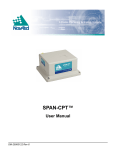
SPAN-CPT™
User Manual
OM-20000122 Rev 4
Proprietary Notice
SPAN-CPT Receiver User Manual
Publication Number:
Revision Level:
Revision Date:
OM-20000122
Rev 4
2010/08/31
This manual reflects SPAN-CPT Firmware Version CPT3.630.
Proprietary Notice
Information in this document is subject to change without notice and does not represent a commitment
on the part of NovAtel Inc. The software described in this document is furnished under a licence
agreement or non-disclosure agreement. The software may be used or copied only in accordance with
the terms of the agreement. It is against the law to copy the software on any medium except as
specifically allowed in the license or non-disclosure agreement.
No part of this manual may be reproduced or transmitted in any form or by any means, electronic or
mechanical, including photocopying and recording, for any purpose without the express written
permission of a duly authorized representative of NovAtel Inc.
The information contained within this manual is believed to be true and correct at the time of
publication.
NovAtel, OEMV and ProPak and are registered trademarks of NovAtel Inc.
CDU, OEMV-3, ProPak-V3, SPAN and SPAN-CPT are trademarks of NovAtel Inc.
All other product or brand names are trademarks of their respective holders.
Manufactured and protected under U.S. patents:
NovAtel Patents
#5,101,416
#5,390,207
#5,414,729
#5,495,499
#5,734,674
#5,736,961
#5,809,064
#6,243,409 B1
#6,664,923 B1
#6,721,657 B2
#6,750,816 B1
#7,193,559 B2
#7,346,452
KVH Technology Patents
#5,444,534
#5,481,358
#5,512,904
#5,552,887
#5,739,944
#5,768,462
#6,041,149
#6,134,356
#6,351,310 B1
#6,370,289 B1
#6,429,939
#6,441,779
#6,466,596
#6,542,651
#6,594,020
#6,718,097
#6,763,153
#6,836,334
#6,856,300
#6,864,347
#6,891,622
#7,120,323
© Copyright 2008-2010 Novatel Inc. All rights reserved. Unpublished rights
reserved under International copyright laws. Printed in Canada on recycled paper.
Recyclable.
2
SPAN-CPT User Manual Rev 4
Table of Contents
Proprietary Notice
Software License
Terms and Conditions
Warranty
Customer Support
Firmware Updates and Model Upgrades
Notices
Foreword
1 Introduction
2
8
10
13
15
17
18
20
22
1.1 System Components ......................................................................................................23
2 SPAN-CPT Installation
24
2.1 Hardware Description .....................................................................................................24
2.1.1 SPAN-CPT Hardware...........................................................................................25
2.2 Hardware Set-Up ............................................................................................................25
2.2.1 Mount Antenna .....................................................................................................25
2.2.2 Mount SPAN-CPT ................................................................................................25
2.2.3 Connect COM Cables...........................................................................................26
2.2.4 Connect Power .....................................................................................................27
3 SPAN-CPT Operation
29
3.1 Definition of Reference Frames Within SPAN ................................................................29
3.1.1 The Local-Level Frame (ENU)..............................................................................29
3.1.2 The SPAN Body Frame ........................................................................................30
3.1.3 The Enclosure Frame ...........................................................................................31
3.1.4 The Vehicle Frame ...............................................................................................31
3.2 Communicating with the SPAN-CPT System .................................................................32
3.2.1 SPAN-CPT Configuration with CDU.....................................................................33
3.2.2 INS Window in CDU .............................................................................................35
3.2.3 SPAN-CPT Configuration using Command Line ..................................................35
3.3 Real-Time Operation ......................................................................................................36
3.3.1 System Start-Up and Alignment Techniques........................................................38
3.3.2 Navigation Mode...................................................................................................40
3.3.3 Vehicle to SPAN-CPT Frame Angular Offsets Calibration Routine......................40
3.3.4 SPAN-CPT Wheel Sensor....................................................................................41
3.4 Data Collection ...............................................................................................................44
3.5 Data Collection for Post Processing ...............................................................................46
4 SPAN-CPT Dual Antenna
47
4.1 Overview.........................................................................................................................47
4.2 Installation.......................................................................................................................47
4.3 Configuring ALIGN with SPAN-CPT ...............................................................................48
4.4 Configuring SPAN with ALIGN on SPAN-CPT ...............................................................49
4.4.1 Alignment on a Moving Vessel - Aided Transfer Alignment (Default)...................49
4.4.2 Alignment on a Stationary Vehicle - Aided Static Alignment ................................50
4.4.3 Unaided Alignment ...............................................................................................50
SPAN-CPT User Manual Rev 4
3
4.5 SPAN ALIGN Attitude Updates.......................................................................................50
A Technical Specifications
51
A.1 SPAN-CPT Technical Specifications..............................................................................51
A.1.1 SPAN-CPT Cable.................................................................................................53
A.1.2 KVH IMU Sensor Specs .......................................................................................55
A.1.3 Electrical and Environmental................................................................................56
B INS Commands
57
B.1 Using a Command as a Log ...........................................................................................57
B.2 INS-Specific Commands ................................................................................................57
B.2.1 ALIGNMENTMODE Set the Alignment Mode...................................................58
B.2.2 APPLYVEHICLEBODYROTATION Enable Vehicle to Body Rotation .................59
B.2.3 CANCONFIG Configure the CAN Interface for SPAN .......................................60
B.2.4 EXTHDGOFFSET Set the Angular Offset .........................................................62
B.2.5 FRESET Factory Reset .....................................................................................63
B.2.6 INSCOMMAND INS Control Command.............................................................64
B.2.7 INSPHASEUPDATE INS Phase Update Control...............................................65
B.2.8 INSZUPT Request Zero Velocity Update ..........................................................66
B.2.9 INSZUPTCONTROL INS Zero Velocity Update Control....................................67
B.2.10 NMEATALKER Set the NMEA talker ID V123 ..............................................68
B.2.11 RVBCALIBRATE Vehicle to Body Rotation Control ........................................69
B.2.12 SETIMUORIENTATION Set IMU Orientation ..................................................70
B.2.13 SETIMUTOANTOFFSET Set IMU to Antenna Offset......................................73
B.2.14 SETIMUTOANTOFFSET2 Set IMU to Antenna Offset 2.................................74
B.2.15 SETINITATTITUDE Set Initial Attitude of SPAN in Degrees ...........................75
B.2.16 SETINITAZIMUTH Set Initial Azimuth and Standard Deviation.......................77
B.2.17 SETINSOFFSET Set INS Offset......................................................................79
B.2.18 SETMARK1OFFSET Set Mark1 Offset ...........................................................80
B.2.19 SETWHEELPARAMETERS Set Wheel Parameters .......................................81
B.2.20 VEHICLEBODYROTATION Vehicle to SPAN frame Rotation ........................82
C INS Logs
85
C.1 Description of ASCII and Binary Logs with Short Headers ............................................86
C.2 INS-Specific Logs...........................................................................................................87
C.2.1 BESTGPSPOS Best GPS Position ...................................................................88
C.2.2 BESTGPSVEL Best Available GPS Velocity Data ............................................92
C.2.3 BESTLEVERARM/BESTLEVERARM2 IMU to Antenna Lever Arm..................94
C.2.4 CORRIMUDATA/CORRIMUDATAS Corrected IMU measurements ...............95
C.2.5 EXTHDGOFFSET Log the Angular Offset ........................................................97
C.2.6 GPHDT NMEA Heading Log................................................................................98
C.2.7 HEADING Heading Information.........................................................................99
C.2.8 IMUTOANTOFFSETS IMU to Antenna(s) Lever Arm ......................................101
C.2.9 INSATT INS Attitude..........................................................................................104
C.2.10 INSATTS Short INS Attitude............................................................................105
C.2.11 INSCOV INS Covariance Matrices ..................................................................106
C.2.12 INSCOVS Short INS Covariance Log..............................................................108
C.2.13 INSPOS INS Position ......................................................................................109
C.2.14 INSPOSS Short INS Position ..........................................................................110
C.2.15 INSPOSSYNC Time Synchronised INS Position ............................................111
C.2.16 INSPVA INS Position, Velocity and Attitude....................................................112
C.2.17 INSPVAS Short INS Position, Velocity and Attitude........................................113
C.2.18 INSSPD INS Speed.........................................................................................114
4
SPAN-CPT User Manual Rev 4
C.2.19 INSSPDS Short INS Speed.............................................................................115
C.2.20 INSUPDATE INS Update ................................................................................116
C.2.21 INSVEL INS Velocity .......................................................................................118
C.2.22 INSVELS Short INS Velocity ...........................................................................119
C.2.23 MARK1PVA Position, Velocity and Attitude at Mark1 .....................................120
C.2.24 PASHR NMEA, fix and position data...............................................................121
C.2.25 RAWIMUS Short Raw IMU Data .....................................................................122
C.2.26 TIMEDWHEELDATA Timed Wheel Data...........................................................125
C.2.27 VEHICLEBODYROTATION Vehicle to SPAN frame Rotation...........................126
C.2.28 WHEELSIZE Wheel Size ................................................................................127
D Command Prompt Interface
128
D.1 DOS ...............................................................................................................................129
D.2 Windows.........................................................................................................................130
E Replacement Parts
131
E.1 SPAN-CPT System ........................................................................................................131
E.2 Accessories and Options................................................................................................131
F Frequently Asked Questions
Index
SPAN-CPT User Manual Rev 4
132
133
5
Figures
1
2
3
4
5
6
7
8
9
10
11
12
13
14
6
SPAN-CPT System .......................................................................................................22
Basic Set-Up .................................................................................................................24
SPAN-CPT Enclosure ...................................................................................................25
SPAN-CPT Enclosure Mounting ...................................................................................26
Connect the antenna to the antenna port .....................................................................27
Apply Power to the SPAN-CPT ....................................................................................28
Local-Level Frame (ENU) .............................................................................................30
The Enclosure Frame ...................................................................................................31
Vehicle Frame ..............................................................................................................31
Corrsys Datron WPT .....................................................................................................42
SPAN-CPT - Dual Antenna Installation ........................................................................48
SPAN-CPT - Side and Perspective View ......................................................................51
SPAN-CPT Top, Front and Bottom View ......................................................................52
SPAN-CPT Development Terminated Cable ................................................................53
SPAN-CPT User Manual Rev 4
Tables
1
2
3
4
5
6
7
8
9
10
11
12
13
14
15
16
17
18
19
20
Inertial Solution Status...................................................................................................37
Cable Modification for Corrsys-Datron WPT..................................................................43
Cable Modification for CPT Odometer Input..................................................................43
Solution Parameters ......................................................................................................44
Technical HW Specs for SPAN-CPT .............................................................................51
SPAN-CPT Connector Pin-Out Descriptions .................................................................53
CAN Bit Rate (per second) ............................................................................................61
FRESET Target .............................................................................................................63
NMEA Talkers ...............................................................................................................68
Full Mapping Definitions ................................................................................................72
Short ASCII Message Header Structure........................................................................86
Short Binary Message Header Structure .......................................................................86
Position or Velocity Type ...............................................................................................89
Solution Status ..............................................................................................................91
Lever Arm Type .............................................................................................................103
Lever Arm Source..........................................................................................................103
Wheel Status .................................................................................................................117
SPAN-CPT Status .........................................................................................................123
SPAN-CPT Status Example ..........................................................................................124
Raw SPAN-CPT Scale Factors .....................................................................................124
SPAN-CPT User Manual Rev 4
7
Software License
Software License
BY INSTALLING, COPYING, OR OTHERWISE USING THE SOFTWARE PRODUCT, YOU AGREE
TO BE BOUND BY THE TERMS OF THIS AGREEMENT. IF YOU DO NOT AGREE WITH THESE
TERMS OF USE, DO NOT INSTALL, COPY OR USE THIS ELECTRONIC PRODUCT (SOFTWARE,
FIRMWARE, SCRIPT FILES, OR OTHER ELECTRONIC PRODUCT WHETHER EMBEDDED IN THE
HARDWARE, ON A CD OR AVAILABLE ON THE COMPANY WEB SITE) (hereinafter referred to as
"Software").
1. License: NovAtel Inc. ("NovAtel") grants you a non-exclusive, non-transferable license (not a sale)
to, where the Software will be used on NovAtel supplied hardware or in conjunction with other NovAtel
supplied software, use the Software with the product(s) as supplied by NovAtel. You agree not to use
the Software for any purpose other than the due exercise of the rights and licences hereby agreed to
be granted to you.
2. Copyright: NovAtel owns, or has the right to sublicense, all copyright, trade secret, patent and other
proprietary rights in the Software and the Software is protected by national copyright laws, international
treaty provisions and all other applicable national laws. You must treat the Software like any other copyrighted material except that you may make one copy of the Software solely for backup or archival purposes (one copy may be made for each piece of NovAtel hardware on which it is installed or where
used in conjunction with other NovAtel supplied software), the media of said copy shall bear labels
showing all trademark and copyright notices that appear on the original copy. You may not copy the
product manual or written materials accompanying the Software. No right is conveyed by this Agreement for the use, directly, indirectly, by implication or otherwise by Licensee of the name of NovAtel, or
of any trade names or nomenclature used by NovAtel, or any other words or combinations of words
proprietary to NovAtel, in connection with this Agreement, without the prior written consent of NovAtel.
3. Patent Infringement: NovAtel shall not be liable to indemnify the Licensee against any loss sustained by it as the result of any claim made or action brought by any third party for infringement of any
letters patent, registered design or like instrument of privilege by reason of the use or application of the
Software by the Licensee or any other information supplied or to be supplied to the Licensee pursuant
to the terms of this Agreement. NovAtel shall not be bound to take legal proceedings against any third
party in respect of any infringement of letters patent, registered design or like instrument of privilege
which may now or at any future time be owned by it. However, should NovAtel elect to take such legal
proceedings, at NovAtel's request, Licensee shall co-operate reasonably with NovAtel in all legal
actions concerning this license of the Software under this Agreement taken against any third party by
NovAtel to protect its rights in the Software. NovAtel shall bear all reasonable costs and expenses
incurred by Licensee in the course of co-operating with NovAtel in such legal action.
4. Restrictions: You may not:
(a)
copy (other than as provided for in paragraph 2), distribute, transfer, rent, lease, lend, sell or
sublicense all or any portion of the Software except in the case of sale of the hardware to a
third party;
(b)
modify or prepare derivative works of the Software;
(c)
use the Software in connection with computer-based services business or publicly display
visual output of the Software;
(d)
transmit the Software over a network, by telephone or electronically using any means (except
when downloading a purchased up[grade from the NovAtel web site); or
(e)
reverse engineer, decompiler or disassemble the Software.
You agree to keep confidential and use your best efforts to prevent and protect the contents of the Software from unauthorized disclosure or use.
8
SPAN-CPT User Manual Rev 4
Software License
5. Term and Termination: This Agreement and the rights and licences hereby granted shall continue
in force in perpetuity unless terminated by NovAtel or Licensee in accordance herewith. In the event
that the Licensee shall at any time during the term of this Agreement: i) be in breach of its obligations
hereunder where such breach is irremediable or if capable of remedy is not remedied within 30 days of
notice from NovAtel requiring its remedy; then and in any event NovAtel may forthwith by notice in writing terminate this Agreement together with the rights and licences hereby granted by NovAtel.
Licensee may terminate this Agreement by providing written notice to NovAtel. Upon termination, for
any reasons, the Licensee shall promptly, on NovAtel's request, return to NovAtel or at the election of
NovAtel destroy all copies of any documents and extracts comprising or containing the Software. The
Licensee shall also erase any copies of the Software residing on Licensee's computer equipment. Termination shall be without prejudice to the accrued rights of either party, including payments due to
NovAtel. This provision shall survive termination of this Agreement howsoever arising.
6. Warranty: NovAtel does not warrant the contents of the Software or that it will be error free. The
Software is furnished "AS IS" and without warranty as to the performance or results you may obtain by
using the Software. The entire risk as to the results and performance of the Software is assumed by
you. See product enclosure, if any for any additional warranty.
7. Indemnification: NovAtel shall be under no obligation or liability of any kind (in contract, tort or otherwise and whether directly or indirectly or by way of indemnity contribution or otherwise howsoever) to
the Licensee and the Licensee will indemnify and hold NovAtel harmless against all or any loss, damage, actions, costs, claims, demands and other liabilities or any kind whatsoever (direct, consequential,
special or otherwise) arising directly or indirectly out of or by reason of the use by the Licensee of the
Software whether the same shall arise in consequence of any such infringement, deficiency, inaccuracy, error or other defect therein and whether or not involving negligence on the part of any person.
8. Disclaimer and Limitation of Liability:
(a)
THE WARRANTIES IN THIS AGREEMENT REPLACE ALL OTHER WARRANTIES,
EXPRESS OR IMPLIED, INCLUDING ANY WARRANTIES OF MERCHANTABILITY OR
FITNESS FOR A PARTICULAR PURPOSE. NovAtel DISCLAIMS AND EXCLUDES ALL
OTHER WARRANTIES. IN NO EVENT WILL NovAtel's LIABILITY OF ANY KIND
INCLUDE ANY SPECIAL, INCIDENTAL OR CONSEQUENTIAL DAMAGES, INCLUDING
LOST PROFITS, EVEN IF NovAtel HAS KNOWLEDGE OF THE POTENTIAL LOSS OR
DAMAGE.
(b)
NovAtel will not be liable for any loss or damage caused by delay in furnishing the Software or
any other performance under this Agreement.
(c)
NovAtel's entire liability and your exclusive remedies for our liability of any kind (including liability for negligence) for the Software covered by this Agreement and all other performance or
non-performance by NovAtel under or related to this Agreement are to the remedies specified
by this Agreement.
9. Governing Law: This Agreement is governed by the laws of the Province of Alberta, Canada. Each
of the parties hereto irrevocably attorns to the jurisdiction of the courts of the Province of Alberta.
10. Customer Support: For Software UPDATES and UPGRADES, and regular customer support, contact the NovAtel GPS Hotline at 1-800-NOVATEL (U.S. or Canada only), or 403-295-4900, Fax 403295-4901, e-mail to [email protected],
website: http://www.novatel.com or write to:
NovAtel Inc.
Customer Service Dept.
1120 - 68 Avenue NE,
Calgary, Alberta, Canada T2E 8S5
SPAN-CPT User Manual Rev 4
9
Terms and Conditions
Terms and Conditions
Standard Terms and Conditions of Sales
1. PRICES: All prices are Firm Fixed Price, FCA 1120 - 68th Avenue N.E., Calgary, Alberta. All
prices include standard commercial packing for domestic shipment. All transportation,
insurance, special packing costs and expenses, and all Federal, provincial and local excise,
duties, sales, and other similar taxes are the responsibility of the Purchaser.
2. PAYMENT: Terms are prepayment unless otherwise agreed in writing. Interest shall be
charged on overdue accounts at the rate of 18% per annum (1.5% per month) from due date.
To expedite payment by wire transfer to NovAtel Inc.: Bank - HSBC Bank of Canada
Bank:
HSBC Bank of Canada
US Account #
788889-002
407 - 8 Avenue S.W.
CDN Account #
788889-001
Calgary, AB, Canada T2P 1E5
EURO Account #
788889-270
Transit #
10029-016
Swift
HKBCCATTCAL
3. DELIVERY: Purchaser shall supply shipping instructions with each order. (Ship to and bill to
address, NovAtel Quotation #, Preferred carrier and account #, Custom broker/freight
forwarder including name and contact #) In the absence of specific instructions, NovAtel may
select a carrier and insure Products in transit and charge Purchaser accordingly. NovAtel shall
not be responsible for any failure to perform due to unforeseen circumstances or causes
beyond its ability to reasonably control. Risk of loss, damage or destruction shall pass to
Purchaser upon delivery to carrier. Goods are provided solely for incorporation into the
Purchaser’s end product and shall not be onward delivered except as incorporated in the
Purchaser’s end product.
4. COPYRIGHT AND CONFIDENTIALITY: Copyright in any specification, drawing, computer
software, technical description and other document supplied by NovAtel under or in connection
with the Order and all intellectual property rights in the design of any part of the Equipment or
provision of services, whether such design be registered or not, shall vest in NovAtel
absolutely. The Buyer shall keep confidential any information expressed or confirmed by
NovAtel in writing to be confidential and shall not disclose it without NovAtel's prior consent in
10
SPAN-CPT User Manual Rev 4
Terms and Conditions
writing to any third party or use it other than for the operation and maintenance of any
Equipment provided.
5. GENERAL PROVISIONS: All Purchase Orders are subject to approval and acceptance by
NovAtel. Any Purchase Order or other form from the Purchaser, which purports to expand, alter
or amend these terms and conditions, is expressly rejected and is and shall not become a part
of any agreement between NovAtel and the Purchaser. This agreement shall be interpreted
under the laws of the Province of Alberta.
6. LIMITED WARRANTY AND LIABILITY: Warranty Period: Products - 1 year; Accessories 90 days (in each case from the date of invoice). NovAtel warrants that during the Warranty
Period that (a) the Product will be free from defects in material and workmanship and conform
to NovAtel specifications; (b) the software will be free from error which materially affect
performance; and (c) if applicable as defined in the User’s Manual, be eligible for access to post
contract support and software updates when available. THESE WARRANTIES ARE
EXPRESSLY IN LIEU OF ALL OTHER WARRANTIES, EXPRESS OR IMPLIED,
INCLUDING, WITHOUT LIMITATION, ALL IMPLIED WARRANTIES OF
MERCHANTABILITY AND FITNESS FOR A PARTICULAR PURPOSE. NOVATEL SHALL IN
NO EVENT BE LIABLE FOR SPECIAL, INDIRECT, INCIDENTAL, OR CONSEQUENTIAL
DAMAGES OF ANY KIND OR NATURE DUE TO ANY CAUSE.
Purchaser’s exclusive remedy for a claim under this warranty shall be limited to the repair or
replacement at NovAtel’s option and at NovAtel’s facility, of defective or nonconforming
materials, parts or components or in the case of software, provision of a software revision for
implementation by the Buyer. All material returned under warranty shall be returned to
NovAtel prepaid by the Buyer and returned to the Buyer, prepaid by NovAtel. The foregoing
warranties do not extend to (i) nonconformities, defects or errors in the Products due to
accident, abuse, misuse or negligent use of the Products or use in other than a normal and
customary manner, environmental conditions not conforming to NovAtel’s specifications, or
failure to follow prescribed installation, operating and maintenance procedures, (ii) defects,
errors or nonconformities in the Products due to modifications, alterations, additions or
changes not made in accordance with NovAtel’s specifications or authorized by NovAtel, (iii)
normal wear and tear, (iv) damage caused by force of nature or act of any third person, (v)
shipping damage, (vi) service or repair of Product by the Purchaser without prior written
consent from NovAtel, (vii) Products designated by NovAtel as beta site test samples,
SPAN-CPT User Manual Rev 4
11
Terms and Conditions
experimental, developmental, preproduction, sample, incomplete or out of specification
Products, (viii) returned Products if the original identification marks have been removed or
altered or (ix) Services or research activities.
7. EXCLUSION OF LIABILITY: If a Party would, but for this paragraph (7), have concurrent
claims in contract and tort (including negligence) such claims in tort (including negligence)
shall to the extent permitted by law be wholly barred, unenforceable and excluded.
NovAtel shall not be liable to the Buyer by way of indemnity or by reason of any breach of the
Order or of statutory duty or by reason of tort (including but not limited to negligence) for any
loss of profit, loss of use, loss of production, loss of contracts or for any financing costs or for
any indirect or consequential damage whatsoever that may be suffered by the Buyer.
In the event and to the extent that NovAtel shall have any liability to Buyer pursuant to the
terms of the Order, NovAtel shall be liable to Buyer only for those damages which have been
foreseen or might have reasonably been foreseen on the date of effectivity of the Order and
which are solely an immediate and direct result of any act or omission of NovAtel in performing
the work or any portion thereof under the Order and which are not in the aggregate in excess
of ten (10%) percent of the total Order price.
12
SPAN-CPT User Manual Rev 4
Warranty
Warranty
NovAtel Inc. warrants that its GNSS products are free from defects in materials and workmanship,
subject to the conditions set forth below, for the following time periods:
SPAN-CPT Unit
GPSAntenna™ Series
Cables and Accessories
Computer Discs
Software Warranty
One (1) Year
One (1) Year
Ninety (90) Days
Ninety (90) Days
One (1) Year
Date of sale shall mean the date of the invoice to the original customer for the product. NovAtel’s
responsibility respecting this warranty is solely to product replacement or product repair at an
authorized NovAtel location only.
Determination of replacement or repair will be made by NovAtel personnel or by technical personnel
expressly authorized by NovAtel for this purpose (warranty continued on page14).
WARNING:
Return IMUs to their manufacturer, not to NovAtel.
SPAN-CPT User Manual Rev 4
13
Warranty
NovAtel warrants that during the Warranty Period that (a) the Product will be free from defects in
material and workmanship and conform to NovAtel specifications; and (b) the software will be free
from error which materially affect performance. THESE WARRANTIES ARE EXPRESSLY IN
LIEU OF ALL OTHER WARRANTIES, EXPRESS OR IMPLIED, INCLUDING, WITHOUT
LIMITATION, ALL IMPLIED WARRANTIES OF MERCHANTABILITY AND FITNESS FOR A
PARTICULAR PURPOSE. NOVATEL SHALL IN NO EVENT BE LIABLE FOR SPECIAL,
INDIRECT, INCIDENTAL, OR CONSEQUENTIAL DAMAGES OF ANY KIND OR NATURE
DUE TO ANY CAUSE.
Purchaser’s exclusive remedy for a claim under this warranty shall be limited to the repair or
replacement at NovAtel’s option and at NovAtel’s facility, of defective or nonconforming materials,
parts or components or in the case of software, provision of a software revision for implementation by
the Buyer. All material returned under warranty shall be returned to NovAtel prepaid by the Buyer and
returned to the Buyer, prepaid by NovAtel.
THE FOREGOING WARRANTIES DO NOT EXTEND TO (I) NONCONFORMITIES, DEFECTS OR
ERRORS IN THE PRODUCTS DUE TO ACCIDENT, ABUSE, MISUSE OR NEGLIGENT USE OF
THE PRODUCTS OR USE IN OTHER THAN A NORMAL AND CUSTOMARY MANNER,
ENVIRONMENTAL CONDITIONS NOT CONFORMING TO NOVATEL’S SPECIFICATIONS, OR
FAILURE TO FOLLOW PRESCRIBED INSTALLATION, OPERATING AND MAINTENANCE
PROCEDURES, (II) DEFECTS, ERRORS OR NONCONFORMITIES IN THE PRODUCTS DUE TO
MODIFICATIONS, ALTERATIONS, ADDITIONS OR CHANGES NOT MADE IN ACCORDANCE
WITH NOVATEL’S SPECIFICATIONS OR AUTHORIZED BY NOVATEL, (III) NORMAL WEAR
AND TEAR, (IV) DAMAGE CAUSED BY FORCE OF NATURE OR ACT OF ANY THIRD PERSON,
(V) SHIPPING DAMAGE; OR (VI) SERVICE OR REPAIR OF PRODUCT BY THE DEALER
WITHOUT PRIOR WRITTEN CONSENT FROM NOVATEL. IN ADDITION, THE FOREGOING
WARRANTIES SHALL NOT APPLY TO PRODUCTS DESIGNATED BY NOVATEL AS BETA SITE
TEST SAMPLES, EXPERIMENTAL, DEVELOPMENTAL, PREPRODUCTION, SAMPLE,
INCOMPLETE OR OUT OF SPECIFICATION PRODUCTS OR TO RETURNED PRODUCTS IF
THE ORIGINAL IDENTIFICATION MARKS HAVE BEEN REMOVED OR ALTERED. THE
WARRANTIES AND REMEDIES ARE EXCLUSIVE AND ALL OTHER WARRANTIES, EXPRESS
OR IMPLIED, WRITTEN OR ORAL, INCLUDING THE IMPLIED WARRANTIES OF
MERCHANTABILITY OR FITNESS FOR ANY PARTICULAR PURPOSE ARE EXCLUDED.
NOVATEL SHALL NOT BE LIABLE FOR ANY LOSS, DAMAGE, EXPENSE, OR INJURY
ARISING DIRECTLY OR INDIRECTLY OUT OF THE PURCHASE, INSTALLATION,
OPERATION, USE OR LICENSING OR PRODUCTS OR SERVICES. IN NO EVENT SHALL
NOVATEL BE LIABLE FOR SPECIAL, INDIRECT, INCIDENTAL OR CONSEQUENTIAL
DAMAGES OF ANY KIND OR NATURE DUE TO ANY CAUSE.
There are no user serviceable parts in the GPS receiver and no maintenance is required. When the
status code indicates that a unit is faulty, replace with another unit and return the faulty unit to
NovAtel Inc.
Before shipping any material to NovAtel or Dealer, please obtain a Return Material
Authorization (RMA) number from the point of purchase.
Once you have obtained an RMA number, you will be advised of proper shipping procedures to return
any defective product. When returning any product to NovAtel, please return the defective product in
the original packaging to avoid ESD and shipping damage.
14
SPAN-CPT User Manual Rev 4
Customer Support
Customer Support
NovAtel Knowledge Base
If you have a technical issue, browse to the NovAtel Web site at www.novatel.com then select Support
| Helpdesk and Solutions | Search Known Solutions. Through this page, you can search for general
information about GNSS and other technologies, information about NovAtel hardware and software,
and installation and operation issues.
Before Contacting Customer Support
Before contacting NovAtel Customer Support about a software problem perform the following steps:
1.
Log the following data to a file on your PC for 15 minutes:
RXSTATUSB once
RAWEPHEMB onchanged
RANGEB ontime 1
BESTPOSB ontime 1
RXCONFIGA once
VERSIONB once
RAWIMUSB onnew
INSPVASB ontime 1
INSUPDATEB onchanged
2.
Send the file containing the log to NovAtel Customer Support, using either the NovAtel FTP site
at Support | Firmware/Software and Manuals | Access FTP Site on the NovAtel Web site at
www.novatel.com or through the [email protected] e-mail address.
3.
You can also issue a FRESET command to the receiver to clear any unknown settings.
The FRESET command will erase all user settings. You should know your configuration and be
able to reconfigure the receiver before you send the FRESET command.
If you are having a hardware problem, send a list of the troubleshooting steps taken and results.
SPAN-CPT User Manual Rev 4
15
Customer Support
Contact Information
Use one of the following methods to contact NovAtel Customer Support:
Call the NovAtel Hotline at 1-800-NOVATEL (U.S. & Canada)
or +1-403-295-4900 (international)
Fax: +1-403-295-4901
E-mail: [email protected]
Web site: http://www.novatel.com
16
Write: NovAtel Inc.
Customer Support Department
1120 - 68 Avenue NE
Calgary, AB
Canada, T2E 8S5
SPAN-CPT User Manual Rev 4
Firmware Updates and Model Upgrades
Firmware Updates and Model Upgrades
Firmware updates are firmware releases, which include fixes and enhancements to the receiver
functionality. Firmware updates are released on the Web site as they become available. Model
upgrades enable features on the receiver and may be purchased through NovAtel authorized dealers.
Contact your local NovAtel dealer first for more information. To locate a dealer in your area visit
Where to Buy | Dealers on the NovAtel Web site at www.novatel.com or contact NovAtel Customer
Support directly.
Firmware updates can only be done through serial COM port connections.
SPAN-CPT User Manual Rev 4
17
Notices
Notices
The following notices apply to the SPAN-CPT. For more information on emissions testing, please
refer to the regulatory body in your geographic area. For example, in the US that is the Federal
Communications Commission (FCC) and in Europe the Conformité Européenne (CE).
FCC Notices
This device complies with part 15 of the FCC Rules. Operation is subject to the following two
conditions: (1) this device may not cause harmful interference, and (2) this device must accept any
interference received, including interference that may cause undesired operation.
SPAN-CPT complies with the radiated and conducted emission limits for a Class B digital device. The
Class B limits are designed to provide reasonable protection against harmful interference in a
residential installation.
The equipment listed generates, uses, and can radiate radio frequency energy and, if not installed and
used in accordance with the instructions, may cause harmful interference to radio communications.
However, there is no guarantee that interference will not occur in a particular installation. If this
equipment does cause harmful interference to radio or television reception, which can be determined
by turning the equipment off and on, the user is encouraged to try to correct the interference by one or
more of the following measures:
•
Re-orient or relocate the receiving antenna
•
Increase the separation between the equipment and the receiver
•
Connect the equipment to an outlet on a circuit different from that to which the receiver is
connected
•
Consult the dealer or an experienced radio/TV technician for help
IMPORTANT:
WARNING:
In order to maintain compliance with the limits of a Class B digital device, it is
required to use properly shielded interface cables.
Changes or modifications to this equipment not expressly approved by
NovAtel Inc. could result in violation of Part 15 of the FCC rules and void the
user’s authority to operate this equipment.
CE Notices
The enclosures carry the CE mark.
"Hereby, NovAtel Inc. declares that this SPAN-CPT is in compliance with the essential requirements
and other relevant provisions of Directive 1999/5/EC."
18
SPAN-CPT User Manual Rev 4
Notices
WEEE Notice
If you purchased your SPAN-CPT product in Europe, please return it to your dealer or supplier at the
end of its life. The objectives of the European Community's environment policy are, in particular, to
preserve, protect and improve the quality of the environment, protect human health and utilise natural
resources prudently and rationally. Sustainable development advocates the reduction of wasteful
consumption of natural resources and the prevention of pollution. Waste electrical and electronic
equipment (WEEE) is a regulated area. Where the generation of waste cannot be avoided, it should be
reused or recovered for its material or energy. WEEE products may be recognized by their wheeled
bin label (
1.
).1
Please visit the NovAtel Web site at www.novatel.comthrough Products | WEEE and RoHS
for more information on WEEE and RoHS.
SPAN-CPT User Manual Rev 4
19
Foreword
Foreword
Congratulations!
Congratulations on purchasing your SPAN-CPT GPS/INS receiver. SPAN (Synchronized Position
Attitude Navigation) Technology features tight integration of a NovAtel GPS receiver and an Inertial
Measurement Unit (IMU). SPAN provides continuous navigation information, using an Inertial
Navigation System (INS), to bridge short Global Position System (GPS) outages. Designed for
dynamic applications, SPAN provides precise position, velocity and attitude information. SPAN-CPT
(Compact, Portable, and Tightly Coupled) combines the GPS and IMU hardware inside one enclosure
for simple installation and operation. Commercial components have been chosen for integration into
SPAN-CPT in order to offer the same benefits of other SPAN products but with fewer export
restrictions.
By complementing GPS with inertial measurements, SPAN-CPT technology provides robust
positioning in challenging conditions where GPS alone is less reliable. During short periods of GPS
outage, or when less than four satellites are received, SPAN-CPT technology offers uninterrupted
position and attitude output. The tight coupling of inertial technology with GPS also provides the
benefits of faster satellite reacquisition and faster RTK initialization after outages.
NovAtel’s OEMV-3™ receiver is the processing engine of SPAN-CPT and the IMU components are
manufactured by KVH Industries.
Scope
This manual contains sufficient information on the installation and operation of the SPAN-CPT
system. It is beyond the scope of this manual to provide details on service or repair. Contact your local
NovAtel dealer for any customer-service related inquiries; as outlined in Customer Support on page
15. After accessories, an antenna and a power supply, the SPAN-CPT system is ready to go.
The OEMV-3 in the receiver utilizes a comprehensive user-interface command structure, which
requires communications through its communications (COM) ports. This manual describes the INSspecific commands and logs. Other supplementary manuals are available to aid you in using the other
commands and logs available with OEMV® family products. It is recommended that these documents
be kept together for easy reference.
SPAN-CPT system output is compatible with post-processing software from NovAtel's Waypoint
Products Group. Visit our Web site at www.novatel.com for details.
20
SPAN-CPT User Manual Rev 4
Foreword
What’s New in Rev 4 of the User Manual?
•
•
Dual-antenna support. Refer to Chapter SPAN-CPT Dual Antenna on page 47 for further
information.
Additional edits and corrections.
Prerequisites
The installation chapters of this document provide information concerning the installation
requirements and considerations for the different parts of the SPAN-CPT system.
To run the SPAN-CPT system software, your personal computer must meet or exceed this minimum
configuration:
•
•
•
•
Microsoft Windows user interface (Windows 2000 or higher)
Pentium Microprocessor recommended
VGA Display
Windows compatible mouse or pointing device
Although previous experience with Windows is not necessary to use the SPAN-CPT system software,
familiarity with certain actions that are customary in Windows will assist in the usage of the program.
This manual has been written with the expectation that you already have a basic familiarity with
Windows.
SPAN-CPT User Manual Rev 4
21
Chapter 1
Introduction
Figure 1: SPAN-CPT System
NovAtel's SPAN-CPT technology brings together two very different but complementary positioning
and navigation systems namely GPS and an Inertial Navigation System (INS). By combining the best
aspects of GPS and INS into one system, SPAN technology is able to offer a solution that is more
accurate and reliable than either GPS or INS could provide alone. The combined GPS/INS solution
has the advantage of the absolute accuracy available from GPS and the continuity of INS through
traditionally difficult GPS conditions.
GPS positioning observes range measurements from orbiting Global Positioning System Satellites.
From these observations, the receiver can compute position and velocity with high accuracy. NovAtel
GPS positioning systems have been established as highly accurate positioning tools, however GPS in
general has some significant restrictions, which limit its usefulness in some situations. GPS
positioning requires line of site view to at least four satellites simultaneously. If these criteria are met,
differential GPS positioning can be accurate to within a few centimetres. If however, some or all of
the satellite signals are blocked, the accuracy of the position reported by GPS degrades substantially,
or may not be available at all.
An INS uses forces and rotations measured by an IMU to calculate position, velocity and attitude.
This capability is embedded in the firmware of the SPAN-CPT. Forces are measured by
accelerometers in three perpendicular axes within the IMU and the gyros measure angular rotation
rates around those axes. Over short periods of time, inertial navigation gives very accurate
acceleration, velocity and attitude output. The INS must have prior knowledge of its initial position,
initial velocity, initial attitude, Earth rotation rate and gravity field. Since the IMU measures changes
in orientation and acceleration, the INS determines changes in position and attitude, but initial values
for these parameters must be provided from an external source. Once these parameters are known, an
INS is capable of providing an autonomous solution with no external inputs. However, because of
errors in the IMU measurements that accumulate over time, an inertial-only solution degrades with
time unless external updates such as position, velocity or attitude are supplied.
The SPAN-CPT system’s combined GPS/INS solution integrates the raw inertial measurements with
all available GPS information to provide the optimum solution possible in any situation. By using the
high accuracy GPS solution, the IMU errors can be modeled and mitigated. Conversely, the continuity
22
SPAN-CPT User Manual Rev 4
Introduction
Chapter 1
and relative accuracy of the INS solution enables faster GPS signal reacquisition and RTK solution
convergence.
The advantages of using SPAN-CPT technology are its ability to:
1.1
•
Provide a full attitude solution (roll, pitch and azimuth)
•
Provide continuous solution output (in situations when a GPS-only solution is impossible)
•
Provide faster signal reacquisition and RTK solution resolution (over stand-alone GPS
because of the tightly integrated GPS and INS filters)
•
Output high-rate (up to 100 Hz) position, velocity and attitude solutions for high-dynamic
applications, see also Logging Restriction Important Notice on page 87.
•
Use raw phase observation data (to constrain INS solution drift even when too few satellites
are available for a full GPS solution)
System Components
The SPAN-CPT system consists of the following components:
•
SPAN-CPT Integrated INS/GPS unit. This unit has 3 accelerometers, 3 gyroscopes (gyros)
and a NovAtel OEMV3 Receiver. Excellent acquisition and re-acquisition times allow this
receiver to operate in environments where very high dynamics and frequent interruption of
signals can be expected.
•
PC software. Real-time data collection, status monitoring and receiver configuration is
possible through NovAtel’s Control and Display Unit (CDU) software utility, see SPAN-CPT
Configuration with CDU on page 33.
SPAN-CPT User Manual Rev 4
23
Chapter 2
2.1
SPAN-CPT Installation
Hardware Description
The hardware setup consists of a SPAN-CPT enclosure containing the GPS and IMU components (see
Figure 1 on page 22) a GPS antenna, power and a radio link (if your application requires real time
differential operation).
Figure 2 shows a typical hardware set-up.
Reference
1
2
3
4
5
6
Description
A SPAN-CPT receiver connected to a laptop for data storage
User-supplied NovAtel GPS antenna
User-supplied power supply
+9 to +18 V DC
User-supplied radio device to COM2
User-supplied base station OEMV Family receiver
User-supplied PC, for setting up and monitoring, to COM1 or USB
Figure 2: Basic Set-Up
The sections that follows outline how to set up the system’s parts and cables. See Appendix A
Technical Specifications starting on page 51.
24
SPAN-CPT User Manual Rev 4
SPAN-CPT Installation
Chapter 2
Use a USB cable to log raw data. Serial communication is fine for configuring and monitoring the
SPAN through Hyperterminal or CDU. USB is required if you have a post-processing application
requiring 100 Hz IMU data. We also recommend you use CDU to collect the data.
2.1.1
SPAN-CPT Hardware
The SPAN-CPT receiver contains the OEMV-3 GPS receiver and an IMU containing 3 accelerometers
and 3 gyroscopes. Communication is done using either the com ports or USB through the multi-I/O
connector.
Figure 3: SPAN-CPT Enclosure
2.2
Hardware Set-Up
Review this section’s hardware set-up subsections and follow the numbered steps, in bold, to install
your SPAN system.
2.2.1
Mount Antenna
For maximum positioning precision and accuracy, as well as to minimize the risk of damage, ensure
that the antenna is securely mounted on a stable structure that will not sway or topple. Where possible,
select a location with a clear view of the sky to the horizon so that each satellite above the horizon can
be tracked without obstruction. The location should also be one that minimizes the effect of multipath
interference.
2.2.2
Mount SPAN-CPT
Mount the SPAN-CPT in a fixed location where the distance from the SPAN-CPT to the GPS antenna
phase center is constant. Ensure that the SPAN-CPT orientation with respect to the vehicle and
antenna is also constant.
For greatest ease of use, the SPAN-CPT should be mounted such that the positive Z-axis marked
on the SPAN-CPT enclosure points up and the Y-axis points forward through the front of the
vehicle, in the direction of track.
SPAN-CPT User Manual Rev 4
25
Chapter 2
SPAN-CPT Installation
Figure 4: SPAN-CPT Enclosure Mounting
1.
Mount the SPAN-CPT enclosure and antenna securely to a vehicle. Ensure they cannot move
due to dynamics and that the distance and relative direction between them is fixed.
2.
Measure the lever arm offsets from the SPAN-CPT navigation centre to the antenna phase
centre in the SPAN-CPT enclosure frame.
Also, it is important to measure the distance from the SPAN-CPT to the antenna (the Antenna Lever
Arm), each installation on the axis defined on the SPAN-CPT enclosure. See Appendix A, Technical
Specifications .
1.
The closer the antenna is to the SPAN-CPT, the more accurate the position solution.
Also, your measurements when using the SETIMUTOANTOFFSET command must be
as accurate as possible, or at least more accurate than the GPS positions being used. For
example, a 10 cm error in recording the antenna offset will result in at least a 10 cm
error in the output. Millimeter accuracy is preferred.
2.
The offset from the SPAN-CPT to the antenna, and/or a user point device, must remain
constant especially for RTK or DGPS data. Ensure the SPAN-CPT, antenna and user
point device are bolted in one position perhaps by using a custom bracket.
2.2.3
Connect COM Cables
SPAN-CPT has one multi-purpose I/O connector that contains pins for the RS232 com ports, USB
ports, pps signals and event input triggers. Refer to Appendix A for port pin definitions.
26
3.
Connect the USB port of the SPAN-CPT to a computer USB port. Alternatively, connect the
COM 1 port of the SPAN-CPT to the computer COM port via a null modem cable.
4.
Connect the antenna to the antenna port on the enclosure using an appropriate coaxial
cable.
SPAN-CPT User Manual Rev 4
SPAN-CPT Installation
Chapter 2
Figure 5: Connect the antenna to the antenna port
2.2.4
Connect Power
The SPAN-CPT system receiver requires an input supply voltage between +9 VD C and +18 VD C.
The receiver has an internal power module that does the following:
•
•
•
filters and regulates the supply voltage
protects against over-voltage, over-current, and high-temperature conditions
provides automatic reset circuit protection
The power supply used to power the SPAN-CPT must be monotonic during power on to ensure
internal logic blocks are initialized appropriately and proceed to valid operating states. If the
power supply is not monotonic during power on, the accelerometer status in the IMU status may
show a failure and the accelerometer measurements in the RAWIMUS log (see the RAWIMUS
log description starting on page 122) will be zero. Power cycling with a monotonic power up
clears this error state.
Power input pins are located on the multi-purpose I/O connector. Be sure to connect the power with
the correct polarity and ensure the power source is within specifications. See Appendix A Technical
Specifications for power input requirements.
There is always a drop in voltage between the power source and the power port due to cable loss.
Improper selection of wire gauge can lead to an unacceptable voltage drop at the SPAN-CPT system.
A paired wire run represents a feed and return line. Therefore, a 2-m wire pair represents a total wire
path of 4 m. For a SPAN-CPT system operating from a 12 V system, a power cable longer than 2.1 m
(7 ft.) should not use a wire diameter smaller than 24 AWG.
5.
Apply power to the SPAN-CPT. See Figure 6 on the following page.
It is recommended that you place a back-up battery between the SPAN-CPT and its voltage
supply as a power buffer if installed in a vehicle. When a vehicle engine is started, power can dip
to 9.6 V DC or cut-out to ancillary equipment.
SPAN-CPT User Manual Rev 4
27
Chapter 2
SPAN-CPT Installation
Figure 6: Apply Power to the SPAN-CPT
28
SPAN-CPT User Manual Rev 4
Chapter 3
SPAN-CPT Operation
Before operating your SPAN-CPT system, ensure that you have followed the installation and setup
instructions in Chapter 2, SPAN-CPT Installation starting on page 24.
You can use NovAtel’s CDU software to configure receiver settings and to monitor data in real-time,
between a rover SPAN-CPT system and base station.
SPAN-CPT system output is compatible with post-processing software from NovAtel's Waypoint
Products Group. For information about Waypoint, visit our Web site at www.novatel.comthrough
Products | Waypoint Software.
WARNING:
3.1
Ensure the Control Panel’s Power Settings on your PC are not set to go into
Hibernate or Standby modes. Data will be lost if one of these modes occurs
during a logging session.
Definition of Reference Frames Within SPAN
The reference frames that are most frequently used throughout this manual are the following:
• The Local-Level Frame
• The SPAN Body Frame
• The Enclosure Frame
• The Vehicle Frame
3.1.1
The Local-Level Frame (ENU)
The definition of the local level coordinate frame is as follows:
• z-axis– pointing up (aligned with gravity)
• y-axis– pointing north
• x-axis- pointing east
SPAN-CPT User Manual Rev 4
29
Chapter 3
SPAN-CPT Operation
Figure 7: Local-Level Frame (ENU)
3.1.2
The SPAN Body Frame
The definition of the SPAN body frame is as follows:
• z-axis– pointing up (aligned with gravity)
• y-axis– defined by how user has mounted the IMU
• x-axis – defined by how user has mounted the IMU
To determine your SPAN x-axis and y-axis, see Table 10 on page 72. This frame is also known as the
computation frame and is the frame where all the mechanization equations are computed.
30
SPAN-CPT User Manual Rev 4
SPAN-CPT Operation
3.1.3
Chapter 3
The Enclosure Frame
The definition of the enclosure frame is defined on the IMU and represents how the sensors are
mounted in the enclosure. If the IMU is mounted with the z-axis (as marked on the IMU enclosure)
pointing up, the IMU enclosure frame is the same as the SPAN frame.
This origin of this frame is not the enclosure center, but the Center of Navigation (sensor center).
Figure 8: The Enclosure Frame
3.1.4
The Vehicle Frame
The definition of the vehicle frame is as follows:
• z-axis– points up through the roof of the vehicle perpendicular to the ground
• y-axis– points out the front of the vehicle in the direction of travel
• x-axis–completes the right-handed system (out the right-hand side of the vehicle
when facing forward
See the VEHICLEBODYROTATION command on page 126 for information on entering the rotation into the
system and see the RVBCALIBRATE command on page 69 for information on calculating this rotation.
Figure 9: Vehicle Frame
SPAN-CPT User Manual Rev 4
31
Chapter 3
3.2
SPAN-CPT Operation
Communicating with the SPAN-CPT System
Once the receiver is connected to the PC, antenna, and power supply, install NovAtel’s OEMV PC
Utilities (CDU and Convert). You can find installation instructions in your receiver’s Quick Start
Guide. (Alternatively, you can use a terminal emulator program such as HyperTerminal to
communicate with the receiver.) Refer also to the CDU Help file for more details on CDU. The Help
file is accessed by choosing Help from the main menu in CDU.
Start CDU on your PC to enable communication:
32
1.
Launch CDU from the Start menu folder specified during the installation process. The default
location is Start | Programs | NovAtel OEMV | NovAtel CDU.
2.
Select Open.... from the Device menu.
3.
Select the New... button in the Open dialog box. The Options | Configuration dialog opens.
4.
Use the
button at the top of the configurations selection box to add a new configuration. To
delete a configuration, select it from the list and click on the
button. To duplicate an existing
configuration, click on the
button. You can select any name in the list and edit it to change it.
SPAN-CPT User Manual Rev 4
SPAN-CPT Operation
Chapter 3
5.
Select Serial from the Type list and select the PC/laptop port, that the SPAN-CPT is connected to,
from the Port list.
6.
Select 115200 from the Baud Rate list.
7.
Uncheck the Hardware handshaking checkbox.
8.
Select OK to save the new device settings.
9.
Select the new configuration from the Available device configs area of the Open dialog.
10. Select the Open button to open SPAN-CPT communications.
11. As CDU establishes the communication session with the receiver, a progress box is displayed.
12. Select Tools | Logging Control Window from the CDU main menu to control the receiver’s logging to files and serial ports. Refer to CDU’s on-line Help for more information.
13. Use the Console window to enter commands. See also Section 3, Cable Modification for CPT
Odometer Input on page 43.
If you have to power down your receiver, ensure that all windows, other than the Console
window, are closed in CDU and then use the SAVECONFIG command.
3.2.1
SPAN-CPT Configuration with CDU
Follow these steps to enable INS as part of the SPAN system using the NovAtel CDU software utility:
The CDU screen shots in this manual are from CDU Version 3.8.0.6 and may differ from your
CDU version.
SPAN-CPT User Manual Rev 4
33
Chapter 3
3.2.1.1
SPAN-CPT Operation
SPAN-CPT basic configuration:
Select Tools | SPAN Alignment Wizard from the main menu of CDU. This wizard takes you through
the steps to complete a coarse or fast alignment, select the type of IMU and configure the receiver
port, connected to the IMU, to accept IMU data.
34
SPAN-CPT User Manual Rev 4
SPAN-CPT Operation
3.2.2
Chapter 3
INS Window in CDU
CDU is a 32 bit Windows application. The application provides a graphical user interface to set-up
and monitor the operation of the SPAN system by providing a series of windows.
The INS Window in CDU is described below. Please refer to the OEMV Family Installation and
Operation User Manual for more details on CDU and other OEMV Family PC software programs.
•INS Window: The Position, Velocity and Attitude (roll, pitch and azimuth) sections display
data from the INSPVA log along with standard deviations calculated from the INSCOV log.
Information in the ZUPT (Zero Velocity Update) section reflects the current INSZUPT
command setting. The receiver uses the X,Y and Z Offset fields to specify an offset from the
IMU, for the output position and velocity of the INS solution, as specified by the
SETINSOFFSET command or CDU’s SPAN-CPT wizard. The INS Configuration/Status
section displays the IMU type, IMU Status and local date/time information. The dial is a
graphical display of the Roll, Pitch and Azimuth values indicated by an arrow on each axis.
3.2.3
SPAN-CPT Configuration using Command Line
3.2.3.1
GPS Configuration
The GPS configuration can be set up for different accuracy levels such as single point, SBAS, DGPS
and RTK (RTCA, RTCM, RTCM V3, CMR, and CMR Plus). The SPAN-CPT can also be set up for
Omnistar HP, Omnistar XP, Omnistar VBS or CDGPS. Refer to the OEMV User Manuals for details
on DGPS, RTK, L-band or SBAS setup and operation.
With no additional configuration, the system operates in single point mode.
3.2.3.2
INS Configuration
Once communication has been established to the receiver, issue the SETIMUTOANTOFFSET
command to enter the distance from the SPAN-CPT to the GPS antenna, see page 73. The offset
SPAN-CPT User Manual Rev 4
35
Chapter 3
SPAN-CPT Operation
between the antenna phase centre and the IMU navigation centre must remain constant and be known
accurately. The X, Y and Z positive directions are clearly marked on the SPAN-CPT enclosure. The
SETIMUTOANTOFFSET parameters are (where the standard deviation fields are optional and the
distances are measured from the IMU navigation centre to the Antenna Phase Centre [in metres]):
SETIMUTOANTOFFSET x_offset y_offset z_offset [x_stdev] [y_stdev] [z_stdev]
A typical RTK GPS solution is accurate to a few centimeters. For the SPAN-CPT system to have this
level of accuracy, the offset must be measured to within a centimeter. Any offset error between the
two systems shows up directly in the output position. For example, a 10 cm error recording this offset
will result in at least a 10 cm error in the output.
CDU can also be used to configure the SPAN-CPT. See Section 3.2.1, SPAN-CPT Configuration with
CDU on page 33.
3.3
Real-Time Operation
SPAN-CPT operates through the OEMV command and log interface. Commands and logs specifically
related to SPAN-CPT operation are documented in Appendices B and C of this manual respectively.
Real-time operation notes:
36
•
Inertial data does not start until FINESTEERING time status is reached, and therefore, the
SPAN-CPT system does not function unless a GPS antenna is connected with a clear view of
the sky.
•
The Inertial solution is computed separately from the GPS solution. The GPS solution is
available from the SPAN-CPT system through the GPS-specific logs even without SPAN
running. The integrated INS/GPS solution is available through special INS logs documented
in Appendix C of this manual.
•
The IMU solution is available at the maximum rate of output of the SPAN-CPT (100 Hz).
Because of this high data rate, a shorter header format was created. These shorter header logs
are defined with an S (RAWIMUSB rather than RAWIMUB). We recommend you use these
logs instead of the standard header logs to save throughput on the COM port.
SPAN-CPT User Manual Rev 4
SPAN-CPT Operation
Chapter 3
Status of the inertial solution can be monitored using the inertial status field in the INS logs, Table 1
below.
Table 1: Inertial Solution Status
Binary
ASCII
Description
0
INS_INACTIVE
IMU logs are present, but the alignment
routine has not started; INS is inactive.
1
INS_ALIGNING
INS is in alignment mode. When in this
status, the user can move to initiate the
kinematic alignment or send a
SETINITAZIMUTH command. This
status also shows if the IMU status is not
valid. The IMU status is given in the
RAWIMU and RAWIMUS logs. See
Section B.2.16 on page 77.
2
INS_SOLUTION_NOT_GOOD
The INS solution is still being computed
but the azimuth solution uncertainty has
exceed 2 degrees. The solution is still
valid but you should monitor the solution
uncertainty in the INSCOV log. You may
encounter this state during times when
the GPS, used to aid the INS, is absent.
3
INS_SOLUTION_GOOD
The INS filter is in navigation mode and
the INS solution is good.
6
INS_BAD_GPS_AGREEMENT
The INS filter is in navigation mode, and
the GPS solution is suspected to be in
error.
This may be due to multipath or limited
satellite visibility. The inertial filter has
rejected the GPS position and is waiting
for the solution quality to improve.
7
INS_ALIGNMENT_COMPLETE
The INS filter is in navigation mode, but
not enough vehicle dynamics have been
experienced for the system to be within
specifications.
SPAN-CPT User Manual Rev 4
37
Chapter 3
3.3.1
SPAN-CPT Operation
System Start-Up and Alignment Techniques
The system requires an initial attitude estimate to start the navigation filter. This is called system
alignment. On start-up, the system has no position, velocity or attitude information. When the system
is first powered up, the following sequence of events happens:
1.
The first satellites are tracked and coarse time is solved
2.
Enough satellites are tracked to compute a position
3.
Receiver “fine time” is solved, meaning the time on board the receiver is accurate enough to
begin timing IMU measurements. The time status in the log headers will indicate
FINESTEERING when this happens
4.
Raw IMU measurements begin to be timed by the receiver and are available to the INS filter.
They are also available to you in the RAWIMUS log, see page 121. The INS Status field reports
INS_INACTIVE.
5.
The inertial alignment routine starts and the INS Status field reports INS_ALIGNING. At this
point there are three options for completing the alignment. See the following sections for the
options.
6.
Alignment is complete and the INS Status field changes to INS_ALIGNMENT_COMPLETE.
The system transitions to navigation mode. The GPS/INS solution is available at this point.
7.
The solution is refined using updates from GPS. Once the system is operating within
specifications, after some vehicle movement, the INS Status field changes to
INS_SOLUTION_GOOD. This indicates that the estimated azimuth standard deviation is below
2°. If it increases above 2°, the status changes to INS_SOLUTON_NOT_GOOD.
3.3.1.1
Default Kinematic Alignment
The Fast or Kinematic alignment is the default alignment routine for SPAN-CPT.
If the system is mounted as recommended with the Z axis pointing up and the Y axis aligned with the
forward direction of the vehicle, then no additional configuration is required to complete a moving
alignment.
Once the INS status reaches “INS_ALIGNING,” the moving alignment will happen once the vehicle
velocity reaches 1.15m/s (~4km/h) and the INS status will change to
“INS_ALIGNMENT_COMPLETE”. The moving alignment transfers the GPS course over ground
pitch and azimuth to the attitude of the IMU. This alignment routine is best suited for ground vehicles
where the direction of travel is coincident with the forward axis of the vehicle, and the roll of the
vehicle is close to zero. The fast alignment routine may not be suitable for some marine or airborne
where the direction of travel may be different from the forward axis of the vehicle because of factors
like a crab angle.
If SPAN-CPT is installed with the IMU axes NOT aligned with the vehicle, then additional
configuration is needed to complete the moving alignment. These settings can be set graphically using
the INS configuration wizard in the CDU interface program or through the command interface by
issuing the following commands:
1.
38
Specify which IMU axis is most closely aligned with gravity using the SETIMUORIENTATION
command. See page 70 for a description of this command, and table with the number
SPAN-CPT User Manual Rev 4
SPAN-CPT Operation
Chapter 3
corresponding to each orientation. For example, if the Z-axis of your SPAN-CPT is pointing up,
you would send this command:
SETIMUORIENTATION 5
2.
Specify the angular offset from the vehicle frame to the SPAN frame (known as the vehicle/body
rotation or RVB) using the VEHICLEBODYROTATION command, see page 82. Following the
example started above, if the IMU is installed rotated so that the Y axis points out the right hand
side of the vehicle instead of forward, then you would then enter this command:
VEHICLEBODYROTATION 0 0 -90
Note: these angular rotations are difficult to visualize, so if you have complex rotations or some
other axis that +Z pointing up, use the CDU SPAN wizard for assistance with these settings.
The accuracy of the initial attitude will depend on the dynamics of the vehicle and the accuracy of the
angles input in the VEHICLEBODYROTATION command. The alignment is only an estimate of the
attitude of the vehicle and as the vehicle experiences dynamics, the accuracy of the attitude solution
will improve. Once the attitude accuracy has converged the INS status will change to
“INS_SOLUTION_GOOD”.
3.3.1.2
Coarse Alignment
A coarse alignment uses an average reading of the accelerometers and gyroscopes to estimate the
attitude of the IMU. Coarse alignment begins once the INS status changes to “INS_ALIGNING” and
requires the vehicle to remain stationary for approximately 60 seconds. The minimum amount of time
the vehicle must remain stationary is 5 seconds, but the quality of a coarse alignment computed over a
period this short will be very poor.
In order for SPAN-CPT to execute a coarse alignment, an initial estimate of the heading of the vehicle
must be entered using the “SETINITAZIMUTH” command. If the IMU Y-axis is facing east to within
10 degrees standard deviation, then the command would be
SETINITAZIMUTH 90 10
The accuracy of the initial attitude will depend on the duration of the stationary period for roll and
pitch, and the standard deviation entered in the SETINITAZIMUTH command for the azimuth. The
input azimuth standard deviation must match the actual quality of the input azimuth for your SPANCPT to perform optimally. If you are unsure of the input azimuth quality, it is best to use a larger
standard deviation rather than a smaller one.
The alignment is only an estimate of the attitude of the vehicle and as the vehicle experiences
dynamics, the accuracy of the attitude solution will improve. Once the attitude accuracy has
converged the INS status will change to “INS_SOLUTION_GOOD”.
SPAN-CPT User Manual Rev 4
39
Chapter 3
SPAN-CPT Operation
3.3.1.3
Manual Alignment
If you know the attitude of your vehicle (roll, pitch, azimuth) you can manually enter the attitude
information using the SETINITATTITUDE command. Details of this command start on page 74.
3.3.2
Navigation Mode
Once the alignment routine has successfully completed, SPAN-CPT enters navigation mode.
SPAN-CPT computes the solution by accumulating velocity and rotation increments from the IMU to
generate position, velocity and attitude. SPAN-CPT models system errors by using a Kalman filter.
The GPS solution, phase observations and automatic zero velocity updates (ZUPTs) provide updates
to the Kalman filter. When a wheel sensor is connected to the system, wheel displacement updates are
also used in the filter.
Following the alignment the attitude is coarsely defined, especially in heading. Vehicle dynamics,
specifically turns, stops and starts, allow the system to observe the heading error and allows the
heading accuracy to converge. Three to five changes in heading should be sufficient to resolve the
heading accuracy. The INS Status field changes to INS_SOLUTION_GOOD once convergence is
complete. If the attitude accuracy decreases, the INS Status field changes to
INS_SOLUTION_NOT_GOOD. When the accuracy converges again, the INS status continues as
INS_SOLUTION_GOOD.
3.3.3
Vehicle to SPAN-CPT Frame Angular Offsets Calibration Routine
Kinematic fast alignment requires that the angular offset between the vehicle and the SPAN-CPT
frame is known approximately. If the angles are simple (that is, a simple rotation about one axis) the
values can easily be entered manually through the VEHICLEBODYROTATION command, see page
82. If the angular offset is more complex (rotation is about 2 or 3 axis), then the calibration routine
may provide a more accurate estimation of the values. The steps for the calibration routine are:
1.
Apply power to the SPAN-CPT, see the SPAN-CPT Technical Specifications starting on page 51.
2.
Configure the SPAN-CPT, see SPAN-CPT Configuration with CDU on page 33.
3.
Ensure that an accurate lever arm has been entered into the system.
4.
Allow the system to complete a coarse alignment using the SETINITAZIMUTH command. See
Coarse Alignment on page 39 for procedures.
5.
Enable the vehicle to body calibration using the RVBCALIBRATE ENABLE command, see page
69.
6.
Start to move the system under good GPS conditions. Movement of the system under good GPS
conditions is required for the observation of the angular offsets.
Vehicle speed must be greater than 5 m/s (18 km/hour) for the calibration to complete. Drive straight
on a level surface if possible.
40
SPAN-CPT User Manual Rev 4
SPAN-CPT Operation
7.
Chapter 3
When the solved angles are verified (after approximately 30 seconds), the calibration stops and
the VEHICLEBODYROTATION log will provide the solved values, see Page 82. Log
VEHICLEBODYROTATION using the ONNEW trigger to monitor the progress of the
calibration.
The rotation parameters are saved in NVM for use on start-up in case a fast-alignment is required.
Each time the SPAN-CPT is re-mounted this calibration should be performed again. See Section
3.3.1.1, on page 38 and Section 3.3.1.2, on page 39 for details on fast and coarse alignment.
WARNING: After the RVBCALIBRATE ENABLE command is entered, there are no
vehicle-body rotation parameters present and a kinematic alignment is
NOT possible. Therefore this command should only be entered after the
system has performed either a static or kinematic alignment and has a
valid INS solution.
The solved rotation values are used only for a rough estimate of the angular offsets between the
SPAN-CPT and vehicle frames. The offsets are used when aligning the system while in motion
(see Section 3.3.1, System Start-Up and Alignment Techniques starting on page 38). The angular
offset values are not applied to the attitude output, unless the
APPLYVEHICLEBODYROTATION command is enabled, see page 58.
3.3.4
SPAN-CPT Wheel Sensor
The SPAN-CPT system supports wheel sensor inputs, integrated via the SPAN-CPT. The SPAN-CPT
accepts TTL- level input pulses from a wheel sensor through the multi-pin connector. See Appendix A
on page 51 for specifications on the wheel sensor interface.
3.3.4.1
Wheel Sensor Update Logic
The wheel sensor information is sent to the SPAN-CPT along with the raw IMU data. The Corrsys
Datron wheel pulse transducer is used as an example, see Section A.1.1, on page 53.
The SPAN-CPT Kalman filter uses sequential TIMEDWHEELDATA logs to compute a distance
traveled between update intervals (1Hz). This information can be used to constrain free-inertial drift
during times of poor GPS visibility. The filter also contains a state for modeling the circumference of
the wheel as it may change due to hardware changes or environmental conditions.
The modeled wheel circumference is available in the WHEELSIZE log, see page 127. Information on
how the wheel sensor updates are being used is available in the INSUPDATE log, see page 116.
3.3.4.2
Odometer Requirements
SPAN-CPT is compatible with any wheel sensor meeting the following requirements:
• Input range less than or equal to 45 KHz
• Input duty cycle is symmetric 40%-60%
SPAN-CPT User Manual Rev 4
41
Chapter 3
SPAN-CPT Operation
• Active input voltage is greater than or equal to 2.5 VDC with a max input voltage
of 50 VDC
• Inactive voltage is less than or equal to 1 VDC
• Input current is approximately 3.5 mA at 5 VDC with a maximum of 5 mA at 50
VDC
• Ensure input current does not exceed 5 mA. There is a current limiting diode that
can dissipate 800 mW on the input opto-isolator
• Quadrature, pulse and direction type odometers are compatible
An example of a SPAN-CPT compatible odometer is the WPT (Wheel Pulse Transducer) from
Corrsys Datron. (www.corrsys-datron.com)
A transducer traditionally fits to the outside of a non-drive wheel. A pulse is then generated from the
transducer which is fed directly to the ODO connector on the IMU cable.
Figure 10: Corrsys Datron WPT
The WPT mounts to the wheel lug nuts via
adjustable mounting collets. The torsion
protection rod, which maintains rotation
around the wheel axis, affixes to the vehicle
body with suction cups. Refer to the Corrsys
Datron WPT user manual for mounting
instructions.
SPAN-CPT will power the odometer. See Appendix A on page 51 for the pin outs of the SPAN-CPT
cable. Connect the appropriate pins to your chosen odometer. If you chose the Corrsys-Datron WPT,
first modify the cable at the WPT end. The cable modification is shown in Table 2 and Table 3 on
page 43.
42
SPAN-CPT User Manual Rev 4
SPAN-CPT Operation
Chapter 3
Table 2: Cable Modification for Corrsys-Datron WPT
8-pin M12 connector on
the Corrsys-Datron cable a, b
Female DB9
connector
Pin 1
GND
White
5
Pin 2
+UB (Input Power)
Brown
9
Pin 3
Signal A
Green
6
Pin 4
Signal A inverted
Yellow
7
Pin 5
Signal B
Grey
3
Pin 6
Signal B inverted
Pink
1
Pin 7
Reserved
No change
Pin 8
a. Pin 2 is wired to a red banana plug (Power in) and Pin 1 is wired
to a black banana plug (Power return) so the WPT needs power
to operate (+10 to +30 V). Solder the shield on the WPT cable to
the female DB9 housing.
b. This modification is for the Corrsys Datron WPT 8-pin M12plug cable number 14865.
Table 3: Cable Modification for CPT Odometer Input
Male DB9
Connector
Pin 1
Pin Wires on SPAN-CPT-KVH Terminated
or Unterminated Cable
18
ODO SIGNAL B INV
Pin 2
Pin 3
White
NONE
17
ODO SIGNAL B
Pin 4
Black
NONE
Pin 5
14
GND
Black
Pin 6
15
ODO SIGNAL A
Black
Pin 7
16
ODO SIGNAL A INV
White
Pin 8
Pin 9
SPAN-CPT User Manual Rev 4
NONE
13
INPUT POWER
White
43
Chapter 3
3.4
SPAN-CPT Operation
Data Collection
The INS solution is available in the INS-specific logs with either a standard or short header. Other
parameters are available in the logs shown in Table 4 on page 44:
Table 4: Solution Parameters
Parameter
Log
Position
INSPOS or INSPOSS
INSPVA or INSPVAS
Velocity
INSVEL or INSVELS
INSSPD or INSSPDS
INSPVA or INSPVAS
Attitude
INSATT or INSATTS
INSPVA or INSPVAS
Solution Uncertainty
INSCOV or INSCOVS
Note that the position, velocity and attitude are available together in the INSPVA and INSPVAS logs.
The inertial solution is available up to the rate of 100 Hz. Data can be requested at a specific rate up to
the maximum IMU output rate, or can be triggered by the mark input trigger at rates up to 20 Hz.
The GPS-only solution is still available through the GPS-only logs such as RTKPOS, PSRPOS and
OMNIHPPOS. When running SPAN-CPT, rates of non-INS logs should be limited to a maximum rate
of 5 Hz. Refer to the OEMV Family Firmware Reference Manual for more details on these logs. INSonly data logging and output can be at rates of up to the rate of the IMU data.
The highest rate that you should request GPS logs (RANGE, BESTPOS, RTKPOS,
PSRPOS, and so on) while in INS operation is 5 Hz. If the receiver is not running INS, GPS
logs can be requested at rates up to 20 Hz.
WARNING:
Ensure that all windows, other than the Console, are closed in CDU and then
use the SAVECONFIG command to save settings in NVM. Otherwise,
unnecessary data logging occurs and may overload your system.
Specific logs need to be collected for post-processing. See Section 3 on page 43.
To store data from a SPAN-CPT, connect a laptop computer. The laptop computer should be equipped
with a data storage device such as a Compact Flash Card, CD or USB stick.
Logging Restriction Important Notice
High-rate data logging is regulated in SPAN to prevent logging of unusable data or
overloading the system. Please note these 3 rules when configuring your SPAN-CPT system:
1.
44
Only one high-rate INS log can be configured for output at a time. Once a log is selected
for output at a rate equal to 100 Hz, all other log requests are limited to a maximum rate
of 50 Hz. Below are examples of acceptable logging requests:
SPAN-CPT User Manual Rev 4
SPAN-CPT Operation
Chapter 3
LOG RAWIMUSB ONNEW
LOG INSPVASB ONTIME 0.02
(100 Hz)
(acceptable 50 Hz logging)
The following is rejected because RAWIMU has already been requested at 100 Hz:
LOG INSPOSSB ONTIME 0.01 (100 Hz request)
Below is another example set of acceptable logging requests:
LOG INSPOSSB ONTIME 0.01 (100 Hz request)
LOG INSVELSB ONTIME 0.02 (50 Hz request)
The following are rejected in this case because INSPOSSB has already been requested at
a high rate.
LOG RAWIMUSB ONNEW
(100 Hz request)
LOG INSATTSB ONTIME 0.01 (100 Hz request)
2.
RAWIMU and RAWIMUS logs are only available with the ONNEW or ONCHANGED
trigger. These logs are not valid with the ONTIME trigger. The raw IMU observations
contained in these logs are sequential changes in velocity and rotation. As such, you can
only use them for navigation if they are logged at their full rate. See details of these log
starting on page 121.
3.
In order to collect wheel sensor information, useful in post-processing, the
TIMEDWHEELDATA log should only be used with the ONNEW trigger.
SPAN-CPT User Manual Rev 4
45
Chapter 3
3.5
SPAN-CPT Operation
Data Collection for Post Processing
Some operations such as aerial measurement systems do not require real-time information from
SPAN-CPT. These operations are able to generate the position, velocity or attitude solution postmission in order to generate a more robust and accurate solution than is possible in real-time.
In order to generate a solution in post-processing, data must be simultaneously collected at a base
station and each rover. The following logs must be collected in order to successfully post process data:
From a base:
•
RANGECMPB ONTIME 1
•
RAWEPHEMB ONCHANGED
From a rover:
•
RANGECMPB ONTIME 1
•
RAWEPHEMB ONCHANGED
•
RAWIMUSB ONNEW
•
BESTLEVERARMB ONNEW
Post processing is performed through the Waypoint Inertial Explorer software package available from
from NovAtel's Waypoint Products Group. For information, visit our Web site at www.novatel.com
through Products | Waypoint Software.
The highest rate that you should request GPS logs (RANGE, BESTPOS, RTKPOS, PSRPOS, and
so on) while in INS operation is 5 Hz. If the receiver is not running INS, GPS logs can be
requested at rates up to 20 Hz.
46
SPAN-CPT User Manual Rev 4
Chapter 4
4.1
SPAN-CPT Dual Antenna
Overview
NovAtel's ALIGN heading technology generates distance and bearing information between a
“master” and one or more “rover” receivers. This feature is ideal for customers wanting relative
directional heading, separation heading between two objects, or heading information with moving
base and pointing applications. Heading applications can be applied over various markets, including
machine control, unmanned vehicles, marine and agricultural markets.
SPAN-CPT Dual Antenna provides the hardware necessary to run an ALIGN baseline with an IMU
and a second receiver. From any of the SPAN-CPT COM ports, the ALIGN baseline solution can be
logged along with the standard OEMV logs.
SPAN-CPT dual antenna operation will require the dedicated use of the COM2 port for
communication between receivers.
With the SPAN-CPT, the ALIGN GPS baseline can be used to assist the initial alignment of the SPAN
solution. In addition, the ALIGN baseline solution will aid the heading solution from the SPAN-CPT
if the heading drifts due to slow or constant dynamics.
ALIGN is capable of a 1 Hz heading output rate when integrated with SPAN-CPT.
4.2
Installation
The hardware for SPAN-CPT is installed in a manner similar to other SPAN systems. Some points to
consider during your installation are:
1.
Install the IMU and the two antennas in the vehicle such that the relative distance between them is
fixed.
2.
The antennas should be mounted where the view of the satellites will not be obstructed by any
part of the vehicle.
3.
The lever arms or distance from the IMU to the antennas needs to be fixed and accurately measured using the coordinate axes defined on the outside of the IMU. The baseline between the two
antennas does NOT need to be aligned with the vehicle axes or with the axes of the IMU.
4.
Both receivers need to be powered and connected to each other via COM2 before sending any
configuration commands. It does not matter which receiver is powered on first, or how long they
are both powered before sending any commands.
The SPAN-CPT and the FlexPak need to be set up as shown in the example in Figure 11:
SPAN-CPT User Manual Rev 4
47
Chapter 4
SPAN-CPT Dual Antenna
Primary GPS
Antenna
Secondary GPS
Antenna
Connect
COM2 to COM2
COM1/USB
Power
Power
Computer / Laptop
Power Supply
Figure 11: SPAN-CPT - Dual Antenna Installation
4.3
Configuring ALIGN with SPAN-CPT
Before configuring the ALIGN solution, the SPAN-CPT and OEMV-2 receiver (FlexPak-G2™, for
example) MUST both be powered on and connected directly between COM2 of the SPAN-CPT and
COM2 of the OEMV2 through either a null modem cable or an appropriate radio connection.
Check the model of your external OEMV-2. It must be an ALIGN-capable Z model such as Z12Z
running the latest released OEMV firmware version, for example, 3.800.
The ALIGN solution will automatically be configured between the SPAN-CPT and the OEMV-2
when either:
1.
The lever arms to both antennas are entered via the SETIMUTOANTOFFSET and
SETIMUTOANTOFFSET2 commands, or
2.
The angular offset between the dual-antenna baseline (from Primary GPS antenna to Secondary
GPS antenna) and the IMU frame forward axis is entered directly via the EXTHDGOFFSET
command.
We recommend entering the lever arms rather than entering the angular offset as this is easier to
48
SPAN-CPT User Manual Rev 4
SPAN-CPT Dual Antenna
Chapter 4
measure and will lead to better overall accuracy. Refer to Appendix B on page 57 for syntax of the
above commands.
The OEMV-2 needs to be started in default COM mode (NOVATEL mode) for the startup commands
to be sent. Issues might arise if the COM2 on the OEMV-2 is not set to the default. The easiest way to
ensure the OEMV-2 is in the default mode, is to issue a FRESET command through another port
(COM or USB) of the OEMV-2.
As with all ALIGN-capable products, the baseline solution is available from the GPHDT and
HEADING logs; however, for the SPAN-CPT, the maximum available rate is limited to 1 Hz.
4.4
Configuring SPAN with ALIGN on SPAN-CPT
To enable the dual-antenna ALIGN solution to aid the INS alignment and provide heading updates,
the offset between the antennas and the IMU must be known. This is achieved by entering lever arms
to both antennas, using the SETIMUTOANTOFFSET and SETIMUTOANTOFFSET2 commands.
To configure SPAN with ALIGN Aiding:
1.
Enter the lever arm from the IMU to the primary antenna (primary antenna is connected to the
SPAN-CPT) using the SETIMUTOANTOFFSET command.
Abbreviated ASCII example:
SETIMUTOANTOFFSET 0.54 0.32 1.20 0.03 0.03 0.05
2.
Enter the lever arm from the IMU to the secondary antenna (secondary antenna is connected to
the OEMV2) using the SETIMUTOANTOFFSET2 command.
Abbreviated ASCII example:
SETIMUTOANTOFFSET2 0.54 2.32 1.20 0.03 0.03 0.05
The SPAN-CPT can be configured for different alignment routines depending on the motion
conditions experienced during the alignment period. For example, in marine applications, the
dynamics required for the default kinematic alignment cannot be guaranteed, so a different alignment
routine will be required.
The different alignment routines are described in the following sections:
4.4.1
Alignment on a Moving Vessel - Aided Transfer Alignment (Default)
This alignment routine will become the default upon enabling the dual antenna operation as described
above. Use the ALIGNMENTMODE command to override this if desired. If your vehicle is not
stationary during the alignment, such as may be the case on a ship, use the Aided Transfer Alignment
routine. This is the default alignment for SPAN-CPT with Dual Antenna, so the configuration is
relatively simple. This alignment method uses the ALIGN baseline solution to perform an
instantaneous alignment of the vehicle attitude.
No additional configuration is required for this alignment routine. The alignment will happen
instantaneously once the receiver establishes communication with the IMU, computes a fixed integer,
and receives a verified ALIGN solution. The INS status will change to
INS_ALIGNMENT_COMPLETE or INS_SOLUTION_GOOD, depending on the variances of the
ALIGN solution, and the measured lever arm/external heading offset.
SPAN-CPT User Manual Rev 4
49
Chapter 4
4.4.2
SPAN-CPT Dual Antenna
Alignment on a Stationary Vehicle - Aided Static Alignment
An alternative to the aided transfer alignment, the ALIGN heading can be used as a seed for a coarse
static alignment. In this mode, the standard coarse alignment routine will run given the initial azimuth
value. As with the transfer alignment, the first verified fixed RTK solution will be used to provide the
alignment seed after which the 60 second coarse alignment (INS_ALIGNING) will begin. After the
60 seconds, the INS status will change to INS_ALIGNMENT_COMPLETE. Once the attitude
accuracy has converged, the INS status will change to INS_SOLUTION_GOOD. This alignment
mode is useful if the initial vehicle roll is more than 20 degrees.
To use this alignment mode, the configuration command ALIGNMENTMODE must be sent to the
receiver.
ALIGNMENTMODE AIDED_STATIC
4.4.3
Unaided Alignment
The unaided alignment is the default setting for any SPAN-CPT receiver that has not been configured
for dual antenna operation. This returns the SPAN system to its default alignment options. In the case
of a SPAN-CPT, the default alignment mode is a kinematic alignment.
To use this alignment mode, the configuration command ALIGNMENTMODE must be sent to the
receiver.
ALIGNMENTMODE UNAIDED
4.5
SPAN ALIGN Attitude Updates
The INS heading updates are used to help constrain the azimuth drift of the INS solution whenever
possible. This will be of the greatest value with lower-quality IMUs and in environments with low
dynamics where the attitude error is less observable. Slow moving marine or train applications are
good examples of the intended use. By providing an external heading source, the solution drift can be
constrained in these environments.
You can monitor the heading update status as outlined in INSUPDATE on page 116.
50
SPAN-CPT User Manual Rev 4
Appendix A
Technical Specifications
This appendix details the technical specifications of the SPAN-CPT.
A.1
SPAN-CPT Technical Specifications
Table 5: Technical HW Specs for SPAN-CPT
PHYSICAL
SPAN-CPT Enclosure Size
127.0 mm L X 105.41 mm W X 88.9 mm H
SPAN-CPT Weight
1.81 kg
MECHANICAL DRAWINGS
+Z
+Y
+X
1.22
30.9
.51 [13.0]
4X
.03
.8
3.39
86.1
6.00
152.4
Note: All dimensions are in
inches [mm]
C
Figure 12: SPAN-CPT - Side and Perspective View
SPAN-CPT User Manual Rev 4
51
Appendix A
Technical Specifications
5.68
144.2
5.01
127.3
3.39
86.1
4.55
115.5
1.61
40.9
3.50
88.9
2.82
71.6
1.65
41.8
1.22
30.9
4.55
115.5
A
6.66
169.3
.002
4X
.75
19.1
4X
.88
22.4
B
4X MOUNTING SURFACE
(UNPAINTED)
4X
.277
7
.015 M
A B C
5.440
138.2
.080
2
5.310
134.9
ALIGNMENT HOLES FOR
.125 DOWEL PINS
6.104
155
Figure 13: SPAN-CPT Top, Front and Bottom View
52
SPAN-CPT User Manual Rev 4
Technical Specifications
A.1.1
Appendix A
SPAN-CPT Cable
The NovAtel part numbers for the SPAN-CPT cable are:
• KVH Development Terminated Cable - 60723108
• KVH Standard Unterminated Cable - 60723107
140 CM
DB9 FEMALE
DB9 MALE
Connector type: MIL-DTL-38999 Series 3
I/O on SPAN-CPT: Part # D38999/24FD35PA
Mating Connector: Part # D38999/26FD35SA
Figure 14: SPAN-CPT Development Terminated Cable
The SPAN-CPT cable also has a green ground line that is not shown in this drawing. The green
ground line is grounded to the SPAN-CPT connector and enclosure.
Table 6: SPAN-CPT Connector Pin-Out Descriptions
Pin No.
Function
Bare
Connectors
Female Male
DB9 to DB9 to
COM1 COM2
1
Power Return
Black
2
9-18 VDC Power Input
White
3
COM1 RS422 RX+/ RS232 TX
From OEMV-3 Module
2
4
COM1 RS422 TX-/ RS232 RTS
From OEMV-3 Module
8
5
COM1 RS422 TX+/ RS232 RX
To OEMV-3 Module
3
6
COM1 RS422 RX-/ RS232 CTS
To OEMV-3 Module
7
7
COM1 RS422 Select In
USB
Comments
Tie together
with pin
number 8 to
select RS422
Continued on the following page.
SPAN-CPT User Manual Rev 4
53
Appendix A
Technical Specifications
Pin No.
Function
Bare
Connectors
Female Male
DB9 to DB9 to
COM1 COM2
USB
8
COM1 RS422 Select Out
9
COM1 SIGNAL GND
10
OEMV-3 USB D+
Black
3
11
OEMV-3 USB D-
White
2
12
OEMV-3 USB SIGNAL GND
13
Odometer Power
White
14
Odometer Power Return
Black
15
ODO SIGA
Black
16
ODO SIGA Inverted
White
17
ODO SIGB
Black
18
ODO SIGB Inverted
White
19
COM2 RS232 TX FROM
OEMV-3 Module
3
20
COM2 RS232 RX TO OEMV-3
Module
2
21
COM2 RS232 RTS to OEMV-3
Module
7
22
COM2 RS232 CTS to OEMV-3
Module
8
23
COM2 RS232 DTR to OEMV-3
Module
4
24
COM2 RS232 DCD to OEMV-3
Module
6
25
COM2 Signal GND
5
26
Reserved
White
27
Reserved
White
28
Reserved
White
29
PPS from OEMV-3
White
30
EVENT1 to OEMV-3
Black
31
OEMV-3 Signal GND
White
Comments
Tie together
with pin
number 7 to
select RS422
5
4
Continued on the following page.
54
SPAN-CPT User Manual Rev 4
Technical Specifications
Pin No.
A.1.2
Appendix A
Function
Female Male
DB9 to DB9 to
COM1 COM2
Bare
Connectors
32
CAN2L OEMV-3
White
33
CAN2H OEMV-3
Black
34
CAN2 SIGNAL GND
Black
35
N/C
36
N/C
37
Chassis GND
White
-
Chassis GND
Green
USB
Comments
KVH IMU Sensor Specs
PERFORMANCE - FIBER OPTIC GYROS
Bias Offset
± 20
°/hr
Turn On To Turn On Bias Repeatability (Compensated)
±3
°/hr
In Run Bias Variation, At Constant Temperature
1
°/hr @ 1σ
Scale Factor Error (Total)
1500
ppm, 1σ
Scale Factor Linearity
1000
ppm, 1σ
Temperature Dependent SF Variation
500
ppm, 1σ
Angular Random Walk
0.0667
°/√hr @ 1σ
Max Input
± 375
°/sec
PERFORMANCE - ACCELEROMETERS
Bias Offset
± 50
mg
Turn On To Turn On Bias Repeatability
± 0.75
mg
In Run Bias Variation, At Constant Temperature
0.25
mg @ 1σ
Temperature Dependent Bias Variation
0.5
mg/°C @ 1σ
Scale Factor Error (Total)
4000
ppm, 1σ
Temperature Dependent SF Variation
1000
ppm, 1σ
Accel Noise
55
μg/√Hz @ 1σ
Bandwidth
50
Hz
Max Input
±10
g
SPAN-CPT User Manual Rev 4
55
Appendix A
A.1.3
Technical Specifications
Electrical and Environmental
CONNECTORS
Power and I/O
MIL-DTL-38999 Series 3
RF Antenna Connector
TNC Female
ELECTRICAL
Input Power
9 - 18 VDC
Power consumption
15 W (Max)
Start-Up Time (Valid Data)
< 5 secs
ENVIRONMENTAL
56
Temperature, operational
-40°C to +65°C
Temperature, non-operational
-50°C to +80°C
Vibration, operational
6 g rms, 20 Hz -2 KHz
Vibration, non-operational
8 g rms, 20 Hz -2 KHz
Shock, operational
7g 6-10 msec, 1/2 sine
Shock, non-operational
60 g 6-10 msec, 1/2 sine
Altitude
-1000 to 50,000 ft.
Humidity
95% at 35°C, 48 hrs
MTBF
≥ 10,500 hours
SPAN-CPT User Manual Rev 4
Appendix B
INS Commands
The INS-specific commands are described further in this chapter.
For information on other available commands, refer to the OEMV Family Firmware Reference
Manual.
B.1
Using a Command as a Log
All NovAtel commands may be used for data input, as normal, or used to request data output (a
unique OEMV Family feature). INS-specific commands may be in Abbreviated ASCII, ASCII, or
Binary format.
Consider the lockout command (refer to the OEMV Family Firmware Reference Manual) with the
syntax:
lockout prn
You can put this command into the receiver to de-weight an undesirable satellite in the solution, or
you can use the lockout command as a log to see if there is a satellite PRN that has already been
locked out. In ASCII, this might be:
log com1 lockouta once
Notice the ‘a’ after lockout to signify you are looking for ASCII output.
The highest rate that you should request GPS logs (RANGE, BESTPOS, RTKPOS, PSRPOS, and
so on) while in INS operation is 5 Hz. If the receiver is not running INS, GPS logs can be
requested at rates up to 20 Hz depending on the software model.
WARNING:
B.2
Ensure that all windows, other than the Console, are closed in CDU and then
use the SAVECONFIG command to save settings in NVM. Otherwise,
unnecessary data logging occurs and may overload your system.
INS-Specific Commands
Please refer to the OEMV Family Firmware Reference Manual for a complete list of commands
categorized by function and then detailed in alphabetical order.
SPAN-CPT User Manual Rev 4
57
Appendix B
B.2.1
INS Commands
ALIGNMENTMODE
Set the Alignment Mode
Abbreviated ASCII Syntax:
ALIGNMENTMODE mode
Field
Field
Type
ASCII
Value
Message ID: 1214
Binary
Value
1
header
-
-
2
mode
UNAIDED
0
AIDED_
STATIC
1
AIDED_
TRANSFER
2
Description
This field contains the
command name or the
message header
depending on whether
the command is
abbreviated ASCII,
ASCII or binary,
respectively
Regular SPAN static
coarse or kinematic
alignment mode.
Default for single
antenna operation.
Seed the static coarse
alignment with an
initial azimuth.
Seed the full attitude
from an ALIGN
solution. Pitch and
Heading taken from
ALIGN, Roll will be
assumed 0. Default for
dual antenna operation.
Binary
Format
Binary
Bytes
Binary
Offset
-
H
0
The default ALIGNMENTMODE for the SPAN-CPT is UNAIDED, when ALIGN solution is setup,
the ALIGMENTMODE will automatically change to AIDED_TRANSFER. Sending this command
will override any automatic setup.
Abbreviated ASCII Example:
ALIGNMENTMODE AIDED_TRANSFER
58
SPAN-CPT User Manual Rev 4
INS Commands
B.2.2
Appendix B
APPLYVEHICLEBODYROTATION Enable Vehicle to Body Rotation
This command allows you to apply the vehicle to body rotation to the output attitude (that was entered
from the VEHICLEBODYROTATION command, see page 82). This rotates the SPAN body frame
output in the INSPVA, INSPVAS and INSATT logs to the vehicle frame.
APPLYVEHICLEBODYROTATION is disabled by default.
Abbreviated ASCII Syntax:
APPLYVEHICLEBODYROTATION [switch]
Field
Field
Type
ASCII
Value
Binary
Value
1
header
-
-
2
switch
DISABLE
ENABLE
0
1
Message ID: 1071
Description
This field contains the
command name or the
message header depending on
whether the command is
abbreviated ASCII, ASCII or
binary, respectively.
Enable/disable vehicle body
rotation using values entered
in the vehiclebodyrotation
command.
default = disable
Binary
Format
Binary
Bytes
Binary
Offset
-
H
0
Enum
4
H
Input Example:
APPLYVEHICLEBODYROTATION ENABLE
SPAN-CPT User Manual Rev 4
59
Appendix B
B.2.3
INS Commands
CANCONFIG
Configure the CAN Interface for SPAN
Use the CANCONFIG command to configure the CAN interface for SPAN. All of its fields are
mandatory (there are no optional fields). For further information, refer to our application note
APN-046 Configure CAN for SPAN on the NovAtel Web site at www.novatel.com through Support |
Knowledge and Learning.
Abbreviated ASCII Syntax:
CANCONFIG port switch bit rate base tx mask source
Field
Field
Type
ASCII
Value
Binary
Value
1
header
-
-
2
port
3
switch
CAN1
CAN2
DISABLE
ENABLE
1
2
0
1
4
bit rate
5
base
0 to 65535
0x0000 to
0xFFFF
6
tx mask
0 to 65535
0x0000 to
0xFFFF
7
source
0
1
INSGPS
GPS
Message ID: 884
Binary
Format
Binary
Bytes
Binary
Offset
This field contains the
command name or the
message header depending
on whether the command is
abbreviated ASCII, ASCII
or binary, respectively.
Specify the CAN port
-
H
0
Enum
4
H
Enable/disable CAN
configuration on the
chosen port
CAN bit rate (kbps). See
Table 7 on page 61.
Base address. Refer to
application note APN-046
for further information.
Transmit activation mask.
Refer to application note
APN-046 for further
information.
CAN source from either
the INS/GPS solution of
the GPS-only solutions.
Enum
4
H+4
Enum
4
H+8
Ulong
4
H+12
Ulong
4
H+16
Enum
4
H+20
Description
Abbreviated ASCII Example:
CANCONFIG CAN1 ENABLE 1M 1000 3 INSGPS
60
SPAN-CPT User Manual Rev 4
INS Commands
Appendix B
Table 7: CAN Bit Rate (per second)
SPAN-CPT User Manual Rev 4
Binary
ASCII
0
10K
1
20K
2
50K
3
100K
4
125K
5
250K
6
500K
7
800K
8
1M
61
Appendix B
B.2.4
INS Commands
EXTHDGOFFSET Set the Angular Offset
The EXTHDGOFFSET command can be used to specify the angular offset from the dual antenna
baseline to the SPAN computation frame. It is highly recommended that these offsets be entered by
entering a lever arm to both antennas as the measurement errors will be lower (see Section 4.4,
Configuring SPAN with ALIGN on SPAN-CPT on page 49). However this command can be used to
enter the offsets directly if necessary.
EXTHDGOFFSET is also available as a log, when both lever arms are entered. Refer to Section
C.4.8, EXTHDGOFFSET Log the Angular Offset on page 211.
Abbreviated ASCII Syntax:
EXTHDGOFFSET heading headingSTD [pitch] [pitchSTD]]
Field
Field
Type
ASCII
Value
Binary
Value
1
Header
2
Heading
0 to 360.0
3
HeadingSTD
0 to 10.0
4
Pitch
-90.0 to 90.0
5
PitchSTD
0 to 10.0
Message ID: 1204
Description
This field contains the
command name or the
message header depending
on whether the command is
abbreviated ASCII, ASCII
or binary, respectively
Angular offset for the
azimuth, or heading
between the external aiding
source and the IMU
forward axis. Input in
degrees.
Input heading offset
standard deviation. Input in
degrees.
Angular offset for the pitch
between the external aiding
source and the IMU
forward axis. Input in
degrees.
Default = 0.0
Input pitch offset standard
deviation. Input in degrees.
Default = 0.0
Binary
Format
Binary
Bytes
Binary
Offset
-
H
0
DOUBLE
8
H
DOUBLE
8
H+8
DOUBLE
8
H+16
DOUBLE
8
H+24
Abbreviated ASCII Example:
EXTHDGOFFSET 0.5 1.0 -0.23 1.0
62
SPAN-CPT User Manual Rev 4
INS Commands
B.2.5
Appendix B
FRESET Factory Reset
This command clears data which is stored in non-volatile memory. Such data includes the almanac,
ephemeris, and any user-specific configurations. The receiver is forced to hardware reset.
Abbreviated ASCII Syntax:
FRESET [target]
Field
Field
Type
ASCII
Value
Message ID: 20
Binary
Value
1
header
-
-
2
target
See Table 8
Description
This field contains the
command name or the
message header depending
on whether the command is
abbreviated ASCII, ASCII
or binary, respectively.
What data is to be reset by
the receiver.
Binary
Format
Binary
Bytes
Binary
Offset
-
H
0
Enum
4
H
Input Example:
FRESET COMMAND
Table 8: FRESET Target
Binary
ASCII
Description
0
STANDARD
Resets commands, ephemeris, and almanac (default).
Also resets all OmniSTAR related data except for the
subscription information.
1
COMMAND
Resets the stored commands (saved configuration)
2
GPSALMANAC
Resets the stored almanac
3
GPSEPHEM
Resets stored ephemeris
5
MODEL
Resets the currently selected model
11
CLKCALIBRATION
Resets the parameters entered using the
CLOCKCALIBRATE command
20
SBASALMANAC
Resets the stored SBAS almanac
21
LAST_POSITION
Resets the position using the last stored position
22
VEHICLE_BODY_R
Resets stored vehicle to body rotations
24
INS_LEVER_ARM
Resets the GPS antenna to IMU lever arm
SPAN-CPT User Manual Rev 4
63
Appendix B
B.2.6
INS Commands
INSCOMMAND
INS Control Command
This command allows you to enable or disable INS positioning. When INS positioning is disabled, no
INS position, velocity or attitude is output. Also, INS aiding of RTK initialization and tracking
reacquisition is disabled. If the command is used to disable INS and then re-enable it, the INS system
has to go through its alignment procedure (equivalent to issuing a RESET command). See also Section
3.3.1, System Start-Up and Alignment Techniques starting on page 38
Abbreviated ASCII Syntax:
INSCOMMAND action
ASCII
Value
Message ID: 379
Field
Field
Type
Binary
Value
Binary
Format
1
header
-
-
This field contains the
command name or the
message header depending
on whether the command is
abbreviated ASCII, ASCII or
binary, respectively.
-
H
0
2
action
RESET
0
Resets the GPS/INS
alignment and restarts the
alignment initialization.
Enum
4
H
DISABLE
1
Disables INS positioning.
ENABLE
2
Enables INS positioning
where alignment
initialization starts again.
(default)
Description
Binary
Bytes
Binary
Offset
Abbreviated ASCII Example:
INSCOMMAND ENABLE
64
SPAN-CPT User Manual Rev 4
INS Commands
B.2.7
Appendix B
INSPHASEUPDATE INS Phase Update Control
This command allows you to control the INS phase updates.
When enabled, raw GPS phase measurements are used to control errors in the inertial filter. In a
typical INS/GPS integration, GPS positions are used to control inertial drifts. Some features of phase
updates include:
•
updates can be performed even when too few satellites are available to compute a GPS
solution
•
as few as 2 satellites must be in view to perform a precise update
•
system performance is significantly improved in conditions challenging to GPS such as
urban canyons and foliage.
Abbreviated ASCII Syntax:
INSPHASEUPDATE switch
ASCII
Value
Message ID: 639
Field
Field
Type
Binary
Value
1
header
-
-
This field contains the
command name or the
message header depending
on whether the command is
abbreviated ASCII, ASCII or
binary, respectively.
-
H
0
2
switch
DISABLE
0
Disable INS delta-phase
updates.
Enum
4
H
ENABLE
1
Enable INS delta-phase
updates.
(default)
Description
Binary
Format
Binary
Bytes
Binary
Offset
Abbreviated ASCII Example:
INSPHASEUPDATE ENABLE
SPAN-CPT User Manual Rev 4
65
Appendix B
B.2.8
INS Commands
INSZUPT Request Zero Velocity Update
This command allows you to manually perform a Zero Velocity Update (ZUPT), that is, to update the
receiver when the system has stopped.
NovAtel’s SPAN Technology System does ZUPTs automatically. It is not necessary to use this
command under normal circumstances.
WARNING:
This command should only be used by advanced users of GPS/INS.
Abbreviated ASCII Syntax:
Message ID: 382
INSZUPT
66
SPAN-CPT User Manual Rev 4
INS Commands
B.2.9
Appendix B
INSZUPTCONTROL INS Zero Velocity Update Control
This command allows you to control whether ZUPTs are performed by the system.
When enabled, ZUPTs allow the INS to reduce its accumulated errors. Typically, the system will
automatically detect when it is stationary, and apply a ZUPT. For certain applications where it is
known that the system will never be stationary, such as marine or airborne applications, ZUPTs can be
disabled altogether.
Abbreviated ASCII Syntax:
Message ID: 1293
INSZUPTCONTROL switch
Field
Type
ASCII
Value
Binary
Value
1
header
-
-
This field contains the command
name or message header depending
on whether the command is
abbreviated ASCII, ASCII or
binary, respectively.
-
H
0
2
switch
DISABLE
0
Disable INS zero velocity updates.
Enum
4
H
ENABLE
1
Enable INS zero velocity updates
(default)
Field
Description
Binary Binary
Format Bytes
Binary
Offset
Abbreviated ASCII Example:
INSZUPTCONTROL DISABLE
SPAN-CPT User Manual Rev 4
67
Appendix B
INS Commands
B.2.10 NMEATALKER Set the NMEA talker ID V123
This command allows you to alter the behavior of the NMEA talker ID. The talker is the first 2
characters after the $ sign in the log header of the GPGLL, GPGST, GPRMB, GPRMC, and GPVTG
log outputs. Other NMEA logs are not affected by the NMEATALKER command.
The GPGGA position is always based on the position solution from the BESTPOS log which
incorporate GPS+INS solutions as well.
The default GPS NMEA message (nmeatalker GP) outputs GP as the talker ID regardless of the
position type given in position logs such as BESTPOS. The nmeatalker auto command switches
the talker ID between GP and IN according to the position type given in position logs.
Abbreviated ASCII Syntax:
Message ID: 861
NMEATALKER [ID]
Factory Default:
nmeatalker gp
ASCII Example:
NMEATALKER AUTO
This command only affects NMEA logs that are capable of a GPS position output. For example,
GPGSV is for information on GPS satellites and its output always uses the GP ID. Table 9 shows
the NMEA logs and whether they use GP or GP + IN IDs with nmeatalker auto.
Table 9: NMEA Talkers
Log
Talker IDs
Field
Field
Type
ASCII
Value
GPGLL
GPGST
GPRMB
GPRMC
GPVTG
GP/IN
GP/IN
GP/IN
GP/IN
GP/IN
Binary
Value
Binary Binary
Format Bytes
Description
Binary
Offset
1
NMEATALKER
header
-
-
This field contains the command
name or the message header
depending on whether the command
is abbreviated ASCII, ASCII or
binary, respectively.
-
H
0
2
ID
GP
0
GPS (GP) only
Enum
4
H
AUTO
1
GPS and/or Inertial (IN)
68
SPAN-CPT User Manual Rev 4
INS Commands
Appendix B
B.2.11 RVBCALIBRATE Vehicle to Body Rotation Control
The RVBCALIBRATE command is used to enable or disable the calculation of the vehicle to SPAN
body angular offset. This command should be entered when the SPAN-CPT is re-mounted in the
vehicle or if the rotation angles available are known to be incorrect.
WARNING:
After the RVBCALIBRATE ENABLE command is entered, there are no
vehicle-body rotation parameters present and a kinematic alignment is
NOT possible. Therefore this command should only be entered after the
system has performed either a static or kinematic alignment and has a
valid INS solution.
A good INS solution and vehicle movement are required for the SPAN-CPT system to solve the
vehicle to body SPAN offset. The solved vehicle-body rotation parameters are output in the
VEHICLEBODYROTATION log when the calibration is complete. When the calibration is done, the
rotation values are fixed until the calibration is re-run by entering the RVBCALIBRATE command
again, or by entering the VEHICLEBODYROTATION command with known values.
The solved rotation values are used only for a rough estimate of the angular offsets between the
SPAN-CPT and vehicle frames. The offsets are used when aligning the system while in motion
(see Section 3.3.1, System Start-Up and Alignment Techniques starting on page 38). The angular
offset values are not applied to the attitude output, unless the
APPLYVEHICLEBODYROTATION command is enabled.
Abbreviated ASCII Syntax:
RVBCALIBRATE reset
ASCII
Value
Message ID: 641
Field
Field
Type
Binary
Value
1
header
-
-
This field contains the
command name or the
message header
depending on whether
the command is
abbreviated ASCII,
ASCII or binary,
respectively.
-
H
0
2
switch
RESET
0
ENUM
4
H
DISABLE
1
Control the vehicle
body rotation
computation
ENABLE
2
Description
Binary
Format
Binary
Bytes
Binary
Offset
Abbreviated ASCII Example:
RVBCALIBRATE reset
SPAN-CPT User Manual Rev 4
69
Appendix B
INS Commands
B.2.12 SETIMUORIENTATION Set IMU Orientation
The SETIMUORIENTATION command is used to specify which of the SPAN-CPT axis is aligned
with gravity. The SPAN-CPT orientation can be saved using the SAVECONFIG command so that on
start-up, the SPAN-CPT system does not have to detect the orientation of the SPAN-CPT with respect
to gravity. This is particularly useful for situations where the receiver is powered while in motion.
1. The default SPAN-CPT axis definitions are:
Y - forward
Z - up
X - out the right hand side.
It is strongly recommended that you mount your SPAN-CPT in this way with respect to the
vehicle.
2. You only need to use this command if the system is to be aligned while in motion using the
fast alignment routine, see Section 3.3.1.1, Default Kinematic Alignment on page 38.
WARNING:
Ensure that all windows, other than the Console, are closed in CDU and then
use the SAVECONFIG command to save settings in NVM. Otherwise,
unnecessary data logging occurs and may overload your system.
This orientation command serves to transform the incoming SPAN-CPT signals in such a way that a 5
mapping is achieved, see Table 10 on page 72. For example, if the SPAN-CPT is mounted with the Xaxis pointing UP and a mapping of 1 is specified then this transformation of the raw SPAN-CPT data
is done:
X⇒Z, Y⇒X, Z⇒Y (where the default is X⇒X, Y⇒Y, Z⇒Z)
Notice that the X-axis observations are transformed into the Z axis, resulting in Z being aligned with
gravity and a 5 mapping. The SPAN frame is defined so that Z is always pointing up along the gravity
vector. If the IMU mapping is set to 1, the X axis of the IMU enclosure is mapped to the SPAN frame
Z axis (pointing up), its Y axis to SPAN frame X and its Z axis to SPAN frame Y.
The X (pitch), Y (roll) and Z (azimuth) directions of the inertial enclosure frame are clearly marked on
the SPAN-CPT, see the technical specifications starting on page 51.
1.Azimuth is positive in a clockwise direction while yaw is positive in a counter-clockwise
direction when looking down the axis centre. Yaw follows the right-handed system
convention where as azimuth follows the surveying convention.
2.The data in the RAWIMUS log is never mapped. The axes referenced in the RAWIMUS log
description form the SPAN-CPT enclosure frame (as marked on the enclosure).
70
SPAN-CPT User Manual Rev 4
INS Commands
Appendix B
Abbreviated ASCII Syntax:
SETIMUORIENTATION switch
Message ID: 567
Field
Field
Type
ASCII
Value
Binary
Value
1
header
-
-
This field contains the
command name or the message
header depending on whether
the command is abbreviated
ASCII, ASCII or binary,
respectively.
-
H
0
2
switch
0
0
IMU determines axis
orientation automatically
during coarse alignment.
(default)
ENUM
4
H
1
1
IMU X axis is pointing UP
2
2
IMU X axis is pointing DOWN
3
3
IMU Y axis is pointing UP
4
4
IMU Y axis is pointing DOWN
5
5
IMU Z axis is pointing UP
6
6
IMU Z axis is pointing DOWN
Description
Binary
Format
Binary
Bytes
Binary
Offset
Abbreviated ASCII Example:
SETIMUORIENTATION 1
SPAN-CPT User Manual Rev 4
71
Appendix B
INS Commands
Table 10: Full Mapping Definitions
72
SPAN-CPT User Manual Rev 4
INS Commands
Appendix B
B.2.13 SETIMUTOANTOFFSET Set IMU to Antenna Offset
It is recommended that you mount the SPAN-CPT as close as possible to the GPS antenna,
particularly in the horizontal plane. This command is used to enter the offset between the SPAN-CPT
and the GPS antenna. The measurement should be done as accurately as possible, preferably to within
millimeters, especially for RTK operation. The x, y and z fields represent the vector from the
SPAN-CPT to the antenna phase center in the IMU enclosure frame. The a, b and c fields allow you to
enter any possible errors in your measurements. If you think that your ‘x’ offset measurement is out
by a centimeter for example, enter 0.01 in the ‘a’ field.
The X (pitch), Y (roll) and Z (azimuth) directions of the inertial frame are clearly marked on the
SPAN-CPT.
This command must be entered before the INS alignment mode (not after).
Abbreviated ASCII Syntax:
SETIMUTOANTOFFSET x y
Message ID: 383
z [a] [b] [c]
Field
Field
Type
ASCII
Value
Binary
Value
1
header
-
-
2
x
3
Description
Binary
Format
Binary
Bytes
Binary
Offset
This field contains the
command name or the message
header depending on whether
the command is abbreviated
ASCII, ASCII or binary,
respectively.
-
H
0
± 20
x offset (m)
Double
8
H
y
± 20
y offset (m)
Double
8
H+8
4
z
± 20
z offset (m)
Double
8
H+16
5
a
0 to +1
Uncertainty in x (m)
(Defaults to 10% of the x offset
to a minimum of 0.01 m)
Double
8
H+24
6
b
0 to +1
Uncertainty in y (m)
(Defaults to 10% of the y offset
to a minimum of 0.01 m)
Double
8
H+32
7
c
0 to +1
Uncertainty in z (m)
(Defaults to 10% of the z offset
to a minimum of 0.01 m)
Double
8
H+40
Abbreviated ASCII Example:
SETIMUTOANTOFFSET 0.54 0.32 1.20 0.03 0.03 0.05
SPAN-CPT User Manual Rev 4
73
Appendix B
INS Commands
B.2.14 SETIMUTOANTOFFSET2 Set IMU to Antenna Offset 2
Set the lever arm for the secondary antenna. Preferably the primary antenna will be set up behind the
IMU forward axis and the secondary antenna will be set up ahead of the IMU forward axis. Entering
both lever arms will automatically compute the angular offset between the heading vector of the
ALIGN antennas and the SPAN computational frame axes. However, the SETIMUTOANTOFFSET2
parameter should be input with respect to the IMU enclosure frame, as it is for the
SETIMUTOANTOFFSET command.
The format of this command is identical to the SETIMUTOANTOFFSET command, as outlined on
page 73.
74
SPAN-CPT User Manual Rev 4
INS Commands
B.2.15 SETINITATTITUDE
Appendix B
Set Initial Attitude of SPAN in Degrees
This command allows you to input a known attitude to start SPAN operation, rather than the usual
coarse alignment process. The caveats and special conditions of this command are listed below:
•
•
•
•
This alignment is instantaneous based on the user input. This allows for faster system startup;
however, the input values must be accurate or SPAN will not perform well.
If you are uncertain about the standard deviation of the angles you are entering, lean on the side
of a larger standard deviation.
Sending SETINITATTITUDE resets the SPAN filter. The alignment is instantaneous, but some
time and vehicle dynamics are required for the SPAN filter to converge. Bridging performance is
poor before filter convergence.
The roll (about the y-axis), pitch (about the x-axis), and azimuth (about the z-axis) are with
respect to the SPAN frame. If the SPAN-CPT enclosure is mounted with the z axis pointing
upwards, the SPAN frame is the same as the markings on the enclosure. If the SPAN-CPT is
mounted in another way, SPAN transforms the SPAN frame axes such that z points up for SPAN
computations. You must enter the angles in SETINITATTITUDE with respect to the transformed
axis. See SETIMUORIENTATION for a description of the axes mapping that occurs when the
IMU is mounted differently from z up.
1. Azimuth is positive in a clockwise direction when looking towards the z-axis origin.
2. You do not have to use the SETIMUORIENTATION command, see page 70, unless you have
your SPAN-CPT mounted with the z axis not pointing up. Then use the tables in the
SETIMURIENTATION command, on Pages 71-72, to determine the azimuth axis that SPAN
is using.
Abbreviated ASCII Syntax:
SETINITATTITUDE pitch roll azimuth pitchSTD rollSTD azSTD
SPAN-CPT User Manual Rev 4
Message ID: 862
75
Appendix B
Field
INS Commands
Field
Type
ASCII
Value
Binary
Value
1
header
-
-
2
pitch
-360° to +360°
3
roll
4
azimuth
5
pitchSTD
6
rollSTD
7
azSTD
Binary
Format
Description
Binary
Offset
-
H
0
Input pitch angle, about the xaxis, in degrees
Double
8
H
-360° to +360°
Input roll angle, about the yaxis, in degrees
Double
8
H+8
-360° to +360°
Input azimuth angle, about the
z-axis, in degrees
Double
8
H+16
Input pitch standard deviation
(STD) angle in degrees
Double
8
H+24
Input roll STD angle in degrees
Double
8
H+32
Input azimuth STD angle in
degrees
Double
8
H+40
0.000278° to 180°
default = 1
This field contains the
command name or the message
header depending on whether
the command is abbreviated
ASCII, ASCII or binary,
respectively.
Binary
Bytes
Abbreviated ASCII Example:
SETINITATTITUDE 0 0 90 5 5 5
In this example, the initial roll and pitch has been set to zero degrees, with a standard deviation of 5
degrees for both. This means that the SPAN-CPT system is very close to level with respect to the local
gravity field. The azimuth is 90 degrees (see the SETINITAZIMUTH example on page 77), also with
a 5 degrees standard deviation.
76
SPAN-CPT User Manual Rev 4
INS Commands
Appendix B
B.2.16 SETINITAZIMUTH Set Initial Azimuth and Standard Deviation
This command allows you to start SPAN operation with a previously known azimuth. Azimuth is the
weakest component of a coarse alignment, and is also the easiest to know from an external source (i.e.
like the azimuth of roadway). This command is needed to perform a coarse alignment. Roll and pitch
will be determined using averaged gyro and accelerometer measurements.
•
•
•
•
This command is needed to perform a coarse alignment.
Input azimuth values must be accurate for good system performance.
Sending SETINITAZIMUTH resets the SPAN filter. The alignment will take approximately 1
minute, but some time and vehicle dynamics are required for the SPAN filter to converge.
Bridging performance will be poor before filter convergence.
The azimuth angle is with respect to the SPAN frame. If the SPAN-CPT enclosure is mounted
with the z axis pointing upwards, the SPAN frame is the same as what is marked on the enclosure.
If the SPAN-CPT is mounted in another way, SPAN transforms the SPAN frame axes such that z
points up for SPAN computations. You must enter the azimuth with respect to the transformed
axis. See SETIMUORIENTATION on page 70, for a description of the axes mapping that occurs
when the SPAN-CPT is mounted differently from z pointing up.
1. Azimuth is positive in a clockwise direction when looking towards the z-axis origin.
2. You do not have to use the SETIMUORIENTATION command, see page 70, unless you have
your SPAN-CPT mounted differently from the z axis pointing up. Then, use the tables in the
SETIMURIENTATION command, on pages 71-72, to determine the azimuth axis that SPAN
is using.
Abbreviated ASCII Syntax:
SETINITAZIMUTH azimuth azSTD
SPAN-CPT User Manual Rev 4
Message ID: 863
77
Appendix B
Field
INS Commands
Field
Type
ASCII
Value
Binary
Value
-
Binary
Forma
t
Binary
Bytes
Binary
Offset
This field contains the
command name or the message
header depending on whether
the command is abbreviated
ASCII, ASCII or binary,
respectively.
-
H
0
Description
1
header
-
2
azimuth
-360° to +360°
Input azimuth angle in degrees
Double
8
H
3
azSTD
0.000278° το +180°
Input azimuth standard
deviation angle in degrees
Double
8
H+8
Abbreviated ASCII Example:
SETINITAZIMUTH 90 5
In this example, the initial azimuth has been set to 90 degrees. This means that the SPAN system y
axis is pointing due East, within a standard deviation of 5 degrees. Note that if you have mounted your
SPAN system with the positive z axis (as marked on the enclosure) not pointing up, please refer to the
SETIMUORIENTATION command to determine the SPAN frame axes mapping that SPAN
automatically applies.
78
SPAN-CPT User Manual Rev 4
INS Commands
Appendix B
B.2.17 SETINSOFFSET Set INS Offset
The SETINSOFFSET command is used to specify an offset from the SPAN-CPT for the output
position and velocity of the INS solution. This command shifts the position and velocity in the
INSPOS, INSPOSS, INSVEL, INSVELS, INSSPD, INSSPDS, INSPVA and INSPVAS logs by the
amount specified in metres with respect to the SPAN-CPT enclosure frame axis.
Abbreviated ASCII Syntax:
SETINSOFFSET xoffset yoffset zoffset
Field
Field
Type
ASCII
Value
1
header
-
2
X offset
3
4
Binary
Value
Message ID: 676
Description
Binary
Format
Binary
Bytes
Binary
Offset
This field contains the command
name or the message header
depending on whether the
command is abbreviated ASCII,
ASCII or binary, respectively.
-
H
0
± 100
Offset along the IMU enclosure
frame X axis (m)
Double
8
H
Y offset
± 100
Offset along the IMU enclosure
frame Y axis (m)
Double
8
H+8
Z offset
± 100
Offset along the IMU enclosure
frame Z axis (m)
Double
8
H+16
-
Abbreviated ASCII Example:
SETINSOFFSET 0.15 0.15 0.25
SPAN-CPT User Manual Rev 4
79
Appendix B
INS Commands
B.2.18 SETMARK1OFFSET Set Mark1 Offset
Set the offset to the Mark1 trigger event.
Abbreviated ASCII Syntax:
SETMARK1OFFSET xoffset yoffset zoffset αoffset βoffset γoffset
Field
Field
Type
1
header
-
2
x offset
3
ASCII
Value
Binary
Value
Message ID: 1069
Binary
Format
Description
Binary
Bytes
Binary
Offset
This field contains the command
name or the message header
depending on whether the
command is abbreviated ASCII,
ASCII or binary, respectively.
-
H
0
± 360
Offset along the IMU enclosure
frame X axis (m) for Mark1
Double
8
H
y offset
± 360
Offset along the IMU enclosure
frame Y axis (m) for Mark1
Double
8
H+8
4
z offset
± 360
Offset along the IMU enclosure
frame Z axis (m) for Mark1
Double
8
H+16
5
αoffset
± 360
Roll offset for Mark1 (degrees)
Double
8
H+24
6
βoffset
± 360
Pitch offset for Mark1 (degrees)
Double
8
H+32
7
γoffset
± 360
Azimuth offset for Mark1 (degrees)
Double
8
H+40
-
Abbreviated ASCII Example:
SETMARK1OFFSET -0.324 0.106 1.325 0 0 0
80
SPAN-CPT User Manual Rev 4
INS Commands
Appendix B
B.2.19 SETWHEELPARAMETERS
Set Wheel Parameters
The SETWHEELPARAMETERS command can be used when wheel sensor data is available. It
allows you to give the filter a good starting point for the wheel size scale factor. It also gives the SPAN
filter an indication of the expected accuracy of the wheel data.
Usage of the SETWHEELPARAMETERS command depends on what wheel sensor you are using.
The SETWHEELPARAMETERS command allows you to set the number of ticks per revolution that
is correct for your wheel installation (the default is 58).
Abbreviated ASCII Syntax:
SETWHEELPARAMETERS ticks circ spacing
Field
Field
Type
ASCII
Value
1
header
-
2
ticks
3
4
Binary
Value
Description
Message ID: 847
Binary
Format
Binary
Bytes
Binary
Offset
This field contains the command
name or the message header
depending on whether the
command is abbreviated ASCII,
ASCII or binary, respectively.
-
H
0
1-10 000
Number of ticks per revolution
(default = 58)
Ushort
4a
H
circ
0.1-100
Wheel circumference (m)
(default = 1.96 m)
Double
8
H+4
spacing
0.001-1000
Spacing of ticks, or resolution of
the wheel sensor (m)
Double
8
H+12
-
a. In the binary log case, an additional 2 bytes of padding are added to maintain 4-byte alignment.
Abbreviated ASCII Example:
SETWHEELPARAMETERS 58 1.96 0.025
Fields 2, 3 and 4 do not have to ‘add up’. Field 4 is used to weight the wheel sensor measurement.
Fields 2 and 3 are used with the estimated scale factor to determine the distance travelled.
SPAN-CPT User Manual Rev 4
81
Appendix B
B.2.20 VEHICLEBODYROTATION
INS Commands
Vehicle to SPAN frame Rotation
Use the VEHICLEBODYROTATION command to set angular offsets between the vehicle frame
(direction of travel) and the SPAN body frame (direction that the SPAN-CPT computational frame is
pointing). If you estimate the angular offsets using the RVBCALIBRATE command, the
VEHICLEBODYROTATION command values are used as the initial values. The uncertainty values
are optional (defaults = 0.0). Please see Section 3.3.3, Vehicle to SPAN-CPT Frame Angular Offsets
Calibration Routine starting on page 40 for more details. RVBCALIBRATE command information is
on page 69.
The body frame is nominally the frame as marked on the IMU enclosure. If you do not mount the
IMU with the z-axis approximately up, you must check the new computational axis orientation
that SPAN automatically uses, which is called the SPAN computational frame. SPAN forces z to
be up in the SPAN computational frame. Output attitude (in INSPVA, INSATT, and so on) is with
respect to the SPAN computational frame. Refer to the SETIMUORIENTATION command
description to see what mapping definition applies, depending on which IMU axis most closely
aligns to gravity. Essentially, this means that if you do not mount the IMU with the z-axis
approximately up (as marked on the enclosure); you have a new IMU frame that defines what
mapping applies. This new computational frame will not match what is marked on the IMU
enclosure and will need to be determined by checking the Full Mapping Definition table
documented with the SETIMUORIENTATION command. Also, in this case, begin with the
SPAN computational frame aligned with the vehicle frame and record the rotations required to
move from the vehicle frame to the SPAN computational frame orientation. The first rotation is
around the z -axis of the vehicle frame, the second is about the x-axis of the SPAN computational
frame, and the third and final rotation is about the y-axis of the SPAN computational frame.
With the default mapping and with no angular offset between the vehicle frame and SPAN
computational frame, the output roll is the angle of rotation about the y-axis, the output pitch is
about the x-axis, and the output azimuth is about the z-axis and is measured to the y-axis. Note
that azimuth is positive in the clockwise direction when looking towards the origin. However, the
input vehicle to body rotation about the z-axis follows the right hand rule convention and a
positive rotation is in the counterclockwise direction when looking towards the origin..
For further information about extracting the vehicle’s attitude with respect to the local level
frame, refer to NovAtel application note APN-037 Application Note on Vehicle Body Rotations,
available from the NovAtel Web site at www.novatel.com through Support | Knowledge and
Learning.
If you use the APPLYVEHICLEBODYROTATION command, the reported attitude in the INSPVA or
INSATT logs are in the vehicle frame. Otherwise, the reported attitude is in the SPAN computational
frame.
82
SPAN-CPT User Manual Rev 4
INS Commands
Appendix B
The vehicle frame is as follows:
•
•
•
Vehicle Z Axis - points up through the roof of the vehicle perpendicular to the ground
Vehicle Y Axis - points out the front of the vehicle in the direction of travel
Vehicle X Axis - completes the right-handed system (out the right-hand side of the vehicle
when facing forward)
The rotation values are used during kinematic alignment. The rotation is used to transform the vehicle
frame attitude estimates from GPS into the SPAN computational frame during kinematic alignment.
The uncertainty values report the accuracy of the angular offsets.
If your SPAN-CPT is mounted with the Z-axis (as marked on the IMU enclosure) pointing up, the
IMU enclosure frame is the same as the SPAN frame.
Follow these steps to measure the rotation angles in the order and direction required for input in the
VEHICLEBODYROTATION command:
1.
2.
Start with SPAN-CPT enclosure in the vehicle frame as described above.
Rotate about the vehicle Z-axis. This angle is the gamma-angle in the command and follows the
right-hand rule for sign correction.
3.
Rotate about the new X-axis to complete the transformation into the SPAN frame. This angle is
the alpha-angle in the command.
4.
Finally, rotate about the new Y-axis to align the X-Y plane with the SPAN frame. This angle is the
beta-angle in the command.
Enter rotation angles in degrees. We recommend entering SETIMUORIENTATION first then
VEHICLEBODYROTATION.
SPAN-CPT User Manual Rev 4
83
Appendix B
INS Commands
To apply the vehicle to body rotation angles, the APPLYVEHICLEBODYROTATION needs to be
enabled. Please see page 58 for more information.
Abbreviated ASCII Syntax:
Message ID: 642
VEHICLEBODYROTATION alpha beta gamma [σ alpha] [σ beta] [σ gamma]
Field #
Field Type
Data Description
Format
Binary
Bytes
Binary
Offset
1
header
Log header
-
H
0
2
X Angle
Right hand rotation about vehicle
frame X axis, degrees
Double
8
H
3
Y Angle
Right hand rotation about vehicle
frame Y axis, degrees
Double
8
H+8
4
Z Angle
Right hand rotation about vehicle
frame Z axis, degrees
Double
8
H+16
5
X Uncertainty
Uncertainty of X rotation, degrees
(default=0)
Double
8
H+24
6
Y Uncertainty
Uncertainty of Yrotation, degrees
(default=0)
Double
8
H+32
7
Z Uncertainty
Uncertainty of Z rotation, degrees
(default=0)
Double
8
H+40
8
xxxx
32-bit CRC
Hex
4
H+48
9
[CR][LF]
Sentence terminator (ASCII only)
-
-
-
Abbreviated ASCII Example:
VEHICLEBODYROTATION 0 0 90 0 0 5
84
SPAN-CPT User Manual Rev 4
Appendix C
INS Logs
The INS-specific logs follow the same general logging scheme as normal OEMV Family logs. They
are available in ASCII or binary formats and are defined as being either synchronous or asynchronous.
All the logs in this chapter can be used only with the SPAN system.
For information on other available logs and output logging, please refer to the OEMV Family
Firmware Reference Manual.
One difference from the standard OEMV Family logs is that there are two possible headers for the
ASCII and binary versions of the logs. Which header is used for a given log is described in the log
definitions in this chapter. The reason for having the alternate short headers is that the normal OEMV3 binary header is quite long at 28 bytes. This is nearly as long as the data portion of many of the INS
logs, and creates excess storage and baud rate requirements. Note that the INS-related logs contain a
time tag within the data block in addition to the time tag in the header. The time tag in the data block
should be considered the exact time of applicability of the data. All the described INS logs except the
INSCOV, INSPOSSYNC and INSUPDATE logs can be obtained at rates up to 100 Hz, subject to the
limits of the output baud rate. The covariance log is available once per second.
1. Each log ends with a hexadecimal number preceded by an asterisk and followed by a line
termination using the carriage return and line feed characters, for example,
*1234ABCD[CR][LF]. This value is a 32-bit CRC of all bytes in the log, excluding the '#’
or ‘%’ identifier and the asterisk preceding the four checksum digits. See also Section C.1,
Description of ASCII and Binary Logs with Short Headers on page 86.
2. The highest rate that you should request GPS logs (RANGE, BESTPOS, RTKPOS, PSRPOS,
and so on) while in INS operation is 5 Hz. If the receiver is not running INS (no IMU is
attached), GPS logs can be requested at rates up to 20 Hz.
Please also refer to the OEMV Family Firmware Reference Manual for information on the supplied
Convert4 program that lets you change binary to ASCII data, or short binary to short ASCII data, and
vice versa. Convert4 is also capable of RINEX conversions to and from ASCII or binary.
Table 1, Inertial Solution Status on page 37 shows the status values included in the INS position,
velocity and attitude output logs. If you think you have an IMU unit hooked up properly and you are
not getting a good status value, something is wrong and the hardware setup must be checked out. This
situation can be recognized in the RAWIMU data by observing accelerometer and gyro values which
are not changing with time.
SPAN-CPT User Manual Rev 4
85
Appendix C
C.1
INS Logs
Description of ASCII and Binary Logs with Short Headers
These logs are set up in the same way normal ASCII or binary logs are, except that a normal ASCII or
binary header is replaced with a short header (see Tables 11 and 12). For the message header structure
of OEMV-3 regular Binary and ASCII logs, please refer to the OEMV Family Firmware Reference
Manual.
Table 11: Short ASCII Message Header Structure
Field #
Field
Type
Field Type
Description
1
%
Char
% symbol
2
Message
Char
This is the name of the log
3
Week Number
Ushort
GPS week number
4
Milliseconds
Ulong
Milliseconds from the beginning of the GPS week
Table 12: Short Binary Message Header Structure
Field #
86
Field Type
Field
Type
Binary
Bytes
Description
Binary
Offset
1
Sync
Char
Hex 0xAA
1
0
2
Sync
Char
Hex 0x44
1
1
3
Sync
Char
Hex 0x13
1
2
4
Message Length
Uchar
Message length, not including header or
CRC
1
3
5
Message ID
Ushort
Message ID number
2
4
6
Week Number
Ushort
GPS week number
2
6
7
Milliseconds
Ulong
Milliseconds from the beginning of the
GPS week
4
8
SPAN-CPT User Manual Rev 4
INS Logs
C.2
Appendix C
INS-Specific Logs
The receivers are capable of generating many NovAtel-format output logs, in either Abbreviated
ASCII, ASCII or binary format. Please refer to the OEMV Family Firmware Reference Manual for a
complete list of logs categorized by function and then detailed in alphabetical order.
INS-specific commands and logs provide attitude data such as roll, pitch and azimuth.
Logging Restriction Important Notice
High-rate data logging is regulated in SPAN to prevent logging of unusable data or
overloading the system. Please note these 3 rules when configuring your SPAN system:
1.
Only one high-rate INS log can be configured for output at a time. Once a log is selected
for output at a rate of 100 Hz, all other log requests are limited to a maximum rate of 50
Hz. Below are examples of acceptable logging requests:
LOG RAWIMUSB ONNEW
(100 Hz)
LOG INSPVASB ONTIME 0.02 (acceptable 50 Hz logging)
The following is rejected because RAWIMU has already been requested at 100 Hz:
LOG INSPOSSB ONTIME 0.01 (100 Hz request)
Below is another example set of acceptable logging requests:
LOG INSPOSSB ONTIME 0.01 (100 Hz request)
LOG INSVELSB ONTIME 0.02 (50 Hz request)
The following are rejected in this case because INSPOSSB has already been requested at
a high rate.
LOG RAWIMUSB ONNEW
(100 Hz request)
LOG INSATTSB ONTIME 0.01 (100 Hz request)
2.
RAWIMUS logs are only available with the ONNEW or ONCHANGED trigger. These
logs are not valid with the ONTIME trigger. The raw IMU observations contained in
these logs are sequential changes in velocity and rotation. As such, you can only use
them for navigation if they are logged at their full rate. See details of these log starting
on page 121.
3.
In order to collect wheel sensor information, useful in post-processing, the
TIMEDWHEELDATA log should only be used with the ONNEW trigger. See also page
125 for details on this log.
The periods available when you use the ONTIME trigger are 0.01 (100 Hz), 0.02 (50 Hz), 0.05,
0.1, 0.2, 0.25, 0.5, 1, 2, 3, 5, 10, 15, 20, 30 or 60 seconds.
The highest rate that you should request GPS logs (RANGE, BESTPOS, RTKPOS, PSRPOS, and
so on) while in INS operation is 5 Hz. If the receiver is not running INS, GPS logs can be
requested at rates up to 20 Hz depending on the software model.
SPAN-CPT User Manual Rev 4
87
Appendix C
C.2.1
INS Logs
BESTGPSPOS Best GPS Position
This log contains the best available GPS position (without INS) computed by the receiver. In addition,
it reports several status indicators, including differential age, which is useful in predicting anomalous
behavior brought about by outages in differential corrections. A differential age of 0 indicates that no
differential correction was used.
With the system operating in an RTK mode, this log reflects the latest low-latency solution for up to
60 seconds after reception of the last base station observations. After this 60 second period, the
position reverts to the best solution available; the degradation in accuracy is reflected in the standard
deviation fields. If the system is not operating in an RTK mode, pseudorange differential solutions
continue for 300 seconds after loss of the data link, though a different value can be set using the
DGPSTIMEOUT command, refer to the OEMV Family Firmware Reference Manual.
Structure:
Message ID: 423
Log Type: Synch
Data Description
Format
Binary
Bytes
Binary
Offset
Field #
Field type
1
Log Header
Log header
-
H
0
2
Sol Status
Solution status, see Table 14, Solution Status on page 91
Enum
4
H
3
Pos Type
Position type, see Table 13, Position or Velocity Type on
page 89
Enum
4
H+4
4
Lat
Latitude
Double
8
H+8
5
Lon
Longitude
Double
8
H+16
6
Hgt
Height above mean sea level
Double
8
H+24
7
Undulation
Undulation
Float
4
H+32
8
Datum ID
Datum ID (refer to the DATUM command in the OEMV
Enum
4
H+36
Family Firmware Reference Manual)
9
Lat σ
Latitude standard deviation
Float
4
H+40
10
Lon σ
Longitude standard deviation
Float
4
H+44
11
Hgt σ
Height standard deviation
Float
4
H+48
12
Stn ID
Base station ID
Char[4]
4
H+52
13
Diff_age
Differential age
Float
4
H+56
14
Sol_age
Solution age in seconds
Float
4
H+60
15
#obs
Number of observations tracked
Uchar
1
H+64
16
#GPSL1
Number of GPS L1 ranges used in computation
Uchar
1
H+65
17
#L1
Number of GPS L1 ranges above the RTK mask angle
Uchar
1
H+66
18
#L2
Number of GPS L2 ranges above the RTK mask angle
Uchar
1
H+67
Continued on page 89
88
SPAN-CPT User Manual Rev 4
INS Logs
Appendix C
Format
Binary
Bytes
Uchar
1
H+68
20
Uchar
1
H+69
21
Uchar
1
H+70
22
Uchar
1
H+71
Field #
Field type
19
Reserved
Data Description
Binary
Offset
23
xxxx
32-bit CRC (ASCII and Binary only)
Hex
4
H+72
24
[CR][LF]
Sentence terminator (ASCII only)
-
-
-
Recommended Input:
log bestgpsposa ontime 1
ASCII Example:
#BESTGPSPOSA,COM1,0,62.5,FINESTEERING,1036,484878.000,00000028,63e2,0;
SOL_COMPUTED,SINGLE,51.11629893124,-114.03820302746,1052.3434,
-16.271287293,61,19.6934,13.1515,23.8561,"",0.0,60.000,10,10,0,0,
0,0,0,0*1051ada9
Table 13: Position or Velocity Type
Position Type
(binary)
Position Type
(ASCII)
Description
0
NONE
No solution
1
FIXEDPOS
Position has been fixed by the FIX POSITION command or
by position averaging
2
FIXEDHEIGHT
Position has been fixed by the FIX HEIGHT, or FIX AUTO,
command or by position averaging
3
Reserved
4
FLOATCONV
Solution from floating point carrier phase ambiguities
5
WIDELANE
Solution from wide-lane ambiguities
6
NARROWLANE
Solution from narrow-lane ambiguities
7
Reserved
8
DOPPLER_VELOCITY
Velocity computed using instantaneous Doppler
9-15
Reserved
16
SINGLE
Single point position
17
PSRDIFF
Pseudorange differential solution
18
WAAS
Solution calculated using corrections from an SBAS
19
PROPOGATED
Propagated by a Kalman filter without new observations
Continued on the following page.
SPAN-CPT User Manual Rev 4
89
Appendix C
INS Logs
Position Type
(ASCII)
Position Type
(binary)
20
21-31
OMNISTAR
Description
OmniSTAR VBS position (L1 sub-meter) a
Reserved
32
L1_FLOAT
Floating L1 ambiguity solution
33
IONOFREE_FLOAT
Floating ionospheric-free ambiguity solution
34
NARROW_FLOAT
Floating narrow-lane ambiguity solution
48
L1_INT
Integer L1 ambiguity solution
49
WIDE_INT
Integer wide-lane ambiguity solution
50
NARROW_INT
Integer narrow-lane ambiguity solution
51
RTK_DIRECT_INS
RTK status where the RTK filter is directly initialized from
the INS filter. b
52
INS
INS calculated position corrected for the antenna b
53
INS_PSRSP
INS pseudorange single point solution - no DGPS
corrections b
54
INS_PSRDIFF
INS pseudorange differential solution b
55
INS_RTKFLOAT
INS RTK floating point ambiguities solution b
56
INS_RTKFIXED
INS RTK fixed ambiguities solution b
57
INS_OMNISTAR
INS OmniSTAR VBS position (L1 sub-meter) ab
58
INS_OMNISTAR_HP
INS OmniSTAR high precision solution ab
59
INS_OMNISTAR_XP
INS OmniSTAR extra precision solution ab
64
OMNISTAR_HP
OmniSTAR high precision a
65
OMNISTAR_XP
OmniSTAR extra precision a
66
CDGPS
Position solution using CDGPS corrections a
a. In addition to a NovAtel receiver with L-band capability, a subscription to the OmniSTAR, or
use of the free CDGPS, service is required. Contact NovAtel for details.
b. These types appear in position logs such as BESTPOS. Please refer to your OEMV Family
Firmware Reference Manual.
90
SPAN-CPT User Manual Rev 4
INS Logs
Appendix C
Table 14: Solution Status
Binary
ASCII
Description
0
SOL_COMPUTED
Solution computed
1
INSUFFICIENT_OBS
Insufficient observations
2
NO_CONVERGENCE
No convergence
3
SINGULARITY
Singularity at parameters matrix
4
COV_TRACE
Covariance trace exceeds maximum
(trace > 1000 m)
5
TEST_DIST
Test distance exceeded (maximum of 3
rejections if distance > 10 km)
6
COLD_START
Not yet converged from cold start
7
V_H_LIMIT
Height or velocity limits exceeded (in
accordance with COCOM export
licensing restrictions)
8
VARIANCE
Variance exceeds limits
9
RESIDUALS
Residuals are too large
10
DELTA_POS
Delta position is too large
11
NEGATIVE_VAR
Negative variance
12
Reserved
13
INTEGRITY_WARNING
Large residuals make position unreliable
17
IMU_UNPLUGGED
No IMU detected
18
PENDING
When a FIX POSITION command is
entered, the receiver computes its own
position and determines if the fixed
position is valid a
19
INVALID_FIX
The fixed position, entered using the FIX
POSITION command, is not valid
a. PENDING implies there are not enough satellites being tracked to verify if the
FIX POSITION entered into the receiver is valid. The receiver needs to be
tracking two or more GPS satellites to perform this check. Under normal
conditions you should only see PENDING for a few seconds on power up before
the GPS receiver has locked onto its first few satellites. If your antenna is
obstructed (or not plugged in) and you have entered a FIX POSITION command,
then you may see PENDING indefinitely.
SPAN-CPT User Manual Rev 4
91
Appendix C
C.2.2
INS Logs
BESTGPSVEL Best Available GPS Velocity Data
This log contains the best available GPS velocity information (without INS) computed by the receiver.
In addition, it reports a velocity status indicator, which is useful in indicating whether or not the
corresponding data is valid. The velocity measurements sometimes have a latency associated with
them. The time of validity is the time tag in the log minus the latency value.
The velocity is typically computed from the average change in pseudorange over the time interval or
the RTK Low Latency filter. As such, it is an average velocity based on the time difference between
successive position computations and not an instantaneous velocity at the BESTGPSVEL time tag.
The velocity latency to be subtracted from the time tag is normally 1/2 the time between filter updates.
Under default operation, the positioning filters are updated at a rate of 2 Hz. This translates into a
velocity latency of 0.25 second. The latency can be reduced by increasing the update rate of the
positioning filter being used by requesting the BESTGPSVEL or BESTGPSPOS messages at a rate
higher than 2 Hz. For example, a logging rate of 10 Hz would reduce the velocity latency to 0.005
seconds. For integration purposes, the velocity latency should be applied to the record time tag.
A valid solution with a latency of 0.0 indicates that the instantaneous Doppler measurement was used
to calculate velocity.
Structure:
Message ID: 506
Log Type: Synch
92
SPAN-CPT User Manual Rev 4
INS Logs
Appendix C
Data Description
Format
Binary
Bytes
Binary
Offset
Field #
Field type
1
Log Header
Log header
-
H
0
2
Sol Status
Solution status, see Table 14, Solution Status on
page 91
Enum
4
H
3
Vel Type
Velocity type, see Table 13, Position or Velocity
Type on page 89
Enum
4
H+4
4
Latency
A measure of the latency in the velocity time tag in
seconds. It should be subtracted from the time to
give improved results.
Float
4
H+8
5
Age
Differential age
Float
4
H+12
6
Hor Spd
Horizontal speed over ground, in metres per second
Double
8
H+16
7
Trk Gnd
Actual direction of motion over ground (track over
ground) with respect to True North, in degrees
Double
8
H+24
8
Vert Spd
Vertical speed, in metres per second, where
positive values indicate increasing altitude (up) and
negative values indicate decreasing altitude (down)
Double
8
H+32
9
Reserved
Float
4
H+40
10
xxxx
32-bit CRC (ASCII and Binary only)
Hex
4
H+44
11
[CR][LF]
Sentence terminator (ASCII only)
-
-
-
Recommended Input:
log bestgpsvela ontime 1
ASCII Example:
#BESTGPSVELA,COM1,0,62.5,FINESTEERING,1049,247755.000,00000128,f7e3,0;
SOL_COMPUTED,SINGLE,0.250,0.000,0.1744,333.002126,0.3070,6.0082*dfdc635c
SPAN-CPT User Manual Rev 4
93
Appendix C
C.2.3
INS Logs
BESTLEVERARM/BESTLEVERARM2 IMU to Antenna Lever Arm
The BESTLEVERARM log contains the distance between the IMU’s centre of navigation and the
primary GPS antenna phase centre in the IMU enclosure frame and its associated uncertainties. If the
you enter the lever arm through the SETIMUTOANTOFFSET command, shown on page 73, these
values are reflected in this log.
The BESTLEVERARM2 log contains the distance between the IMU’s centre of navigation and the
secondary GPS antenna phase centre in the IMU enclosure frame. Currently the secondary lever arm
cannot be calibrated so must be entered using the SETIMUTOANTOFFSET2 command.
The values in the BESTLEVERARM and BESTLEVERARM2 logs are also available in the
IMUTOANTOFFSETS log, see page 101.
The default X (pitch), Y (roll) and Z (azimuth) directions of the IMU enclosure frame are clearly
marked on the IMU, see Figure 39 on page 155.
Structure:
BESTLEVERARM Message ID: 674
BESTLEVERARM2 Message ID: 1256
Log Type (s): Asynch
Field
Field Type
Description
Format
Binary
Bytes
Binary
Offset
1
Log Header
Log Header
-
H
0
2
X Offset
IMU Enclosure Frame (m)
Double
8
H
3
Y Offset
IMU Enclosure Frame (m)
Double
8
H+8
4
Z Offset
IMU Enclosure Frame (m)
Double
8
H+16
5
X Uncertainty
IMU Enclosure Frame (m)
Double
8
H+24
6
Y Uncertainty
IMU Enclosure Frame (m)
Double
8
H+32
7
Z Uncertainty
IMU Enclosure Frame (m)
Double
8
H+40
8
iMapping
See Table 33, Full Mapping
Definitions on page 157
Integer
4
H+48
9
xxxx
32-bit CRC
Hex
4
H+52
10
[CR][LF]
Sentence Terminator (ASCII only)
-
-
-
Recommended Input:
log bestleverarma onchanged
ASCII Example:
#BESTLEVERARMA,COM1,0,83.5,UNKNOWN,0,2.983,00000008,39e4,35484;
0.3934000000000000,-1.2995000000000001,0.0105500000000000,
0.0300000000000000,0.0300000000000000,0.0300000000000000,4*876c47ad
94
SPAN-CPT User Manual Rev 4
INS Logs
C.2.4
Appendix C
CORRIMUDATA/CORRIMUDATAS
Corrected IMU measurements
The CORRIMUDATA(S) log contains the RAWIMU data corrected for gravity, earth’s rotation, and
accelerometer and gyroscope biases. The values in this log are instantaneous, incremental values, in
units of radians for the attitude rate and m/s for the accelerations. To get the full attitude rate and
acceleration values, you must multiply the values in the CORRIMUDATA(S) log by the data rate of
your IMU in Hz.
The short header format, CORRIMUDATAS, is recommended, as it is for all high data rate logs.
CORRIMUDATA(S) can be logged with the ONTIME trigger, up to the full data rate of the IMU.
Since the CORRIMUDATA values are instantaneous, if you log at a rate less than full data rate of
the IMU, you will receive the corrected IMU data at the epoch closest to the requested time
interval.
If your IMU is mounted with the z axis, as marked on the enclosure, pointed up, the SPAN
computation frame is the same as the IMU enclosure frame. The x, y, and z axes referenced in this log
are of the SPAN computational frame by default. For more information on how the SPAN
computational frame relates to the IMU enclosure frame, see Section 3.1, page 29, and the
SETIMUORIENTATION command on page 70. If the APPLYVEHICLEBODYROTATION
command has been enabled (see page 58), the values in CORRIMUDATA(S) logs will be in the
vehicle frame, not the SPAN computation frame.
Message ID:
Log Type:
812 & 813
Asynch
Recommended Input:
log corrimudatab onnew
Example log:
%CORRIMUDATASA,1581,341553.000;1581,341552.997500000,-0.000000690,0.000001549,0.000001654,0.000061579,-0.000012645,-0.000029988*770c6232
SPAN-CPT User Manual Rev 4
95
Appendix C
Field #
96
INS Logs
Field Type
Description
Format
Binary
Bytes
Binary
Offset
1
Log Header
Log header
-
H
0
2
Week
GPS week
ULONG
4
H+
3
Seconds
GPS seconds from week start
DOUBLE
8
H+4
4
PitchRate
About x axis rotation
DOUBLE
8
H+12
5
RollRate
About y axis rotation
DOUBLE
8
H+20
6
YawRate
About z axis rotation (Right
Handed)
DOUBLE
8
H+28
7
LateralAcc
INS Lateral Acceleration
(along x axis)
DOUBLE
8
H+36
8
LongitudinalAcc
INS Longitudinal
Acceleration (along y axis)
DOUBLE
8
H+44
9
VerticalAcc
INS Vertical Acceleration
(along z axis)
DOUBLE
8
H+52
10
xxxx
32-bit CRC
HEX
4
H+56
11
[CR][LF]
Sentence Terminator (ASCII
only)
-
-
-
SPAN-CPT User Manual Rev 4
INS Logs
C.2.5
Appendix C
EXTHDGOFFSET Log the Angular Offset
The EXTHDGOFFSET message will be available on the system after you enter both lever arms (refer
to Section 4.4 on page 49). The angular offsets between the dual antenna baseline and the SPAN
computation frame will be computed internally and be available for output via the EXTHDGOFFSET
log. For message structure, refer to Section B.2.4 on page 62.
SPAN-CPT User Manual Rev 4
97
Appendix C
C.2.6
INS Logs
GPHDT NMEA Heading Log
This log provides actual vessel heading in degrees True (from True North). Refer also to information
in the HEADING log on page 99. You can also set a standard deviation threshold for this log, as
outlined in HDTOUTTHRESHOLD command section of the Firmware Reference Manual.
You must have an ALIGN-capable receiver to use this log. For further information, refer to the Model
Designators table in the Version section of the Data Logs chapter in the OEMV Family Firmware
Reference Manual.
Message ID:
1045
Asynch
Log Type:
Recommended Input:
log gphdt onchanged
Example (GPS only):
$GPHDT,75.5664,T*36
Field
Structure
Field Description
Symbol
Example
1
$GPHDT
Log header
2
heading
Heading in degrees
x.x
75.5554
3
True
Degrees True
T
T
4
*xx
Checksum
*hh
*36
5
[CR][LF]
Sentence terminator
98
$GPHDT
[CR][LF]
SPAN-CPT User Manual Rev 4
INS Logs
C.2.7
Appendix C
HEADING Heading Information
The heading is the angle from True North of the base to rover vector in a clockwise direction.
Message ID:
Log Type:
971
Asynch
Recommended Input:
log headinga onchanged
ASCII Example:
#HEADINGA,COM1,0,77.0,FINESTEERING,1481,418557.000,00000000,3663,36137;
SOL_COMPUTED,L1_INT,5.913998127,75.566444397,-0.152066842,0.0,0.104981117,
0.222061798,"AAAA",13,10,10,0,0,00,0,11*481a5bab
SPAN-CPT User Manual Rev 4
99
Appendix C
Field #
INS Logs
Field type
Data Description
Format
1
Log Header
Log header
2
sol stat
Solution status (see the Solution Status table in the
VERSION log section of the OEMV Firmware Manual)
3
pos type
4
Binary Binary
Bytes Offset
H
0
Enum
4
H
Position type (see the Position or Velocity Type table in
the VERSION log section of the OEMV Firmware
Manual)
Enum
4
H+4
length
Baseline length (m)
Float
4
H+8
5
heading
Heading in degrees (0 to 360.0 degrees)
Float
4
H+12
6
pitch
Pitch (±90 degrees)
Float
4
H+16
7
Reserved
Float
4
H+20
8
hdg std dev
Heading standard deviation in degrees
Float
4
H+24
9
ptch std dev
Pitch standard deviation in degrees
Float
4
H+28
10
stn ID
Station ID string
Char[4]
4
H+32
11
#SVs
Number of observations tracked
Uchar
1
H+36
12
#solnSVs
Number of satellites in solution
Uchar
1
H+37
13
#obs
Number of satellites above the elevation mask angle
Uchar
1
H+38
14
#multi
Number of satellites above the mask angle with L2
Uchar
1
H+39
15
Reserved
Uchar
1
H+40
16
ext sol stat
Uchar
1
H+41
17
Reserved
Uchar
1
H+42
18
sig mask
Signals used mask - if 0, signals used in solution are
unknown (see the Signal-Used Mask table in the
VERSION log section of the OEMV Firmware Manual)
Uchar
1
H+43
19
xxxx
32-bit CRC (ASCII and Binary only)
Hex
4
H+44
20
[CR][LF]
Sentence terminator (ASCII only)
-
-
-
100
Extended solution status (see the Extended Solution
Status table in the VERSION log section of the OEMV
Firmware Manual)
SPAN-CPT User Manual Rev 4
INS Logs
C.2.8
Appendix C
IMUTOANTOFFSETS
IMU to Antenna(s) Lever Arm
This log contains the distance between the IMU and the GNSS antenna(s) in the IMU
enclosure frame and its associated uncertainties. The number of lever arms supported will
equal the number of antennas supported in the model. For example, one for single antenna.
This log contains the same information as the BESTLEVERARM or BESTLEVERARM2
logs for each lever arm, but is intended as a single source for all lever arm information
available on the system.
Abbreviated ASCII Syntax:
log imutoantoffsets
Message ID: 1270
Log Type: Asynch
Example log:
<OK
[COM1]<IMUTOANTOFFSETS COM1 0 98.5 FINESTEERING 1581 339209.733 60000041 0000
265
<
0 2
<
LEVER_ARM_PRIMARY -0.326000000 0.126000000 1.285000000 0.032600000
0.012600000 0.128500000 LEVER_ARM_FROM_COMMAND
<
LEVER_ARM_SECONDARY -0.325000000 -1.155000000 1.287000000
0.032500000 0.115500000 0.128700000 LEVER_ARM_FROM_COMMAND
[COM1]
ASCII Example:
#IMUTOANTOFFSETSA,COM1,0,98.5,FINESTEERING,1581,339209.733,60000041,0000,265;
0,2,LEVER_ARM_PRIMARY,-0.326000000,0.126000000,1.285000000,0.032600000,0
.012600000,0.128500000,LEVER_ARM_FROM_COMMAND,LEVER_ARM_SECONDARY,0.325000000,1.155000000,1.287000000,0.032500000,0.115500000,0.128700000,LEVER_ARM_FROM_
COMMAND*8f0f90b5
SPAN-CPT User Manual Rev 4
101
Appendix C
Field
Field Type
1
Log Header
2
Binary
Format
Description
Binary Offset
H
0
ULong
4
H
ULong
4
H+4
Enum
4
H+8
5
IMU Orientation See Table 33, Full Mapping
Definitions on page 157
Number of
Number of stored lever arms
Entries
Lever Arm Type Type of lever arm. See Table 15,
Lever Arm Type on page 103.
X Offset
IMU Enclosure Frame (m)
Double
8
H+12
6
Y Offset
IMU Enclosure Frame (m)
Double
8
H+20
7
Z Offset
IMU Enclosure Frame (m)
Double
8
H+28
8
X Uncertainty
IMU Enclosure Frame (m)
Double
8
H+36
9
Y Uncertainty
IMU Enclosure Frame (m)
Double
8
H+44
10
Z Uncertainty
IMU Enclosure Frame (m)
Double
8
H+52
11
Lever Arm
Source
4
H+60
12…
Source of the lever arm. See Table Enum
16, Lever Arm Source on page 103
for the different values
Next component offset = H + 8 + (#comp * 56)
variable
XXXX
Hex
4
variable
[CR][LF]
-
-
H+8+
(#comp * 56)
-
4
Log header
Binary
Bytes
-
3
102
INS Logs
32-bit CRC (ASCII and Binary
only)
Sentence terminator (ASCII only)
SPAN-CPT User Manual Rev 4
INS Logs
Appendix C
Table 15: Lever Arm Type
Value
(binary)
Lever Arm Source (ASCII)
Description
0
LEVER_ARM_INVALID
An invalid lever arm
1
LEVER_ARM_PRIMARY
2
LEVER_ARM_SECONDARY
Primary lever arm entered for all
SPAN systems
Secondary lever arm entered for
dual antenna SPAN systems.
Table 16: Lever Arm Source
Value
(binary)
Lever Arm Source (ASCII)
Description
0
LEVER_ARM_NONE
No lever arm exists
1
LEVER_ARM_FROM_NVM
Lever arm restored from NVM
2
LEVER_ARM_CALIBRATING
Lever arm currently calibrating
3
LEVER_ARM_CALIBRATED
4
LEVER_ARM_FROM_COMMAND
Lever arm computed from
calibration routine
Lever arm entered via command
5
LEVER_ARM_RESET
SPAN-CPT User Manual Rev 4
If the current IMU orientation does
not match the value restored from
NVM then the lever arm will be
reset to zero with this status.
103
Appendix C
C.2.9
INS Logs
INSATT INS Attitude
This log, and the INSATTS log, contains the most recent attitude measurements corresponding to the
SPAN frame axis according to the installation instructions provided in Section 2.2, Hardware Set-Up
starting on page 25 and INS Window in CDU on page 35 of this manual. The attitude measurements
may not correspond to other definitions of the terms pitch, roll and azimuth. If your SPAN-CPT’s zaxis (as marked on the enclosure) is not pointing up, the output attitude will be with respect to the
SPAN computational frame, and not the frame marked on the enclosure. See the
SETIMUORIENTATION command to determine what the SPAN computation frame will be, given
how the IMU is mounted.
Structure:
Message ID: 263
Log Type: Synch
Field #
Field Type
Data Description
Format
Binary
Bytes
Binary
Offset
1
Log Header
Log header
-
H
0
2
Week
GPS Week
Ulong
4
H
3
Seconds into Week
Seconds from week start
Double
8
H+4
4
Roll
Right handed rotation from local level
around y-axis in degrees.
Double
8
H+12
5
Pitch
Right handed rotation from local level
around x-axis in degrees.
Double
8
H+20
6
Azimuth
Left handed rotation around z-axis.
Degrees clockwise from North.
Double
8
H+28
7
Status
INS status, see Table 1 on page 37
Enum
4
H+36
8
xxxx
32-bit CRC (ASCII, Binary and Short
Binary only)
Hex
4
H+40
9
[CR][LF]
Sentence terminator (ASCII only)
-
-
-
Recommended Input:
log insatta ontime 1
ASCII Example:
#INSATTA,COM3,0,0.0,EXACT,1105,425385.000,00040000,0638,0;
1105,425384.996167250,4.822147742,0.035766158,123.262113519,
INSSolutionGood*3563a760
The structure of the INSATT log is different in this firmware version (1.3) than in any earlier beta
versions. This is because the order of the roll and pitch fields have been reversed.
104
SPAN-CPT User Manual Rev 4
INS Logs
Appendix C
C.2.10 INSATTS Short INS Attitude
This is a short header version of the INSATT log on page 104.
Structure:
Message ID: 319
Log Type: Synch
Field #
Field Type
Data Description
Format
Binary
Bytes
Binary
Offset
1
Log Header
Log header
-
H
0
2
Week
GPS Week
Ulong
4
H
3
Seconds into
Week
Seconds from week start
Double
8
H+4
4
Roll
Right handed rotation from local
level around y-axis in degrees.
Double
8
H+12
5
Pitch
Right handed rotation from local
level around x-axis in degrees.
Double
8
H+20
6
Azimuth
Left handed rotation around z-axis.
Degrees clockwise from North.
Double
8
H+28
7
Status
INS status, see Table 1 on page 37.
Enum
4
H+36
8
xxxx
32-bit CRC (ASCII, Binary and Short
Binary only)
Hex
4
H+40
9
[CR][LF]
Sentence terminator (ASCII only)
-
-
-
Recommended Input:
log insattsa ontime 1
ASCII Example:
%INSATTSA,1105,425385.000;
1105,425384.996167250,4.822147742,0.035766158,123.262113519,
INSSolutionGood*3563a760
The structure of the INSATTS log is different in this firmware version (1.3) than in any earlier
beta versions. This is because the order of the roll and pitch fields have been reversed.
SPAN-CPT User Manual Rev 4
105
Appendix C
INS Logs
C.2.11 INSCOV INS Covariance Matrices
The position, attitude, and velocity matrices in this log each contain 9 covariance values, with respect
to the local level frame. The attitude variables are given in the SPAN computational frame with
respect to the local level.
variance about
SPAN Frame X rotation
angle “pitch”
xx xy xz
yx yy yz
zx zy zz
variance about
SPAN Frame Y rotation
angle “roll”
variance about
Z rotation
angle “azimuth” or “yaw”
and are displayed within the log output as:
...,xx,xy,xz,yx,yy,yz,zx,zy,zz,...
These values are computed once per second and are only available after alignment. See also Section
3.3.1, System Start-Up and Alignment Techniques starting on page 38.
Structure:
Message ID: 264
Log Type: Asynch
Field #
106
Field Type
Data Description
Format
Binary
Bytes
Binary
Offset
1
Log Header
Log header
-
H
0
2
Week
GPS Week
Ulong
4
H
3
Seconds into Week
Seconds from week start
Double
8
H+4
4
Position Covariance
Position covariance matrix in local
level frame (Meters squared)
List of 9
Doubles
72
H+12
5
Attitude Covariance
Attitude covariance matrix in local
level frame. (Degrees squared rotation around the given axis)
List of 9
Doubles
72
H+84
6
Velocity Covariance
Velocity covariance matrix in local
level frame. (Meters/second squared)
List of 9
Doubles
72
H+156
7
xxxx
32-bit CRC (ASCII, Binary and Short
Binary only)
Hex
4
H+228
8
[CR][LF]
Sentence terminator (ASCII only)
-
-
-
SPAN-CPT User Manual Rev 4
INS Logs
Appendix C
Recommended Input:
log inscova onchanged
ASCII Example:
#INSCOVA,COM3,0,0.0,EXACT,1105,425385.020,00040000,c45c,0;
1105,425385.000000000,
0.0997319969301073,-0.0240959791179416,-0.0133921499963209,
-0.0240959791179416,0.1538605784734939,0.0440068023663888,
-0.0133921499963210,0.0440068023663887,0.4392033415009359,
0.0034190251365443,0.0000759398593357,-0.1362852812808768,
0.0000759398593363,0.0032413999569636,-0.0468473344270137,
-0.1362852812808786,-0.0468473344270131,117.5206493841025100,
0.0004024901765302,-0.0000194916086028,0.0000036582459112,
-0.0000194916086028,0.0004518869575566,0.0000204616202028,
0.0000036582459112,0.0000204616202028,0.0005095575483948*1fc92787
SPAN-CPT User Manual Rev 4
107
Appendix C
INS Logs
C.2.12 INSCOVS Short INS Covariance Log
This is a short header version of the INSCOV log on page 106. These values are also computed once
per second.
Structure:
Message ID: 320
Log Type: Asynch
Field #
Field Type
Data Description
Format
Binary
Bytes
Binary
Offset
1
Log Header
Log header
-
H
0
2
Week
GPS Week
Ulong
4
H
3
Seconds into Week
Seconds from week start
Double
8
H+4
4
Position Covariance
Position covariance matrix in local
level frame. (Meters squared)
xx,xy,xz,yx,yy,yz,zx,zy,zz
List of 9
Doubles
72
H+12
5
Attitude Covariance (sse
page 106 for example)
Attitude covariance matrix in local
level frame. (Degrees squared rotation around the given axis)
xx,xy,xz,yx,yy,yz,zx,zy,zz
List of 9
Doubles
72
H+84
6
Velocity Covariance
Velocity covariance matrix in local
level frame. (Meters/second squared)
xx,xy,xz,yx,yy,yz,zx,zy,zz
List of 9
Doubles
72
H+156
7
xxxx
32-bit CRC (ASCII, Binary and Short
Binary only)
Hex
4
H+228
8
[CR][LF]
Sentence terminator (ASCII only)
-
-
-
Recommended Input:
log inscovsa onchanged
ASCII Example:
%INSCOVSA,1105,425385.020;
1105,425385.000000000,
0.0997319969301073,-0.0240959791179416,-0.0133921499963209,
-0.0240959791179416,0.1538605784734939,0.0440068023663888,
-0.0133921499963210,0.0440068023663887,0.4392033415009359,
0.0034190251365443,0.0000759398593357,-0.1362852812808768,
0.0000759398593363,0.0032413999569636,-0.0468473344270137,
-0.1362852812808786,-0.0468473344270131,117.5206493841025100,
0.0004024901765302,-0.0000194916086028,0.0000036582459112,
-0.0000194916086028,0.0004518869575566,0.0000204616202028,
0.0000036582459112,0.0000204616202028,0.0005095575483948*1fc92787
108
SPAN-CPT User Manual Rev 4
INS Logs
Appendix C
C.2.13 INSPOS INS Position
This log contains the most recent position measurements in WGS84 coordinates and includes an INS
status indicator. The log reports the position at the IMU centre, unless you issue the SETINSOFFSET
command, see page 79.
Structure:
Message ID: 265
Log Type:Synch
Field #
Field Type
Data Description
Format
Binary
Bytes
Binary
Offset
1
Log Header
Log header
-
H
0
2
Week
GPS Week
Ulong
4
H
3
Seconds into Week
Seconds from week start
Double
8
H+4
4
Latitude
Latitude (WGS84)
Double
8
H+12
5
Longitude
Longitude (WGS84)
Double
8
H+20
6
Height
Ellipsoidal Height (WGS84 [m])
Double
8
H+28
7
Status
INS status, see Table 1 on page 37
Enum
4
H+36
8
xxxx
32-bit CRC (ASCII, Binary and Short
Binary only)
Hex
4
H+40
9
[CR][LF]
Sentence terminator (ASCII only)
-
-
-
Recommended Input:
log insposa ontime 1
ASCII Example:
#INSPOSA,COM3,0,0.0,EXACT,1105,425385.000,00040000,323a,0;
1105,425384.996167250,51.058410364,-114.065465722,
1067.791685696,INSSolutionGood*9bfd5a12
SPAN-CPT User Manual Rev 4
109
Appendix C
INS Logs
C.2.14 INSPOSS Short INS Position
This is a short header version of the INSPOS log on Page 109.
Structure:
Message ID: 321
Log Type:Synch
Field #
Field Type
Data Description
Format
Binary
Bytes
Binary
Offset
1
Log Header
Log header
-
H
0
2
Week
GPS Week
Ulong
4
H
3
Seconds into Week
Seconds from week start
Double
8
H+4
4
Latitude
Latitude (WGS84)
Double
8
H+12
5
Longitude
Longitude (WGS84)
Double
8
H+20
6
Height
Ellipsoidal Height (WGS84) [m]
Double
8
H+28
7
Status
INS status, see Table 1 on page 37
Enum
4
H+36
8
xxxx
32-bit CRC (ASCII, Binary and
Short Binary only)
Hex
4
H+40
9
[CR][LF]
Sentence terminator (ASCII only)
-
-
-
Recommended Input:
log inspossa ontime 1
ASCII Example:
%INSPOSSA,1105,425385.000;
1105,425384.996167250,51.058410364,-114.065465722,
1067.791685696,INSSolutionGood*9bfd5a12
110
SPAN-CPT User Manual Rev 4
INS Logs
Appendix C
C.2.15 INSPOSSYNC Time Synchronised INS Position
This log contains the time synchonised INS position. It is synchronised with GPS each second.
Structure:
Message ID: 322
Log Type: Asynch
Data Description
Format
Binary
Bytes
Binary
Offset
Field #
Field Type
1
Log Header
Log header
-
H
0
2
Sec
Age of synchronised INS solution (s)
Double
8
H
3
X
ECEF X coordinate (m)
Double
8
H+8
4
Y
ECEF Y coordinate (m)
Double
8
H+16
5
Z
ECEF Z coordinate (m)
Double
8
H+24
6
Cov
ECEF covariance matrix (a 3 x 3
array of length 9).
Refer also to the CLOCKMODEL
log in the OEMV Family
Firmware Reference Manual.
Double[9]
72
H+32
7
xxxx
32-bit CRC (ASCII, Binary and Short
Binary only)
Hex
4
H+104
8
[CR][LF]
Sentence terminator (ASCII only)
-
-
-
Recommended Input:
log inspossynca onchanged
ASCII Example:
#INSPOSSYNCA,COM1,0,47.5,FINESTEERING,1332,484154.042,00000000,c98c,34492;
484154.000000000,-1634523.2463,-3664620.7609,4942494.6795,
1.8091616236414247,0.0452272887760925,-0.7438098675219428,
0.0452272887760925,2.9022554471257266,-1.5254793710104819,
-0.7438098675219428,-1.5254793710104819,4.3572293495804546*9fcd6ce1
SPAN-CPT User Manual Rev 4
111
Appendix C
INS Logs
C.2.16 INSPVA INS Position, Velocity and Attitude
This log allows INS position, velocity and attitude, with respect to the SPAN frame, to be collected in
one log, instead of using three separate logs. See the INSATT log, on page 104, for an explanation of
how the SPAN frame may differ from the IMU enclosure frame.
Structure:
Message ID: 507
Log Type: Synch
Field
Field Type
Description
Format
Binary
Bytes
Binary
Offset
1
Log Header
Log header
-
H
0
2
Week
GPS Week
Ulong
4
H
3
Seconds
Seconds from week start
Double
8
H+4
4
Latitude
Latitude (WGS84)
Double
8
H+12
5
Longitude
Longitude (WGS84)
Double
8
H+20
6
Height
Ellipsoidal Height (WGS84) [m]
Double
8
H+28
7
North Velocity
Velocity in a northerly direction (a -ve
value implies a southerly direction)
[m/s]
Double
8
H+36
8
East Velocity
Velocity in an easterly direction (a -ve
value implies a westerly direction)
[m/s]
Double
8
H+44
9
Up Velocity
Velocity in an up direction [m/s]
Double
8
H+52
10
Roll
Right handed rotation from local level
around y-axis in degrees
Double
8
H+60
11
Pitch
Right handed rotation from local level
around x-axis in degrees
Double
8
H+68
12
Azimuth
Left handed rotation around z-axis
Degrees clockwise from North
Double
8
H+76
13
Status
INS Status, see Table 1 on page 37
Enum
4
H+84
14
xxxx
32-bit CRC
Hex
4
H+88
15
[CR][LF]
Sentence Terminator (ASCII only)
-
-
-
Recommended Input:
log inspvaa ontime 1
ASCII Example:
#INSPVAA,COM1,0,31.0,FINESTEERING,1264,144088.000,00040000,5615,1541;
1264,144088.002284950,51.116827527,-114.037738908,401.191547167,
354.846489850,108.429407241,-10.837482850,1.116219952,-3.476059035,
7.372686190,INS_ALIGNMENT_COMPLETE*af719fd9
112
SPAN-CPT User Manual Rev 4
INS Logs
Appendix C
C.2.17 INSPVAS Short INS Position, Velocity and Attitude
This is a short header version of the INSPVA log on page 112.
Structure:
Message ID: 508
Log Type: Synch
Field
Field Type
Description
Format
Binary
Bytes
Binary
Offset
1
Log Header
Log header
-
H
0
2
Week
GPS Week
Ulong
4
H
3
Seconds
Seconds from week start
Double
8
H+4
4
Latitude
Latitude (WGS84)
Double
8
H+12
5
Longitude
Longitude (WGS84)
Double
8
H+20
6
Height
Ellipsoidal Height (WGS84) [m]
Double
8
H+28
7
North Velocity
Velocity in a northerly direction (a -ve
value implies a southerly direction)
[m/s]
Double
8
H+36
8
East Velocity
Velocity in an easterly direction (a -ve
value implies a westerly direction)
[m/s]
Double
8
H+44
9
Up Velocity
Velocity in an up direction [m/s]
Double
8
H+52
10
Roll
Right handed rotation from local level
around y-axis in degrees
Double
8
H+60
11
Pitch
Right handed rotation from local level
around x-axis in degrees
Double
8
H+68
12
Azimuth
Left handed rotation around z-axis
Degrees clockwise from North
Double
8
H+76
13
Status
INS Status, see Table 1 on page 37
Enum
4
H+84
14
xxxx
32-bit CRC
Hex
4
H+88
15
[CR][LF]
Sentence Terminator (ASCII only)
-
-
-
Recommended Input:
log inspvasa ontime 1
ASCII Example:
%INSPVASA,1264,144059.000;
1264,144059.002135700,51.116680071,-114.037929194,515.286704183,
277.896368884,84.915188605,-8.488207941,0.759619515,-2.892414901,
6.179554750,INS_ALIGNMENT_COMPLETE*855d6f76
SPAN-CPT User Manual Rev 4
113
Appendix C
INS Logs
C.2.18 INSSPD
INS Speed
This log contains the most recent speed measurements in the horizontal and vertical directions, and
includes an INS status indicator.
Structure:
Message ID: 266
Log Type: Synch
Field #
Field Type
Data Description
Format
Binary
Bytes
Binary
Offset
1
Log Header
Log header
-
H
0
2
Week
GPS Week
Ulong
4
H
3
Seconds into Week
Seconds from week start
Double
8
H+4
4
Trk gnd
Actual direction of motion over ground
(track over ground) with respect to
True North, in degrees
Double
8
H+12
5
Horizontal Speed
Magnitude of horizontal speed in m/s
where a positive value indicates you
are moving forward and a negative
value indicates you are reversing.
Double
8
H+20
6
Vertical Speed
Magnitude of vertical speed in m/s
where a positive value indicates speed
upward and a negative value indicates
speed downward.
Double
8
H+28
7
Status
INS status, see Table 1 on page 37
Enum
4
H+36
8
xxxx
32-bit CRC (ASCII, Binary and Short
Binary only)
Hex
4
H+40
9
[CR][LF]
Sentence terminator (ASCII only)
-
-
-
Recommended Input:
log insspda ontime 1
ASCII Example:
#INSSPDA,COM3,0,0.0,EXACT,1105,425385.000,00040000,efce,0;
1105,425384.996167250,223.766800423,0.019769837,
-0.024795257,INS_SOLUTION_GOOD*15b864f4
114
SPAN-CPT User Manual Rev 4
INS Logs
Appendix C
C.2.19 INSSPDS Short INS Speed
This is a short header version of the INSSPD log on Page 114.
Structure:
Message ID: 323
Log Type: Synch
Field #
Field Type
Data Description
Format
Binary
Bytes
Binary
Offset
1
Log Header
Log header
-
H
0
2
Week
GPS Week
Ulong
4
H
3
Seconds into Week
Seconds from week start
Double
8
H+4
4
Trk gnd
Track over ground
Double
8
H+12
5
Horizontal Speed
Horizontal speed in m/s
Double
8
H+20
6
Vertical Speed
Vertical speed in m/s
Double
8
H+28
7
Status
INS status, see Table 1 on page 37
Enum
4
H+36
8
xxxx
32-bit CRC (ASCII, Binary and
Short Binary only)
Hex
4
H+40
9
[CR][LF]
Sentence terminator (ASCII only)
-
-
-
Recommended Input:
log insspdsa ontime 1
ASCII Example:
%INSSPDSA,1105,425385.000;
1105,425384.996167250,223.766800423,0.019769837,
-0.024795257,INS_SOLUTION_GOOD*15b864f4
SPAN-CPT User Manual Rev 4
115
Appendix C
INS Logs
C.2.20 INSUPDATE
INS Update
The INSUPDATE message has been modified for this mode of operation. The reserved field at the end
of the message has been filled with an enumeration regarding the status of the heading updates.
Structure:
Message ID: 757
Log Type: Asynch (1 Hz maximum)
Field
Field
Type
ASCII Value
Binary
Value
Data
Description
Binary
Format
Binary
Bytes
Binary
Offset
-
H
0
Enum
4
H
-
Long
4
H+4
Number of raw
phase
observations
used in the last
INS filter
update
Long
4
H+8
-
Long
4
H+12
1
Log
Header
-
Log header
2
Solution
Type
See Table 13 on page 89
Type of GPS
solution used
for the last
update
3
Reserved
4
#Phase
5
Reserved
6
ZUPT
True/False
A zero velocity
update was
performed
during the last
INS filter
update
Boolean
4
H+16
7
Wheel
Status
See Table 17 on page 117.
Status of a
wheel sensor
during the last
INS filter
update
Enum
4
H+20
8
Heading
Update
HEADING_UPDATE_INACTIVE
0
Enum
4
H+24
HEADING_UPDATE_ACTIVE
1
HEADING_UPDATE_USED
2
Status of the
heading update
during the last
INS update
HEADING_UPDATE_HIGH_STD_DEV
3
HEADING_UPDATE_HIGH_ROTATION
4
HEADING_UPDATE_BAD_MISC
5
116
0 to maximum GPS L1 channels - 1
-
SPAN-CPT User Manual Rev 4
INS Logs
Appendix C
Recommended Input:
log insupdate onchanged
ASCII Example:
#INSUPDATEA,FILE,0,0.0,FINESTEERING,1549,165116.006,00000000,4289,0;SINGLE,0,
0,0,FALSE,WHEEL_SENSOR_INACTIVE,HEADING_UPDATE_USED*5a16ecba
The Heading Update enums are shown when:
•
•
•
•
•
When the heading updates are running but the epoch is not used as an update then it will be
marked HEADING_UPDATE_ACTIVE. When all other rejection criteria pass, a heading update
will still only be applied once every 5 seconds (20 seconds when stationary).
HEADING_UPDATE_HIGH_ROTATION means the last 1 second recorded a turn of over 5
degrees/second.
HEADING_UPDATE_HIGH_STD_DEV means the standard deviation of the update failed a 3
sigma check against the inertial standard deviation (azimuth checked only). It is normal to see this
status after the INS solution has converged. It simply means that the inertial attitude solution is
significantly better than the ALIGN solution so no updates need to be applied.
HEADING_UPDATE_BAD_MISC means that the difference between the ALIGN heading and
the INS heading failed a 3 sigma check with the inertial standard deviation.
HEADING_UPDATE_USED means we took the update for that epoch.
Table 17: Wheel Status
Binary
SPAN-CPT User Manual Rev 4
ASCII
0
WHEEL_SENSOR_INACTIVE
1
WHEEL_SENSOR_ACTIVE
2
WHEEL_SENSOR_USED
3
WHEEL_SENSOR_UNSYNCED
4
WHEEL_SENSOR_BAD_MISC
5
WHEEL_SENSOR_HIGH_ROTATION
117
Appendix C
INS Logs
C.2.21 INSVEL INS Velocity
This log contains the most recent North, East, and Up velocity vector values, with respect to the local
level frame, and also includes an INS status indicator.
Structure:
Message ID: 267
Log Type:Synch
Field #
Field Type
Data Description
Format
Binary
Bytes
Binary
Offset
1
Log Header
Log header
-
H
0
2
Week
GPS Week
Ulong
4
H
3
Seconds into Week
Seconds from week start
Double
8
H+4
4
North Velocity
Velocity North in m/s
Double
8
H+12
5
East Velocity
Velocity East in m/s
Double
8
H+20
6
Up Velocity
Velocity Up in m/s
Double
8
H+28
7
Status
INS status, see Table 1 on page 37
Enum
4
H+36
8
xxxx
32-bit CRC (ASCII, Binary and Short
Binary only)
Hex
4
H+40
9
[CR][LF]
Sentence terminator (ASCII only)
-
-
-
Recommended Input:
log insvela ontime 1
ASCII Example:
#INSVELA,COM3,0,0.0,EXACT,1105,425385.000,00040000,7d4a,0;
1105,425384.996167250,-0.014277009,-0.013675287,
-0.024795257,INS_SOLUTION_GOOD*2f3fe011
118
SPAN-CPT User Manual Rev 4
INS Logs
Appendix C
C.2.22 INSVELS Short INS Velocity
This is a short header version of the INSVEL log on Page 118.
Structure:
Message ID: 324
Log Type:Synch
Field #
Field Type
Data Description
Format
Binary
Bytes
Binary
Offset
1
Log Header
Log header
-
H
0
2
Week
GPS Week
Ulong
4
H
3
Seconds into Week
Seconds from week start
Double
8
H+4
4
North Velocity
Velocity North m/s
Double
8
H+12
5
East Velocity
Velocity East m/s
Double
8
H+20
6
Up Velocity
Velocity Up m/s
Double
8
H+28
7
Status
INS status, see Table 1 on page 37
Enum
4
H+36
8
xxxx
32-bit CRC (ASCII, Binary and Short
Binary only)
Hex
4
H+40
9
[CR][LF]
Sentence terminator (ASCII only)
-
-
-
Recommended Input:
log insvelsa ontime 1
ASCII Example:
%INSVELSA,1105,425385.000;
1105,425384.996167250,-0.014277009,-0.013675287,
-0.024795257,INS_SOLUTION_GOOD*2f3fe011
SPAN-CPT User Manual Rev 4
119
Appendix C
INS Logs
C.2.23 MARK1PVA Position, Velocity and Attitude at Mark1
This log outputs position, velocity and attitude information of the system, with respect to the SPAN
frame, when an event was received on the Mark 1 input.
Structure:
Message ID: 1067
Log Type: Synch
Field
Field Type
Description
Format
Binary
Bytes
Binary
Offset
1
Log Header
Log header
-
H
0
2
Week
GPS Week at Mark1 request
Ulong
4
H
3
Seconds
Seconds from week at Mark1
Double
8
H+4
4
Latitude
Latitude (WGS84) at Mark1
Double
8
H+12
5
Longitude
Longitude (WGS84) at Mark1
Double
8
H+20
6
Height
Height (WGS84) at Mark1 [m]
Double
8
H+28
7
North Velocity
Velocity in a northerly direction (a -ve value
implies a southerly direction) at Mark1 [m/s]
Double
8
H+36
8
East Velocity
Velocity in an easterly direction (a -ve value
implies a westerly direction) at Mark1 [m/s]
Double
8
H+44
9
Up Velocity
Velocity in an up direction at Mark1 [m/s]
Double
8
H+52
10
Roll
Right handed rotation from local level around
y-axis in degrees at Mark1
Double
8
H+60
11
Pitch
Right handed rotation from local level around
x-axis in degrees at Mark1
Double
8
H+68
12
Azimuth
Left handed rotation around z-axis Degrees
clockwise from North at Mark1
Double
8
H+76
13
Status
INS Status, see Table 1 on page 37 at Mark1
Enum
4
H+84
14
xxxx
32-bit CRC
Hex
4
H+88
15
[CR][LF]
Sentence Terminator (ASCII only)
-
-
-
Recommended Input:
log mark1pva onnew
Abbreviated ASCII Example:
MARK1PVA USB1 0 51.5 EXACT 1481 251850.001 00040000 46f4 3388
1481 251850.001000000 51.116573435 -114.037237211 1040.805671970 0.000257666
-0.003030102 -0.000089758 3.082229474 -1.019023628 89.253955744
INS_SOLUTION_GOOD
120
SPAN-CPT User Manual Rev 4
INS Logs
Appendix C
C.2.24 PASHR NMEA, fix and position data
The PASHR log outputs these messages with contents without waiting for a valid almanac. Instead, it
uses a UTC time, calculated with default parameters. In this case, the UTC time status is set to
WARNING since it may not be 100% accurate. When a valid almanac is available, the receiver uses
the real parameters and sets the UTC time to VALID. For more information about NMEA, refer to the
OEMV Firmware Reference Manual found on our Web site. The PASHR log contains only INS
derived attitude information and is only filled when an inertial solution is available.
Structure:
Message ID: 1177
Log TypeSynch
Field
Structure
Field Description
Symbol
Example
1
$PASHR
Log Header
---
$PASHR
2
Time
UTC Time
hhmmss.ss
195124.00
3
Heading
Heading value in decimal degrees
HHH.HH
305.30
4
True Heading
T displayed if heading is relative to true
north.
T
T
5
Roll
Roll in decimal degrees. The +/- sign will
always be displayed.
RRR.RR
+0.05
6
Pitch
Pitch in decimal degrees. The +/- sign
will always be displayed.
PPP.PP
-0.13
7
Reserved
------
----
----
8
Roll Accuracy
Roll standard deviation in decimal
degrees.
rr.rrr
0.180
9
Pitch Accuracy
Pitch standard deviation in decimal
degrees.
pp.ppp
0.185
10
Heading Accuracy
Heading standard deviation in decimal
degrees.
hh.hhh
4.986
11
GPS Update Quality
Flag
0 = No position
1 = All non-RTK fixed integer positions
2 = RTK fixed integer position
1
1
12
Checksum
Checksum
*XX
*2B
13
[CR][LF]
Sentence terminator
[CR][LF]
Recommended Input:
log pashr
Example:
$PASHR,,,,,,,,,,0*68 (empty)
$PASHR,195124.00,305.30,T,+0.05,-0.13,,0.180,0.185,4.986,1*2B
SPAN-CPT User Manual Rev 4
121
Appendix C
INS Logs
C.2.25 RAWIMUS
Short Raw IMU Data
This log contains an IMU status indicator and the measurements from the accelerometers and gyros
with respect to the IMU enclosure frame. This log contains the short header version to reduce the
amount of data.
Structure:
Message ID: 325
Log Type: Asynch
Field #
Field Type
Data Description
Format
Binary
Bytes
H
Binary
Offset
0
1
Log Header
Log header
-
2
Week
GPS Week
Ulong
4
H
3
Seconds into Week
Seconds from week start
Double
8
H+4
4
IMU Status
The status of the IMU. This field is given in a
fixed length (n) array of bytes in binary but in
ASCII or Abbreviated ASCII is converted into
2 character hexadecimal pairs. a
For more information, Table 18, SPAN-CPT
Status on page 123.
Long
4
H+12
5
Z Accel Output
Change in velocity count along z axis a
Long
4
H+16
6
- (Y Accel Output)
- (Change in velocity count along y axis) a, b
Long
4
H+20
7
X Accel Output
Change in velocity count along x axis a
Long
4
H+24
8
Z Gyro Output
Change in angle count around z axis c
Right-handed
Long
4
H+28
9
- (Y Gyro Output)
- (Change in angle count around y axis) b, c
Right-handed
Long
4
H+32
10
X Gyro Output
Change in angle count around x axis c
Right-handed
Long
4
H+36
11
xxxx
32-bit CRC (ASCII, Binary and Short Binary
only)
Hex
4
H+40
12
[CR][LF]
Sentence terminator (ASCII only)
-
-
-
a. The change in velocity (acceleration) scale factor for each IMU type can be found in
Table 20 on page 124. Multiply the scale factor in Table 20, by the count in this field, for the
velocity increments in m/s.
b. A negative value implies that the output is along the positive Y-axis marked on the IMU.
A positive value implies that the change is in the direction opposite to that of the Y-axis
marked on the IMU.
c. The change in angle (gyro) scale factor can be found in Table 20 on page 124. Multiply the
appropriate scale factor in Table 20, by the count in this field, for the angle increments in radians.
122
SPAN-CPT User Manual Rev 4
INS Logs
Appendix C
Table 18: SPAN-CPT Status
Nibble #
N0
N1
N2
N3
N4
N5
N6
N7
Bit #
Mask
Description
Range Value
0
0x00000001
Gyro X Status
1 = Valid, 0 = Invalid
1
0x00000002
Gyro Y Status
1 = Valid, 0 = Invalid
2
0x00000004
Gyro Z Status
1 = Valid, 0 = Invalid
3
0x00000008
Unused
Set to 0
4
0x00000010
Accelerometer X Status
1 = Valid, 0 = Invalid
5
0x00000020
Accelerometer Y Status
1 = Valid, 0 = Invalid
6
0x00000040
Accelerometer Z Status
1 = Valid, 0 = Invalid
7
0x00000080
Unused
Set to 0
8
0x00000100
9
0x00000200
10
0x00000400
11
0x00000800
12
0x00001000
13
0x00002000
14
0x00004000
15
0x00008000
16
0x00010000
17
0x00020000
18
0x00040000
19
0x00080000
20
0x00100000
21
0x00200000
22
0x00400000
23
0x00800000
24
0x01000000
25
0x02000000
26
0x04000000
27
0x08000000
28
0x10000000
29
0x20000000
30
0x40000000
31
0x80000000
SPAN-CPT User Manual Rev 4
Unused
123
Appendix C
INS Logs
Recommended Input:
log rawimusa onnew
ASCII Example:
%RAWIMUSA,1105,425384.180;
1105,425384.156166800,00000077,43088060,430312,-3033352,
-132863,186983,823*5aa97065
Table 18 shows how to change the bolded field, IMU Status, in the SPAN-CPT example above into it’s
binary equivalent, and then how to read Table 19: SPAN-CPT Status Example.
Table 19: SPAN-CPT Status Example
Nibble#
N7
N6
N5
N4
N3
N2
N1
N0
0x
0
0
0
0
0
0
7
7
Bit #
Binary
8
7
6
5
4
3
2
1
0
0 0 0 0 0 0 0 0 0 0 0 0 0 0 0 0 0 0 0 0 0 0 0 0 0 1 1 1 0 1 1 1
Gyro X Status
Gyro Y Status
Gyro Z Status
Accelerometer X Status
Accelerometer Y Status
Accelerometer Z Status
Unused
Unused
Unused
Data
31 30 29 28 27 26 25 24 23 22 21 20 19 18 17 16 15 14 13 12 11 10 9
Valid
Valid
Valid
Unused
Valid
Valid
Valid
Unused
Value
Table 20: Raw SPAN-CPT Scale Factors
Gyroscope
Scale Factor
Acceleration
Scale Factor
124
0.1
------------------------------------( 3600.0x256.0 )
rad/LSB
0.05/215 m/s/LSB
SPAN-CPT User Manual Rev 4
INS Logs
Appendix C
C.2.26 TIMEDWHEELDATA Timed Wheel Data
This log contains wheel sensor data. The time stamp in the header is the time of validity for the wheel
data, not the time the TIMEDWHEELDATA log was output.
See also SPAN-CPT Wheel Sensor on page 41.
Structure:
Message ID: 622
Log Type: Asynch
Field #
Field Type
Data Description
Format
Binary
Bytes
Binary
Offset
1
Log Header
Log header
-
H
0
2
Ticks Per Rev
Number of ticks per revolution
Ushort
2
H
3
Wheel Vel
Wheel velocity in counts/s
Ushort
2
H+2
4
fWheel Vel
Float wheel velocity in counts/s
Float
4
H+4
5
Reserved
Ulong
4
H+8
Ulong
4
H+12
6
7
Ticks Per Second
Cumulative number of ticks per second
long
4
H+16
8
xxxx
32-bit CRC (ASCII, Binary and Short
Binary only)
Hex
4
H+20
9
[CR][LF]
Sentance terminator (ASCII only)
-
-
Recommended Input:
log timedwheeldataa innew
ASCII Example:
%TIMEDWHEELDATAA,1393,411345.001,0,215.814910889,0,0,1942255*3b5fa236
SPAN-CPT User Manual Rev 4
125
Appendix C
INS Logs
C.2.27 VEHICLEBODYROTATION Vehicle to SPAN frame Rotation
The VEHICLEBODYROTATION log reports the angular offset from the vehicle frame to the SPAN
frame. The SPAN frame is defined by the transformed IMU axis with Z pointing up, see the
SETIMUORIENTATION on page 70.
The VEHICLEBODYROTATION command, see page 82, sets the initial estimates for the angular
offset. The uncertainty values are optional.
If your SPAN-CPT is mounted with the Z-axis (as marked on the IMU enclosure) pointing up, the
IMU enclosure frame is the same as the SPAN frame.
Structure:
Message ID: 642
Log Type: Asynch
Recommended Input:
log vehiclebodyrotationa onchanged
ASCII Example:
#VEHICLEBODYROTATIONA,COM1,0,36.5,FINESTEERING,1264,144170.094,
00000000,bcf2,1541;1.5869999997474209,2.6639999995760122,77.649999876392343,
2.0000000000000000,2.0000000000000000,5.0000000000000000*25f886cc
126
SPAN-CPT User Manual Rev 4
INS Logs
Appendix C
C.2.28 WHEELSIZE
Wheel Size
This log contains wheel sensor information.
The inertial Kalman filter models the size of the wheel to compensate for changes in wheel
circumference due to hardware or environmental changes. The default wheel size is 1.96 m. A scale
factor to this default size is modeled in the filter and this log contains the current estimate of the wheel
size.
Structure:
Message ID: 646
Log Type: Asynch
Field #
Field Type
Data Description
Format
Binary
Bytes
Binary
Offset
1
Log Header
Log header
-
H
0
2
Scale
Wheel sensor scale factor
Double
8
H
3
Circumference
Wheel circumference (m)
Double
8
H+8
4
Variance
Variance of circumference (m2)
Double
8
H+16
5
xxxx
32-bit CRC (ASCII, Binary and Short
Binary only)
Hex
4
H+24
6
[CR][LF]
Sentence terminator (ASCII only)
-
-
-
Recommended Input:
log wheelsizea onnew
ASCII Example:
#WHEELSIZEA,COM3,0,44.0,EXACT,0,0.000,00000000,85f8,33738;
1.025108123,2.009211922,0.000453791*157fd50b
SPAN-CPT User Manual Rev 4
127
Appendix D
Command Prompt Interface
When the SPAN system turns on, no activity information is transmitted from the serial ports except for
the port prompt. A terminal connected to the receiver display a messages on its monitor. For example:
[COM1] if connected to COM1 port
The COM port can be COM1, COM2, COM3, USB1, USB2, USB3, or AUX. Commands are typed at
the interfacing terminal’s keyboard, and sent after pressing the terminal’s <↵> or <Enter> key.
Most valid commands do produce a visible response on the screen. The indication that they have
been accepted is a return of the port prompt from the receiver.
Example:
An example of no echo response to an input command is the SETIMUTOANTOFFSET command. It
can be entered as follows:
[COM2]setimutoantoffset .33 0.1 1.2 0.01 0.01 0.01[Return]
[COM2]
The above example illustrates command input to the receiver COM2 serial port, which sets the
antenna to IMU offset. However, your only confirmation that the command was actually accepted is
the return of the [COM2] prompt.
If a command is incorrectly entered, the receiver responds with “Invalid Command Name” (or a more
detailed error message) followed by the port prompt.
128
SPAN-CPT User Manual Rev 4
Command Prompt Interface
D.1
Appendix D
DOS
One way to initiate multiple commands and logging from the receiver is to create DOS command files
relating to specific functions. This minimizes the time required to set up duplicate test situations. Any
convenient text editor can be used to create command text files.
Example:
For this example, consider a situation where a laptop computer’s appropriately configured COM1
serial port is connected to the receiver’s COM1 serial port, and where a rover terminal is connected to
the receiver’s COM2 serial port. If you wish to monitor the SPAN system activity, the following
command file could be used to do this.
1.
Open a text editor on the PC and type in the following command sequences:
log com2 satvisa ontime 15
log com2 trackstata ontime 15
log com2 rxstatusa ontime 60 5
log com2 bestposa ontime 15
log com2 psrdopa ontime 15
2.
Save this with a convenient file name (e.g. C:\GPS\BOOT1.TXT) and exit the text editor.
3.
Use the DOS copy command to direct the contents of the BOOT1.TXT file to the PC’s COM1
serial port:
C:\GPS>copy boot1.txt com1
1 files(s) copied
C:\GPS>
4.
The SPAN system is now initialized with the contents of the BOOT1.TXT command file, and
logging is directed from the receiver’s COM2 serial port to the rover terminal.
SPAN-CPT User Manual Rev 4
129
Appendix D
D.2
Command Prompt Interface
WINDOWS
As any text editor or communications program can be used for these purposes, the use of Windows 98
is described only as an illustration. The following example shows how Windows 98 accessory
programs Notepad and HyperTerminal can be used to create a hypothetical waypoint navigation file
on a laptop computer, and send it to the receiver. It is assumed that the laptop computer’s COM1 serial
port is connected to the receiver’s COM1 serial port, and that a rover terminal is connected to the
receiver’s COM2 serial port.
Example:
1.
Open Notepad and type in the following command text:
setnav 51.111 -114.039 51.555 -114.666 0 start stop
magvar -21
log com1 bestposa ontime 15
log com1 psrvela ontime 15
log com1 navigatea ontime 15
log com2 gprmb ontime 15 5
log com2 gpvtg ontime 15 5
log com2 rxconfiga ontime 60
2.
Save this with a convenient file name (e.g. C:\GPS\BOOTNAV1.TXT) and exit Notepad.
3.
Ensure that the HyperTerminal settings are correctly set up to agree with the receiver
communications protocol; these settings can be saved (e.g. C:\GPS\OEMSETUP.HT) for use
in future sessions. You may wish to use XON / XOFF handshaking to prevent loss of data.
4.
Select Transfer | Send Text File to locate the file that is to be sent to the receiver. Once you
double-click on the file or select Open, HyperTerminal sends the file to the receiver.
The above example initializes the SPAN system with origin and destination waypoint coordinates and
sets the magnetic variation correction to -21 degrees. The BESTPOSA, PSRVELA, and
NAVIGATEA logs have been set to output from the receiver’s COM1 serial port at intervals of once
every 15 seconds, whereas the GPRMB and GPVTG NMEA logs have been set to be logged out of
the receiver’s COM2 serial port at intervals of 15 seconds and offset by five seconds. The
RXCONFIGA log has been set to output every 60 seconds from its COM2 serial port.
130
SPAN-CPT User Manual Rev 4
Appendix E
Replacement Parts
The following are a list of the replacement parts available. Should you require assistance, or need to
order additional components, please contact your local NovAtel dealer or Customer Service.
E.1
SPAN-CPT System
Part Description
NovAtel Part
KVH Enclosure
KVH Standard Unterminated Cable
KVH Development Terminated Cable
SPAN-CPT Quickstart Guide
OEMV, CDU and Convert disk (refer to page 32 of this manual and to the OEMV Family
Installation and Operation User Manual)
SPAN-CPT User Manual
OEMV Family Installation and Operation User Manual
OEMV Family Firmware Reference Manual
E.2
80023524
60723107
60723108
GM-14915081
01017827
OM-20000122
OM-20000093
OM-20000094
Accessories and Options
Part Description
NovAtel Part
Optional NovAtel GPSAntennas:
Model 532 (for aerodynamic applications)
Model 702 (for high-accuracy applications)
Model 702L (for L-band applications)
Model 533 (for high-performance base station applications)
ANT-A72GA-TW-N
GPS-702
GPS-702L
ANT-C2GA-TW-N
Optional RF Antenna Cable:
5 meters
15 meters
GPS-C006
GPS-C016
SPAN-CPT User Manual Rev 4
131
Appendix F
1
Frequently Asked Questions
Why don’t I hear any sound from my SPAN-CPT?
a. The SPAN-CPT does not make noise. Check that the multi-purpose I/O cable is connected
properly.
b. Check the input power supply. A minimum of 12V should be supplied to the system for stable
SPAN-CPT performance. The supply should also be able to output at least 12W over the
entire operating temperature range.
2
Why don’t I have any INS logs?
On start-up, the INS logs are not available until the system has solved for time. This requires that
an antenna is attached, and satellites are visible, to the system. You can verify that time is solved by
checking the time status in the header of any standard header SPAN log such as BESTPOS. When
the time status reaches FINESTEERING, the inertial filter starts and INS messages are available.
3
How can I access the inertial solution?
The INS/GPS solution is available from a number of specific logs dedicated to the inertial filter.
The INSPOS, INSPVA, INSVEL, INSSPD, and INSATT logs are the most commonly used logs
for extracting the INS solution. These logs can be logged at any rate up to the rate of the IMU data
(100 Hz). Further details on these logs are available in Appendix C, INS Logs starting on Page 65.
4
Can I still access the GPS-only solution while running SPAN?
The GPS only solution used when running the OEMV receiver without the IMU is still available
when running SPAN. Logs such as PSRPOS, RTKPOS and OMNIPOS are still available. Any
non-INS logs should be logged at a maximum rate of 5 Hz when running SPAN. Only INS-specific
logs documented in Appendix C, INS Logs starting on Page 65 should be logged at rates higher
than 5 Hz when running SPAN.
5
What will happen to the INS solution when I lose GPS satellite visibility?
When GPS tracking is interrupted, the INS/GPS solution bridges through the gaps with what is
referred to as free-inertial navigation. The IMU measurements are used to propagate the solution.
Errors in the IMU measurements accumulate over time to degrade the solution accuracy. For
example, after one minute of GPS outage, the horizontal position accuracy is approximately 8.4 m.
The SPAN solution continues to be computed for as long as the GPS outage lasts, but the solution
uncertainty increases with time. This uncertainty can be monitored using the INSCOV log, see
page 106.
6
All the accels measurements in my RAWIMUS logs are zero and the IMU status shows one or all
accels are failing. What is wrong?
Ensure a monotonic power supply on power up of your SPAN-CPT unit. See Connect Power on
page 27 for more information.
132
SPAN-CPT User Manual Rev 4
Index
Index
A
E
east 118
e-mail 16
EXTHDGOFFSET log 97
accelerometers 85
accuracy 73, 88
age, solution 88
alignment 64, 73
ALIGNMENTMODE 58
almanac 63
antenna 73, 131
APPLYVEHICLEBODYROTATION 59
attitude 64, 104, 106, 112, 120
axes
enclosure frame 70, 73, 79, 94
local level frame 106, 108, 118
SPAN frame 70–71, 73, 75–78, 83,
104–105, 107–108, 112
azimuth 70, 73, 94, 104
GPHDT NMEA heading log 98
GPSAntenna 13
graphical user interface 35
B
H
baseline
heading 100
BESTGPSPOS 88
BESTGPSVEL 92
BESTLEVERARM 94
BESTLEVERARM2 94
hardware setup 24
headers 85–86
HEADING 99
height 88
velocity
limit 91
help 32
C
cables 131
power 27
warranty 13
calibration 69
CANCONFIG 60
command prompt interface 128–130
configuration, non-volatile memory 63
copyright 2
CORRIMUDATA 95
D
datum 88
differential 88
distance exceeded 91
SPAN-CPT User Manual Rev 4
F
firmware updates 17
frame
see axes
vehicle 69, 83
frequently asked questions 132
FRESET 63
G
I
IMUTOANTOFFSETS 101
inertial navigation system (INS) 64
INSATT 104, 111
INSATTS 105
INSCOMMAND 64
INSCOV 106
INSCOVS 108
INSPHASEUPDATE 65
INSPOS 109
INSPOSS 110
INSPOSSYNC 111
INSPVA 112
INSPVAS 113
INSSPD 114
133
Index
INSSPDS 115
INSUPDATE 116
INSVEL 118
INSVELS 119
INSZUPT 66
INSZUPTCONTROL 67
introduction 22
L
latency 88
latitude/longitude 88
lever arm 94
link, loss of 88
logging 57, 85
M
Mark1 trigger 80
MARK1PVA 120
mean sea level 88
memory, non-volatile 63
mode
RTK 88
model upgrades 17
N
NMEA
satellite type 68
NMEATALKER 68
non-volatile memory (NVM) 63
north 118
O
offset 73, 79
orientation 70
P
PASHR 121
pitch 70, 73, 94, 104
port 27
position 79, 112
best 88
INS 64
mark 120
measurements 106, 109
synchronised 111
power 27
pseudorange solutions 88
134
R
RAWIMUS 121
real-time kinematic (RTK) 88
replacement parts 131
reset hardware 63
revision, manual 2, 136
roll 70, 73, 94, 104
rotation 59, 69
RVB, see vehicle to body rotation
RVBCALIBRATE 69
S
set up hardware 24
SETIMUORIENTATION 70
SETIMUTOANTOFFSET 73
SETIMUTOANTOFFSET2 74
SETINITATTITUDE 75
SETINSOFFSET 79, 84
SETMARK1OFFSET 80
SETMARK2OFFSET 80
SETWHEELPARAMETERS 81
short binary header 85–86
SPAN frame 70
speed 93, 114
status 88, 92
support 16
synchronise INS with GPS 111
T
technical specifications 51, 56
time synchonised 111
TIMEDWHEELDATA 125
track over ground 93
troubleshooting 132
true north 93
U
undulation 88
up 118
updating firmware 17
upgrading models 17
using a command as a log 57
V
vector values 118
vehicle to body rotation (RVB) 59, 69
VEHICLEBODYROTATION command
SPAN-CPT User Manual Rev 4
Index
82
VEHICLEBODYROTATION log 126
velocity 79, 112
best 92
computation 118
INS 64, 106
mark 120
W
warranty 13
Web site 16
wheel sensor
set 81
wheel size 127
WHEELSIZE 127
WHEELVELOCITY 84
Z
Zero Velocity Update (ZUPT) 66
SPAN-CPT User Manual Rev 4
135
Recyclable
Printed in Canada on recycled paper
OM-20000122
Rev 4
2010/08/31