1
SwyxExpress X20.book Page 5 Tuesday, December 20, 2011 11:15 AM
> What is SwyxExpress X20?
5
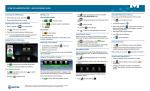
4) SwyxWare Configuration
Start the configuration of SwyxServer from the desktop link.
The SQL database server will be installed automatically.
Further entries are not required.
The SwyxWare Configuration Wizard will be started. Here you
enter specific data such as location, public numbers etc.
For further information please refer to chapter 5,
Configuration of SwyxServer, page 13.
5) SwyxWare Administration
Start the administration from the desktop link. After the
SwyxWare is configured, you can create users and trunks.
For further information please refer to chapter 5.2.1, Essential
settings, page 14.
6) SwyxIt! and SwyxPhone
For further information please refer to chapter 5.3, Installation
of SwyxIt!, page 15.
Please see the SwyxWare administrator manual for how to
install the telephony clients; this is available as a link on the
desktop.