1
N150 Wireless ADSL2+ Modem Router DGN1000 User Manual
Upgrade the Router Firmware
The wireless modem router firmware (routing software) is stored in flash memory. By default,
when you log in to your wireless modem router, it checks the NETGEAR website for new
firmware and alerts you if there is a newer version.
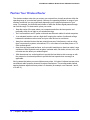
WARNING!
When uploading firmware to the wireless modem router, do not
interrupt the Web browser by closing the window, clicking a link,
or loading a new page. If the browser is interrupted, it could
corrupt the firmware.
Turn Off Automatic Firmwar Checking
You can turn the automatic firmware checking off and check for firmware updates manually if
you prefer. See Manually Check for Firmware Upgrades on page 61. To turn off the automatic
firmware check at log in:
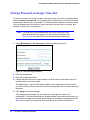
1. Select Maintenance > Router Upgrade.
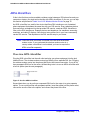
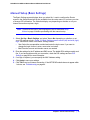
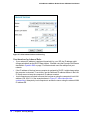
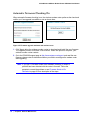
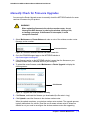
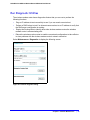
2. Uncheck the Check for Updated Firmware Upon Log-in check box at the bottom of this
screen:.
Figure 34. Check for Updated Firmware Upon Log-in check box
Chapter 5. Network Maintenance
|
59