1
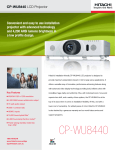
CP-WU8440 LCD Projector
Convenient and easy to use installation
projector with advanced technology
and 4,200 ANSI lumens brightness in
a low profile design.
Installation
Series
Hitachi’s installation-friendly CP-WU8440 LCD projector is designed to
provide maximum presentation impact in mid to large venue applications. It
offers a versatile array of innovative, performance-enhancing features along
with advanced video display technology providing bold, brilliant colors with
Key Features
■
WUXGA 1920 x 1200 resolution
■
4,200 ANSI lumens white/color output
■
16 watt audio output
■
3000:1 contrast ratio
■
HDMI 2 inputs
■
15,000 hours hybrid filter*
■
4,000 hours lamp life (Eco mode)**
■
Power saving standby mode less
than .05W
1.800.HITACHI
[email protected]
hitachi-america.us/projectors
incredible image clarity and uniformity. Plus, with motorized zoom, focus and
superior lens shift, and a variety of lens options, the CP-WU8440 is at the
top of its class when it comes to installation flexibility. All this, and with a
lower cost of ownership. For added peace of mind, Hitachi’s CP-WU8440
is also backed by a generous warranty and our world-class service and
support programs.
CP-WU8440
CP-WU8440 LCD Projector
UNIQUE FEATURES
MyButton / MySource - Doc Camera
Two customizable buttons on the remote
control allow users to create a shortcut for
any projector command such as: Direct input
(RGB1, S-video, etc.), picture mode or filter
reset. For connection to a document camera,
MySource allows users to add a third document
camera source button.
Center Lens Design
This feature makes it easy to align the projector with the center
of the screen for faster and trouble-free setup.
DICOM® Simulation Mode
Images in DICOM (Digital Imaging and Communications in
Medicine) Mode are reproduced with an advanced grayscale
level. This mode is ideal for viewing grayscale medical images
such as X-rays, and for training and educational purposes.
These projectors are not approved medical devices. They
should not be used for actual medical diagnosis.
Drawing Function with Optional Tablet (TB-1)
Network Control, Maintenance and Security
Embedded networking gives you the ability to manage and
control multiple projectors over your LAN. Features include
scheduling of events, centralized reporting, image transfer and
e-mail alerts for reactive and routine maintenance.
PC-Less Presentation
By using a USB memory stick or other storage device, you
can use the projector without a computer. Menus are easy
to see with a thumbnail display. Additionally there is also a
slideshow function.
The optional Hitachi wireless tablet and pen allows you
to engage your audience by annotating over any image.
Multiple Lens Options
4
PIN Lock / MyScreen / MyText
PIN lock protection can limit projector users. MyScreen PIN
lock keeps captured images on the startup screen. Users can
set any name logo to MyScreen, clearly identifying ownership.
MyText provides the ability to write text on the startup screen
such as model name, serial number or location.
In addition to the one ML703 middle throw standard lens,
four optional lenses are available: FL701 fixed; SL702 short
throw; LL704 long throw; and UL705 ultra-long throw.
Motorized Zoom, Focus and Lens
Shift Control
PJMessenger
Perfect Fit 2
Present Content via LAN
PJMessenger function allows you to send and display text
messages and audio alerts on your networked projectors. It
is an easy and efficient way to send announcements out to
multiple units.
Allows for greater range of installation possibilities. With the
motorized function you can make fine adjustments through
the remote control or RS232/IP device.
Enables the user to adjust individual corners and sides
independent of one another. Perfect Fit 2 provides vertical
and horizontal digital correction of either barrel or pin
cushion distortions. This feature helps correct geometric and
complicated distortions. Perfect Fit 2 allows the projected image
to fit correctly to the screen quickly and easily.
Picture By Picture
Hitachi’s picture by picture enables the content from any two
input sources to be displayed simultaneously, side by side on
one screen. With such flexibility, the input source can originate
from different locations such as PC x 2 or video x 2, or PC x 1
and video x 1, with both images sharing equal screen size.
This feature is also ideal for teleconferencing applications.
STANDARD FEATURES
Display via USB
Simply plug and play using the USB port
instead of the 15-pin D-sub VGA cable.
Installation
Series
Hitachi’s suite of networking software allows you to easily
send content directly from your PC to the projector via your
LAN connection.
Serial Number and Media Access Control Label
Serial #
A label is affixed to side of projector to more easily access
and read the model name and serial number while mounted
in ceiling use. This is a convenience for installers, end users
and auditors for instant accessibility.
Template Function
Line templates in the projector menu can help when writing
on a whiteboard. There are four types of line templates to
choose from.
Transition Detector and Security Bar
A security sensor located inside the projector recognizes when
the projector has been moved. Moving the projector without
using the correct PIN code will disable the projector.
Wireless Presentation Ready
You can use a wireless network by connecting the projector
to a computer using the optional USB wireless adapter part
number USBWL11N. The adapter supports IEEE802.11b/g
and the latest 11n.
HI0047-04/12 WEB
All specifications subject to change without notice.
3LCD and the 3LCD logo are registered trademarks of the Seiko Epson Corporation.
©2012 Hitachi America, Ltd. All Rights Reserved.
Hitachi America, Ltd.
900 Hitachi Way, Chula Vista, CA 91914
Toll Free: 1.800.HITACHI t Email: [email protected]
Web: hitachi-america.us/projectors
* Actual filter life will vary by individual filter and based on environmental conditions, selected operating mode, user settings
and usage. Hours of average filter life specified are not guaranteed and do not constitute part of the product warranty.
** Actual lamp life will vary by individual lamp and based on environmental conditions, selected operating mode, user
settings and usage. Hours of average lamp life specified are not guaranteed and do not constitute part of the product or
lamp warranty. Lamp brightness decreases over time.
CP-WU8440 LCD Projector
Quality, reliability and installation
convenience.
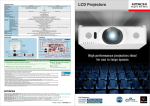
From mid-size to very large auditoriums and
conference halls, Hitachi’s CP-WU8440 LCD projector
is the perfect solution. With 4,200 ANSI lumens
brightness and WUXGA 1920 x 1200 resolution, the
CP-WU8440 will deliver dynamic images guaranteed
to dazzle any audience. Incorporating Hitachi’s
leading-edge technology, the CP-WU8440 features
high contrast ratio, long lamp life, picture by picture
so you can project two images on one screen at the
same time, a variety of lens options to accommodate
Installation
Series
Front 3/4 View
Side Profile
Rear View
Top View
Input/Outputs
1
your specific application, and is wireless presentation
ready. Plus, embedded networking gives you the
ability to manage and control multiple projectors over
your LAN (scheduling of events, centralized reporting,
image transfer, and e-mail alerts). Even with the
array of advanced features, Hitachi’s CP-WU8440 is
designed for user-friendly operation and installation
convenience.
Crestron
Integrated Partner
Hitachi Trade-Up
Program
Closed Captioning
AMX Device
Discovery
3
4
5
6
20
19
7
8
18
9
17
3LCD Technology
2
1.
2.
3.
4.
5.
6.
7.
USB Type A
USB Type B
Composite Video
HDMI x 2
Audio in 3
Computer in 2
Computer in 1
16
15
14
13
8. Audio in 1
9. Audio in 2
10. Security Bar
11. Monitor Out
12. Component
13. Kensington Lock
14. Audio Out
12
11
10
15. Control (RS-232C)
16. Remote Control
17. AC Inlet
18. Remote Sensor
19. S-Video
20. LAN
3 Year Warranty
HDMI
HI0047-04/12 WEB
All specifications subject to change without notice.
3LCD and the 3LCD logo are registered trademarks of the Seiko Epson Corporation.
©2012 Hitachi America, Ltd. All Rights Reserved.
Hitachi America, Ltd.
900 Hitachi Way, Chula Vista, CA 91914
Toll Free: 1.800.HITACHI t Email: [email protected]
Web: hitachi-america.us/projectors
CP-WU8440
CP-WU8440 LCD Projector
Specifications
Accessories and Lenses
Supplied
Accessories
Optional
Accessories
USBWL11N USB wireless adapter,
TB-1 wireless USB tablet
Optional Lenses
4 optional lenses are available: FL701,
SL702, LL704, UL705
Display
Remote control, power cord, computer
cable, one standard ML703 lens, lens
cover, user's manual, security label,
application CD, adapter cover
Replacement Parts
CPWX8240LAMP (DT01281)
Remote Control
HL02801
Filter
MU06642
Lens & Operation
Lamp
Projection Throw Chart
Screen Size 16:10
Throw Distance
Projection Technology
3LCD, 3 chip technology
Resolution
WUXGA - 1920 x 1200
White Light Output
4,200 ANSI lumens
Color Light Output
4,200 ANSI lumens
Colors
16.7 million colors
Aspect Ratio
Native 16:10 and 4:3 / 16:9 compatible
Contrast Ratio
3000 : 1 (using active IRIS)
Throw Ratio
(distance : width)
1.5 - 3.0 : 1
(with standard lens)
Lens
x2.0 with motorized zoom, focus and lens shift
Lamp Wattage
245W UHP
Expected Lamp Life*
Approximately 2,500 hours (standard mode)
4,000 hours (Eco mode)
Expected Filter Life**
Approximately 15,000 hours
Speaker Output
16W (8W x 2)
Acoustic Noise Level
35 dB (29 dB in Eco mode)
Keystone
H: +/- 15º and V: +/- 35º
Computer
H-Sync
VGA, SVGA, XGA, WXGA, WXGA+, SXGA, SXGA+, UXGA,
WSXGA+, WUXGA, MAC 16"
31.5 kHz - 106 kHz
V-Sync
56 Hz - 120 Hz
Composite Video
NTSC, NTSC4.43, PAL, PAL-M, -N, SECAM
Component Video
480i, 480p, 576i, 720p, 1080i, 1080p
Width
Min
Max
30
24
38
76
60
48
76
151
80
64
101
202
100
80
127
252
HDMI
480i, 480p, 576i, 720p, 1080i, 1080p,
Computer signal TMDS Clock 27 MHz - 150 MHz
150
120
190
377
Digital Input
HDMI x 2 (HDCP compliant)
200
160
253
503
Computer Input 1
15-pin mini D-sub x 1
Computer Input 2
BNC x 5
Computer Monitor Output
15-pin mini D-sub x 1
200
316
628
300
240
379
754
Throw Ratio: 1.5 - 3.0 : 1 (distance : width)
Screen size and throw distance are measured in inches
with standard lens ML703.
Mini DIN 4-pin x 1
Composite Video
RCA jack x 1
Component Video
RCA jack x 3
3.5 mm stereo mini jack x 2, RCA jack (L/R) x 1
Audio Output
RCA jack (L/R) x 1
Meters
Network LAN Wired
RJ-45 port / 100-base-T
Network LAN Wireless
IEEE802.11 b/g/n - optional wireless adapter required
USB
Control Terminals
Type A x 2 (PC-less, wireless adapter, TB-1)
Type B x 1 (USB display or mouse control)
9-pin D-sub x 1 (RS-232 control)
Power Supply
AC100-120V / AC220-240V, 50/60Hz
Power Consumption
375W
Operating Temperature
32ºF - 104ºF (0ºC - 40ºC)
Dimensions (W x D x H)
19.6" x 15.6" x 5.3"
Weight
19.0 lbs
Approvals
UL 60950-1 / cUL FCC Part 15 subpart B class A
Warranty
3 year limited parts and labor
ML703
127 - 252
3.2 - 6.4
FL701
69
1.8
SL702
100 - 151
2.5 - 3.8
LL704
240 - 407
6.1 - 10.3
UL705
407 - 691
10.3 - 17.6
Projection distances measured in inches and meters with standard lens
and optional lenses when projecting onto a 100" diagonal screen.
Ratings & Warranty
Inches
S-Video
Audio Input
Projection Lens Chart
Lens
Video Input
Connectors
250
Compatibility
Diagonal
Installation
Series
* Actual lamp life will vary by individual lamp and based on environmental conditions, selected operating mode, user settings and usage. Hours of average
lamp life specified are not guaranteed and do not constitute part of the product or lamp warranty. Lamp brightness decreases over time.
** Actual filter life will vary by individual filter and based on environmental conditions, selected operating mode, user settings and usage. Hours of average
filter life specified are not guaranteed and do not constitute part of the product warranty.
HI0047-04/12 WEB
All specifications subject to change without notice.
3LCD and the 3LCD logo are registered trademarks of the Seiko Epson Corporation.
©2012 Hitachi America, Ltd. All Rights Reserved.
Hitachi America, Ltd.
900 Hitachi Way, Chula Vista, CA 91914
Toll Free: 1.800.HITACHI t Email: [email protected]
Web: hitachi-america.us/projectors
CP-WU8440