1
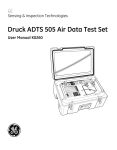
Druck ADTS 505
Air Data Test Set
User Manual
K260
© Druck Limited 2002
This document is the property of Druck Limited and may not be copied or otherwise reproduced,
communicated in any way to third parties, nor stored in any Data Processing System without the
express written authority of Druck Limited.
K260 Issue No. 3
Druck ADTS 505 User Manual
i
Introduction
#
This technical manual provides operating instructions for the Air Data Test System
compatible with the requirements of first line operation for the technician and
supervisor.
Scope
#
This technical manual contains a brief description, operation and testing
procedures for the user of this equipment with software version V1.03.
Safety
#
The manufacturer has designed this equipment to be safe when operated using
the procedures detailed in this manual. Do not use this equipment for any other
purpose than that stated.
This publication contains operating and safety instructions that must be followed to
make sure of safe operation and to maintain the equipment in a safe condition. The
safety instructions are either warnings or cautions issued to protect the user and the
equipment from injury or damage.
#
Use qualified* technicians and good engineering practice for all procedures in this
publication.
#
PIN Protection
The ADTS 505 contains two protected menus, the operating limits (described in this manual) and
the maintain calibration menu (described in the calibration manual).
The factory set PIN codes are contained in an envelope addressed to the Supervisor.
IMPORTANT
NOTE
Change these codes for authorised access. Unauthorised access to these two menus can make
this system inaccurate and could, in control mode, cause excessive rates of pressure change.
Pressure
#
Do not apply pressure greater than the maximum safe working pressure to the equipment.
Toxic Materials
#
There are no known toxic materials used in this equipment.
Maintenance
#
The equipment must be maintained using the manufacturer’s procedures and should be
carried out by authorized service agents or the manufacturer’s service departments.
Technical Advice
#
For technical advice contact the manufacturer or subsidiary.
*
A qualified technician must have the necessary technical knowledge, documentation, special
test equipment and tools to carry out the required work on this equipment.
CE
This product meets the essential protection requirements of the relevant EEC directives.
Further details of applied standards may be found in the product specification.
K260 Issue No. 3
ii
Associated Publications
This lists the Druck manuals and publications referenced in this manual.
Calibration Manual
Air Data Test Set ADTS 505
K272
Quick Reference Guide
Air Data Test Set ADTS 505
K274
Approved Service Agents
The following are approved agents for the servicing of Druck Instruments
E-mail
[email protected]
[email protected]
Internet
www.druck.com
France
Italy
USA
Druck SA,
19 rue Maurice Pellerin,
92600 Asnières,
FRANCE.
Tel: 00 33 1 41 32 34 64
Fax: 00 33 1 47 93 00 48
Druck Italia Srl.,
Via Capecelatro 11,
20148 Milano,
ITALY.
Tel: 00 3902 48707166
Fax: 00 3902 48705568
Druck Incorporated,
4 Dunham Drive,
New Fairfield,
Connecticut 06812,
U.S.A.
Tel: (203) 746 0400
Fax: (203) 746 2494
Germany
Japan
Druck Messtechnik GmbH.,
Auf dem Hohenstein 7,
61231 Bad Nauheim,
GERMANY.
Tel: 00 49 6032 93300
Fax: 00 49 6032 933080
Druck Japan KK,
Medie Corp Building 8,
2-4-14 Kichijyoji-Honcho,
Musashino,
Tokyo 180,
JAPAN.
Tel: (81) 422 20 7123
Fax: (81) 422 20 7155
Netherlands
UK
Druck Nederland bv.,
Postbus 232,
Zuideinde 37,
2991 LJ Barendrecht,
THE NETHERLANDS.
Tel: 00 31 1806 11555
Fax: 00 31 1806 18131
Druck Limited,
Fir Tree Lane
Groby,
Leicester LE6 0FH,
England,
UNITED KINGDOM.
Tel: (0116) 231 7100
Fax: (0116) 231 7103
K260 Issue No. 3
CONTENTS
iii
Table of Contents
Preliminary pages
Introduction ..............................................................................................................
Scope
..............................................................................................................
Associated Publication ................................................................................................
Approved Service Agents ............................................................................................
Table of contents (this table) .......................................................................................
Abbreviations ..............................................................................................................
Glossary
..............................................................................................................
Section
i
i
ii
ii
iii
vi
viii
page
1 DESCRIPTION
1.1
1.2
Introduction ...................................................................................................... 1-1
Operating Limits ............................................................................................... 1-3
2 INSTALLATION
2.1
2.2
2.3
2.4
2.5
2.6
Packaging .........................................................................................................
Packaging for Storage and Transportation .......................................................
Return Goods Procedure .................................................................................
Electrical Connection .......................................................................................
Pneumatic Pressure Connection .....................................................................
Positioning of the ADTS 505 ............................................................................
2-1
2-1
2-3
2-6
2-7
2-8
3 OPERATION
3.1
3.2
3.3
3.4
3.5
3.6
3.7
Preparation .......................................................................................................
Display Functions and Units of Measure .........................................................
Quick Reference ..............................................................................................
First Time Operators ........................................................................................
3.4.1 Operating Modes ..................................................................................
Operation and Example Procedures ................................................................
3.5.1 Operating Procedures ...........................................................................
3.5.2 Power-up ...............................................................................................
3.5.3 Control or Measure Parameter .............................................................
3.5.4 Leak Testing the ADTS 505 ..................................................................
3.5.5 Changing the Units of Measurement ...................................................
3.5.6 Setting Limits ........................................................................................
Tests Before Use .............................................................................................
3.6.1 Aircraft System Protection ...................................................................
Testing Aircraft Systems or UUT .....................................................................
3.7.1 Testing the Aircraft Static System ........................................................
3.7.2 Testing the Aircraft Pitot System .........................................................
3.7.3 Combined Testing of the Aircraft Pitot and Static Systems ................
3.7.4 Mach Test and Constant Mach ............................................................
3.7.5 Leak Testing ..........................................................................................
3.7.6 Airspeed Switch Test ............................................................................
3.7.7 Engine Pressure Ratio (EPR) ................................................................
3.7.8 Go To Ground ........................................................................................
3-1
3-2
3-3
3-4
3-6
3-10
3-10
3-10
3-11
3-11
3-13
3-13
3-15
3-15
3-15
3-16
3-17
3-18
3-19
3-20
3-21
3-22
3-23
K260 Issue No. 3
Druck ADTS 505 User Manual
iv
Table of Contents (contd)
Section
page
3.8
3.9
3.10
Manual Venting of the Aircraft Pitot and Static Systems ................................ 3-24
ADTS 505 Options ........................................................................................... 3-24
Set-up Reference ............................................................................................. 3-25
4 MAINTENANCE
4.1
4.2
4.3
4.4
Introduction ......................................................................................................
Materials and Tools ..........................................................................................
Maintenance Tasks ..........................................................................................
Routine Maintenance .......................................................................................
4-1
4-2
4-3
4-4
5 TESTING AND FAULT FINDING
5.1
5.2
5.3
5.4
5.5
5.6
Introduction ......................................................................................................
Standard Serviceability Test .............................................................................
Fault Diagnosis .................................................................................................
Warnings and Self-test Errors ..........................................................................
Further Testing .................................................................................................
Fault Finding .....................................................................................................
5-1
5-2
5-3
5-3
5-6
5-14
6 REFERENCE and SPECIFICATION
6.1
6.2
6.3
Introduction ......................................................................................................
Key-pad Selections and Functions ...................................................................
F1 - F6 ..............................................................................................................
ALT/Ps ..............................................................................................................
SPEED Qc .........................................................................................................
MACH ..............................................................................................................
ROC Ps RATE ...................................................................................................
RATE ..............................................................................................................
LEAK MEASURE/CONTROL ............................................................................
GROUND ..........................................................................................................
0 to 9 ..............................................................................................................
-000
..............................................................................................................
CLEAR/QUIT .....................................................................................................
DELETE ............................................................................................................
HELP ..............................................................................................................
ENTER ..............................................................................................................
CLEAR/QUIT + ENTER (ABORT) ......................................................................
Main Menu .......................................................................................................
[Rate Timer] ......................................................................................................
[Units] ..............................................................................................................
[EPR] ..............................................................................................................
[Hold] ..............................................................................................................
Nudge [- or ¯] ..................................................................................................
SETUP ..............................................................................................................
6.3.1 Set-up 1 of 2 .........................................................................................
[Display],[Single, Dual,Quad, Hand Term] ............................................
K260 Issue No. 3
6-1
6-1
6-1
6-2
6-2
6-3
6-3
6-4
6-5
6-5
6-6
6-6
6-6
6-6
6-7
6-7
6-7
6-8
6-8
6-9
6-10
6-10
6-10
6-11
6-11
6-11
CONTENTS
v
Table of Contents (contd)
Section
page
6.4
6.5
[Units] ....................................................................................................
[Limits] ..................................................................................................
[Alt. Corr.] ..............................................................................................
[Date Format] ........................................................................................
6.3.2 Set-up 2 of 2 .........................................................................................
[Operational Hours] ...............................................................................
[Software Versions] ...............................................................................
[Security] ...............................................................................................
[Maintain Calibration] ............................................................................
[Auto Leak] ............................................................................................
Other Features .................................................................................................
Elapsed Time Counter ..........................................................................
Auto Zero ..............................................................................................
Hand Terminal .......................................................................................
Specification .....................................................................................................
Table of Illustrations
Figure
1-1
2-1
2-2
2-3
2-4
3-1
5-1
5-2
5-3
5-4
6-1
6-2
6-3
6-12
6-13
6-15
6-16
6-17
6-17
6-17
6-17
6-17
6-18
6-19
6-19
6-19
6-19
6-20
page
ADTS 505 General View ...................................................................................
ADTS 505 Accessories .....................................................................................
ADTS 505 Altitude Correction On-aircraft ........................................................
ADTS 505 Altitude Correction Off-aircraft .......................................................
ADTS 505 General View ...................................................................................
Key-pad and Display .........................................................................................
Fault Finding Chart ...........................................................................................
System Screen for Diagnosis ...........................................................................
System Screen .................................................................................................
Key-pad Test Display ........................................................................................
ARINC 565 Limits Graph ..................................................................................
Altitude Correction On-aircraft .........................................................................
Altitude Correction Off-aircraft .........................................................................
1-2
2-4
2-9
2-9
2-10
3-3
5-4
5-7
5-9
5-10
6-14
6-15
6-16
List of Tables
Table
2-1
4-1
4-2
4-3
5-1
5-2
5-3
5-4
page
Parts List ..........................................................................................................
Maintenance Chart ...........................................................................................
Materials List ....................................................................................................
Tool and Test Equipment Requirements .........................................................
Fault Finding .....................................................................................................
System Screen Information .............................................................................
Error Messages ................................................................................................
Warning Messages ..........................................................................................
2-5
4-1
4-2
4-2
5-5
5-8
5-14
5-15
K260 Issue No. 3
Druck ADTS 505 User Manual
vi
Abbreviations
The following abbreviations are used in this manual; the abbreviations are the same in the singular and plural.
A
abs
a.c.
ADTS
ALT
ARINC
ASI
CAS
COSHH
cm
d.c.
Def
e.g.
EPR
etc.
°F
Fig.
ft
g
h
HBC
Hg
hm
Hz
IAS
i.e.
in
kg
km
kts
LCD
m
mA
max
mbar
min
mm
mph
MSDS
mV
No.
PIN
Ps
psi
Pt
Qc
QFE
QNH
RGA
RMS
ROC
K260 Issue No. 3
Ampere
Absolute
Alternating current
Air Data Test Set
Altitude
Air Radio Incorporated
Airspeed indicator
Calibrated airspeed
Control of Substances Hazardous to Health Regulations
Centimetre
Direct current
Define
For example
Engine pressure ratio
And so on
Degrees Fahrenheit
Figure
Foot
Gauge
Hour
High breaking capacity
Mercury
Hecto metre
Hertz
Indicated airspeed
That is
Inch
Kilogram
Kilometre
Knots
Liquid crystal display
Metre
Milliampere
Maximum
Millibar
Minute or minimum
Millimetre
Miles per hour
Material safety data sheet
Millivolts
Number
Personal identification number
Static pressure
Pounds per square inch
Total pressure (Pitot)
Differential pressure Ps-Pt
Local atmospheric pressure
Barometric pressure at sea level
Return Goods Authorization (Druck procedure)
Root mean square
Rate of climb
Abbreviations
vii
Abbreviations (contd)
Rt
V
+ve
-ve
°C
Rate
Volts
Positive
Negative
Degrees Celsius
K260 Issue No. 3
Druck ADTS 505 User Manual
viii
Glossary
Terminology
The terminology used in this manual is specific and individual interpretation must
not be introduced. The terms are defined as follows:
Adjust
To bring to a more satisfactory state; to manipulate controls, levers, linkages,
etc. to return equipment from an out-of-tolerance condition to an in-tolerance
condition.
Align
To bring into line; to line up; to bring into precise adjustment, correct relative
position or coincidence.
Assemble:
To fit and secure together the several parts of; to make or form by combining
parts.
Calibrate:
To determine accuracy, deviation or variation by special measurement or by
comparison with a standard.
Check:
Make a comparison of a measure of time, pressure, temperature, resistance,
dimension or other quality with a known figure for that measurement.
Disconnect: To detach the connection between; to separate keyed or matched equipment
parts.
Dismantle:
To take apart to the level of the next smaller unit or down to all removable parts.
Examine:
To perform a critical visual observation or check for specific conditions; to test the
condition of.
Fit:
Correctly attach one item to another.
Inspect:
Review the work carried out by Specialists to ensure it has been performed
satisfactorily.
Install:
To perform operations necessary to properly fit an equipment unit into the next
larger assembly or system.
Maintain:
To hold or keep in any particular state or condition especially in a state of
efficiency or validity.
Operate:
Make sure that an item or system functions correctly as far as possible without
the use of test equipment or reference to measurement.
Readjust:
To adjust again; to move back to a specified condition; to bring back to an
in-tolerance condition.
K260 Issue No. 3
GLOSSARY
ix
Reconnect:
To rejoin or refasten that which has been separated.
Refit:
Fit an item which has previously been removed.
Remove:
To perform operations necessary to take an equipment unit out of the next larger
assembly or system. To take off or eliminate. To take or move away.
Repair:
To restore damaged, worn out or malfunctioning equipment to a serviceable,
usable or operable condition.
Replace:
Remove an item and fit a new or a serviced item.
Reset:
To put back into a desired position, adjustment or condition.
Service:
To perform such operations as cleaning, lubricating and replenishing to prepare for
use.
Test:
Ascertain by using the appropriate test equipment that a component or system
functions correctly.
K260 Issue No. 3
x
Pressure units and conversion factors
Pressure unit
Factor (Pascals)
Pressure unit
Factor (Pascals)
bar
100000
lbf/ft2
47.8803
lbf/in2 (psi)
6894.76
inHg
3386.39
mH2O
9806.65
inH2O
[1]
249.089
mbar
100
ftH2O
[1]
2989.07
kgf/cm2
98066.5
atm
101325.0
kgf/m2
9.80665
pdl/ft2
1.48816
mmHg
133.322
dyn/cm2
0.1
cmHg
1333.22
hbar
10000000
mHg
133322.0
tonf/ft2 (UK)
107252.0
mm/H2O
[1]
9.80665
tonf/in2 (UK)
15444300
cm/H2O
[1]
98.0665
inH2O (USA) [2]
248.64135
N/m2
1
ftH2O (USA) [2]
2983.6983
hPa
100
kp/mm2
9806650
kPa
1000
kp/cm2
98066.5
MPa
1000000
torr
133.322
TABLE
2
kp/m
9.80665
OF PRESSURE UNITS AND CONVERSION FACTORS
Unit Conversion
To convert FROM pressure VALUE 1 in pressure UNITS 1
TO pressure VALUE 2 in pressure UNITS 2, calculate as follows:
VALUE 2
=
VALUE 1 x FACTOR 1
FACTOR 2
Note
The conversion factor for pressure units referenced [1] are calculated for a water temperature of
4°C. Pressure units referenced [2] are calculated for a water temperature of 68°F these
units are normally used in the USA.
K260 Issue No. 3
Description
1
1-1
INTRODUCTION
1.1 Introduction
#
The ADTS 505 is a self-contained flight-line air data test system, enclosed in an ABS
case. The unit provides complete pressure and vacuum measuring and control for onaircraft sense and leak testing, functional tests of air data instruments, components
and systems.
#
The ADTS 505 displays and operates in either units of pressure measurement or
aeronautical units. In the control mode, the rate that the pressures change towards
new set-points can be controlled in true aeronautical rate units.
#
There are two independent pneumatic channels connect to the aircraft or instrument
systems, one for static and one for pitot. They can be operated as measure only
channels with leak testing facilities or each can be control channels producing true
pressure conditions for altitude and airspeed. Two pneumatic outlet ports, on the
front panel and identified as Ps (static) and Pt (pitot) provide connection to the aircraft
system or unit under test.
#
To protect sensitive instruments and equipment a `ground' facility automatically and
safely controls both channels to atmospheric pressure at the previously entered rates
of change and then informs the user when both channels are safely at `ground'.
#
Pre-defined sets of limits, stored in the system, prevent excessive pressures and
rates damaging aircraft systems and components. A further five sets of operating
limits can be defined by the supervisor or quality assurance engineer. The user can
select sets of limits but cannot change the values.
#
The user interface is either the key-pad and display on the front panel or an optional
hand terminal connected to the front panel. Both provide information and control
selections for the user through the keys and display.
#
The display shows various menus, each menu provides selections using six menudefined function keys. The key-pad contains fixed function keys used to select
various parameters, modes and enter numeric values.
#
The integral pumps of the ADTS 505, produce pressure and vacuum supplies for the
unit's controlling requirements. The power supply connection for the unit is located
on the front panel.
K260 Issue No. 3
1
1-2
Druck ADTS 505 User Manual
FIGURE 1-1 ADTS 505 GENERAL
K260 Issue No. 3
VIEW
Druck ADTS 505 User Manual
2
2-1
INSTALLATION
2.1 Packaging
On receipt of the ADTS 505 check the contents of the packaging against the
following lists:
i)
ii)
iii)
iv)
v)
vi)
vii)
viii)
ix)
ADTS 505
Power supply cable - 5 m
Option A
comprising:
Hand terminal
Hand terminal cable - 18 m
6 m hose - red
6 m hose - blue
Accessory Bag
2 m hose - red
2 m hose - blue
User Manual (this publication)
Quick Reference Guide K274
Calibration Manual K272
Spare fuses (2 off)
2
2.2 Packaging for Storage or Transportation
To store the unit or to return the unit for calibration or repair carry out the
following procedures:
1.
Pack the unit as detailed in the following procedure.
2.
To return the unit for calibration or repair complete the return goods
procedure as detailed in 2.3.
K260 Issue No. 3
2-2
Installation
Procedure
#
#
The unit should be at zero/ambient pressure. Disconnect the hose assemblies
and stow in the lid.
/
Switch OFF and disconnect from the electrical power supply. Disconnect
the power supply cable and the hand terminal cable. Disconnect the hand
terminal cable from the hand terminal.
/
Fit the lid to the unit.
/
The power supply cable, hand terminal cable and the hand terminal should
be placed in the original packing material.
If available, use the original packing material. When using packing materials other
than the original, proceed as follows.
/
Wrap unit in polyethylene sheeting.
/
Select a double-wall cardboard container. Inside dimensions must be at
least 15 cm greater than the equipment. The carton must meet test
strength requirements of >125 kg.
/
Protect all sides with shock-absorbing material to prevent equipment
movement within the container.
#
Seal carton with approved sealing tape.
#
Mark carton “FRAGILE” on all sides, top, and bottom of shipping container.
To return the unit for calibration or repair complete the return goods procedure as
detailed in 2.3.
Environment
#
#
The following conditions apply for both shipping and storage:
/
Temperature Range ....... -20 to +70 °C (-4 to +158 °F)
/
Altitude .................Up to 15,000 feet (4,570 metres)
K260 Issue No. 3
Druck ADTS 505 User Manual
2-3
2.3 Returned Goods Procedure
Should the unit require calibration or become unserviceable it can be returned to
the Druck Service Department.
Please contact our Service Department, either by 'phone, fax or E-mail, to obtain
a Returned Goods Authorization (RGA) number or (Return Material Authorization
[RMA] in USA), providing the following information:
Product (i.e. ADTS 505)
Serial number
Details of defect/work to be undertaken
Calibration traceability requirements
Operating conditions
Safety Precautions
You must also tell us if the product has been in contact with anything hazardous
or toxic and, the relevant COSHH (MSDS in USA) references and precautions to
be taken when handling.
Important notice
Service or calibration by unauthorized sources will affect the warranty and may
not guarantee further performance.
2
K260 Issue No. 3
2-4
Installation
4
1
5
18m
2
3A
6
FIGURE 2.1 ADTS 505 ACCESSORIES
K260 Issue No. 3
Druck ADTS 505 User Manual
No
Part Number
2-5
Description
Qty per
assy
1
ADTS505-3124-18-M0
Kit, Fuse/ O-Ring
1
ADTS505-3124-52-M0
Comprising:
Hose, red, ST/OPN, AN4
1
2
Hose, blue, ST/OPN, AN4
1
3A
ADTS405-1728-47-M0
Cable, AC Power, 5M (260V Open End)
1
3B#
ADTS505-3124-41-M0
Alternative
Cable, AC Power, 5M (115V US plug)
1
3C#
ADTS505-3124-40-M0
Alternative
Cable, AC Power, 5M (250V UK plug)
1
4
ADTS505-3124-56-M0
Option A
Hand terminal Assembly
1
Option A
-
4.1#
Hose, red, 6M
Hose, blue, 6M
1
1
5
ADTS505-3124-54-M0
Option A
Cable, Hand terminal 18M (option)
1
6
ADTS505-3124-57-M0
Option A
Bag, Accessory, Hand Terminal
1
7#
ADTS505-3124-60-M0
Handbook, User Manual, K260
1
8#
ADTS505-3124-41-M0
Handbook, Calibration Manual, K272
1
# not illustrated
TABLE 2-1 PARTS LIST
K260 Issue No. 3
2
2-6
Installation
2.4 Electrical Connection
WARNING:
VOLTAGES IN EXCESS OF 30 VOLTS (RMS) AC OR 50
VOLTS DC, IN CERTAIN CIRCUMSTANCES, CAN BE
LETHAL. CARE MUST BE TAKEN WHEN WORKING ON
LIVE, EXPOSED CONDUCTORS.
Power Supply Connection
The unit must be connected to the correct electrical power supply as stated,
adjacent to the power connector.
CAUTIONS:
1
THE SUPPLY MUST PROVIDE CONNECTION TO A PROTECTIVE GROUND TERMINAL.
THE UNIT MUST, AT ALL TIMES, BE CONNECTED TO THE SUPPLY EARTH
(GROUND).
2
THE
POWER SUPPLY CABLE AND CONNECTOR MUST BE CORRECTLY RATED FOR
THE POWER SUPPLY.
Note:
e.g.
The ADTS 505 is normally supplied with an approved power supply cable
for use in the country of delivery. This can limit the maximum supply
voltage that can be safely used.
a NEMA 5-15P terminated cable, for use in the U.S.A., is approved for a
maximum of 125 V ac; it must be replaced for a higher supply voltage.
European
Colour
U.S.
Color
Function
(ADTS)
Pin
1
Brown
Black
Live
4
Blue
White
Neutral
Centre
Green/Yellow
Green
Protective Earth
(Ground)
#
Make sure that the power supply is off before connecting the power cable.
#
If required, connect the hand terminal to the connector on the front panel.
Note:
Connecting the hand terminal to the unit disables the front panel key-pad.
K260 Issue No. 3
Druck ADTS 505 User Manual
2-7
Fuses
The two fuses, located in the holders and mounted on the front panel, protect the
unit. The fuses are connected in the live and neutral supply circuit and are rated
at:
5A anti-surge HBC 250V
#
External earth/ground connection
An external earth (ground) cable may be connected to the stud on the front panel
of the unit providing integrity of the earth (ground) connection.
2.5 Pneumatic Pressure Connections
Ps (static)
Pt (pitot)
-
AN4 (MS33656-4)
AN4 (MS33656-4)
When not in use, a blanking cap must be fitted.
Note:
When carrying out a leak test, a leak of this blanking cap affects the
performance of the ADTS 505.
2
K260 Issue No. 3
2-8
Installation
2.6 Positioning of the ADTS 505
WARNING:
IN AN ENCLOSED AREA WITH FUEL VAPOUR
PRESENT THIS EQUIPMENT MUST BE PLACED AT
LEAST 0.5 METRES ABOVE FLOOR LEVEL. THIS
EQUIPMENT CONTAINS A D.C. MOTOR WITH
BRUSHES THAT COULD CAUSE A SPARK.
CAUTION:
TO OPERATE, PLACE THE UNIT ON A HORIZONTAL SURFACE (FRONT PANEL
UPPERMOST) THIS ALLOWS THE WATER IN THE WATER FILTER TO VENT. WATER
COULD CONTAMINATE THE CONTROLLER MANIFOLD AND AFFECT CONTROLLER
PERFORMANCE.
Note:
In control mode, the water drain, located at one end of the unit near the carrying
handle, produces a flow of air and some water. The amount of water depends on
the humidity and the operating time in control mode.
#
It is important that the position of the ADTS 505 in relation to the aircraft altitude
sensors is known. An altitude correction must be made to allow for the
difference in height between the reference level and the aircraft's altitude sensors
(Figures 2-2 and 2-3). The Reference section contains details of altitude
correction.
WARNING:
K260 Issue No. 3
OBSERVE THE APPROPRIATE SAFETY
INSTRUCTIONS AND TESTING PROCEDURES
DETAILED IN THE AIRCRAFT MAINTENANCE
MANUALS AND COMPONENT MAINTENANCE
MANUALS.
Druck ADTS 505 User Manual
2-9
FIGURE 2-2 ADTS 505 ALTITUDE CORRECTION ON-AIRCRAFT
2
FIGURE 2-3 ALTITUDE CORRECTION OFF-AIRCRAFT
K260 Issue No. 3
Installation
FIGURE 2-4 ADTS 505 GENERAL
VIEW
2 - 10
K260 Issue No. 3
Description
1-3
1.2 Operating Limits
The ADTS 505 is supplied with the following pre-defined operating limits.
Civil Limits
Parameter
MIN ALT
MAX ALT
MIN CAS
MAX CAS
MAX MACH
MAX ROC
ARINC LIMITS
ALT CORRECTION
MIN Ps
MAX Ps
MIN Qc
MAX Qc
MAX Rate Ps
MAX Rate Qc
Standard Limits
Parameter
MIN ALT
MAX ALT
MIN CAS
MAX CAS
MAX MACH
MAX ROC
ARINC LIMITS
ALT CORRECTION
MIN Ps
MAX Ps
MIN Qc
MAX Qc
MAX Rate Ps
MAX Rate Qc
Limit
-1,000 ft
50,000 ft
0.0 knots
450.0 knots
1.000 Mach
6,000 ft/min
OFF
0 ft
115.972 mbar
1050.406 mbar
0.0 mbar
368.01 mbar
109.85 mbar/min
109.85 mbar/min
1
Limit
-2,000 ft
60,000 ft
65.0 knots
650.0 knots
1.732 Mach
10,000 ft/min
OFF
0 ft
65.00 mbar
1088.6 mbar
0.0 mbar
866.00 mbar
200 mbar/min
200 mbar/min
K260 Issue No. 3
1-4
Druck ADTS 505 User Manual
Max Limits
Parameter
MIN ALT
MAX ALT
MIN CAS
MAX CAS
MAX MACH
MAX ROC
ARINC LIMITS
ALT CORRECTION
MIN Ps
MAX Ps
MIN Qc
MAX Qc
MAX Rate Ps
MAX Rate Qc
Limit
-2,000 ft
60,000 ft
0.0 knots
650.0 knots
2.800 Mach
40,000 ft/min
OFF
0 ft
10.90 mbar
1355.00 mbar
-1355.00 mbar
2490.00 mbar
1000 mbar/min
1000 mbar/min
EPR Limits
Parameter
MIN INLET
MAX INLET
MIN OUTLET
MAX OUTLET
MIN EPR
MAX EPR
MIN INLET RATE
MAX INLET RATE
MIN EPR RATE
MAX EPR RATE
Limit
27.0 mbar
1355.0 mbar
27.0 mbar
2500.0 mbar
0.1
10.0
0
1000 mbar/min
0
60 EPR/min
K260 Issue No. 3
Druck ADTS 505 User Manual
3
3-1
OPERATION
3.1 Preparation
WARNING:
OBSERVE SAFETY PRECAUTIONS STATED IN LOCAL ORDERS
AND THE AIRCRAFT OR EQUIPMENT SERVICING
PROCEDURES.
#
Make sure the electrical and pneumatic connectors, electrical cables and pipes
and positioning of the ADTS 505 comply with the instructions and requirements in
Section 2 Installation.
#
Carry out the following before use:
/
If necessary, carry out the maintenance task detailed in Section 4.
#
/
Make sure the air data test system power supply switch on the front panel
is set to OFF. Connect the air data test system to the electrical supply,
make sure the supply includes a connection to a protective earth.
/
Inspect the pneumatic hoses for damage, ingress of dirt and moisture.
Make sure the aircraft adaptors are serviceable.
Connect, to the air data test system, the hoses necessary for the test procedures
to be carried out: STATIC output (Ps), PITOT output (Pt). Temporarily seal the free
ends of the hoses.
Note:
When connected, take care not to kink or stand on the hoses.
#
Before use, the ADTS 505 should be tested, for first time users see section 3.4,
for users requiring more operating detail see section 3.5.
#
This section contains a quick reference chart detailing all the functions of the keypad. Further quick reference charts, at the end of this section, detail the set-up
menu.
#
Review and become familiar with the whole procedure before starting the test
process on an aircraft or component.
K260 Issue No. 3
3
3-2
Operation
3.2 Display Functions and Units of Measure
When operating in either pressure measuring or pressure controlling modes, the ADTS
505 can display the following information:
Aeronautical Functions
Display Abbreviation
Displayed Units
(if applicable)
Altitude
Calibrated Airspeed
Mach
Rate of Climb
ALT
CAS
MACH
ROC
Rate of Airspeed
Rt CAS,
Pressure Functions
Display Abbreviation
ft, m
kts, km/h, mph
ft/min, m/min, m/s,
hm/min
kts/min, km/h/min,
mph/min
Displayed Units
(if applicable)
Static (Absolute)
Pitot (Absolute)
Dynamic or Impact (Differential)
Engine Pressure Ratio
Rate of Ps
Rate of Pt
Rate of Qc
Rate of EPR
Ps
Pt
Qc
EPR
Rt Ps
Rt Pt
Rt Qc
Rt EPR
[P]
[P]
[P]
[P] /min
[P] /min
[P] /min
EPR/min
Where [P] is the currently selected pressure units from the following list:
mbar, inHg, mmHg, inH2O (4°C), inH2O (20°C), inH2O (60°F), psi, hPa, kPa,
Operating Range and Performance
The ADTS 505 is supplied with a full-scale range of 650 knots for measurement and
control of the pitot pressure channel. The unit can measure altitude up to 105,000 ft;
altitude control depends on the performance of the pump, the integral pump is capable
of achieving -2000 to 60,000 ft. Refer to section 6 for more details of performance and
specification.
Sets of factory-defined limits known as ARINC565, Standard, Military, Max and EPR can
be selected through the SETUP menu (see Reference section 6). Operators may also
define up to five sets of additional limits for different aircraft types. When configuring
the display to aeronautical or pressure units operators should be aware that when units
of pressure are selected, wider full-scale pressure limits will be enabled for some
parameters.
K260 Issue No. 3
Druck ADTS 505 User Manual
3-3
3.3 Quick Reference
KEY-PAD FUNCTION
the display shows the main pressure display (Leak Measure or Control mode)
with normal operation key functions.
Key/selection
Function and comments
F1-F6
Function keys for menus
ALT/Ps
SPEED Qc
EPR
ROC/RATE Ps
LEAK MEASURE/CONTROL
RATE
GROUND
SETUP
HELP
Altitude (Aeronautical units) or Ps (pressure units)
Airspeed (Aeronautical units) or Qc (pressure units)
Engine Pressure Ratio (pressure units only)
Rate of Climb (Aeronautical units) or Rate of Ps (pressure units)
Switches between measure mode (for leak testing) and control mode
Rate of change of Pitot or Mach parameter, press parameter then RATE (read only)
Controls Ps to atmospheric pressure and Qc to zero both at current rates of change
Changes functions, limits and units, if [save/lock] pressed changes are permanent
Press HELP for further information on current selection/display
0-9
Number entry
-/000
CLEAR/QUIT
ENTER
DELETE
Minus sign for first number entry 000 (thousand) if not first number of entry
Clear number entry - quit from menu, HELP screen or clear warning message
Complete number entry
Removes the last number or character entered
CLEAR/QUIT + DELETE =
ABORT,
all operations stop, the ADTS 505 restarts from a normal power-up
sequence, including safe equalising of pressures between the test set and the
connected system
3
Figure 3-1 Key-pad and Display
K260 Issue No. 3
3-4
Operation
3.4 First Time Operators
The following sequences of operation should be used by first time operators and by
operators that use the equipment occasionally. For regular users, familiar with the
equipment, go to section 3.5. Set the power supply switch to ON and the power-on
routine starts.
(1)
The display first shows:
(2)
After approximately five
seconds the display shows the start
of the power-on sequence, the
system carries out a self test. If the
test finds a fault, the display shows
an error message, refer to Section 5,
Fault Finding and Testing.
(3)
The display messages show a
sequence of pneumatic and internal
system checks:
Þ
Þ
Þ
Þ
Þ
Þ
Þ
(4)
After a successful self-test sequence the system changes to measure mode. The
display changes to the Leak Measure mode display showing the parameters selected in
set-up.
K260 Issue No. 3
Druck ADTS 505 User Manual
(5)
3-5
The system is now ready for use.
Notes
1
The ADTS 505 is a continuous, self-monitoring system. If the system detects an
error, the display shows an error message. Lists of errors are detailed in Section
5, Fault Finding and Testing.
2
The display at power-up will be [QUAD] format (see above) unless changed in
SETUP and [Save Settings] selected.
(6)
The connection of the optional hand terminal causes the front panel display to
show one of two messages:
or
To change between these two
displays, see SETUP and
[Display], [Hand Term],
[Monitor] or [Message].
See paragraphs 3.4.1 and 3.9.
K260 Issue No. 3
3
3-6
Operation
3.4.1 Operating Modes
The air data test system can now be set for a variety of functions and modes. In the
following, examples of measure mode, control mode, leak measure mode and go-toground show the key presses and selections required for each mode.
Measure Mode
The system automatically enters measure mode after a successful self-test. To change
the display press:
To set the display to show [Monitor] or
[Message] press F6. This switches
between the two settings and operates
only when the hand terminal is
connected.
To store display for the next power-up press:
To return to measure mode press:
K260 Issue No. 3
Druck ADTS 505 User Manual
3-7
Checking the Limits
Before use on aircraft systems or components check that the limits are within the
values stated in the appropriate maintenance manual. There are sets of factory-defined
limits:
Civil, Standard, Max or EPR (refer to Section 1 for details)
At each power-up sequence the default set of limits "CIVIL" become active. The "CIVIL"
limit set contains the lowest ranges and values. To see the name of the set of limits in
use, press SETUP the display shows the [name] in the F3 limits field. To see the value
of limits in use proceed as follows:
The current selected limits can be viewed by pressing F3. To select and use one of the
factory-defined limit sets or define one of five sets of user-defined limits, see 3.5.6. The
selected set of limits remain active until the selection of another set of limits or until
power supply switch-off.
K260 Issue No. 3
3
3-8
Operation
Control Mode
When the system is in measure mode, to enter control mode press:
The display changes to:
Note:
The number of parameters displayed depends on the settings made in setup, see
previous page.
New set-point
To change the Aim value, press the required parameter key and, using the numeric
keys, set the new Aim value. If necessary, use DELETE to remove the last digit set in
the Aim value display field.
The display shows each numeric key press, a beep sounds with each key press. When
the display shows the new Aim value press ENTER.
The display shows the parameter changing as the system controls to the set-point, at
the set rate of change.
K260 Issue No. 3
Druck ADTS 505 User Manual
3-9
Go to GROUND
When the system is in control mode press:
Note:
Go to ground does not operate in
measure mode.
The ALT Aim value immediately changes to the
current ground pressure (local airfield altitude) and
the system safely controls to the GROUND value
stored from power-up. The CAS Aim value
immediately changes to zero and the system
safely controls to zero:
The altitude and airspeed decreases at
the rate set in ROC and RtCAS.
When the altitude and airspeed are at
ground and zero the display changes
to:
3
When familiar with these procedures go to 3.5.4 to leak test the ADTS 505.
K260 Issue No. 3
3 - 10
Operation
3.5 Operation and Example Procedures
3.5.1 Operating Procedures
#
The procedures show the steps required to make sure the ADTS 505 is
serviceable and the settings required to test an aircraft system or component.
For further information refer to the Section 6 - Reference and Specification.
In the following:
#
All key presses are highlighted in bold and shown as identified on the front panel.
#
Key presses inside brackets e.g., [MORE], are soft key presses (i.e., function key
selections {F1 to F6} indicated on the screen).
#
Help System
The help information includes further details of the function and details associated
functions, also see Section 6 - Reference and Specification.
3.5.2
Power-up
#
Set the front panel power switch to ON and check the power indicator lights.
#
The display shows the following sequence:
a.
ADTS 505 power-up screen with the software version and the last
calibration date.
b.
Sequence of system and pneumatic tests:
i.
Thermal test.
ii.
Testing for vacuum leaks.
iii.
Testing for pressure leaks.
iv.
Pressurizing pumps.
v.
Finding valve bias.
vi.
Measuring ground pressure.
vii.
Equalising system pressures.
c.
Display shows Leak Measure mode and the number of parameters
last selected in display set-up.
#
Make sure that the ADTS 505 performs a self-test with no errors reported refer to
Testing and Fault finding Section 5, for details of errors.
#
The ADTS 505 always powers up in Leak Measure mode with the pressure
controllers off. When changing to Control Mode the pump unit must be producing
the correct pressure and vacuum.
#
The ADTS 505 system is now ready for use. After approximately 15 minutes, the
system may be used with full specification accuracy and stability.
K260 Issue No. 3
Druck ADTS 505 User Manual
3.5.3
#
#
3 - 11
Control or Measure Parameter
To change the displayed Measure parameters:
Press SETUP [Displays], [Single, Dual, Quad], press CLEAR/QUIT
repeatedly until the display goes to Leak Measure Mode.
#
Measure parameters:
Press the parameter key
e.g., press SPEED/Qc to display airspeed.
#
To change the displayed rate parameter:
Press the associated parameter key followed by the rate key.
e.g., display airspeed rate, press SPEED/Qc then RATE.
ROC/RATE Ps may be directly pressed without first pressing ALT/Ps.
In Leak Measure mode, pressing the parameter and rate keys changes the order
that the display shows the parameters.
Control Aim
A new control aim can be entered using the numeric keys. Each digit is displayed as it
is pressed. The existing aim is replaced when the first digit of the new aim is pressed.
If an error is made during the entry of data, press CLEAR/QUIT to restore the original
aim.
#
Press ENTER to action the new aim.
Note 1:
The -/000 key can be used as a quick way of entering thousands. If this
key is pressed first (i.e. before a number is entered) the value becomes
negative, press again the value becomes positive.
Note 2:
The ADTS 505 must be in control mode to enter a new aim (current aim
displayed). If the aim field shows "Leak Measure" press LEAK
MEASURE/CONTROL to enter control mode.
3.5.4
Leak Testing the ADTS 505
#
It is important to check that the ADTS 505 and the connecting hoses do not leak.
Before use, a leak check should be carried out as follows:
#
Connect the Pitot and static hoses (to front panel of ADTS 505). Temporarily seal
the free ends of the hoses.
#
Set the display to quad, see 3.4.1. Set the units to feet and knots, see 3.5.5.
#
Press LEAK MEASURE/CONTROL to select Control mode.
K260 Issue No. 3
3
3 - 12
Operation
/
Using the set-up menu, choose the limits set for the aircraft or UUT, see 3.5.6.
/
Press CLEAR/QUIT repeatedly until the display shows control mode.
/
Set ROC/RtPs to 5000ft/min, enter an altitude aim of 1000 ft and an airspeed of
200 knots.
/
Wait until the system achieves the aim values and press LEAK MEASURE/
CONTROL to change to Leak Measure mode.
Leak Measurement
Note:
Compressing a gas generates heat. Gas heated or cooled in an enclosed
volume causes a pressure change. It is important, especially for leak
testing, to allow enough time for the heated gas to cool and the pressure to
stabilize.
/
In Leak Measure mode, select from the main menu [Rate Timer], and enter a wait
time in minutes and seconds F3 - [Set Wait] 00m.30Secs. Enter a leak measure
time in minutes and seconds F4 - [Set Time] 00m.30Secs. If necessary, press F5
to save these times for future use.
/
Select [Start Timer] F1, as the rate timer starts, the display shows the count down
(in seconds) of the wait time and then the count down of the timing. The status
message at the bottom of the screen changes in this order LEAK MODE: WAIT:
TIMING: RATES AVAILABLE: Wait until rate timer has completed, the rate
parameters on the display changes from "Leak Measure" to "Timed Leak Measure"
and shows the results in units/min.
/
Check ROC is less than ±25 ft/min and Rt CAS is less than ±0.25 kt/min.
/
Press CLEAR/QUIT to return to the main menu.
/
Press LEAK MEASURE/CONTROL to return to Control mode.
/
Press GROUND, to go to atmospheric pressure.
/
Wait until the display shows safe at ground (atmospheric pressure).
#
After a successful leak test, the ADTS 505 is now ready to be connected to an
aircraft system or unit under test.
#
After an unsuccessful, first-time leak test, leave the system to achieve thermal
stability for a further five minutes, press CLEAR/QUIT and repeat the leak test.
If the leak test is now successful, the ADTS 505 is now ready to be connected to
an aircraft system or unit under test.
K260 Issue No. 3
Druck ADTS 505 User Manual
3 - 13
#
After another unsuccessful leak test, disconnect both hoses, check the condition
of the o-rings on the Ps and Pt connectors as detailed in the maintenance section
and firmly replace the blanking caps. Press CLEAR/QUIT and repeat the leak
test procedure.
#
After a successful leak test without hoses connected, replace or repair the faulty
hose(s) and test again. If the ADTS 505 fails the leak test without hoses
connected, switch off and return the unit to the repair depot.
3.5.5
Changing the Units of Measurement
#
The units of measurement can be
changed to units of pressure
measurement or aeronautical units.
#
To change the units:
/
Select, from the main menu,
[Units].
/
Select from the Units Menu:
/
Select [Save Settings] to store
as the units used at the next
power up.
/
Press CLEAR/QUIT to return
to the main pressure display.
/
In set-up, more units of
pressure measurement can be
selected for each parameter.
3.5.6
3
Setting Limits
All data entered is checked against minimum and maximum values set for the particular
limit set in use. If these limits are exceeded, the display shows a warning message
"Changed aim to current limit". Press CLEAR/QUIT the system automatically modifies
the aim values so that the limits are not exceeded. All limits of associated parameters
are checked, if these limits are exceeded the display shows the warning message and
the parameter modified. Similarly, if an ARINC 565 limit is exceeded when entering a
value and, ARINC limits are enabled, the display shows a warning message. Refer to
Section 6 for details of the factory-defined operating envelope ARINC565.
In the SETUP function, previously stored sets of limits can be selected for use. Each
set of limits is stored under name or number up to a maximum of 10 characters. To
enable other sets of limits or enter additional sets of limits requires the supervisor PIN.
K260 Issue No. 3
3 - 14
Operation
To select a limit set (User)
/
Press SETUP, the display shows
Setup, [Limits] [xxxxxx], where
xxxxxx is the current name of the
selected limit set. Select [Limits]
[xxxx] F3.
/
The display highlights the current set
of limits in use by the name in the
list. The current limit values can be
inspected by pressing [View Details]
F4. The display shows the current
limit values and divides these values
into aeronautical (Page #1) and
pressure (Page #2).
/
The ARINC 565 limit can be selected ON
or OFF in a set of user defined limits,
When selected, the values entered and/or
achieved in control mode are checked
within the operating envelope of the
ARINC 565 limits, see section 6.
/
To select another set of limits from the list
press [Select Limits], F5. Use [s] or [t]
to move through the list.
To edit a limit set (Supervisor)
/
To edit or make a new set of limits press
[Enter PIN], F3 and enter the PIN. Use [s]
or [t] to move through the list. Each set of
limits is identified by its' name. New sets of
limits can be created and existing sets of
limits can be renamed or values changed.
Refer to section 6 for more details. The usernamed sets, can be edited by pressing
[Select Limit [xxxxxx], then Modify Details or
Modify Name.
/
Select [Save Settings] to store the new
details or name to be used on the next
power-up of the system.
Notes:
1
For temporary changes press QUIT/CLEAR in
place of [Save Settings].
2
The factory-defined limit sets, “STANDARD“, "MAX" and “CIVIL“ cannot be changed.
K260 Issue No. 3
Druck ADTS 505 User Manual
3 - 15
3.6 Tests Before Use
Note:
1.
2.
It is recommended that the following test is carried out, before use, at
least once per day.
Switch the unit ON. After the power-up routine, fit the blanking caps to the outlet
ports.
Carry out the standard serviceability test in section 5.
Note:
3.6.1
#
#
#
3.7
It is recommended that, for protection, the blanking caps remain fitted to
the outlet ports until required for connection to the Pitot-Static systems.
Aircraft System Protection
The ADTS 505 protects the aircraft system against user error and leaks in the
aircraft system. The system protection operates:
/
Limit checking of all aim values entered.
/
Automatically regains control if the leak rate is greater than the parameter
rate (RtPt, ROC) during leak testing.
The pressure controllers within the ADTS 505 have the ability to feed a leak within
an aircraft system. When first testing an aircraft system, carry out a leak test in
accordance with the aircraft maintenance manuals.
If, during a leak test, a leak in the system produces a rate of climb greater than
±3000 ft/min or a rate of change of airspeed greater than ±300 knots/min, then
the pressure controllers automatically regain control to minimise damage to the
aircraft system. This AUTO LEAK RECOVERY facility can be disabled.
Testing Aircraft Systems or UUT
WARNING:
OBSERVE THE APPROPRIATE SAFETY INSTRUCTIONS
AND PROCEDURES DETAILED IN THE AIRCRAFT
MAINTENANCE MANUALS OR COMPONENT
MAINTENANCE MANUALS.
#
Connect the hoses and appropriate adaptors to the aircraft system or UUT.
#
To make sure that the connections to the aircraft system or UUT are not leaking
carry out a leak test detailed in the appropriate aircraft or component manual.
K260 Issue No. 3
3
3 - 16
Operation
3.7.1 Testing the Aircraft Static System
CAUTIONS:
1
2
OBSERVE ALL SAFETY PRECAUTIONS DETAILED IN THE AIRCRAFT MAINTENANCE
MANUAL.
WHEN USING PS (STATIC ONLY), MAKE SURE THAT THE DIFFERENTIAL PRESSURE
(QC) KEEPS WITHIN THE LIMITS OF THE ASI.
1.
Remove the static blanking cap and switch ON.
2.
Connect the ADTS 505 to the Aircraft Static System.
Note:
If the static system under test contains an ASI, applying static (vacuum) to
this instrument generates a QC differential pressure.
3.
Press ALT/Ps and make sure the display shows ALT Leak Measure.
Note:
To monitor the rate of change press ROC/RATE Ps after pressing ALT/Ps.
The control rate of change for altitude can be changed within the selected
limits.
4.
5.
6.
7.
8.
If necessary, select [Units] in the Main Menu, press F1 [ft, kts, ft/min]. Press
CLEAR/QUIT to go back to the Main Menu.
If necessary change the limits in the Main Menu, press F6 [More], F1 [Limits].
After setting the limits, press repeatedly CLEAR/QUIT to go back to the Main
Menu.
Press LEAK MEASURE/CONTROL to select control mode and, using the
numeric keys, set the control aim. Press ENTER, the altitude changes to the
control aim the rate of change slows as it gets near the control aim and does not
"overshoot" the aim value.
Enter another aim or use the nudge facility to change the aim value. At the end of
testing, press GROUND to return to atmospheric pressure.
On completion of testing, select GROUND and wait for the `Safe at Ground'
message to be displayed, see 3.7.8., refit the static blanking cap.
K260 Issue No. 3
Druck ADTS 505 User Manual
3 - 17
3.7.2 Testing the Aircraft Pitot System
CAUTIONS:
1
2
OBSERVE ALL SAFETY PRECAUTIONS DETAILED IN THE AIRCRAFT MAINTENANCE
MANUAL.
WHEN USING PT (PITOT ONLY), MAKE SURE THAT THE DIFFERENTIAL PRESSURE
(QC) KEEPS WITHIN THE LIMITS OF THE ASI.
1.
Remove the Pitot and static blanking caps and switch ON.
2.
Connect the ADTS 505 to the Aircraft Pitot System.
3.
Press SPEED/Qc and make sure the display shows Qc Leak Measure.
Note:
To monitor the rate of change press RATE after pressing SPEED/Qc. The
control rate of change for airspeed is fixed at 300 kts/min.
4.
5.
6.
7.
8.
If necessary, select Units in the Main Menu, press F1 [ft, kts, ft/min]. Press
CLEAR/QUIT to go back to the Main Menu.
If necessary change the limits in the Main Menu, press F6 [More], F1 [Limits].
After setting the limits, press repeatedly CLEAR/QUIT to go back to the Main
Menu.
Press LEAK MEASURE/CONTROL to select control mode and, using the
numeric keys, set the control aim. Press ENTER, the airspeed changes to the
control aim the rate of change slows as it gets near the control aim and does not
"overshoot" the aim value.
Enter another aim or use the nudge facility to change the aim value. At the end of
testing, press GROUND to return to zero pressure.
On completion of testing, select GROUND and wait for the `Safe at Ground'
message to be displayed, see 3.7.8., refit the pitot and static blanking caps.
K260 Issue No. 3
3
3 - 18
Operation
3.7.3 Combined Testing of the Aircraft Pitot and Static Systems
CAUTION:
OBSERVE ALL
MANUALL.
SAFETY PRECAUTIONS DETAILED IN THE
AIRCRAFT MAINTENANCE
It is possible to combine the tests detailed in paragraphs 3.7.1 and 3.7.2. Any
combination of altitude and airspeed can be established within the programmed set
limits.
1.
2.
Remove the pitot and static blanking caps and switch ON.
Connect the ADTS 505 to the Aircraft Pitot and Static Systems.
3.
The most convenient way of observing speed and altitude is to change the display
to Dual, showing both parameters. To observe rates of speed and altitude change
the display to Quad and then, in turn press ALT/Ps, ROC/RATE Ps, SPEED/Qc
and Rate; this will display the parameters in the most appropriate order.
If necessary, select [Units] in the Main Menu, press F1 [ft, kts, ft/min]. Press
CLEAR/QUIT to go back to the Main Menu.
If necessary change the limits press SETUP, select F3 [Limits]. After setting the
limits, press repeatedly CLEAR/QUIT to go back to the Main Menu.
4.
5.
Note:
6.
7.
8.
The control rate of change for altitude can be changed within the selected
limits.
Press LEAK MEASURE/CONTROL and set the ALT Aim to the required
pressure and then the SPEED/Qc CAS Aim to the required pressure.
Observe the display parameters changing as the ADTS 505 controls to the
required altitude and airspeed.
On completion of testing, select GROUND and wait for the `Safe at Ground'
message to be displayed, see 3.7.8., refit the pitot and static blanking caps.
K260 Issue No. 3
Druck ADTS 505 User Manual
3.7.4
3 - 19
Mach Test and Constant Mach
Example
#
To go to 0.45 Mach, proceed as follows:
/
Press Leak Measure/Control to enter Control Mode.
/
Press SPEED/Qc then RATE to display rate of change of airspeed.
/
The preset rate of speed is 300 kts/min.
/
Press MACH/Pt.
/
Enter an aim of 0.45.
/
Wait for the Mach aim to be achieved.
/
The system keeps the Mach aim constant by controlling/changing Pt (pitot)
leaving Ps (static) at a constant value.
On completion of testing, select GROUND and wait for the `Safe at Ground'
message to be displayed, see 3.7.8., refit the pitot and static blanking caps.
Notes
1
If the altitude Ps (static) changes, the system automatically adjusts Pt
(pitot) to keep the Mach value constant.
2
Use the nudge facility for small changes to the Mach aim value.
#
3
K260 Issue No. 3
3 - 20
Operation
3.7.5 Leak Testing
General
Apply pressure to the system under test as detailed in Testing the Aircraft Static or Pitot
system. Before starting the leak test, check that the ADTS 505 is operating within
range of the set limits.
Example
To leak test a pitot system to 300 knots at a maximum rate of 300 knots/min and
a static system to 30,000 ft at a maximum rate 5,000 ft/min. Tests with a wait
time of 5 minutes and test time of 1 minute. Maximum pitot system leak rate
allowed 5 kts/min or less. Maximum static system leak rate 200 ft/min or less.
Procedure
1.
Select F2 [Units], from the Main Menu, select F1 [ft kts kts/min]. Press CLEAR/
QUIT to return to the main menu.
2.
Press SETUP, select F1 [Display], press F3 [Quad] and then press ALT/Ps,
ROC/RATE Ps, SPEED/Qc and RATE so that the display shows these
parameters in the most appropriate order.
3.
Press F3, [Rate Timer], then F3 [Set Wait 5.00], press ENTER and F4 [Set Time
1.00], press ENTER. Press F6 to return to the Main menu.
4.
Press the LEAK MEASURE/CONTROL to enter control mode. Press ROC/
RATE Ps and set an Aim of 5000 ft/min. Press ALT/Ps and set an Aim value of
30,000 ft and press ENTER. The system starts to control to the new set-point.
Press F1 [Rate Timer] and press F1 [Start Timing].
5.
At the end of the timing check the rate of change (leak rate) this should be within
the required limits stated in the Aircraft Maintenance Manual; in this example 200
ft/min or less.
6.
The preset rate of speed is set at 300 knots/min. Press SPEED/Qc and set an
Aim of 300 knots. The system starts to control to the new set-point. Press F1
[Rate Timer] and press F1 [Start Timing].
7.
At the end of the timing check the rate of change (leak rate) this should be within
the required limits stated in the Aircraft Maintenance Manual; in this example 5
kts/min or less.
Note:
If further testing is required, apply another pressure to the system under
test and repeat the steps above.
#
On completion of testing, select GROUND and wait for the `Safe at Ground'
message to be displayed, see 3.7.8., refit the pitot and static blanking caps.
K260 Issue No. 3
Druck ADTS 505 User Manual
3 - 21
3.7.6 Airspeed Switch Test
#
The following example shows how an airspeed switch can be functionally
checked.
Note:
For low airspeed switches (i.e. 130 knots) Pitot only could be used, 3.7.2.
#
Press LEAK MEASURE/CONTROL to enter control mode. Press SPEED/Qc.
#
Enter an Aim value below the operating limits of the switch (i.e., airspeed switch
operating at 130 knots ±2 knots set 127 knots).
#
If necessary, press RATE and enter a change of airspeed low enough to observe
switch operation.
#
Press ENTER and observe the airspeed changing.
#
Using the NUDGE facility, to step-increase, at a fixed increment (0.2 knots), the
Aim value.
#
Increase the Aim until the switch operates (contacts close) and record the value.
#
Change the Aim to above the airspeed operating range (i.e. 133 knots). Repeat
the steps, decreasing the Aim value until the airspeed switch operates (contacts
open) and record value.
#
On completion of testing, select GROUND and wait for the `Safe at Ground'
message to be displayed, see 3.7.8., refit the pitot and static blanking caps.
#
This procedure can be repeated.
#
The above method can be used for the other parameters:
Examples:
Altitude switch
Mach switch
-
low altitude warning
-
landing gear configuration warning
-
height lock
-
Speed brake scheduling
-
Mach cruise lock
K260 Issue No. 3
3
3 - 22
Operation
3.7.7 Engine Pressure Ratio
#
The ADTS 505 may be used to check EPR sensors and indicators. Use Ps (static)
for INLET pressure and Pt (Pitot) for OUTLET pressure.
#
To carry out an EPR check, the display must be showing units of pressure
measurement e.g., mbar, inHg, psi.
Note:
Altitude correction applies to EPR values make sure this correction
does not adversely affect accuracy. The difference in height
between the ADTS 505 and the EPR sensor may be different to the
altitude correction previously set for the aircraft instruments.
#
To change units:
/
Press F2 [Units].
/
Select required pressure units, the pressure units are selected in set-up.
/
Use CLEAR/QUIT to return to pressure display.
#
To enter an EPR of 1.8 with inlet pressure of 500 mbar (15 inHg), proceed as
follows:
/
/
/
/
/
/
If the display shows "Leak Measure", press LEAK MEASURE/CONTROL
to go to control.
Press [Rate Inlet], F2 and set 200mbar/min.
Press [Rate EPR], F4 and set 0.8 EPR/min.
Press [Inlet], F1 set an aim value of 500 mbar (15 inHg).
Select [EPR] F3, set an aim value of 1.8.
Wait for the controller to achieve the EPR aim value. Press [Outlet], F5 to
confirm 900 mbar.
Note:
#
#
EPR testing can also be performed by specifying the actual INLET
and OUTLET values. In the above example, with inlet at 500
mbar, a ratio of 1.8, the outlet value should be 500 mbar x 1.8 =
900 mbar (Pt) [15 inHg x 1.8 = 27 inHg (Pt)].
Some EPR procedures (earlier ECU) may require measurement in aeronautical
units:
/
Set to aeronautical units, press LEAK MEASURE/CONTROL and set the
inlet pressure (ALT control aim) to the required value.
/
Change units to pressure, press EPR, set the required ratio.
/
Allow the system to achieve the control aim. Exit EPR and return to leak
measure mode. Change units to aeronautical and record the resulting value
in knots.
On completion of EPR testing, select GROUND and wait for the `Safe at Ground'
message to be displayed, see 3.7.8., refit the pitot and static blanking caps.
K260 Issue No. 3
Druck ADTS 505 User Manual
3.7.8
#
3 - 23
Go To Ground
On completion of testing and, before disconnecting from the aircraft system or
UUT, the pressures in the system must be taken to the local atmospheric
pressure (ground) with zero airspeed.
/
If the display shows "Leak Measure", press LEAK MEASURE/CONTROL.
/
Press GROUND, (go to ground).
The pressure in the system changes towards ground. The ground pressure
replaces the static or altitude aim value; zero replaces the airspeed aim.
#
If required, new rates of change can be entered while going to ground.
/
To change from going to ground, enter a new altitude (static) or airspeed
(Qc) set-point.
/
Wait for the display to show zero airspeed and atmospheric pressure. It is
now safe to disconnect the aircraft system or UUT.
Shut-down
#
When the airspeed is zero and the Ps channel pressure is close to ground, the
atmospheric pressure is re-measured to update the recorded ground pressure
(QFE).
#
Press QUIT/CLEAR to continue with normal operation; the ground and zero
valves automatically close.
K260 Issue No. 3
3
3 - 24
3.8
Operation
Manual Venting of the Aircraft Pitot and Static Systems
This procedure should be carried out when the power supply has failed and the
ADTS 505 has failed-safe with pressures remaining in the aircraft system. The
aircraft system pressures must be slowly changed to atmospheric pressure in the
following way:
CAUTION:
1.
THE
AIRCRAFT INSTRUMENTS MUST BE MONITORED THROUGHOUT MANUAL
VENTING.
MAKE
SURE THE MAXIMUM RATES OF CHANGE OF PRESSURES FOR
THE INSTRUMENTS ARE NOT EXCEEDED.
REFER
TO THE
AIRCRAFT
MAINTENANCE MANUAL.
2.
FOLLOW
THIS PROCEDURE ; DO NOT PRODUCE A NEGATIVE AIRSPEED THIS WILL
DAMAGE AIRCRAFT INSTRUMENTS.
i.
ii.
iii.
Using a screwdriver, carefully open the Qc manual vent and allow the
pressure in the pitot (Pt) and static (Ps) systems to equalise (shown on the
aircraft ASI). Fully open the Qc valve.
Using a screwdriver, carefully open the Ps manual vent do not exceed a
rate of 3000 ft/min.
When the indicated pressures, shown on the aircraft instruments, reaches
atmospheric pressure close both vents.
3.9 ADTS 505 Options
#
Hand Terminal
The hand terminal provides the same selections and displays as the front panel
display. When connected the system auto-detects the hand terminal and disables
the front panel key-pad. The front panel display shows "Remote Hand Terminal
Operating" (message/monitor) or the current values and modes of the hand
terminal (monitor). The display menu in set-up provides the selection between
message and monitor.
K260 Issue No. 3
Druck ADTS 505 User Manual
3.10
3 - 25
Set-up Reference
The following charts provide a user reference for the set-up functions of the ADTS 505.
3
K260 Issue No. 3
3 - 26
K260 Issue No. 3
Operation
Druck ADTS 505 User Manual
3 - 27
3
K260 Issue No. 3
3 - 28
K260 Issue No. 3
Operation
Druck ADTS 505 User Manual
4
4-1
Maintenance
4.1 Introduction
This section details the maintenance tasks to be carried out by the operator. The
maintenance chart shows the maintenance tasks, the periodicity of each task and
a code referenced to the task detailed in 4.3.
Task
Code
Period
Inspect
A
Daily, before use.
Inspect
B
Weekly
Test
C
Before use.
Test
D
Daily, before use.
Calibrate
E
Every 12 months *
Replace
F
As detailed in fault finding or when detailed after inspection.
Clean
G
Weekly *
Service
H
1,000 hours recorded by the unit's operational timer or the
equipment running log.
Service
J
3,000 hours recorded by the unit's operational timer or 1000
hours recorded by pump operational timer or the equipment
running log.
* Periodicity may change depending on usage and environment, refer to the Engineering
Authority.
TABLE 4-1 MAINTENANCE CHART
4
K260 Issue No. 3
4-2
Maintenance
4.2 Materials and Tools
This section provides lists of the materials and tools required for the user to
maintain the ADTS 505.
Item
Number
Note:
Item Name, Description
1
Cloth, Cotton, Lint-Free
2
Alcohol, Isopropyl (MIL-A-10428, Grade A)
3
Detergent, Mild, Liquid
4
Brush, Soft-bristle (MIL-B-43871)
Equivalent substitutes can be used.
TABLE 4-2 MATERIALS LIST
Ref Code
Nomenclature
Manufacturer's
part number
1
Voltmeter, Digital
Fluke series II, Type 77 H7291
2
Insulation Tester, 250V
Robin
Note:
Equivalent substitutes can be used.
TABLE 4-3 TOOL
K260 Issue No. 3
AND
TEST EQUIPMENT REQUIREMENTS
Druck ADTS 505 User Manual
4-3
4.3 Maintenance Tasks
A
Check that all the equipment is present; record any deficiencies. Visually inspect
the external of the ADTS 505, and its associated equipment, for obvious signs of
damage, dirt, and the ingress of moisture. If necessary, use mild liquid detergent
(item 3, Table 4-2) and a lint-free cloth (item 1, Table 4-2) to clean the external
surfaces.
Inspect the pressure outlet ports for ingress of dirt and moisture, clean if
necessary with a lint-free cloth.
B
Visually inspect the pneumatic output connectors for damage. Inspect the small
o-ring on each pneumatic output connector for cuts and any signs of wear;
replace as necessary. Visually inspect pneumatic hoses, electrical cables for
cuts, splits and damage; replace as necessary.
C
Before use, power-up the unit as detailed in Section 3. Check the date of the last
calibration and, if necessary, refer to task E. Record any error messages and refer
to Section 5.
D
Daily and before use, carry out the SST detailed in Section 5.
E
Normal calibration period 12 months. When calibration is due, the unit should be
withdrawn from service and returned to depot or calibration facility. The date of
calibration is stored in the unit and displayed in the power-up sequence and on a
label on the front panel. Do not use a unit with out-of-date calibration.
Engineering authority may change the periodicity of calibration depending on
usage and the operating environment.
F
As detailed in fault finding or when detailed after inspection replace the listed
item in table 6-8.
G
Clean the unit every week. Clean the front panel with a damp lint-free cloth (item
1, Table 4-2) and mild liquid detergent (item 3, Table 4-2). Remove any stubborn
dirt using isopropyl alcohol (item 2, Table 4-2) and allow to dry. Clean all
pneumatic connectors with a soft brush (item 4, Table 4-2). Remove any stubborn
dirt using isopropyl alcohol (item 2, Table 4-2) and allow to dry.
H
Withdraw the unit from service and return to the repair depot.
J
Withdraw the unit from service and return to the repair depot.
K260 Issue No. 3
4
4-4
Maintenance
4.4 Routine Maintenance
WARNING:
SWITCH
OFF AND DISCONNECT THE POWER SUPPLY BEFORE
STARTING ANY MAINTENANCE TASK.
Carrying out the maintenance tasks detailed 4.3.
Servicing Procedures
The following procedures provide instructions to test and replace items for the
operator. Return the unit to the repair depot for further testing and replacement
of items.
Replacing the output connector o-ring
After inspection as detailed in maintenance
task B, carry out the following if the o-ring is
worn or damaged:
Carefully remove the o-ring from the small
groove at the top of the connector.
Fit a new o-ring in the small groove at the top
of the connector.
Make sure the o-ring is tight in the groove
and not damaged after fitting.
Note:
Damage to this o-ring causes leaks.
K260 Issue No. 3
Druck ADTS 505 User Manual
4-5
Hand Terminal Cable tests
Carry out the following check as detailed in Testing and Fault Finding, Section 5.
Measure continuity using the DVM (item 1, Table 4-3) set to an appropriate range.
Measure the continuity between corresponding pins at each end of each cable
assembly. The measured resistance must not exceed 0.10 W.
Measure insulation using the Insulation tester (item 2, Table 4-3), set to an
appropriate range.
Measure the insulation resistance between the shell of the connector and all
individual pins in turn.
Measure the insulation resistance between the shell of the appropriate connectors
and all pins in turn.
Measure also the resistance between individual pairs of pins (i.e., 1-2, 1-3, 1-4, 15, 1-6, 2-3, 2-4, 2-5, 2-6, 3-4, 3-5, 3-6, 4-5, 4-6 and 5-6). In all cases the resistance
must exceed 10 MW.
4
K260 Issue No. 3
4-6
K260 Issue No. 3
Maintenance
Druck ADTS 505 User Manual
5
5-1
TESTING AND FAULT FINDING
5.1 Introduction
#
The ADTS 505 contains a built-in, self-test and diagnostic system. The system
continuously monitors the performance of the unit and at power-up carries out a
self-test. Warning and error messages are displayed during normal operation if
out of range values are entered or if faults occur.
#
This section details the standard serviceability test and the possible error
messages and codes that can be displayed. A fault diagnosis flow chart and table
provide the probable cause and procedures to rectify specific symptoms.
#
Error messages
When the display shows a message indicating entry of incorrect data or values,
pressing CLEAR/QUIT clears the message and allows the correct entry to be
made.
5
K260 Issue No. 3
Testing and Fault Finding
5-2
5.2 Standard Serviceability Test
#
The following procedure shows if the unit is serviceable and checks functions and
facilities of the ADTS 505. In this procedure:
/
All key presses are highlighted in BOLD and shown as identified on the
front panel.
/
Key presses inside brackets e.g., [Units], are soft key presses (i.e., function
key selections {F1 to F6} indicated on the screen).
Procedure
#
#
#
#
#
#
#
#
#
Connection and power-on checks.
Connect power to the unit.
Make sure the blanking caps are fitted to the Ps
and Pt front panel outputs.
Set the power supply switch to ON.
Check power indicator is on.
Check the display shows the first power-up
message.
Check the display all the power-up messages.
The ADTS 505 displays any detected errors, refer
to fault finding.
Check that the display then changes to show
measured aeronautical or pressure values. This
depends on the display set-up.
Þ
Þ
Þ
1 The displayed values change as atmospheric pressure changes at power-up.
Þ
K260 Issue No. 3
Þ
2 The unit requires
15 minutes to
warm-up to
achieve full
accuracy and
stability.
Þ
NOTES
Druck ADTS 505 User Manual
5-3
#
Set the display to QUAD format (see 3.4.1 to change) and aeronautical units of ft,
kts and ft/min (see 3.5.5 to change).
#
Press ALT/Ps, ROC/RtPs, SPEED/Pt and RATE to display the required
parameters.
#
Press LEAK MEASURE/CONTROL to go to control mode.
#
Set the ROC/RtPs to 5000 ft/min.
#
Enter an altitude aim of 500 ft and an airspeed aim of 400 knots.
#
Check that these aim values are achieved, the rate of change are within the
selected rates and that the achieved aim values are stable.
Completion
#
Press GROUND, wait until the display shows `Safe at Ground'. On successful
completion of this test procedure, switch off and disconnect the power supply.
5.3 Fault Diagnosis
#
If a fault occurs, refer to the fault location chart, Figure 5-1 and Table 5-1 for
possible fault causes and recommended action.
#
If the display shows a warning or error message, refer to the section below.
#
If a pneumatic leak or controller is suspect refer to section 5.5.
5.4 Warnings and Self-Test Errors
#
At power-up, the ADTS 505 indicates if there is a fault by displaying an error code
and message.
#
See 5.6 for the tables listing the error codes, check that the error code is
complete and listed in the table before returning the unit to the repair depot.
#
During normal operation the display can show a warning message, see 5.6 for the
tables listing the warning messages, probable cause and recommended action.
K260 Issue No. 3
5
5-4
Testing and Fault Finding
FIGURE 5-1 FAULT FINDING CHART
K260 Issue No. 3
Druck ADTS 505 User Manual
5-5
TABLE 5-1 FAULT FINDING
Fault
F1
Symptom
Power supply indicator
does not light.
Probable cause
Faulty power supply outlet.
Unserviceable power supply front panel fuse.
Faulty power supply cable.
Action
Check power supply.
Check/replace fuse.
Check/replace fuse.
Replace cable and re-test.
Internal power supply fault.
Record fault and return ADTS 505
to depot for repair.
F2
Power supply indicator
lights, no display.
Internal fault.
Record fault and return ADTS 505
to depot for repair.
F3
No self-test message.
Internal fault.
Record fault and return ADTS 505
to depot for repair.
F4
Display shows error
message.
Error detected.
Refer to fault finding tables.
If display stops at Thermal Test
F5
Display does not show
Leak Measure mode.
Allow ADTS 505 to reach ambient
temperature
System component fault.
Record fault and return ADTS 505
to depot for repair.
F6
Fails SST.
Internal leak.
Internal fault.
Refer to further testing 5.5.
5
K260 Issue No. 3
Testing and Fault Finding
5-6
5.5 Further Testing
The following tests should only be carried out if a pneumatic leak or a controller
instability is suspected.
Test Environment and Preliminary Operations
These tests should be carried out in a room with a stable temperature
environment within the operating temperature range. The room must be free
from drafts.
#
Review and become familiar with the whole of the test procedure before
beginning the test procedure.
#
The unit must be thermally stable; switch on and leave the unit for at least one
hour to achieve thermal stability.
#
Make sure the blanking caps are fitted to the Ps and Pt front panel outputs.
#
Change the units to mbar as follows:
#
(1)
Select [UNITS] then select mbar and mbar/min.
(2)
Select [Save/Lock] and then press CLEAR/QUIT and the display now
shows ALT/Ps and Speed/Qc in units of mbar.
Change the pressure limits to MAX as follows:
(1)
Press SETUP then select [LIMITS].
(2)
Use [s] or [t] to move through the list and press F3 to select MAX limits.
K260 Issue No. 3
Druck ADTS 505 User Manual
5-7
On-screen Assessment (Figure 5-1)
#
This procedure enables real time assessment of the system. Each valve and
transducer is characterized to obtain maximum performance. Any values shown
on the screen are an indication and not a precise value.
To assess the system, enter a set-point and a rate so that achieving the set-point
takes at least 5 minutes. Once set and controlling, select setup and display the
system data screen using the menu selection below:
FIGURE 5-2 SYSTEM SCREEN
FOR
DIAGNOSIS
5
K260 Issue No. 3
Testing and Fault Finding
5-8
Data Identifier
RPT Diagnostics
RPT Diode [mV]
RPT Count
PDCR Diagnostics
Function
Expected Display or Value
Ps/Altitude Sensor
Temperature Compensation
400 (hot) ............. 800 (cold)
Value proportional tp pressure
248,553 .............4,473,600
Qc/Airspeed Sensor
PDCR Vc [mV
Temperature Compensation
980 ............. 2100
PDCR Vd [mV]
Value proportional tp pressure
0 to 140 mV (always active)
Valve Diagnostics
Pressure Output and Control
Ps Output
Ps Port isolation valve state
L:L <—> H:H (open) —:— (closed)
Pt Output
Pt Port isolation valve state
L:L <—> H:H (open) —:— (closed)
Ground
Ground pressure sense valve state
—:— (closed,normal), H:H (at ground)
Qc Zero
Qc auto-zero valve state
—:— (closed,normal), H:H (at ground,auto-zero)
Pressure Ps
Ps pressure valve drive level
0 (Leak/Measure), varying to 9999 (control)
Vacuum Ps
Ps vacuum valve drive level
0 (Leak/Measure), varying to 9999 (control)
Pressure Pt
Pt pressure valve drive level
0 (Leak/Measure), varying to 9999 (control)
Vacuum Pt
Pt vacuum valve drive level
0 (Leak/Measure), varying to 9999 (control)
Pump Diagnostics
Controller Source Pressures
Pressure
Pressure pump drive state
POV (Pressure On Flow) or blank (pump off)
Vacuum
Vacuum pump drive state
VOF (Vacuum On Flow) or blank (pump off)
Processed information
Major Measurement/Control Parameters
Ps
Ps Channel Pressure, mbar absolute
0 to 1355
Qc
Qc Channel Pressure, mbar differential
-1355 to 2490
Pt
Pt Channel Pressure, mbar absolute
0 to 3845
ground
Ambient pressure estimate
800 to 1300
Ps VOL
System Ps volume estimate
0.125 (min) varies with connected system
Pt VOL
System Pt volume estimate
0.125 (min) varies with connected system
Characterisation
Control Valve Data
PWM PPS VB
PWM PPS ERR
PWM VPS VB
PWM VPS ERR
Determined during manufacture or service operations
Constant values
PWM PPT VB
PWM PPT ERR
PWM VPT VB
PWM VPT ERR
Tertiary Information
CAL:
DUMP:
Other system control states
Calibration lock switch state
Disabled (normal)
Pump pressure vent state
Shut (normal)
TABLE 5-2 SYSTEM SCREEN INFORMATION
K260 Issue No. 3
Druck ADTS 505 User Manual
5-9
FIGURE 5-3 SYSTEM SCHEMATIC
5
K260 Issue No. 3
5 - 10
Testing and Fault Finding
Key-pad Testing
The front panel key-pad and the hand terminal key-pad can be tested using the
facility in the maintenance/calibration selection of the set-up menu.
The procedure to test the key-pad requires each key to be pressed in turn and to
confirm the correct key press on the display. Make sure the display shows only
the appropriate key press.
NOTE
Connecting the hand terminal disables the front panel key-pad.
FIGURE 5-4 KEY-PAD TEST DISPLAY
K260 Issue No. 3
Druck ADTS 505 User Manual
5 - 11
Pressure leak check
#
This procedure verifies that the unit is leak tight under positive pressure
conditions.
(1)
Press LEAK MEASURE/CONTROL to enter control mode.
(2)
Enter an ALT/Ps Aim of 1016 mbar.
(3)
Enter a SPEED/Qc Aim of 272 mbar. Wait for the aim values to be
achieved then wait for 1 min.
(4)
Press LEAK MEASURE/CONTROL to return to Leak Measure mode.
(5)
Select [Rate Timer] and select [Set Wait 05:00], [Set Time 01:00] and then
select [Start Timing].
(6)
At the end of the timing period, the display shows the rate of change of Ps,
Qc and Pt.
(7)
Check that the Ps, Qc and Pt rates are less than or equal to ±0.5 mbar/min.
If the leak rate is not achieved, allow further thermal stabilization time and
re-test by selecting [Rate Timer] and selecting [Set Wait 05:00], [Set Time
01:00].
(8)
Press CLEAR/QUIT to exit rate timer display.
5
K260 Issue No. 3
Testing and Fault Finding
5 - 12
Vacuum leak check
#
This procedure verifies that the unit is leak tight under vacuum conditions.
(1)
Press LEAK MEASURE/CONTROL to enter control mode.
(2)
Enter an ALT/Ps Aim of 100 mbar.
(3)
Enter a Speed/Qc Aim of 0 mbar.
(4)
Wait the required time for temperature stabilization e.g., one minute. Press
LEAK MEASURE/CONTROL return to Leak Measure mode.
(5)
Select [Rate Timer] and select [Set Wait 05:00], [Set Time 01:00] and then
select [Start Timing].
(6)
At the end of the timing period, press ROC/RtPs to display the measured
rate of change of ALT/Ps.
(7)
Check that the Ps, Qc and Pt rates are less than or equal to ±0.5 mbar/min.
If the leak rate is not achieved, allow further thermal stabilization time and
re-test by selecting [Rate Timer] and select [Set Wait 05:00], [Set Time
01:00].
(8)
Press CLEAR/QUIT to exit rate timer display.
Range check
#
Control the Ps and Qc pressures to the normal limits of operation and make sure
that these are achieved. Use minimum Ps and zero Qc and then maximum Ps
and maximum Qc.
Note:
Do not exceed the maximum Pt as shown on the front panel of the unit.
Use maximum available rates of change to minimise test times.
K260 Issue No. 3
Druck ADTS 505 User Manual
5 - 13
Controller Stability
#
This section verifies the control stability.
(1)
Press LEAK MEASURE/CONTROL to turn the pressure controllers on.
(2)
Enter an ALT/Ps Aim of 510 mbar with a rate of change of 204 mbar/min.
(3)
Enter a Speed/Qc Aim of 0 mbar with a rate of change of 204 mbar/min.
(4)
Press ALT/Ps and wait for the aim values to be achieved.
(5)
Observe the measured values of Ps and Qc on the display for 1 min.
(6)
Check that the displayed value of Ps remains within ±0.068 mbar.
(7)
Check that the displayed value of Qc remains within ±0.068 mbar.
5
K260 Issue No. 3
Testing and Fault Finding
5 - 14
5.6 Fault Finding
System Messages
#
In the event of a malfunction, the built-in, self-test and diagnostic system displays
a message and a code. The message heading WARNING indicates a fault or
condition that stops normal operation. The following tables list the warning
messages with the probable cause and action to be taken.
#
If the display shows a message heading of APPLICATION_FATAL or
SYSTEM_FATAL the unit must be switched off. If the display shows the same
message after switching on the unit should be returned to the repair depot:
No.
Message
Probable Cause
Action
7
Autoleak recovery activated
Excessive leak rate detected Check hoses and aircraft
in Ps/Qc pressures
systems for leaks
31
Test set must be at ground
Invalid user request
Select Go to Ground first
32
Pressure leak in Ps.
Leak rate =
Leaking Ps channel
pressure control valve
Return unit to repair depot
33
Pressure leak in Pt.
Leak rate =
Leaking Pt channel
pressure control valve
Return unit to repair depot
36
Ps Aim Overshoot
Connected system leak rate Check hoses and aircraft
changing
systems for leaks
37
"Ps aim value unobtainable"
Leak rate on Ps too high to
control
40
Pt Aim Overshoot
Connected system leak rate Check hoses and aircraft
changing
systems for leaks
41
"Pt aim value unobtainable"
Leak rate on Pt too high to
control
Check port caps, hoses and
connectors for leaks
45
Vacuum leak in Ps.
Leak rate =
Leaking Ps channel
vacuum control valve
Return unit to repair depot
46
Vacuum leak in Pt.
Leak rate =
Leaking Pt channel vacuum
Return unit to repair depot
control valve
48
Ps pressure control valve cannot
be calibrated
Valve fault
Return unit to repair depot
53
Current Pressure Limits
Exceeded
Limits for Ps or Qc
exceeded.
Make sure pressures are
within limits, check leak rates
56
Stabilising Qc to Zero
Negative airspeed detected, System zero valve opened to
possible sudden leak
stop condition. Check for leak.
TABLE 5-3 ERROR MESSAGES
K260 Issue No. 3
Check port caps, hoses and
connectors for leaks
Druck ADTS 505 User Manual
No.
Message
5 - 15
Probable Cause
Action
219
Abort sequence started by user
Abort key pressed on
hand terminal
Wait until system completes
abort sequence
220
"Cannot Modify Altitude
Correction in Pressure Units"
Altitude Correction
selected with pressure
units displayed
Change units in setup to aero
units then select EPR
221
"Changed Aim to ARINC Limit"
Value out of ARINC limit Re-enter value within allowed
range
range
222
Calibration data failed
Incorrect pressure value
entered during
calibration
Check and enter correct
pressure value for reference
pressure point
223
"Cannot enter EPR in Aero Units"
EPR selected with aero
units displayed
Change units in setup to
pressure units then select EPR
227
"Changed Aim to Current Limit"
Value out of limit range
Re-enter value within allowed
range
228
"Limit Overlap"
Value conflicts with limit
ranges
Re-enter value within allowed
range
229
"Limit Saved"
Value out of acceptable
range
Re-enter value within allowed
range
241
"Ground Request in Leak Mode"
System must be in
control mode
Select control mode
243
"LDK has an invalid EEPROM
archive"
Invalid/corrupted data recovery in progress
Check custom limit sets not
lost
245
"Controller has an invalid
EEPROM archive"
Invalid/corrupted data recovery in progress
Check/correct calibration
247
"Handset has an invalid
EEPROM archive"
Invalid/corrupted data recovery in progress
250
"Vacuum pump processor has
failed"
Internal fault
Return unit to repair depot
251
"Vacuum pump lead is
disconnected"
-
Return unit to repair depot
252
"Vacuum pump transistor is faulty Internal fault
or drive inhibited"
Return unit to repair depot
"Vacuum pump has stalled"
Restart system, if fault repeats
-return unit to repair depot
253
Internal mechanical fault
TABLE 5-4 WARNING MESSAGES
CONTINUED......
K260 Issue No. 3
5
Testing and Fault Finding
5 - 16
No.
Message
Probable Cause
Action
254
"Pressure pump processor has
failed"
Internal fault
Return unit to repair depot
255
"Pressure pump lead is
disconnected"
-
Return unit to repair depot
256
"Pressure pump transistor is
faulty or drive inhibited"
Internal fault
Return unit to repair depot
257
"Pressure pump has stalled"
Internal mechanical fault
Restart system, if fault repeats
- return unit to repair depot
260
"Connected handset has failed to
respond. Disconnecting power."
Handset bad connection
or comms/power supply
fault
Check connections and
restart, if fault repeats - return
unit to repair depot
261
"Calibration switch has not
enabled."
Switch not selected
Set calibration switch
262
"Valve characterisation data is
invalid. Restoring from FLASH."
Invalid/corrupted data,
recovery in progress
Allow for complete recovery
before continuing
"Valve constant out of range"
Essential system data
failure
Return unit to repair depot
293
"Limit entry changed to MAX limit
set"
User tried to enter limit
out of range of
instrument
Re-enter within maximum
range of instrument
295
"CAS is outside MAX limits"
Differential pressure
applied at Ps/Pt ports
over-range
Check/reduce Ps/Pt pressure
applied to ADTS 505
296
"Alt is outside MAX limits"
pressure applied at Ps
port over-range
Check/reduce Ps pressure
applied to ADTS 505
297
"ROC is outside MAX limits"
Rate of pressure change Check/correct hose or aircraft
at Ps port too high
system Ps leak
298
"Qc is outside MAX limits"
Differential pressure
applied at Ps/Pt ports
over-range
Check/reduce Ps/Pt pressure
applied to ADTS 505
299
"Ps is outside MAX limits"
pressure applied at Ps
port over-range
Check/reduce Ps pressure
applied to ADTS 505
300
"RtPs is outside MAX limits"
Rate of pressure change Check/correct hose or aircraft
at Ps port too high
system Ps leak
309
"Hand terminal short circuit"
Faulty cable or hand
terminal
Check cable, if necessary,
replace hand terminal
312
"RtCAS is fixed and cannot be
altered"
User attempted to enter
alternative RtCAS aim
None, RtCAS is pre-set and
locked at 300kts/min
313
"Calibration data not entered.
Enter calibration date"
Date entry step missed
in calibration procedure
Enter date field requested
263 to
290
TABLE 5-4 WARNING MESSAGES (
K260 Issue No. 3
CONTINUED)
Druck ADTS 505 User Manual
6
6-1
REFERENCE AND SPECIFICATION
6.1 Introduction
This section includes a full description of each key-pad selection and function, the
main menu selections and functions and set-up selections and functions.
The available keys are:
F1 - F6
ALT Ps
SPEED Qc
MACH Pt
ROC Ps RATE
RATE
LEAK MEASURE/CONTROL
GROUND
HELP
SETUP
0 to 9
- 000
CLEAR/QUIT
DELETE
ENTER
.
Double key press:
ABORT (CLEAR/QUIT + ENTER)
6.2 Key-pad Selections and Functions
F1 - F6
#
These function keys or soft-keys are used to select choices from menus. The
main menu choices are shown next to the keys. After making a menu choice, the
display shows further selections in a sub-menu or the display changes indicating a
successful selection.
#
When a sub-menu is displayed, press the appropriate function key to select the
required choice.
#
CLEAR/QUIT can be used to leave a sub-menu without making a selection.
6
K260 Issue No. 3
6-2
Reference and Specification
ALT Ps
#
In aeronautical units (ft or m), this key selects an altitude display.
#
In pressure units (mbar, inHg etc.), this key selects a static pressure (Ps) display.
#
Select [Units], from the main menu, to change the display units.
#
Before entering a new altitude or Ps aim, set the rate of change using the ROC/
RATEPs key.
#
When in Control Mode (Aim display), enter a new altitude or Ps aim using the
numeric keys. Use LEAK MEASURE/CONTROL to change between Control
and Leak Measure mode.
SPEED Qc
#
In aeronautical units (kts, km/h), this key selects an airspeed (CAS) display. In
pressure units (mbar, inHg etc.), this key selects dynamic pressure and the
display shows (Qc).
Note:
For testing purposes, Calibrated Airspeed (CAS) equates to Indicated
Airspeed (IAS).
#
If the altitude aim is changed, after the entry of CAS, the Mach aim value changes
while the CAS value remains unchanged.
#
If the altitude aim is changed, after the entry of Mach, the CAS aim value changes
while the Mach value remains unchanged.
#
If the Ps aim is changed, after the entry of Qc, then the Pt aim value changes
while the Qc remains unchanged.
#
If the Ps aim is changed, after the entry of Pt, then the Qc aim value changes
while the Pt remains unchanged.
#
Select [Units], from the main menu, to change the display units.
#
The rate of change is fixed at 300 kts/min or equivalent.
#
When in Control Mode (AIM display), a new CAS or Qc can be entered using the
numeric keys. Use LEAK MEASURE/CONTROL to change between Control
and Leak Measure mode.
K260 Issue No. 3
6-3
Druck ADTS 505 User Manual
MACH Pt
#
In aeronautical units (ft/kts or m/km/h), this key selects the Mach display.
#
In pressure units (mbar, inHg etc.), this key selects the total pressure (Pt) display.
#
If the altitude aim is changed, after the entry of CAS, the Mach aim value changes
while the CAS value remains unchanged.
#
If the altitude aim is changed, after the entry of Mach, the CAS aim value changes
while the Mach value remains unchanged.
#
If the Ps aim is changed, after the entry of Qc, then the Pt aim value changes
while the Qc remains unchanged.
#
If the Ps aim is changed, after the entry of Pt, then the Qc aim value changes
while the Pt remains unchanged.
#
When in Control Mode (AIM display), a new Mach or Pt aim can be entered using
the numeric keys, Use LEAK MEASURE/CONTROL to change between
Control and Leak Measure mode.
ROC Ps RATE
#
In aeronautical units (ft or m), this key selects the Rate of Climb (ROC) or vertical
speed display.
#
In pressure units (mbar, inHg etc.), this key selects the rate of change of Ps
display.
#
Select [UNITS], from the main menu, to change between aeronautical and
pressure units.
#
When in Control Mode (AIM display), a new ROC or Ps rate can be entered using
the numeric keys. Use LEAK MEASURE/CONTROL to change between
Control and Leak Measure mode. The default control rate set at manufacture is
3000 ft/min.
6
K260 Issue No. 3
6-4
Reference and Specification
. ATE
R
#
In aeronautical units (kts, km/h), this key shows the rate of change of airspeed
(Rate CAS).
#
In pressure units (mbar, inHg etc.), this key shows the rate of change of pressure
(Rate Qc) display.
#
In leak measure mode the display shows the current rate of change. In control
mode this key selects the fixed rate of change of airspeed (Rate CAS) of 300 kts/
min or the equivalent rate (Rt Qc) in pressure units/min.
#
Select [UNITS], from the main menu, to change between aeronautical and
pressure units.
#
Use LEAK MEASURE/CONTROL to change between Control and Leak
Measure mode.
K260 Issue No. 3
6-5
Druck ADTS 505 User Manual
LEAK MEASURE/CONTROL
#
This key switches between Control and Leak Measure mode.
#
When in leak measure mode, the display shows “LEAK MEASURE”.
#
Press LEAK MEASURE/CONTROL to switch the controllers on. No significant
pressure transients are produced when regaining control.
#
When in control mode, the display shows “Aim Value”.
#
A built-in safety feature called auto leak recovery protects the aircraft systems
during leak testing.
#
Auto Leak recovery automatically regains control if the leak rate is too high on
either channel. The trip values are set by the manufacturer to 3000 ft/min and
300 kts/min.
#
Auto Leak recovery can be switched on/off by pressing SETUP, [Setup 2 of 2],
[Auto Leak], ON/OFF.
GROUND
#
This key enables the automatic control of the pressures in the aircraft system to
return to local atmospheric pressure.
Note:
The "go-to-ground" operates only in control mode.
#
The ADTS 505 records local atmospheric pressure during the power-up sequence.
#
When GROUND is pressed, a prompt asks the user to confirm YES or NO. The
system automatically enters an altitude or static aim equivalent to local
atmospheric pressure (QFE) and an airspeed or dynamic pressure aim of zero.
The system controls pressures towards these aims in the normal way and at the
set rates. At any time when going-to-ground, a new rate of change can be
entered, the ADTS 505 continues `going-to-ground'.
#
At any time during `going-to-ground', a new value aim for ALT, CAS, Mach, Ps, Qc
or Pt can be entered. This causes the procedure to stop and normal controlling
operation to start.
#
When the system completes the go to ground the display shows the message
`Safe at Ground' with the ground and zero valves open.
#
Press CLEAR /QUIT to continue with normal operation. The ground and zero
valves then automatically close.
6
K260 Issue No. 3
6-6
Reference and Specification
0 to 9
#
Use these keys for numeric entry. Press ENTER to complete numeric entry. All
data entry is based on over-writing the existing value.
#
If a mistake is made during numeric entry, press DELETE to remove the last
entered digit. At any time, the existing value may be recovered by pressing
CLEAR /QUIT.
Note:
Once the ENTER key has been pressed, the old number cannot be
restored.
-000
#
This key performs two functions during numeric entry.
#
If it is the first numeric key pressed, it produces a minus sign for the entry of
negative numbers.
#
If it is not the first key pressed during numeric entry, it produces three zeros for
fast entry of thousands e.g. to enter -1000,
Press -000 (Display shows -)
Press 1
(Display shows -1)
Press -000 (Display shows -1000)
Note:
When -000 is pressed during entry of an aircraft name for limits, it
always produces “-”.
CLEAR/QUIT
#
During numeric entry, CLEAR/QUIT removes the new number and restores the
previously entered number.
Note:
Once the ENTER key has been pressed, the old number cannot be
restored.
#
When menus are displayed, CLEAR /QUIT exits the menu, generally to the
previous display.
#
When a display contains a [Save/Settings] option, making this selection saves the
new settings; pressing CLEAR /QUIT restores the old settings. For all other
displays, pressing CLEAR /QUIT saves the changes.
#
When the display shows a warning message, pressing CLEAR /QUIT removes
the message.
DELETE
#
During numeric entry, DELETE removes the last digit entered.
K260 Issue No. 3
Druck ADTS 505 User Manual
6-7
HELP
#
The HELP key provides information on each key function. The help message
generally gives associated functions and ways of changing the use of each key.
When the display shows the main pressure display, the user can get help on any
of the keys on the key-pad. To do this:
/
Press the required key for information, then press HELP.
/
Press CLEAR/QUIT to exit the help system.
ENTER
#
Press ENTER to complete a numeric entry.
CLEAR/QUIT + ENTER (ABORT)
#
When CLEAR/QUIT and ENTER are pressed simultaneously, the ADTS 505
restarts from the power-up sequence.
#
When these keys are pressed all output valves immediately close, isolating the
aircraft systems.
#
The ABORT function should only be used as a last resort:
#
/
When a restart is required after the system has shutdown displaying an
error message.
/
As an emergency measure.
If the system is restarted by pressing ABORT, it vents to atmosphere during the
power-up sequence. The aircraft systems remain at the original pressures. At a
later stage in the power-up sequence, the aircraft system pressures are sampled
and the Ps (static) and Pt (pitot) channels reconnected with a small pressure loss.
6
K260 Issue No. 3
6-8
Reference and Specification
Main Menu
In the Leak Measure and Control modes the display shows and provides further
selections.
[Rate Timer]
#
The Rate Timer starts an internal timer for a pre-defined set of times. On the
completion of the time period, the display shows the average rate of change over
the time period.
#
The pre-defined time period with an associated wait period allows pressures to
settle before the timing starts. The wait period counts down to zero before the
time period starts.
#
Rate timing
Press LEAK MEASURE/CONTROL to select Leak Measure mode and, from
the main menu, select [Rate Timer]. The display shows the default time of 1.00
minutes and a wait time of 1.00 minutes. Select each in turn and using the
numeric keys change the time and rate time to the required values.
#
Select [Start Timing] to begin the test. The display shows "Waiting: 0.00" at the
bottom of the screen and counts down the waiting period. The display then
changes to "Timing: 0.00" and counts down the timing period. After the timing
period the ROC and RtCAS changes to Timed Leak Measure and shows the units/
min leak rate.
#
Pressing one of the parameter keys (e.g., ALT/Ps, ROC/RtPt, SPEEDQc etc.,) or
QUIT/CLEAR cancels the Timed Leak Measure display and returns to the Leak
Measure display.
#
At any time during rate timing or when a timed value is displayed, selecting [Rate
Timer] allows for either the restarting or cancelling of the timing. When timing is
cancelled, the rate displays returns to instantaneous values.
#
The timed average value remains until a new aim is entered. During this time, it
is possible to view any parameter.
K260 Issue No. 3
Druck ADTS 505 User Manual
6-9
[Units]
#
The list of units shown in the main menu divide into aeronautical units and units
of pressure measurement. The display shows the available units selected from
the list in the set-up menu. Select the units and then press CLEAR/QUIT. The
available units are:
Example
Aeronautical units:
ft and kts (ft/min) (includes Mach)
m and km/h (m/min) (includes Mach)
Units of pressure measurement:
mbar
Note:
See set-up to change to another unit of pressure measurement.
Selecting [Units] F4, from the main menu displays the three available sets of units
as follows:
6
K260 Issue No. 3
6 - 10
Reference and Specification
[EPR]
#
Engine Pressure Ratio only operates in units of pressure measurement (mbar,
inHg etc.) with a set of pre-defined limits, see section 1. The ADTS 505 can be
used to check EPR sensors, indicators and EPR data for engine control systems.
Note:
Altitude correction applies to EPR values, make sure this correction
does not adversely affect accuracy. The difference in height between the ADTS
505 and the EPR sensor may be different to the altitude correction previously set
for the aircraft instruments.
#
For EPR testing, use Ps as INLET pressure and EPR to set the ratio of OUTLET
pressure (Pt) to INLET pressure (Ps).
#
Before entering a new EPR aim, the rate of change should be set by selecting
[EPR Rate] on the Main Menu.
#
When in Control Mode (AIM display), a new EPR aim can be entered using the
numeric keys. Use LEAK MEASURE/CONTROL to change between Control
and Leak Measure mode.
Rate EPR
#
When in Control Mode (AIM display), the rate of pressure change can be set using
the numeric keys. Use LEAK MEASURE/CONTROL to change between
Control and Leak Measure mode.
[Hold]
#
Selecting [HOLD] causes a changing pressure to instantaneously hold. Selecting
[HOLD] again releases the pressure to continue to the aim value. The [HOLD]
facility applies to both channels simultaneously .
#
[HOLD] automatically releases when LEAK MEASURE/CONTROL is pressed
entering Measure Mode.
[Nudge]
#
Changes the current aim value [s or t] by a set increment value (2 ft, 0.2 kts,
Mach 0.02).
#
This facility can be used to align a pointer of an instrument to a precise indicated
value and compare this indicated value with the measured value.
#
This facility may be used for pressure switch testing as follows:
/
Aim for a pressure just below the expected operating point.
/
When the pressure is achieved, repeatedly press s until the switch
operates.
/
Record the pressure reading shown on the display.
/
Repeat this procedure using the t until the switch returns to its original
condition, refer to section 3 for an example.
K260 Issue No. 3
Druck ADTS 505 User Manual
6 - 11
6.3 SETUP
Set-up allows access to secondary functions that do not have an assigned key and
are not part of the main menu.
6.3.1
Set-up 1 of 2
[Display], [Single, Dual, Quad, Hand Term]
In leak measure mode, after each parameter, the display shows "Leak Measure".
In control mode the display changes to Aim = after each parameter.
#
Single
The display shows a single parameter. When set, pressing a key-pad function
key, the display changes the displayed parameter. The display will not change if
RATE is pressed when ROC/RtPs is displayed.
#
Dual
The display shows two parameters only one can be a rate. The display will not
show RtCAS and ROC/RtPs together and automatically changes to show CAS or
ALT respectively. The display highlights the last selected parameter.
#
Quad
The display shows four parameters, pressing a key-pad function key, changes a
displayed parameter and causes the display to highlight the last selected
parameter.
#
Hand Term
This option has two display settings, see paragraph 6.4 for details.
K260 Issue No. 3
[Channels]
6
6 - 12
Reference and Specification
[Units]
#
The list of units in the set-up menu divide into aeronautical units and units of
pressure measurement. The available units are:
Aeronautical units
ft and kts (ft/min) (includes Mach)
m and km/h (m/min) (includes Mach)
m and mph (m/s) (includes Mach)
m and km/h (hm/min) (includes Mach)
Units of pressure measurement
mbar
inH2O 60°F
inHg
psi
mmHg
hPa
inH2O 4°C
kPa
inH2O 20°C
Selecting [Units] from the main menu displays the three available sets of units, to
change the available sets, press SETUP and select:
[Setup units]
Select a parameter to change (i.e., ALT/Ps),
the current unit in [brackets].
The display shows units of altitude: ft or
metres and pressure units. Similarly,
selecting the other parameters causes the
display to show appropriate units. After
selecting the required units, select {Save
Settings} and then repeatedly press
CLEAR/QUIT to return to the main menu.
K260 Issue No. 3
Druck ADTS 505 User Manual
6 - 13
[Limits]
#
The ADTS 505 is preprogrammed with the manufacturer's standard, civil and
maximum limit sets (STD, CIVIL and MAX). This facility enables five sets of
additional limits to be programmed and allows the selection of a set of limits to
be used; each additional set of limits can be identified by its aircraft name or type.
#
To access limit sets for editing values, select enter PIN and use [s or t] to step
through the aircraft names highlighted in the display. After changing the limits,
select [Save Settings] press CLEAR/QUIT to save and exit.
Each set of limits contains:
#
(Page 1 of 2)
Max ALT
Min ALT
Max CAS
Min CAS
Max Mach
Max ROC
Max Rate CAS
ARINC limits on or off
Altitude correction value
(Page 2 of 2)
Max Ps
Min Ps
Max Qc
Min Qc
Max Rate Ps
Max Rate Qc
#
The selected set of limits remain active until the selection of another set of limits
or until power supply switch-off. At each power-up sequence the default set of
limits "CIVIL" become active. The "CIVIL" limit set contains the lowest ranges and
values.
#
If the selected set of limits results in the measured pressures being outside the
limits, the display shows the warning message "Changed entry to current limit"
the system automatically changes the aim value to within the selected limits.
This warning message is also displayed if the pressures measured directly after
power-up are outside the limits used at power-up.
#
After selecting a set of limits, the altitude correction value can be changed using
SETUP, [Altitude Correction], [Alt. Corr.]. The display shows the altitude
correction (in ft or m) below the mode message.
New Limits
CAUTION:
USING
INCORRECT LIMITS CAN CAUSE DAMAGE TO SENSITIVE COMPONENTS AND
AIRCRAFT SYSTEMS.
#
Before creating new limits refer to the appropriate Component Maintenance
Manual or Aircraft Maintenance Manual for the actual minimum and maximum
values to be applied.
#
A PIN protects access to the sets of limits that can be created, renamed or edited.
Druck recommends that only personnel of supervisor level have access to these
limit sets.
K260 Issue No. 3
6
6 - 14
#
Reference and Specification
After manufacture the ADTS 505 only contains the pre-defined limit sets. To
create the first user-defined set, use the t to step down the list. At the bottom
of the list press t again, select [Modify Name], F5 and using the seven screens
of characters compose the name of the new limit set, press ENTER. Select
[Modify Details], F4, set the units (aeronautical and pressure) to be used and, after
each entry of a completed value, press ENTER.
ARINC Limits
#
The ARINC 565 limit can be selected ON or OFF in a set of user defined limits,
When selected, the values entered and/or achieved in control mode are checked
within the operating envelope of the ARINC 565 limits
FIGURE 6-1 ARINC 565 LIMITS GRAPH
K260 Issue No. 3
Druck ADTS 505 User Manual
6 - 15
[Alt. Corr.]
#
Altitude Correction (Figures 6-2 and 6-3)
This function allows the altitude correction value to be changed. The display
shows the altitude correction value in the lower part of the display screen.
#
The altitude correction facility corrects for the pressure difference when the ADTS
505 and the aircraft system or UUT are at different heights.
#
Enter the height difference between the aircraft system or UUT and the ADTS
505 reference level. If the ADTS 505 front panel is vertical, use a reference level
of the mid point on the front panel. If the ADTS 505 front panel is horizontal, then
use the reference level of the top of the case. If the aircraft system or UUT is
below the ADTS 505, enter the value as a negative number.
#
The units of altitude correction are the current aeronautical units.
FIGURE 6-2 ALTITUDE
CORRECTION ON-AIRCRAFT
6
K260 Issue No. 3
6 - 16
Reference and Specification
FIGURE 6-3 ALTITUDE
CORRECTION OFF-AIRCRAFT
[Date Format]
The format of the date can be changed to
satisfy local requirements.
K260 Issue No. 3
Druck ADTS 505 User Manual
6.3.2
6 - 17
Set-up 2 of 2
[Operational Hours]
#
This display shows the total number of hours for system operation and the total
number of hours of pump operation. The
system records, as a background task, the
total running hours of the unit. At an
appropriate time before the 1000 and 3000
servicings are due a message is added to the
power-up display sequence reminding the
user of the hours to go before a servicing.
[Software Versions]
#
This display shows the master software
version reference for the product followed by
the component versions used by the display
and key-pad [LDK], the system controller and the optional hand terminal.
[Security]
#
Two PIN codes (level 1 and 2) protect access into two sensitive settings menus.
Level 1 allows access to the sets of operating limits. Level 2 allows access to the
system calibration/characterisation menu. This security menu allows the code or
number of digits to be changed. Both PIN code can be up to 10 digits. A single
zero disables the PIN protection, allowing unrestricted access to the settings.
[Maintain Calibration]
[Test Keypad]
The display shows a schematic of the keypad with indications of each key press.
A test procedure for the keypad test is detailed in section 5, Testing and Fault
Finding.
[View Manifold]
The display shows a table of the current system data values with real time
indications of the staus of the valves and the transducers. This facility provides a
method of performance assessment by showing actual system values which can
be compared with the known system parameters. A fault finding procedure for
the system is detailed in section 5, Testing and Fault Finding.
[Enter PIN]
After entering the correct level 2 PIN, this facility allows access for servicing
technicians to characterise the valves or calibrate the pressure sensors though
additional menus.
K260 Issue No. 3
6
6 - 18
Reference and Specification
/
[View Manifold]
This facility is the same as view manifold (above) but within the PIN
protected area.
/
[Valve Calibration]
The system operates the apply and release valves, measures performance,
calculates and stores the characteristics of each valve. This takes
approximately 20 minutes to complete.
Note:
/
/
/
To complete this set-up requires additional equipment and
should only be carried out at approved equipment service
centres.
[Work Valves]
Should a valve be replaced and, before valve calibration, the new valve
requires exercising to bed into the valve seat. The recommended time for
this function is 8 hours. Selecting this function operates each apply and
release valves every second until Cancel Test is selected.
[Cancel Test]
This stops the work valves function.
[Calibrate Sensors]
The calibration function requires the calibration switch on the front panel to
be enabled. This procedure must be carried out by a qualified calibration
technician, the details of calibration are contained in the Druck Calibration
Manual for the ADTS 505.
[Auto Leak]
#
The ADTS 505 protects the aircraft system against leaks in the aircraft system.
The system protection operates:
/
Automatically regains control if the leak rate is greater than the parameter
rate (RtPt, ROC) during leak testing.
K260 Issue No. 3
Druck ADTS 505 User Manual
6 - 19
6.4 Other Features
Elapsed Time Counter
The system records, as a background task, the total running hours of the unit and
the pump running hours. This facility assists with the scheduling of the 1000 hour
and 3000 hour servicings.
Auto Zero
#
This function optimizes airspeed accuracy at low airspeeds. The ADTS 505
performs an auto zero when the following conditions are met:
1.
The ADTS 505 is in Leak/Measure mode.
2.
Ps and Pt pressures are stable.
3.
The airspeed is less than 20 knots (or Qc equivalent).
#
The auto zero starts five minutes after entering Leak/Measure mode providing
conditions 2 and 3 are met and thereafter, every five minutes.
#
The auto zero sequence can be interrupted at any time by entering a new
command (key press).
Hand Terminal
#
The hand terminal option connects to the front panel through an 18 metre cable
and connector. Both the hand terminal and front panel key-pad and display
provide the same information. All selections that can be made by the front panel
key-pad can be made by the hand terminal key-pad.
#
The system auto-detects the hand terminal at power-up or when connected and
automatically disables the front panel key-pad. The front panel display can be set
to show the message "Remote Hand Terminal Operating" or to monitor mode
showing the current values and modes selected by the hand terminal. In monitor
mode the front panel display shows only these values and modes but no function
key selections.
#
To change between message and monitor selections go to set-up, display, F6
Hand Term [Monitor]. Press F6 to switch between [Monitor] and [Message].
6
K260 Issue No. 3
6 - 20
Reference and Specification
6.5 Specification
Physical Specification
Size
.............................. 265 mm x 520 mm x 355 mm (10.4” x 20.5" x 14")
Weight
........................................................................................... 15 kg [33 lb]
Power Supply
Auto-selection between:
â
................................................................. Single phase AC 90 to 132 V
.............................................................. frequency range 47 to 440 Hz
â
............................................................... Single phase AC 180 to 265 V
................................................................ frequency range 47 to 66 Hz
Power
.............................................................................................. 200 VA
Safety performance
EMC emmisions/immunity .......................................................................... EN61326
Electrical/mechanical ................................................................................... EN61010
Shock and vibration
.............................................................................. MIL-T-28800 Class 2
Environment
Temperature
The ADTS 505 has the following temperature ranges:
Calibrated
................................................................ +5° to +35°C (+41° to +95°F)
Operating
................................................................ 0° to +50°C (+32° to +122°F)
Storage
................................................................. -20° to +70°C (-4° to +158°F)
Humidity
..................................................................... 0 to 95% non condensing
Pressure/Vacuum Requirements
Pressure connections
Ps ................................................................................... AN-4, 37° flare
Pt .................................................................................... AN-4, 37° flare
Performance
The ADTS 505 at a control set-point operating into a leak tight system, consumes no air.
The integral pump is capable of the following:
Rate of climb ............... 6,000 ft/min into 4 litre (240 cu.in) to 30,000 ft
Rate of speed ......... 300 knots/min into 2 litre (120 cu.in) to 650 knots
Note:
These rates of change decrease for larger volumes.
K260 Issue No. 3
Druck ADTS 505 User Manual
6 - 21
Measurement and Control Range Specifications
Operating Range and Performance
Limits are set pre-defined tabular limits known as ARINC 565, CIVIL and EPR
these can be selected through the SETUP menu. Operators may also configure
the display to aeronautical or pressure units but should be aware that when units
of pressure are selected, wider full-scale pressure limits will be enabled for some
parameters.
Performance expressed in aeronautical units
Units
Operating
Range (1)
Measurement
Accuracy
(2)
Repeatability
Resolution
Altitude
Rate of Climb
(ROC)
Calibrated Airspeed
(CAS)
Mach
feet
ft/min
knots
-
-2000 to 60,000(3)
0 to 40,000
20 to 650 (3)
0.16 to 2.8
up to 105,000
0 to 40,000
0 to 1000
10
±2% of value
±0.5kts at 50kts
±0.5kts at 550kts
Better than
0.005
±0.5%
(measurement)
±0.4kts at 50kts
±0.02kts at 550kts
0.001
rising to
0.005
1
0.1
0.001
±3 at sea level
±7 at 30,000
±29 at 60,0000
±1 at sea level
±2 at 30,000
±7 at 60,0000
1
NOTES
(1)
Maximum range operation that can be achieved using the internal pump.
(2)
Accuracy at ambient +5° to +35°C.
(3)
Not all combinations are available to prevent excessive Mach number. For the
Mach number 2.8 limit to be maintained:
Altitude of 60,000 ft means a CAS limit of 590.2 knots.
Airspeed of 650 knots means a limit of 55,147 ft.
6
K260 Issue No. 3
6 - 22
Reference and Specification
Performance expressed in pressure units
Altitude Sensor
(Ps)
Units
Maximum
Range (1)
Accuracy
Airspeed Sensor
(Qc)
EPR
mbar abs
inHg abs
mbar diff
inHg diff
-
71.7 (3) to 1355
2.1 to 40
-950 to +2490
1 to 73.53
0.1 to 10
±0.1
±0.003
±0.1% reading
±0.125 mbar
±0.1% reading
±0.0037 inHg
better than 0.005
±0.05
±0.0015
0.05 rising to 0.17
0.0015 rising to 0.0051
-
0.01
0.0001
0.01
0.0001
0.001
(2)
Repeatability
Resolution
NOTES
(1)
Maximum range operation can be achieved using the internal pump.
(2)
The accuracy figures stated include 12 months stability.
(3)
The system measures below this value but, because of pump capacity, controls
to 71.7 mbar absolute. 35 mbar is the lowest calibration point.
Max Pt 3000 mbar absolute (with Ps ³500 mbar absolute)
Max Qc 2500 mbar differential (with Ps £500 mbar absolute)
K260 Issue No. 3