1
MODEL PC10
TEMPERATURE CONTROLLER
USER MANUAL
Covers Model PC10.
The information in this document has been carefully checked and is believed to be entirely
reliable. No responsibility, however, is assumed for inaccuracies. Further more, such information does
not convey to the purchaser of the product described any license under the patent rights of SUN
ELECTRONIC SYSTEMS, INC., or others.
Sun Systems strives constantly to improve the quality and performance of all of its products, in
design, construction, and cost. As a consequence, SUN ELECTRONIC SYSTEMS, INC. reserves the
right to change specifications, or other data contained herein, without notice.
Any software, firmware, designs, and any other programs in Sun Systems products remain the
sole property of SUN ELECTRONIC SYSTEMS, INC. and may not be copied by any means. Purchase
of said product constitutes agreement that software rights remain to the benefit of SUN ELECTRONIC
SYSTEMS, INC.. Upon purchase, Sun Systems grants perpetual license for use by the customer.
Copyright May 1995 by SUN ELECTRONIC SYSTEMS, INC.
REV A
1006
PC10 Manual Ver. 1006
1
2
PC10 Manual Ver. 1006
Contents
1. GENERAL INFORMATION ........................................................................................................ 5
A.
B.
C.
D.
E.
F.
INTRODUCTION ...................................................................................................................................................
LIMITED WARRANTY INFORMATION ............................................................................................................
INITIAL INSPECTION AND UNPACKING ........................................................................................................
LOST OR DAMAGED EQUIPMENT...................................................................................................................
PC10 GENERAL DESCRIPTION..........................................................................................................................
MOUNTING AND CONNECTING CONTROLLER ............................................................................................
5
5
6
6
6
6
2. FRONT PANEL DESCRIPTION ............................................................................................... 15
A. 7 SEGMENT DISPLAY ........................................................................................................................................ 15
B. LED INDICATORS ................................................................................................................................................ 15
C. KEYPAD ................................................................................................................................................................ 15
3. MENU ............................................................................................................................................ 17
A. RESET CONTROLER ( SE-9) ..............................................................................................................................
B. CALIBRATE PROBES ( CALP ) ..........................................................................................................................
C. MODIFY SCALE (U= C & U= F) .......................................................................................................................
D. SET BAUD RATE ( BD= ).................................................................................................................................
E. RS232 ECHO ON/OFF ( ECON ) .........................................................................................................................
F. COMPRESSOR CTL ( CCON ) .............................................................................................................................
G. COOL BOOST ( CBON ) ......................................................................................................................................
H. P COEFFICIENT FOR HEAT ( P-H ) ...................................................................................................................
I. I COEFFICIENT FOR HEAT ( I-H ) .....................................................................................................................
J. D COEFFICIENT FOR HEAT ( D-H ).................................................................................................................
K. P COEFFICIENT FOR COOL ( P-C ) .................................................................................................................
L. I COEFFICIENT FOR COOL ( I-C ) ..................................................................................................................
M. D COEFFICIENT FOR COOL ( D-C ) ...............................................................................................................
17
17
18
18
18
18
18
18
19
19
19
19
19
4. INPUT/OUTPUT .......................................................................................................................... 20
5. DETAILED COMMAND DESCRIPTIONS ............................................................................. 21
COFF ...........................................................................................................................................................................
CON ............................................................................................................................................................................
CSET ...........................................................................................................................................................................
DEVL ..........................................................................................................................................................................
HOFF ...........................................................................................................................................................................
HON ............................................................................................................................................................................
LLO .............................................................................................................................................................................
LP ................................................................................................................................................................................
LTL ..............................................................................................................................................................................
OFF ..............................................................................................................................................................................
ON ...............................................................................................................................................................................
OUT .............................................................................................................................................................................
PIDC ............................................................................................................................................................................
PIDH ............................................................................................................................................................................
PWMP .........................................................................................................................................................................
RATE ...........................................................................................................................................................................
RESET.........................................................................................................................................................................
RTL ..............................................................................................................................................................................
SET ..............................................................................................................................................................................
SET SEGMENT ..........................................................................................................................................................
STOP ...........................................................................................................................................................................
STOP-9 & STOPE9 ....................................................................................................................................................
TEMP ..........................................................................................................................................................................
UTL .............................................................................................................................................................................
WAIT ...........................................................................................................................................................................
PC10 Manual Ver. 1006
21
21
22
23
23
24
24
25
25
26
26
27
27
28
29
30
31
31
32
33
33
34
34
35
36
3
6. ERROR MESSAGES ................................................................................................................... 37
7. SPECIFICATIONS ....................................................................................................................... 38
8. REPAIR INFORMATION ........................................................................................................... 39
9. REPLACEMENT OR OPTIONAL PARTS .............................................................................. 40
4
PC10 Manual Ver. 1006
1. GENERAL INFORMATION
A. INTRODUCTION
Congratulations on your purchase of the PC10 Temperature Controller!! Your new controller
was manufactured under stringent quality control procedures to insure trouble free operation for many
years of service. If you should encounter difficulties with the use or operation of your controller, contact
Sun Systems’ “Customer Service Department” between the hours of 9:00 and 5:00 EST.
As with all Sun Systems products, we would appreciate any comments, suggestions or criticisms
that you may have or develop regarding your evaluation of this equipment. Please address your
comments to:
Product Service Manager
Sun Electronic Systems, Inc.
1845 Shepard Drive
Titusville, FL 32780
Tel: (321) 383-9400
Fax: (321) 383-9412
Email: [email protected]
Website: www.sunelectronics.com
B. LIMITED WARRANTY INFORMATION
PC10 Temperature Controller
SUN ELECTRONIC SYSTEMS, INC. WARRANTS THIS PRODUCT TO THE ORIGINAL
PURCHASER TO BE FREE FROM DEFECTS IN MATERIAL AND WORKMANSHIP AND TO
OPERATE WITHIN APPLICABLE SPECIFICATIONS FOR A PERIOD OF TWO (2) YEARS
FROM THE DATE OF SHIPMENT, PROVIDED IT IS USED UNDER NORMAL OPERATING
CONDITIONS. THIS WARRANTY DOES NOT APPLY TO SEALED ASSEMBLIES WHICH
HAVE BEEN OPENED, OR TO ANY ITEM WHICH HAS BEEN REPAIRED OR ALTERED
WITHOUT SUN SYSTEMS AUTHORIZATION.
RISK OF LOSS OR DAMAGE TO THE PRODUCT SHALL PASS TO THE CUSTOMER
UPON DELIVERY, BY SUN SYSTEMS, TO THE CARRIER AT SUN SYSTEMS PREMISES.
WE WILL REPAIR OR, AT OUR OPTION, REPLACE AT NO CHARGE ANY OF OUR
PRODUCTS WHICH IN SUN SYSTEMS JUDGMENT, ARE FOUND TO BE DEFECTIVE UNDER
THE TERMS OF THIS WARRANTY. EXCEPT FOR SUCH REPAIR OR REPLACEMENT, SUN
SYSTEMS WILL NOT BE LIABLE FOR ANY LOSS OR DAMAGE TO PERSONS OR PROPERTY
CAUSED EITHER DIRECTLY OR INDIRECTLY BY USE OF THIS PRODUCT OR FOR ANY
INCIDENTAL DAMAGES OR FOR ANY CONSEQUENTIAL DAMAGES, AS THOSE TERMS
ARE DEFINED IN SECTION 2-715 OF THE UNIFORM COMMERCIAL CODE. BEFORE USING,
PURCHASER SHALL DETERMINE THE SUITABILITY OF THIS PRODUCT VIA THIS DOCUMENT FOR HIS INTENDED USE AND PURCHASER ASSUMES ALL RISK AND LIABILITY
WHATSOEVER IN CONNECTION THEREWITH. NO STATEMENT OR RECOMMENDATION
NOT CONTAINED HEREIN SHALL HAVE ANY FORCE OR EFFECT UNLESS IN AGREEMENT
SIGNED BY AN OFFICER OF SUN ELECTRONIC SYSTEMS, INC.
PC10 Manual Ver. 1006
5
C. INITIAL INSPECTION AND UNPACKING
Inspect the shipping container for obvious damage. If the shipping container is damaged, then
a written note on the bill of lading describing the damage should be made while the delivery person is
still on the premises. Unpack the PC10 and save all carton and cushioning material in case the unit needs
to be returned. Verify the contents of the carton matches that of the items listed on the packing slip.
D. LOST OR DAMAGED EQUIPMENT
If you determine that the goods described on the packing slip are lost or damaged, first notify the
transportation company to obtain the correct procedure for returning merchandise for repair or
replacement. Then call Sun Systems for a return material authorization (RMA) number, so that we may
best handle the merchandise when it is returned.
E. PC10 GENERAL DESCRIPTION
The Model PC10 is digitally controlled, single-channel ramping temperature controller that
comes with a standard RS232 remote control capability.
The PC10 consists of three components: the main controller section, a 20 conductor process I/
O cable, and a temperature sensor ( See Note below ). The controller section contains the keypad, display,
and all the electronics.The PC10 was calibrated at the factory using the probe supplied with the
controller, if the probe was ordered.
Inspect all shipping material and containers for the items described above. If you have not
received all of the items listed, call Sun Electronic Systems for assistance.
Note: The PC10 comes only with a 4 pin connector and does not include temperature probe unless
it was ordered as an option. See Page 9 for sensor hookup information.
F. MOUNTING AND CONNECTING CONTROLLER
First make sure that line power is disconnected from the equipment before work is started.
Connection of the PC10 to your equipment involves the following steps. Mounting the main
controller, wiring it to your equipment, and finally mounting the temperature sensor.
The PC10 controller mounts into a panel opening shown in figure 1.
6
PC10 Manual Ver. 1006
PC10 Manual Ver. 1006
7
8
PC10 Manual Ver. 1006
Figure 1. Panel Opening for PC10
AC line voltage is connected directly to the controller at the locations marked HOT, NEUTRAL,
and GND. Jumpers are provided on the board for line voltage selection. Install jumpers at locations
marked 110 for 110 VAC operation, and at location marked 220 for 220 VAC. The 20 pin process I/O
connector provides all of the wiring connections to your equipment. Note that the process outputs cannot
drive line powered loads directly. It is mandatory to use a relay between the I/O board and your heater,
cool valve, etc. The most commonly used power driver for powering heaters or valves, etc, is a solid state
relay module. They are available in a multitude of voltage and current capacities that are easy to use and
very reliable. They are controlled by a 3 to 32 volt control signal (provided by I/O board) and typically
control a 110/240 VAC load. The line side is isolated from the control side via its internal optical isolator,
and the line side turns on at line zero voltage crossings to minimize electrical noise. To connect a process
control output bit to a solid state relay (SSR) simply connect the +12 volt output to the relay positive input
and connect the open collector bit output to the SSR minus terminal. The SSR should be mounted to a
metal panel in your equipment for heat sinking. An example hookup of the process outputs to a
temperature chamber is shown in figure 2.
PC10 Manual Ver. 1006
9
Figure 2. Example Hookup of Process Outputs to a Chamber
10
PC10 Manual Ver. 1006
Also available is a fail-safe contact closure input, and controller ground connections. Contact
closure between the fail-safe input and ground will turn off all of the process control outputs. For safety
purpose, a bi-metal over temperature failsafe sensor and a relay should be incorporated in the heating
circuit to prevent over heating should the heater solid state relay fail in the on condition. See figure 2.
The last step is to mount the temperature sensors. Your PC10 has been set up for the type of probes
requested when ordering the controller. The unit is set for degree C temperature scale by default when
shipped. Figure 3 shows the connection diagram for all of the probe types accepted by the PC10. Probe
type changing, temperature scale changing, and calibration are covered later in this manual. When
locating the temperature probe try to select a location that will minimize the thermal time delay between
process temperature variations and the probe's sensed temperature.
Figure 3. Connection Diagram for Probe / Sensor
At this point make sure that all the cables are plugged into the PC10 and then close up your
equipment chassis. Apply power to the controller and press the front panel ON button. The unit will
power up and begin displaying the probe temperature. Until a temperature is set, the controller will not
turn on your heat or cool loads so the temperature should not change much if the wiring is ok. At this
point you should check that the controller can turn on and off your process heating and cooling loads.
To check the heater, enable the heat enable by pressing the front panel heat enable key (LED on). Next
press the SET SEG key. The PC10 will prompt you with Edit Local Program (E LP), press NO and the
controller will display RATE (rA =) on the display. Press NO key to leave it unchanged. Next it prompts
with WAIT/SOAK (So =), again press NO key.Then the controller prompts with SET (SP = ). Press
ENTER button, The controller responds with "nonE " message indicating that a temperature has not been
set. Press the UP/DOWN key set a new temeprature. Holding a button pressed will change the value
faster. Hold the UP key until 50 is reached. Then press ENTER button to set the target temperature for
50 deg C. You may use any other temperature above the probe temperature. You will now see the HEAT
LED turn on signifying that the heat process output (Bit 0) is on. If the heater is wired correctly the
temperature should move higher. To check the cooling side, press the cool enable and set a low
temperature using the SET SEG key as above. If you are using automatic compressor control and/or cool
PC10 Manual Ver. 1006
11
boost these features must be enabled in the PC10 MENU, (See Section 3). To enable them press the
MENU key. Answer NO to each menu question until you reach the parameter you wish to change, then
press ENTER key after each prompt to select or NO to go to the next menu item until the menu
terminates. Now we can run through the major controller features in a simple example format. First we
will run the unit in its simple single temperature mode and then we will create a simple local program
from the front panel and run it. Finally we will connect an IBM compatible PC to the RS232 port and
run SUN’s data logging software, that has been supplied with your PC10, to show remote control
features.
Single Temperature Mode Example:
The single temperature mode is the most commonly used mode. You simply set a RATE (rA =)
of change in Deg per Minute, set a WAIT/SOAK (So =) at temperature time, then SET (SP =) the target
temperature that you want the controller to go to. All three of these parameters are prompted for when
the SET SEG key is pressed. First the rA = message is displayed. Pressing ENTER to this will display
the current RATE. If you wish to keep the setting then just press ENTER key otherwise use the UP/
DOWN keys to change the value and ENTER key to set a new value. Next, the So = message is displayed.
Pressing ENTER at this prompt will display the current wait/soak time. Note that 1999 means that the
time at temperature counting will not take place. The PC10 will not beep and turn on the time out LED.
Use the UP/DOWN keys to enter the new WAIT time, (just the number of minutes) and press ENTER
to set or just ENTER for no change. The final prompt is for the set temperature (SP =) that you wish the
PC10 to ramp to and control to. Once the above three parameters have been set, and the HEAT and COOL
ENABLES are on, the controller will ramp to the SET temperature. As soon as the probe temperature
is within +/- 1.0 deg C of the SET temperature the PC10 starts to count down the WAIT/SOAK time.
When the wait time reaches zero the TIME OUT LED is turned on and the buzzer beeps. The PC10
continues to hold the SET temperature until you set a new value via the SET SEG key. You can at any
time turn off the controlling function by pressing the RESET key or by just disabling the heat and or the
cool enables. That is about all there is to the single temp mode.
Shown below is sequence of key inputs to set a target temperature.
12
SETSEG
E LP
UP
rA =
ENTER
UP/DOWN
;
;
;
;
;
;
ENTER
So =
ENTER
;
;
;
UP/DOWN
ENTER
SP =
ENTER
;
;
;
;
Enter SET SEGMENT menu
controller responds "Edit Local Program ?"
No
Change RATE ?
Display current rate
Use up/down keys to change value
Note: Holding the key continously pressed will move
the value faster. To slow down give a brief pause be
tween key presses.
Register new RATE
WAIT/SOAK TIME?
Display current WAIT TIME
Note: 1999 means WAIT=FOREVER.
Use up/down keys to change value
Register new WAIT TIME
Change Set Temperature?
Display current SET TEMP
PC10 Manual Ver. 1006
UP/DOWN
ENTER
;
;
Note: nonE indicates no set temp present.
Use up/down keys to change value
Register a new SET TEMP.
After the last step, the controller comes out of the SET SEG menu and displays the current probe
temperature on the display. Also note that the TEMP LED lights up only when the controller is displaying
the probe temperature. It will be off while displaying any menu item. Now press the Heat and Cool enable
keys. The LEDs associated with the keys light up indicating that they are enabled.
Local Program Mode Example:
The local program mode allows the PC10 to cycle through three RATE, WAIT, and SET segments
sequentially. The PC10 can loop through the segments up to 255 times. To create a local program you
will do the following;
SETSEG
;
Enter SET SEGMENT menu
E LP
;
controller responds "Edit Local Program ?"
ENTER
;
Yes
LP 1
;
Edit Loop #1
ENTER
;
Yes
rA =
;
Change RATE ?
ENTER
;
Display current rate
UP/DOWN
;
Use up/down keys to change value
Note: Holding the key continously pressed will move
the value faster. To slow down give a brief pause be
tween key presses.
ENTER
;
Register new RATE (Say 50.0)
So =
;
WAIT/SOAK TIME?
ENTER
;
Display current WAIT TIME
Note: 1999 means WAIT=FOREVER.
UP/DOWN
;
Use up/down keys to change value
ENTER
;
Register new WAIT TIME (Say 5 Min)
SP =
;
Change Set Temperature?
ENTER
;
Display current SET TEMP
Note: nonE indicates no set temp present.
UP/DOWN
;
Use up/down keys to change value
ENTER
;
Register a new SET TEMP (Say 100.0).
LP 2
;
Edit Loop #2
Repeat the above steps and set RATE=30, WAIT=3, and SET=0.
The above steps are repeated for as many loops as required upto a maximum of
three loops. You may select the NO key to stop after any loop. Once the NO key
is pressed or after three loops, follow the steps below
RUN
;
Run the local program ?
ENTER
;
YES
Note: You may select NO and exit the Local pro
gram menu. The local program however is saved
and can be run at any time later.
0.0
;
How many cycles ? ( Say 5 )
UP/DOWN
;
Use up/down keys to change the # of cycles
ENTER
;
Register the # of cycles
PC10 Manual Ver. 1006
13
The program will begin running. The heat and cool enables will turn on and the LOCAL PROG LED
will light up. Starting with the current probe temperature, the controller will ramp the temperature to 100
deg at a rate of 50 deg per minute. Once the probe temperature is within 1.0 deg of the set temperature
the unit will begin counting down the 5 minute wait time. When the wait time reaches zero the time out
LED will blink and the buzzer will beep. The PC10 will then begin its ramp to 0 deg at the rate of 30
deg per minute. After the 3 minutes wait at 0 deg the program will go to the next loop if set or go back
to the first loop if more than one cycle is set. Once the controller completes the set number of cycles,
the controler disables heat and cool enables, turn off the local program LED and time out LED, and stop
all control processes. Again, the program may also be stopped by pressing the RESET key at any time.
14
PC10 Manual Ver. 1006
2. FRONT PANEL DESCRIPTION
A. 7 SEGMENT DISPLAY
The LED display on the PC10 is a 4 character 7 segment display. When not in the MENU, it
displays the sensor temperature reading or any error message. It also displays various responses from
the controller. It alternatively displays the sensor temperature and "HOLD" message as long as local
program execution is paused.
B. LED INDICATORS
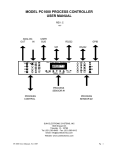
The front panel on the PC10 contains eight LED indicators. The HEAT and the COOL LEDs light
when the controller turns on the heat and cool outputs. These LEDs will not light unless the HEAT
ENABLE and/or COOL ENABLE are activated. The REM CTL LED lights when RS232 remote
control is active. The LOCAL PROG LED lights when a local program is running. The TIME OUT
LED lights when the wait time for a set point has timed out.The TEMP LED lights up when the sensor
temperature is being displayed. The remaining two LEDs indicate that the heat and/or cool enables are
active.
C. KEYPAD
The PC10 controller has six push botton switches. Each key is assigned to different functions
depending on situation. The function of each key is explained below
UP / SET SEG /
NO
While not in any MENU, the SET SEG becomes active. If
you are in a MENU, and if you are scrolling between menu
items then NO becomes active. If you are changing the
value of a menu item, then UP becomes active. If a local
program is currently running, then pressing this key will
display the current cycle number, rate, wait time, and set
point in sequence.
SET SEG
Allow for easy entry of the RATE, WAIT, and SET values.
When the command is entered the controller will display
the current setting. The user must then only change the
value desired using the UP/DOWN keys or just enter for no
change.
UP
Increments the value currently being displayed. Holding
the key pressed continously increments at a faster rate. To
slow down, just give a brief pause between key presses.
NO
Just go to the next menu item.
DOWN / RESET
PC10 Manual Ver. 1006
While not in MENU, pressing this button will pause any
local program that is currently running or reset any single
temperature control process. It also clears the heat / cool
enable, time out led, and remote control led. While in a
MENU and displaying a numeric value, pressing this key
decrements the value. If in Local Program operation,
Pressing the RESET key once will pause the local program.
15
In this mode, the wait time count and local program
execution will be suspended. The "HOLD" message with a
short beep is displayed periodically until the RESET key is
pressed again which will resume the local program execu
tion. If the ENTER key is presed instead, the controller
terminates local program execution in the controller. If
running in single temperature mode, then pressing the
RESET key terminates the temperature segment and sets
SET=NONE and WAIT=FOREVER.
HEAT ENABLE
COOL ENABLE
16
Used to enable/disable the heat and cool outputs. If the
LED is on, the function is enabled. If the LED is off, the
function is disabled. The switches operate in a push-on/
push-off or alternate action fashion.
ON/OFF
Turns the unit on and off.
MENU / ENTER
The ENTER becomes active only when the MENU is active.
MENU causes entry into the PC10 configuration menu. This
menu is fully explained in Section 3.
PC10 Manual Ver. 1006
3. MENU
The PC10 contains one menu for configuration. Listed below are the functions contained in the
menu. Some of these functions can also be accessed remotely. The menu items are listed in the order
of their appearance in the menu.
A. RESET CONTROLER ( SE-9)
This menu provides the means to reset the controller and restore factory default settings from the
front panel.
Pressing the MENU key will prompt you with SE-9 message. Pressing RESET key will reset the
controller with factory default settings and put the controller into off state. Pressing NO to the above
prompt will proceed to the CAL menu.
B. CALIBRATE PROBES ( CALP )
The PC10 can be calibrated by placing the probe at 0 and 100 deg C. This can be done only from
the front panel. In order to calibrate, you need to connect the required probe type to the connector at the
appropriate position as shown in figure 3.
Pressing the MENU key will prompt you with SE-9 ( Reset Controller ). Answering NO to this
will display CALP prompt. Press ENTER if you want to calibrate the probe or press the NO key to go
to the next menu item. Choosing the CALP option will prompt you with the ACCESS CODE ? ( CODE
). AT his time you will have enter MENU-UP-DOWN-UP-ENTER keys in the same sequence to enter
the calibration mode. The controller will just skip the CAL mode if a wrong sequence is entered. This
prevents unauthorized personnel from inadvertantly calibrating the unit. After a correct access code is
entered, the controller prompts with various probe type options. Press ENTER to select the probe or press
NO to go to the next probe type. The probe types accepted by the the PC10 are:
a) P1 = 2/3/4 Wire RTD, α = .385
b) P2 = 2/3/4 Wire RTD, α = .392
c) P3 = J Thermocouple
d) P4 = K Thermocouple
e) P5 = T Thermocouple
After the correct probe type is selected, the PC10 promts you with 0c (Probe at 0 Deg C ?). At
this time you need to place the probe at 0 Deg C ( you may use ice water or SUNs TCAL2 probe calibrator)
and leave it for a few minutes for stabilization. After sufficient time press ENTER. The controller now
displays 100c ( Probe at 100 Deg C ?). Now place the probe at 100 Deg C ( you may use boiling water
or SUNs TCAL2 probe calibrator) and leave it for a few minutes to stabilize. After sufficient time press
ENTER. The PC10 now displays the units U= C ( unit = Centigrade). Press ENTER if the unit is ok or
press NO otherwise. Pressing NO, the controller will display U= F ( unit = Fahrenheit). Press ENTER
to select and go to next menu item. The display will toggle between U= C and U= F until one of them
is selected.
The calibration procedure to calibrate for K Thermocouple is illustrated by the following
sequence of key inputs:
Controller
SE-9
PC10 Manual Ver. 1006
User Input
MENU
NO
17
CALP
CODE
P1
P2
P3
P4
0c
100c
U= C
U= F
ENTER
MENU-UP-DOWN-UP-ENTER
NO
NO
NO
ENTER
ENTER ( After few minutes at 0 Deg C )
ENTER ( After few minutes at 100 Deg C )
NO ( or ENTER for Deg C )
ENTER ( or NO to go back to Deg C )
C. MODIFY SCALE (U= C & U= F)
Allows changing of temperature scale to deg C, or F. The current unit is displayed first. The user
may change it to the other one by pressing NO, and, pressing ENTER when the appropriate unit is
displayed.
D. SET BAUD RATE ( BD= )
Allows changing of baud rate for the RS232 communication. The PC10 can communicate at
9600, 4800, 2400, or 1200 baud. By default, whenever the unit is reset, the baud rate is set to 9600 baud.
After the CAL menu, the next prompt is Bd = . Pressing ENTER will allow you to select the baud rate.
The menu cycles through the different options if NO is pressed and selects the appropriate baud rate
when ENTER is pressed.
E. RS232 ECHO ON/OFF ( ECON )
Allows enabling / disabling the RS232 character echo. Character echo allows you to see what you
have typed when communicating from a dumb terminal. When this menu prompt comes up on the
display, pressing ENTER will enable and pressing NO will disable the feature.
F. COMPRESSOR CTL ( CCON )
This menu item enables the automatic compressor control feature of the PC10. When enabled,
Process output bit 2 acts as the control for the compressor. See Section 4 for complete description of
the compressor control feature. Pressing ENTER will select this feature and pressing NO will disable
it.
G. COOL BOOST ( CBON )
This menu item enables the automatic boost cool output control feature. When enabled, Process
output bit 3 acts as the control for a boost cooling valve. Boost cooling is used on some closed cycle
refrigerated temperature chambers. Pressing ENTER will select this feature and pressing NO will disable
it.
NOTE: The PID values for both HEAT & COOL are scaled FOUR times and displayed since very
small numbers will be out of range on the 4 character display. However they are scaled back for all
internal calculations. (Example: P=.25 will be displayed as 1.0).
H. P COEFFICIENT FOR HEAT ( P-H )
This menu item allows examination/modification of the Proportional coefficient of the PID
18
PC10 Manual Ver. 1006
coefficients for heating. (Factory Default=.250). Press ENTER to display the current value. Once the
numeric value is displayed, Press UP/DOWN keys to change the value and finally ENTER to accept the
value.
I. I COEFFICIENT FOR HEAT ( I-H )
This menu item allows examination/modification of the Integral coefficient of the PID
coefficients for heating. (Factory Default=.001). Press ENTER to display the current value. Once the
numeric value is displayed, Press UP/DOWN keys to change the value and finally ENTER to accept the
value.
J. D COEFFICIENT FOR HEAT ( D-H )
This menu item allows examination/modification of the Derivative coefficient of the PID
coefficients for heating. (Factory Default=.1). Press ENTER to display the current value. Once the
numeric value is displayed, Press UP/DOWN keys to change the value and finally ENTER to accept the
value.
K. P COEFFICIENT FOR COOL ( P-C )
This menu item allows examination/modification of the Proportional coefficient of the PID
coefficients for cooling. (Factory Default=.25). Press ENTER to display the current value. Once the
numeric value is displayed, Press UP/DOWN keys to change the value and finally ENTER to accept the
value.
L. I COEFFICIENT FOR COOL ( I-C )
This menu item allows examination/modification of the Integral coefficient of the PID
coefficients for cooling. (Factory Default=.001). Press ENTER to display the current value. Once the
numeric value is displayed, Press UP/DOWN keys to change the value and finally ENTER to accept the
value.
M. D COEFFICIENT FOR COOL ( D-C )
This menu item allows examination/modification of the Derivative coefficient of the PID
coefficients for cooling. (Factory Default=.1). Press ENTER to display the current value. Once the
numeric value is displayed, Press UP/DOWN keys to change the value and finally ENTER to accept the
value.
PC10 Manual Ver. 1006
19
4. INPUT/OUTPUT
The PC10 has 8 bits of on/off output, and a fail-safe input. Of the 8 bits of output, 5 are available
to the user through the use of the OUT0 command. The remaining three (Bit 0,1 &7) are always used
by the controller for heat, cool, and power on/off respectively. Some of the 5 remaining outputs may be
used if special functions, such as compressor control etc., are enabled in the MENU. The outputs are
open collector 12 Volt, 100 mA and are capable of controlling solid state relays or small 12 volt DC
relays.
The commands listed below control communication with the output interface:
OUT0:n,m
where n=2-6 for the number of the output and m=1 or 0
for on/ off (1=on, 0=off). Bits 0,1, and 7 are used for
heat,cool, and power on/off, respectively.
Compressor Control
Bit 2 of the Bit I/O can be configured to turn on/off the compressor of a compressor based
temperature chamber. This feature is enabled via the menu from the front panel. If enabled, bit 2 will
be on whenever cooling is required. The bit will remain on to keep the compressor on for a minimum
of 4 minutes. If cooling is not required for 4 minutes, bit 2 will be turned off to turn the compressor off.
If cooling is required any time, the 4 minute counter is restarted . If bit 2 is to be used for any other
purpose, Compressor Control must be disabled from the Menu from the front panel.
The Bit I/O are brought on to the 20 pin edge connector. The pin configuration is as follows:
Pin 1
Failsafe Input
Pin 2
Heat Output
Pin 4
Cool Output
Pin 6
Compressor / Auxillary 1 Output
Pin 8
Cool Boost / Auxillary 2 Output
Pin 10, 12, 14 Aux 3 - 5 Outputs
Pin 16
ON/OFF
Pin 5, 7, 9
+12V, 100mA
Pin 11, 13, 15 GND
20
PC10 Manual Ver. 1006
5. DETAILED COMMAND DESCRIPTIONS
COFF
Function:
Disable cooling
Syntax:
COFF
Description:
The COFF command permits a remote interface to disable cooling by the controller. The front
panel COOL switch also disables controller cool function when depressed if cooling was enabled. The
local program defaults to CON when the local program begins running.
Restrictions:
None
See Also:
CON, HOFF, HON
Example:
COFF«
disable cooling
CON
Function:
Enable cooling
Syntax:
CON
Description:
The CON command permits a remote interface to enable cooling operation. The COOL switch
located on the front panel can also enable cooling operation if depressed when cooling is disabled. The
local program defaults to CON when the local program begins running.
Restrictions: None
See Also:
COFF, HON, HOFF
Example:
CON«
PC10 Manual Ver. 1006
Enable cooling operation
21
CSET
Function:
Examine the present control value.
Syntax:
CSET?
Description:
The CSET command allows for examining the present value that the controller is attempting to
control to.
Restrictions: Remote only
See Also:
TEMP?
Example:
assumes scale in degrees C
RATE=10«
WAIT=30«
TEMP?«
25.0
SET=35.0«
CSET?«
30.0
22
define temperature segment, RATE=10 deg C/m
wait=30 min.
examine present temperature
controller response, 25.0 deg C
set new final temperature, 35.0 deg C wait 30 seconds
examine present ramp target temperature
controller response, 30.0 deg C
PC10 Manual Ver. 1006
DEVL
Function:
Set or examine the deviation limit
Syntax :
DEVL=nnn.n
DEVL?
Set deviation limit
Examine deviation limit
Description:
The DEVL command sets the deviation limits for the probe. If the probe temperature varies by more
than the set limit, an interrupt ( Character "D" )will be generated to the RS232 remote interface.
Restrictions: Remote command only. Deviation Limit range is between 0.1 and 300.
See Also:
UTL, LTL
Example:
if SCALE = C
DEVL=2.5«
DEVL?«
2.5
RATE=30«
WAIT=180«
SET=-55.0«
set deviation limit to 2.5 deg C
examine deviation limit
controller response, 2.5 deg C
define temp. segment
wait for 3 hours
set final temp. to -55.0 deg C if after 1 hour, the tempera
ture starts to rise, a deviation interrupt "D" will be sent to
the RS232 remote interface.
HOFF
Function:
Disable heat output.
Syntax:
HOFF
Description:
The HOFF command permits a remote interface to disable the heat output. The front panel HEAT
switch also disables controller heat function when depressed if heat was enabled. The local program
defaults to HON when the local program begins running.
Restrictions: None
See Also:
CON, COFF, HON
Example:
HOFF«
PC10 Manual Ver. 1006
disable heat output
23
HON
Function:
Enable heat output
Syntax:
HON
Description:
The HON command permits a remote interface to disable the heat output. The front panel HEAT
switch also disables controller heat function when depressed if heat was enabled. The local program
defaults to HON when the local program begins running.
Restrictions: None
See Also:
COFF, CON, HOFF
Example:
HON« Enable heat output
LLO
Function:
RS-232 Command to lockout local keyboard
Syntax :
LLO
Description:
The Local Lockout (LLO) command may be issued from a host processor to lockout the local
keyboard. The LLO command only applies to host computers communicating over the RS-232 serial
interface. Local keyboard function may be unlocked through the use of the RTL command or removing
the power to the unit.
Restrictions:
RS-232 remote interface command only.
See Also:
RTL
Example:
LLO« lockout local keyboard
run sensitive testing
RTL« unlock local keyboard
24
PC10 Manual Ver. 1006
LP
Function: Examine which local program cycle is currently being executed
Syntax :
LP?
Description:
If the conroller is not in a local program when this command is sent, the controller responds with
a command error over the RS232 bus, else it responds with the cycle number currently being executed.
This can also be accessed through the front panel by pressing the SETSEG key when a local program
is running.
Restrictions: Remote Interface command only.
See Also:
Keypad description in section 2.
LTL
Function:
Set or examine the lower temperature limit
Syntax :
LTL=nnn.n
LTL?
Set LTL , variable units
Examine LTL, variable units
Description:
The LTL command allows for setting the lower temperature limit below which an interrupt (
Character "U" ) will be generated and the cooling process will be suspended/disabled. The units for the
LTL command are those as selected in the MENU for the probe.
Restrictions: Remote command only. Temperature values for the LTL command must range between
-200 deg C and the UTL setting.
See Also:
UTL
Example:
If scale is set to deg C
LTL = -100.0«
LTL?
-100.0
PC10 Manual Ver. 1006
set LTL to -100 deg C
examine LTL
controller response, -100 deg C
25
OFF
Function:
Turn off PC10
Syntax:
OFF
Description:
The OFF command turns off the PC10. As long as the PC10 is connected to an appropriate line
voltage, the controller is still powered on. The OFF command turns off the front panel display, indicators
and switch functions, except for the POWER switch. In addition, commands received over the remote
interfaces are ignored except for the ON command. Depressing the POWER switch when the controller
is ON results in the same function as the OFF command.
Restrictions: Remote interface command only
See Also:
ON
Example:
OFF« Turn OFF PC10
ON
Function:
Turn on PC10
Syntax:
ON
Description:
The ON command enables power and function of the controller. When the controller is plugged
in to an appropriate line voltage, the controller is powered on and can accept a power on command from
either the front panel by depressing the power switch or from a remote interface by using the ON
command.
Restrictions: Remote interface command only
See Also:
OFF
Example:
ON«
26
Turn on PC10
PC10 Manual Ver. 1006
OUT
Function:
Output data to the BIT I/O port.
Syntax:
OUT<device number>:<address>,<data>
Bit I/O = device 0
Description:
The OUT command permits data to be transferred to an output device such as the Bit I/O. For
a complete description on operating with an I/O device, consult the Input/Output Section 8.
Restrictions:
Remote Only
Example: OUT0:5,1«
OUT0:5,0
set Bit I/O bit 5
disable bit 5
PIDC
Function:
Set or examine PID coefficients for cool control
Syntax:
PIDC=nnn.n,nnn.n,nnn.n
PIDC?
set cool PID coefficients
examine cool PID coefficients
Description:
The PIDC command permits modification and examination of the proportional, integral and
derivative (PID) coefficients used in the algorithm which controls the cooling process. PID coefficients
may be changed to accommodate varying changes in your system. The PID Application note contains
a procedure for tuning PID coefficients to a particular application (Contact Sun for this Application
note). PID coefficients are stored in non-volatile memory.
Restrictions:
Remote command only. To change PIDs from the front panel, the MENU must be accessed. Also
see the NOTE in PIDH command description.
See Also:
PIDH, PWMP
Example:
PIDC=0.5,0.25,0.001«
PIDC?«
0.50
0.25
0.001
PC10 Manual Ver. 1006
set PID coefficients
examine PID coefficients
controller response, P
controller response, I
controller response, D
27
PIDH
Function:
Set or examine PID coefficients for heat control
Syntax:
PIDH=nnn.n,nnn.n,nnn.n
PIDH?«
set heat PID coefficients
examine heat PID coefficients
Description:
The PIDH command permits modification and examination of the proportional, integral and
derivative (PID) coefficients used in the algorithm which controls the heating process. PID coefficients
may be changed to accommodate varying changes in your system. The PID Application note contains
a procedure for tuning PID coefficients to a particular application (Contact Sun for this Application
note). PID coefficients are stored in non-volatile memory.
Restrictions:
Remote command only. To change PIDs from the front panel, the MENU must be accessed.
NOTE: The PID values for both HEAT & COOL are scaled FOUR times and displayed since very
small numbers will be out of range on the 4 character display. However they are scaled back for all
internal calculations. (Example: P=.25 will be displayed as 1.0).
Hence if you need to enter 0.25, you will have to enter 1.0 instead.
See Also:
PIDC, PWMP
Example:
PIDH=0.5,0.25,0.001«
PIDH?«
0.50
0.25
0.001
28
set PID coefficients
examine PID coefficients
controller response, P
controller response, I
controller response, D
PC10 Manual Ver. 1006
PWMP
Function:
Set or examine the pulse width modulator period
Syntax :
PWMP=nnn.n
PWMP?
set PWM period
examine PWM period
Description:
The PWMP command permits modification of the period allocated to the pulse width modulation
algorithm. When controlling temperature, the controller uses a constant period of time of which the
controller calculates the portion of time for which heat or cool should be turned on. This is based on the
feedback from the probe and the PID coefficients. Shorter periods of time for pulse width modulation
translate into faster tracking of changes in your system. When changes are expected to be minimal for
an extended time, during long soak periods for example, it is more economical not to adjust quite so
frequently. In this case, increasing the PWM period, thus reducing the modulation rate, conserves power
and coolant and reduces wear on coolant supply valves.
Restrictions:
Remote only command. Period range from 2 seconds to 30 seconds
See Also:
PIDH, PIDC
Example:
PWMP=2«
TEMP?«
25.0
RATE=10«
WAIT=5«
SET=35.0«
PWMP=15«
WAIT=600«
SET=35.0«
PC10 Manual Ver. 1006
set PWM period to 2 seconds
examine current temperature
controller response
define new temperature segment
set wait for 5 min., stabilize mass
set new temp to 35.0
after 1 min for ramp and
after 5 min for wait timeout
set PWM period for 15 sec.
set long wait period, 10 hrs.
again, set temperature
29
RATE
Function:
Set or examine the current rate of change for ramping
Syntax:
RATE=nnn.n
RATE?
Set the current ramping rate
Examine the current ramping rate
Description:
The RATE command allows for setting or examining the rate at which the controller will
control the change from one set point to the next set point. Rate is based on the probe and on the units
of SCALE set up for the probe in the menu. When setting or examining the rate, nnn.n represents units
per minute. Units may be deg F, or C.
Restrictions: Remote only, see SET SEGment in this section for front panel equivalent.
Your system dynamics will limit the maximum ramping rate.
See Also:
SET, WAIT
Example:
If SCALE for the probe is in deg C
RATE=10.0«
set ramping rate for 10.0 deg C/minute
RATE?«
examine present ramping rate
10.0
controller response, 10.0 deg C/min.
TEMP?«
read present temperature
25.0
controller response, for example 25.0 deg C
SET=35.0«
set new set point, for example 35 deg C
after waiting 30 seconds
TEMP?«
read present temperature
30.0
controller response, up 5 deg C in one half
minute.
30
PC10 Manual Ver. 1006
RESET
Function:
Terminate local program execution, and terminate single temperature segment execution. This is equivalent to the STOP command.
Syntax:
RESET key
Description:
If in Local Program operation, Pressing the RESET key once will pause the local program. In
this mode, the wait time count and local program execution will be suspended. The "HOLD" message
with a short beep is displayed periodically until the RESET key is pressed again which will resume the
local program execution. If the ENTER key is presed instead, the controller terminates local program
execution in the controller. If running in single temperature mode, then pressing the RESET key
terminates the temperature segment and sets SET=NONE and WAIT=FOREVER.
Restrictions: Front Panel Operation Only.
RTL
Function:
RS-232 Command to unlock local keyboard
Syntax:
RTL
Description:
The Return to Local (RTL) command may be issued from a host processor to unlock the
local keyboard. The RTL command only applies to host computers communicating over the RS-232
serial interface. Local keyboard function may be locked through the use of the LLO command.
Restrictions:
RS-232 remote interface command only.
See Also:
LLO
Example:
LLO« lockout local keyboard
run sensitive testing
RTL« unlock local keyboard
PC10 Manual Ver. 1006
31
SET
Function:
Syntax:
Set or examine temperature segment final temperature
SET=nnn.n
SET?
Set segment final temperature
Examine segment final temperature
Description:
The SET command allows for setting or examining the final temperature within a temperature
segment. The temperature segment consists of the change of temperature, defined by the RATE
command, from the present temperature to the temperature defined by the SET command, plus the time
specified by the WAIT command to soak at the temperature defined by the SET command. The units
accepted by the SET command are those chosen in the menu. For best results, a temperature segment
should be entered as RATE, WAIT then SET.
Restrictions:
Remote only, see SET SEGment in this section for front panel equivalent. The value set by the
SET command must range between the values set for the LTL and UTL commands.
See Also:
RATE, WAIT, LTL, UTL
Example:
If SCALE for the probe is in deg C
RATE=10.0« set ramping rate for 10.0 deg C/minute
WAIT=5
set wait = 5 minutes
TEMP?«
read present temperature
25.0
controller response, for example 25.0 deg C
SET=35.0« set new set point, for example 35 deg C
SET?
examine present set temp.
35.0
controller response after waiting 30 seconds
TEMP?«
read present temperature
30.0
controller response, up 5 deg C in one half minute
32
PC10 Manual Ver. 1006
SET SEGMENT
Function:
Allows the user to set the RATE, WAIT, and SET values
Syntax:
SET SEG key
Description:
Allows for easy entry of the RATE, WAIT, and SET values. When the command is entered, the controller
responds on the display with the current settings and prompts for new values. The user must then only
change the value desired using the UP/DOWN keys or just enter for no change.
Restrictions: Front Panel Operation only.
See Also: SET, WAIT, RATE.
STOP
Function:
tion.
Terminate local program execution, and terminate single temperature segment execu-
Syntax :
STOP
Description:
If in Local Program operation, the STOP command terminates local program execution in the
controller. If running in single temperature mode, then entering the STOP command terminates the
temperature segment and sets SET=NONE and WAIT=FOREVER.
Restrictions: Remote Only
PC10 Manual Ver. 1006
33
STOP-9 & STOPE9
Function:
Syntax:
Restores controller to factory default settings.
STOP-9, STOPE9
Description:
The STOP-9 or the STOPE9 command resets the controller to factory default settings.
Calibration information is not affected. The controller will go to the power off mode after this command
is executed.
Restrictions: Remote Only
Example:
STOP-9«
Reset controller to factory default settings.
TEMP
Function:
Syntax:
Examine current probe temperature
TEMP?
Description:
The TEMP command provides the means for a remote interface to read the present value of the
probe. This value is normally displayed on the front panel display. The units for the probe are set in
the menu for deg F, or C.
Restrictions: Remote Interface command only.
Example:
34
TEMP?«
25.0
read probe
controller response, 25.0 units
PC10 Manual Ver. 1006
UTL
Function:
Set or examine the upper temperature limit
Syntax :
UTL
UTL=nnn.n
UTL?
TC01 compatible examine UTL in deg C
Set UTL, variable units
Examine UTL, variable units
Description:
The TC01 compatible commands provide for examining the UTL in degrees centigrade only. If
temperature units are desired to be the same as that set in the menu , then the UTL=nnn.n and UTL?
command formats should be used. If the temperature exceeds the UTL setting, then an over temperature
interrupt ( Character "O" ) will be generated to the RS232 remote interface.
Restrictions:
TC01 compatible commands operate from the remote interface only.
See Also:
LTL
Example:
If scale is set to deg F
UTL«
examine UTL in deg C
150.0
controller response, 150.0 deg C
UTL?«
examine UTL in units, deg F
302.0
controller response, 302 deg F
PC10 Manual Ver. 1006
35
WAIT
Function:
Set or examine the temperature segment wait period
Syntax:
WAIT=Minutes
WAIT=F(OREVER)
WAIT?
set wait in minutes
set WAIT to forever
examine current wait setting
Description:
The WAIT command determines the time at which the controller will maintain the set temperature
after the probe temperature is within +/- 1.0 Deg of the target temperature. Once the wait period begins,
the wait time continues regardless of changes in probe temperature. When running a local program, the
next loop in the program is executed after the wait period is timed out. In single temperature mode, the
controller continues to maintain the set temperature after the wait period timeout. During the wait period,
examination of WAIT returns the time remaining in the wait period. After the end of a wait timeout,
the WAIT is reset to FOREVER. For best operation the temperature segment should be entered RATE,
WAIT then SET.
Restrictions:
Remote only, See SET SEG (SET SEGment in this section for front panel control equivalent).
The WAIT time can only be entered in minutes. If it is more than one hour, then, you must convert it
into equivalent minutes and enter it.
See Also:
SET, RATE
Example:
RATE=10«
WAIT=10«
TEMP?«
25.0
SET=35.0«
WAIT?«
9.0
36
define temperature segment,rate=10 deg C/min
wait=10 min
examine current temperature
controller response, 25.0 deg C
set new temperature, 35 deg C
after 1 minute, set temperature is reached,
wait period begins; after 1 more minute,
examine wait setting
controller response, 9 min remaining
PC10 Manual Ver. 1006
6. ERROR MESSAGES
Several features have been designed into the PC10 controller that provide a measure of protection
against damaging or unusual controller operating conditions. While these failsafe features provide the
user with a first level failsafe, the controller cannot detect all the failure modes and hence your equipment
must have an independent failsafe mechanism.
Error messages are displayed on the display whenever the controller detects any errors. The error
messages and their descriptions are listed below:
1. PErr
Probe Error!!!. This message is displayed when the controller detects
an open thermocouple, or lead compensation error in RTD probe, or
when the probe temperature exceed the allowable limit for that type of
probe. The heat and cool are disabled whenever this condition occurs.
2. CErr
Calibration Error!!!. This message is displayed when calibration is
performed with the thermocouple hooked up backwards.
3. ULEr
Upper Limit Error!!!. This message is displayed when the probe
temerature exceeds the upper temperature limit setting. The heat and
cool are disabled whenever this condition occurs.
4. LLEr
Lower Limit Error!!!. This message is displayed when the probe
temerature goes below the lower temperature limit setting. The heat
and cool are disabled whenever this condition occurs.
5. FSEr
Fail Safe Error!!!. This message is displayed if the failsafe pin on the
PWM connector is pulled low. When ever this condition occurs, the
controller shuts off all the outputs and it requires power off to reset this
condition.
6. PLC
Program Lost Control Error!!!. This message is displayed when the
software malfunctions. When this condition occurs, the outputs are
disabled and the unit shuts off in a orderly manner.
7. COP
Computer Operating Properly Error!!!. This message is displayed
when the software malfunctions. When this condition occurs, the
outputs are disabled and the unit shuts off in a orderly manner.
8. CLEr
Clock Monitor Error!!!. This message is displayed when the Clock to
the microprocessor becomes very low. When this condition occurs, the
outputs are disabled and the unit shuts off in a orderly manner.
9. RSEr
RS232 Timeout error!!!.
PC10 Manual Ver. 1006
37
7. SPECIFICATIONS
Power Requirements
Power consumption: 6 W
Voltage: 110 / 220 ( Jumper Selectable )
Frequency: 50 Hz or 60 Hz
Mechanical Package
4.5" x 4.5" x 2.0"
Temperature Set Point Range
-200 to +300 Deg C
Time at Temperature Range
6.0 sec to 15 Hours or continuous
Temperature Ramping Rate Control
Locally controlled from .1 deg C/min up to
the heat/cool rate of change of the system
Programmable Set Temps and Times
3 loops, 1 to 255 cycles
Absolute Error
+/- .25 deg C (not including probe error)
Long Term Stability (per month)
+/- .2 deg C
Temperature Resolution
.02 deg C
Line Voltage Sensitivity
+/- .1 deg C for a 10 % line voltage change
Local Junction Compensation
.05 deg C/deg C (5 deg C to 45 degC)
Temperature Control Technique
PID algorithm/Pulse width modulated, pro
grammable from keyboard or remote inter
faces
Local Operation
6 key keypad, 7 Segment display
Remote Operation
Built in RS232 interface
Additional I/O Capability
5 auxiliary outputs
Safety Features
Open/short probe detection, adjustable
upper and lower temperature limits. Failsafe input
Convenience Features
Heat/cool enable/disable switches, temproary
memory (for couple of days) for local pro
gram, configuration menu, remote interrupt
operation.
38
PC10 Manual Ver. 1006
8. REPAIR INFORMATION
Due to the test system required, it is not recommended that the PC10 be repaired in the field. If
a problem should arise, call Sun directly to resolve the problem over the phone, if possible, or to arrange
for the unit to be sent back to Sun for repair.
When calling to return a controller, Sun Systems will issue a Return Material Authorization
(RMA) number. This RMA number should be on any paperwork sent with the controller and should also
be displayed on the shipping box. If a unit is returned without an RMA number, the repair could be
delayed.
Should there ever be a need to replace the software in the PC10 (i. e., with a new version supplied
by Sun Systems in an EPROM) the following procedure should be performed:
1. Un-plug the unit. Remove line power to equipment that the PC10 is connected to.
2. Remove the PC10 from the equipment panel.
3. The bottom board contains the firmware EPROM chip.
4. Remove the EPROM carefully and replace it with the new one supplied by Sun Systems.
Check for proper pin orientation when installing IC.
5. Reassemble the unit, re-connect the PC10 rear connectors and remount in equipment panel.
6. Turn the controller on. Next, enter the command STOP-9 from the remote RS232 interface.
This wil reset the controller to factory default settings stored in the new EPROM and reboot
the controller.
PC10 Manual Ver. 1006
39
9. REPLACEMENT OR OPTIONAL PARTS
190001
190008
190009
190010
800011
800003
40
3 wire 100 ohm RTD .392 probe
J thermocouple probe
K thermocouple probe
T thermocouple probe
3 amp solid state relay
25 amp solid state relay
PC10 Manual Ver. 1006