1
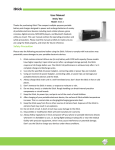
EZ-1000 User Manual www.gpsinsight.com | 866.GPS.4321 | [email protected] Office Locations: Oak Brook, IL • Orange, CA • Las Vegas, NV • Scottsdale, AZ (Headquarters) Status LEDs The EZ-1000 is equipped with two Status LEDs. The LEDs use the following blink patterns to indicate status: LED #1 (Right Side) Definitions Color Status Red Case 1: The power key has been pressed Case 2: The device receive a valid configuration command Green Case 1: Fast flash means network searching Case 2: Slow flash means network is registered Blue Fast flash means the GPS is in fixing LED1 will be solid blue for 2 seconds when GPS is fixed LED #2 (Left Side) Definitions Color Status Red Case 1: Solid means power is low Case 2: Slow flashes when charging Green Solid means charge completed Blue Case 1: Geo-Fence mode LED2 will be solid blue if the function key is pressed. After that if the user presses the function key one more time in 2 seconds the blue LED2 will be turned off and the new Geo-Fence center will be set after successful GPS fix Case 2: SOS The LED2 will be solid blue when the function key is pressed. It will be turned off after the function key released. User should press the function key for at least 3 seconds to start SOS report www.gpsinsight.com | 866.GPS.4321 | [email protected] Office Locations: Oak Brook, IL • Orange, CA • Las Vegas, NV • Scottsdale, AZ (Headquarters) Device Buttons Panic Button Top View Power Button Press and hold until power light illuminates Side View Technical Specifications Technical Specifications A-GPS • Quad-Band 850/900/1800/1900MHz • Compliant to GSM phase 2/2+ Class 4 (2W @ 900MHz) Class 1 (1W @ 1800/1900MHz) • Operating temperature range: -10℃ to +50℃ • Backup batteries: 1250mAh • Dimension: 66mm x 36mm x 20mm • Weight: 76g SUPL 1.0 (SUPL 2.0 upgradable) GPS Main Function: • A - GPS Position • Fixed time reporting • Emergency Alarm • Geo-fencing Alarm • Remote Control Alarm • Lower power alarm Interface • GPS Chipset: SiRF Star III • Channels: 20 channel all-in-view tracking • Reacquisition: 0.1 sec., average • Hot start: 1 sec., average • Warm start: 38 sec., average • Cold start: 42 sec., average • One Mini USB connecter to PC • LED indicate: Power / GSM network / GPS • 3 keys: Power on / Function / Reset www.gpsinsight.com | 866.GPS.4321 | [email protected] Office Locations: Oak Brook, IL • Orange, CA • Las Vegas, NV • Scottsdale, AZ (Headquarters) GPS Insight offers 24/7/365 Customer Support Please contact us today if you have any additional questions about this product. Toll Free: 1.866.477.4321 Email: [email protected] Web: www.gpsinsight.com www.gpsinsight.com | 866.GPS.4321 | [email protected] Office Locations: Oak Brook, IL • Orange, CA • Las Vegas, NV • Scottsdale, AZ (Headquarters) Copyright ©2009 GPS Insight, LLC.