1
Series BDF
Large
Displays
FEMA ELECTRÓNICA
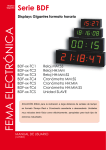
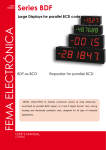
Large Displays in clock format
BDF-xx-TC1
BDF-xx-TC2
BDF-xx-TC3
BDF-xx-TC4
BDF-xx-TC5
BDF-xx-TC6
BDF-xx-TCS
Clock MM:SS
Clock HH:MM
Clock HH:MM:SS
Chronometer MM:SS
Chronometer HH:MM
Chronometer HH:MM:SS
Unit SLAVE
IDEAL SOLUTION for reading time signals at long distances, with units in
Real Time Clock format, or Chronometer with up and down counting. Very
strong housing and electrically protected units, designed for all type of industrial
applications.
USER’S Manual
(1281r01)
User’s Manual BDF-xx-TC1, TC2, TC3, TC4, TC5, TC6 and TCS
Models TC1 to TC6 and TC6
Large displays with clock and chronometer function
The BDF series of large displays for time signals is composed of units acting as Real Time Clocks, Chronometers
with up and down counting functions, and «SLAVE» units
for repeating time signals in synchronized time networks. All
instruments are available in 4 and 6 digits format, with digit
height 57mm and 100mm.
All «MASTER» units (Real Time Clocks and Chronometers)
provide RS422 signal output to retransmit the time signal
to the «SLAVE» units (TCS) creating synchronized time
networks.
The Chronometers have independent controls for «START»,
«STOP» and «RESET» functions, and a selectable «PRESET» value. This «PRESET» defines the time to load on
display when «RESET» is pressed on Down-Chronometers,
and the «ALARM» time on Up-Chronometers. The «ALARM»
state sets a digital transistor output to be active when reaching «00:00:00» with Down-Chronometers, or the value of
«PRESET» with up-Chronometers.
The mechanical of the BDF instruments is a very strong and
sturdy aluminium housing anodized in black color, for panel
mount, and for wall mount as an option. The front lens is antirreflexive and is firmly inserted on the aluminium profile with a
rubber gasket around, providing IP65 protection on the front.
The signal wires are connected to plug-in screw clamps for
higher security of the connections, and standard SUB-D connectors, accessible at the rear side of the instrument. The
power is connected to a 3 terminal plug (2 power connections
and 1 earth) containing an integrated protection fuse and an
additional fuse as spare part.
Order reference
Model
Size
BDF
24
-
-24
-44
-26
-46
-
TC2
-TC1
-TC2
-TC3
-TC4
-TC5
-TC6
-TCS
Power
-
0
-0 (230 Vac)
-1 (115 Vac)
-6 (24 Vdc
isolated)
Others
Color
-
R
-Red
-Green
-
---65 (IP65)*
-(empty)
(check for
availability)
* the IP65 option uses a completely
different type of housing from the
indicated in this documentation.
Check the BDF IP65 housing documentation for more information.
Sizes
SIZE BDF-24 - Instrument with 4 digits
digit 57mm height (2,3’’)
SIZE BDF-44 - Instrument with 4 digits
digit 100 mm height (4,0’’)
SIZE BDF-26 .- Instrument with 6 digits
57mm digit height
SIZE BDF-46 .- Instrument with 6 digits
100mm digit height
FEMA ELECTRÓNICA - Page 2
User’s Manual BDF-xx-TC1, TC2, TC3, TC4, TC5, TC6 and TCS
Front view
Models
MODEL BDF-xx-TC1 .- Real Time Clock with «MM:SS»
format. Time set through mechanical contacts on rear-side
terminal. Output in RS422 to synchronize «SLAVE» units.
MODEL BDF-xx-TC2 .- Real Time Clock with «HH:MM»
format. Time set through mechanical contacts on rear-side
terminal. Output in RS422 to synchronize «SLAVE» units.
MODEL BDF-xx-TC3 .- Real Time Clock with «HH:MM:SS»
format. Time set through mechanical contacts on rear-side
terminal. Output in RS422 to synchronize «SLAVE» units.
MODEL BDF-xx-TCS .- Unit with «SLAVE» function with
RS422 input, receives signal from «MASTER» units (Real
Time Clock or Chronometer) and visualizes on display the
synchronized time.
BDF Clock units are available in 4 or 6 digits format. Digits
are 7 segment LED red color. The «:» symbol between digits
is flashing in models with format «HH:MM», indicating that
the units is working properly.
MODEL BDF-xx-TC4.- Chronometer with Up or Down function with «MM:SS» format. Controls for «START», «STOP»
and «RESET». Digital transistor output when reaching
«00:00» or the preset «ALARM» value. Output in RS422 to
synchronize «SLAVE» units.
Rear view
RS422 output
MODEL BDF-xx-TC5.- Chronometer with Up or Down function with «HH:MM» format. Controls for «START», «STOP»
and «RESET». Digital transistor output when reaching
«00:00» or the preset «ALARM» value. Output in RS422 to
synchronize «SLAVE» units.
MODEL BDF-xx-TC6.- Chronometer with Up or Down
function with «HH:MM:SS» format. Controls for «START»,
«STOP» and «RESET». Digital transistor output when
reaching «00:00:00» or the preset «ALARM» value. Output
in RS422 to synchronize «SLAVE» units.
Control terminal
Alarm output
terminal
Power
(includes fuse)
All units have a 15 pin SUB-D terminal to connect the control
signals (see section 8) and time set, a 9 pin SUB-D terminal
for RS422 communication and a 4 pole plug-in screw terminal
to connect alarm output (see section 9).
Power supply connections
The power connector allows one terminal for earth and two
power terminals. Internal fuse is integrated on the connector
and an additional fuse is available as a spare part. The value
of the fuses depends on the power supply, and is according
to rule IEC127/2
230 Vac - 200 mA fuse time-lag
115 Vac - 400 mA fuse time-lag
24 Vdc - 350 mA fuse fast
Powered
230 Vac (115 Vac optional)
FEMA ELECTRÓNICA - Page 3
Powered
24 Vdc Isolated
+
Fuse
-
User’s Manual BDF-xx-TC1, TC2, TC3, TC4, TC5, TC6 and TCS
General specifications
DISPLAY
4 or 6 digits in red color
7 segment Led
digit height 57 mm (2,3”) or 100mm (4’’)
maximum display «99:59» or «99:59:59»
REAL TIME CLOCK
Display
up to «23:59» or «23:59:59»
Format
12 or 24 hours
Time set
advance hours and minutes
with mechanical contact
Accuracy
±1 minute per month
Memory
2 years with no power
TIME COUNTER
Display
up to «99:59» or «99:59:59»
Accuracy
±1 sec. for start/stop sequence
Memory
2 years with no power
(the counting stops if no power connected)
Preset
ENVIRONMENTAL DATA
Working Temp. 0/+50ºC (32/122 ºF)
Storage Temp. -20/+85°C (-4/185ºF)
Rel. Humidity 0 to 85% non condensated
Protection IP65 (only front filter)
HOUSING
extruded aluminium
anodized in black color
for panel mount (optional wall mount)
POWER SUPPLY standard 230 Vac 50/60 Hz
Optional 115 Vac 50/60 Hz
Optional 24 Vdc isolated
CONSUMPTION 6 VA in series BDF-24 and BDF-26
12 VA in series BDF-44 and BDF-46
configurable
isolated transistor output
maximum 30 V (30 mA)
«SLAVE» UNITS
Display
up to «99:59» or «99:59:59»
Input Signal
RS422 ASCII
SERIAL OUTPUT
Signal
RS422
Speed
1200 bps
No handshake transmits 1 time chain per second
Character
1 Start
8 Data No Parity
1 Stop
CONTROL LINES
State «1»
> 3.6V
State «0»
< 0.9V
Maximum Signal ±30V
Activation
at failing edge *
Resistance
selected Pull-Up *
Input Impedance1KOhm against common *
*Note .- the activation on «raising edge» or «down edge»
is jumper selectable. Also the selection of «Pull-Up» or
«Pull-Down» polarization resistances is jumper selectable.
To control de signals with a TTL signal level, select no polarization resistance (no pull-up, no pull-down) and the input
impedances remain as follows :
signal 0 to 5 Vdc 100KOhm against common
signal >5Vdc
18 KOhm
signal <-0.6 Vdc 18 KOhm
Antirrebound filter at 5 Hz
FEMA ELECTRÓNICA - Page 4
User’s Manual BDF-xx-TC1, TC2, TC3, TC4, TC5, TC6 and TCS
Start-up
Upwards chronometer - operations
When power is connected to the instrument, one of the following messages appear :
UP-CHRONOMETER UNITS
After message is displayed, the unit displays «00:00:00»
or the last displayed value. Use the control lines «START»,
«STOP», «RESET» to control the counting (see section
8). If the unit has the «ALARM» function activated, when
reaching the «PRESET» value the following sequence will
be generated :
MAStEr
6 digit instrument
in «MASTER» mode
MASt
4 digit instrument
in «MASTER» mode
SLAUE
6 digit instrument
in «SLAVE» mode
SLAU
4 digit instrument
in «SLAVE» mode
Press «RESET» to leave the sequence above, and to load
«00:00:00» value on display, to continue normal operation.
CHIP
Error due to internal failure
SET Data in memory corrupted
Reconfigure the unit
If the unit has the «ALARM» function not activated, when
reaching «PRESET» it will continue counting Up until reaching «99:59:59», it will switch to «00:00:00» and continue
counting up.
STOP
FLASH
SIGNAL
counting will stop at «PRESET» value
display will flash
transistor output will activate
(see section 9 for more information on the «PRESET» value)
Real time clock - operations
REAL TIME CLOCK UNITS
After message is displayed, the unit displays the actual time.
If different time is to be set, use the control lines «HOUR»,
«MINUTE», «SECOND» to set-up the time of the instrument
(see section 8)
Note.- The activation of a «START», «STOP» or «RESET»
control signal, switches the instrument to Chronometer
mode. To switch back to Real Time Clock mode, unplug the
power supply and plug again.
Slave units
SLAVE UNITS
After message is displayed, the unit remains waiting for data
on the RS422 terminal.
The TCS instruments are designed to work together with
«MASTER» units from the same BDF Clock series (models
TC1, TC2, TC3, TC4, TC5 and TC6) but they can be also
controlled from PLC’s or PC’s. (see section 10 for more information relating the data format transmitted on the RS422
line).The «SLAVE» instruments only have the RS422 terminal active. The other terminals are not functional.
Downwards chronometer - operations
DOWN-CHRONOMETER UNITS
After message is displayed, the unit displays the «PRESET» value or the last displayed value. Use the control lines
«START», «STOP», «RESET» to control the counting (see
section 8). If the unit has the «ALARM» function activated,
when reaching «00:00:00» the following sequence will be
generated :
STOP
counting will stop at «00:00:00»
FLASH
display will flash
SIGNAL
transistor output will activate
Press «RESET» to leave the sequence above, and to load the
«PRESET» value on display, to continue normal operation.
If the unit has the «ALARM» function not activated, when
reaching «00:00:00» it will switch to «99:59:59» and continue
counting down.
(see section 9 for more information on the «PRESET» value)
Note .- The RS422 communication line can be terminated
with a JP1 resistance (Terminator).
FEMA ELECTRÓNICA - Page 5
User’s Manual BDF-xx-TC1, TC2, TC3, TC4, TC5, TC6 and TCS
Connections and operation
Alarm y preselection
The BDF instruments working as Real Time Clocks, can be
set on time by closing mechanical contacts between terminals
14,13 and 6 of the «Control Terminal» and «GND». Each
contact closed will add «+1» on the hours and minutes and
will set seconds to zero.
ALARM
Chronometer units have an «ALARM» function which
activates when the display reaches «00:00:00» on DownChronometers, or when the display reaches the «PRESET»
value on Up-Chronometers. When the «ALARM» activates,
the following procedure occurs :
Terminal 14 to «GND» .- Adds «HOUR»
Terminal 6 to «GND» .- Adds«MINUTE»
Terminal 13 to «GND» .- Resets «SECOND»
Note.- The controls for «HOUR», «MINUTE» and «SECOND» are activated by mechanical contacts closed to
«GND». Internally, the terminals are connected to +15Vdc
through a Pull-Up 4K7 resistor.
The BDF instruments working as Chronometers with up
or down function have 3 controls for «START», «STOP»
and «RESET». By default, these functions are activated
by «Down-Edge» with a mechanical contact to «GND».
Internally, the terminals are connected to +15Vdc through a
Pull-Up 4K7 resistor.
Terminal 11 to «GND».- «RESET»
Terminal 3 to «GND».- «START»
Terminal 10 to «GND».- «STOP»
Note .- Each control line can be configured independently to
be activated by «Down-Edge» or «Rising-Edge». To configure
to «Down-Edge» use jumpers JP6, JP7, JP8 and place the
polarization resistors ad «Pull-Down» (Jumpers JP5, JP9,
JP10). Note that in this case, the signals will be activated with
a mechanical contact connected to «+15 Vdc» (allowable at
the same «Control Terminal»)
Control Terminal
9
10
11
12
13
14
15
+15 Vdc
9
STOP
RESET
GND
SECOND
HOUR
GND
15
STOP (pin 10)
START (pin 3)
RESET (pin 11)
GND
1
8
1
2
3
4
5
6
7
8
+15 Vdc
+15 Vdc
START
GND
GND
MINUTE
GND
Not Connected
STOP time counting stops
FLASH display flashes
SIGNAL the transistor output gets active
When pressing «RESET» the unit will reset the display to
«00:00:00» or to the «PRESET» value.
Note .- The «ALARM» function can be disabled by acting on
internal jumpers (see section 11).
PRESET
Chronometer units have a «PRESET» value that can be
configured to a predefined display time.
Down-Chronometer units will load the «PRESET» value on
display when pressing a «RESET», and will count down from
the «PRESET» value when «START» is pressed.
Up-Chronometer units will activate «ALARM» when reaching
the «PRESET» value.
ConfigurING THE «PRESET» VALUE
Stop the counting of the chronometer («STOP»). Press
«SECOND» (pin 13) and the «PRESET» value will appear
on display.
Note .- Only the 4 most significant digits of the «PRESET»
can be modified. Instruments with «HH:MM:SS» format can
modify the HH and MM values. Units with «HH:MM» and
«MM:SS» formats can modify all 4 digits.
Maintaining «SECOND» pressed, press «HOUR» or «MINUTE» to increase the value of the «PRESET». The default
value for the «PRESET» is «01:01:00» (or «01:01» for units
with 4 digits).
Note .- Pressing «Hour» and «Minute» simultaneously will
set the «PRESET» value to «00:00:00»
Alarm
Connections
FEMA ELECTRÓNICA - Page 6
A
B
C
D
Alarm +
Not Connected
Not Connected
Alarm -
User’s Manual BDF-xx-TC1, TC2, TC3, TC4, TC5, TC6 and TCS
Synchronized time networks - RS422 - Slave units
All BDF Clock units with «MASTER» function (Real Time
Clocks and Chronometers) have a RS422 ASCII output connection to send data to «SLAVE» units. All «SLAVE» units
receive this data and show on display the same time as the
«MASTER» time, being both units time synchronized.
Conection between «MASTER» and «SLAVE» is direct,
connecting pins «A» to «A» and «B» to «B». No additional
configuration is needed.
SLAVE 1
SLAVE 2
TRANSMITTED DATA FORMAT
For applications where the «SLAVE» unit is controlled from a
«MASTER» which does not belong to the BDF Clocks series
(PLC or PC), the information for the HH:MM:SS (or HH:MM
or MM:SS) to display must be transmitted to the «SLAVE»
in the following format:
Model TC1 and TC4
Model TC2 and TC5
Model TC3 and TC6
MASTER
MM.SS «CR»
HH.MM «CR» and
HH «NUL» MM «CR»
HH.MM.SS «CR»
Note .- in models «HH:MM» two different data types are sent,
in order to activate / deactivate the central points between
the HH and the MM. This creates a blinking effect showing
that the unit is receiving data and working correctly.
Codes sent correspond to the following HEX characters:
«H»
«M» «S»
«.» «-» «NUL» «CR» «30» to «39» HEX (0 to 9 decimal)
«30» to «39» HEX (0 to 9 decimal)
«30» to «39» HEX (0 to 9 decimal)
character «2E» HEX
character «2D» HEX
character «00» HEX
character «0D» HEX
Format 1 bit Start
8 bits Data No Parity
1 bit Stop
SLAVE 3
Twisted and shielded cable. Shield to the
«GND» connector of the «MASTER». Do
not connect the Shield to the «SLAVE»
units.
SLAVE n
maximum 32 units
last instrument must have terminator jumper connected (JP1 closed)
Connections RS422
1
5
Note .- When «MASTER» unit is not showing a valid time
value on display (it is being reconfigured or the «ALARM»
state is active) the data format sent on the RS422 bus is :
-- «NUL» -- «NUL» -- «CR»
-- «NUL» -- «CR»
-- «NUL» -- «CR»
FEMA ELECTRÓNICA - Page 7
6
9
Pin 1.- A
Pin 2.- B
Pin 5.- GND
User’s Manual BDF-xx-TC1, TC2, TC3, TC4, TC5, TC6 and TCS
Internal configuration
JP1
JP2
JP3
JP4
JP5
JP9
JP10
JP8
JP7
JP6
IMPORTANT .- To apply the changes made on jumpers and minidips, unplug and plug again the power
to the instrument.
IC4
minidips
minidips
JPA2
JPA3 (Open)
JPA4 (Open)
D1 . . . . . . D12
On
Off
JPA1
1 2 3 4 5 6 7 8 9101112
RS422 Bus Terminator
JP1 Closed RS422 with terminator (220 Ohms)
Alarm
(dip1)
Active
Inactive on
off
Antirrebound Filters for Control Signals
JP2 Closed Antirrebound filter for “STOP” (5 Hz )
JP3 Closed Antirrebound filter for “START” (5 Hz)
JP4 Closed Antirrebound filter for “RESET” (5 Hz)
Chronometer Up./Down.
(dip2)
Down
Up
on
off
Luminosity (dip3, dip4)
100%
75%
50%
25%
on
on
off
off
Configuring the Control Signals
Configuration for the 1 KOhm polarization resistors for control signals. Depending on the position of the jumpers, the
polarization resistors will be configured as Pull-Up ( ) or
Pull-Down ( ).
JP5 Stop
JP9 Start
JP10 Reset
The control signals will be activated by “Rising-Edges” (
or “Down-Edges”(
).
)
JP6 Start
JP7 Stop
JP8 Reset
By default, configuration is “activation by “Down-Edges” for
all controls, “Pull-Up” resistances and connections through
mechanical contact to “GND”
on
off
on
off
Real Time Clock type HH:MM
on
(dip5)
MM:SS
off
note .- for HH:MM:SS select HH:MM and jumper JPA2
closed
Real Time Clock mode
(dip6)
24 hours
12 hours
Output RS422
(dip7)
Newport modeon
standard
off
Type of unit (dip8)
Chronometer on
Clock
off
(dips9, 10, 11 y 12)
not used
Units with 4 or 6 digits
Jumper JPA1 Closed 6 digits
Jumper JPA1 Open
4 digits
Master or Slave units
JPA2 Close for “SLAVE” units (TCS)
Remove IC4 JPA2 Open for “MASTER” units (TC1, TC2, TC3, TC4, TC5
and TC6)
FEMA ELECTRÓNICA - Page 8
on
off
off
B
L
A
N
K
S
E
C
T
IO
N
User’s Manual BDF-xx-TC1, TC2, TC3, TC4, TC5, TC6 and TCS
FEMA ELECTRÓNICA - Page 9
User’s Manual BDF-xx-TC1, TC2, TC3, TC4, TC5, TC6 and TCS
Mechanical dimensions
Size 24
4 digits 57mm (2’’)
Size 44
4 digits 100mm
(4’’)
Size 26
6 digits 57mm (2’’)
Size 46
6 digits 100mm
(4’’)
A
B
C
264mm 120mm (10,40’’)
(4,75’’)
A
B
B
384mm 120mm (15,12’’)
(4,75’’)
A
B
668mm 180mm (27,10’’)
(7,09’’)
4 digits 57mm (2’’)
4 digits 100mm (4’’)
(4,41’’)
D
6 digits 57mm (2’’)
Size 46
E
376mm 112mm (14,80’’)
(4,40’’)
(4,41’’)
E
472mm 172mm (18,58’’)
(6,77’’)
Size 26
112mm
112mm
D
(4,41’’)
E
256mm 112mm (10,07’’)
(4,40’’)
Size 44
112mm
C
D
(4,41’’)
C
Size 24
112mm
C
480mm 180mm (18,90’’)
(7,09’’)
A
Panel cut-out and weights
D
6 digits 100mm (4’’)
E
680mm 172mm (36,77’’)
(6,77’’)
weight
2.3 Kg
(5 lbs)
weight
5.0 Kg
(11 lbs)
weight
2.7 Kg
(6 lbs)
weight
5.7 Kg
(12,5 lbs)
PANEL CUT-OUT
Note .- add 27mm to the «C» dimension for the power supply plug
E
Rear cover
D
C
B
Panel width
Max. 14 mm (0,55’’)
Min. 2,5 mm (0,10’’)
Panel installation
A
Antirreflexive filter
Introduce instrument «1» into the panel cut-out and place the
fixation piece «3» on each side. Place screw «2» through fixation piece «3» until it presses the panel «4» and is firmly fixed.
Note - The front of the instrument is sealed IP65. To have the
same level of protection between the panel and the instrument, place a rubber profile (squared or round) as indicated
«5».
1- Instrument BDF
2- Screw
3- Fixation tool
4- Panel
5- Rubber profile
FEMA ELECTRÓNICA - Page 10
User’s Manual BDF-xx-TC1, TC2, TC3, TC4, TC5, TC6 and TCS
Warranty
CE Declaration of conformity
All instruments are warranted against all manufacturing
defects for a period of 24 MONTHS from the shipment date.
This warranty does not apply in case of misuse, accident or
manipulation by non-authorized personnel. In case of malfunction get in contact with your local provider to arrange for
repair. Within the warranty period and after examination by
the manufacturer, the unit will be repaired or substituted when
found to be defective. The scope of this warranty is limited to
the repair cost of the instrument, not being the manufacturer
eligible for responsibility on additional damages or costs.
Manufacturer FEMA ELECTRÓNICA, S.A.
Altimira 14 - Pol. Ind. Santiga
E08210 - Barberà del Vallès
BARCELONA - SPAIN
www.fema.es - [email protected]
Series- Models
BDF-24 y BDF-44
TC1, TC2, TC3, TC4, TC5, TC6 and TCS
The manufacturer declares that the instruments indicated
comply with the directives and rules indicated below.
Directive of electromagnetic compatibility 2004/108/CEE
Directive of low voltage 73/23/CEE
Security rules
Emission rules
Immunity rules
61010-1
50081-2
50082-1
NOTE .- During an electromagnetic disturbance (10V/m) it is permitted a worst case error of 1% of
the A/D range. The instrument will recover automatically its functionality when the disturbance stops,
without need of the operator to reset or restart.
Barberà del Vallès October 2009
Daniel Juncà - Quality Manager
Precautions on installation
INSTALLATION PRECAUTIONS.- The installation and
operation of this instrument must be done by qualified
operators. This instrument DOES NOT have power switch
and will start to operate as soon as the power supply is
connected. The instrument has an internal protection fuse, according to
IEC-127/2, and is located inside the power-supply connector. The values are
Fuse 200 mA Time Lag (for 230 Vac power)
Fuse 400 mA Time Lag (for 115 Vac power)
Fuse 350 mA Fast (for 24 Vdc power)
When the instrument is used to control machines or processes where the
personnel or the process can be damaged, the appropriate security elements must be added to the system in order to protect the operator and /
or the system.
SAFETY PRESCRIPTIONS.- This instrument has been designed and verified according to the UNE-20553 rules and is delivered in perfect
conditions of operation. This manual contains the adequate information for the electrical installation. Before starting operations for
connections, readjustment, substitution, maintenance, repair, etc,
the instrument must be unplugged from the power supply. The instrument
must be installed in places with good ventilation to avoid excessive heating,
and far from sources of electrical noise or magnetic field generators, such as
power relays, electrical motors, speed controls, etc... The instrument can not
be installed in open places. Do not use until the installation is finished. The
instrument is designed to be mounted on a metallic panel with the adequate
protections. DO NOT clean the front lens with abrasive products (such as
solvents, alcohol, etc) use a clean and water humid rag. Do not expose the
instrument to excessive moisture. DO NOT operate the unit in the presence
of flammable gases or fumes.
EXCITATION VOLTAGE Vexc.Instruments BDF-xx-32 and BDF-xx-36 supply an excitation voltage of 10 to
24 Vdc (50mA) to power transducers, available between terminals A and C.
Do NOT connect these terminals to an external power supply, permanent
damages may result on both instruments.
POWER SUPPLY .- Connect the Power Supply to the terminals indicated in
this manual. Verify that the voltage and frequency of the
power supply is according to the voltage and frequency
values indicated in the label attached to the unit. DO
NOT connect the instrument to power lines which are
overloaded, or power lines with loads working in ON/OFF cycles, or with
inductive loads.
SIGNAL WIRING .- Information to consider relating the wiring of the sensors, probes, transducers, etc. The wires can act as antennas and introduce
electrical noise from the environment into the signal wires, specially if the
wires are close to noise sources or electromagnetic sources. There are
several rules generally known which should be taken into consideration
for the wiring :
a.- DO NOT install impulse, control or signal wires together in the same
conduits as the wires connected to power lines, connected to CC or AC
engines, electromagnets, ...
b.- When using shielded wires, connect the shield to the common of the
instrument, and leave not-connected the probe side
c.- The wires of impulse, control and signal should be placed in places
far away from switches, transformers, control relays, etc...
IN CASE OF FIRE
1.- Disconnect the unit from the power supply.
2.- Give the alarm according to the local rules.
3.- Switch off all the air conditioning devices.
4.- Attack the fire with carbonic snow, do not use water
in any case.
WARNING : In closed areas do not use systems with vaporized liquids.
FEMA ELECTRÓNICA - Page 11
other products
Panel Meters
Standard 96x48mm
Panel Meters
Small 72x36 mm
Panel Meters
Miniature 48x24 mm
Large Displays
60 & 100 mm digit
Signal Converters
& Isolators
Panel Meters
Standard 96x48mm
www.fema.es
ELECTRONIC INSTRUMENTATION FOR INDUSTRY
FEMA ELECTRÓNICA, S.A.
Altimira 14 - Pol. Ind. Santiga
E08210 Barberà del Vallès
BARCELONA - SPAIN
Tel. (+34) 93.729.6004- www.fema.es
Fax (+34) 93.729.6003- [email protected]