1
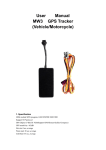
S4 USER MANUAL GPS Vehicle Tracker User Manual V1.0 S4 Page 1 of 12 S4 USER MANUAL Table of Contents 1. Product Overview...................................................................................................................................................................................3 2. Specification………………………………………………………………………………………………………………………………4 3. Wiring Installation......................................................................................................................................................................................4 3.1. Product Parts List .............................................................................................................................................................................5 3.2. Precaution before Installation ...........................................................................................................................................................5 3.3. Installation.........................................................................................................................................................................................5 4. SMS Command List...................................................................................................................................................................................7 5. Track by 900D web based tracking software………………………………………………………………………..……………….....10 6.Troubleshooting………………………………………………………………………………………………………………………….12 Contacts…………………………………………………………………………………………………....………….12 Page 2 of 12 S4 USER MANUAL 1. Product Overview Thank you for your purchase of S4 Vehicle GPS Tracker.The S4 GPS/GSM Tracker is a vehicle remote position device with build-in GPS and GSM/GPRS modules. It is a small size, high accuracy remote location tracking device. Based on GPS satellite, it provides accurate position information under dynamic conditions. Function List: GSM 850/900/1800/1900MHz Wide Voltage:9-70V DC Track on demand Built in memory to store historical data Show location directly on mobile phone or PC Inbuilt shock sensor for power saving,vehicle anti-theft ACC detectin,vehicle state hint SOS alarm Over speed alarm Power cut off alarm Remote monitoring of voice Remote Turn on/off Car Engine Applications: S4 GPS/GSM vehicle tracker can be used for motorcycle, electric golf cart, car, and scooter. The devices built in antenna, integrative machine and easy to assemble. For your safety: In order to realize the full functions of this product, please read this manual carefully before starting to use the product. 1. This product can only be maintained and repaired by qualified professional service personnel. If you detach this product for maintenance or repair, your warranty will be invalidated. 2. When connecting the other devices, read carefully their instruction manuals, so as to carry out correct installation; do not connect incompatible device. 3. Please use genuine original parts and qualified batteries and peripheral equipments, so as to avoid damage to this product. 4. As this product is a high-tech product, please read carefully this manual before starting to use the product, so as to avoid inappropriate operation. 5. 6. 7. 8. Drivers should not operate this product while driving a vehicle, thereby, affecting safe driving. This product can work properly only when GSM communication is in good condition. Please reduce electromagnetic wave interference to the product; and use it properly. GPS communication is liable to be affected by environmental shielding; may fail to carry out positioning during certain circumstances. It will resume the positioning function as soon as it leaves the shielding environment. This is normal. Please do not worry when encountering such problem. 9. Each signal sent out from the system will be confirmed for successful transmission in the base station of the mobile operator. However, if system stoppage occurs or if the mobile telephone is preset to a switch off state by the customer, it cannot ensure successful transmission. 10. For safety reason, do not tell the other people your S4 mobile number, without taking precautions. Page 3 of 12 S4 USER MANUAL Otherwise, your privacy may be compromised along with other safety problem. 2. Specification GSM module GSM 850/900/1800/1900 quad-band GPS sensitivity -164dB C/A Code 1.023MHz chip rate Channels 210 channel all-in-view tracking GPS frequency L1,1575.42MHz GPS Position Accuracy 10m(2D RM) GSM Position Accuracy Later will realize Velocity Accuracy 0.1m/s Time Accuracy Synchronized to GPS time Cold Start 30sec.,average Hot Start 5sec.,average Warm Start 29sec.,average Altitude Limit 18,000 meters (60,000feet) max. Velocity Limit 515 meters/second (1000knots) max. Acceleration Limit Less than 4g Operating temperature -20°C-65°C Humidity 5%To 95% Non-condensing Dimension 90mm×45mm×14mm Voltage 9-70V DC Average Current ≈25mA(12V DC) LED Out set SOS Key GPRS:Class 12,TCP/IP ≈12mA(24V DC) Red/ Blue/ Yellow LED showing power /GPS/GSM status One SOS emergency key: for urgent call 3. Wiring Installation Page 4 of 12 S4 user manual 3.1. Product Parts List GPS Tracker Unit SOS Button and Socket cables Mic(Optional) Relay(Optional) 3.2. Precaution before Installation 1 Check if all the parts are included. 2 Prepare a SIM card for GSM communication. Use some other mobile phone to confirm that the PIN code has not been set and that it can dial out and receive telephone calls and SMS without problem. 3 Before install the SIM card; make sure to cut off power from the GPS Tracker unit. The correct installation method is to push the tray completely into the GPS Tracker unit, until you feel it is hooked by something. 4 Find a suitable place inside the car for installing the unit. Concealed installation for avoid the thieves damage Avoid install together with the RF source, such as reversing radar, alarm and other vehicle communication equipment. Can use ribbon or wide sponge strength double-faced adhesive stick to fix. Equipment with GSM antenna and GPS antenna, installation shall ensure that face up (skyward), and above no metal barrier shield, suggest installation position: Front windshield decorative below the covert, Front panel (skin for non-metal material) around the shadow Rear window below decorative 5 Check if all the wiring has been connected correctly; then connect the GPS Tracker unit to the power supply. 6 We don't provide the SIM card 3.3. INSTALLATION Page 5 of 12 S4 user manual 3.3.1 Step 1: Install SIM Card 1 Insert the SIM card by sliding it into the card slot. 2 Make sure to turn off the power before install the SIM card. 3 Make sure to deactivate the PIN code, so that the SIM card can operate without PIN protection. 4 Before install the SIM card to the GPS Tracker, please use a mobile phone to make sure the SIM card can make & receive phone calls without problem. 5 Before install the SIM card to the GPS Tracker, please use a mobile phone to empty the SMS storage of the SIM card. 3.3.2 Wiring Description: 3.3.3 Description of S4 LED : Page 6 of 12 S4 user manual LED State Description Red LED--- indicate charge sate State Means On 0.1s, Off 2s Working normal On 1s, Off 2s Low battery Off Device sleep or device power off Blue LED--- indicate the GPS signal state State Means On 0.1s, Off 2s Working and has located On 1s, Off 2s Searching GPS signal Off Device sleep or device power off Yellow LED--- indicate the GPS signal state State Means On 0.1s, Off 2s GSM/GPRS Working normal On 1s, Off 2s GSM/GPRS initialization Off Device sleep or device power off 4. SMS Command List All of the following commands must be lowercase letters, all of the send commands will be reply. If set successful it will reply "set success!” otherwise need to set again. Send the corresponding commands the device will reply the corresponding results. Description SMS Command Example Set the center number admin123456,13812345678 admin123456,13812345678 Delete the center number noadmin123456,d noadmin123456,d Remarks: Default is no center number, any mobile phone can set GPS tracker by SMS command; once you set center number, only the center number Page 7 of 12 S4 user manual can set GPS tracker by SMS command. sos,no1,13412345678,no2,135123456 Set SOS specific number sos,no1,13412345678,no2,13512345678,no3,13612345678 78,no3,13612345678 Delete SOS specific number Change GPS Tracker use r Or Or sos,no1,13412345678 sos,no1,13412345678 sos,no2,13512345678 sos,no2,13512345678 sos,no3,13612345678 sos,no3,13612345678 sos,no1,d,no2,d,no3,d sos,no1,d,no2,d,no3,d or or sos,no1,d sos,no1,d sos,no2,d sos,no2,d sos,no3,d sos,no3,d password123456,444444 password123456,444444 Password(Default 123456) Remarks: The password will be changed from 123456 to 444444 Set Lang and Time Zone(Default 0 0) lang,x,zone,n lang,0,zone,8 Remarks: language options:x=0 is English,x=1 is Chinese. Time zone options: n=8 is East eight areas 8 ,n=-3 West three areas for -3 Default language 0,time zone 0 Set APN (Default:cmnet) apn,cmnet Case1:apn,apn name name,user,apn Case2:apn,apn user apn,cmnet,user,zhang,pd,abc123456 name,pd,apn password Case3:apn,apn name,user,apn user apn,cmnet,user,zhang,pd,abc123456,plmn,46000 name,pd,apn password,plmn,plmn value Remarks: (1)If no APN username and password are required, just input APN only. (2)Use format 2 if your APN requires APN user name and APN password. (3)Use format 3 if your APN requires APN user name and APN password. And plmn value. (4) APN is gateway to connect internet, Each country is different, please contact your SIM card provider for APN name. Case 1:Set IP and Port ip58.64.205.22port8000 ip58.64.205.22port8000 surl:www1.igpstracking.net,port:8000 surl:www1.igpstracking.net,port:8000 Remarks: IP is your server’s IP and Port. Case 2: Set Domain and Port Remarks: www1.igpstracking.net is domain, Set data interval time of GPRS 8000 is port interval,t interval,12 upload(Default 12s) Remarks: t:from 10 to 1800 in the unit of second. Set sleep time when car stop(Default sleep,t sleep,20 20m) Remarks: t:from 10 to 1800 in the unit of minutes. When the car stops reach the sleep time you set, GPS tracker will in sleep mode. Set wake up regularly when ente r awaker,t awaker,5 sleeping(Default 0) Remarks : t:from 1 to 1800 in the unit of minutes. When the car stops reach the sleep time you set, GPS tracker will in sleep mode; user can set wake Page 8 of 12 S4 user manual up interval, then GPS tracker can wake up regularly by the interval you set and upload the latest location. Default is 0 minute, means not wake up regularly in sleep mode. Get google link google google monitor,13112345678 monitor,13112345678 Remarks:Get google link. monitor Remarks: 13112345678 is mobile phone number(Sell phone number) SOS alarm Remarks: press SOS button in emergency situation, then GPS tracker will call the 3 sos numbers, first sos number 1, if no answer, then call sos number 2, if no answer, then call sos number 3, if fail, then call again from sos number 1-3 one moe time. Cut off main power alarm Remarks: when the main power is off, GPS tracker will send main power off alarm and present location to 900d gps platform, and one alarm SMS to center number, and call the 3 sos specific phone numbers by turns( call 6 times total if no one answer the call, 6 minutes interval each time) Set continuous shock will wake up and trigger shock alarm shock,t shock,5 when sleeping(Default 5s) Remarks: t:from 1 to 1800 in the unit of second. Default is 5 seconds. When car power is off, the ACC status is off, if ACC off status lasts more than the time you set, GPS tracker will start the “guard situation” automatically, if car shocks multi times will trigger shock alarm status, if the car power is still off(acc status is off), the GPS tracker will send shock alarm and present location to 900d gps platform, and one alarm SMS to center number, and call the 3 sos specific phone numbers by turns( call 6 times total if no one answer the call, 6 minutes interval each time) autofortify,10 Auto Guard(Default 0) autofortify,10 Remarks: set the auto guard time, default is 0 minutes Set ON/OFF Guard manually Remarks:p=1 on fortify,p fortify,1 oil,p oil,1 p=0 off Disable/Enable Car Fuel Remarks:p=1 Disable car fuel p=0 Enable car fuel Get device Version version version reboot reboot Remarks: Get device Version Restart GPS tracker Remarks: Received this instructions,GPS Tracker will be in 5 seconds after the restart. default Restore to factory settings default Remarks: Received this instructions,GPS Tracker will be in 5 seconds after the restart and restore to factory settings. List of default state: Parameter Default State Working Mode GPRS Pre-set phone numbers Null GPS Tracker user Password 123456 GPS ON ACC Switch status Prompt ON Press SOS button to call out ON Page 9 of 12 S4 user manual APN cmnet Server’s IP address and port 58.64.205.22 Main Power Cut Alarm ON 8000 5. Track by 900D web based tracking software 5.1. Set the center number: Command Remark Set the center number admin123456,13812345678 Password is 123456 Delete the center number noadmin123456,d Center number :13812345678 d: delete the center number For example: admin123456,13812345678 Default is no center number, any mobile phone can set GPS tracker by SMS command; once you set center number, only the center number can set GPS tracker by SMS command. 5.2. Set APN Command Set APN (Default:cmnet) Remark (1)If no APN username and password are required, just Case 1:apn,apn name input APN only. Case2:apn,apn name,user,apn user name,pd,apn (2)Use format 2 if your APN requires APN user name and APN password. password (3)Use format 3 if your APN requires APN user name and Case 3: Case2:apn,apn name,user,apn user name,pd,apn APN password. And plmn value. (4) APN is gateway to connect internet, Each country is password,plmn,plmn value different, please contact your SIM card provider for APN name. For example: Case 1:apn,cmnet Case 2:apn,cmnet,user,zhang,pd,abc123456 Case 3:apn,cmnet,user,zhang,pd,abc123456,plmn,46000 5.3.Set IP and Port Command Remark Case 1:Set IP and Port ip58.64.205.22port8000 Case 2: Set Domain and Port surl:www1.igpstracking.net,port:8000 5.4.Upload data in preset time Page 10 of 12 S4 user manual Command Set interval time of GPRS Remark interval,12 data upload(Default 12s) 5.5. Upload data in preset time when car stops Command Set sleep time when car Remark sleep,20 stop(Default 20m) 5.6 Please go to http://www1.igpstracking.net Enter the user name and password we provided. Enter the user name and password we provided. After log in, please go to “Vehicle Manager-Vehicle List” You will see the below window Please click “Add” button, you will see the below window: License Plate: Define by yourself; you can enter A-Z number or Numeric Very Important Note: Terminal ID and Plate number are unique on the software, you can add once only, you need to delete it from database before adding it again. Only admin account can delete id from database, general user cannot. You do not need to delete and re-add if the device cannot work on software, because it's caused by your wrong sms setting, not the software. Terminal Type: Do not choose. SIM card: the SIM card phone number you put in S4 or any number. Terminal ID: On the vehicle of S4. you can find the “Terminal ID”. Page 11 of 12 S4 user manual Click "Submit", and then you add the GPS tracker GTLT3 successfully on the software 900D. Wait few seconds, and you will see the GPS Tracker online icon on software Put a check mark on the device, and right click, you will see the menu as below picture. Now you can track online. Attention: For 900D GPS Software, "Monitor" and "Number Plate" must be checked till the font becomes blue, then the GPS tracker will update location automatically on map.Like below picture: Contacts If you encounter any problems when using our products, and cannot solve them by yourself, please contact our technical support team by writing an E-Mail to us. We will be pleased to help you. Page 12 of 12